10 Practical Agentic Memory Examples for Real AI Systems
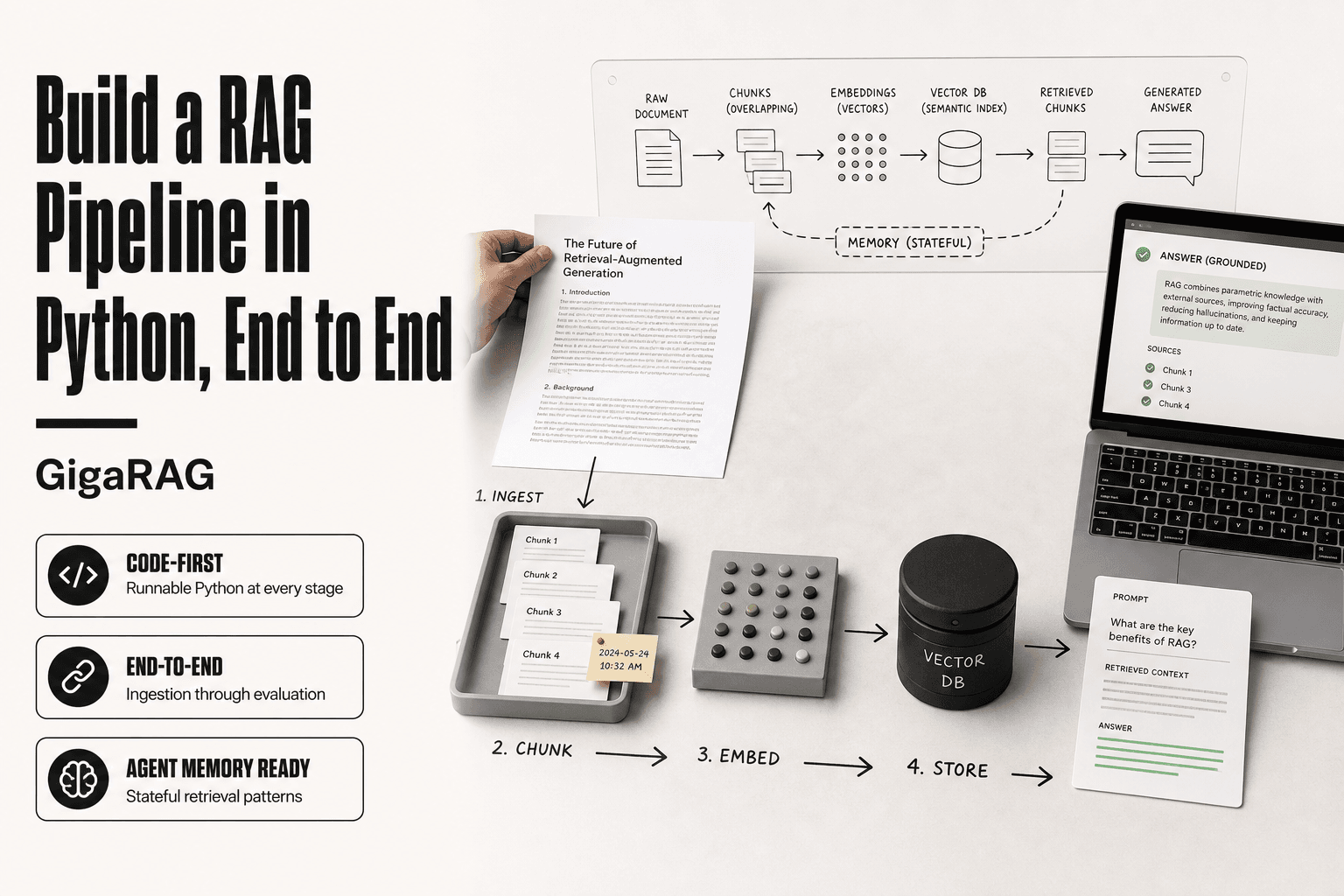
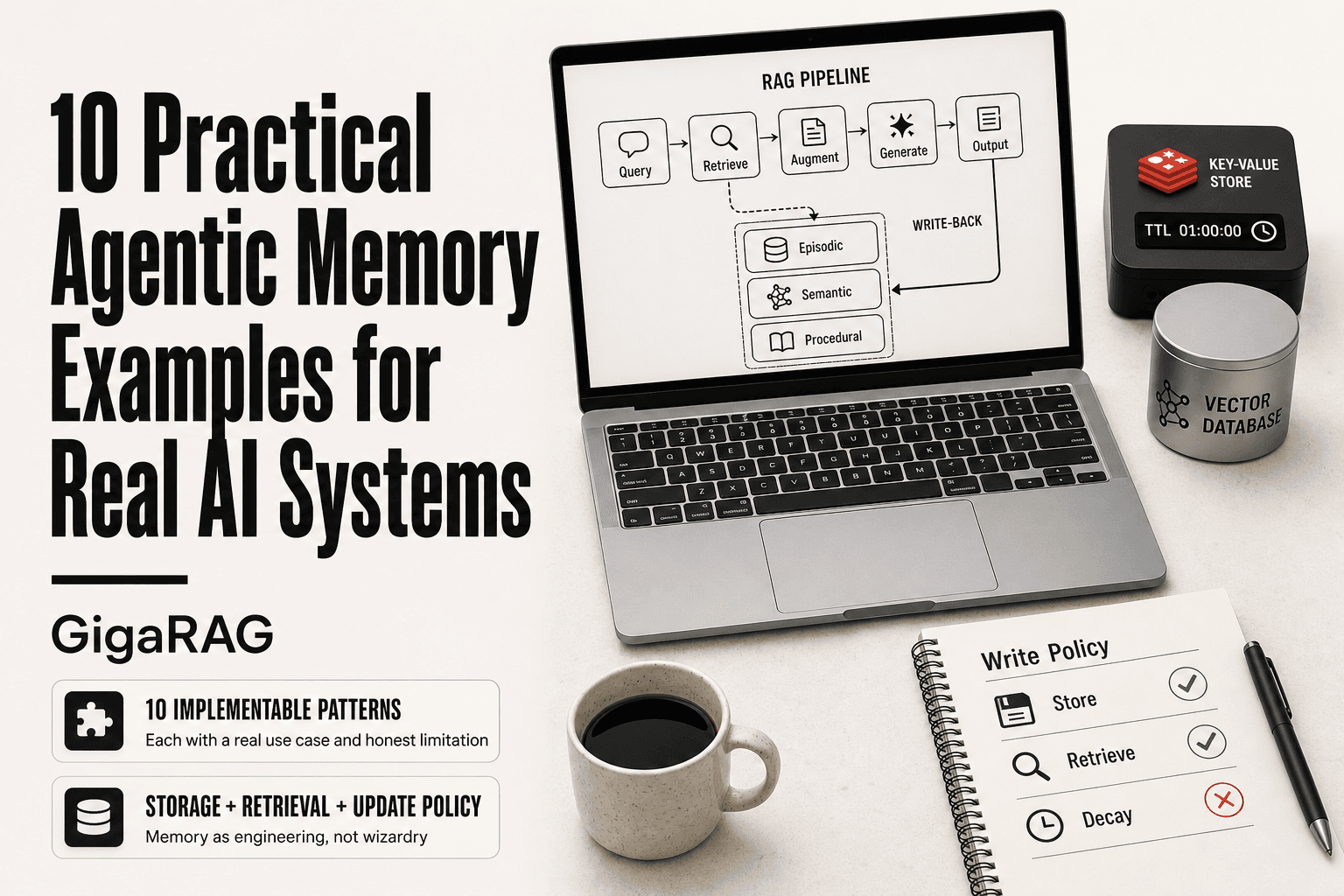
Agentic memory examples are everywhere in AI discourse, yet RAG pipeline builders rarely get what they actually need: concrete, implementable patterns with real tradeoffs. Most content on the topic is either vendor marketing or abstract theory. You're left knowing that memory matters but not how to wire it into a system that already has chunks, embeddings, and retrieval logic. This article fixes that. You'll get 10 practical agentic memory examples, each with a real use case, a specific implementation detail, and an honest limitation. No hand-waving, no magic solutions. Memory is engineering, not wizardry. GigaRAG, a memory layer purpose-built for RAG pipelines, appears once here as a production-ready option, but the patterns stand on their own with Redis, vector databases, or LangGraph. This guide covers the 10 examples grouped by memory type, then the common mistakes, then what agentic memory still cannot do.
| At a glance | Details |
|---|---|
| Focus | 10 implementable agentic memory patterns for RAG pipelines |
| Core idea | Memory = storage + retrieval + update policy for agent state |
| Common backends | Vector DBs, key-value stores, graph DBs, SQL |
| Key tradeoff | Recall vs latency vs cost vs complexity |
| Biggest failure mode | Stale or contradictory memories poisoning retrieval |
| Best starting point | Conversation buffer + semantic retrieval over chunks |
In This Guide
- What Is Agentic Memory in AI Systems?
- Short-Term vs Long-Term Agentic Memory in RAG Pipelines
- The Three Types of Agentic Memory Every RAG Builder Should Know
- Agentic Memory Examples: A Step-by-Step Guide
- 10 Practical Agentic Memory Examples for RAG Pipelines
- How to Choose the Right Memory Architecture for Your RAG System
- Common Mistakes When Implementing Agentic Memory
- What Agentic Memory Cannot Do (Yet)
- Getting Started with Agentic Memory in Your RAG Pipeline
What Is Agentic Memory in AI Systems?
Agentic memory is the state an AI agent stores, updates, and retrieves across turns so it can act on past context instead of starting fresh each time. It's not a single database. It's a set of storage layers, each tuned for a different kind of recall.
A plain LLM call is stateless. You send a prompt, it returns tokens, the conversation ends. RAG adds retrieval: you pull relevant chunks from a vector store and stuff them into the context window. That's read-only lookup. Agentic memory is different because the agent writes to it. It records what happened, what worked, and what the user said, then reads that back later to change its own behavior.
How agentic memory differs from RAG retrieval
RAG answers "what does my knowledge base say about this query?" Agentic memory answers "what do I already know about this user, this session, or this task?" RAG pulls from a fixed corpus. Agentic memory pulls from a store the agent itself has been modifying. You can use the same vector database for both, but the write path is what separates them.
Why memory matters for multi-turn agent workflows
Without memory, a five-turn agent workflow is five independent calls. Each turn re-explains the task, re-fetches the same context, and re-derives decisions it already made. With memory, turn three can reference a decision from turn one. That's the difference between an agent that loops and an agent that progresses.
[!note] Agentic memory is not the same as fine-tuning: memory changes at runtime through storage and retrieval, while fine-tuning bakes knowledge into model weights and is not queryable or editable per user.
Short-Term vs Long-Term Agentic Memory in RAG Pipelines
| Factor | Short-Term Memory | Long-Term Memory |
|---|---|---|
| Typical storage | In-context buffer or scratchpad | Vector DB, key-value store, or graph DB |
| Retrieval method | Direct prompt inclusion | Embedding similarity plus reranking |
| Lifespan | Single session or task | Across sessions, persistent |
| Main risk | Context window overflow | Stale or contradictory memories |
| Best for | Immediate task continuity | Personalization and accumulated knowledge |
The Three Types of Agentic Memory Every RAG Builder Should Know
Memory isn't one thing. An agent that remembers a user's name mid-conversation is doing something different from one that recalls a debugging procedure from last month. RAG builders need the taxonomy before the implementation, because each type maps to a different storage backend and retrieval pattern.
Episodic memory: what happened
Episodic memory stores events. A customer support agent records "user reported login failure at 2:14pm, we tried password reset, it failed." That's a timestamped sequence of interactions, not a fact about the world. You store it as session logs, conversation transcripts, or event streams. Retrieval is temporal: "what happened in the last hour?" or "what did we try last time this user called?"
Semantic memory: what's true
Semantic memory stores facts and concepts. "The user prefers email over phone" or "our refund policy is 30 days" are semantic entries. This is where vector databases earn their keep: you embed facts, store them, and retrieve by similarity. Unlike episodic memory, semantic memory doesn't care when you learned something. It cares whether it's still true.
Procedural memory: how to do things
Procedural memory stores skills and patterns. "When a payment fails, retry with exponential backoff before escalating" is procedural. It's not an event or a fact. It's a sequence of actions that worked before. You store it as code, prompts, or workflow templates. Retrieval is conditional: "what do I do when X happens?"
The three types rarely live in one store. Episodic memory fits Redis or a log. Semantic memory fits a vector database. Procedural memory fits code or a rules engine. Mixing them into a single table is where most implementations go wrong.
[!tip] For RAG builders, start with a simple conversation buffer plus a vector store for semantic recall before adding graph or episodic memory layers — most production failures come from overengineering memory before validating retrieval quality.
Agentic Memory Examples: A Step-by-Step Guide
- Define what the agent must remember: user preferences, task state, or factual knowledge.
- Choose a storage backend that matches the memory type (vector DB for semantic, key-value for exact state).
- Design a write policy: decide what gets stored, when, and with what metadata (timestamp, source, confidence).
- Implement retrieval: embed the query, fetch top-k memories, and rerank before injecting into the prompt.
- Add an update or decay rule to expire, merge, or overwrite stale memories.
- Test with adversarial cases: contradictory memories, empty memory, and memory overflow.
- Monitor retrieval precision and latency in production; tune k and reranking thresholds.
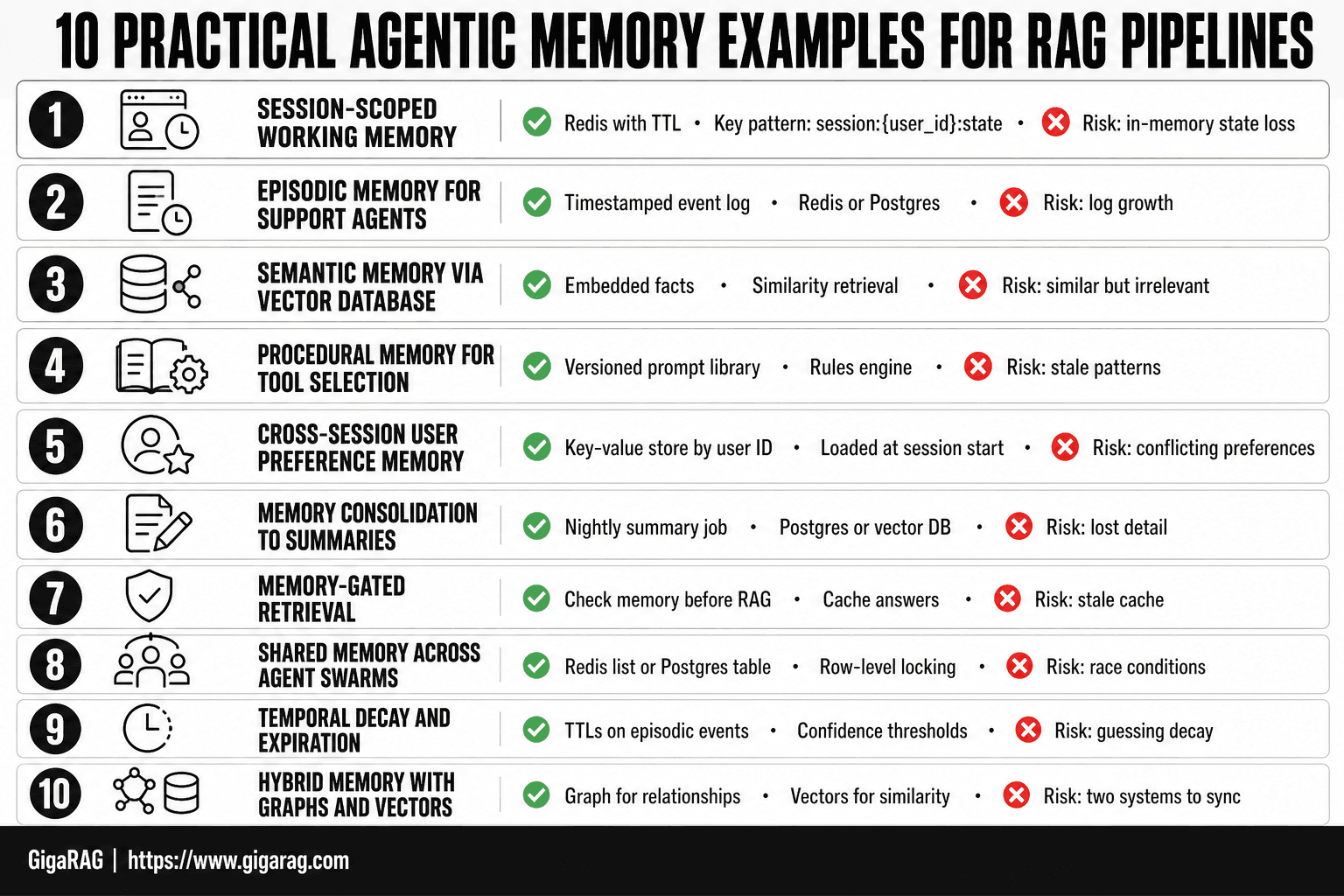
10 Practical Agentic Memory Examples for RAG Pipelines
Here are ten patterns I've seen work in production RAG systems. Each one names the memory type, the storage backend, and the failure mode you'll hit.
Example 1: Session-scoped working memory with Redis
A support agent needs to remember what happened five turns ago without re-reading the whole transcript. Store conversation state in Redis with a TTL matching your session length. Key pattern: session:{user_id}:state. The agent reads and writes this on every turn. Limitation: Redis is in-memory, so a restart loses state unless you persist to disk. For most support sessions, that's acceptable. For compliance-heavy workflows, it isn't.
Example 2: Episodic memory for multi-turn customer support agents
Log every interaction as a timestamped event: user message, tool call, tool result, agent response. Append to a per-session list in Redis or Postgres. When the user says "you already asked me that," the agent retrieves the last N events and checks. Limitation: raw event logs grow fast. Without consolidation, retrieval latency climbs and you burn context window on irrelevant history.
Example 3: Semantic memory via vector database for long-term knowledge
Embed facts your agent learns and store them in a vector database. "User prefers email over phone" becomes a vector. On future turns, retrieve top-k similar facts by embedding similarity and inject them into the prompt. Limitation: vector similarity retrieves what's similar, not what's relevant. A fact about email preferences won't surface when the user asks about shipping unless the embeddings happen to align.
Example 4: Procedural memory for tool-selection patterns
Store successful tool sequences as templates. When a payment fails, the agent retrieves the pattern "retry with exponential backoff, then escalate." Keep these in a rules engine or a versioned prompt library. Limitation: patterns go stale. A procedure that worked last quarter may not work after an API change. You need a review process, not just storage.
Example 5: Cross-session user preference memory
Persist preferences in a key-value store keyed by user ID. "Language: Spanish" or "Notification channel: SMS." Load these at session start and inject into the system prompt. Limitation: preferences conflict. A user says "email me" in one session and "text me" in another. You need a conflict resolution rule, and most teams skip it until it bites them.
Example 6: Memory consolidation from raw interactions to summaries
Run a nightly job that reads raw session logs and writes compressed summaries. "User reported login failure, password reset failed, escalated to tier 2." Store summaries in Postgres or a vector DB. The agent retrieves summaries instead of raw logs. Limitation: consolidation loses detail. The summary says "password reset failed" but not which error code. For debugging, you still need the raw log.
Example 7: Memory-gated retrieval for RAG pipelines
Before retrieving from your document store, check memory first. If the agent already answered this question for this user, return the cached answer. If not, run standard RAG retrieval and cache the result. Limitation: cached answers go stale when your knowledge base updates. You need invalidation logic tied to document versioning.
Example 8: Shared memory across agent swarms
Multiple agents working one task need a common scratchpad. Use a shared Redis list or a Postgres table with row-level locking. Agent A writes "I'm handling billing," Agent B reads it and routes elsewhere. Limitation: race conditions. Two agents read the same empty slot and both claim it. You need atomic operations or a lock manager.
Example 9: Temporal decay and memory expiration policies
Not all memory should live forever. Set TTLs on episodic events, expire semantic facts after a confidence threshold drops, and archive procedural patterns that haven't been used in 90 days. Limitation: decay policies are guesses. Expire too fast and the agent forgets useful context. Expire too slow and retrieval latency climbs.
Example 10: Hybrid memory with knowledge graphs and vector stores
Vector stores retrieve by similarity. Knowledge graphs retrieve by relationship. Combine them: store facts as vectors for fuzzy matching, and store entity relationships as graph edges for exact traversal. When a user asks "what's the status of my last order," the graph finds the order node and its edges. When they ask "what's similar to what I bought last time," the vector store handles it. Limitation: you now run two retrieval systems. The graph needs a schema, the vectors need embeddings, and keeping them in sync is real work. Most teams don't need this until their entity count passes a few hundred thousand.
How to Choose the Right Memory Architecture for Your RAG System
The ten examples above use different backends for a reason. No single store handles every memory type well. Your choice comes down to four things: latency budget, data volume, consistency needs, and what you're willing to pay per query.
When to use Redis vs vector databases
Redis wins when you need sub-millisecond reads and writes on small, structured state. Session state, user preferences, agent scratchpads: all fit in Redis without issue. The catch is that Redis doesn't do semantic search. You can't ask it "what's similar to this embedding" without bolting on a module.
Vector databases win when retrieval is similarity-based. Semantic facts, consolidated summaries, anything you want to find by meaning rather than by key. The tradeoff is latency: a vector search runs in tens of milliseconds, not sub-millisecond. For most RAG pipelines that's fine. For a tight agent loop making five memory calls per turn, it adds up.
In practice, most production systems use both. Redis for working memory, a vector store for long-term semantic memory, and Postgres for anything that needs transactional guarantees.
Balancing memory depth with retrieval latency
Every memory read costs time. A session-scoped Redis lookup is nearly free. A vector search over a million embeddings is not. The more memory you inject into the prompt, the more tokens you burn and the slower the agent responds.
The fix is tiering. Keep hot memory in Redis, warm memory in a vector store, cold memory in object storage or Postgres. Retrieve only what the current turn actually needs. Don't load the full user history because it's available.
Cost considerations for long-term memory storage
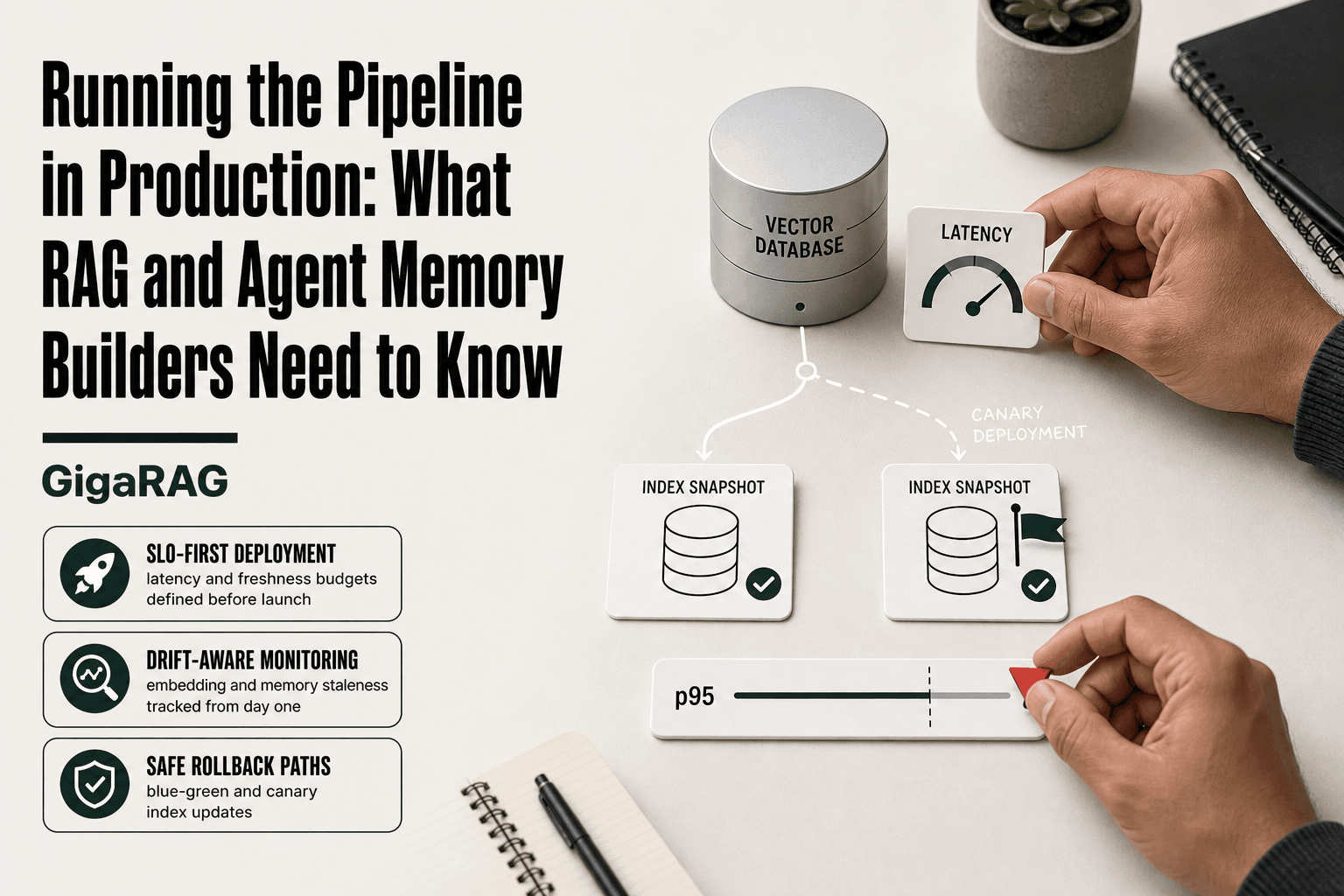
Vector databases charge by the embedding. A million embeddings at 1536 dimensions is roughly 6 GB of storage, and managed services bill per GB per month plus per query. Redis is cheaper per byte but in-memory, so large datasets get expensive fast. Postgres with pgvector is the budget option: you already run it, and it handles moderate vector workloads without a new bill.
The honest answer is that storage is rarely the dominant cost. Retrieval volume is. If your agent makes ten memory calls per turn and you run a million turns a month, the query costs dwarf the storage costs. Optimize for fewer, better-targeted reads before you optimize for cheaper storage.
Common Mistakes When Implementing Agentic Memory
Most agentic memory failures aren't architectural. They're judgment calls made early, before the first line of memory code ships. The patterns below show up repeatedly in production RAG systems, and they're all avoidable if you know what to look for.
Overengineering memory for simple use cases
A single-turn Q&A bot doesn't need episodic memory. A document summarizer doesn't need cross-session user preferences. Yet builders add these layers because the frameworks make it easy. LangGraph's checkpointer is one line of code. Redis is one pip install. The temptation is real.
The cost shows up in debugging time, not just infrastructure. Every memory layer adds a place where state goes stale, a place where retrieval returns something unexpected, a place where the agent behaves differently between turns. If your use case is stateless, keep it stateless. Add memory when a real failure occurs without it, not because the tutorial showed you how.
Memory bloat and retrieval degradation
Memory systems grow. Every interaction writes something. Without a consolidation or expiration policy, your vector store fills with near-duplicate embeddings, your Redis keys multiply, and retrieval quality drops. The agent starts pulling in old, irrelevant context because it's similar enough to pass the threshold.
The fix is boring but necessary: TTLs on working memory, scheduled consolidation jobs on episodic memory, and a hard cap on what gets injected into the prompt. If you can't say how much memory a single turn reads, you don't have a memory policy. You have a pile.
The myth of perfect recall
Agentic memory is not a recording. It's a lossy reconstruction. Summaries compress. Embeddings approximate. Consolidation drops details. The agent will forget things, and it will sometimes remember things that didn't happen quite the way it recalls them.
This matters because users expect otherwise. When a support agent confidently repeats a wrong preference from three months ago, that's worse than not remembering at all. Design for uncertainty: attach confidence scores to retrieved memories, and let the agent say "I'm not sure" rather than asserting a stale fact as truth.
When agentic memory adds latency without value
Every memory read is a network call. Every memory write is a write. If your agent makes five memory calls per turn and the memory adds nothing the prompt didn't already contain, you've built a slower system for no reason.
Measure it. Log every memory read and write, then check whether the retrieved content actually changed the agent's output. If it didn't, cut the call. The best memory system is the one that retrieves the minimum needed to answer correctly, and nothing more.
What Agentic Memory Cannot Do (Yet)
Agentic memory solves retrieval problems. It doesn't solve reasoning problems. The distinction matters because vendors blur it constantly.
No true long-term reasoning
Memory stores facts. It doesn't connect them into new conclusions. An agent with five years of episodic memory can still fail a simple inference task if the reasoning step isn't in the prompt or the model. Retrieval gets the right context into the window. What the model does with that context is a separate problem, and memory doesn't touch it.
No guaranteed cross-agent consistency
Two agents reading the same memory store can reach different conclusions. Embeddings drift. Summaries compress differently. Retrieval thresholds vary. If your system needs every agent to agree on a fact, you need a source of truth outside the memory layer. Memory is a cache, not a database.
No replacement for good prompt engineering
A well-structured prompt with no memory beats a bloated memory system with a bad prompt. Memory adds context. It doesn't fix instructions, output format, or reasoning chains. If your agent fails without memory, it will likely fail with memory too.
Getting Started with Agentic Memory in Your RAG Pipeline
You don't need a full memory architecture to start. You need one working memory store and a clear path to add more. Here's the minimal path.
Step 1: Add session-scoped working memory
Start with Redis. It's fast, it's everywhere, and it handles the simplest memory pattern: store what happened in this session so the agent doesn't repeat itself.
The mechanics are straightforward. Give each session a UUID. Store the last N turns as a JSON list under that key. Set a TTL of 30 minutes so abandoned sessions expire on their own. On each agent turn, load the list, append the new exchange, trim to the last 10 turns, and write it back.
Here's what this buys you. The agent remembers what the user just asked without you stuffing the entire conversation into the prompt. Context window stays lean. Retrieval stays fast.
The catch: this is working memory only. Close the session, lose the memory. That's fine for a support chat. It's useless for anything that needs to persist across days.
Step 2: Introduce semantic memory with embeddings
When you need memory that outlives the session, add a vector store. The pattern doesn't change much: instead of storing raw turns, you embed them and store the vectors.
Use a small embedding model. Chunk each turn or each resolved interaction into 200-400 token pieces. Store the vector plus the original text plus a timestamp. On retrieval, query by semantic similarity, not exact match. That's the difference between "find what the user said" and "find what the user meant."
Keep in mind: this is where latency creeps in. A vector search adds 20-80 milliseconds per query. For a single agent turn, that's nothing. For a pipeline that runs retrieval five times per turn, it compounds. Test before you scale.
Step 3: Evaluate GigaRAG for production memory management
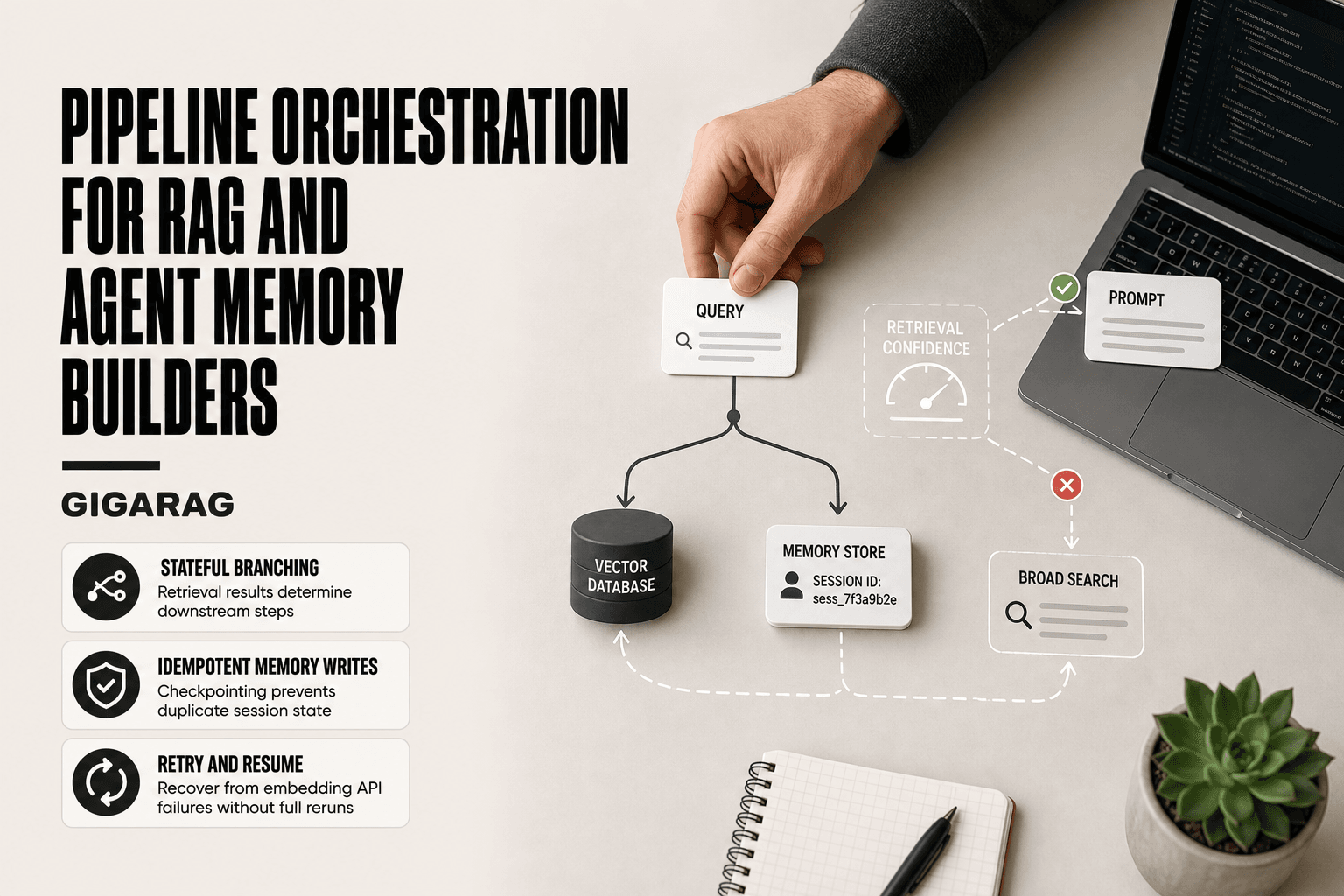
Once you've built working memory and semantic memory by hand, you'll hit the same wall every team hits: consolidation, expiration, and cross-session consistency. Those are the hard parts. Redis and a vector store get you 80% of the way. The last 20% is where agentic memory examples in production systems tend to fall apart.
GigaRAG handles that layer. It manages memory consolidation, temporal decay, and retrieval gating as a managed service, so you're not writing TTL policies and summary jobs yourself. It's not magic. It won't fix a bad prompt or a weak embedding model. But if you've built the simple version and need the production version without three months of infrastructure work, it's the shortcut.
Frequently Asked Questions
What is a real life example of agentic AI?
A customer support agent that remembers a user's past tickets, product version, and unresolved issues across sessions is a real example. It retrieves relevant memories from a vector store and injects them into the prompt to personalize responses. This is agentic because the system decides what to remember and when to recall it.
What are some common agentic AI tools?
Common tools include vector databases like Pinecone, Weaviate, and Chroma for semantic memory; frameworks like LangChain and LlamaIndex for orchestration; and graph databases like Neo4j for relational memory. Many teams also use Redis or PostgreSQL for key-value and structured memory. The choice depends on whether memory is semantic, episodic, or procedural.
What is agentic AI and its examples?
Agentic AI refers to systems that autonomously plan, act, and remember to achieve goals. Examples include coding assistants that recall project context, research agents that accumulate findings, and personal assistants that track user preferences. Memory is what separates a stateless chatbot from an agent that improves over time.
Is Siri an example of agentic AI?
Siri has some agentic features, such as executing tasks and maintaining limited context, but it is not fully agentic in the memory sense. It does not persistently learn and recall arbitrary user-specific knowledge across sessions the way a RAG-based agent with long-term memory can. It is better described as a voice assistant with constrained agency.
How do I choose between vector, key-value, and graph memory?
Use vector memory for semantic recall over unstructured text, key-value for exact state like user IDs or flags, and graph memory for relationships between entities. Many production systems combine two or all three. Start with the simplest option that meets your retrieval needs.
What is the biggest failure mode of agentic memory?
Stale or contradictory memories poisoning retrieval is the most common failure. If the agent recalls an outdated preference or a superseded fact, it can produce confidently wrong answers. Mitigate with timestamps, confidence scores, and a decay or overwrite policy.
Do I need a separate memory layer if I already use RAG?
RAG retrieves from a static knowledge base, while agentic memory manages dynamic, agent-generated state. If your agent needs to remember user interactions or task progress, you need a memory layer on top of RAG. Some teams implement this as a separate vector namespace or a dedicated memory service.
About GigaRAG
GigaRAG is for agent memory and RAG pipeline builders. get this right. Whether you are working through 10 practical agentic memory examples for real ai systems or something adjacent, we publish what we have actually tested, including where it falls short.