Build a RAG Pipeline in Python, End to End
Build a RAG pipeline in Python, end to end, and you'll quickly find that most tutorials stop at a toy example: three PDFs, a canned query, a screenshot of a chatbot answer. That's fine for a demo. It's not fine if you're wiring retrieval into agent memory, where chunking mistakes silently poison every downstream answer and nobody tells you the pipeline is wrong. The honest answer is that a basic RAG pipeline will get you a working system, but it won't survive contact with messy documents, long context windows, or a user base that asks questions you didn't anticipate.
This guide is code-first. Every stage comes with runnable Python, not pseudocode. GigaRAG's docs and patterns inform the agent-memory sections, but the pipeline itself is built from scratch so you can see each moving part. You'll walk through ingestion, chunking, embeddings, retrieval, generation, and evaluation, with the limitations stated before the pitch. By the end, you'll have a pipeline you can actually run and a clear sense of what it won't do for you.
| At a glance | Details |
|---|---|
| Pipeline stages | Ingest, chunk, embed, index, retrieve, generate |
| Core libraries | sentence-transformers, FAISS, an LLM API |
| Chunk size | ~200-800 tokens with overlap |
| Retrieval | Vector search, optionally hybrid with BM25 |
| Agent memory use | Store turns as chunks with timestamps |
| Main limitation | No reasoning; quality depends on retrieval |
In This Guide
- What Is a RAG Pipeline?
- Vector Search vs Hybrid Search for RAG Retrieval
- Prerequisites and Setup
- Build A Rag Pipeline In Python, End To End: A Step-by-Step Guide
- Step 1: Document Ingestion
- Step 2: Chunking Strategy
- Step 3: Generating Embeddings
- Step 4: Vector Database and Retrieval
- Step 5: Generation with an LLM
- Evaluating Your RAG Pipeline
- Common Mistakes When You Build a RAG Pipeline in Python
- RAG for Agent Memory: What Changes
- Final Thoughts
What Is a RAG Pipeline?
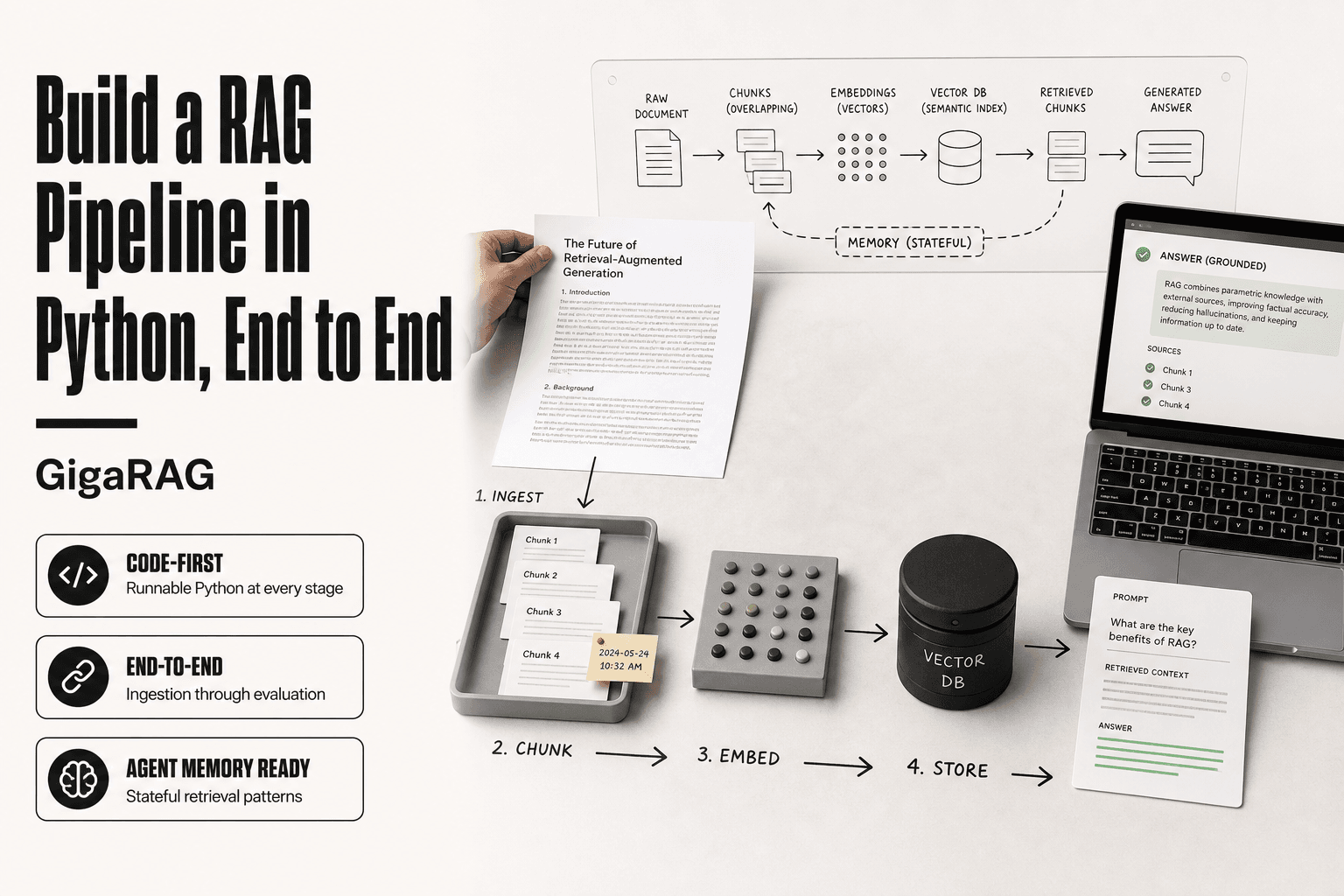
A RAG pipeline is a system that retrieves relevant chunks from a document store and feeds them into an LLM so it can generate an answer grounded in those chunks, not just its training data. RAG stands for retrieval augmented generation. The retrieval step pulls in context the model never saw during training. The generation step produces a response that cites or reflects that context.
The four stages: ingestion, embeddings, retrieval, generation
Ingestion loads raw documents and splits them into chunks. Embeddings convert each chunk into a vector that captures its meaning. Retrieval finds the chunks most similar to the user's query. Generation passes those chunks to an LLM with a prompt that says, in effect, answer using this context.
Each stage is a separate function in the code you'll write. That separation matters. You can swap the embedding model without touching retrieval. You can change the vector database without rewriting generation. The pipeline is a chain of replaceable parts.
Why RAG matters for agent memory
An agent with no memory answers every turn from scratch. RAG gives it a way to look back. The agent stores past interactions as chunks, embeds them, and retrieves the relevant ones when the next turn arrives. That's the difference between a chatbot and an agent that remembers what you told it three turns ago.
The honest catch: RAG retrieves, it doesn't reason. If the right chunk isn't in the store, the agent can't recall it. Retrieval quality sets the ceiling on everything downstream.
[!note] A basic RAG pipeline does not reason, verify facts, or guarantee correctness; it only surfaces retrieved text to an LLM, so answer quality is bounded by retrieval quality and the model's ability to use the context.
Vector Search vs Hybrid Search for RAG Retrieval
| Factor | Vector Search | Hybrid Search |
|---|---|---|
| Recall on exact terms | Weaker for IDs, names, codes | Stronger via BM25 keyword match |
| Implementation effort | Lower: one index, one query | Higher: merge and rerank two result sets |
| Latency | Lower | Slightly higher due to fusion step |
| Best for | Semantic Q&A over prose | Mixed corpora with jargon or identifiers |
| Agent memory fit | Good for conversational recall | Better when memory holds tool outputs |
Prerequisites and Setup
You need Python 3.10 or newer, a handful of libraries, and an API key for an embedding model. The code in this guide runs on any OS with a working Python install. If you're on 3.9, upgrade first; some of the vector database bindings won't install cleanly on older versions.
Python environment and dependencies
Start with a clean virtual environment. It keeps your RAG dependencies from colliding with other projects.
python -m venv rag_env
source rag_env/bin/activate  # Windows: rag_env\Scripts\activate
pip install langchain langchain-openai chromadb pypdf tiktoken
That's the core set. LangChain handles the pipeline wiring, ChromaDB stores vectors locally, pypdf extracts text from PDFs, and tiktoken counts tokens for chunking. You can swap any of these later, but this stack gets you a working pipeline without a database server.
Sample documents for testing
Don't start with your real knowledge base. Grab three to five short documents you know well: a product manual, a few pages from a public API reference, or your own notes. Knowing the content lets you spot retrieval failures immediately. If the pipeline returns the wrong chunk, you'll recognize it.
Keep the test set under 50 pages total. Large sets slow down iteration without teaching you anything new about the pipeline mechanics.
API keys and model choices
You need one key: an OpenAI API key for embeddings and generation. Set it as an environment variable.
export OPENAI_API_KEY="sk-..."
For embeddings, text-embedding-3-small costs $0.02 per 1M tokens and is accurate enough for most RAG work. For generation, gpt-4o-mini keeps costs low while you iterate. Both are replaceable with open-source models later, but the hosted versions remove a variable while you learn the pipeline shape.
The honest answer: you can build this entire pipeline with free, local models. It'll be slower and the retrieval quality will dip. Start hosted, then swap if cost becomes a concern.
[!tip] For agent memory, store each conversation turn as its own chunk with a timestamp and session ID in the metadata, then filter retrieval by recency or session before ranking; this keeps memory relevant without letting old turns crowd out the current task.
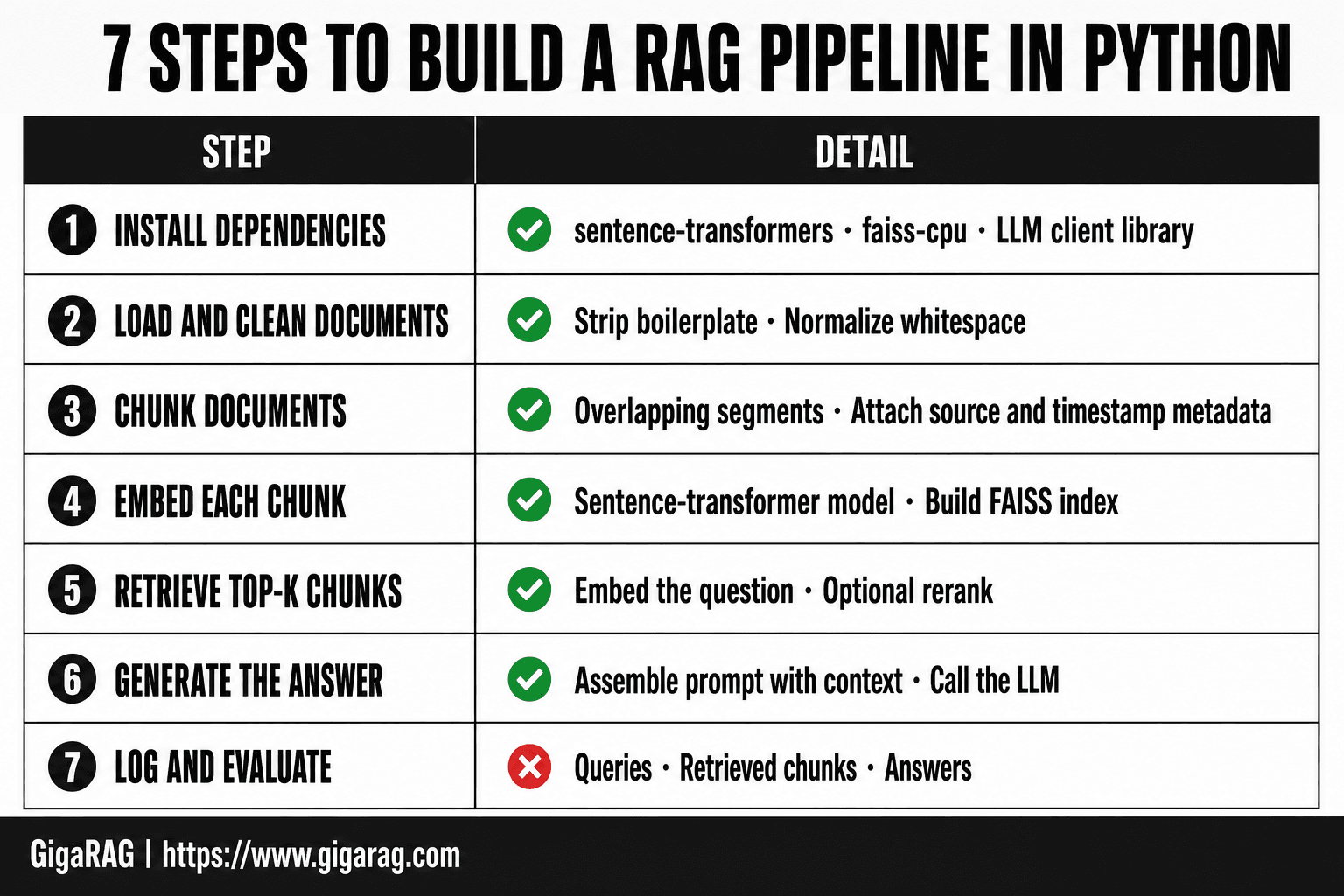
Build A Rag Pipeline In Python, End To End: A Step-by-Step Guide
- Install dependencies: sentence-transformers, faiss-cpu, and your LLM client library.
- Load and clean your source documents, stripping boilerplate and normalizing whitespace.
- Chunk documents into overlapping segments and attach metadata such as source and timestamp.
- Embed each chunk with a sentence-transformer model and build a FAISS index over the vectors.
- At query time, embed the question, retrieve the top-k chunks, and optionally rerank them.
- Assemble a prompt with the retrieved context and call the LLM to generate the answer.
- Log queries, retrieved chunks, and answers so you can evaluate and tune retrieval.
Step 1: Document Ingestion
Ingestion is where most RAG pipelines quietly fail. Load a document badly and every downstream stage inherits the damage: chunks split mid-sentence, metadata missing, text full of artifacts. The fix is boring but specific. Load cleanly, normalize aggressively, store the raw text before you touch it.
Loading PDFs and text files
Plain text files are trivial. PDFs are not. A PDF stores drawing instructions, not paragraphs, so extraction quality depends on the library and the document itself.
from pathlib import Path
from langchain_community.document_loaders import TextLoader, PyPDFLoader

def load_documents(path: Path):
    docs = []
    if path.suffix == ".txt":
        loader = TextLoader(str(path))
        docs.extend(loader.load())
    elif path.suffix == ".pdf":
        loader = PyPDFLoader(str(path))
        docs.extend(loader.load())
    return docs
PyPDFLoader splits a PDF into one document per page. That's a useful default because page boundaries give you a natural metadata field for free. Keep it.
The main catch: scanned PDFs have no text layer. PyPDFLoader returns empty strings for those. You'd need OCR, which is a separate pipeline and not covered here. Check your test documents first. If any are scans, replace them or run OCR before ingestion.
Cleaning and normalizing text
Extracted text is messy. PDFs add stray newlines mid-sentence, repeated headers, page numbers, and weird Unicode. Clean it before chunking, not after. Chunking dirty text locks the noise into your embeddings.
import re

def clean_text(text: str) -> str:
    text = text.replace("\x00", " ")
    text = re.sub(r"\s+", " ", text)
    text = re.sub(r"-\s+", "", text)  # fix hyphenated line breaks
    return text.strip()
Don't over-clean. You want to remove extraction artifacts, not rewrite the author's words. Stripping all punctuation or lowercasing everything hurts retrieval later because the embedding model uses that signal.
Storing raw documents
Store the raw text before you chunk it. You'll need it for debugging, for re-chunking with a different strategy, and for showing the user the source passage.
raw_docs = []
for file in Path("./data").glob("*"):
    for doc in load_documents(file):
        doc.page_content = clean_text(doc.page_content)
        doc.metadata["source"] = file.name
        raw_docs.append(doc)
A list of Document objects in memory works for a test set. For anything larger, write the cleaned text to disk as JSONL or a SQLite table. Re-running ingestion on 500 files because you lost the cleaned output is a waste of an afternoon.
Keep the metadata minimal at this stage: source filename, page number, and nothing else. You can add richer metadata later, but every field you add now has to be maintained through chunking and storage.
Step 2: Chunking Strategy
Chunking decides what your retriever can actually find. Split too large and the embedding averages away the specific detail a query needs. Split too small and a chunk loses the context that makes it meaningful. The honest answer: it depends on your documents and your queries. Start with 500-800 characters per chunk for prose, smaller for code or FAQs.
Why chunk size changes retrieval quality
A chunk is the unit your vector database returns. If a chunk holds three unrelated paragraphs, the embedding is a blur of all three. A query matching one paragraph gets a mediocre similarity score, and the LLM receives two paragraphs of noise. If a chunk is a single sentence, the embedding is sharp but context-free. "It depends on the configuration" means nothing without the sentence before it.
Overlap and metadata
Overlap carries context across chunk boundaries. A 10-15% overlap means the last sentence of one chunk also starts the next. That preserves meaning when a thought straddles a split. Metadata travels with every chunk: source file, page number, section heading. You'll filter on it during retrieval, so attach it now.
Code: chunking with LangChain or custom logic
from langchain.text_splitter import RecursiveCharacterTextSplitter

splitter = RecursiveCharacterTextSplitter(
    chunk_size=600,
    chunk_overlap=80,
    separators=["\n\n", "\n", ". ", " ", ""]
)
chunks = splitter.split_documents(raw_docs)
The separator order matters. It tries paragraph breaks first, then line breaks, then sentences. That keeps chunks aligned to natural boundaries instead of cutting mid-word. For code, use a language-aware splitter or split on function boundaries. Don't chunk code with a prose splitter; you'll slice function signatures from their bodies.
Step 3: Generating Embeddings
Embeddings turn your chunks into vectors a machine can compare. Each chunk becomes a list of floats, typically 768 to 3072 dimensions, where similar text lands close together in vector space. The quality of that mapping decides whether retrieval finds the right chunk or a near miss.
Choosing an embedding model
The main split is API versus local. OpenAI's text-embedding-3-small and text-embedding-3-large are the default API choices. They're easy to call and handle most prose well. Open-source options like bge-large-en-v1.5 or e5-large-v2 run locally through sentence-transformers and cost nothing per call, but you pay in setup time and GPU or CPU cycles.
Match the model to your content. If your chunks are technical documentation or code, a general-purpose model may underperform. Test retrieval quality on your own data before committing. A model that scores well on a public benchmark can still miss the phrasing your users actually type.
The honest answer: start with text-embedding-3-small. It's cheap, fast, and good enough for most first pipelines. Swap it later if retrieval quality disappoints.
Batching and cost considerations
Embedding APIs charge per token, not per call. Batching reduces round trips but not token count. The cost driver is total tokens across all chunks. A 10,000-chunk corpus at 600 characters per chunk is roughly 1.5 million tokens. At OpenAI's small model pricing, that's a one-time cost under a dollar. Re-embedding the whole corpus every time you tweak a chunking parameter adds up fast.
Cache embeddings where you can. If only 20 chunks changed, re-embed those 20, not all 10,000. Store the embedding alongside the chunk text and metadata so you can skip unchanged content on the next run.
Code: embedding with OpenAI or open-source models
from openai import OpenAI

client = OpenAI()
chunk_texts = [c.page_content for c in chunks]

response = client.embeddings.create(
    model="text-embedding-3-small",
    input=chunk_texts[:100]  # batch size limit
)
vectors = [item.embedding for item in response.data]
For local models:
from sentence_transformers import SentenceTransformer

model = SentenceTransformer("BAAI/bge-large-en-v1.5")
vectors = model.encode(chunk_texts, batch_size=64, normalize_embeddings=True)
Normalize embeddings when you plan to use cosine similarity. Most vector databases do this internally, but doing it at write time removes ambiguity. Store each vector with its chunk text and metadata in the same record. Retrieval depends on that pairing.
Step 4: Vector Database and Retrieval
You have vectors. Now they need a home where you can search them fast. A vector database stores embeddings and runs similarity queries against them. Without one, retrieval means a brute-force scan over every vector, which works for a few thousand chunks and falls apart after that.
Choosing a vector database
The main split is dedicated versus bolt-on. Dedicated options like Pinecone, Weaviate, and Qdrant are built for vector search and handle indexing, filtering, and scaling on their own. Bolt-on options like pgvector add vector columns to Postgres you already run. If you have Postgres in production, pgvector is the fastest path to a working pipeline with zero new infrastructure.
For a first pipeline, Qdrant or Chroma are the pragmatic picks. Both run locally, both have Python clients that feel natural, and both support metadata filtering without a separate service. Pinecone is managed and easy but costs money from the first index. Weaviate is powerful but its query syntax takes longer to learn.
The honest answer: start with Chroma for local development, then move to Qdrant or pgvector when you need persistence and filtering at scale. Don't pick a database before you know your query patterns.
Similarity search and top-k retrieval
Retrieval works by comparing your query vector against stored chunk vectors. Cosine similarity is the default metric. The database returns the k chunks with the highest similarity scores, where k is your top-k parameter. Typical k is 4 to 8 for a single LLM call.
Top-k is a tradeoff. Too small and you miss relevant context. Too large and you flood the prompt with noise, which makes generation worse, not better. Start with k=4 and measure retrieval quality before changing it.
Similarity scores are not probabilities. A score of 0.7 does not mean the chunk is 70% relevant. Scores are only useful for ranking within a single query, not for comparing across queries. Don't set a hard threshold like "only use chunks above 0.8" unless you've validated that threshold on your own data.
Code: querying with metadata filters
import chromadb

client = chromadb.PersistentClient(path="./chroma_db")
collection = client.get_collection("chunks")

query_embedding = get_embedding("How do I reset my password?")

results = collection.query(
    query_embeddings=[query_embedding],
    n_results=5,
    where={"source": "support_docs"}
)

retrieved_chunks = results["documents"][0]
Metadata filters matter more than most tutorials admit. Filtering by source, date, or document type before similarity search narrows the candidate set and improves precision. A query about billing should not search marketing pages. Add filters at query time, not just at write time.
Keep the retrieved chunks in order. The LLM you feed them to will weight earlier context more heavily. If your database returns chunks sorted by similarity, pass them in that order. Re-ranking is a later optimization, not a first-pipeline requirement.
Step 5: Generation with an LLM
You have retrieved chunks. Now an LLM turns them into an answer. The model does not know your documents. It only knows what you put in the prompt. So the prompt is the whole game.
Prompt construction with retrieved context
Build a prompt that gives the model three things: the retrieved chunks, the user's question, and an instruction to answer only from those chunks. Here's a minimal template:
prompt = f"""Answer the question using only the context below.
If the context doesn't contain the answer, say "I don't know."

Context:
{context}

Question: {question}
Answer:"""
The "I don't know" instruction matters. Without it, the model will invent an answer when retrieval misses. That invention is hallucination, and it's the most common RAG failure.
Handling context window limits
Context windows are finite. GPT-4o handles 128k tokens, but smaller models handle 4k to 8k. Your retrieved chunks plus prompt overhead must fit. If you retrieve 8 chunks of 500 tokens each, that's 4,000 tokens before the question and system prompt.
The fix is simple: cap total context. Truncate each chunk to a fixed length, or reduce top-k. Don't stuff the window full and hope. The model's attention degrades as context grows, so more chunks can mean worse answers.
Code: calling an LLM with retrieved chunks
from openai import OpenAI

client = OpenAI()

def generate_answer(question, retrieved_chunks):
    context = "\n\n".join(chunks[:4])
    prompt = f"""Answer the question using only the context below.
If the context doesn't contain the answer, say "I don't know."

Context:
{context}

Question: {question}
Answer:"""

    response = client.chat.completions.create(
        model="gpt-4o-mini",
        messages=[{"role": "user", "content": prompt}],
        temperature=0,
    )
    return response.choices[0].message.content
Set temperature to 0 for grounded answers. Higher temperature adds creativity, which is the opposite of what you want when the answer must stick to retrieved text.
The honest limit: this pipeline answers from what retrieval found. If retrieval missed the right chunk, generation cannot save it. Garbage in, garbage out applies.
Evaluating Your RAG Pipeline
You built the pipeline. Now you need to know if it works. Guessing is not evaluation. A RAG system fails in two places: retrieval returns the wrong chunks, or generation produces an answer that doesn't match the chunks. You measure each separately.
Retrieval metrics: precision, recall, MRR
Retrieval quality comes down to three numbers. Precision is the share of retrieved chunks that are actually relevant. Recall is the share of all relevant chunks that retrieval found. MRR, or mean reciprocal rank, measures how high the first relevant chunk ranks.
Here's why MRR matters. If the right chunk is ranked fifth, the LLM may never see it because you truncated to top-4. MRR penalizes that. A pipeline with high recall but low MRR finds the right chunk but buries it.
You need a labeled test set to compute any of these. That means a list of questions, each with the chunk IDs that should answer it. Build 20 to 50 questions by hand. It's tedious. It's also the only way to know if a change to chunking or embeddings helped or hurt.
Generation metrics: faithfulness, relevance
Retrieval metrics tell you if the right chunks came back. Generation metrics tell you if the answer used them.
Faithfulness asks: does every claim in the answer appear in the retrieved context? A faithful answer contains nothing invented. Relevance asks: does the answer actually address the question? An answer can be faithful and still useless if it quotes the right chunk but misses the point.
The honest answer is that measuring these automatically is hard. You can use an LLM as a judge: feed it the answer, the question, and the context, and ask it to score faithfulness and relevance on a 1 to 5 scale. It's not perfect. It's better than reading every answer yourself once your test set grows past 50 questions.
Simple evaluation script in Python
Here's a script that computes precision, recall, and MRR from a small labeled set:
def evaluate_retrieval(test_set, retrieve_fn, k=4):
    precision_scores = []
    recall_scores = []
    reciprocal_ranks = []

    for question, relevant_ids in test_set:
        retrieved = retrieve_fn(question, top_k=k)
        retrieved_ids = [r["id"] for r in retrieved]

        relevant_retrieved = set(retrieved_ids) & set(relevant_ids)
        precision = len(relevant_retrieved) / len(retrieved_ids)
        recall = len(relevant_retrieved) / len(relevant_ids)

        rr = 0.0
        for i, rid in enumerate(retrieved_ids, start=1):
            if rid in relevant_ids:
                rr = 1.0 / i
                break

        precision_scores.append(precision)
        recall_scores.append(recall)
        reciprocal_ranks.append(rr)

    return {
        "precision@k": sum(precision_scores) / len(precision_scores),
        "recall@k": sum(recall_scores) / len(recall_scores),
        "mrr": sum(reciprocal_ranks) / len(reciprocal_ranks),
    }
Run this after every change you make to chunk size, embedding model, or top-k. If MRR drops, your change made retrieval worse. The numbers don't lie the way a gut feeling does.
Common Mistakes When You Build a RAG Pipeline in Python
Most RAG failures are not model failures. They're pipeline failures. You picked a chunk size that splits an answer in half, or you sent ten chunks to the LLM when three would do. Here are the four mistakes I see most often.
Chunking too large or too small
Chunk size changes what retrieval can find. Too large, and a chunk contains five topics, so similarity scores average out and nothing ranks clearly. Too small, and a chunk holds half a thought, so the LLM gets fragments instead of answers.
There's no universal number. For dense technical docs, 256 to 512 tokens works. For narrative text, 512 to 1024. Test it. Your evaluation script from the last section will tell you when you got it wrong.
Ignoring metadata and filtering
Embeddings capture meaning, not facts like dates, authors, or document types. If you store everything in one flat index, a query about "last quarter's revenue" will retrieve chunks about revenue from any quarter.
Metadata filters fix this. Tag every chunk with its source, date, and section at ingestion time. Then filter before you rank. It's extra work up front. It's the difference between a pipeline that works on toy data and one that works on real data.
Assuming retrieval is always correct
Retrieval returns the most similar chunks. Similar is not the same as relevant. A chunk can share vocabulary with the query and still not answer it.
The fix is to check retrieval quality before you trust generation. Run your evaluation script. Look at what actually comes back for real queries. If the right chunk ranks fifth, your LLM never sees it. That's not a generation problem. It's a retrieval problem.
Overloading the context window
More context is not better. It's more tokens, more cost, and more noise. The LLM has to sort through ten chunks to find the two that matter, and it sometimes picks the wrong ones.
Start with top-3 or top-4. Only add more if evaluation shows recall is low. The honest answer is that most pipelines retrieve too much, not too little.
RAG for Agent Memory: What Changes
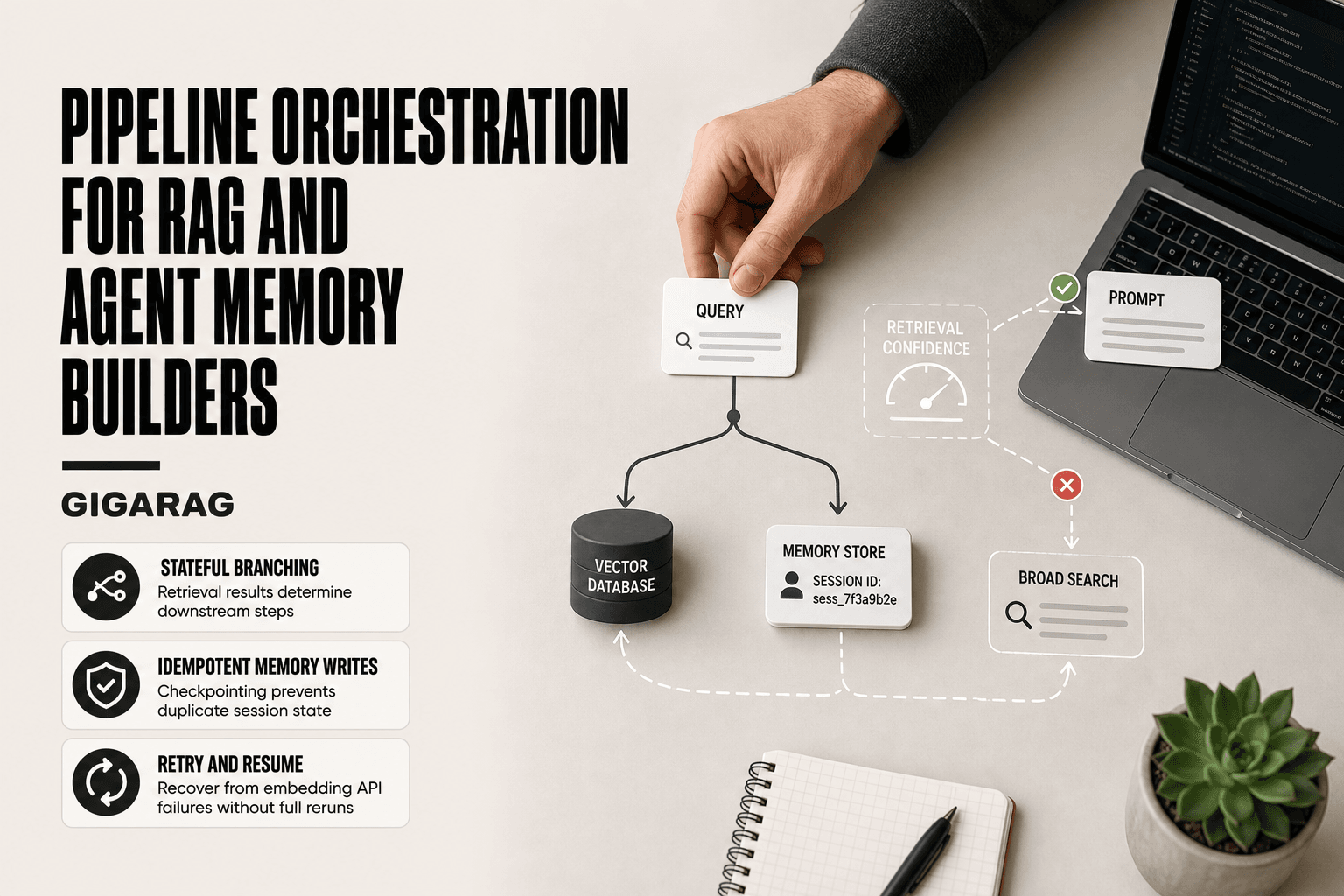
Document Q&A treats every query as independent. Agent memory doesn't. An agent accumulates context across turns, and what it retrieved five minutes ago should shape what it retrieves now. That changes the pipeline in three specific ways.
Stateful vs stateless retrieval
A stateless pipeline embeds the query, searches the index, returns chunks. Every request starts from zero. That's fine for a search box. It's wrong for an agent that just asked a follow-up question.
Stateful retrieval carries conversation history into the query. Instead of embedding "what about the pricing?" alone, you embed it with the previous turn: "the user asked about the API plan, now they're asking what about the pricing?" The retrieval system sees the referent and returns the right chunk. Without that, "what about the pricing?" retrieves pricing pages from every product you've ever indexed.
The mechanism is simple: concatenate the last N turns into the query before embedding. The cost is a longer query string and slightly slower embedding. The benefit is retrieval that actually follows the conversation.
Memory windows and recency
Agents don't need everything they've ever seen. They need what's relevant now. That means two things: a window on how much history you keep, and a recency signal on what you retrieve.
A memory window is a cap. Keep the last 10 turns, or the last hour of interaction, or the last 50 messages. Anything older gets dropped or moved to long-term storage. The window size depends on your agent's task. A customer support agent needs the current ticket's history, not the user's entire account. A research agent might need days of context.
Recency is a ranking signal. When two chunks score similarly, prefer the one from the current session over the one from last week. You can implement this with a timestamp in metadata and a small score boost. It's not fancy. It works.
Code: adapting the pipeline for agent memory
Here's the minimum change to make your pipeline stateful. You keep the same ingestion, chunking, and embedding code. You change what goes into the query.
def build_memory_query(current_query: str, history: list[str], window: int = 5) -> str:
    recent = history[-window:] if history else []
    if not recent:
        return current_query
    context = " ".join(recent)
    return f"Previous turns: {context}\nCurrent query: {current_query}"

# In your retrieval function
query_with_memory = build_memory_query(user_query, conversation_history)
query_embedding = embed(query_with_memory)
results = vector_db.search(query_embedding, top_k=4)
For recency, add a timestamp to each chunk's metadata at ingestion. Then apply a small boost during retrieval:
def recency_boost(results: list, current_time: float, decay: float = 0.01) -> list:
    for r in results:
        age_hours = (current_time - r.metadata["timestamp"]) / 3600
        r.score += max(0, 1 - age_hours * decay)
    return sorted(results, key=lambda r: r.score, reverse=True)
That's the whole adjustment. The pipeline stages stay the same. What changes is what you embed and how you rank. If you're building agent memory, those two changes matter more than any embedding model upgrade.
Final Thoughts
You now have a working RAG pipeline in Python, end to end. Ingestion loads documents, chunking splits them, embeddings turn them into vectors, retrieval finds the relevant pieces, and generation produces grounded answers. You also have evaluation metrics to measure whether it's actually working, and a set of failure modes to watch for.
The honest limitation: this pipeline is a foundation, not a production system. It doesn't handle authentication, rate limiting, monitoring, or multi-user concurrency. It doesn't deduplicate documents or manage schema migrations. Those are real problems you'll hit the moment you deploy, and they're outside what a single tutorial can cover.
For agent memory specifically, the stateful retrieval and recency boost from the previous section matter more than any embedding model upgrade. If you're building that, GigaRAG is worth a look as a next step. It's built for agent memory and RAG pipeline builders who need those concerns handled without assembling them from scratch.
Frequently Asked Questions
How do I build a RAG pipeline in Python end to end?
Build it in stages: load and chunk documents, embed chunks with a sentence-transformer, index them in a vector store such as FAISS, retrieve the top-k chunks for a query, and pass them to an LLM with a prompt. Each stage is a small function you can test independently before wiring them together.
What is the best RAG tutorial approach for production?
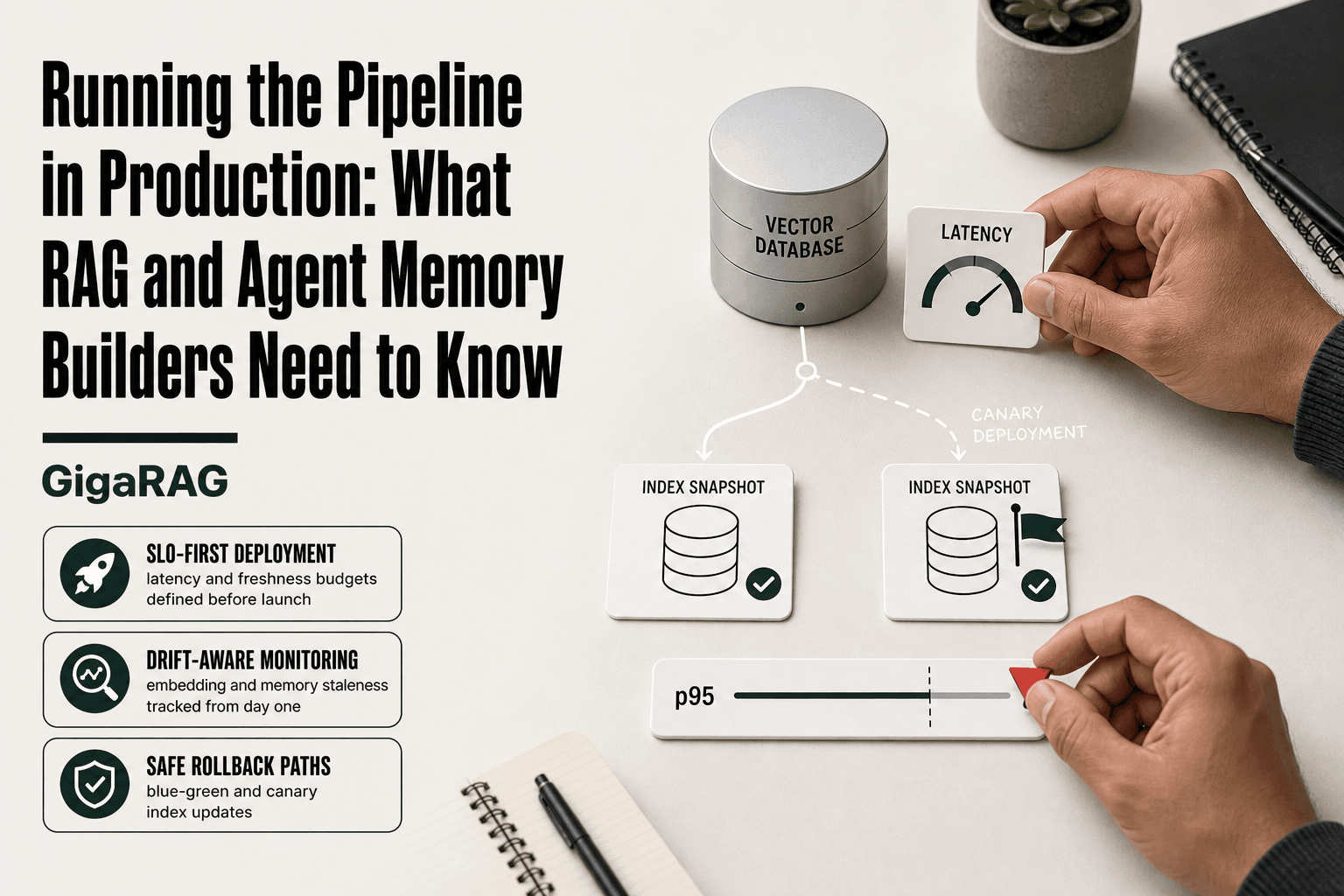
Look for tutorials that cover chunking strategy, metadata filtering, reranking, and evaluation, not just a toy example. Production RAG also needs logging, latency monitoring, and a way to update the index when documents change.
Can I build a RAG pipeline from scratch without a framework?
Yes. A minimal pipeline needs only an embedding model, a vector index, and an LLM call, which you can write in a few dozen lines of Python. Frameworks help with orchestration and connectors, but they are not required to understand the core mechanics.
How should I chunk documents for RAG?
Split text into segments of roughly 200 to 800 tokens with some overlap so context is not cut mid-idea. Preserve structure where possible, such as keeping headings with their sections, and store source metadata on every chunk for citations.
How do I use RAG for agent memory?
Treat each interaction, observation, or tool result as a chunk with metadata like timestamp, session ID, and type. At each step, retrieve relevant memories and inject them into the agent's context, filtering by recency or session to keep the working set small.
What are the limitations of a basic RAG pipeline?
It cannot reason over facts, verify claims, or recover information that was never indexed. Retrieval can miss relevant chunks or return noisy ones, and the LLM may still hallucinate despite having context. Treat RAG as a grounding aid, not a correctness guarantee.
How do I evaluate a RAG pipeline?
Build a small set of question-answer pairs with known correct sources, then measure retrieval hit rate and answer faithfulness separately. Track which chunks were retrieved for each query so you can diagnose whether failures come from retrieval or generation.
About GigaRAG
GigaRAG is for agent memory and RAG pipeline builders. get this right. Whether you are working through build a rag pipeline in python, end to end or something adjacent, we publish what we have actually tested, including where it falls short.