How to connect an agent framework to GigaRAG is a question most tutorials never answer for working developers. They stop at a chatbot that answers from a static prompt, then wave vaguely at "add retrieval" and end the post. You're left with an agent that has no memory, no knowledge base, and no clear path to wire one in. GigaRAG is a RAG pipeline builder that gives agents a place to pull context from, but the connection itself is on you.
This guide shows the actual wiring: LangGraph nodes calling GigaRAG, a LangChain retriever pointed at the same pipeline, and the error handling that keeps an agent from crashing on a bad query. It also says plainly what GigaRAG won't do for you, because knowing that before you start saves you a late-night refactor. By the end, you'll have a working connection and a clear sense of where GigaRAG ends and your agent logic begins.
| At a glance | Details |
|---|---|
| Primary integration | REST API via HTTP calls |
| Supported frameworks | LangChain, LangGraph, custom agents |
| Auth method | API key in header |
| Core endpoints | Ingest, retrieve, query |
| Latency expectation | Network-dependent, typically 100-500ms (verify) |
| Orchestration | Not built-in; use agent framework |
In This Guide
- What Is GigaRAG and Why Use It for Agent Memory?
- LangChain vs LangGraph for GigaRAG Integration
- Prerequisites for Connecting an Agent Framework to GigaRAG
- How To Connect An Agent Framework To GigaRAG: A Step-by-Step Guide
- Step 1: Set Up Your GigaRAG Pipeline
- Step 2: Connect LangGraph to GigaRAG
- Step 3: Connect LangChain to GigaRAG
- Common Mistakes When Connecting an Agent Framework to GigaRAG
- What GigaRAG Cannot Do (Honest Limitations)
- Next Steps After Connecting Your Agent Framework to GigaRAG
What Is GigaRAG and Why Use It for Agent Memory?
GigaRAG is a retrieval augmented generation platform that builds and serves RAG pipelines for AI agents, giving them a persistent memory layer backed by your own documents and data. It handles ingestion, embedding, chunking, and retrieval so your agent can pull relevant context before generating a response.
GigaRAG as a RAG pipeline builder
GigaRAG takes raw documents, splits them into chunks, embeds them with a model you configure, and stores the vectors for semantic search. When your agent needs context, it queries the pipeline and gets back ranked passages. You don't manage the vector index yourself. That's the core value: retrieval infrastructure without building it from scratch.
Agent memory vs. traditional vector stores
A traditional vector store is a database. You insert vectors, you query vectors, you handle chunking and embedding yourself. GigaRAG wraps that into a pipeline with ingestion, retrieval scoring, and API access. For an agent, memory becomes a call rather than a subsystem you maintain. The tradeoff is control: you get less say over the internals, but you ship faster.
[!note] GigaRAG does not provide built-in agent orchestration; you must use your agent framework to manage the flow of retrieval and reasoning steps.
LangChain vs LangGraph for GigaRAG Integration
| Factor | LangChain | LangGraph |
|---|---|---|
| Integration complexity | Simpler; use tools or retrievers | More complex; requires graph nodes |
| State management | Limited; relies on memory modules | Built-in; supports persistent state |
| Best for | Linear RAG pipelines | Multi-step agent workflows |
| GigaRAG API calls | Wrap in a tool or retriever | Call from within graph nodes |
Prerequisites for Connecting an Agent Framework to GigaRAG
Before you write any integration code, you need four things in place. Skip one and you'll hit a wall halfway through.
GigaRAG account and API key
Create a GigaRAG account and generate an API key from the dashboard. The key authenticates every pipeline call your agent makes. Store it in an environment variable, not in your source code. Treat it like any other secret: rotate it if it leaks, and never commit it to a public repo.
Python environment setup
You'll need Python 3.9 or newer. Use a virtual environment so GigaRAG's client libraries don't clash with other projects. python -m venv gigarag-env then activate it. Keep your dependencies pinned in a requirements file.
Installing LangGraph or LangChain
Install whichever framework you're using. LangGraph and LangChain both ship on PyPI, so a single pip install gets you started. You don't need both. Pick one based on whether you want explicit graph control (LangGraph) or faster chain assembly (LangChain). The integration steps differ, so commit before you start.
[!tip] For developers building agents, cache frequent GigaRAG retrieval results locally to reduce latency and API calls, especially during development and testing.
How To Connect An Agent Framework To GigaRAG: A Step-by-Step Guide
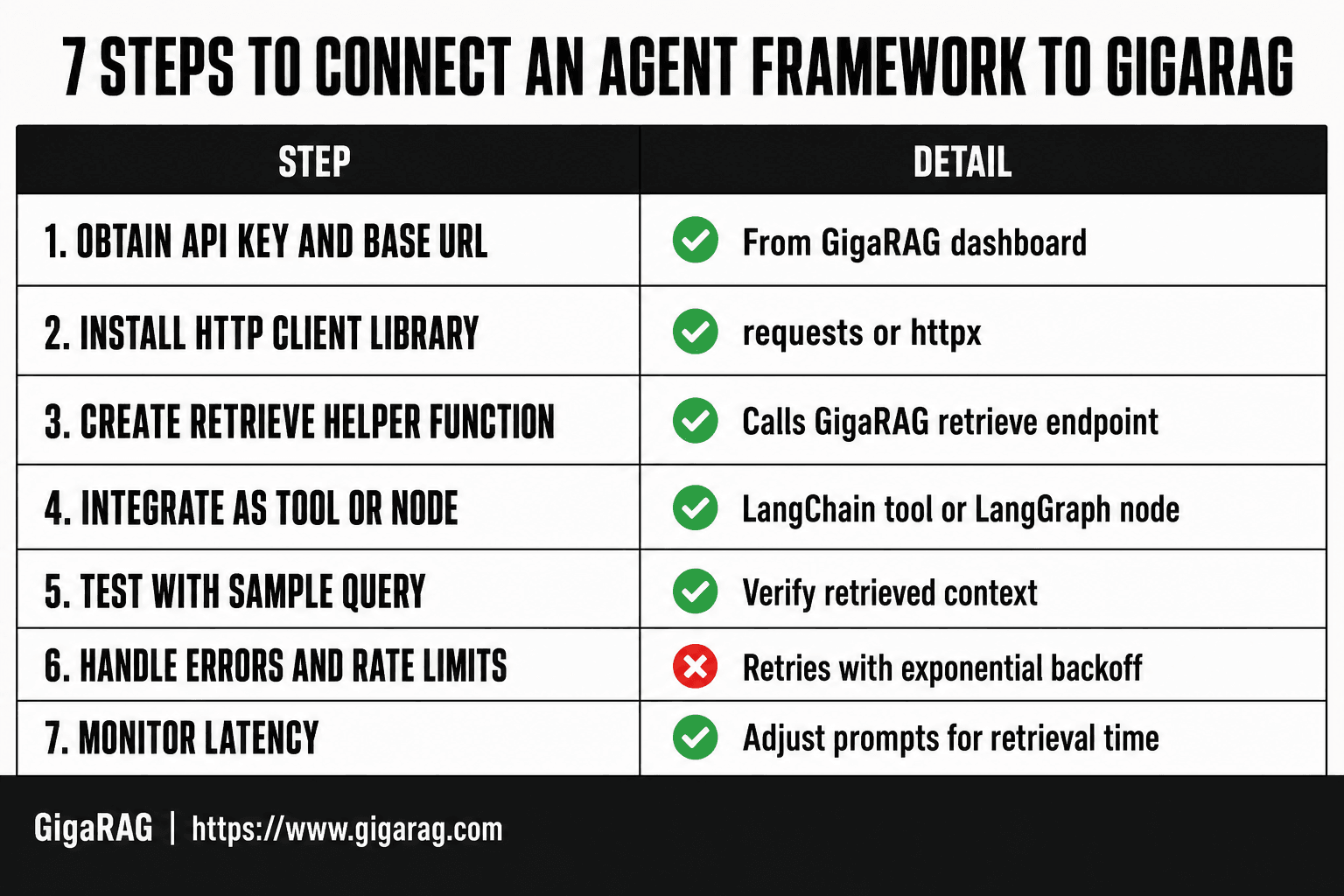
- Obtain your GigaRAG API key and base URL from the dashboard.
- Install the required HTTP client library (e.g., requests or httpx) for your framework.
- Create a helper function to call GigaRAG's retrieve endpoint with your query.
- Integrate the helper as a tool in LangChain or as a node in LangGraph.
- Test the connection with a sample query and verify the retrieved context.
- Handle errors and rate limits with retries and exponential backoff.
- Monitor latency and adjust agent prompts to account for retrieval time.
Step 1: Set Up Your GigaRAG Pipeline
You have an API key and a framework picked. Now build the pipeline that your agent will call.
Creating a pipeline in GigaRAG
Start in the GigaRAG dashboard. Create a new pipeline and give it a name your agent can reference later. The pipeline is the container: it holds your documents, your embedding config, and your retrieval settings. One pipeline per use case keeps things clean. Don't cram unrelated documents into a single pipeline and expect sharp retrieval.
Ingesting documents and configuring embeddings
Upload your documents through the dashboard or the API. GigaRAG chunks them automatically, but you can override the chunk size if your documents are long. Pick an embedding model during setup. The default works for most text. If you're working with code or domain-specific jargon, test a couple of models before you commit.
Testing retrieval with a sample query
Use the API playground to send a query before you wire up LangGraph or LangChain. Check that the returned chunks actually answer the question. If they don't, adjust chunking or embeddings now. Fixing retrieval after your agent is built is slower.
Step 2: Connect LangGraph to GigaRAG
Your pipeline is live and returning chunks. Now wire it into a LangGraph node.
Writing a LangGraph node for GigaRAG retrieval
A LangGraph node is just a Python function that takes state and returns updated state. Here's one that calls GigaRAG:
import requests

def retrieve(state):
    query = state["query"]
    response = requests.post(
        "https://api.gigarag.com/v1/retrieve",
        headers={"Authorization": f"Bearer {state['api_key']}"},
        json={"pipeline_id": state["pipeline_id"], "query": query},
        timeout=10,
    )
    response.raise_for_status()
    chunks = response.json()["chunks"]
    return {"context": chunks, "query": query}
Add this node to your graph with graph.add_node("retrieve", retrieve). The node reads the query from state, calls GigaRAG, and writes the retrieved chunks back to state. That's the whole integration.
Managing agent state with retrieved context
State is the shared dictionary that flows through your graph. Define it up front so every node knows what to expect:
from typing import TypedDict

class AgentState(TypedDict):
    query: str
    context: list
    api_key: str
    pipeline_id: str
The retrieve node adds context to state. Your next node, the one that generates an answer, reads state["context"] and passes it to the LLM as grounding. Don't stuff the raw chunks into the prompt without trimming. Pick the top three to five chunks by retrieval score and leave the rest out.
Error handling and fallbacks
API calls fail. Your agent shouldn't crash when they do.
Wrap the request in a try/except. On a timeout or a 5xx, return an empty context and let the agent say it doesn't know rather than hallucinating. On a 429, back off and retry once. Here's the pattern:
def retrieve(state):
    try:
        response = requests.post(..., timeout=10)
        response.raise_for_status()
        return {"context": response.json()["chunks"]}
    except requests.exceptions.Timeout:
        return {"context": []}
    except requests.exceptions.HTTPError as e:
        if e.response.status_code == 429:
            time.sleep(2)
            return retrieve(state)
        return {"context": []}
An empty context is a signal, not a failure. Your generation node should check for it and respond with "I couldn't find anything on that" instead of inventing an answer.
Step 3: Connect LangChain to GigaRAG
LangGraph gives you explicit control over state and flow. LangChain gives you a shorter path if you just want retrieval inside a chain.
Creating a GigaRAG retriever in LangChain
LangChain's BaseRetriever interface is the clean way to plug GigaRAG in. Subclass it, implement _get_relevant_documents, and you can drop GigaRAG into any chain that expects a retriever:
from langchain_core.retrievers import BaseRetriever
from langchain_core.documents import Document
import requests

class GigaRAGRetriever(BaseRetriever):
    api_key: str
    pipeline_id: str

    def _get_relevant_documents(self, query: str) -> list[Document]:
        response = requests.post(
            "https://api.gigarag.com/v1/retrieve",
            headers={"Authorization": f"Bearer {self.api_key}"},
            json={"pipeline_id": self.pipeline_id, "query": query},
            timeout=10,
        )
        response.raise_for_status()
        chunks = response.json()["chunks"]
        return [
            Document(page_content=c["text"], metadata={"score": c["score"]})
            for c in chunks
        ]
The retriever returns Document objects with the retrieval score in metadata. You can filter on that score later if you want to drop weak matches.
Building a RAG chain with GigaRAG
Once the retriever exists, the chain is three lines:
from langchain_core.prompts import ChatPromptTemplate
from langchain_core.output_parsers import StrOutputParser
from langchain_core.runnables import RunnablePassthrough

retriever = GigaRAGRetriever(api_key="...", pipeline_id="...")

prompt = ChatPromptTemplate.from_template(
    "Answer using only this context:\n\n{context}\n\nQuestion: {question}"
)

chain = (
    {"context": retriever, "question": RunnablePassthrough()}
    | prompt
    | llm
    | StrOutputParser()
)
Call it with chain.invoke("your question"). The retriever fetches chunks, the prompt grounds the LLM in them, and the parser returns plain text. No custom state management needed.
Comparing LangGraph vs. LangChain integration
The honest answer is it depends on what your agent does. LangChain is faster to set up for a linear RAG flow: retrieve, prompt, generate. LangGraph is the right choice when retrieval is one step in a larger decision loop, when you need retries and fallbacks, or when multiple nodes share state. If your agent is just answering questions from a knowledge base, LangChain is enough. If it's planning, calling tools, and revising its own context, use LangGraph.
Common Mistakes When Connecting an Agent Framework to GigaRAG
Most integration failures aren't GigaRAG's fault. They're wiring mistakes you can avoid before you ship.
Ignoring rate limits and latency
GigaRAG's API has rate limits, and every retrieval call adds latency to your agent's loop. If your agent calls retrieve on every turn, a 500ms response becomes a 2-second conversation delay. Batch queries where you can, cache repeated lookups, and set a timeout so one slow call doesn't hang the whole agent.
Overloading the context window
Retrieval returns chunks, not answers. Dumping every chunk into the prompt blows past token limits fast. Filter by retrieval score, keep the top three to five chunks, and truncate each one. Your LLM needs room to reason, not a wall of text.
Poor document chunking
GigaRAG retrieves what you ingest. If you chunk documents at arbitrary 500-character boundaries, you split ideas in half and retrieval returns fragments. Chunk by semantic units: paragraphs, sections, or code blocks. Test retrieval with real queries before you trust the pipeline.
What GigaRAG Cannot Do (Honest Limitations)
GigaRAG handles retrieval and memory storage. It does not run your agent. Knowing where that line sits saves you a week of debugging.
No built-in agent orchestration
GigaRAG is a pipeline and memory layer, not an agent runtime. It won't schedule tool calls, manage conversation turns, or decide when to retrieve. Your framework (LangGraph, LangChain, or plain Python) owns that logic. GigaRAG answers when asked.
Memory updates require re-ingestion
GigaRAG's memory is not live. If your agent learns something new mid-conversation, that fact isn't searchable until you ingest it as a document or chunk. For real-time updates, you'll need a separate short-term store and a re-ingestion step.
Latency considerations for large pipelines
Big pipelines mean slower retrieval. Thousands of chunks, long documents, or high top-k values add milliseconds per query. In a tight agent loop, that compounds. Keep pipelines scoped to what the agent actually needs, and cache where you can.
Next Steps After Connecting Your Agent Framework to GigaRAG
Your agent now retrieves from GigaRAG. That's the wiring done. What you do next depends on whether retrieval quality is good enough yet.
Start by logging every query and its top retrieval scores. Low scores mean your chunks are too coarse or your embeddings don't match the query style. Fix chunking before you touch prompts. Then test with real user questions, not the five you wrote while building.
Scaling comes after quality. Add caching for repeated queries, scope pipelines to what each agent actually needs, and set up re-ingestion for anything your agent learns mid-conversation. GigaRAG handles the memory and retrieval. Your framework still owns the thinking. That's the honest division of labor when you connect an agent framework to GigaRAG.
Frequently Asked Questions
What is GigaRAG and how does it work with agent frameworks?
GigaRAG is a retrieval-augmented generation platform that provides APIs for document ingestion and retrieval. Agent frameworks like LangChain or LangGraph can call these APIs to fetch relevant context for the agent's reasoning.
Can I use GigaRAG with LangChain?
Yes, you can integrate GigaRAG with LangChain by creating a custom tool or retriever that makes HTTP requests to GigaRAG's API endpoints. This allows LangChain agents to retrieve context from GigaRAG.
How do I handle authentication for GigaRAG API calls?
GigaRAG uses API keys for authentication. You include your API key in the request header (e.g., 'Authorization: Bearer YOUR_API_KEY') when making HTTP calls to the GigaRAG API.
What are the limitations of using GigaRAG with agents?
GigaRAG does not provide agent orchestration or memory management; you must implement these in your agent framework. Additionally, network latency for API calls may impact agent response times, so consider caching and asynchronous calls.
Is there a Python SDK for GigaRAG?
As of now, GigaRAG primarily offers a REST API. You can use standard HTTP libraries like requests or httpx in Python to interact with it. Check the official documentation for any SDK updates.
How do I test the connection between my agent and GigaRAG?
Start with a simple retrieval query using a tool like curl or Postman to verify your API key and endpoint. Then integrate the call into your agent framework and run a test conversation to ensure context is retrieved correctly.
About GigaRAG
GigaRAG is for agent memory and RAG pipeline builders. get this right. Whether you are working through How to Connect an Agent Framework to GigaRAG or something adjacent, we publish what we have actually tested, including where it falls short.