The Lifecycle of a Document in a RAG Pipeline
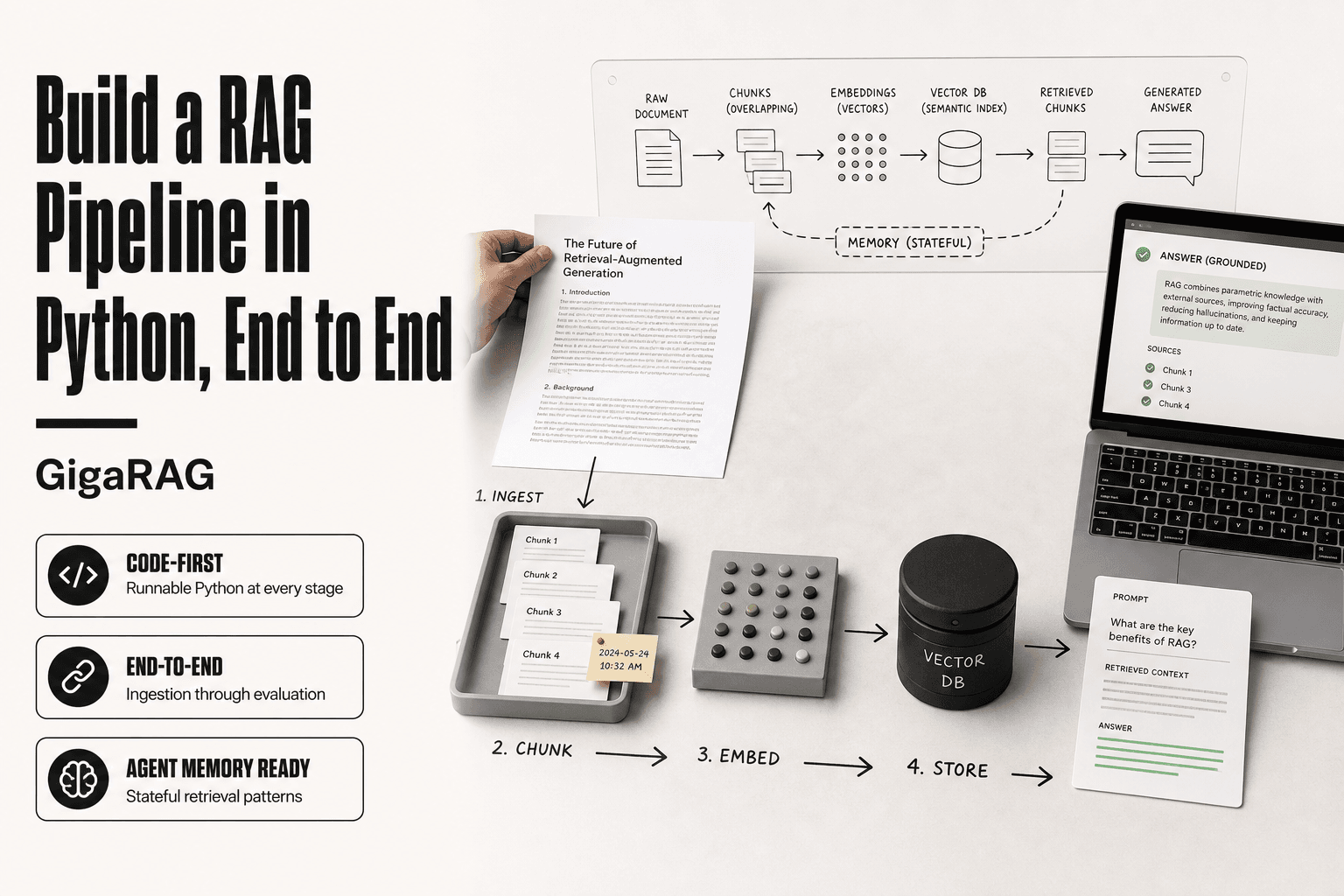
Your agent answered a question using a document that was updated or deleted hours ago, and you only find out when a user points at the screen and says "that's wrong." The lifecycle of a document in a RAG pipeline is the part most tutorials skip. They show you ingest, chunk, embed, and retrieve, then stop. Real systems don't stop. Documents change, expire, and get removed, and every one of those events has to move through the pipeline correctly or your agent starts answering from stale data.
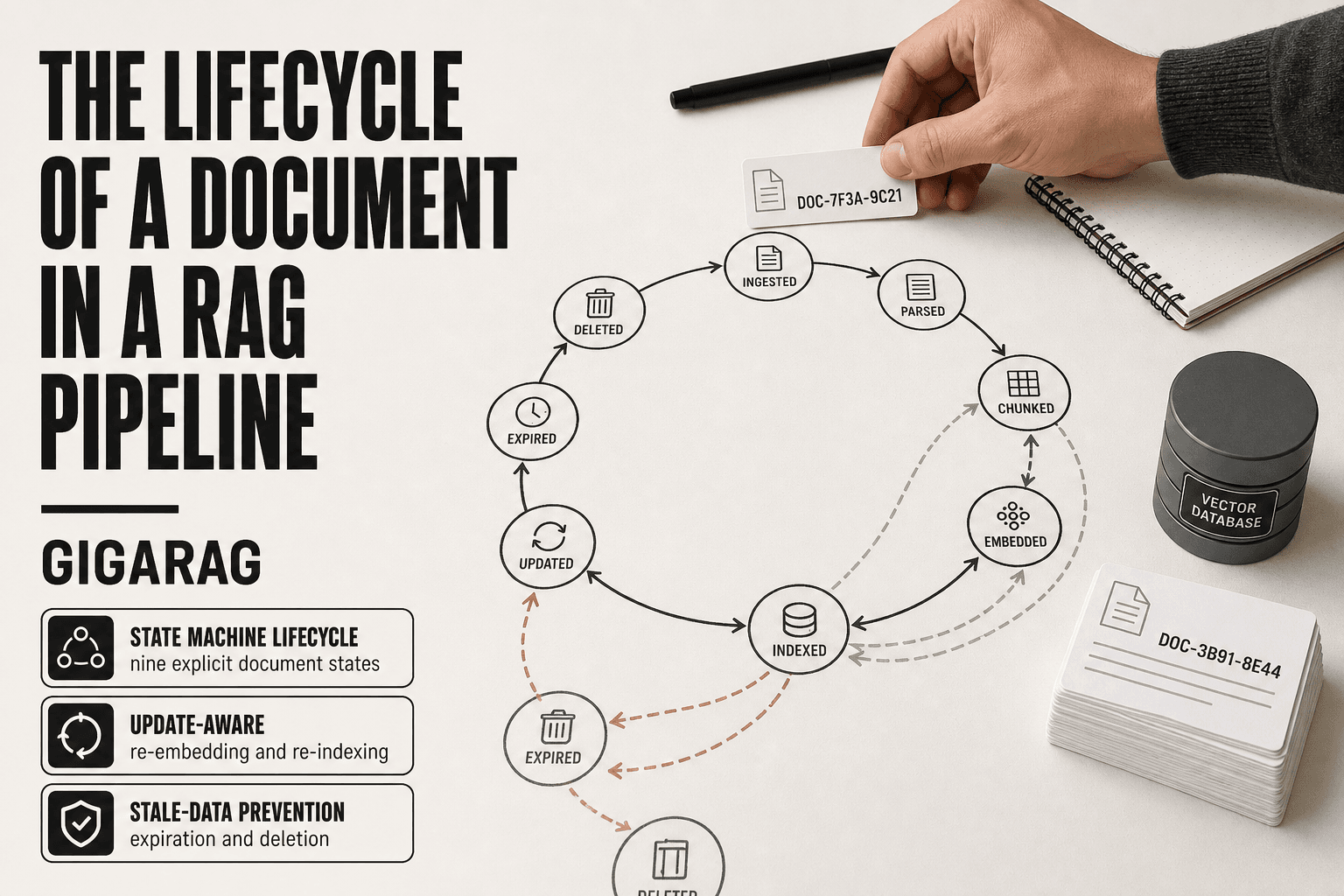
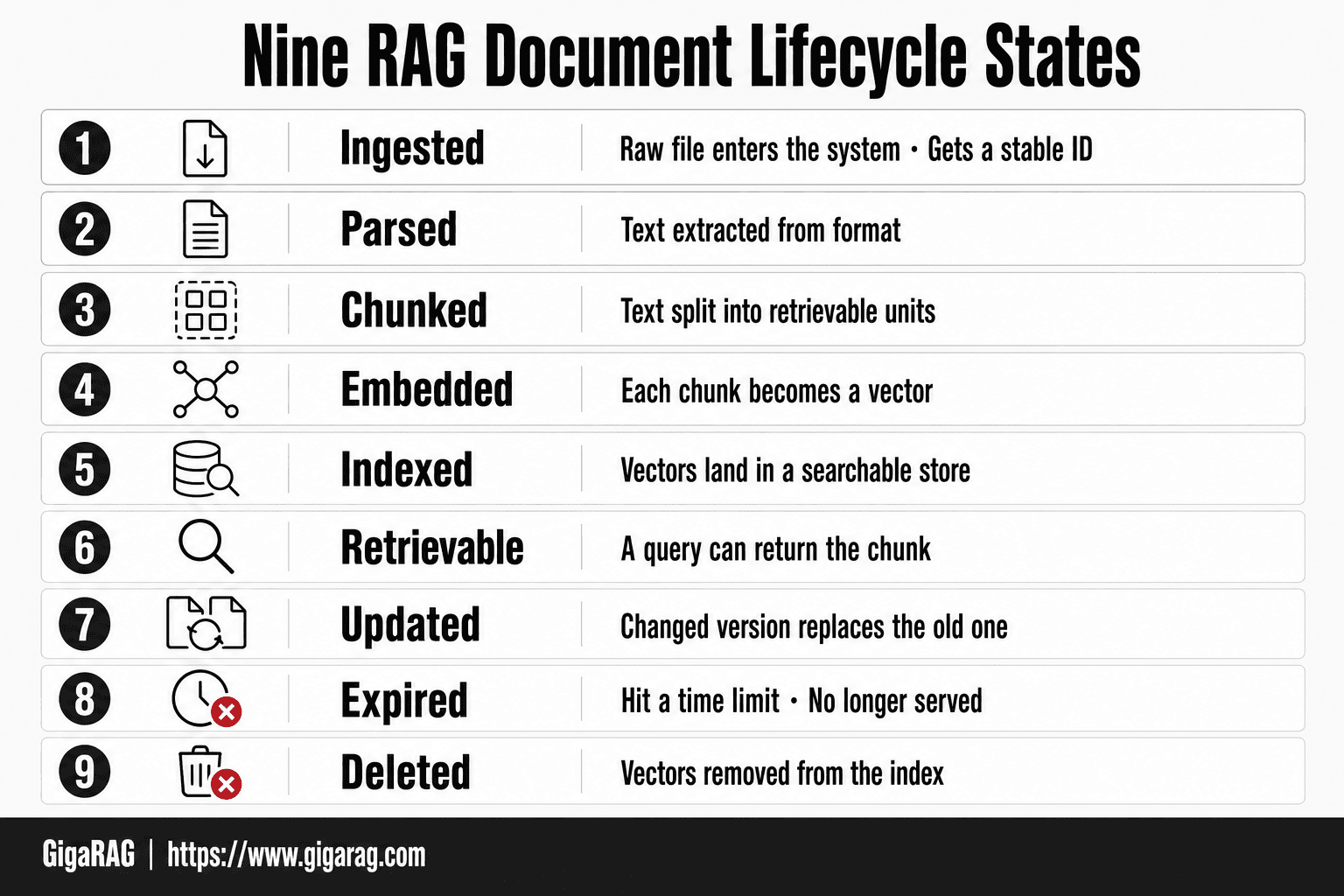
The honest answer is that a RAG pipeline is a state machine, not a four-step recipe. A document moves through discrete states: ingested, parsed, chunked, embedded, indexed, retrievable, updated, expired, deleted. Miss one transition and you get silent failure. Platforms like GigaRAG are built to manage this lifecycle for agent memory builders, but this guide is tool-agnostic. It covers what happens at every stage, what breaks in production, and what RAG cannot do no matter how carefully you build it.
| At a glance | Details |
|---|---|
| Core idea | Documents move through explicit states, not a one-way flow |
| Key states | Ingest, parse, chunk, embed, index, retrieve, update, expire, delete |
| Critical transition | Update requires re-embedding and re-indexing |
| Common failure | Stale answers when documents change but index doesn't |
| Agent memory twist | Memory has different lifecycle needs than static docs |
| What RAG can't do | Guarantee freshness or handle all query types |
In This Guide
- What Is a Document in a RAG Pipeline?
- Static Document RAG vs Agent Memory Lifecycle
- The Document Lifecycle as a State Machine
- Lifecycle Of A Document In A Rag Pipeline: A Step-by-Step Guide
- Stage 1: Ingestion — Getting Documents Into the Pipeline
- Stage 2: Parsing and Chunking — Breaking Documents Into Retrievable Units
- Stage 3: Embedding and Indexing — Making Documents Searchable
- Stage 4: Retrieval — Finding the Right Chunks at Query Time
- Stage 5: Generation — Augmenting the LLM With Retrieved Context
- Stage 6: Update — Handling Document Changes
- Stage 7: Expiration and Deletion — Removing Documents From the Pipeline
- The Document Lifecycle for Agent Memory Systems
- What RAG Cannot Do: Honest Limitations
- Failure Points Across the Document Lifecycle
- How to Implement a RAG Pipeline With Document Lifecycle Management
- Final Thoughts on the Document Lifecycle in a RAG Pipeline
What Is a Document in a RAG Pipeline?
A document in a RAG pipeline is any text-bearing artifact that enters the system as a single unit of ingestion, parsing, chunking, and retrieval. It can be a PDF, a web page, a code file, a chat log, a database record, or a transcript. What makes it a document is not its format but its role: it is the thing you want the model to retrieve from.
Document types RAG systems commonly ingest
The most common documents are PDFs and HTML pages, but production systems pull in far more. Code repositories feed documentation and source files. Support desks ingest chat logs and ticket histories. Internal tools pull database records and CRM entries. Meeting transcripts, Slack threads, and email archives all qualify. The format matters less than whether the text can be extracted cleanly.
Keep in mind that each type brings its own parsing burden. A PDF with scanned pages needs OCR before it yields text. A chat log has speaker labels and timestamps you may want to preserve as metadata. A code file has structure that naive chunking destroys. You don't treat these the same way.
What a document is NOT in RAG (raw bytes vs. parsed text)
A document is not the file on disk. It is the parsed text that comes out of that file. A 40-page PDF is raw bytes until a parser extracts its text layer. A web page is HTML until you strip the markup. A database record is a row until you serialize its fields into a string.
This distinction matters because the pipeline only ever sees parsed text. If the parser fails, the document effectively does not exist for retrieval. A PDF with no text layer, an image with no OCR step, a spreadsheet with merged cells that flatten into garbage: these are bytes, not documents. The lifecycle begins at the moment text is extracted, not when the file is uploaded.
Why document identity matters for lifecycle management
Every document needs a stable ID that survives parsing, chunking, and indexing. That ID is what lets you update a document later without duplicating it. It is what lets you delete a document and remove all its chunks from the index. Without it, you cannot track which chunks came from which source.
The ID also anchors metadata: source URL, author, timestamp, access controls, version number. When a document changes, you need to know which chunks to re-process. When a document expires, you need to know which vectors to remove. The ID is the thread that ties every lifecycle stage together. If you lose it at ingestion, you will not get it back at deletion.
[!note] A RAG pipeline does not automatically keep documents up to date; you must explicitly handle updates, expiration, and deletion to avoid stale or incorrect retrievals.
Static Document RAG vs Agent Memory Lifecycle
| Factor | Static Document RAG | Agent Memory |
|---|---|---|
| Update frequency | Low to moderate (e.g., weekly) | High (every interaction) |
| Expiration policy | Based on document age or relevance | Based on conversation context or recency |
| Deletion trigger | Manual or scheduled cleanup | Automatic pruning of old memories |
| Versioning need | Important for audit and rollback | Less critical; focus on recency |
| Primary goal | Accurate retrieval of stable knowledge | Contextual recall for ongoing tasks |
The Document Lifecycle as a State Machine
A document in a RAG pipeline is never static. It moves through discrete states: Ingested, Parsed, Chunked, Embedded, Indexed, Retrievable, Updated, Expired, Deleted. Each state has entry conditions and exit conditions. Treating these as a state machine, not a linear pipeline, is what lets you reason about what happens when a document changes after it is already indexed.
The nine lifecycle states
Here's the full set. Ingested means the raw file entered the system and got a stable ID. Parsed means text was extracted from the format. Chunked means that text was split into retrievable units. Embedded means each chunk became a vector. Indexed means those vectors landed in a searchable store. Retrievable means a query can actually return the chunk. Updated means a changed version replaced the old one. Expired means the document hit a time limit and is no longer served. Deleted means its vectors are gone from the index.
Not every document visits every state. A document that fails parsing never reaches Chunked. A document that expires may skip Updated entirely. The point is that each state is a place a document can sit, not just a step it passes through.
Legal vs. illegal state transitions
The transitions matter as much as the states. Ingested to Parsed is legal. Parsed to Chunked is legal. Chunked to Embedded is legal. But Retrievable to Ingested is not: you don't re-ingest a document that is already indexed. You update it, which means moving through Parsed, Chunked, and Embedded again before returning to Indexed.
Illegal transitions are where production systems break. A document that goes from Indexed straight to Deleted without an Expired state is fine, but a document that goes from Indexed back to Chunked without re-embedding leaves stale vectors in the index. The state machine makes these mistakes visible. If your pipeline allows a transition you didn't define, that's a bug.
Why linear pipeline thinking fails in production
The four-stage view (ingest, chunk, embed, retrieve) works for a demo. You load documents once, query them, and it works. Then a document changes. Or gets deleted. Or expires. The linear model has no answer for what happens next.
The honest answer is that most RAG tutorials stop at Retrievable. They never show you what happens when a policy document is revised, when a support article is pulled, or when a chat log should be forgotten. A state machine forces you to define those paths before they happen in production. You don't get to pretend documents are static just because the happy path worked in a notebook.
[!tip] For agent memory systems, consider using a time-to-live (TTL) for each memory and a background process to prune expired memories, ensuring the agent doesn't rely on outdated context.
Lifecycle Of A Document In A Rag Pipeline: A Step-by-Step Guide
- Define explicit states for each document (e.g., ingested, parsed, chunked, embedded, indexed, retrieved, updated, expired, deleted).
- Instrument transitions between states with logging and monitoring to track document flow.
- Implement update handling: when a document changes, trigger re-parsing, re-chunking, re-embedding, and re-indexing.
- Set expiration policies based on document type and business rules (e.g., time-based or event-based).
- Automate deletion to remove documents from all stores (vector DB, metadata DB, cache) when expired or obsolete.
- For agent memory, treat each memory as a document with its own lifecycle, including rapid update and pruning.
- Regularly audit the pipeline to ensure no orphaned or stale documents remain in any state.
Stage 1: Ingestion — Getting Documents Into the Pipeline
Ingestion is where the lifecycle starts. A document enters the system, gets a stable ID, and moves to the Ingested state. Everything downstream depends on what you capture here. Miss a metadata field at ingestion and you'll pay for it at retrieval time, when you can't filter by date or source.
Connectors and sources
Connectors are the adapters that pull documents from wherever they live. Common sources: S3 buckets, Google Drive, SharePoint, Notion, Confluence, databases, and webhooks. Each connector handles authentication, pagination, and change detection differently.
You don't need a connector for every source. A simple script that reads files from a local directory works fine for a prototype. But production systems need connectors that can detect new and changed documents without re-ingesting everything. That's the difference between a pipeline that runs once and one that stays current.
Metadata to capture at ingestion
Metadata is the difference between a searchable index and a filterable one. Capture these fields at ingestion, not later:
- Document ID: a stable, unique identifier. This is how you find the document again when it changes or gets deleted.
- Source: where the document came from. A URL, a file path, a database record ID.
- Timestamp: when the document was ingested. You'll need this for expiration policies and change detection.
- Content type: PDF, HTML, Markdown, plain text. Parsing depends on this.
- Author or owner: who is responsible for the document. Useful for access control and update workflows.
- Version: if the source system tracks versions, capture it. Otherwise you'll have to infer changes by content hash.
The main catch is that metadata you don't capture at ingestion is hard to add later. You can backfill some fields, but timestamps and source identifiers are lost if you don't grab them the moment the document enters the pipeline.
Common ingestion failure modes
Ingestion fails in predictable ways. The most common: authentication expires and the connector silently stops pulling documents. You don't notice until someone asks why the index is missing last week's reports.
Another failure mode is duplicate ingestion. The same document enters twice under two different IDs, and now you have duplicate chunks in the index. Retrieval returns the same content twice, which wastes context window space and confuses the LLM.
Encoding problems are the third classic. A PDF that looks fine in a viewer produces garbled text when parsed, because the underlying encoding doesn't match what the parser expects. You won't catch this until retrieval returns nonsense and you trace it back to the source file.
The fix for all three is the same: log every document that enters ingestion, record its ID, source, timestamp, and parse status, and alert when the failure rate crosses a threshold. Ingestion is not the place to be quiet about errors.
Stage 2: Parsing and Chunking — Breaking Documents Into Retrievable Units
Parsing extracts text from whatever container it arrived in. Chunking splits that text into units small enough to embed and retrieve. Both decisions are permanent. Change your chunk size later and you re-embed every document in the index.
Parsing: extracting text from different formats
A PDF is not text. It's a layout description: coordinates, fonts, and drawing commands. Parsing reconstructs the reading order from that. HTML is easier, but you still need to strip navigation, ads, and boilerplate. Plain text and Markdown parse cleanly.
The parser you choose depends on the format. PDFs need a layout-aware parser like PyMuPDF or pdfplumber. HTML needs something that preserves structure without keeping the junk. Scanned documents need OCR before any text extraction happens.
The honest answer is that parsing is lossy. Tables get flattened. Headers merge into body text. Footnotes detach. You won't notice until retrieval returns a chunk that makes no sense because the parser scrambled the reading order.
Chunking strategies: fixed-size, semantic, recursive
Fixed-size chunking splits text every N tokens, usually 256 to 512. It's simple and predictable. The catch is that it cuts sentences in half and splits related ideas across chunks.
Recursive chunking tries to respect structure: split by paragraph, then sentence, then word. It's better at keeping related text together but still doesn't understand meaning.
Semantic chunking uses embeddings to find natural topic boundaries. It produces cleaner chunks but costs more compute and is harder to debug. In practice, most teams start with recursive chunking and only move to semantic if retrieval quality is poor.
Chunk size and overlap trade-offs
Small chunks retrieve precisely but lose context. A 128-token chunk might contain the answer without the question it answers. Large chunks preserve context but dilute the embedding, so retrieval returns chunks that are only partially relevant.
Overlap is the fix for boundary problems. A 10-15% overlap between adjacent chunks means a sentence split at the boundary still appears intact in the next chunk. More overlap means more storage and more duplicate content in retrieval results.
There's no universal right answer. Chunk size depends on your documents and your queries. Short Q&A pairs work with small chunks. Long technical documents need larger chunks with overlap.
How chunking affects retrieval quality
Chunking determines what the embedding model sees. Embed a chunk that mixes two topics and the vector points somewhere between them. Retrieval returns it for queries about either topic, but it's not a great match for either.
The failure mode is silent. Your pipeline runs, retrieval returns chunks, the LLM generates an answer. But the answer is wrong because the right information was split across two chunks and neither one contained enough context to be useful.
You can't fix chunking at query time. You fix it by re-chunking and re-embedding, which means every chunking decision you make here is a decision you'll live with until the next full re-index.
Stage 3: Embedding and Indexing — Making Documents Searchable
Embedding converts each chunk into a vector: a list of numbers that captures its meaning. Indexing stores those vectors so retrieval can find the closest matches to a query. Both steps are deterministic. Same chunk, same model, same vector.
How embedding works
An embedding model reads a chunk and outputs a fixed-length vector, typically 768 to 1536 dimensions. Chunks with similar meaning land close together in vector space. "How do I reset my password" and "I forgot my login" produce nearby vectors even though they share no words.
Model choice matters more than most teams admit. A general-purpose model like OpenAI's text-embedding-3 or Cohere's embed-v3 works for most documents. Domain-specific models exist for legal, medical, and code, but they're only worth it if your retrieval quality is measurably poor with a general model.
Dimensionality is a storage and speed trade-off. Higher dimensions capture more nuance but cost more to store and search. Lower dimensions are faster but lose fidelity. You can't change dimensions later without re-embedding everything.
Vector index types and trade-offs
The index is what makes retrieval fast. Without one, every query compares against every vector, which is fine for thousands of chunks and unusable for millions.
HNSW is the default choice. It approximates nearest-neighbor search with a graph structure, trading a little accuracy for a lot of speed. IVF clusters vectors first, then searches only the closest clusters. Flat index is exact but slow.
The main catch is that approximate indexes don't guarantee you'll find the true nearest neighbor. They guarantee you'll find something close, fast. For most RAG use cases, that's the right trade.
The index as a snapshot, not a live view
Here's the thing most tutorials skip: the index is a snapshot of your documents at embedding time. Change a document and the index doesn't know. Delete a document and its vectors stay in the index until you remove them explicitly.
There is no automatic sync. If your source document changes, you must re-chunk, re-embed, and upsert the new vectors yourself. If you don't, retrieval returns stale content and your agent answers from data that no longer exists.
This is where production RAG systems fail. The pipeline works in a demo, then a document changes and nobody re-indexed it. The agent keeps answering confidently from a version of the document that's three weeks old.
Stage 4: Retrieval — Finding the Right Chunks at Query Time
Retrieval is where all your earlier decisions pay off or punish you. Chunking choices, embedding model, index type: every one of them shows up here. A query comes in, gets embedded, and the system hunts for the closest vectors in the index. If the right chunk isn't in the index, or isn't close enough in vector space, retrieval fails silently. The LLM still generates an answer. It just won't be grounded in anything useful.
Semantic vs. keyword search
Semantic search embeds the query and finds chunks whose vectors sit nearby. It handles paraphrase, synonyms, and intent. "How do I cancel my subscription" matches a chunk about "terminating your account" even though the words don't overlap.
Keyword search matches exact terms. BM25 is the standard. It's fast, predictable, and works well for names, IDs, error codes, and product numbers. "Error 503" should match a chunk containing "Error 503," not a chunk about "server problems" that happens to be semantically close.
The honest answer is that neither is enough alone. Semantic search misses exact identifiers. Keyword search misses paraphrase. Most production systems need both.
Hybrid search and when to use it
Hybrid search runs semantic and keyword retrieval in parallel, then merges results with a scoring function. Reciprocal rank fusion is the common approach: each result gets a score based on its rank in both lists, and the merged list favors chunks that scored well in both.
Use hybrid search when your documents contain a mix of natural language and exact identifiers: codebases, API docs, legal contracts, medical records. Skip it when your corpus is purely conversational, where semantic search alone is usually sufficient.
The cost is complexity. You need two retrieval paths, a fusion step, and tuning for how much weight each path gets. That tuning is not set-and-forget.
Metadata filtering for precision
Metadata filtering narrows the search space before vector comparison happens. A query about "billing policies for enterprise customers" should only search chunks tagged with category=billing and plan=enterprise. You filter first, then run semantic search on the remaining candidates.
This is where ingestion-time metadata capture pays off. If you didn't tag documents with category, plan, or date at ingestion, you can't filter on those fields at query time. Retroactive tagging means re-processing the corpus.
The main catch is over-filtering. Too many filters and you shrink the candidate pool to nothing, or to chunks that are relevant by metadata but wrong by content. Start with one or two filters. Add more only when retrieval precision measurably improves.
Stage 5: Generation — Augmenting the LLM With Retrieved Context
Generation is the step everyone thinks about first and should think about last. The retrieved chunks get inserted into a prompt, the LLM reads them, and it writes an answer. That's the whole mechanism. The quality of that answer was mostly decided before this stage started.
Prompt construction with retrieved context
You build a prompt template with a slot for context. The retrieved chunks fill that slot, then the user's question goes in, then the model generates. A typical template looks like: "Answer using only the following context. Context: [chunks]. Question: [query]."
The instruction matters. Tell the model to answer only from the provided context, and it will usually comply. Don't tell it, and it will happily blend retrieved text with its training data. You can't always tell which is which.
Keep the template simple. Long system prompts with elaborate role-playing instructions eat context and add latency without improving grounding. Two or three sentences of instruction is enough.
Context window constraints
Every model has a hard limit on input tokens. Retrieved chunks plus the prompt plus the query all count against it. If retrieval returns ten chunks of 500 tokens each, that's 5,000 tokens gone before the model writes a single word.
You have two levers: retrieve fewer chunks, or use smaller chunks. Both cost you recall. The third option is a larger context window, which costs more per query and slows generation.
The practical fix is a token budget. Decide how many tokens context can use, then truncate or drop chunks to fit. Truncation mid-sentence loses information. Dropping the lowest-ranked chunk is usually safer.
Citation and attribution
If you want the model to cite its sources, give it the source IDs alongside each chunk and instruct it to include them. It will sometimes cite the right source for the right claim. It will sometimes cite the wrong source, or invent a source that wasn't in the context.
Don't treat model-generated citations as ground truth. If citations matter for your use case, verify them against the retrieved chunks before showing them to a user. The model is guessing, and it guesses confidently.
Generation quality is bounded by retrieval quality. A perfect prompt cannot fix a bad retrieval. If the right chunk wasn't found in Stage 4, the best you can get is a fluent, confident, wrong answer.
Stage 6: Update — Handling Document Changes
A document changes after indexing, and your agent keeps answering from the old version. That's the failure. Updates are not automatic. The pipeline must detect the change, re-process the affected chunks, and refresh the index. Most production RAG systems skip this entirely.
Detecting document changes
You need a signal that a document changed. The simplest is a hash of the file contents. Store it at ingestion. On a schedule or on a webhook, re-hash the source and compare. Different hash means the document changed.
The harder case is a document that changes without a clean file boundary. A wiki page edited in place, a database row updated, a chat log appended to. For these, you need a source-specific trigger: a database change feed, a webhook from the CMS, a file watcher on the directory.
Don't rely on polling alone if freshness matters. A nightly poll means your agent can serve stale answers for up to 24 hours. If that's unacceptable, you need event-driven detection.
Re-chunking and re-embedding strategies
When a document changes, you can't just re-embed the whole thing and call it done. Chunk boundaries shift. A paragraph inserted near the top pushes every downstream chunk out of alignment. The chunks you already indexed no longer match the new text.
The safe approach is to re-chunk the entire document from scratch, then re-embed every chunk. That's expensive but correct. The cheap approach is to diff the old and new text, re-chunk only the changed region, and re-embed only the new chunks. That's fast but fragile: a small edit can cascade across chunk boundaries and you'll miss it.
In practice, re-chunk the whole document. Chunking is cheap relative to the cost of serving wrong answers.
Incremental vs. full re-indexing
Incremental re-indexing updates only the chunks that changed. Full re-indexing rebuilds the entire index from scratch.
Incremental is faster and cheaper. It's also where bugs live. Miss one changed chunk and the index now contains a mix of old and new versions with no way to tell them apart. You need strict bookkeeping: which chunks belong to which document version, and which chunks got replaced.
Full re-indexing is slower but simpler. You rebuild everything, swap the old index for the new one, and you're done. For small to medium collections, full re-indexing on a schedule is often the right call. For large collections, you'll need incremental.
Versioning: keeping old versions retrievable
Sometimes you want the old version. A contract that was amended, a policy that changed, a spec that got revised. If you overwrite the old chunks, you lose the ability to answer questions about what the document said before.
Versioning means keeping old chunks in the index with a version tag in the metadata. At query time, you filter by version: current version by default, specific version on request. This costs storage and adds metadata complexity, but it's the only way to answer "what did this say last month?"
Most RAG systems don't version. They overwrite. If you need versioning, design it in from the start. Retrofitting it means re-indexing everything with new metadata.
Stage 7: Expiration and Deletion — Removing Documents From the Pipeline
Deletion is harder than ingestion. You can add a document to a vector index in one API call. Removing it means finding every chunk, every vector, every metadata record that came from that document, and deleting them all without leaving orphans. Most systems don't do this cleanly.
Expiration policies and TTL
A TTL, or time-to-live, is a timestamp on a document that says when it stops being valid. When the clock passes the TTL, the document should disappear from the index. You set this at ingestion: a support ticket expires after 90 days, a news article after 30, a session transcript after 7.
The catch is that TTL is a policy, not a mechanism. The vector database won't automatically delete expired vectors unless you configure it to. Some databases support native TTL on records. Most don't. You'll need a background job that scans for expired documents and removes them.
Deleting vectors from an index
Deleting a vector requires the document ID you assigned at ingestion. If you didn't store that ID, you can't delete the document. You can only rebuild the index without it.
The deletion itself is straightforward: call the delete endpoint with the document ID, and the database removes all vectors tagged with that ID. The hard part is making sure every chunk got tagged correctly at ingestion. Miss one chunk and it stays in the index forever, answering questions from a document you thought was gone.
Why stale data causes wrong answers
Stale data is the most common cause of incorrect RAG answers. A document gets updated or deleted, but the old chunks remain in the index. The retriever finds them, the LLM trusts them, and the agent answers from information that no longer exists in your source system.
The fix is not better retrieval. It's better deletion. If your pipeline can't remove documents reliably, every other lifecycle stage is undermined. You'll spend hours debugging why the agent cited a policy that was revoked last week, and the answer will be that nobody deleted the vectors.
The Document Lifecycle for Agent Memory Systems
A knowledge base answers questions. Agent memory lets an agent remember what happened. The difference is not academic. A knowledge base is static: documents go in, chunks get retrieved, answers come out. Agent memory is a working set of context that changes as the agent operates, and the lifecycle rules change with it.
Agent memory vs. knowledge base
A knowledge base stores facts. Agent memory stores facts plus events, preferences, and intermediate results. The document lifecycle for a knowledge base is mostly one-directional: ingest, index, retrieve. For agent memory, documents are written, read, updated, and deleted by the agent itself, often within a single session.
That means the state machine gets busier. A memory can move from Ingested to Retrievable in seconds, then to Updated when the agent learns something new, then to Expired when the session ends. The transitions are faster and more frequent. You can't batch-process agent memories overnight the way you might re-index a document library.
Memory refresh and context window management
Context windows are finite. An agent can't hold every memory in the prompt at once, so it has to decide what to load and when. That's memory refresh: the process of pulling relevant memories into the context window before a turn, and writing new memories back after.
Here's what happens behind the scenes. The agent receives a user message. It queries its memory store for relevant past events. Those memories get inserted into the prompt alongside the user's message. The agent responds. Then it writes a summary of the interaction back to memory. The summary becomes a new document in the pipeline, and it goes through the same ingest, chunk, embed, index stages as any other document.
The catch is latency. If memory refresh takes two seconds, the agent feels slow. If it takes two hundred milliseconds, the agent feels responsive. You have to tune retrieval and indexing for speed, not just accuracy.
Forgetting: why agents need to expire memories
Forgetting is a feature, not a failure. An agent that remembers everything drowns in noise. Old preferences conflict with new ones. Irrelevant events crowd out useful context. The retrieval step returns more chunks, the prompt gets longer, and the agent gets worse.
So agent memories need TTLs, just like any other document. A memory from last week might matter. A memory from six months ago probably doesn't, unless it's explicitly marked as long-term. You set the TTL based on the memory type: session transcripts expire in hours, user preferences persist until changed, task results expire when the task is done.
The honest answer is that forgetting is harder than remembering. Deleting a memory means removing its vectors, its metadata, and any references to it from other memories. If you skip that step, the agent keeps retrieving ghosts. It cites a preference the user changed three sessions ago, and you're back to debugging stale data.
What RAG Cannot Do: Honest Limitations
RAG retrieves text. It does not understand it. The retrieval step finds chunks that look similar to your query, and the generation step produces a plausible answer from those chunks. Neither step reasons about the content. If you need a system that draws new conclusions from documents, RAG is the wrong tool.
No true reasoning or inference
RAG can tell you what a document says. It cannot tell you what the document implies. The embedding model maps text to vectors based on surface similarity, not logical structure. Ask a RAG system to compare two policies and identify a contradiction, and it will retrieve both policies and summarize them. It will not flag the contradiction unless the contradiction is stated explicitly in the text.
That's the boundary. RAG is a lookup mechanism with a language model attached. It does not perform multi-step inference, it does not verify claims against each other, and it does not notice when two retrieved chunks conflict.
No real-time updates without re-indexing
The index is a snapshot. When a document changes, the old vectors stay in the index until something removes them. There is no automatic propagation from source to index. You have to detect the change, re-chunk the document, re-embed the chunks, and update the index. Skip any step and the system answers from stale data.
This is not a bug you can configure away. It's a structural property of how vector indexes work. Real-time updates require a separate change-detection layer, and even then the update is only as fast as your re-embedding pipeline.
No correctness guarantees
RAG reduces hallucination. It does not eliminate it. The retrieved chunks might be wrong, outdated, or irrelevant. The LLM might ignore them. The answer might sound confident and still be false. There is no mechanism in a standard RAG pipeline that verifies the generated answer against the source documents.
If you need guaranteed-correct answers, you need a different architecture: a rules engine, a database query, or a human in the loop. RAG gives you grounded answers, not verified ones.
When RAG is the wrong tool
RAG is wrong when the answer requires reasoning across documents, not retrieval from them. It's wrong when the data changes faster than your re-indexing pipeline. It's wrong when correctness is non-negotiable. It's wrong when you need real-time access to a live database.
The alternatives are plain. Use a database query when the answer is a lookup. Use a rules engine when the logic is fixed. Use a fine-tuned model when the task is a specific reasoning pattern. Use RAG when the task is "find relevant text and summarize it." That's what it does.
Failure Points Across the Document Lifecycle
Every stage has a specific way it breaks. Knowing which stage is failing saves you hours of debugging. Here's the breakdown, stage by stage.
Ingestion failures: format, encoding, OCR
The parser is the first thing to fail. A PDF that looks fine in a viewer can be a scanned image with no text layer at all. OCR produces text, but it makes mistakes: "rn" becomes "m", columns get merged, tables become garbage. Encoding issues show up as mojibake, those strings of à and  that mean the file was decoded with the wrong character set.
The fix is boring but necessary: check the extracted text before you chunk it. If the text is empty or full of replacement characters, the parser failed. No downstream stage can recover from that.
Chunking failures: boundary splits, lost context
A chunk boundary lands in the middle of a sentence, and the sentence loses its subject. Or a definition gets split from its term. The chunk still embeds fine, but it no longer means what it meant. Retrieval returns it, the LLM reads it, and the answer is subtly wrong.
Fixed-size chunking is the worst offender here. Semantic chunking helps, but it's slower and still imperfect. The real fix is testing: retrieve chunks for your actual queries and read them. If the chunks don't make sense on their own, your boundaries are wrong.
Retrieval failures: semantic drift, metadata mismatch
Embedding drift happens when you change embedding models without re-embedding the whole index. Old vectors and new queries live in different spaces, and similarity scores become meaningless. Retrieval returns chunks that aren't relevant, or misses chunks that are.
Metadata mismatch is quieter. You filter by "department: engineering" but the document was tagged "dept: eng" at ingestion. The filter silently excludes it. The system works, the answer is wrong, and nothing logs an error.
Update failures: stale index, missed changes
The document changes in the source system. The index doesn't know. Your agent answers from the old version for hours, days, or until someone notices. This is the most common production failure, and it's the hardest to detect because everything looks like it's working.
The checklist is short. Check your extracted text for parse errors. Check your chunks for boundary splits. Check your retrieval results for relevance. Check your index age against your source. Each check takes minutes. Each failure it catches saves you a wrong answer in production.
How to Implement a RAG Pipeline With Document Lifecycle Management
You've seen the failure points. Now build the pipeline so those failures don't happen. The rule is simple: lifecycle management is not a feature you add later. It's the architecture.
Choosing tools: vector databases, embedding models, orchestration
Start with the vector database. Pinecone, Weaviate, Qdrant, and Milvus all handle the basics. The differentiator for lifecycle work is metadata filtering and deletion speed. If you plan to expire documents by policy, you need a database that deletes vectors quickly, not one that rebuilds segments on every delete. Check the deletion latency before you commit.
Embedding models matter less than you think. OpenAI's text-embedding-3, Cohere's embed, and open models like bge-large all work. The real decision is dimensionality and cost. Higher dimensions capture more nuance but cost more to store and query. Pick one model and stick with it. Switching models later means re-embedding everything.
For orchestration, LangChain and LlamaIndex both work. LlamaIndex has stronger primitives for document management: its ingestion pipeline and index refresh patterns map directly to lifecycle stages. LangChain is more flexible but leaves more lifecycle work to you. Either way, the orchestration layer is where you wire change detection to re-indexing.
Designing for lifecycle from day one
Capture document identity at ingestion. Every document gets a stable ID, a source URL or path, a content hash, and a timestamp. Without these, you can't detect changes, can't version, can't expire. This is the metadata that makes every later stage possible.
Design your chunking with updates in mind. If you use fixed-size chunks with no overlap, a one-word change in a document shifts every chunk boundary after it. You re-embed the whole document for a typo. Overlap and semantic chunking reduce this, but the real fix is storing chunk-to-document mappings so you can re-process only what changed.
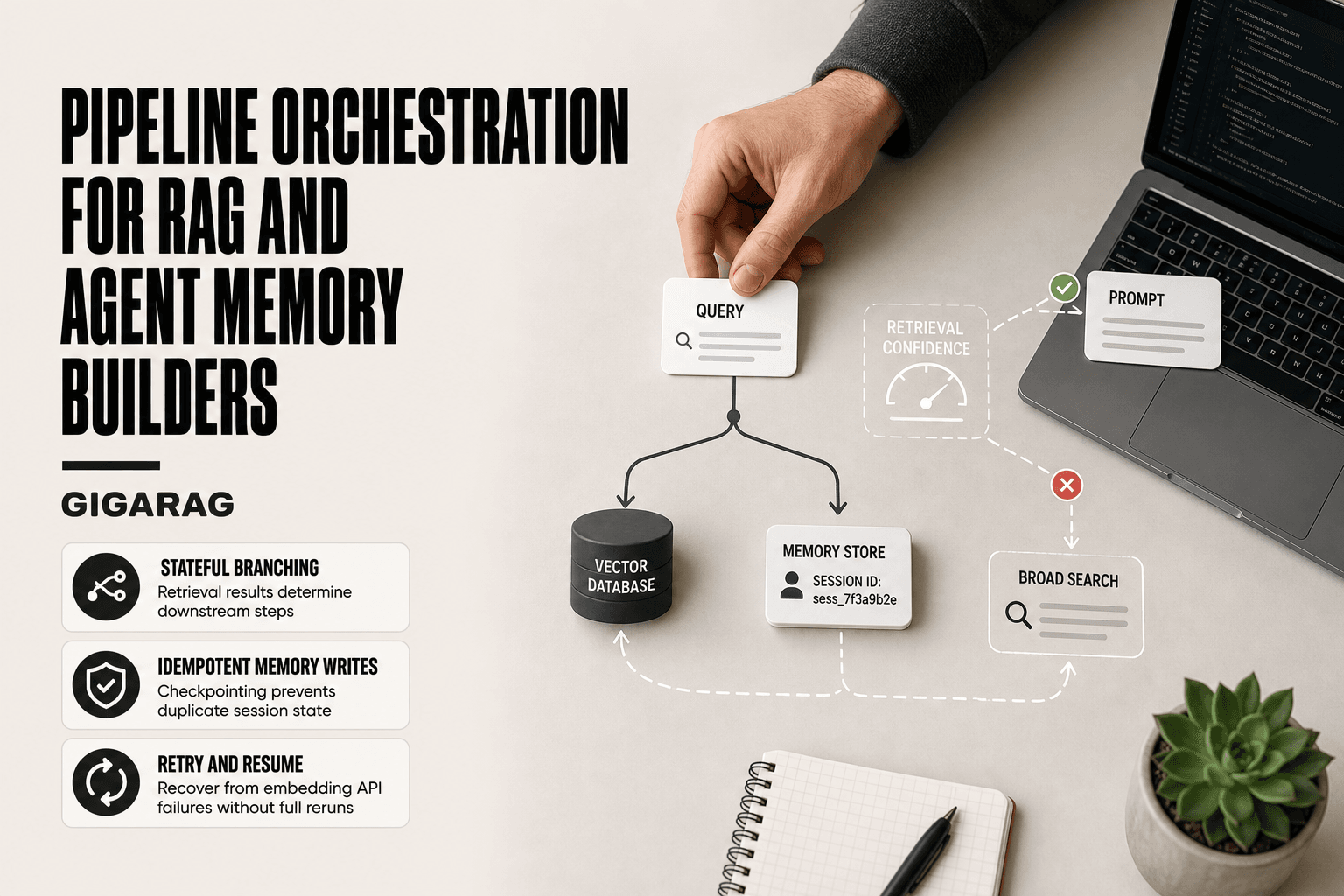
Build the state machine explicitly. A document is Ingested, then Parsed, then Chunked, then Embedded, then Indexed, then Retrievable. Updates move it back to Chunked. Expiration moves it to Expired. Deletion removes it. If your code doesn't track these states, you're guessing.
Operational considerations: monitoring, logging, alerting
You can't fix what you can't see. Log every state transition with a timestamp and a document ID. When a document moves from Indexed back to Chunked for re-processing, log why. When retrieval returns nothing for a query that used to work, that's an alert, not a log line.
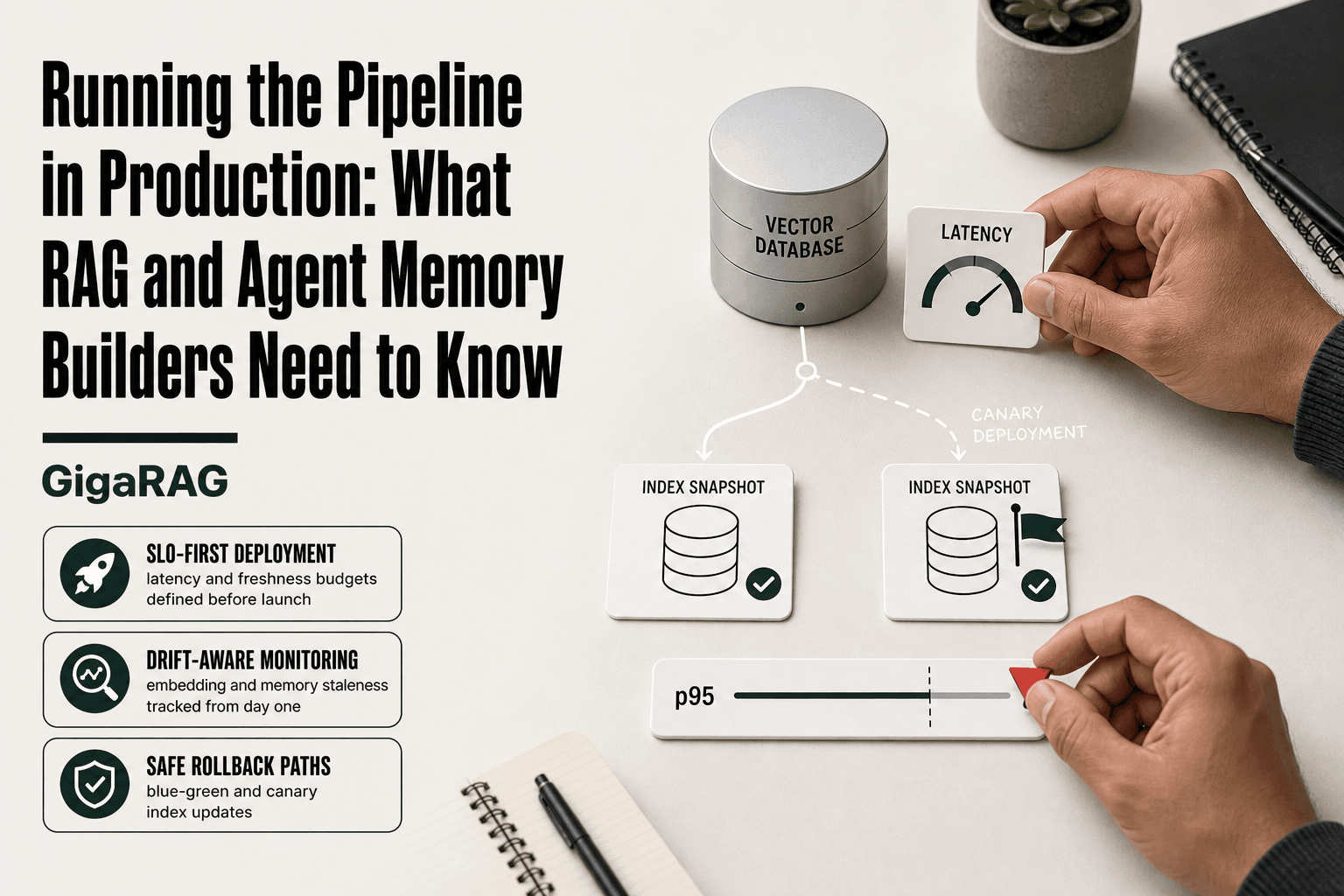
Monitor index freshness. Track the gap between source document modification time and index update time. If that gap grows beyond your threshold, something is broken. This single metric catches most stale-data failures before users do.
Alert on anomalies, not averages. A sudden drop in retrieval relevance scores, a spike in empty retrievals, a queue of documents stuck in Parsed state for hours. These are the signals that something specific is wrong. Average latency tells you nothing.
The pipeline you build this week will change next month. Documents will update, expire, and get deleted. If your architecture assumes they won't, you're building the demo, not the system.
Final Thoughts on the Document Lifecycle in a RAG Pipeline
Documents are not static. That's the whole point. A RAG pipeline that treats them as fixed inputs works in a demo and breaks in production the first time a source file changes.
The lifecycle of a document in a RAG pipeline is a state machine, not a checklist. Ingested, Parsed, Chunked, Embedded, Indexed, Retrievable, Updated, Expired, Deleted. Each transition is a decision you make, not a step the system handles for you. Updates and deletions are as important as ingestion. Most failures happen after the document is already in the index.
Agent memory adds its own requirements. Memories need to refresh, expire, and be forgotten. A knowledge base holds documents. An agent holds a working model of what it knows, and that model changes with every interaction.
If you're building agent memory, GigaRAG is built for this lifecycle. It handles document state transitions, expiration, and memory refresh as first-class operations, not afterthoughts. But the principles here apply to any RAG system you build.
Design for change from day one. Capture identity, track state, monitor freshness. The pipeline that survives contact with real documents is the one that expected them to change.
Frequently Asked Questions
What are the different stages of the RAG pipeline?
The RAG pipeline typically includes ingestion, parsing, chunking, embedding, indexing, retrieval, and generation. However, a complete document lifecycle also includes update, expiration, and deletion stages to manage changes over time.
What is a RAG document?
A RAG document is any piece of content (text, PDF, web page, etc.) that is ingested into a RAG system to be chunked, embedded, and indexed for retrieval. It serves as a source of knowledge for the language model.
How to implement a RAG pipeline?
Start by choosing a vector database and embedding model, then build ingestion and chunking logic. Implement retrieval and generation, and add lifecycle management for updates and deletions. Tools like LangChain can help orchestrate these steps.
How do you handle document updates in a RAG pipeline?
When a document changes, you must re-process it: re-parse, re-chunk, re-embed, and update the index. This often involves deleting the old version and inserting the new one to avoid duplicates or stale data.
What happens when a document is deleted from a RAG system?
Deletion should remove the document from all storage layers: the vector database, metadata store, and any caches. If not properly handled, the document may still be retrieved and used in responses, leading to incorrect answers.
Can RAG handle real-time document changes?
RAG pipelines are typically batch-oriented and may not reflect changes immediately. For real-time needs, you need a streaming ingestion pipeline and incremental indexing, which adds complexity.
When is RAG the wrong tool?
RAG is not ideal for tasks requiring strict real-time data, complex reasoning over multiple documents, or when the knowledge base is small and static. In such cases, fine-tuning or direct database queries may be more appropriate.
About GigaRAG
GigaRAG is for agent memory and RAG pipeline builders. get this right. Whether you are working through the lifecycle of a document in a rag pipeline or something adjacent, we publish what we have actually tested, including where it falls short.