How to Add Memory to Grok CLI
How to add memory to Grok CLI is a question you'll hit fast if you're building RAG pipelines or agent memory systems. The honest answer: Grok CLI doesn't ship with native persistent memory. Most guides either oversell one vendor or skip the hard truths entirely. This one won't.
There are three real options. Zep via Composio gives you managed session memory without much setup. Built-in skills let you teach Grok to remember things using a SKILL.md file and your existing config. A custom MCP server gives you full control, at the cost of building and maintaining it yourself. Each has trade-offs, and I'll tell you what breaks before I tell you what works.
For teams running RAG pipelines or agent memory systems at scale, GigaRAG offers a purpose-built memory layer that complements Grok CLI workflows without replacing them.
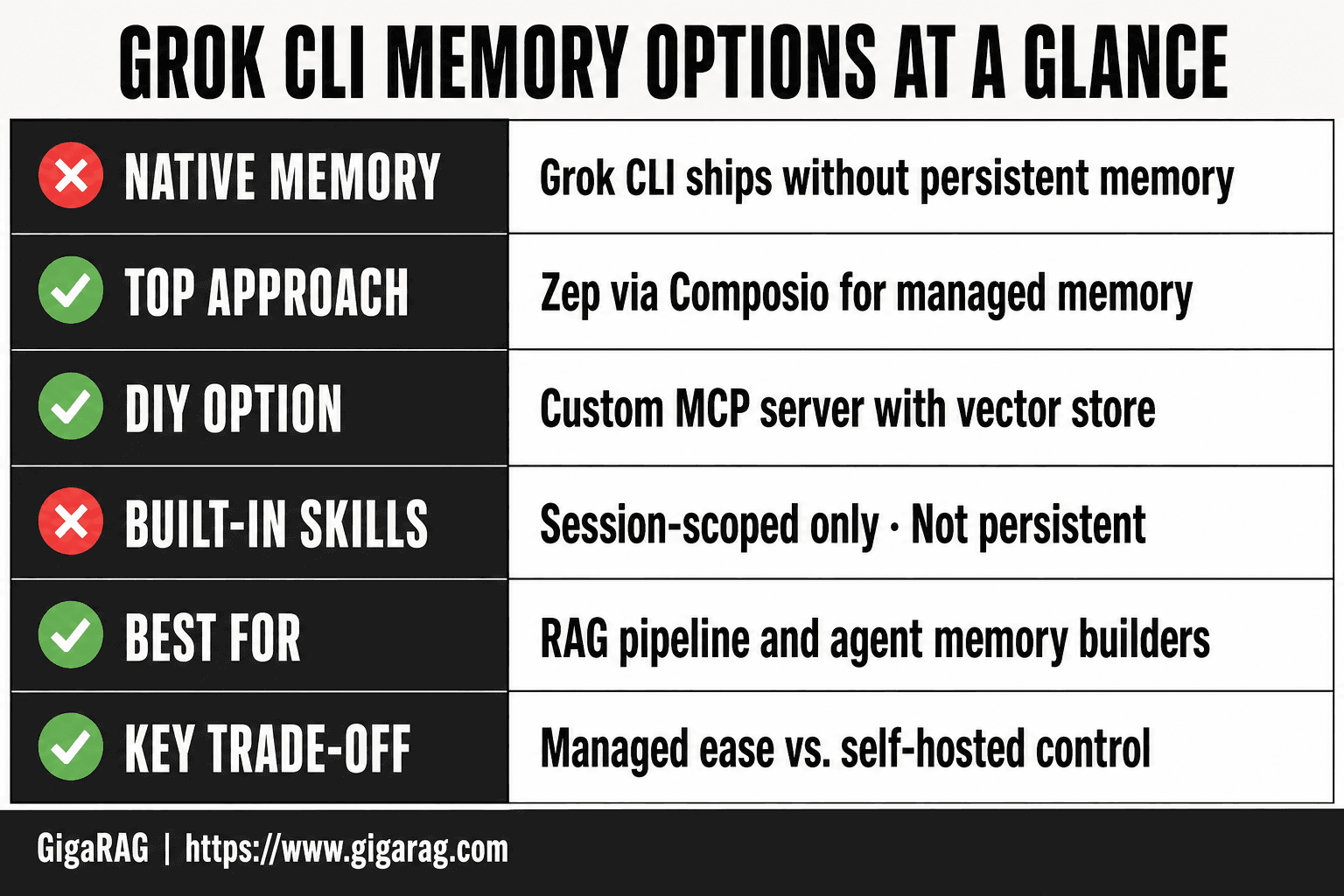
| At a glance | Details |
|---|---|
| Native memory | Grok CLI ships without persistent memory |
| Top approach | Zep via Composio for managed memory |
| DIY option | Custom MCP server with vector store |
| Built-in skills | Session-scoped only, not persistent |
| Best for | RAG pipeline and agent memory builders |
| Key trade-off | Managed ease vs. self-hosted control |
In This Guide
- What Memory Means for Grok CLI
- Zep via Composio vs. Built-in Skills vs. Custom MCP Server
- Prerequisites for Adding Memory to Grok CLI
- How To Add Memory To Grok CLI: A Step-by-Step Guide
- Option 1: Zep Session Memory via Composio
- Option 2: Built-in Memory Skills
- Option 3: Custom MCP Server for Memory
- Comparing Memory Solutions for Grok CLI
- Limitations and Expectations
- Troubleshooting Common Issues When Adding Memory to Grok CLI
What Memory Means for Grok CLI
Grok CLI has no native persistent memory: it forgets everything between sessions unless you wire in an external memory layer. Session memory lives only as long as the process runs. Long-term memory requires a vector store or a managed service like Zep.
Session memory vs. long-term memory
Session memory is the context Grok CLI holds while a single process is running. Ask it a question, get an answer, ask a follow-up: the follow-up works because the conversation history sits in RAM. Kill the process and that history is gone. Nothing is written to disk.
Long-term memory is different. It survives restarts, new terminals, and new machines. It stores facts, preferences, and retrieved passages in a place the model can query later. For Grok CLI, that place is always external: a vector store, a database, or a managed memory API. Grok CLI itself ships no such store.
The distinction matters for RAG work. Session memory is enough for a single debugging session. Long-term memory is what lets an agent remember a user's schema preferences across a week of builds.
Why Grok CLI lacks native memory
Grok CLI is a thin client. It sends prompts to the Grok API and prints responses. It does not run a local database, it does not embed documents, and it does not persist conversation state beyond the current process. That is a design choice, not an oversight: keeping the CLI stateless makes it simple to install and predictable to script.
The consequence is that any memory you want has to come from outside. You either attach a managed service like Zep through Composio, write a skill that reads and writes files, or stand up your own MCP server. Each approach trades setup cost against control.
What memory enables for RAG pipelines
A RAG pipeline without memory re-retrieves the same documents every time. With memory, the pipeline can cache retrieved passages, store user feedback on relevance, and inject prior context into the prompt before retrieval even runs. That cuts latency and improves answer quality.
For agent workflows, memory is what turns a one-shot CLI call into a system that accumulates state. The agent can recall what it tried, what failed, and what the user corrected. Without it, every invocation starts from zero.
[!note] Grok CLI does not ship with native persistent memory as of its current releases; any cross-session memory you get comes from an external backend you connect yourself. Verify the exact integration surface against your installed version before committing to an architecture.
Zep via Composio vs. Built-in Skills vs. Custom MCP Server
| Factor | Zep via Composio | Custom MCP Server |
|---|---|---|
| Setup effort | Low — managed integration | High — build and host yourself |
| Persistence | Cross-session, server-side | Cross-session, you control storage |
| Retrieval quality | Tuned memory APIs out of the box | Depends on your vector store and schema |
| Control & privacy | Data leaves your machine | Fully self-hosted, data stays local |
| Maintenance | Vendor handles updates | You own uptime, migrations, scaling |
Prerequisites for Adding Memory to Grok CLI
Before you wire in Zep, write a skill, or stand up an MCP server, you need Grok CLI installed and working. This covers the base setup: installing on Mac, configuring Grok Build, running basic commands, and confirming the install is healthy.
Installing Grok CLI on Mac
The standard install path is Homebrew. Open Terminal and run:
brew install grok
If you don't have Homebrew, install it first from brew.sh. The alternative is a manual binary download from the Grok releases page, but Homebrew handles updates and PATH setup for you.
After install, check the version:
grok --version
You should see a version number print. If you get "command not found," your shell PATH doesn't include Homebrew's bin directory. Restart Terminal or run source ~/.zshrc (or ~/.bashrc if you use Bash).
Setting up Grok Build
Grok Build is the agent-building layer that sits on top of the CLI. It's where skills, tools, and MCP servers get registered. You need it for every memory approach in this guide.
To set it up, run:
grok build init
This creates a ~/.grok/ directory with a config.toml file. That file is where you'll register skills and MCP servers later. If the directory already exists, the command will tell you and leave your config alone.
You also need a Grok API key. Set it as an environment variable:
export GROK_API_KEY="your-key-here"
Add that line to your shell profile so it persists across sessions. Without it, Grok Build can't authenticate.
Basic Grok CLI usage
The simplest command is a one-shot prompt:
grok "What is a vector store?"
Grok CLI sends that to the API and prints the response. No session, no memory, just a single exchange.
For an interactive session, run:
grok
This drops you into a REPL where you can ask follow-up questions. The session history lives in RAM only. Close the terminal and it's gone.
For scripting, use the --headless flag to suppress interactive prompts and get clean output. That matters when you're piping Grok CLI output into a RAG pipeline.
Verifying your installation
Run three checks before moving on:
grok --versionprints a version number.grok "test"returns a response without an auth error.grok build initconfirms the config directory exists.
If all three pass, you're ready to add memory. If any fail, fix that before touching Zep, skills, or MCP servers. A broken base install makes every memory integration harder to debug.
[!tip] For RAG pipelines, store the retrieval context alongside the query and answer — not just the chat turns — so your memory layer can learn which documents actually drove useful responses. This turns Grok CLI sessions into a feedback loop for your vector store rather than a flat transcript log.
How To Add Memory To Grok CLI: A Step-by-Step Guide
- Confirm your Grok CLI version and check whether it exposes an MCP or plugin configuration surface.
- Decide on your memory backend: managed (Zep via Composio) or self-hosted (custom MCP server with a vector store).
- Provision the backend — create a Zep project or stand up your vector store and embedding pipeline.
- Wire the backend into Grok CLI via its MCP server config or Composio integration, supplying API keys and endpoints.
- Define what gets written to memory: conversation turns, retrieved documents, or agent decisions.
- Test retrieval by injecting a known fact in one session and querying it in a fresh session.
- Add a pruning or summarization policy so memory does not grow unbounded and degrade retrieval.
Option 1: Zep Session Memory via Composio
Zep is a managed memory layer built for AI agents. It stores session history, extracts facts, and returns relevant context when your agent asks for it. Composio is the bridge: it connects Zep's memory tools to Grok Build without you writing API calls by hand.
The honest answer is this is the fastest path to working memory. You trade some control for speed. Composio handles authentication, tool registration, and updates. Zep handles the memory itself. You handle configuration and testing.
Step 1: Create a Composio account
Go to composio.dev and sign up. You can start with the free tier, which covers testing and small workloads.
After signup, grab your API key from the dashboard. You'll need it when connecting Zep to Grok Build. Keep it somewhere safe; it's a plain credential.
Step 2: Connect Zep to Grok Build
Composio provides a step-by-step flow for connecting Zep to Grok Build. The process is:
- Log in to Composio and search for "Zep" in the tools catalog.
- Click "Connect" and follow the OAuth flow to authorize Zep.
- Copy the connection ID Composio generates.
- Register the connection with Grok Build using the Composio CLI or dashboard.
The exact commands vary by Composio's current interface, so check their docs for the latest syntax. The core idea stays the same: Composio creates a managed connection, and Grok Build references it by ID.
Step 3: Configure session memory
Once connected, you configure what Zep stores. The main settings are:
- Session scope: per-user, per-conversation, or global.
- Fact extraction: whether Zep pulls entities and relationships from messages automatically.
- Retrieval window: how many past messages Zep returns when Grok asks for context.
For RAG work, set fact extraction on and keep the retrieval window tight. You don't want Zep dumping 50 messages into every prompt. You want the relevant ones.
Step 4: Test the integration
Run a simple two-turn test:
Turn 1: "My name is Ada and I'm building a RAG pipeline."
Turn 2: "What's my name?"
If Zep is wired correctly, Grok answers "Ada" on turn 2. That's session memory working.
If it fails, check the connection ID in your Grok Build config and confirm Zep shows the session in its dashboard. Most failures are a missing or stale connection ID.
Keep in mind: Zep via Composio gives you session memory, not a full vector store. For long-term retrieval across many sessions, you'll need Zep's graph or a separate vector database. We'll cover that trade-off in the comparison section.
Option 2: Built-in Memory Skills
Skills are Grok's native extension system. They don't require an external service, an API key, or a bridge like Composio. You write a SKILL.md file, drop it in the right place, and Grok loads it as a capability. For memory, that means teaching Grok to save and recall context using nothing but the CLI itself.
The trade-off is scope. A skill can't give you a vector store or semantic search. It gives you file-based persistence and a set of commands Grok can invoke. That's enough for many agent workflows. It's not enough for RAG at scale.
Understanding SKILL.md
A SKILL.md file is a markdown document that describes what a skill does and how Grok should use it. It sits in a skills directory and follows a simple structure:
---
name: memory
description: Save and recall context across sessions
---

# Memory Skill

Instructions for how to store and retrieve information.
The frontmatter holds the skill name and a description. The body holds the instructions. Grok reads this file when it loads the skill and treats the instructions as part of its operating context.
The key mechanic: you're not writing code. You're writing instructions that tell Grok to use CLI commands, like cat, echo, and file redirection, to persist data. Grok already knows how to run these. The skill just tells it when and why.
Creating a memory skill
Start by creating a skills directory if you don't have one:
mkdir -p ~/.grok/skills/memory
Then create the SKILL.md file inside it. Here's a minimal memory skill:
---
name: memory
description: Save important facts to a local file and recall them when needed
---

# Memory Skill

When the user shares information they want remembered, append it to ~/.grok/memory.txt using echo and >>.

When the user asks about something they've shared before, search ~/.grok/memory.txt with grep and return the matching lines.

If no match is found, say so. Do not invent information.
That's the whole skill. Three instructions. Grok now has a working memory file it can write to and read from.
The main catch is that this is plain text, not structured data. There's no fact extraction, no entity linking, no relevance scoring. Grok greps for keywords and returns what it finds. For simple recall, that works. For anything resembling retrieval quality, it falls short fast.
Configuring ~/.grok/config.toml
Grok CLI reads configuration from ~/.grok/config.toml. To register your memory skill, add a skills section:
[skills]
directory = "~/.grok/skills"
enabled = ["memory"]
The directory key tells Grok where to look for SKILL.md files. The enabled key lists which skills to load. You can have multiple skills in the directory and enable only the ones you need.
After editing config.toml, restart Grok CLI. Skills load at startup, not mid-session.
If the skill doesn't load, check two things: the file is named exactly SKILL.md (uppercase), and the frontmatter has a name field that matches the entry in enabled. A mismatch there is the most common failure.
When to use skills over MCP
Skills win when you want zero external dependencies. No accounts, no API keys, no network calls. Everything runs locally through commands Grok already knows.
Skills lose when you need real memory architecture. No vector search, no session isolation, no automatic fact extraction. You're limited to what grep can find in a text file.
So the rule is simple: use a skill for lightweight persistence and quick recall. Use MCP when you need a proper memory layer with retrieval semantics. Use Zep via Composio when you want managed memory without building anything.
For RAG pipeline builders, a skill is a stopgap, not a foundation. It works for prototyping an agent that remembers a few facts. It doesn't scale to thousands of documents or multi-turn retrieval with ranking.
Option 3: Custom MCP Server for Memory
A custom MCP server is the most flexible option. You control the storage backend, the retrieval logic, and the tool definitions Grok sees. The cost is that you build and maintain it yourself.
The Model Context Protocol (MCP) is an open standard for connecting AI tools to external data sources. Grok CLI can act as an MCP client. When you register an MCP server, Grok gains access to whatever tools that server exposes. For memory, that means tools like save_memory, search_memory, and list_memories backed by whatever store you choose: SQLite, Postgres, a vector database, or a plain JSON file.
Requirements for a custom MCP server
You need three things before you start. A runtime for the server: Node.js, Python, or Go all work. A storage backend: SQLite is the simplest for a single machine, Postgres with pgvector if you want semantic search. And a way to run the server as a process Grok can spawn or connect to.
You also need to know the MCP spec well enough to implement tool handlers. The spec is small, but it's not zero. Expect to spend a few hours on the first working version.
Installing the MCP server
There's no universal installer. You either clone a repo and run it, or write it yourself. A minimal Python MCP server using the official SDK looks like this:
from mcp.server import Server
from mcp.types import Tool

server = Server("memory")

@server.tool()
async def save_memory(text: str) -> str:
    # append to your store
    return "saved"

@server.tool()
async def search_memory(query: str) -> str:
    # query your store
    return "results"
Run it with python server.py or wrap it in a systemd service if you want it always on.
Configuring Grok CLI to use the MCP server
Register the server in ~/.grok/config.toml:
[mcp_servers.memory]
command = "python"
args = ["/path/to/server.py"]
Restart Grok CLI. The tools from your server now appear in Grok's tool list. You can verify by asking Grok to list its available tools.
API fallback and write mode
If the MCP server is unreachable, Grok falls back to whatever tools are still available. That means no memory tools, not a crash. Plan for that: your agent should handle a missing save_memory tool gracefully rather than assuming it's always there.
Write mode is the bigger consideration. MCP tools can be read-only or write-enabled. Grok will call write tools when the task requires it, but you should scope what the server can do. A memory server that can also delete files is a liability. Keep the tool surface narrow.
Comparing Memory Solutions for Grok CLI
Three options, three different failure modes. Zep via Composio fails on vendor dependency. Built-in skills fail on retrieval quality. Custom MCP servers fail on your time. Pick the failure you can live with.
Zep via Composio: pros and cons
Zep gives you session memory with a managed vector store behind it. You connect it through Composio, which handles the auth and tool registration. The setup takes minutes, not hours.
The pros are real: semantic search over past sessions, no infrastructure to run, and a UI for inspecting what got stored. The cons are equally real. You pay per month for something you could build yourself. Your memory lives on Zep's servers, not yours. And if Composio changes its Grok integration, your pipeline breaks without warning.
Built-in skills: pros and cons
A memory skill is a SKILL.md file that tells Grok how to save and retrieve context using plain files. No external service. No API keys. No monthly bill.
The catch is retrieval. Skills rely on Grok reading files and deciding what's relevant. There's no vector search unless you build it. For a RAG pipeline with thousands of chunks, that's a dealbreaker. For a single agent remembering a few facts between sessions, it works fine.
Custom MCP server: pros and cons
You control everything: the storage backend, the embedding model, the retrieval logic. Want pgvector with hybrid search? Build it. Want to keep memory in SQLite and query it with SQL? Build that.
The cost is maintenance. You write the server, you debug it, you update it when the MCP spec shifts. If you're already running infrastructure for RAG, this is a natural extension. If you're not, it's a side project you didn't ask for.
Which to choose for RAG pipelines
It depends on where your data lives and who maintains the pipeline.
If you need working memory today and don't want to run anything, use Zep via Composio. Accept the lock-in.
If your memory needs are small and you want zero dependencies, use a built-in skill. Accept the weak retrieval.
If you're building a serious RAG pipeline with a vector store already in place, build the custom MCP server. You're going to need the control anyway.
Limitations and Expectations
Memory in Grok CLI is not a database. It's a workaround layered on top of a tool that was never designed for persistence. The sooner you accept that, the fewer surprises you'll hit.
What Grok CLI memory cannot do
None of the three options give you native vector storage inside Grok itself. Zep runs vectors on Zep's servers. A custom MCP server runs vectors wherever you point it. A built-in skill runs no vectors at all. Grok CLI remains a client that calls out to something else.
You also can't get automatic memory. Every approach requires you to explicitly save something or explicitly retrieve it. Grok won't quietly remember context between sessions on its own. If you forget to call the memory tool, the memory doesn't exist.
Persistence boundaries
Session memory dies with the session unless you write it somewhere durable. Zep handles this for you, but only for data you route through Zep. Built-in skills persist to files on disk, which means they survive as long as the machine does. A custom MCP server persists to whatever backend you wired up, and that backend is now your problem to back up.
The honest answer: persistence is only as good as the storage layer you chose. Grok CLI adds nothing to that equation.
Vendor lock-in risks
Zep via Composio is the lock-in trap. Your memory schema, your retrieval patterns, your session history all live inside a vendor's product. If Zep raises prices or Composio drops Grok support, you migrate or you rebuild.
Built-in skills have no lock-in. They're files. A custom MCP server has lock-in only to your own code, which is the kind of lock-in you want.
The main catch: the more convenient the option, the more you're renting someone else's memory.
Troubleshooting Common Issues When Adding Memory to Grok CLI
Most failures come down to three things: a bad config, a dead MCP connection, or a skill that won't load. Here's how to fix each.
Configuration errors
The most common mistake is a malformed config.toml. Grok CLI reads this file on startup, and a single missing bracket or wrong indentation silently disables whatever you just added. Check the file with grok config validate if your build supports it. If not, open the file and look for tabs where spaces should be, or a missing [mcp] section header.
Another frequent error: pointing Grok at the wrong config path. Grok looks in ~/.grok/config.toml by default. If you set a custom path via an environment variable, make sure it's exported in the same shell where you launch Grok.
MCP connection failures
When an MCP server won't connect, the error usually says "connection refused" or "timeout." That means the server isn't running, or it's listening on a different port than the one in your config.
Start the MCP server manually in a terminal and watch its output. If it crashes on startup, the problem is in the server code, not Grok. If it runs but Grok can't reach it, check the URL and port. A common gotcha: localhost vs 127.0.0.1. Some servers bind to one but not the other.
Skill loading issues
Skills fail to load for two reasons: the SKILL.md file is missing or malformed, or the skill directory isn't on Grok's search path. Grok looks for skills in the directory specified in config.toml. If you moved the skill after creating it, update the path.
A malformed SKILL.md usually means a missing name or description field in the frontmatter. Grok skips skills it can't parse, and it won't tell you why. Test by running grok skills list to see if your skill appears.
When all three fail at once, the fix is almost always the config file. Revert to a known-good config.toml, add one integration back at a time, and test after each change. That isolates the break in minutes instead of hours.
How to add memory to Grok CLI comes down to picking the failure mode you can live with. Zep via Composio is the fastest path and the most locked in. Built-in skills cost nothing and retrieve poorly. A custom MCP server gives you full control and a maintenance burden. None of them make Grok CLI itself stateful. The memory always lives somewhere else.
Frequently Asked Questions
How to use Grok in CLI?
Install the Grok CLI, authenticate with your API credentials, and run it from your terminal to start an interactive session. You can pipe prompts, script calls, and — once configured — connect external memory backends through MCP or Composio integrations.
How to setup Grok build?
Set up your Grok build by installing the CLI, configuring your API key and environment variables, and defining any MCP servers or plugins you want loaded. For memory work, this is the stage where you register your Zep or custom vector-store connection.
How to install Grok CLI on Mac?
On macOS, install Grok CLI via your preferred package manager or the official install script, then verify with a version check in your terminal. After installation, configure authentication and any memory integrations before running agent workflows.
Does Grok CLI have built-in persistent memory?
No — Grok CLI does not ship with native cross-session memory. Built-in skills operate within a session and do not persist state between runs. Persistent memory requires an external backend such as Zep via Composio or a custom MCP server.
Can I use a vector store with Grok CLI for RAG?
Yes, but you connect it yourself through an MCP server or integration layer. Grok CLI does not bundle a vector store, so you supply the embedding model, index, and retrieval logic, then expose them as tools the CLI can call.
What are the limitations of adding memory to Grok CLI?
Memory is not native, so you inherit the reliability, latency, and cost of whatever backend you bolt on. Retrieval quality depends entirely on your schema and embedding choices, and managed options mean your data leaves your machine.
Is Zep via Composio better than a custom MCP server for Grok CLI memory?
It depends on your priorities. Zep via Composio is faster to set up and handles memory APIs for you, while a custom MCP server gives full control over storage, privacy, and retrieval tuning at the cost of more engineering and maintenance.
About GigaRAG
GigaRAG is for agent memory and RAG pipeline builders. get this right. Whether you are working through How to add memory to Grok CLI or something adjacent, we publish what we have actually tested, including where it falls short.


