RAG Chatbots: What They Are, How They Work, and What They Can't Do
Most RAG chatbot guides oversimplify. They show you a tidy diagram, a LangChain snippet, and a demo that works on a laptop, then quietly skip everything that breaks when real users hit it. If you're building RAG pipelines or agent memory systems, you already know the gap. This guide covers what RAG chatbots are, how the retrieval loop actually works, what they can't do, and how to build one that holds up past the demo. The honest answer is that RAG chatbots are not a magic fix. They're an architecture with sharp tradeoffs, and most of the failure modes are invisible until you've shipped. GigaRAG is built for this exact audience, people who need long-term context and memory, not just one-shot retrieval.
| At a glance | Details |
|---|---|
| What it is | Retrieval-augmented generation chatbot grounded in your data |
| Core components | Retriever, vector store, LLM, orchestration layer |
| Best for | Domain Q&A, docs search, support over private corpora |
| Not built for | Persistent memory, multi-step reasoning, real-time data |
| Biggest failure mode | Retrieval misses and stale or conflicting chunks |
| Memory gap | RAG retrieves context; it does not remember conversations |
In This Guide
- What Is a RAG Chatbot?
- RAG Chatbot vs Fine-Tuned LLM Chatbot: Which Should You Build?
- How RAG Chatbots Work Under the Hood
- Rag Chatbots: A Step-by-Step Guide
- LLM vs RAG: When to Use Which
- What RAG Chatbots Cannot Do
- Agent Memory: The Missing Piece in Most RAG Chatbots
- How to Build a RAG Chatbot: A Pipeline Builder's Checklist
- Examples of RAG Chatbots in the Wild
What Is a RAG Chatbot?
A RAG chatbot is a chatbot that pulls relevant information from a knowledge base before answering, then feeds that information to a language model to generate a grounded response.
A plain LLM chatbot answers from whatever it learned during training. It can't see your documents. A RAG chatbot adds a retrieval step: it searches your data, finds relevant chunks, and hands them to the model as context. The model then writes an answer using that context instead of guessing.
The core loop: retrieve, augment, generate
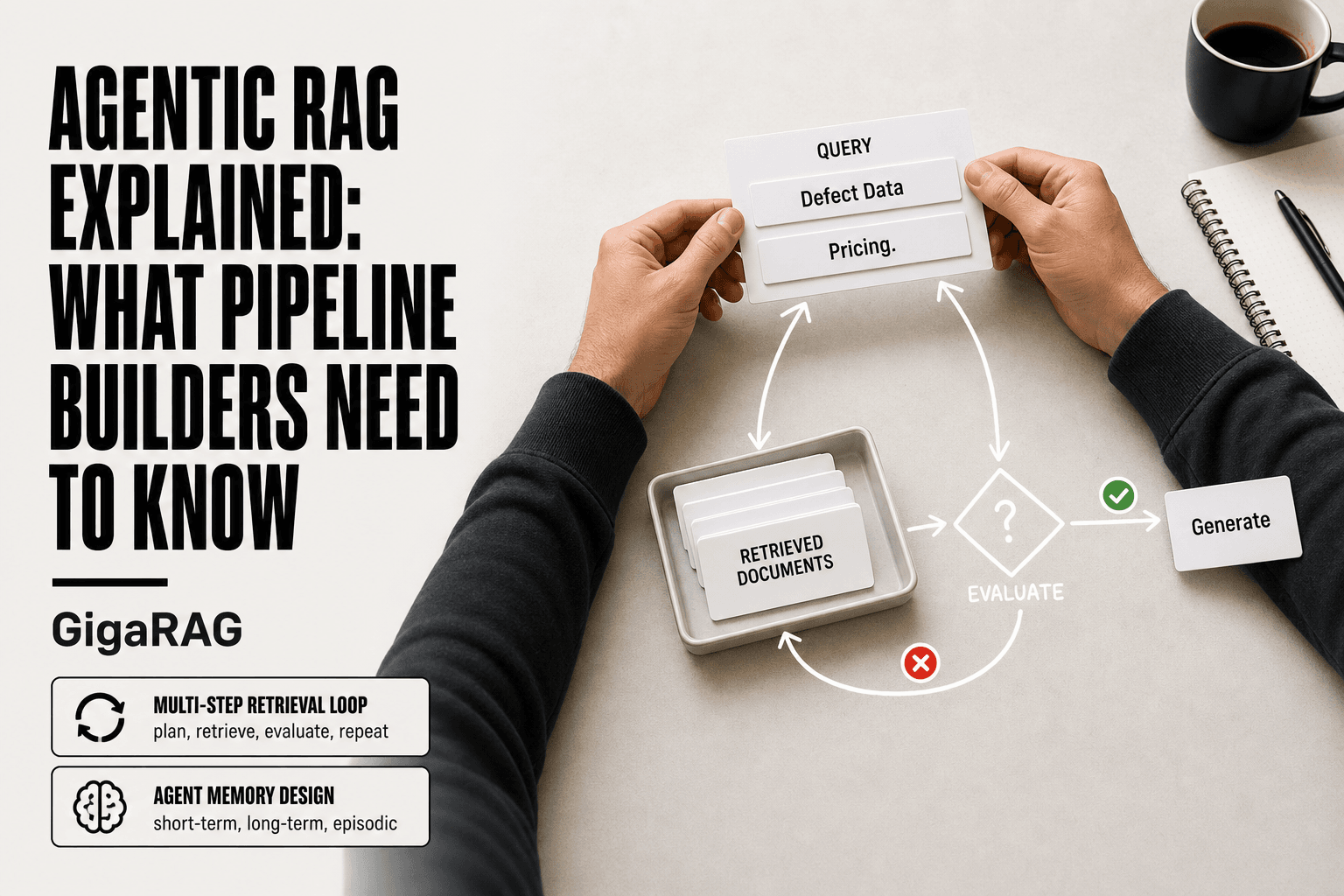
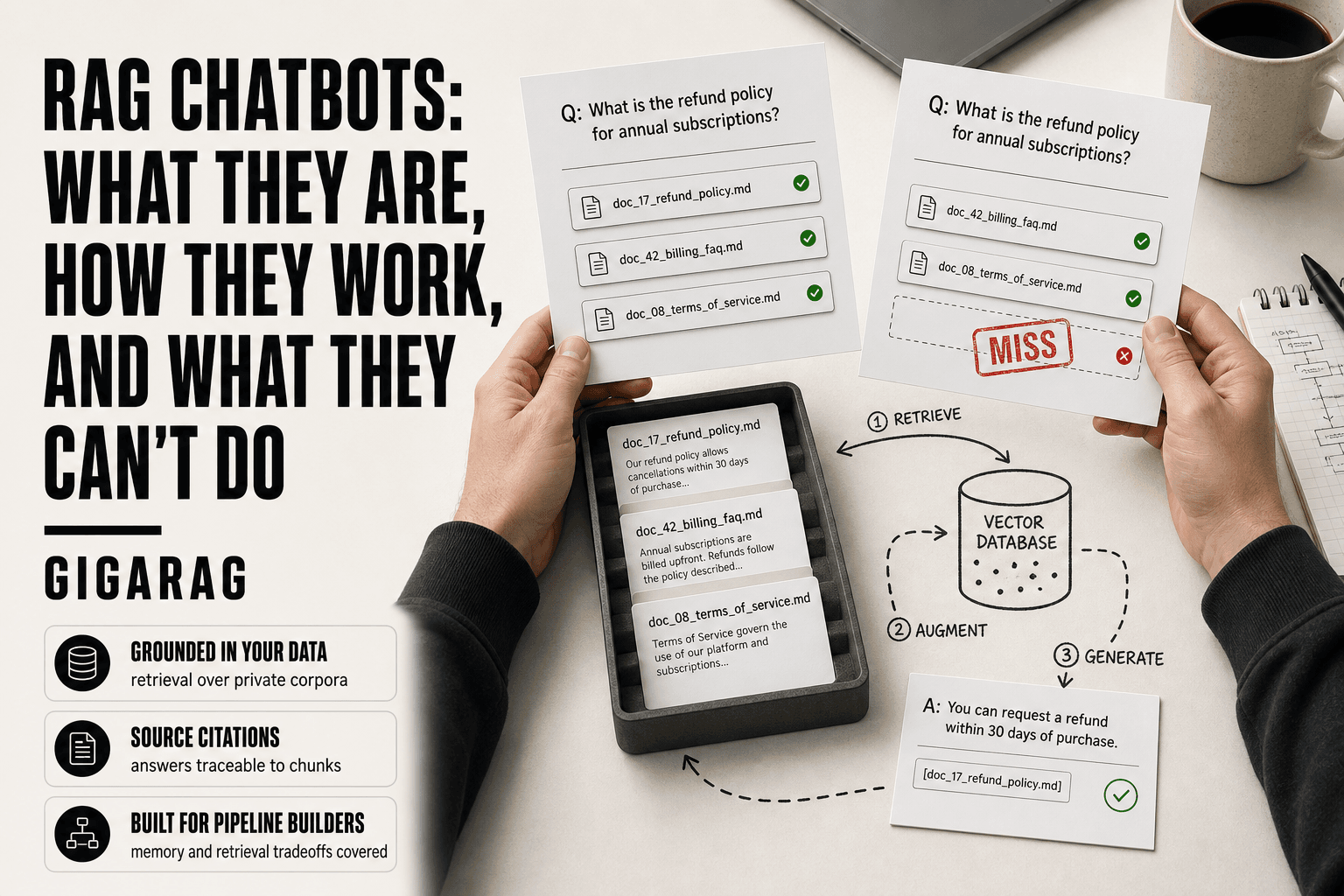
The loop runs on every user message. First, retrieve: the system converts the question into a vector and finds similar chunks in your knowledge base. Second, augment: those chunks get inserted into the prompt alongside the user's question. Third, generate: the LLM produces an answer grounded in the retrieved text.
How RAG chatbots differ from standard LLM chatbots
The difference is grounding. A standard chatbot answers from memory alone, which means it can hallucinate facts it never saw. A RAG chatbot answers from your documents, which means it can cite sources and stay current without retraining. The tradeoff: you now own the retrieval pipeline, and its quality determines answer quality.
[!note] RAG chatbots retrieve relevant context at query time; they do not learn from conversations or update their own knowledge. Any long-term memory must be built as a separate system that writes, summarizes, and retrieves past interactions.
RAG Chatbot vs Fine-Tuned LLM Chatbot: Which Should You Build?
| Factor | RAG Chatbot | Fine-Tuned LLM Chatbot |
|---|---|---|
| Knowledge updates | Update the index; no retraining needed | Requires retraining or re-tuning to change facts |
| Cost profile | Ongoing retrieval and vector store costs | High upfront training cost, lower per-query cost |
| Best for | Changing, private, or citation-needed corpora | Stable style, tone, or format adaptation |
| Hallucination control | Grounded in retrieved chunks, still fallible | Baked into weights, harder to trace |
| Memory of past chats | Not native; needs an external memory layer | Not native; needs an external memory layer |
How RAG Chatbots Work Under the Hood
The pipeline has four stages. Each one can fail independently, and each failure shows up as a bad answer. Here's what happens behind the scenes.
Ingestion and chunking
You don't feed whole documents to a RAG system. You split them into chunks, typically 200 to 500 tokens each. Chunk size is a tradeoff: too small and you lose context, too large and retrieval gets fuzzy. Most builders overlap chunks by 10 to 20 percent so a sentence split across a boundary doesn't get lost.
Embedding and indexing
Each chunk gets converted to a vector by an embedding model. That vector captures semantic meaning, not just keywords. The vectors go into a vector database, which indexes them for fast similarity search. When a question arrives, it gets embedded the same way, and the database returns the nearest chunks.
Retrieval and reranking
Similarity search returns candidates, but the top hit isn't always the right hit. Reranking fixes this: a second model scores each candidate against the question and reorders them. You keep the top three to five chunks and drop the rest. This step is where most pipelines win or lose.
Augmentation and generation
The retrieved chunks get inserted into the prompt with instructions to answer only from that context. The LLM generates a response grounded in what it was given. If retrieval missed, the model can't compensate. It just writes a confident answer from the wrong chunks.
[!tip] For pipeline builders: treat retrieval quality as the ceiling on answer quality. Before tuning the LLM or prompt, build a small labeled set of real user questions and measure retrieval recall at k — most 'the chatbot is dumb' problems are actually retrieval misses.
Rag Chatbots: A Step-by-Step Guide
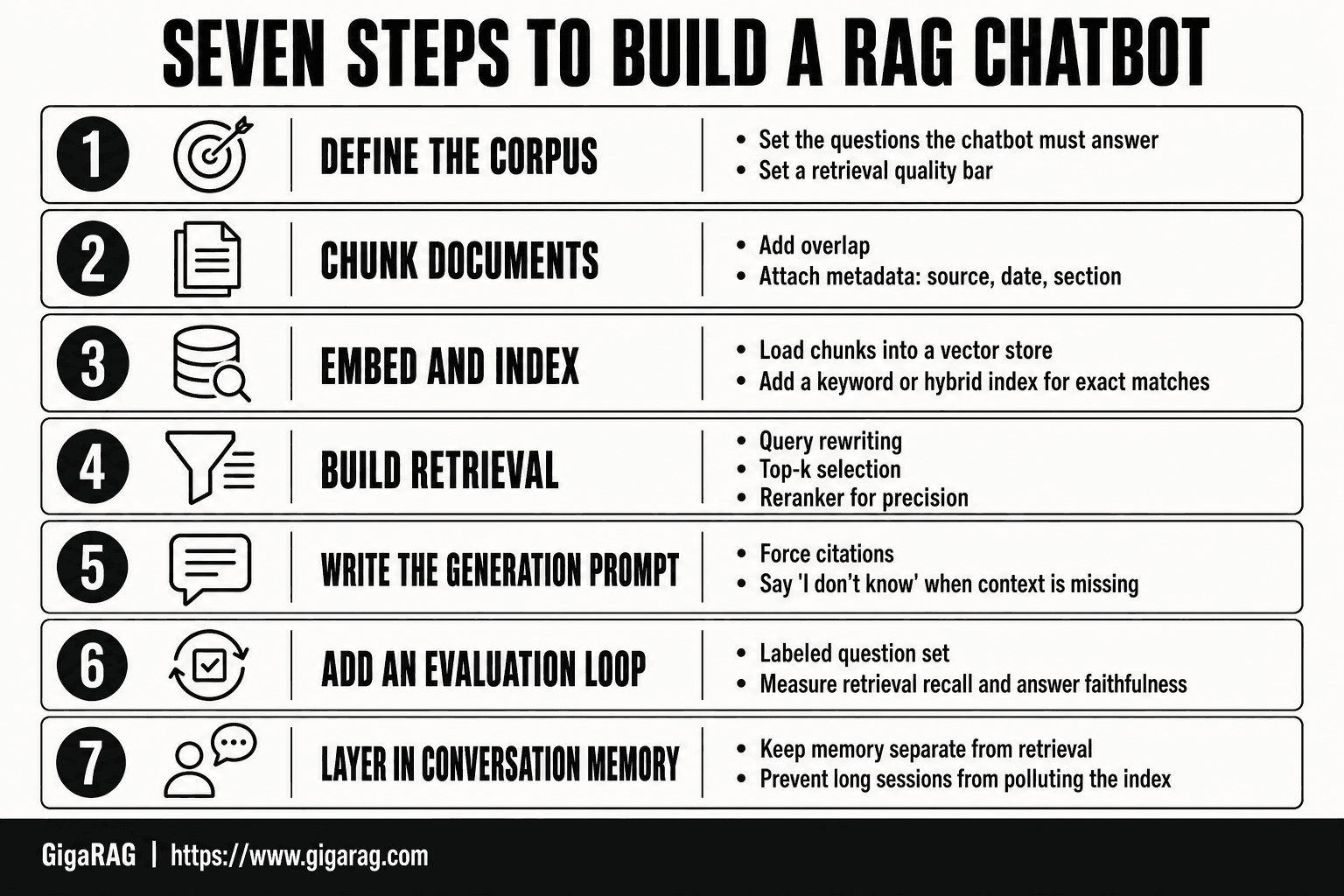
- Define the corpus and the questions the chatbot must answer, then set a retrieval quality bar.
- Chunk documents with overlap and attach metadata (source, date, section) to every chunk.
- Embed chunks and load them into a vector store; add a keyword or hybrid index for exact matches.
- Build the retrieval step: query rewriting, top-k selection, and a reranker for precision.
- Write the generation prompt to force citations and to say 'I don't know' when context is missing.
- Add an evaluation loop with a labeled question set to measure retrieval recall and answer faithfulness.
- Layer in conversation memory separately from retrieval so long sessions do not pollute the index.
LLM vs RAG: When to Use Which
A plain LLM chatbot answers from what it learned during training. A RAG chatbot answers from your documents, retrieved at query time. That's the whole difference, and it drives every decision about which to build.
What a plain LLM chatbot does well
It's simple. One model, one prompt, no infrastructure beyond the API call. It handles general knowledge, writing, summarization, and code generation without you maintaining a vector store or chunking pipeline. If your questions are about things the model already knows, RAG adds nothing.
What RAG adds — and what it costs
RAG grounds answers in your data. That means current information, proprietary documents, and citations back to sources. The cost is real: you now own ingestion, embedding, retrieval, and reranking. Each stage can break. You're building a pipeline, not calling an API.
Decision heuristic: when RAG is worth it
It depends on three things. Does the answer require your private data? Does the information change faster than the model's training cutoff? Do you need to show sources? If yes to any, RAG earns its complexity. If no, a plain LLM is the honest choice.
What RAG Chatbots Cannot Do
Most RAG guides skip this part. They show you the happy path and stop. Here's what actually breaks.
No true long-term memory
A RAG chatbot retrieves documents at query time. It does not remember your conversation from last week. Each session starts cold unless you build memory on top of it. The retrieval index is static until you re-ingest. If you want the bot to recall that a user prefers short answers or that a project changed direction in March, you have to store that somewhere else and retrieve it deliberately. RAG gives you a knowledge base, not a memory.
No reasoning over unretrieved context
The model only sees what retrieval returns. If the right document ranks fourth and you return the top three, the bot answers from the wrong context. It cannot know what it's missing. This is the silent failure mode: the answer sounds confident, cites a source, and is still wrong because the right source never made it into the prompt. Reranking helps. It does not eliminate the gap.
No guarantee against hallucination
Grounding reduces hallucination. It does not remove it. The model can still blend retrieved facts with training data, misattribute a quote, or fill a gap with plausible-sounding fiction. Citations help you catch it after the fact. They don't prevent it.
No substitute for clean data
Garbage in, garbage out applies with force. If your documents are duplicated, outdated, or poorly chunked, retrieval returns noise. The model then generates fluent answers from that noise. No prompt engineering fixes a broken index. Clean the data first.
Agent Memory: The Missing Piece in Most RAG Chatbots
One-shot retrieval answers the question in front of it. It does not know what came before. For a chatbot that feels like an agent, that's a dealbreaker.
Why one-shot retrieval falls short
Every turn starts from zero. The system embeds the query, pulls documents, generates an answer, and forgets. If a user asks "what about the pricing for that?" the bot has no idea what "that" refers to. You can stuff conversation history into the prompt, but context windows fill fast and retrieval quality drops as the prompt bloats. The honest answer: one-shot retrieval handles lookup. It does not handle continuity.
What agent memory looks like in practice
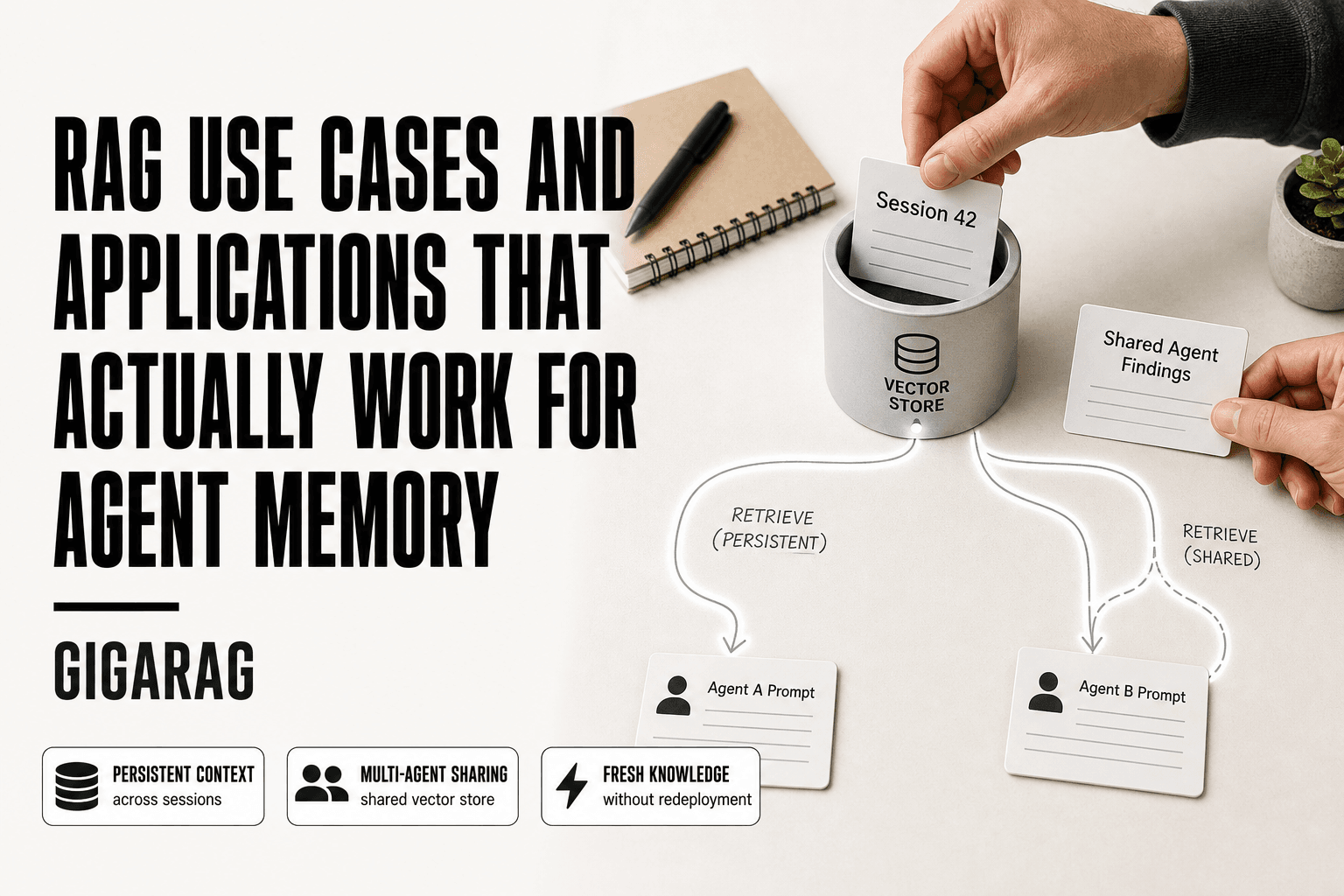
Agent memory means storing state outside the prompt and querying it deliberately. A user's preferences, past decisions, project context, unresolved questions. You store these as structured records, embed them, and retrieve them alongside documents when relevant. The bot then answers with both the knowledge base and the conversation's accumulated context. That's the difference between a search bar and an assistant.
How GigaRAG approaches agent memory
GigaRAG treats memory as a first-class retrieval target, not an afterthought. You persist session state and user context as queryable records, and the pipeline retrieves from both document indexes and memory stores in the same pass. It's built for pipeline builders who need long-term context without hand-rolling a separate memory layer. Not a magic fix. But the architecture assumes memory from the start, which most RAG frameworks don't.
How to Build a RAG Chatbot: A Pipeline Builder's Checklist
You know the limitations now. No true memory without deliberate design. No guarantee against hallucination. No substitute for clean data. Build with those constraints in mind, not against them.
Choose your embedding model and vector store
This decision locks in early and is expensive to reverse. Pick an embedding model that matches your content type: code, legal text, or multilingual docs each need different models. The vector store matters less than you'd think. Most handle similarity search fine at moderate scale. What matters is whether it supports the metadata filtering you'll need for memory and access control.
Design your chunking strategy
Chunk size changes retrieval quality more than any other single choice. Too small and you lose context. Too large and you bury the answer in noise. Start with 300 to 500 tokens per chunk with 10 to 15 percent overlap. Then test against real queries. Don't optimize chunking in the abstract.
Implement retrieval with reranking
Top-k retrieval gets you candidates. Reranking gets you answers. A cross-encoder or reranker model scores the top 20 to 50 chunks against the query and keeps the best 3 to 5. This adds latency but cuts hallucination sharply. Worth it for most production bots.
Add memory and context management
Retrieve from two stores: documents and memory. Session state, user preferences, past decisions. Query both in the same pass. Without this, your bot resets every turn.
Evaluate and iterate
Log every query, retrieved chunk, and generated answer. Check retrieval precision manually on a sample. Track hallucination rate. RAG quality degrades silently as your data drifts. You won't notice without evals.
Examples of RAG Chatbots in the Wild
The architecture is the same everywhere. What changes is the data source and the failure mode you're willing to tolerate.
Customer support and knowledge base assistants
Most support bots you've talked to that actually cite a help article are RAG under the hood. They retrieve from product docs, FAQs, and past tickets, then generate an answer grounded in those chunks. The good ones show you the source. The bad ones don't, and you can't tell what's real.
Internal documentation chatbots
Companies run these over wikis, runbooks, and design docs. The retrieval corpus is private, which means the bot can answer questions a public LLM can't. The catch: if your internal docs are stale or contradictory, the bot faithfully repeats the mess.
Coding and technical assistants
Tools like GitHub Copilot's chat mode and Cursor retrieve from your repo, issues, and documentation before generating code. This grounds suggestions in your actual codebase instead of the model's training data. The tradeoff is latency, and the retrieval step misses context that lives in your head, not in the repo.
RAG chatbots earn their complexity when your answers need to come from your data, not the model's training set. They don't replace clean data, they don't guarantee truth, and they don't remember anything on their own. Build the memory layer deliberately, evaluate retrieval quality continuously, and you'll get a system that holds up past the demo. Skip those steps and you'll ship a confident search bar.
Frequently Asked Questions
Is ChatGPT a RAG?
Not by default. ChatGPT is a general-purpose LLM chatbot; RAG is an architecture that adds a retrieval step over an external corpus. Some ChatGPT features, like browsing or file uploads, resemble retrieval, but the core model is not a RAG pipeline you control.
What is LLM vs RAG?
An LLM is the generative model itself, trained on a fixed snapshot of data. RAG is a pattern that pairs an LLM with a retriever so answers are grounded in documents fetched at query time. You can build a RAG chatbot with any capable LLM.
What are examples of RAG AI?
Common examples include documentation assistants that answer from product docs, internal knowledge-base bots, customer support agents grounded in help articles, and research tools that cite source passages. The pattern is the same: retrieve relevant chunks, then generate an answer from them.
What are the 3 best AI chatbots?
Ranking chatbots depends on your use case, not a universal list. For RAG builders, the more useful question is which LLM and retriever combination fits your latency, cost, and accuracy targets. Evaluate candidates on your own labeled question set rather than on generic leaderboards.
What can RAG chatbots not do?
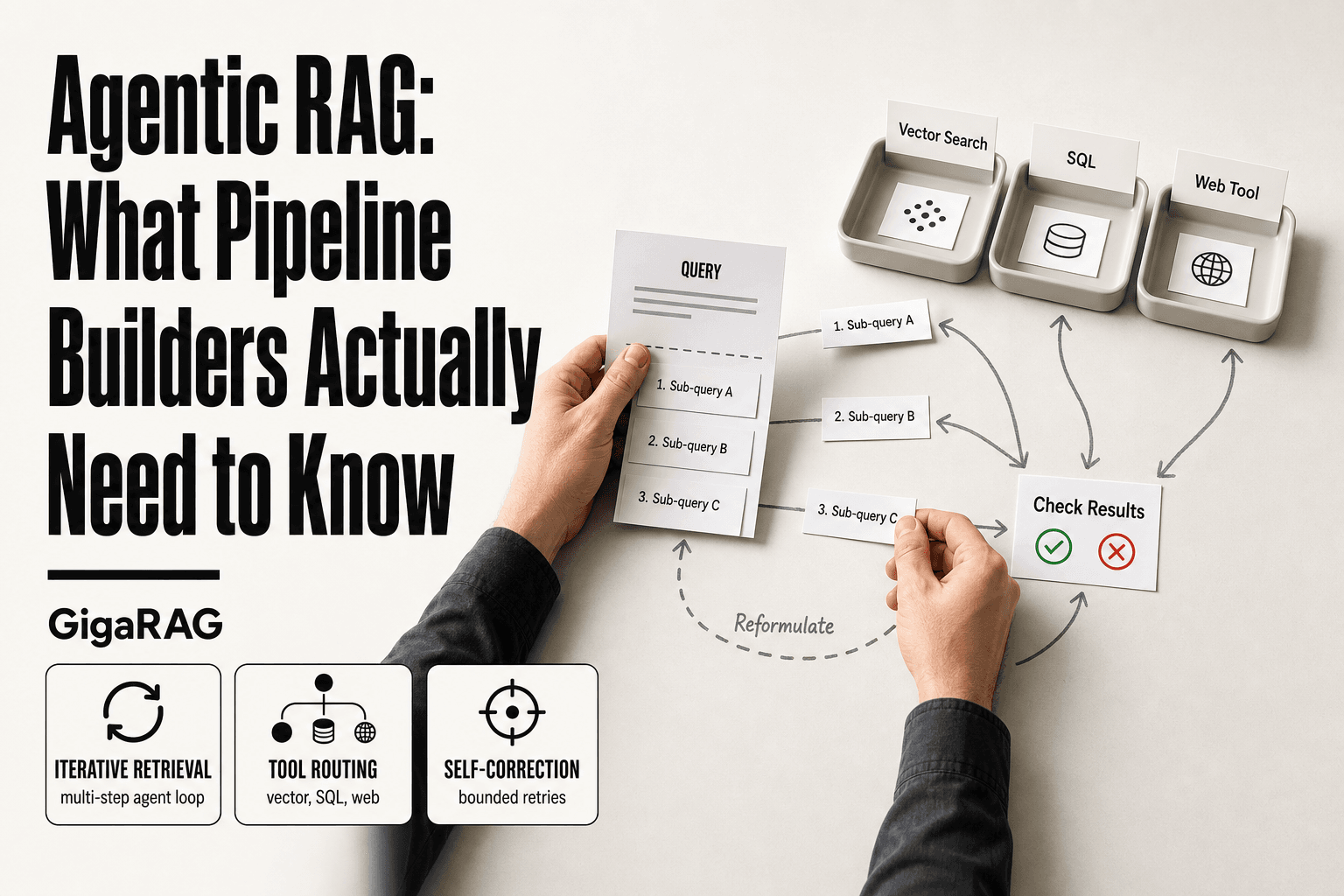
They cannot reliably remember past conversations, reason over data they did not retrieve, or stay current without an updated index. They also struggle with multi-hop questions where the answer requires combining several distant chunks. Treat them as grounded retrieval assistants, not autonomous agents.
How do I add long-term memory to a RAG chatbot?
Build memory as a separate layer from retrieval. Store conversation summaries and key facts in a dedicated store, then retrieve them alongside document chunks at query time. Keep memory writes curated so stale or contradictory facts do not degrade answers.
Why does my RAG chatbot hallucinate even with retrieval?
Hallucination usually traces back to retrieval misses, noisy chunks, or a prompt that does not require grounding. If the right context is not retrieved, the model fills the gap. Fix retrieval recall and add an explicit 'answer only from context' instruction before blaming the LLM.
About GigaRAG
GigaRAG is for agent memory and RAG pipeline builders. get this right. Whether you are working through rag chatbots or something adjacent, we publish what we have actually tested, including where it falls short.