How to Add Memory to Kilo Code
Searching "how to add memory to Kilo Code" mostly returns a GitHub feature request, a governance guide, and a changelog. None of them walk you through the steps. This guide does.
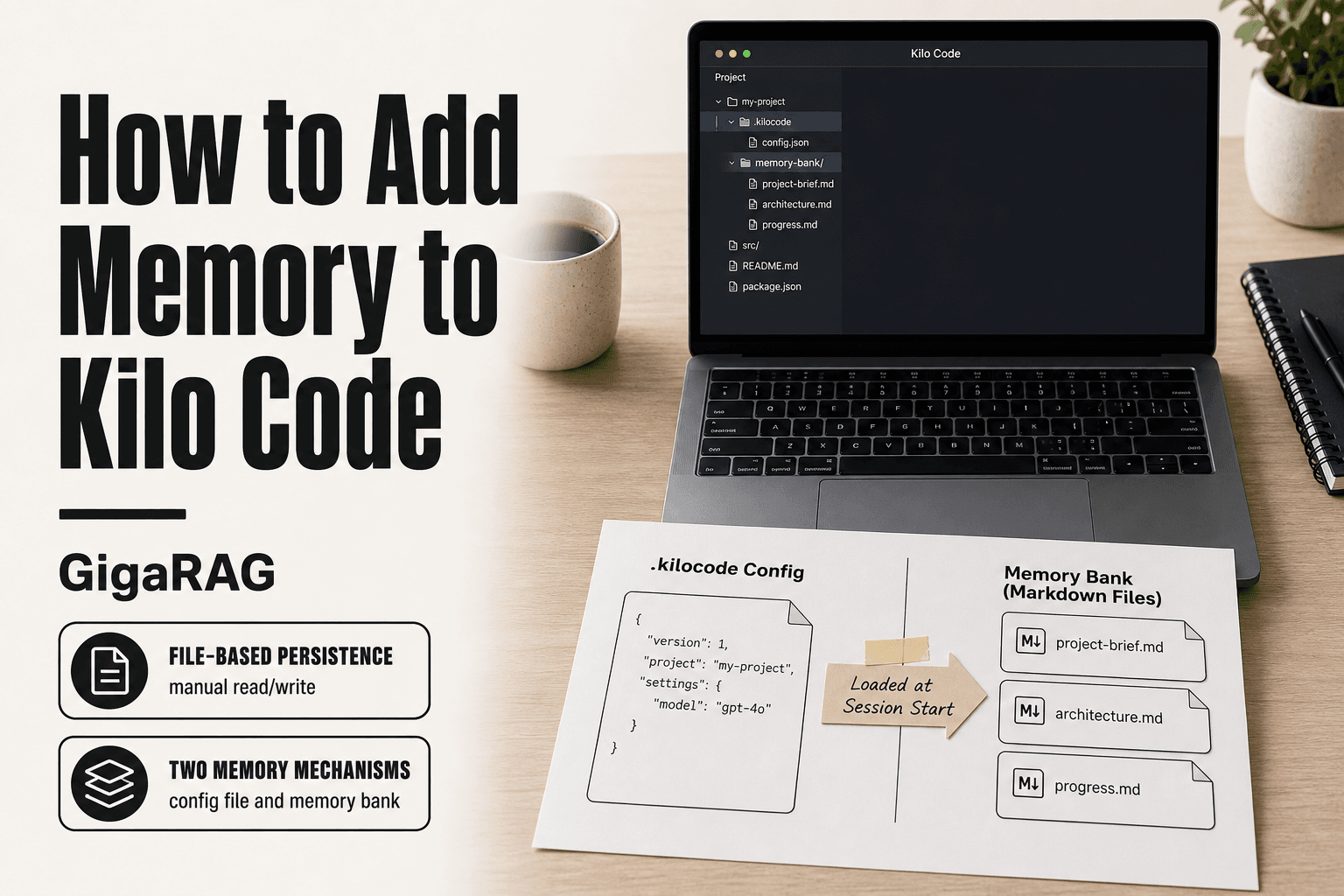
Memory in Kilo Code isn't one thing. It's two mechanisms that work differently: a .kilocode config file for persistent instructions, and a Memory Bank for structured context you maintain yourself. Neither does semantic search or cross-session persistence out of the box. If you're building a RAG pipeline and need vector retrieval, GigaRAG fills that gap, but first you should understand what Kilo Code can do natively.
| At a glance | Details |
|---|---|
| Primary method | Memory Bank markdown files in project root |
| Config file | .kilocode directory for rules and settings |
| Persistence | File-based only, no cross-session auto-recall |
| Vector search | Not supported natively |
| Best for | Project context and coding conventions |
| Gap filled by | External RAG like GigaRAG for semantic recall |
In This Guide
- What Memory Means in Kilo Code
- Kilo Code Memory Bank vs .kilocode Config: Which Should You Use?
- Approach 1: Configure the .kilocode File
- How To Add Memory To Kilo Code: A Step-by-Step Guide
- Approach 2: Set Up a Memory Bank
- Step-by-Step: How to Add Memory to Kilo Code
- Memory Bank vs. .kilocode Config: Which Should You Use?
- What Kilo Code Memory Cannot Do
- Extending Kilo Code Memory with GigaRAG for RAG Pipelines
- Common Mistakes When Adding Memory to Kilo Code
- FAQ
What Memory Means in Kilo Code
In Kilo Code, memory is any text the agent reads before it acts: persistent instructions, project defaults, and indexed code. It is not a database of past conversations, and it is not a vector store.
Memory vs. context window: what's the difference?
The context window is the agent's working space for one session. Everything in it is visible right now, and everything outside it does not exist as far as the model is concerned. Memory is what you place into that window deliberately, before the agent starts reasoning. The window is the room. Memory is what you hang on the walls.
The two memory mechanisms in Kilo Code: Memory Bank and .kilocode config
Kilo Code gives you two ways to hang things on those walls. The .kilocode config file holds persistent instructions and defaults that load with every session. A Memory Bank is a set of plain-text files you maintain yourself, describing the project, its conventions, and decisions the agent should not have to rediscover. Both are flat text. Neither does retrieval.
How memory fits into the agent workflow
The agent reads memory at session start, before it touches your code. That order matters: instructions loaded first shape how the agent interprets everything after. If a rule is not in memory when the session opens, the agent will not know it exists.
[!note] Kilo Code's memory is file-based and does not automatically persist across sessions or perform semantic search; you must manually maintain and reference the files. For true cross-session memory and vector retrieval, you need an external RAG system.
Kilo Code Memory Bank vs .kilocode Config: Which Should You Use?
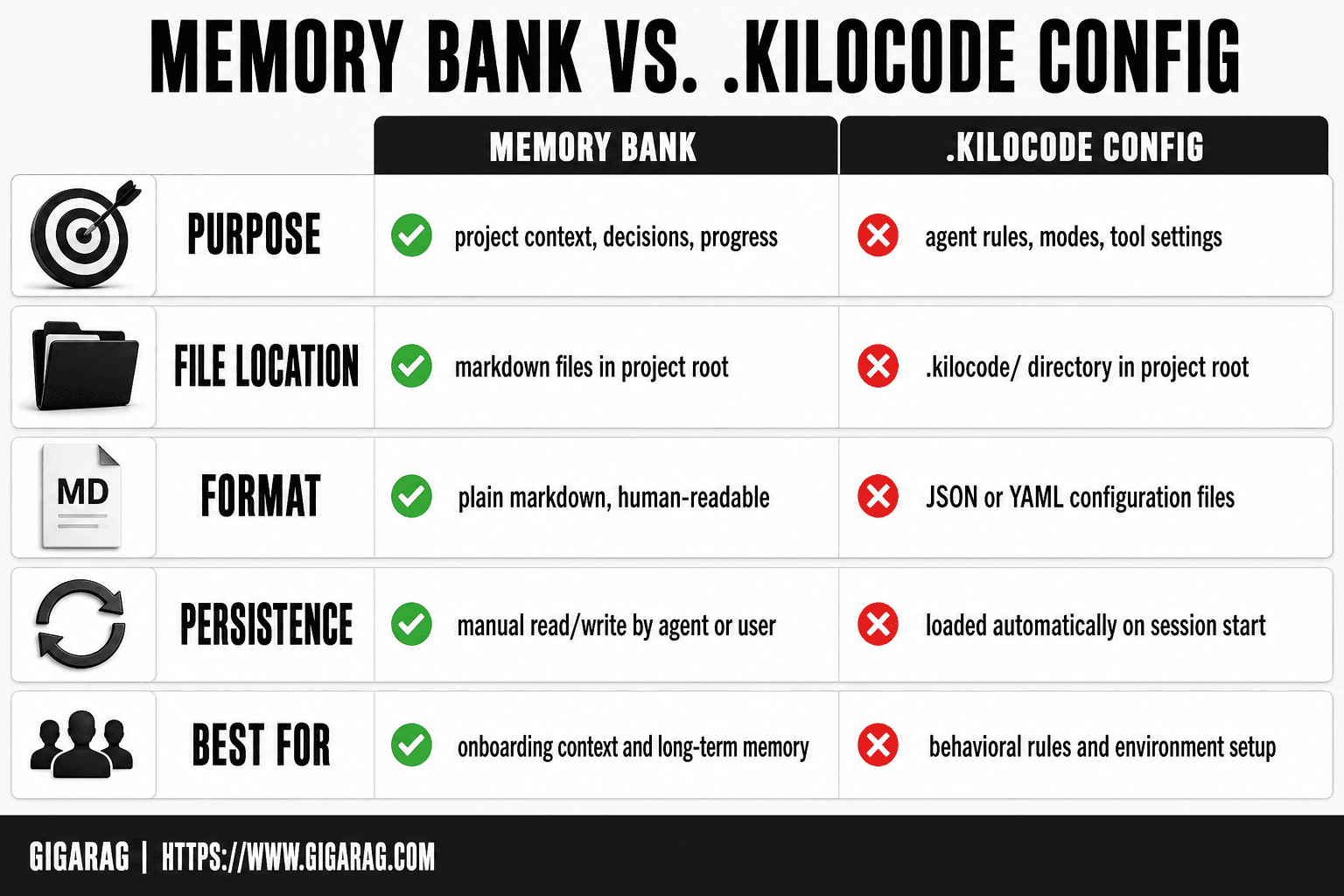
| Factor | Memory Bank | '.kilocode' Config |
|---|---|---|
| Purpose | Stores project context, decisions, and progress | Stores agent rules, modes, and tool settings |
| File location | Markdown files in project root (e.g. 'memory-bank/') | '.kilocode/' directory in project root |
| Format | Plain markdown, human-readable | JSON or YAML configuration files |
| Persistence | Manual read/write by the agent or user | Loaded automatically on session start |
| Best for | Onboarding context and long-term project memory | Behavioral rules and environment setup |
Approach 1: Configure the .kilocode File
The .kilocode file is the lighter of the two memory mechanisms. It's a single configuration file that loads before anything else, so it's where you put rules that should apply to every session in a project.
Where to find or create the .kilocode file
The file lives in your project root, next to package.json or whatever marks the top of your repo. If it's not there, create it. Kilo Code looks for .kilocode (no extension) in the working directory when it starts. Don't bury it in a subfolder. Don't name it .kilocode.json or .kilocode.yaml unless the version you're running expects that format. Check your installed version's docs if the bare file isn't picked up.
What to put in the file: persistent instructions and defaults
The file holds plain text. Each line is an instruction the agent reads at session start. Keep them short and declarative. Examples that work:
- "Use TypeScript strict mode for all new files."
- "Tests go in
__tests__/next to the source file." - "Never commit generated build output."
Defaults like preferred package manager, lint rules, or branch naming conventions fit here. Anything you'd otherwise retype in every prompt belongs in this file instead.
Per-profile configuration: what the GitHub discussion asks for
The open feature request on the Kilo Code repo asks for per-profile .kilocode files, not just per-project. The idea is subfolders holding default configurations you can switch between: one for work repos, one for personal projects, one for a specific client. Right now that's not built in. You get one file per project root. If you need profile switching today, you'll have to manage it yourself with symlinks or a script that swaps the file before you launch.
[!tip] For RAG pipeline builders: keep your Kilo Code memory bank focused on stable project context (architecture, conventions) and offload dynamic, queryable knowledge to GigaRAG so your agent can retrieve it semantically without bloating the prompt.
How To Add Memory To Kilo Code: A Step-by-Step Guide
- Create a
memory-bank/folder in your project root. - Add markdown files such as
projectbrief.md,techContext.md, andactiveContext.md. - Populate each file with relevant project details, decisions, and current state.
- Create a
.kilocode/directory and add arules.mdor config file that instructs the agent to read the memory bank. - Reference the memory bank files in your prompts or custom instructions so Kilo Code loads them.
- Update the memory bank files manually after significant changes or at the end of a session.
- Verify the agent is using the memory by asking it to summarize the project context.
Approach 2: Set Up a Memory Bank
The Memory Bank is the heavier option. It's a folder of Markdown files that Kilo Code reads at session start, giving you more room than a single config file. Use it when your project has context that won't fit in a few one-line rules.
What a Memory Bank is and when to use it
A Memory Bank is a directory, typically named memory-bank/ or memory/, holding structured Markdown files. Each file covers one topic: architecture decisions, API conventions, known gotchas, or a running log of what's been built. You'd reach for this over .kilocode when you need to store paragraphs, not sentences. A config file handles "use tabs, not spaces." A Memory Bank handles "here's why we moved auth to a separate service and what breaks if you touch it."
Creating and structuring your Memory Bank files
Start with three files. project-brief.md holds the one-paragraph summary of what the project does and who it's for. architecture.md holds the system layout, key modules, and data flow. progress.md holds a dated log of completed work and current blockers. Add more files as needed, but keep each one under 200 lines. Long files get skimmed, not read.
How Kilo Code reads from the Memory Bank
Kilo Code loads the files into context at session start, same as the .kilocode file. The difference is volume and structure. You get headings, lists, and code blocks instead of flat text. The catch: it's still all loaded into the context window. More files means less room for the actual task. Keep the bank lean and update it as the project changes.
Step-by-Step: How to Add Memory to Kilo Code
Here's the walkthrough the search results don't give you. Five steps, specific paths, no fluff.
Step 1: Locate your Kilo Code configuration directory
Kilo Code stores configuration in your project root, not in a global settings folder. Look for a .kilocode directory or a .kilocode file at the top level of your repo. If neither exists, create the directory. The exact path depends on your setup, but it's always relative to the project you're working in. Check your home directory too: some versions read a global config from ~/.kilocode before falling back to the project-level one.
Step 2: Create or edit the memory file
Inside the .kilocode directory, create a file named memory.md if you're using the Memory Bank approach. For the config approach, edit the .kilocode file directly. Both are plain text. No special format, no JSON, no YAML. Markdown works fine.
Step 3: Add persistent instructions
Write your memory as direct instructions. Not prose, not documentation. "Use tabs for indentation." "The API base URL is https://api.staging.example.com." "Never modify the auth module without asking." Each line should be a rule the agent can follow. Keep the whole file under 50 lines to start. You can expand later once you see how much context it eats.
Step 4: Verify memory is being read
Start a new Kilo Code session and ask a question that only your memory file could answer. If you wrote "the staging API is at port 8080," ask "what port does the staging API run on?" If the agent answers correctly, memory is loaded. If it guesses or says it doesn't know, the file is in the wrong location or named wrong.
Step 5: Test with a new session
Close the session completely. Open a fresh one. Ask the same question again. This confirms the memory loads every time, not just when you edited the file. If it works across two sessions, you're done. If it fails on the second session, check whether you're launching from the same directory. Kilo Code reads project-relative paths, so opening the repo from a different folder breaks the lookup.
Memory Bank vs. .kilocode Config: Which Should You Use?
The honest answer is: it depends on what you're asking the agent to remember. The two approaches solve different problems, and picking the wrong one wastes time.
When .kilocode config is enough
Use the .kilocode file when your memory is short, stable, and applies to every session in the project. Things like code style rules, API endpoints, branch naming conventions, or "don't touch the auth module." These are defaults, not context. They rarely change, and they're short enough to fit in a few dozen lines.
If your memory fits on one screen and you'd write it the same way next month, the config file is all you need. It loads fast, it's easy to review in a pull request, and there's nothing to maintain.
When a Memory Bank is the better choice
A Memory Bank earns its keep when memory grows past what fits in a config file. Project architecture notes, decisions you made and why, gotchas discovered during debugging, a running log of what's been tried. This is context, not configuration. It changes as you work.
The Memory Bank also works better when you have multiple files that reference each other. A config file is flat. A Memory Bank can hold architecture.md, decisions.md, and gotchas.md as separate documents. That structure matters once you're past 100 lines of memory.
Using both together
The two approaches aren't rivals. Put stable rules in .kilocode config: formatting, commands, hard constraints. Put evolving context in the Memory Bank: what you've learned, what you've decided, what broke last week.
The config file stays small and reviewable. The Memory Bank grows without polluting your defaults. When a Memory Bank entry stabilizes into a rule you'll never change, promote it to the config file. That keeps both files honest about what they're for.
What Kilo Code Memory Cannot Do
Kilo Code's native memory is flat files read into the context window. That's it. If you expect it to behave like a database, you'll be disappointed. Here's what it won't do.
No cross-session persistence by default
Kilo Code does not automatically remember what happened in your last session. Close the editor, start a new session, and the agent starts fresh. The only things that carry over are what you explicitly wrote into a memory file or config file.
That means if you discovered a bug fix at 4pm yesterday and didn't write it down, the agent won't know about it today. Persistence is manual. You are the persistence layer.
No semantic search or vector retrieval
Memory files are plain text. Kilo Code reads them into the context window, but it doesn't index them, embed them, or search them by meaning. If you ask "what did we decide about the payment flow," the agent can only find that if the words appear in a file it's currently reading.
There's no vector database under the hood. No embeddings. No retrieval step. The agent either has the text in context or it doesn't. For a handful of small files, that's fine. For a growing knowledge base, it breaks down fast.
Memory size and context window constraints
Every memory file you load consumes context window tokens. Add too much memory and you crowd out the actual code the agent needs to work on. There's no compression, no summarization, no smart chunking. Just raw text.
The practical limit is smaller than you think. A few hundred lines of memory is workable. A few thousand lines starts degrading performance. Past that, the agent spends more tokens on your notes than on the task. That's the ceiling, and it's a hard one.
Extending Kilo Code Memory with GigaRAG for RAG Pipelines
Native memory works until it doesn't. The ceiling is a few hundred lines of flat text before context window pressure starts degrading agent performance. If you need semantic retrieval, cross-session persistence, or scale beyond what fits in context, GigaRAG is the complement.
When native memory isn't enough
You'll know. The agent starts missing things you wrote down. You spend more time pasting context back in than actually working. Your memory files grow past a few hundred lines and every session feels slower. That's the signal.
The honest answer: if you're building an agent that works across days, across projects, or across a knowledge base that keeps growing, flat files won't carry you. You need retrieval.
How GigaRAG fits into a Kilo Code workflow
GigaRAG sits outside Kilo Code. You keep using Kilo Code for the agent loop, the tool calls, the code edits. GigaRAG handles the memory layer: storing documents, embedding them, and retrieving the relevant chunks when the agent asks.
In practice, you'd export your memory files and project notes into GigaRAG, then have Kilo Code query it when it needs context it doesn't already have. The agent asks, GigaRAG retrieves, the agent gets the relevant text without you pasting it in.
What GigaRAG adds: semantic search, persistence, scale
Three things Kilo Code's native memory can't do. Semantic search means the agent finds information by meaning, not exact keyword match. Persistence means your knowledge base survives sessions, restarts, and machine changes. Scale means thousands of documents instead of a few hundred lines.
The tradeoff is setup. GigaRAG is a separate system to run and maintain. If you're working solo on a small project, it's probably overkill. If you're building agent pipelines that need real memory, it's the difference between a tool that remembers and one that forgets.
Common Mistakes When Adding Memory to Kilo Code
Most memory setup failures come down to three errors. You can avoid all of them in ten minutes.
Putting memory files in the wrong directory
Kilo Code looks for memory in specific locations. If you drop a file somewhere else, the agent silently ignores it. No error, no warning. It just doesn't read it. Check the exact path before you assume memory is broken.
Expecting semantic search from flat files
Flat memory files match on keywords, not meaning. Ask about "error handling" and the agent won't surface a note about "exception catching." That's not a bug. It's how plain text works.
Overloading the context window with too much memory
Every line of memory eats context the agent needs for actual work. Past a few hundred lines, performance drops. Trim ruthlessly. If it doesn't earn its place, cut it.
FAQ
Does Kilo Code memory persist across sessions?
- Kilo Code does not automatically remember past sessions. The only persistence is what you explicitly write into a memory file or config file.
Where is the Kilo Code memory file stored?
In your project root. The .kilocode config file lives at the top level of your repo. Memory Bank files typically live in a memory-bank/ or memory/ directory.
Can I use Kilo Code memory with a RAG pipeline?
Yes, but not natively. Kilo Code memory is flat text. For semantic retrieval and vector search, you need an external system like GigaRAG.
What's the difference between Memory Bank and .kilocode config?
The .kilocode config file holds short, stable rules that apply to every session. A Memory Bank holds structured Markdown files for evolving context like architecture decisions and progress logs.
How much memory can I add to Kilo Code?
A few hundred lines is workable. Past that, context window pressure degrades performance. There's no hard limit, but the practical ceiling is lower than most people expect.
Does Kilo Code support vector search or semantic retrieval?
- Kilo Code reads memory files as plain text into the context window. It does not index, embed, or search them by meaning.
Can I configure Kilo Code memory per project or per profile?
Per project, yes. The .kilocode file lives in each project root. Per profile switching is an open feature request, not built in.
Is GigaRAG a replacement for Kilo Code memory?
- GigaRAG complements Kilo Code by adding semantic retrieval, persistence, and scale. You keep using Kilo Code for the agent loop and use GigaRAG for the memory layer.
If you've been trying to figure out how to add memory to Kilo Code, the steps above get you there. Start with the .kilocode config for stable rules. Add a Memory Bank when context outgrows a single file. And when flat text hits its ceiling, GigaRAG handles the retrieval Kilo Code doesn't.
Frequently Asked Questions
Does Kilo Code have built-in memory?
Kilo Code supports memory through file-based approaches like the Memory Bank and .kilocode configuration. It does not have a built-in vector database or automatic cross-session memory; you manage memory files manually.
How do I enable memory in Kilo Code?
Create a memory-bank/ folder with markdown files and a .kilocode/ config that tells the agent to read them. Then reference those files in your prompts or custom instructions.
What is the Kilo Code Memory Bank?
The Memory Bank is a community pattern where you store project context in markdown files (e.g., projectbrief.md, activeContext.md) that the agent reads to maintain context. It is not an official feature but a widely used convention.
Can Kilo Code remember across sessions?
Not automatically. Kilo Code does not persist memory between sessions unless you manually save and reload context files. For automatic cross-session memory, you need an external system like GigaRAG.
How does Kilo Code memory compare to RAG?
Kilo Code memory is file-based and static, while RAG uses vector search to retrieve relevant information dynamically. Kilo Code lacks native vector search, so RAG systems like GigaRAG are needed for semantic retrieval.
Where are Kilo Code memory files stored?
Memory Bank files are typically stored in a memory-bank/ folder in your project root. Configuration files go in the .kilocode/ directory. Exact paths may vary by project setup.
About GigaRAG
GigaRAG is for agent memory and RAG pipeline builders. get this right. Whether you are working through How to add memory to Kilo Code or something adjacent, we publish what we have actually tested, including where it falls short.


