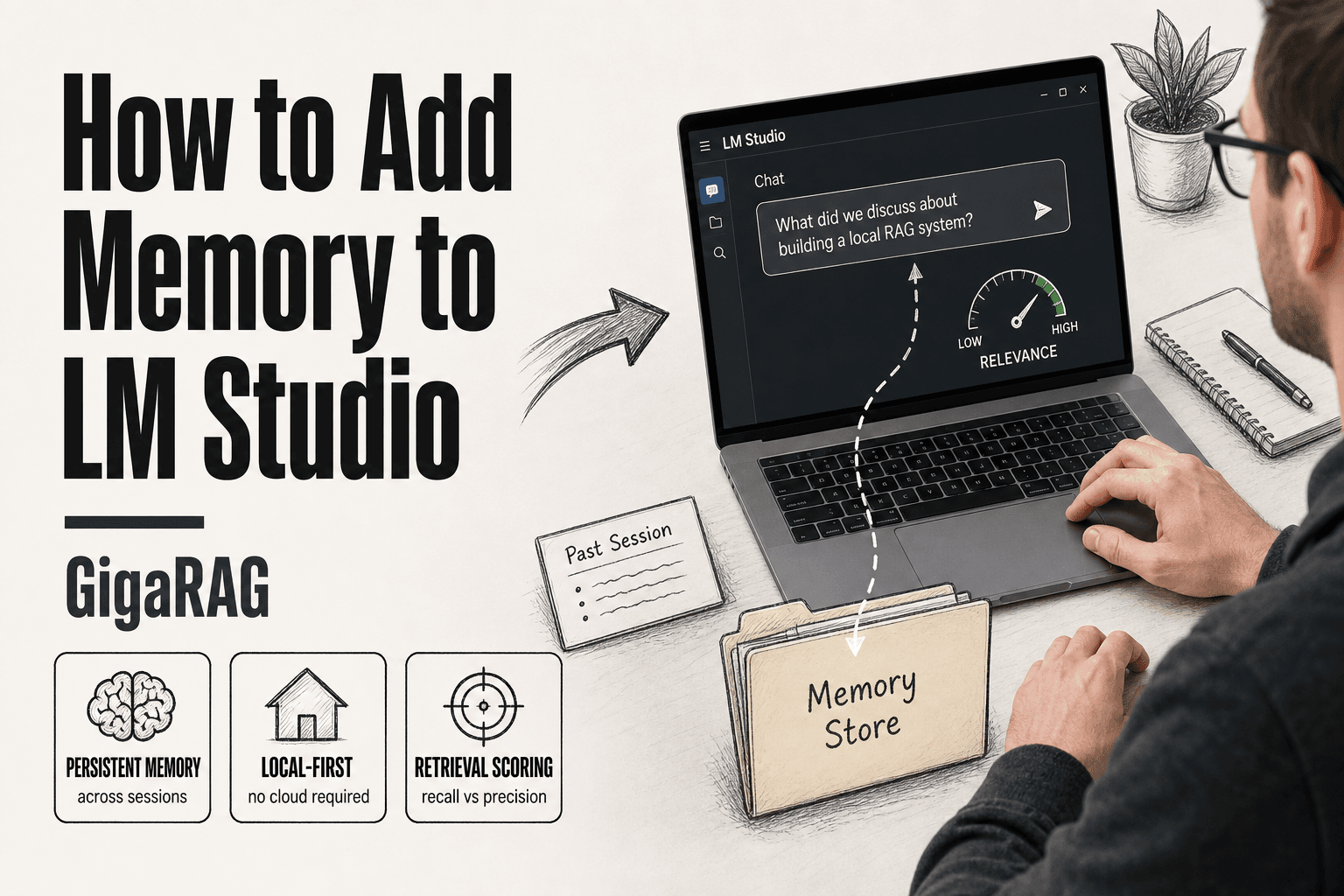
How to Add Memory to LM Studio
How to add memory to LM Studio starts with admitting the gap: LM Studio is excellent for local LLM inference, but every session starts blank. It forgets your agent's past decisions, your RAG pipeline's retrieved context, everything. For builders running agent memory or RAG workflows locally, that blank slate is the bottleneck. The good news is you can add a retrieval layer that injects relevant past context into each prompt. The honest answer is this layer is not true long-term semantic memory, and it won't replace a purpose-built system like GigaRAG for agent and RAG pipelines. But for many local workflows, it's enough. This guide covers what memory plugins exist for LM Studio, how to install and configure them step by step, how retrieval scoring decides what to inject, and what you cannot expect from any of it.
| At a glance | Details |
|---|---|
| Core limitation | No built-in persistent memory across sessions |
| Main approach | Persistent-memory plugin or MCP server |
| Memory scopes | Global, project, or session-level |
| Retrieval scoring | Similarity thresholds tune recall vs precision |
| Best for agents | External memory layer like Mem0 or GigaRAG |
| Setup effort | Low for plugins, moderate for custom MCP |
In This Guide
- What Memory in LM Studio Actually Means
- Persistent-Memory Plugin vs Mem0 vs Custom MCP Server
- How to Add Memory to LM Studio: Step-by-Step Plugin Setup
- How To Add Memory To LM Studio: A Step-by-Step Guide
- Memory Scopes and Categories Explained
- How Retrieval Scoring Works (Inspired by SRLM)
- Memory Approaches Compared: Persistent-Memory Plugin vs. Mem0 vs. MCP Servers
- What LM Studio Memory Cannot Do
- Privacy and License Considerations
- Final Thoughts on Adding Memory to LM Studio
- FAQ
What Memory in LM Studio Actually Means
Memory in LM Studio is a retrieval layer that injects relevant past context into prompts, not fine-tuning and not a larger context window. It stores text snippets, scores them against your current prompt, and prepends the best matches before the model generates.
Memory vs. context window: the critical distinction
A context window is fixed: the model sees only what fits in its token limit. Memory extends what the model can access by pulling stored snippets into that window on demand. You're not making the model smarter. You're giving it a filing cabinet it can search.
How retrieval-based memory works in LM Studio
The plugin stores memories as text with metadata. When you send a prompt, it scores stored memories against that prompt, picks the most relevant, and injects them before generation. The model never learns anything permanently. It just gets better notes.
Why LM Studio has no native persistent memory
LM Studio is an inference engine first. It loads models, runs them, and discards state when the session ends. Persistent memory requires storage, retrieval, and scoring infrastructure that isn't part of that core job. That's why plugins exist.
[!note] LM Studio memory plugins provide persistence, not true long-term semantic memory — they store and retrieve text but do not build a knowledge graph or reason over memories the way a dedicated agent-memory layer does.
Persistent-Memory Plugin vs Mem0 vs Custom MCP Server
| Factor | Persistent-Memory Plugin | Mem0 / Custom MCP Server |
|---|---|---|
| Setup complexity | Low — install and enable in LM Studio | Moderate — configure API keys, server, or code |
| Memory scope | Session or project-level, manual scoping | Global or per-agent, programmatic control |
| Retrieval quality | Basic similarity, limited scoring controls | Tunable scoring, filters, and reranking |
| Best-fit use case | Single-user chat continuity | Agent memory and RAG pipelines at scale |
| Cross-project continuity | Requires manual scope switching | Native via namespaces or agent IDs |
How to Add Memory to LM Studio: Step-by-Step Plugin Setup
Prerequisites: LM Studio version and local model requirements
You need LM Studio 0.3.5 or newer. Older builds don't expose the plugin directory cleanly. Any local model works, but smaller models (7B to 13B) retrieve and inject memory faster than 70B class models. Make sure you have at least 8 GB of free disk space for memory storage.
Finding and installing the persistent-memory plugin
Open LM Studio, go to the Discover tab, and search "persistent-memory." Click Install. The plugin drops into your local plugins folder automatically. Restart LM Studio after installation. That's the whole sequence.
Configuring the plugin for first use
Open the plugin settings from the sidebar. Set your memory scope to project-level if you want memories tied to one project, or global if you want them shared across all projects. Pick your storage location. Leave the default retrieval threshold for now.
Verifying memory is working with a test prompt
Send a prompt like "My dog's name is Biscuit." Then start a new session and ask "What is my dog's name?" If the plugin injected the memory, you'll get "Biscuit" back. If not, check that the plugin is enabled and the memory scope matches your current project.
[!tip] For agent and RAG builders: keep memory scopes narrow (one per agent or project) and log every retrieval with its score — this makes it far easier to debug why an agent 'forgot' something and to tune thresholds without guesswork.
How To Add Memory To LM Studio: A Step-by-Step Guide
- Confirm your LM Studio version supports plugins or MCP servers (check the release notes).
- Install the memory plugin or MCP server from the LM Studio plugin directory or your chosen provider.
- Configure the memory store — set the storage path, embedding model, and any API keys.
- Define memory scopes: global, per-project, or per-session, depending on your workflow.
- Set retrieval scoring thresholds to balance recall and precision for your use case.
- Test with a multi-turn conversation that spans two separate sessions to verify persistence.
- Document your scope and scoring choices so agent behavior stays reproducible.
Memory Scopes and Categories Explained
Memory in LM Studio isn't one big bucket. It's organized by scope and category, and getting these wrong is the most common reason memory seems broken.
Project-scoped vs. global memory: when to use each
Project-scoped memory stores memories only for the current project. Global memory shares them across every project. Use project-scoped when you're building separate agents that shouldn't leak context into each other. Use global when you want one assistant that remembers you everywhere.
The main catch: global memory can pollute retrieval. A memory from your RAG experiment will get injected into your chatbot session if the scoring threshold is loose.
Memory categories: what gets stored and why
Categories are labels the plugin applies to memories: facts, preferences, events, and code snippets are common ones. They help retrieval scoring filter what gets injected. A fact about your dog shouldn't compete with a code snippet when you're asking about a function.
Practical scoping for agent and RAG workflows
For agent workflows, keep memory project-scoped. Each agent gets its own memory store. For RAG pipelines, memory is not your vector database. Use it for session continuity, not document retrieval.
How Retrieval Scoring Works (Inspired by SRLM)
Retrieval scoring decides which memories get injected into your prompt. It's the difference between useful context and noise.
What retrieval scoring does and why it matters
Every memory in the store competes for space in your context window. Scoring ranks them by relevance to the current query. The top-scoring memories get injected. The rest stay out.
Why it matters: a bad scoring function wastes tokens on irrelevant memories. A good one makes the model feel like it actually remembers you.
Two-phase scoring: TF-IDF + AI re-ranking
The plugin uses a two-phase approach. Phase one is TF-IDF, a fast statistical method that scores memories by keyword overlap with your query. It's cheap and runs locally.
Phase two is AI re-ranking. The top candidates from TF-IDF get sent to a small model that reads them in context and re-scores them by semantic relevance. This catches memories that use different words but mean the same thing.
The tradeoff: AI re-ranking costs extra inference time. TF-IDF alone is fast but misses synonyms.
How scoring affects memory quality in agent workflows
In agent workflows, scoring quality directly determines whether the agent acts on stale or irrelevant context. A loose threshold injects too much. A tight one injects too little.
Tune the threshold per project. Start conservative, then loosen it only when you see the agent missing context it should have.
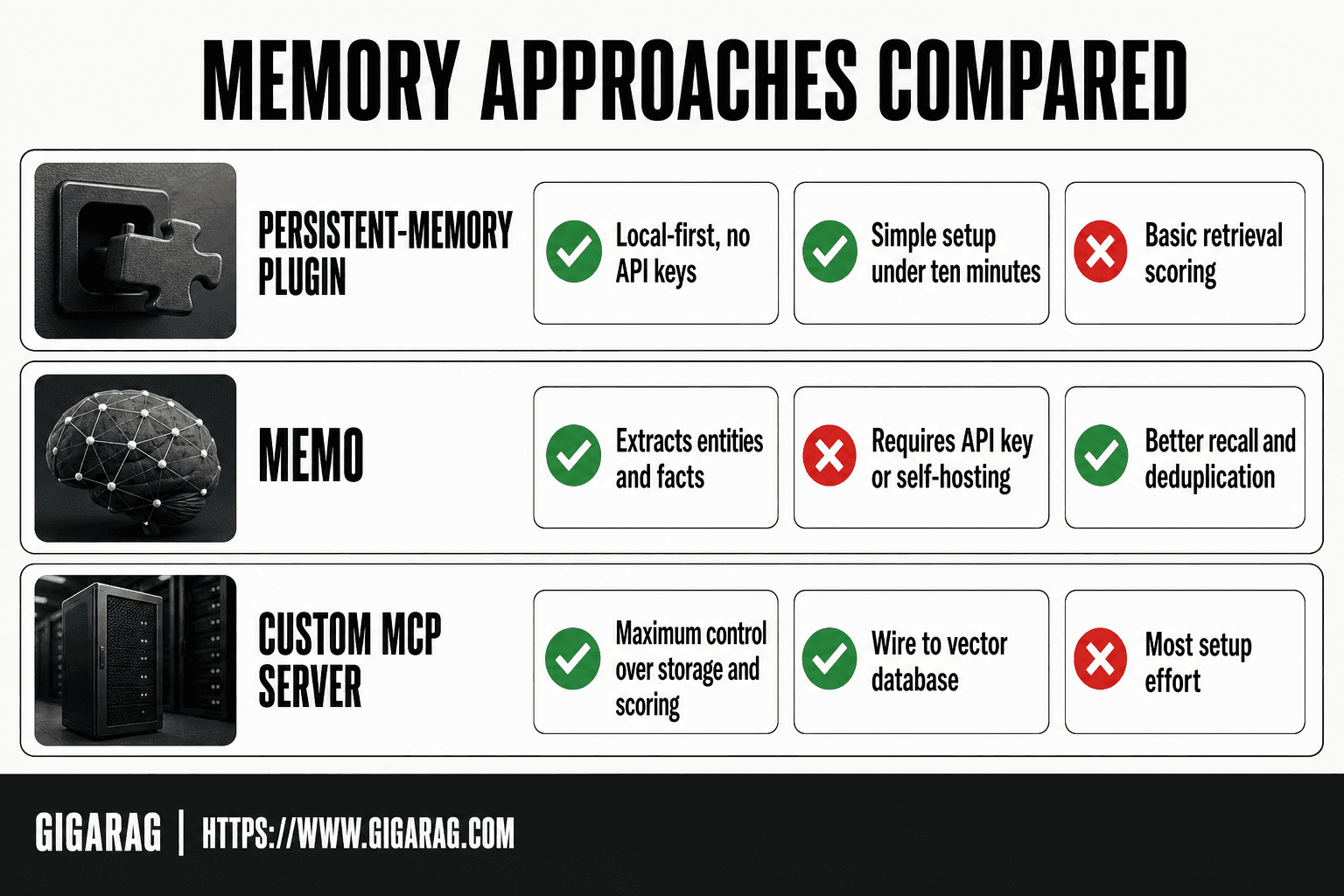
Memory Approaches Compared: Persistent-Memory Plugin vs. Mem0 vs. MCP Servers
Three ways to add memory in LM Studio. They're not interchangeable.
Persistent-memory plugin: simplest path, local-first
Install it, point it at a folder, done. Everything runs on your machine. No API keys, no external calls, no cloud dependency. The plugin stores memories as local files and retrieves them with the scoring we covered.
Best for single-project agents where you want memory working in under ten minutes. The main catch: it's a retrieval layer, not a reasoning layer. It injects text. It doesn't understand it.
Mem0 integration: when you need more sophisticated memory
Mem0 adds an extraction step. Instead of storing raw text, it pulls out entities, facts, and relationships, then stores those as structured memories. That means better recall across sessions and cleaner deduplication.
The cost: Mem0 requires an API key and sends data to their servers unless you self-host. For local-first builders, that's a real tradeoff. It also adds latency to every memory write.
Custom MCP servers: maximum control, maximum effort
An MCP server lets you define exactly what gets stored, how it's scored, and when it's retrieved. You can wire it to a vector database, add your own re-ranking, or build agent-specific memory scopes.
This is the right choice when you need memory that behaves like part of your application, not a plugin. It's also the most work. You're writing and maintaining the server yourself.
What LM Studio Memory Cannot Do
Memory plugins inject text. They don't understand it. That's the line to keep in mind.
No true long-term semantic memory
The plugin stores and retrieves raw text chunks. It doesn't build a model of what you know, how facts relate, or what changed over time. Ask it to reason across fifty sessions of accumulated context and it will surface fragments, not a coherent picture. That's retrieval, not memory in any cognitive sense.
No automatic cross-project agent continuity
Scopes are manual. If you want an agent to remember work from a different project, you configure that explicitly. Nothing carries over by default. Two projects with separate scopes stay separate, even when they're about the same domain.
No built-in RAG pipeline — memory is not retrieval-augmented generation
The plugin retrieves past prompts and responses. It doesn't chunk documents, embed them, or rank passages against your query. If you need document-grounded answers, you're building that pipeline yourself. Memory helps context. It doesn't replace retrieval.
Privacy and License Considerations
Memory data lives wherever the plugin writes it. The persistent-memory plugin stores everything locally on your machine, in a directory tied to your LM Studio installation. Nothing leaves your box unless you configure an external model or API. That's the good news for sensitive agent data.
Where memory data is stored and who can access it
Local storage means you control access. Anyone with filesystem access to your machine can read the memory files, so treat them like any other local data. No cloud sync, no telemetry by default.
License terms for the persistent-memory plugin
The plugin is open source. You can inspect the code before running it, which matters when you're feeding it proprietary context. Check the specific license file in the repo before commercial use.
Final Thoughts on Adding Memory to LM Studio
Memory in LM Studio is a retrieval layer, not a brain. It injects relevant past context into prompts. It doesn't fine-tune the model or expand the context window.
The persistent-memory plugin is the simplest path. Install it, configure a scope, and you have working memory in under ten minutes. Mem0 and custom MCP servers give you more control when you need it, at the cost of setup time.
The honest answer: if you're building serious agent memory or a RAG pipeline, LM Studio's plugin approach works but asks you to assemble the pieces yourself. GigaRAG exists for exactly that workload, with memory and retrieval built in from the start. For most local experiments, though, the plugin is enough. Start there. That's how to add memory to LM Studio.
FAQ
How do I add plugins in LM Studio?
Open the Discover tab, search for the plugin by name, and click Install. Restart LM Studio after installation. The plugin appears in your sidebar settings.
How do I add more models to LM Studio?
Go to the Discover tab, browse or search for a model, and click Download. Once downloaded, load it from the chat interface. Models run locally on your machine.
How to add memory to AI agent?
Install a memory plugin like persistent-memory, set the scope to project-level, and configure the retrieval threshold. The plugin injects relevant past context into each prompt the agent sends.
How to make LM Studio run faster?
Use a smaller model (7B to 13B), enable GPU acceleration if your hardware supports it, and close other applications using VRAM. Memory plugins add retrieval overhead, so tune the scoring threshold to keep injection fast.
What is the best LM Studio memory plugin?
The persistent-memory plugin is the simplest and runs fully local. Mem0 offers more sophisticated extraction but requires an API key or self-hosting. Custom MCP servers give maximum control at maximum effort.
Does LM Studio have built-in long-term memory?
- LM Studio has no native persistent memory. Every session starts blank unless you install a memory plugin.
Can I use LM Studio memory with a RAG pipeline?
Yes, but memory is not your RAG pipeline. Use memory for session continuity and a separate vector database for document retrieval. They solve different problems.
Is the persistent-memory plugin free to use?
Yes. The plugin is open source and runs locally. Check the license file in the repo before commercial use.
Frequently Asked Questions
How do I add memory to LM Studio?
Install a persistent-memory plugin or connect an MCP server that exposes a memory store. Then configure the storage path, embedding model, and memory scope in LM Studio's plugin settings. Persistence across sessions depends on the plugin writing to disk rather than keeping state in RAM.
How to add memory to an AI agent?
Give the agent an external memory layer — either a plugin inside LM Studio or a dedicated service like Mem0 or GigaRAG. The agent writes salient facts to that store and retrieves them by similarity or filters on each turn. This keeps memory independent of the context window.
How do I add plugins in LM Studio?
Open LM Studio's plugin or extensions section, browse or point to the plugin source, and enable it. Some plugins require an API key or a local server URL. Restart the app if the plugin does not appear immediately after installation.
Does LM Studio have built-in long-term memory?
- LM Studio is an inference runtime, so it does not ship with persistent memory or a RAG pipeline out of the box. Any long-term memory comes from a plugin, an MCP server, or an external memory service you connect yourself.
How to make LM Studio run faster with memory enabled?
Memory retrieval adds latency, so keep the store small, use a lightweight embedding model, and cache frequent lookups. Reducing the number of retrieved chunks per turn usually helps more than tuning the model itself.
Can LM Studio memory plugins handle cross-project agent continuity?
Not automatically. Most plugins scope memory per session or per project, so cross-project continuity requires manual scope switching or a memory layer with namespaces. A dedicated agent-memory service handles this natively.
How do I add more models to LM Studio?
Use the model search inside LM Studio to download from supported hubs, or point it at a local folder of GGUF files. Downloaded models appear in the model picker and can be loaded alongside your memory plugin.
About GigaRAG
GigaRAG is for agent memory and RAG pipeline builders. get this right. Whether you are working through How to add memory to LM Studio or something adjacent, we publish what we have actually tested, including where it falls short.


