How to Add Memory to Mistral Le Chat (For Agent and RAG Builders)
How to add memory to Mistral Le Chat matters most to agent builders, and here's the honest situation: Le Chat's Memories feature was built for end users, not for you. Toggle it on in the sidebar and it remembers preferences, project details, and personal context across conversations. That's genuinely useful for a chat assistant. But if you're wiring memory into a RAG pipeline or an autonomous agent, the native feature hits hard limits fast: no public API, no cross-platform persistence, no guaranteed recall. GigaRAG steps in exactly there, as a dedicated memory layer when native Memories falls short.
| At a glance | Details |
|---|---|
| Feature name | Le Chat Memories |
| Where to enable | Settings > Personalization |
| Availability | Consumer Le Chat plans |
| Public memory API | None for external injection |
| Cross-platform persistence | Not guaranteed |
| Best for agents | Dedicated RAG memory layer |
In This Guide
- What Is Mistral Le Chat Memories?
- Le Chat Memories vs a Dedicated RAG Memory Layer
- How to Enable Memories in Mistral Le Chat
- How To Add Memory To Mistral Le Chat: A Step-by-Step Guide
- How to Add Memory to Mistral Le Chat Manually
- Managing and Deleting Memories
- Privacy and Data Handling for Le Chat Memories
- Limitations of Le Chat Memory for Agent Builders
- Le Chat Memory vs. Dedicated RAG Memory (GigaRAG)
- Common Mistakes When Adding Memory to Mistral Le Chat
What Is Mistral Le Chat Memories?
Mistral Le Chat Memories is a user-facing feature that lets the chat assistant remember your preferences, context, and personal details across conversations. It's built into the Le Chat interface, not the API.
Mistral built it so you don't repeat yourself. Tell Le Chat you prefer TypeScript over Python once, and it can carry that forward. The feature stores what you explicitly tell it to remember, plus details it picks up from your chats.
What Memories stores
Memories holds three things: preferences (your stack, your style), context (ongoing projects, recurring tasks), and personal details (your role, your constraints). You control what goes in.
How Memories differs from context window memory
A context window forgets when the conversation ends. Memories persist across sessions. That's the whole difference, and it's the reason the feature exists.
[!note] Le Chat Memories is designed for consumer chat continuity, not as a developer memory API. There is no documented public endpoint for injecting or retrieving memories programmatically, so agent builders should not rely on it for production memory.
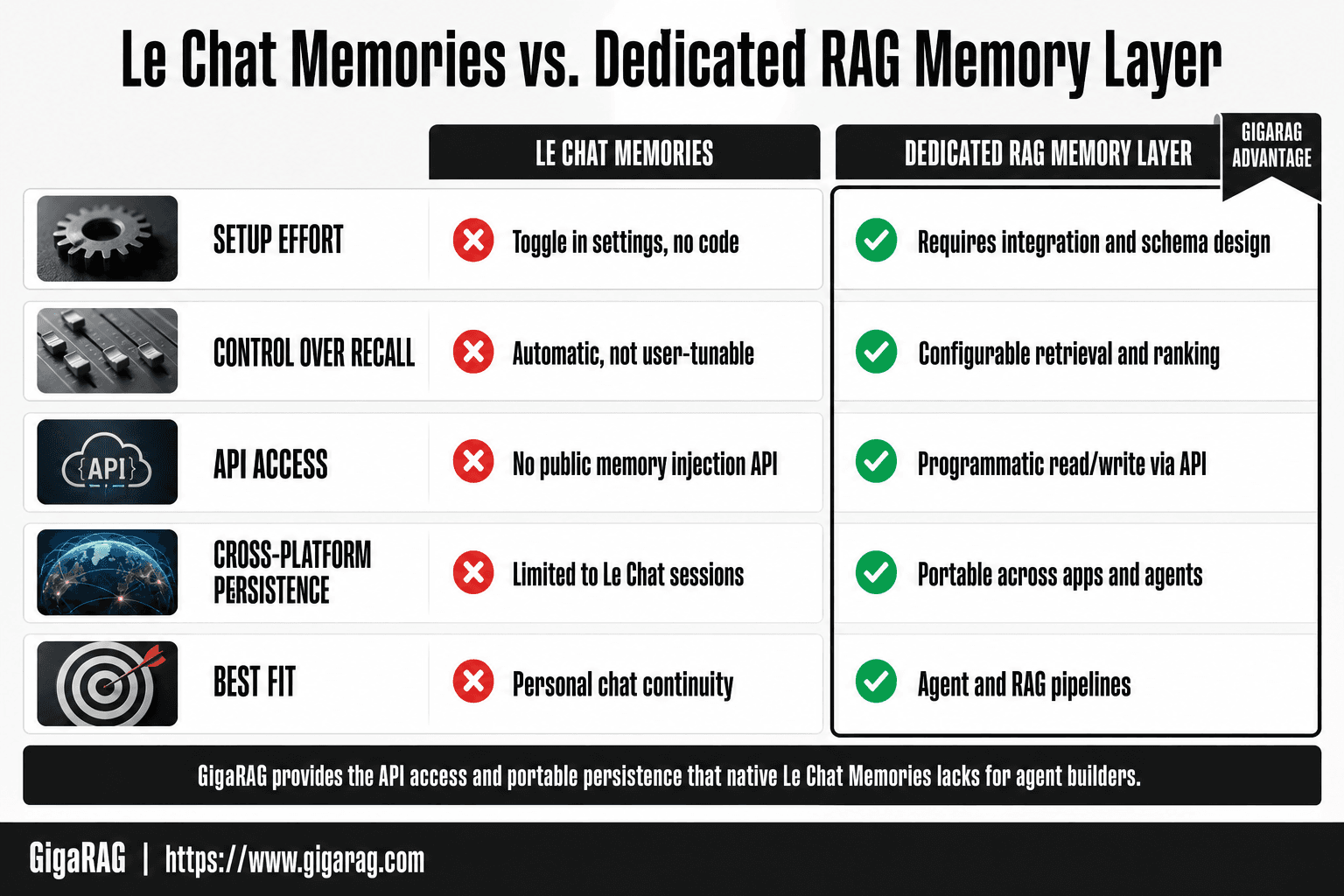
Le Chat Memories vs a Dedicated RAG Memory Layer
| Factor | Le Chat Memories | Dedicated RAG Memory Layer |
|---|---|---|
| Setup effort | Toggle in settings, no code | Requires integration and schema design |
| Control over recall | Automatic, not user-tunable | Configurable retrieval and ranking |
| API access | No public memory injection API | Programmatic read/write via API |
| Cross-platform persistence | Limited to Le Chat sessions | Portable across apps and agents |
| Best fit | Personal chat continuity | Agent and RAG pipelines |
How to Enable Memories in Mistral Le Chat
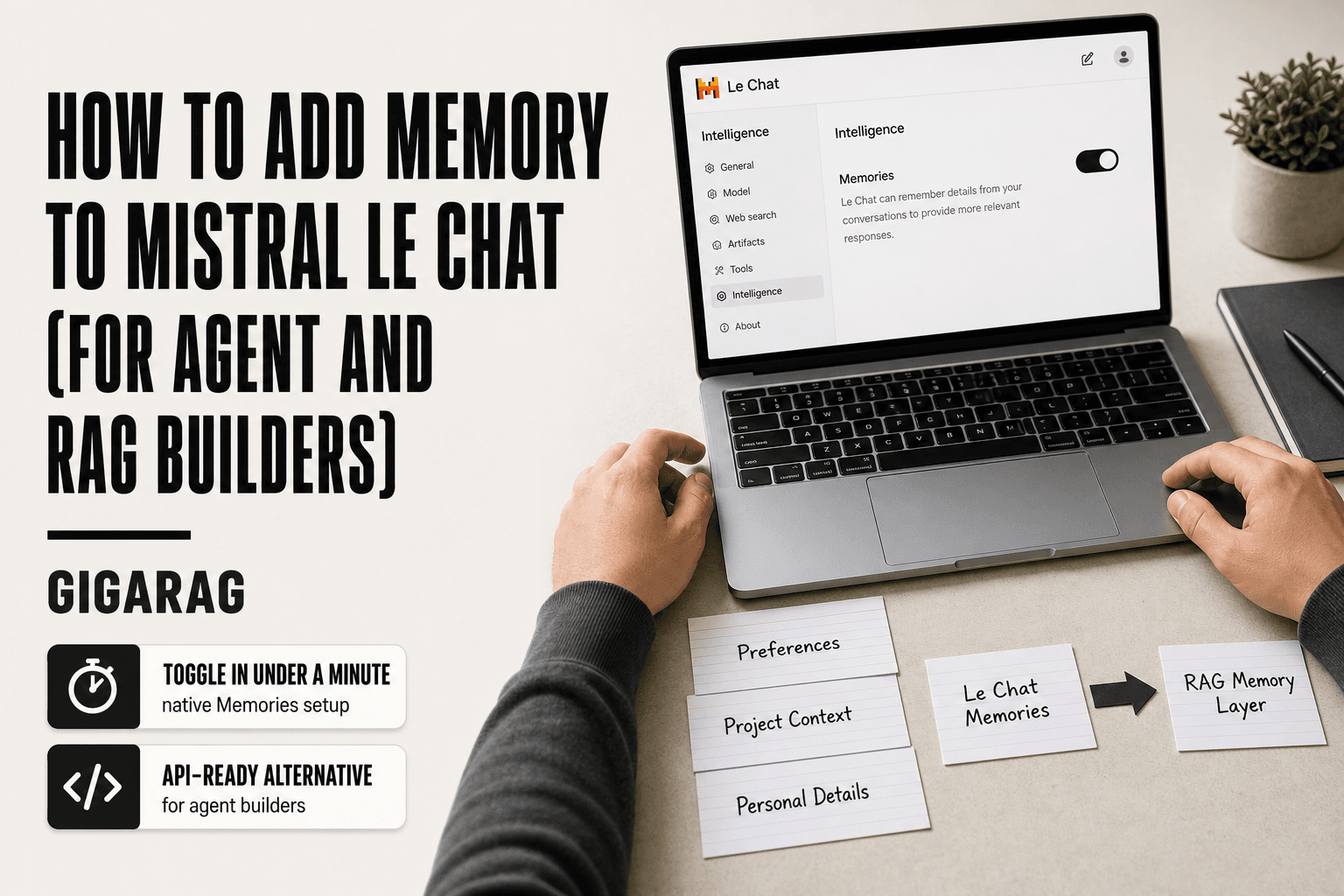
Enabling Memories takes under a minute. The toggle lives in the Intelligence menu on the left sidebar, not in settings.
Step 1: Open Le Chat and locate the Intelligence menu
Log in to Le Chat at chat.mistral.ai. Look at the left sidebar. You'll see a section labeled Intelligence. Click it.
Step 2: Toggle Memories on
Inside the Intelligence menu, find the Memories option. Flip the toggle to on. That's it. No confirmation dialog, no extra setup.
Step 3: Verify the feature is active
Start a new chat and type a simple preference: "Remember that I use Python 3.12 and prefer type hints everywhere." Then ask Le Chat what it knows about you. If it repeats the preference back, Memories is working. If it doesn't, toggle the feature off and on again, then start a fresh conversation.
[!tip] For agent and RAG builders, treat Le Chat Memories as a UX reference rather than infrastructure: prototype the memory behavior you want in Le Chat, then implement the same retrieval logic in a dedicated layer like GigaRAG where you control persistence, ranking, and API access.
How To Add Memory To Mistral Le Chat: A Step-by-Step Guide
- Open Le Chat and sign in to your account.
- Go to Settings and locate the Personalization or Memory section.
- Toggle Memories on to let Le Chat retain context across chats.
- Review and edit stored memories to remove anything inaccurate or outdated.
- Test recall by starting a new chat and referencing a previously stored fact.
- Add explicit memory entries for coding or research context you want retained.
- Document what Le Chat remembers so you can spot gaps in agent workflows.
How to Add Memory to Mistral Le Chat Manually
Manual memory entry is where Le Chat Memories gets useful for real work. You type the memory yourself, so you control exactly what gets stored.
Where to find the manual memory input
Open the Intelligence menu in the left sidebar. Below the Memories toggle, you'll see a field for adding entries manually. Type your memory, hit save, and it's stored. You can add as many as you need.
Example memory entries for coding workflows
The best coding memories are constraints, not preferences. "I use Python 3.12 with strict mypy settings. All functions need type hints and docstrings." That changes every code response you get. Another high-value entry: "My project uses FastAPI with SQLAlchemy 2.0 async sessions. Never suggest sync database calls."
Example memory entries for research workflows
For research, store your domain and your citation style. "I work on transformer architecture papers. Cite papers from 2022 or later unless I ask otherwise." Or: "My research focuses on retrieval-augmented generation for low-resource languages. Prioritize papers from ACL and EMNLP."
Before/after: how a memory changes responses
Without memory, asking Le Chat to write a function gets you a generic Python snippet. With the mypy memory stored, the same prompt returns typed code with docstrings, matching your project's conventions. The memory doesn't make the model smarter. It removes the repetition of restating your setup every session.
Managing and Deleting Memories
You can view, edit, or remove any memory you've saved. Deletion is permanent and immediate.
Viewing saved memories
Open the Intelligence menu, then Memories. You'll see a list of every entry you've added. Click any memory to edit its text or delete it.
Deleting a single memory
Find the memory in the list. Click the delete icon next to it. The memory is removed instantly and no longer influences responses.
Deleting all memories at once
The Memories panel includes a "Delete all" option. Use it when you want a clean slate. Mistral states that deleted memories are removed from its systems and not used for training. There's no undo, so export anything you need first.
Privacy and Data Handling for Le Chat Memories
Mistral's help documentation is clear on one point: your Memories are yours to control. You can delete them at any time, and deletion is permanent.
What data is saved as Memories
Only what you explicitly enter. Le Chat doesn't scrape your conversations to build memories automatically. You type a preference, a fact about yourself, or a project detail, and that text becomes the memory. Nothing else is stored.
Does Mistral train on your Memories?
- According to Mistral's official documentation, Memories are not used to train models. Deleted memories are removed from Mistral's systems entirely. That's a stronger position than most consumer AI tools take.
Your rights under GDPR
If you're in the EU, you can request access to your data or ask for deletion through Mistral's privacy channels. The Memories panel itself gives you direct delete controls, which satisfies the core GDPR requirement without a formal request.
Limitations of Le Chat Memory for Agent Builders
Le Chat Memories is a user-facing feature. It was not built for agent memory. If you're wiring it into a RAG pipeline or an autonomous agent, you'll hit walls quickly.
No API for external memory injection
There's no public endpoint to write memories programmatically. You can't push context from your application into Le Chat's memory store. Everything goes through the chat interface, by hand. For an agent that needs to persist state between runs, that's a dead end.
No cross-platform persistence
Memories live inside Le Chat only. They don't sync to the Mistral API, they don't export to other tools, and they don't follow your user across models. If your stack uses Mistral's API directly, the Memories panel might as well not exist.
Recall accuracy is not guaranteed
Le Chat decides when a memory is relevant. You can't force retrieval, and you can't inspect why a memory was or wasn't pulled into a response. For deterministic workflows, that's a problem. The system is probabilistic, not a lookup table.
Token budget impact is opaque
Mistral doesn't publish how many tokens memories consume when injected into context. You can't measure the cost of storing fifty memories versus five. For builders watching context window limits, that opacity makes capacity planning guesswork.
Le Chat Memory vs. Dedicated RAG Memory (GigaRAG)
If the limitations section read like a list of dead ends, here's the fork in the road. Native Memories works for chat sessions. A dedicated RAG layer like GigaRAG works for systems.
Persistence and API access
Le Chat Memories persists inside Le Chat. That's the whole surface area. GigaRAG persists in a vector store you control, with an API you can write to and read from programmatically. Your agent can inject context mid-run, query stored memory, and update entries without a human clicking through a UI.
Cross-model compatibility
Memories are locked to Le Chat's interface. GigaRAG sits outside any single model. You point Mistral, Llama, or Claude at the same memory store. Swap models without rebuilding your memory layer.
Token efficiency and cost
Le Chat doesn't tell you what memory injection costs in tokens. GigaRAG retrieves only the chunks that score above your similarity threshold. You set the budget. You see the count.
When to use Le Chat Memories vs. GigaRAG
Use Le Chat Memories when you're chatting as a person and want the assistant to remember your preferences. Use GigaRAG when you're building an agent that needs deterministic recall, API access, and a memory layer that survives model changes. The honest answer is that most builders need the second thing.
Common Mistakes When Adding Memory to Mistral Le Chat
Most memory failures aren't the model's fault. They're entry design problems.
Overloading memory with low-value entries
Every memory you add competes for attention. Ten vague preferences ("likes clean code") dilute one specific instruction ("use Python 3.12 type hints in all examples"). Keep entries sparse and load-bearing.
Expecting deterministic recall
Memories influence responses. They don't guarantee them. The model may ignore an entry when context is full or the query pulls another direction. Test recall before relying on it.
Treating Memories as a vector store
It isn't one. No embeddings, no similarity search, no retrieval API. You can't query it programmatically or inspect what got injected. It's a preference list, not a database.
Ignoring privacy and data residency
Memory entries live on Mistral's servers. If you're storing client names, API keys, or proprietary context, that's a data governance decision you're making by default. Check your obligations before typing.
The pattern across all four: people expect how to add memory to Mistral Le Chat to behave like infrastructure. It behaves like a settings file.
Frequently Asked Questions
How do I add memory to Mistral Le Chat?
Open Le Chat, go to Settings, and enable the Memories or Personalization option. Once on, Le Chat will retain context from your chats and let you review or edit stored memories. Availability and exact menu labels can vary by plan and region.
Does Le Chat have a memory API for developers?
As of now, there is no documented public API for injecting or retrieving Le Chat memories programmatically. Developers building agents or RAG pipelines should use a dedicated memory layer with its own API rather than relying on Le Chat's native feature.
What is Le Chat Memories?
Le Chat Memories is a feature that lets the assistant remember details across conversations, such as your preferences or ongoing projects. It is aimed at improving continuity for individual users rather than providing infrastructure for applications.
Can Le Chat memory persist across platforms or devices?
Memory persistence is tied to your Le Chat account and may not carry over to external tools, APIs, or third-party agents. Cross-platform persistence is not guaranteed, so treat it as session-bound context rather than a portable memory store.
Is Le Chat memory reliable for agent workflows?
- Le Chat memory is not designed for deterministic recall or programmatic control, which agent workflows typically require. For reliable agent memory, use a dedicated RAG memory layer where you can tune retrieval, ranking, and persistence.
When should I use Le Chat Memories vs a RAG memory layer?
Use Le Chat Memories for personal chat continuity and lightweight context. Use a dedicated RAG memory layer like GigaRAG when you need API access, cross-platform persistence, configurable recall, and production-grade reliability for agents.
About GigaRAG
GigaRAG is for agent memory and RAG pipeline builders. get this right. Whether you are working through How to add memory to Mistral Le Chat or something adjacent, we publish what we have actually tested, including where it falls short.


