How to Add Memory to Open WebUI
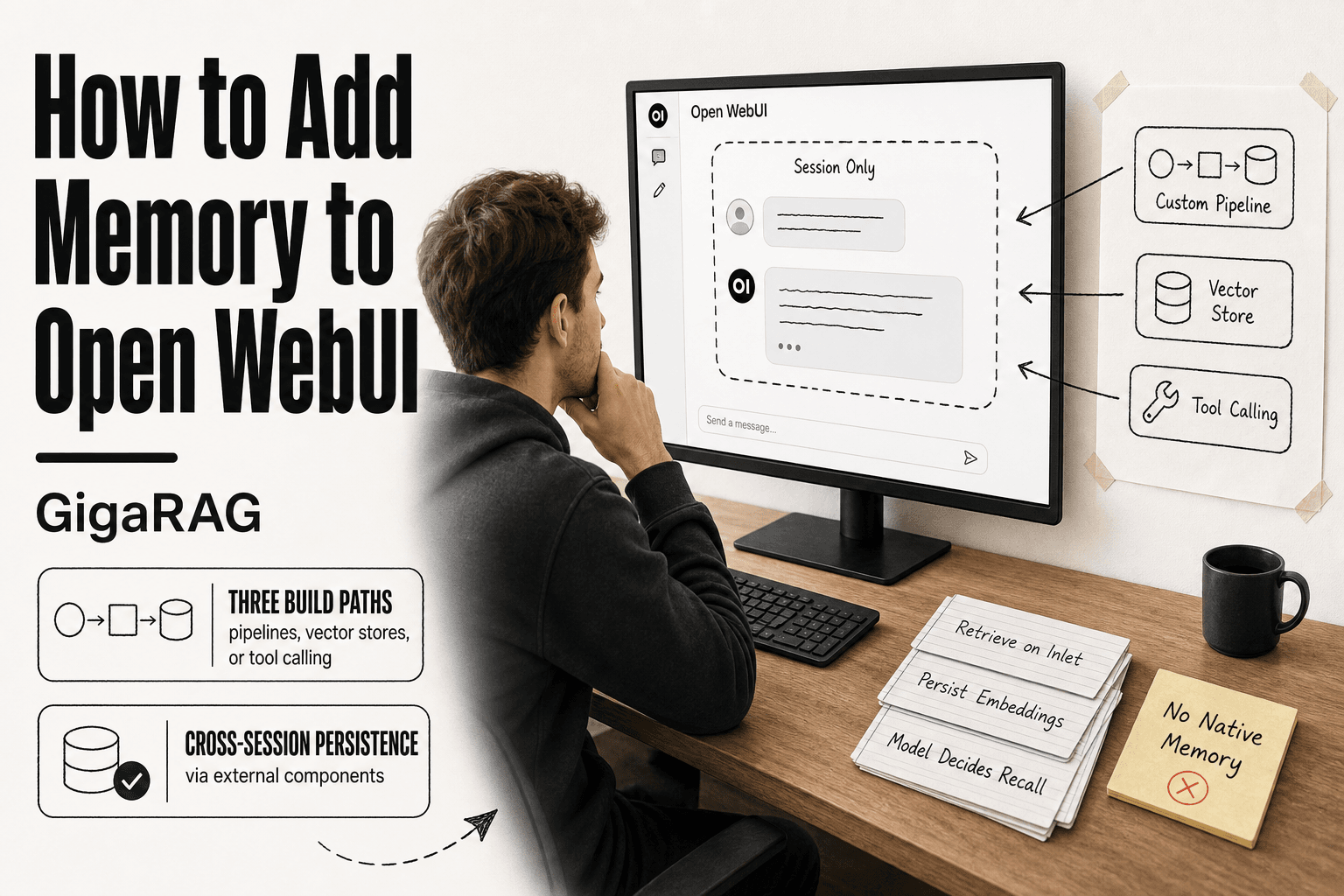
How to add memory to Open WebUI starts with a blunt fact: it doesn't ship with any. Persistent, cross-session memory is not a feature you toggle on. It's something you build, and most self-hosted developers hit that wall on day one. You're likely here because you're building agent memory or a RAG pipeline, and the scattered docs aren't telling you what actually works.
The honest answer is that "memory" in Open WebUI means bolting on external components. You have three real paths: custom pipelines that intercept and inject context, an external vector store that persists embeddings, or server-side tool calling that lets the model fetch memory as a tool. Each has tradeoffs you'll feel in latency, complexity, and what survives a restart. GigaRAG exists precisely because this gap is painful, a purpose-built memory layer for agent and RAG workloads. But you can build it yourself.
This guide covers all three methods with working code, then tells you plainly what you cannot do and which approach fits your stack.
| At a glance | Details |
|---|---|
| Native memory | No built-in persistent memory |
| Best workaround | Custom pipeline with external store |
| External store options | Vector DB, Redis, SQLite |
| Tool calling support | Yes, via server-side tools |
| Cross-session persistence | Requires custom implementation |
| RAM requirement | Varies by model and store |
In This Guide
- What Memory Means in Open WebUI (and What It Doesn't)
- Custom Pipelines vs External Memory Store vs Tool Calling
- Prerequisites for Adding Memory to Open WebUI
- How To Add Memory To Open Webui: A Step-by-Step Guide
- Method 1: Custom Pipelines for Long-Term Memory
- Method 2: Connecting an External Memory Store (Vector DB)
- Method 3: Server-Side Tool Calling for Agentic Memory
- Comparing the Three Memory Approaches
- What You Cannot Do with Open WebUI Memory
- How to Add Knowledge in Open WebUI (RAG-Style Memory)
- Troubleshooting Common Memory Issues in Open WebUI
- Final Thoughts on Adding Memory to Open WebUI
What Memory Means in Open WebUI (and What It Doesn't)
Open WebUI does not have built-in persistent memory. It keeps conversation history inside a single chat session, and that history disappears when you close the tab or start a new chat. Anything beyond that requires external components.
Session memory vs. persistent memory
Session memory is what Open WebUI gives you by default. The model sees the full message history for the current conversation, so it can refer back to things you said ten messages ago. That works fine until you hit the context window limit or start a new session.
Persistent memory is different. It means the model can recall facts, preferences, or decisions from previous sessions, days later, without you re-explaining them. Open WebUI has no native mechanism for this. The chat history is stored locally in your browser or on your server, but it is tied to that specific conversation. Start a new chat and the model remembers nothing.
What Open WebUI does out of the box
Open WebUI stores your conversation history in a local database, so you can reopen a past chat and continue it. The model will see the earlier messages as context. That is useful for picking up where you left off, but it is not memory in the sense most people mean.
You can also upload documents to a knowledge base and have the model retrieve from them. That is retrieval, not memory. The model is not remembering anything about you. It is searching a set of files you gave it.
Why you need external components for real memory
Real memory requires three things Open WebUI does not provide natively: a place to store memories outside the chat session, a way to retrieve the relevant ones at prompt time, and a mechanism to write new memories as the conversation evolves.
You can build all three. Custom pipelines can intercept prompts and inject retrieved memories. An external vector database can store embeddings of past conversations and retrieve them by similarity. Server-side tool calling can let the model decide when to save or recall something. None of it works without adding components.
The honest answer is that Open WebUI is a frontend and orchestration layer. Memory is a feature you bolt on.
[!note] Open WebUI does not have native persistent memory; any memory solution requires custom development or third-party integration.
Custom Pipelines vs External Memory Store vs Tool Calling
| Factor | Custom Pipelines | External Memory Store |
|---|---|---|
| Setup complexity | High (code + config) | Medium (DB + connector) |
| Persistence | Depends on store | Yes, if configured |
| Latency impact | Low to moderate | Moderate (network calls) |
| Maintenance | Ongoing code updates | DB maintenance required |
| Best for | Full control over logic | Scalable, shared memory |
Prerequisites for Adding Memory to Open WebUI
Before you touch a pipeline or spin up a vector database, check what you're running. Most memory failures I see come from version mismatches or a Python environment that was never set up for custom code.
Open WebUI version and installation check
You need Open WebUI 0.3.12 or later for custom pipelines to load reliably. Older versions shipped with a pipeline runner that silently dropped modules with missing dependencies, which makes debugging miserable. Check your version in the bottom-left corner of the UI, or run docker ps and look at the image tag.
If you installed via Docker, make sure you mounted a persistent volume for /app/backend/data. Without it, any memory files you write disappear when the container restarts. If you used pip, confirm you're on Python 3.10 or 3.11. Python 3.12 breaks some embedding libraries that vector store integrations depend on.
Python environment for custom pipelines
Custom pipelines run inside Open WebUI's backend, not in a separate process. That means any Python package your pipeline imports must be installed in the same environment as Open WebUI itself. For Docker installs, you'll either extend the image with a custom Dockerfile or use the PIPELINES_REQUIREMENTS environment variable to install packages at startup.
Test this early. Write a five-line pipeline that imports numpy, load it, and confirm it runs. If that fails, nothing downstream will work. Don't discover this after you've written two hundred lines of memory retrieval logic.
Choosing a memory backend (vector DB vs. simple store)
You have two realistic options. A simple store means JSON files or SQLite on disk, keyed by user or session ID. It's fast to build, has no extra infrastructure, and works fine for storing a few hundred short memories. Retrieval is exact-match or basic keyword filtering.
A vector database means Chroma, Pinecone, Weaviate, or a self-hosted option like Qdrant. You embed each memory, store the vector, and retrieve by semantic similarity. That's the right call when memories are free-form text and you need fuzzy recall. The cost is real: you're running another service, managing embeddings, and adding latency to every prompt.
Start with a simple store if you're prototyping. Move to a vector DB only when exact-match retrieval stops being enough.
[!tip] For agent memory and RAG pipelines, consider using a purpose-built memory layer like GigaRAG to avoid reinventing the wheel and to handle scaling and retrieval efficiently.
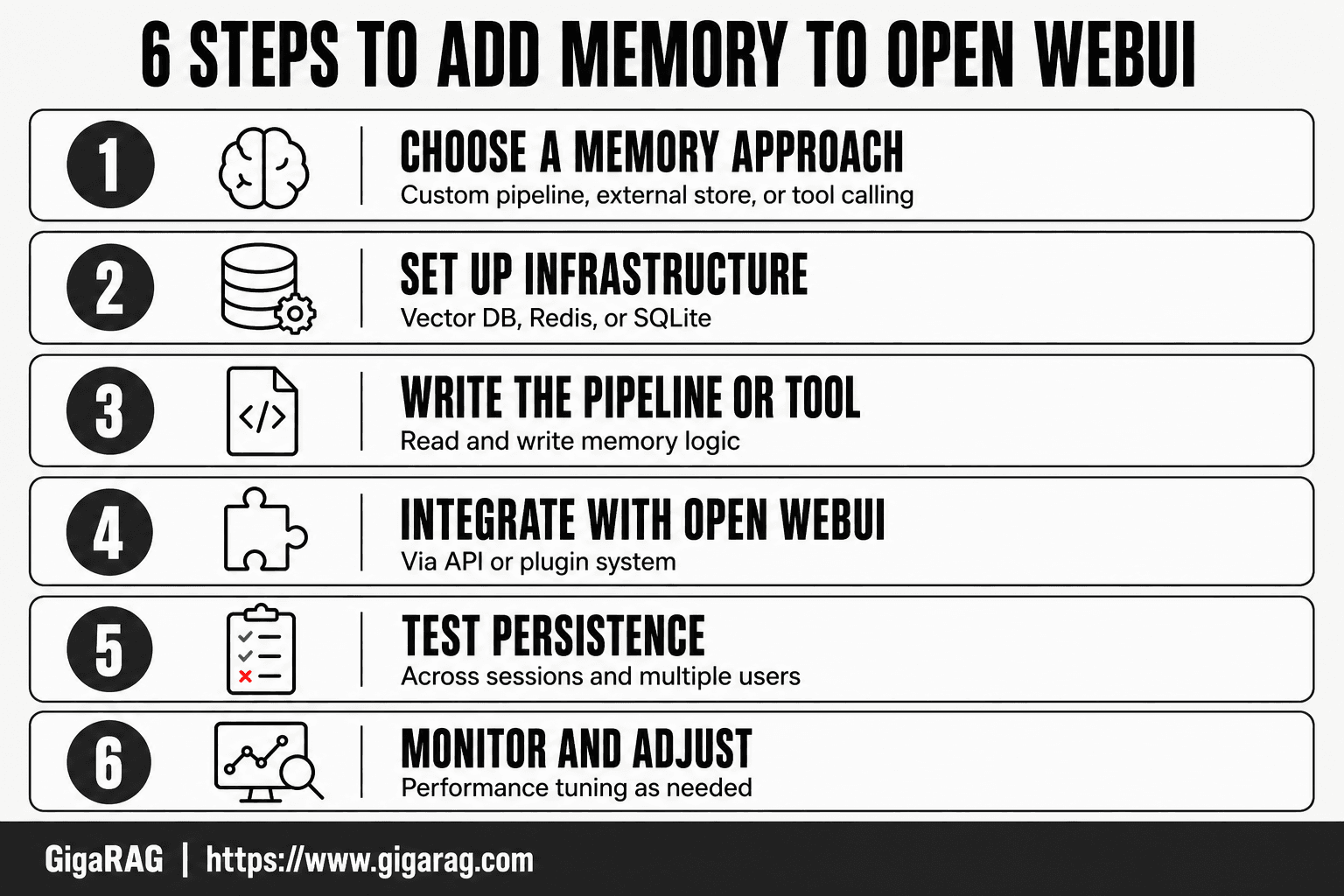
How To Add Memory To Open Webui: A Step-by-Step Guide
- Choose a memory approach: custom pipeline, external store, or tool calling.
- Set up the required infrastructure (e.g., vector DB, Redis, or SQLite).
- Write or configure the pipeline/tool to read and write memory.
- Integrate the pipeline/tool into Open WebUI via its API or plugin system.
- Test memory persistence across sessions and multiple users.
- Monitor performance and adjust as needed.
Method 1: Custom Pipelines for Long-Term Memory
Custom pipelines are the most direct way to bolt memory onto Open WebUI. You write a Python class that intercepts every prompt before it reaches the model, retrieves whatever context you've stored, and injects it into the request. No external services required.
How custom pipelines work in Open WebUI
A pipeline is a Python file in backend/open_webui/pipelines/ that defines a class inheriting from BasePipeline. Open WebUI loads it at startup and calls its methods on every request. The two methods that matter for memory are inlet and outlet. inlet runs before the model sees the prompt. outlet runs after the model responds.
For memory, you'll use inlet to pull stored context and prepend it to the user's message. Then you'll use outlet to save new information from the conversation. That's the whole loop: retrieve on the way in, store on the way out.
Step-by-step pipeline setup
Start by creating a new file in your pipelines directory. Call it memory_pipeline.py. Define your class, set the type attribute to "manifold" so Open WebUI treats it as a pipeline rather than a model, and implement inlet and outlet.
Then register the pipeline in the UI. Go to Admin Settings > Pipelines, click "Add Pipeline," and point it at your file. Restart Open WebUI. If the pipeline loads without errors, you'll see it listed in the model dropdown as a selectable option.
Make sure you test with a trivial pipeline first. A five-line class that just logs the incoming prompt. If that doesn't load, your file path or class name is wrong.
Code example: simple memory retrieval pipeline
Here's a minimal pipeline that stores conversation turns in a JSON file and injects the last five turns as context:
import json
import os
from typing import List, Optional
from open_webui.pipelines import BasePipeline

class MemoryPipeline(BasePipeline):
    type = "manifold"

    def __init__(self):
        super().__init__()
        self.memory_file = "/app/backend/data/memory.json"
        if not os.path.exists(self.memory_file):
            with open(self.memory_file, "w") as f:
                json.dump([], f)

    def inlet(self, body: dict, user: Optional[dict] = None) -> dict:
        with open(self.memory_file, "r") as f:
            memory = json.load(f)

        recent = memory[-5:] if memory else []
        context = "\n".join(recent)

        if context:
            body["messages"][0]["content"] = (
                f"Previous conversation:\n{context}\n\n"
                f"Current message: {body['messages'][0]['content']}"
            )

        return body

    def outlet(self, body: dict, user: Optional[dict] = None) -> dict:
        with open(self.memory_file, "r") as f:
            memory = json.load(f)

        user_msg = body["messages"][-2]["content"]
        assistant_msg = body["messages"][-1]["content"]
        memory.append(f"User: {user_msg}\nAssistant: {assistant_msg}")

        with open(self.memory_file, "w") as f:
            json.dump(memory[-50:], f)

        return body
This stores the last 50 turns and injects the most recent 5. It's crude, but it works. You can swap the JSON file for SQLite or a vector store without changing the pipeline structure.
Limitations of pipeline-based memory
The main catch is that this memory lives in a single file on a single server. It doesn't scale across multiple Open WebUI instances, and it doesn't survive a container rebuild unless you've mounted a persistent volume. Retrieval is exact-match or recency-based, not semantic. If the user asks about something from twenty turns ago that isn't in the last five, the pipeline won't find it.
Also, every request now pays the cost of reading and writing that file. For a single user it's negligible. For dozens of concurrent users hammering the same JSON file, you'll hit write contention. Move to SQLite or a proper database before that happens.
Method 2: Connecting an External Memory Store (Vector DB)
Pipelines give you memory that lives in a file. That's fine for a single user and a small history. The moment you want semantic retrieval, cross-session persistence that survives rebuilds, or multiple users hitting the same memory, you need a real database. A vector database is the standard answer.
Choosing a vector database
You have three practical options. Chroma is the easiest to start with: it's open source, runs in-process or as a small server, and has a Python client that's hard to get wrong. Pinecone is managed, which means you don't run anything, but you pay per month and your data lives on someone else's infrastructure. Qdrant and Weaviate sit in between: self-hostable, more setup than Chroma, better performance at scale.
For most Open WebUI memory use cases, Chroma is the right default. You're storing conversation turns and retrieved chunks, not millions of documents. Don't reach for Pinecone until you've outgrown a single Chroma instance, and you probably won't.
Setting up embeddings and storage
A vector database stores numbers, not text. You need an embedding model to convert each piece of text into a vector before you can store or query it. Open WebUI doesn't ship with one, so you'll bring your own. The common choices are sentence-transformers running locally, or an API like OpenAI's text-embedding-3-small or Cohere's embed-v3.
Here's the setup for Chroma with local embeddings:
import chromadb
from sentence_transformers import SentenceTransformer

client = chromadb.PersistentClient(path="/app/backend/data/chroma")
collection = client.get_or_create_collection("conversation_memory")
embedder = SentenceTransformer("all-MiniLM-L6-v2")

def store_turn(user_msg: str, assistant_msg: str, session_id: str):
    text = f"User: {user_msg}\nAssistant: {assistant_msg}"
    vector = embedder.encode(text).tolist()
    collection.add(
        ids=[f"{session_id}-{len(collection.get()['ids'])}"],
        embeddings=[vector],
        documents=[text],
        metadatas=[{"session_id": session_id}]
    )
The all-MiniLM-L6-v2 model is small enough to run on CPU and produces 384-dimensional vectors. Good enough for conversation memory. If you need better retrieval quality, swap in all-mpnet-base-v2 and accept the slower encode time.
Wiring the vector store into Open WebUI
The vector store doesn't talk to Open WebUI on its own. You connect them through the same pipeline mechanism from Method 1. The inlet method encodes the incoming prompt, queries Chroma for the most similar stored turns, and injects those into context. The outlet method stores the new turn.
def inlet(self, body: dict, user: Optional[dict] = None) -> dict:
    query = body["messages"][-1]["content"]
    query_vector = embedder.encode(query).tolist()
    results = collection.query(
        query_embeddings=[query_vector],
        n_results=5,
        where={"session_id": user["id"]}
    )

    if results["documents"]:
        context = "\n".join(results["documents"][0])
        body["messages"][-1]["content"] = (
            f"Relevant memory:\n{context}\n\nCurrent message: {query}"
        )

    return body
The key difference from Method 1: retrieval is semantic. The pipeline finds turns that are similar in meaning to the current question, not just the most recent five. A user can ask about something from thirty turns ago and the pipeline will pull it if the embedding is close enough.
Tradeoffs: latency, cost, complexity
This is where the honest answer gets uncomfortable. Every request now pays three costs: encoding the query, querying the vector store, and injecting the results. Local embeddings on CPU add 50 to 200 milliseconds per query. A managed embedding API adds network latency plus a per-token charge. Chroma queries are fast, usually under 10 milliseconds for a few thousand vectors, but that's still overhead on every single request.
Complexity is the bigger cost. You're now running two extra services: the embedding model and the vector database. Both need to be up before Open WebUI can serve requests. If Chroma crashes, your memory pipeline fails and every request errors out. You've traded a JSON file for infrastructure.
The payoff is real persistence. Data in Chroma survives container rebuilds as long as you mount the volume. Multiple Open WebUI instances can share one Chroma server. And retrieval quality is meaningfully better than recency-based injection. Whether that's worth the extra moving parts depends on how much you actually need semantic memory. For a single-user setup that mostly wants recent context, Method 1 is still the simpler choice.
Method 3: Server-Side Tool Calling for Agentic Memory
Tool calling flips the memory problem around. Instead of injecting memory into every request, you give the model a tool it can invoke when it decides it needs to remember something. The model controls retrieval. That's the agentic part.
How tool calling enables memory
Open WebUI supports server-side tool calling through its API. You define a tool with a name, a description, and a JSON schema for its arguments. The model sees that tool in its context. When the conversation suggests memory would help, the model emits a tool call instead of a plain text response. Your server executes the tool, returns the result, and the model continues with that result in hand.
The honest catch: this only works with models that support tool calling. Not all do. Ollama's Llama 3.1 and Mistral models handle it. Smaller or older models will ignore the tool definition entirely and just answer without memory.
Path A: full agentic loop for memory retrieval
This is the standard pattern. The model gets a remember tool and a recall tool. When the user says something worth storing, the model calls remember with the content. When a later question needs context, the model calls recall with a query, gets back stored turns, and answers using them.
The loop works like this: user message arrives, model emits a tool call, your server runs the tool, the tool result goes back to the model, the model emits either another tool call or a final answer. That round trip repeats until the model stops calling tools.
The benefit is control. The model decides what's worth remembering and when to retrieve. You don't pay retrieval cost on every request, only when the model asks for it. The cost is latency. Each tool call is an extra model round trip, and a full agentic loop can add two to five seconds to a response.
Path B: single request with memory injection
This path skips the loop. You define one tool, get_memory, that returns relevant stored context. The model calls it once at the start of a response, gets the memory, and answers in the same turn. No repeated round trips.
In practice, this is closer to Method 1 than to a true agent. The model still decides when to call the tool, but the retrieval happens once and the answer follows immediately. Latency is lower than Path A, usually one extra round trip. The tradeoff is that the model can't chain multiple memory operations, like recalling something, deciding it needs more, and recalling again.
Code example: memory tool definition
Here's a minimal tool definition for Open WebUI's server-side tool calling:
memory_tool = {
    "type": "function",
    "function": {
        "name": "recall_memory",
        "description": "Retrieve stored conversation turns relevant to the current query.",
        "parameters": {
            "type": "object",
            "properties": {
                "query": {
                    "type": "string",
                    "description": "The search query for memory retrieval."
                }
            },
            "required": ["query"]
        }
    }
}
Your server handles the recall_memory call by querying whatever store you built in Method 1 or 2, then returns the results to the model. The tool definition is thin. The memory logic lives in your handler, same as with pipelines.
Tool calling makes sense when you want the model to decide when memory matters. It's the right fit for agentic workflows where retrieval on every request would be wasteful. For straightforward chat with persistent context, Method 1 or 2 is simpler and faster.
Comparing the Three Memory Approaches
You've now seen three ways to bolt memory onto Open WebUI. They solve different problems, and picking wrong costs you time you won't get back. Here's the direct comparison.
Persistence and cross-session behavior
Custom pipelines persist only if you wire them to a store. The pipeline itself is stateless. It runs, retrieves, injects, and forgets. If your retrieval function reads from a JSON file on disk, memory survives restarts. If it reads from an in-memory dict, it dies with the process.
External vector stores are the only approach with real persistence built in. Chroma, Pinecone, or a self-hosted option like Qdrant keeps embeddings on disk or in a managed service. Cross-session memory works as long as the store is up. That's the whole point of the method.
Tool calling inherits whatever store sits behind the tool. Path A and Path B don't add persistence on their own. They add decision-making. The model chooses when to read or write, but the storage layer is still yours to build.
Complexity and maintenance
Pipelines are the simplest to start. One Python file, one function, done. Maintenance is low until your retrieval logic grows. Then you're debugging prompt injection and context assembly by hand.
Vector stores add real operational overhead. You run a database, manage embeddings, handle schema changes, and pay for storage. Self-hosted means updates and backups. Managed means a bill.
Tool calling sits in the middle. The tool definition is trivial. The handler is the same code you'd write for a pipeline. The added complexity is model behavior: you now debug why the model didn't call the tool, or called it with a bad query.
Latency and performance
Pipelines add one retrieval step before the model runs. If retrieval is a local file read or a fast vector query, that's tens of milliseconds. Negligible.
Vector stores add network round trips. A remote Pinecone query can add 100 to 300 milliseconds. Local Chroma is faster but still slower than a file read. Embedding generation adds more, especially on CPU.
Tool calling is the slowest. Path A adds two to five seconds for a full agentic loop. Path B adds one extra round trip, usually under a second. The model's decision to call a tool is itself a generation step, and that costs time on every request where it triggers.
Best fit: RAG pipelines vs. agent memory
For RAG pipelines, use a vector store. You need queryable, persistent document chunks, and pipelines alone won't give you that without building a store anyway. Method 2 is the honest default.
For agent memory, tool calling wins when the model needs to decide what to remember. Path A fits workflows where memory retrieval is occasional and context matters. Path B fits when you want memory available but don't want the full loop.
Pipelines fit the middle: simple chat with persistent context where retrieval on every request is fine and you don't want to run a database. Start there. Move to a vector store when retrieval quality drops. Move to tool calling when the model needs control.
What You Cannot Do with Open WebUI Memory
You've seen what works. Now the part most guides skip: what doesn't. Open WebUI memory is always bolted-on, never native. That single fact explains every limitation below.
No native persistent memory
Open WebUI ships with zero cross-session memory. Close the browser tab, restart the container, and the model forgets everything. There is no toggle, no config flag, no hidden setting that turns on persistence.
What you get out of the box is a chat history stored in your browser's local storage or the server's SQLite database, depending on your setup. That's a transcript, not memory. The model can't query it. It can't retrieve relevant past exchanges. It can only see what fits in the current context window.
Every method in this guide works around that gap. Pipelines inject memory manually. Vector stores hold it externally. Tool calling lets the model fetch it. None of them change the core fact: Open WebUI itself has no memory subsystem.
Context window limits
Whatever memory you build, it still has to fit through the model's context window. That's the hard ceiling. A model with an 8k token context can hold roughly 6,000 words of combined prompt, memory, and response. A 32k model holds more, but retrieval still matters.
Inject too much memory and you crowd out the actual conversation. The model starts dropping earlier turns or ignoring your injected context entirely. There's no automatic trimming in Open WebUI. You write the retrieval logic, you decide what gets injected, and you own the consequences when it's too much.
Vector stores don't fix this. They help you pick the right chunks, but the chunks still consume tokens. Context windows are a property of the model, not the memory layer.
Why "set it and forget it" doesn't work
Memory in Open WebUI is a system you operate, not a feature you enable. Pipelines need monitoring. Vector stores need backups and embedding updates. Tool handlers need debugging when the model calls them wrong.
If you want memory that just works after a one-time setup, Open WebUI isn't that. You'll touch the retrieval code again. You'll adjust chunk sizes. You'll debug why a session didn't persist. That's the trade for self-hosting: control, and the maintenance that comes with it.
The honest answer is that Open WebUI gives you the hooks. It doesn't give you memory. What you build on those hooks is yours to run.
How to Add Knowledge in Open WebUI (RAG-Style Memory)
Adding knowledge to Open WebUI is straightforward, and it's the closest thing to memory you'll get without building a pipeline. You upload documents, Open WebUI chunks and embeds them, and the model retrieves relevant passages when you ask questions.
Uploading documents and knowledge bases
Open WebUI supports document uploads directly in the chat interface or through the Workspace. Drag in a PDF, markdown file, or text document, and Open WebUI processes it into a local vector store. You can also create named knowledge bases and assign them to specific models or chats.
The default embedding model is small and runs locally. That keeps everything self-hosted, but retrieval quality drops on technical or domain-specific text. You can swap in a better embedding model if your hardware allows it.
How knowledge retrieval differs from memory
Knowledge retrieval is stateless. The model pulls relevant chunks from your documents, but it doesn't remember what you asked last week. It doesn't learn from conversations. It doesn't build a profile of you.
Memory, by contrast, accumulates. A memory system stores facts about you and your preferences across sessions. A knowledge base stores documents. The two solve different problems, and Open WebUI's built-in knowledge feature only solves the second one.
When knowledge bases are enough
If your use case is "answer questions about my company handbook" or "summarize my research notes," a knowledge base is enough. You don't need pipelines or external vector stores. Upload the documents, point the model at them, and you're done.
The catch is that knowledge bases don't adapt. Add a new fact about yourself, and the model won't know it unless you upload a document containing it. For static reference material, that's fine. For anything that changes or accumulates, you need one of the memory methods covered earlier.
Troubleshooting Common Memory Issues in Open WebUI
Most memory failures in Open WebUI come down to four things: a pipeline that won't load, a vector store that won't connect, memory that won't persist, or a context window that overflows. Each has a specific fix.
Pipeline not loading or erroring
Check the logs first. Open WebUI writes pipeline errors to the container logs, and the message usually names the problem: a missing import, a syntax error, or a version mismatch.
The most common cause is a Python dependency that isn't installed in the pipeline environment. If your pipeline imports chromadb or sentence-transformers and the container doesn't have them, the pipeline fails silently or throws an import error. Install the dependency inside the Open WebUI container, then restart the pipeline from the admin panel.
Also confirm the pipeline file is in the right directory and that the filename matches the pipeline ID. A typo in either place means Open WebUI can't find it.
Vector store connection failures
Connection failures usually mean one of three things: wrong host or port, wrong API key, or the vector store isn't running.
Test the connection outside Open WebUI first. If you're using Chroma, hit the health endpoint from the host machine. If that works, check the connection string in your pipeline. A trailing slash or a missing protocol breaks the connection.
For cloud vector stores like Pinecone, verify the API key and environment name. Keys expire or get rotated, and Open WebUI won't tell you why the connection failed. It just returns an empty retrieval result.
Memory not persisting across sessions
If memory works within a session but disappears when you start a new chat, you're storing it in the wrong place. In-memory stores like a Python dictionary or a list reset when the pipeline reloads.
The fix is to write memory to disk or to an external store. Use SQLite, a JSON file, or a vector database. Anything that survives a container restart. If you're using a vector store and memory still doesn't persist, check that you're actually calling the write operation. A retrieval-only pipeline reads memory but never adds to it.
Context window overflow
When the model starts forgetting things mid-conversation or the response gets cut off, you've hit the context limit. The fix isn't more memory. It's less context.
Trim what you inject. Instead of stuffing the full conversation history into every prompt, retrieve only the most relevant chunks. Cap the number of retrieved items. Summarize older turns instead of passing them verbatim.
If you're using a pipeline, add a token counter and truncate before you hit the model's limit. The model can't manage its own context. You have to.
Final Thoughts on Adding Memory to Open WebUI
The three methods cover different ground. Custom pipelines give you control over retrieval and injection, but you own the code. External vector stores give you persistence, but you pay for it in setup and latency. Tool calling gives you agentic memory, but it depends on the model calling the right tool at the right time.
None of them are native. Open WebUI memory is always bolted-on, and that's the honest truth. The platform gives you a clean interface and a solid API surface, but it doesn't ship with a memory layer. You build it, wire it, and maintain it.
The good news is that bolted-on memory works. Plenty of self-hosted stacks run pipelines or vector stores in production without issue. The catch is that you're now maintaining two systems: Open WebUI and whatever memory layer you've attached to it.
If you're building agent memory or RAG pipelines and want something purpose-built, GigaRAG handles the memory layer for you. It's designed for exactly this use case, not retrofitted onto a chat interface. That's not a knock on Open WebUI. It's just a different job.
Whatever route you choose, start small. Get one method working end to end before you add complexity. Knowing how to add memory to Open WebUI is less about picking the perfect tool and more about understanding what each approach actually costs you.
Frequently Asked Questions
Does Open WebUI have memory?
No, Open WebUI does not have built-in persistent memory. It maintains conversation context within a session but does not store or recall information across sessions by default. You need to implement custom solutions for cross-session memory.
How much RAM does Open WebUI need?
RAM requirements depend on the language model you run and any additional services like vector databases. For the Open WebUI interface alone, a few gigabytes may suffice, but running local models can require significantly more. Check the documentation for your specific setup.
How to add knowledge in Open WebUI?
You can add knowledge by uploading documents to Open WebUI's knowledge base, which uses RAG to retrieve relevant information during conversations. This is different from persistent memory, as it focuses on static documents rather than dynamic conversation history.
Where does Open WebUI store data?
Open WebUI stores data in a local SQLite database by default, including chat history and settings. For production, you might configure an external database like PostgreSQL. Memory implementations may use separate stores.
How to add memory to Open WebUI with Ollama?
Ollama itself does not provide memory; you need to integrate a memory solution with Open WebUI. This typically involves setting up a pipeline that uses an external store and connecting it to Open WebUI's API, while Ollama serves the model.
Is there a Reddit solution for Open WebUI memory?
Community discussions on Reddit often suggest custom pipelines or using vector databases like Chroma or Pinecone. However, these are not official and require technical implementation. Always verify the latest approaches in the Open WebUI community.
About GigaRAG
GigaRAG is for agent memory and RAG pipeline builders. get this right. Whether you are working through How to add memory to Open WebUI or something adjacent, we publish what we have actually tested, including where it falls short.


