How to Add Memory to Qwen Chat
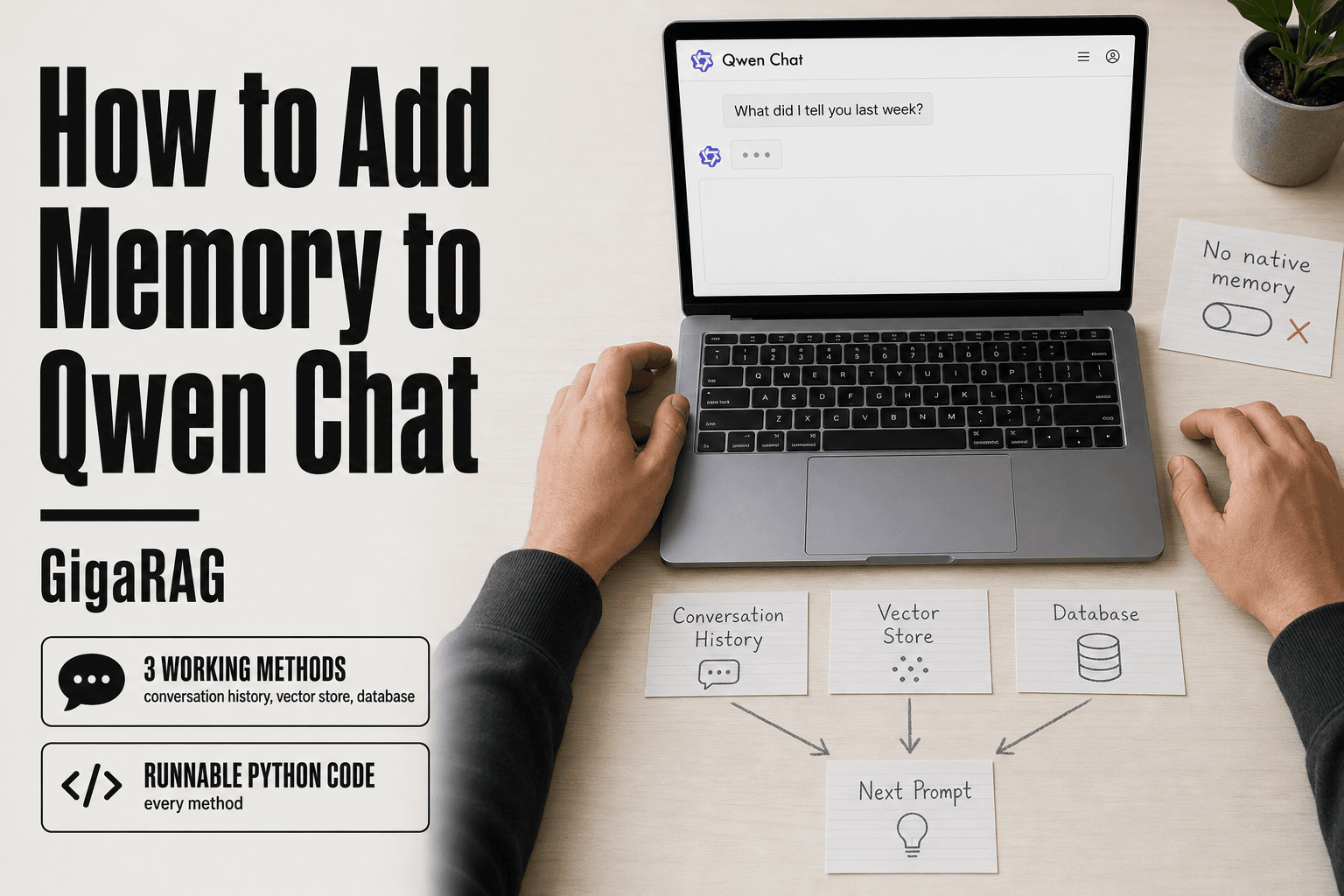
How to add memory to Qwen Chat is not covered anywhere in the official docs, and that's exactly the problem if you're an agent builder trying to ship a multi-turn assistant. Qwen Chat forgets everything between sessions. Send a question, get an answer, and the next message starts from zero. The context window is the only thing holding the conversation together, and once you hit that limit, the model loses the thread entirely. Most tutorials either skip the implementation or point you to framework docs that assume you already know how memory works. The honest answer is that Qwen Chat has no native persistent memory, so you have to build it yourself. GigaRAG handles this for agent pipelines, but if you want to see what's actually happening under the hood, this guide covers three working methods: conversation history injection, vector store memory, and database-backed persistence, each with runnable code and the limitations you'll hit in production.
| At a glance | Details |
|---|---|
| Native persistent memory | Not available in Qwen Chat |
| Workaround | Conversation history + vector store |
| Context window | Limited; truncation required |
| Best for agents | External memory with RAG |
| Code needed | Yes, Python examples |
| Main limitation | No cross-session memory natively |
In This Guide
- What Does "Memory" Mean for Qwen Chat?
- Conversation History vs Vector Store Memory
- Prerequisites: What You Need Before Adding Memory
- How To Add Memory To Qwen Chat: A Step-by-Step Guide
- Method 1: Adding Memory to Qwen Chat with Conversation History
- Method 2: Vector Store Memory for Long-Term Recall
- Method 3: External Persistent Memory with a Database
- Integrating Qwen Chat Memory with a RAG Pipeline
- What You Cannot Do: Limitations of Qwen Chat Memory
- Troubleshooting Common Memory Issues in Qwen Chat
- Final Thoughts on Adding Memory to Qwen Chat
What Does "Memory" Mean for Qwen Chat?
Memory in Qwen Chat means anything you store outside the model's weights and feed back into a later request. The model itself is stateless. Every API call starts blank. If you want it to remember your name, a past decision, or a document you shared last week, you have to save that somewhere and re-send it.
That "somewhere" is the whole game. Builders use three distinct mechanisms, and they solve different problems. Mixing them up is the most common mistake I see.
Conversation history (short-term memory)
This is the simplest form: you keep a running list of user and assistant messages in your code, then append that list to every new request. The model reads the transcript and responds as if the conversation never paused.
It works fine for a single session. It breaks the moment your process restarts, because the list lives only in RAM. It also costs tokens on every call, since you re-send the entire history each time.
Vector store memory (long-term semantic memory)
Instead of storing raw text, you embed each message or fact into a vector and store it in a database like Chroma or Pinecone. At query time, you search for the most similar past content and inject only those results.
This is memory by meaning, not by sequence. You can ask "what did I say about pricing last month" and get the relevant snippet back without re-sending 4,000 messages. The trade-off: you need an embedding model, a vector database, and a retrieval step before every call.
External persistent memory (database-backed)
This is the durable version of conversation history. You write messages, user facts, and session metadata to SQLite or PostgreSQL. On a new session, you load the relevant rows and inject them into the prompt.
It survives restarts and server reboots. It's also the most work to build, because you decide the schema, the write triggers, and the loading logic yourself.
[!note] Qwen Chat does not have built-in persistent memory; any memory implementation requires external code and storage. Context window limits mean you cannot keep all history in the prompt indefinitely.
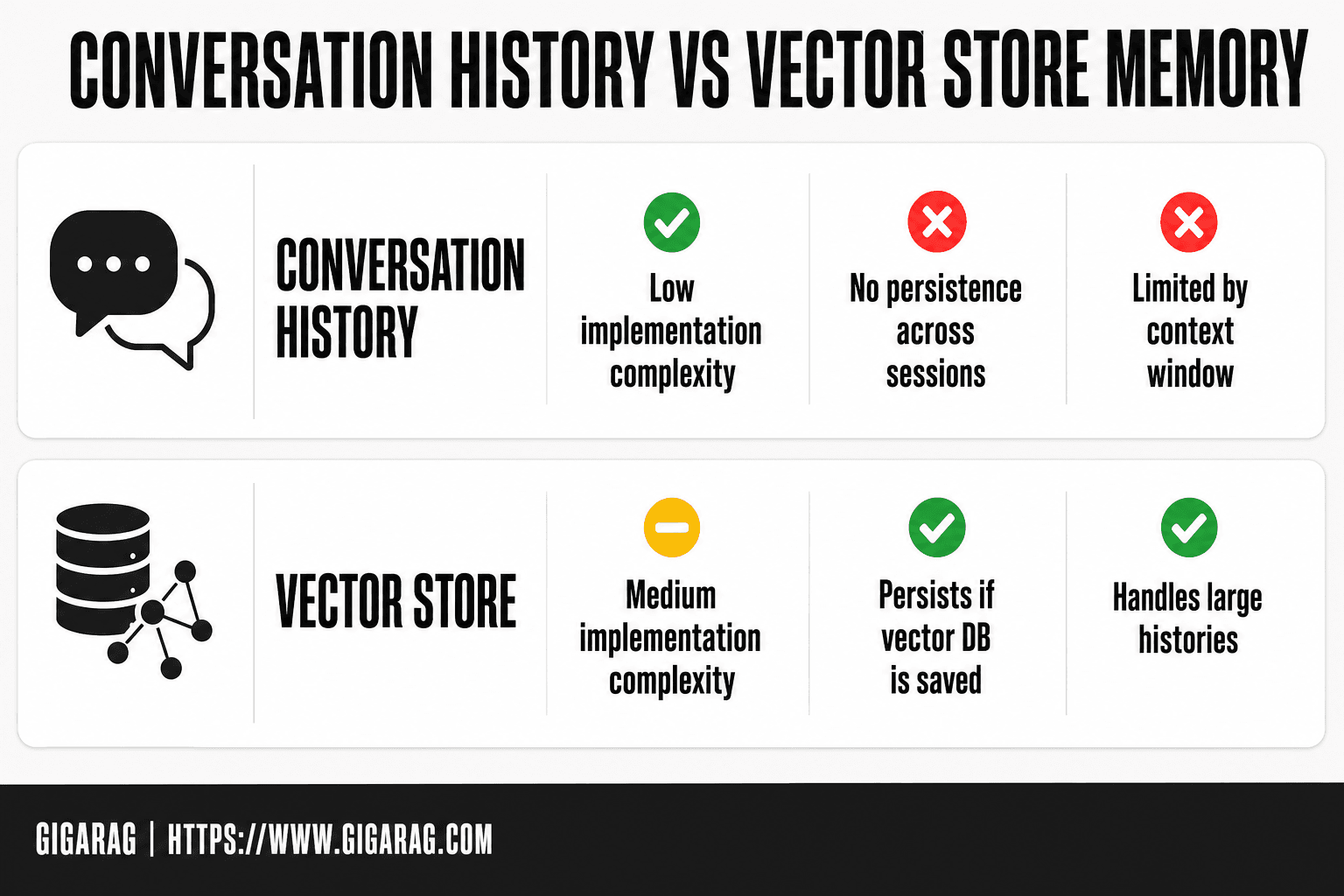
Conversation History vs Vector Store Memory
| Factor | Conversation History | Vector Store |
|---|---|---|
| Implementation complexity | Low: append messages to list | Medium: embed, index, retrieve |
| Persistence across sessions | No (unless saved externally) | Yes (if vector DB persisted) |
| Scalability | Limited by context window | Handles large histories |
| Retrieval accuracy | Exact recent context | Semantic similarity search |
| Best use case | Short multi-turn chats | Long-term knowledge retention |
Prerequisites: What You Need Before Adding Memory
You don't need much to start. A Qwen API key, Python 3.9 or newer, and a place to store state. Everything else depends on which memory method you pick.
Qwen API access and authentication
Sign up at the Alibaba Cloud Model Studio or DashScope console, enable Qwen, and generate an API key. Keep that key in an environment variable, not in your code. The standard pattern:
import os
from openai import OpenAI

client = OpenAI(
    api_key=os.getenv("DASHSCOPE_API_KEY"),
    base_url="https://dashscope.aliyuncs.com/compatible-mode/v1",
)
Qwen's API is OpenAI-compatible, so the same client library works. You'll need the key for every call, including embedding calls if you go the vector store route.
Python environment setup
Create a virtual environment and install what you need. For conversation history memory, that's just openai. For vector store memory, add chromadb and an embedding library like sentence-transformers. For persistent memory, add sqlite3 (built in) or psycopg2 for PostgreSQL.
python -m venv qwen-memory
source qwen-memory/bin/activate
pip install openai chromadb sentence-transformers
That's the whole setup for most use cases. No framework required.
Optional: vector database choice
You only need this if you're building long-term semantic memory. Chroma runs locally and is free, which makes it the right starting point. Pinecone is managed and handles scale, but you pay for it. For a single-agent project, Chroma is enough. Don't reach for Pinecone until retrieval latency or data volume forces you to.
[!tip] For agent builders, store memory in a vector database like Chroma or Pinecone and retrieve only the most relevant past interactions to stay within token limits. Use metadata filtering to separate memory from other RAG documents.
How To Add Memory To Qwen Chat: A Step-by-Step Guide
- Choose a memory approach: conversation history for short-term, vector store for long-term.
- For conversation history, maintain a list of messages and pass it to the Qwen Chat API each turn.
- For vector store, embed past messages using an embedding model and store in a vector database.
- On each new query, retrieve relevant past messages via similarity search and prepend to the prompt.
- Integrate with RAG by combining retrieved documents and memory into the context.
- Handle context window limits by truncating or summarizing older messages.
- Test and iterate: monitor response quality and adjust retrieval parameters.
Method 1: Adding Memory to Qwen Chat with Conversation History
The simplest memory you can build is a list. You store every user message and assistant response, then send that list back with each new API call. Qwen doesn't keep this for you. You maintain it in your own code.
How conversation history works in Qwen Chat
Qwen's chat API is stateless. Each request stands alone. The model has no idea what you said five minutes ago unless you include it in the messages array. That array is your memory. You append each turn to it, and on the next call you send the whole thing.
Here's what happens behind the scenes. You send a list of message objects, each with a role ("user" or "assistant") and content. The model reads them in order and responds as if the conversation had been continuous. Nothing is stored server-side between calls. If your script exits, the memory is gone.
The good news is this works with zero extra infrastructure. A Python list is all you need.
Code example: storing and injecting history
Start with an empty list. Append after every turn. Send the full list each time.
import os
from openai import OpenAI

client = OpenAI(
    api_key=os.getenv("DASHSCOPE_API_KEY"),
    base_url="https://dashscope.aliyuncs.com/compatible-mode/v1",
)

messages = []

def chat(user_input):
    messages.append({"role": "user", "content": user_input})
    response = client.chat.completions.create(
        model="qwen-plus",
        messages=messages,
    )
    reply = response.choices[0].message.content
    messages.append({"role": "assistant", "content": reply})
    return reply

print(chat("My name is Sam."))
print(chat("What's my name?"))
The second call returns "Sam" because the first exchange is in messages. That's the entire mechanism. No hidden state, no framework.
Limitations of conversation history memory
This approach breaks down fast. Every call resends the full history, so token costs grow linearly. A 20-turn conversation might be 4,000 tokens before you add the new prompt. Qwen's context window is finite, and once you hit it, the API rejects the request or truncates older messages.
It also doesn't persist. Restart the script and messages is empty. And it's not selective: the model gets everything, including irrelevant tangents from ten turns ago. For short sessions, that's fine. For anything longer, you'll hit the ceiling and need the vector store approach in the next section.
Method 2: Vector Store Memory for Long-Term Recall
Conversation history works until it doesn't. The moment your session outgrows the context window, or you want the model to recall something from three weeks ago, a raw list stops being useful. You need memory that stores meaning, not just text. That's what a vector store gives you.
Why vector stores beat raw history
A vector store turns each conversation turn into an embedding: a list of numbers that captures what the text means. Similar meanings land close together in vector space. When you ask a new question, you embed that question too, then pull out the past turns whose vectors sit nearest. You send only those relevant turns, not the entire history.
The payoff is selectivity. Instead of cramming 50 turns into every request, you retrieve the three that actually matter. Token costs stay flat. The context window stops being a hard limit on how much your agent can remember. And memory survives restarts, because the vectors live in a database on disk, not in a Python list.
The trade-off is setup. You need an embedding model and a vector database. Neither is free to run, and retrieval is approximate. Sometimes the wrong memory comes back. For long-running agents, that's a better failure mode than running out of context entirely.
Code example: embedding and storing conversations
Here's a minimal setup using Chroma, an embedded vector database that runs locally, and Qwen's embedding endpoint.
import os
import chromadb
from openai import OpenAI

client = OpenAI(
    api_key=os.getenv("DASHSCOPE_API_KEY"),
    base_url="https://dashscope.aliyuncs.com/compatible-mode/v1",
)

chroma_client = chromadb.PersistentClient(path="./memory_db")
collection = chroma_client.get_or_create_collection("qwen_memory")

def embed(text):
    response = client.embeddings.create(
        model="text-embedding-v3",
        input=text,
    )
    return response.data[0].embedding

def store_memory(role, content, turn_id):
    vector = embed(content)
    collection.add(
        ids=[turn_id],
        embeddings=[vector],
        metadatas=[{"role": role, "content": content}],
    )
Every turn gets embedded and stored with its role and text as metadata. The turn_id is just a counter or timestamp you generate. Nothing fancy.
Retrieving relevant memory at query time
When the user asks something new, embed the query, search the collection, and inject only the top matches into the prompt.
def retrieve_memory(query, n_results=3):
    query_vector = embed(query)
    results = collection.query(
        query_embeddings=[query_vector],
        n_results=n_results,
    )
    memories = []
    for i in range(len(results["ids"][0])):
        meta = results["metadatas"][0][i]
        memories.append(f"{meta['role']}: {meta['content']}")
    return memories

def chat_with_memory(user_input):
    memories = retrieve_memory(user_input)
    context = "\n".join(memories)
    prompt = f"Relevant past conversation:\n{context}\n\nUser: {user_input}"
    response = client.chat.completions.create(
        model="qwen-plus",
        messages=[{"role": "user", "content": prompt}],
    )
    reply = response.choices[0].message.content
    store_memory("user", user_input, f"turn_{len(collection.get()['ids'])}")
    store_memory("assistant", reply, f"turn_{len(collection.get()['ids']) + 1}")
    return reply
The model sees three relevant past turns instead of fifty irrelevant ones. That's the whole mechanism. You control how many memories come back by changing n_results. More context means better recall but higher token cost. Three is a reasonable default for most agent workloads.
The main catch is that retrieval quality depends entirely on your embedding model. If embeddings are weak, the wrong memories surface and the model gets confused. Test with your actual conversation data before trusting it in production.
Method 3: External Persistent Memory with a Database
Vector stores handle semantic recall. But sometimes you need exact memory: the user's name, their preferred output format, the project ID they mentioned last Tuesday. Embeddings are fuzzy. A database is not. When you need to retrieve a specific fact verbatim, or you want memory that survives a server reboot without any embedding model in the loop, a plain database is the right tool.
When you need persistent memory
You need a database when memory must be exact, structured, or shared across multiple agents. Conversation history lives in memory and dies with the process. Vector stores retrieve meaning, not facts. A database gives you a single source of truth: user preferences, session metadata, key decisions, anything you'd query with SQL rather than similarity search.
The cost is that you write the schema and the queries yourself. There's no retrieval magic. You decide what gets stored, when it gets read, and how it gets injected into the prompt. That's more work, but it's also full control.
Database schema for chat memory
SQLite is enough for most single-agent use cases. PostgreSQL makes sense when multiple agents or services read and write the same memory. Here's a minimal schema that works for either.
CREATE TABLE memories (
    id INTEGER PRIMARY KEY AUTOINCREMENT,
    user_id TEXT NOT NULL,
    session_id TEXT NOT NULL,
    key TEXT NOT NULL,
    value TEXT NOT NULL,
    created_at TIMESTAMP DEFAULT CURRENT_TIMESTAMP,
    updated_at TIMESTAMP DEFAULT CURRENT_TIMESTAMP,
    UNIQUE(user_id, key)
);

CREATE TABLE conversation_log (
    id INTEGER PRIMARY KEY AUTOINCREMENT,
    user_id TEXT NOT NULL,
    session_id TEXT NOT NULL,
    role TEXT NOT NULL,
    content TEXT NOT NULL,
    created_at TIMESTAMP DEFAULT CURRENT_TIMESTAMP
);
The memories table stores key-value facts per user. The conversation_log table stores the full transcript. You can rebuild context from the log, or pull specific facts from memories. The UNIQUE(user_id, key) constraint means updating a preference overwrites the old value instead of creating duplicates.
Code example: saving and loading memory
Here's the read/write layer using Python's built-in sqlite3 module.
import sqlite3

conn = sqlite3.connect("qwen_memory.db")
conn.execute("PRAGMA journal_mode=WAL")

def save_memory(user_id, key, value):
    conn.execute(
        """INSERT INTO memories (user_id, key, value, updated_at)
           VALUES (?, ?, ?, CURRENT_TIMESTAMP)
           ON CONFLICT(user_id, key)
           DO UPDATE SET value = excluded.value,
                         updated_at = CURRENT_TIMESTAMP""",
        (user_id, key, value),
    )
    conn.commit()

def load_memory(user_id, key):
    row = conn.execute(
        "SELECT value FROM memories WHERE user_id = ? AND key = ?",
        (user_id, key),
    ).fetchone()
    return row[0] if row else None

def log_turn(user_id, session_id, role, content):
    conn.execute(
        "INSERT INTO conversation_log (user_id, session_id, role, content) VALUES (?, ?, ?, ?)",
        (user_id, session_id, role, content),
    )
    conn.commit()
In practice, you call save_memory when the user states a preference, and load_memory at the start of each session to inject those facts into the system prompt. The conversation log gives you a fallback: if the vector store misses something, you can query the raw transcript directly.
The main catch is that this approach doesn't scale to thousands of users without tuning. SQLite handles concurrent reads fine, but writes serialize. If you're building a multi-tenant agent, start with PostgreSQL and add indexes on user_id and session_id before you need them.
Integrating Qwen Chat Memory with a RAG Pipeline
Memory and retrieval solve different problems. Retrieval finds relevant documents. Memory tracks what the user already said. A RAG pipeline that only does retrieval will re-ask questions the user answered three turns ago. A pipeline that only does memory will hallucinate facts it never retrieved. You need both.
How memory complements retrieval
Retrieval answers "what does the knowledge base say about X?" Memory answers "what does this user already know, prefer, or need?" When you combine them, the model gets two grounding sources: the retrieved documents for factual accuracy, and the conversation history for continuity and personalization.
The honest answer is that memory doesn't improve retrieval quality. It improves response quality. A retrieved document about API pricing is more useful when the model also knows the user is on the free tier and asked about rate limits last week. The retrieval stays the same. The response gets sharper.
Combining retrieved context with conversation history
The pattern is straightforward: retrieve documents, pull relevant memory, then inject both into the prompt with clear labels. The model needs to know which text is authoritative fact and which is conversational context. Mixing them without labels causes the model to treat a user's offhand comment as ground truth.
Here's the structure that works in practice:
System: You are a helpful assistant. Use the retrieved documents
for factual claims. Use the conversation history for context
about the user. If they conflict, trust the documents.

Retrieved documents:
[chunks from vector search]

Conversation history:
[last N turns, or relevant memory from vector store]

User query: [current question]
The order matters. Documents first, then history, then the query. The model attends most to what's closest to the query, so you want the user's actual question to sit next to the retrieved facts, not buried under ten turns of chat.
Code example: memory + RAG in one prompt
Here's a complete flow that pulls from a vector store for documents, a database for user preferences, and a rolling history buffer for recent turns.
def build_rag_prompt(user_id, query, doc_store, mem_db, history, top_k=4):
    # 1. Retrieve relevant documents
    docs = doc_store.similarity_search(query, k=top_k)
    doc_text = "\n\n".join(d.page_content for d in docs)

    # 2. Load persistent user preferences
    prefs = load_memory(mem_db, user_id, "preferences") or "None"

    # 3. Format recent conversation turns
    history_text = "\n".join(
        f"{turn['role']}: {turn['content']}" for turn in history[-6:]
    )

    prompt = f"""System: You are a helpful assistant.
Use the retrieved documents for factual claims.
Use the conversation history for user context.
If they conflict, trust the documents.

User preferences:
{prefs}

Retrieved documents:
{doc_text}

Conversation history:
{history_text}

User query: {query}"""

    return prompt
The top_k=4 and history[-6:] are starting points, not rules. More documents mean more tokens and more noise. More history means more context but also more chance the model fixates on something irrelevant. Tune both against your actual queries.
The main catch is token cost. Every retrieved chunk and every history turn eats into your context window. If you're on a model with a 32k limit, four dense document chunks plus six history turns can consume 8k tokens before the model generates a single word. Trim aggressively.
What You Cannot Do: Limitations of Qwen Chat Memory
The honest answer is that Qwen Chat has no built-in persistent memory. Every method in this guide works around that gap. You're building memory on top of the API, not enabling a feature that already exists.
No native persistent memory in Qwen Chat
Qwen Chat forgets everything when a session ends. There's no toggle, no config flag, no hidden endpoint that saves state between conversations. The API treats each request as independent unless you explicitly pass history back in. If you want memory, you own the storage, the retrieval, and the injection logic.
Context window limits and token costs
Every memory approach costs tokens. Conversation history grows linearly: ten turns of chat can eat 3k to 5k tokens before the model generates anything. Vector store retrieval adds embedding costs plus the tokens for retrieved chunks. On a 32k context window, aggressive memory can consume a third of your budget before the user's actual query gets processed.
Performance trade-offs with vector stores
Vector stores add latency. Each query requires an embedding call plus a similarity search, typically 100 to 300 milliseconds before the model even starts. For streaming responses, that delay sits between the user hitting enter and the first token appearing. The trade-off is real: semantic recall improves answers, but it slows every single turn, even when the retrieved memory turns out to be irrelevant.
Troubleshooting Common Memory Issues in Qwen Chat
Memory breaks in predictable ways. Here are the three failures I see most often, and the fix for each.
Memory not persisting between sessions
You saved history to a variable, not to disk. In-memory lists die when the process exits. Write to SQLite or a JSON file after every turn. Check that your load function runs before the first API call, not after. If memory loads but the model ignores it, your injection order is wrong: history must appear in the messages array before the current user query.
Context window overflow errors
The API rejects requests when history plus query exceeds the token limit. Trim old turns before each call. Keep the last 8 to 10 exchanges, or summarize earlier turns into a 200-token digest. Don't send the full history every time.
Slow vector retrieval
Latency over 300 milliseconds usually means you're embedding on every query. Cache embeddings. Store them alongside the text. If retrieval is still slow, check your index: brute-force search over 100k vectors is the culprit. Switch to an approximate nearest neighbor index.
Final Thoughts on Adding Memory to Qwen Chat
You now have three working approaches. Conversation history is the fastest to implement and fine for short sessions. Vector store memory handles long-term semantic recall. A database gives you persistence across restarts.
Pick based on how long your sessions run. Under 20 turns, conversation history is enough. Beyond that, or when users return days later, vector store or database memory earns its complexity.
The honest answer is that all three require you to manage the plumbing: token trimming, embedding caching, schema design. If you'd rather not, GigaRAG handles persistent agent memory as a managed layer, so you add memory to Qwen Chat without writing the storage code yourself.
Frequently Asked Questions
Does Qwen Chat have built-in memory?
No, Qwen Chat does not have native persistent memory. Each session starts fresh unless you implement external memory using conversation history or a vector store.
How do I add memory to Qwen Chat?
You can add memory by maintaining a list of past messages and including them in the prompt, or by using a vector store to embed and retrieve relevant history. Both require custom code.
What is the context window limit for Qwen Chat?
The context window varies by model version; check the official documentation for the specific limit. Typically, it ranges from a few thousand to tens of thousands of tokens, so you must truncate or summarize older messages.
Can I use Qwen Chat with a vector database?
Yes, you can integrate Qwen Chat with any vector database by embedding messages and performing similarity search. This is common in RAG pipelines for long-term memory.
How does memory integrate with RAG?
Memory can be treated as another retrieval source: store past interactions in a vector store, retrieve relevant ones alongside documents, and combine them in the prompt. This gives the model both knowledge and conversational context.
Is there a way to persist memory across sessions in Qwen Chat?
Not natively. You must save conversation history or vector embeddings to an external database and reload them in new sessions. This requires custom implementation.
What are the limitations of adding memory to Qwen Chat?
Key limitations include context window constraints, the need for external storage, and potential retrieval inaccuracies. Also, Qwen Chat's API may not support all memory features out of the box.
About GigaRAG
GigaRAG is for agent memory and RAG pipeline builders. get this right. Whether you are working through How to add memory to Qwen Chat or something adjacent, we publish what we have actually tested, including where it falls short.


