How to Add Memory to Sourcegraph Cody
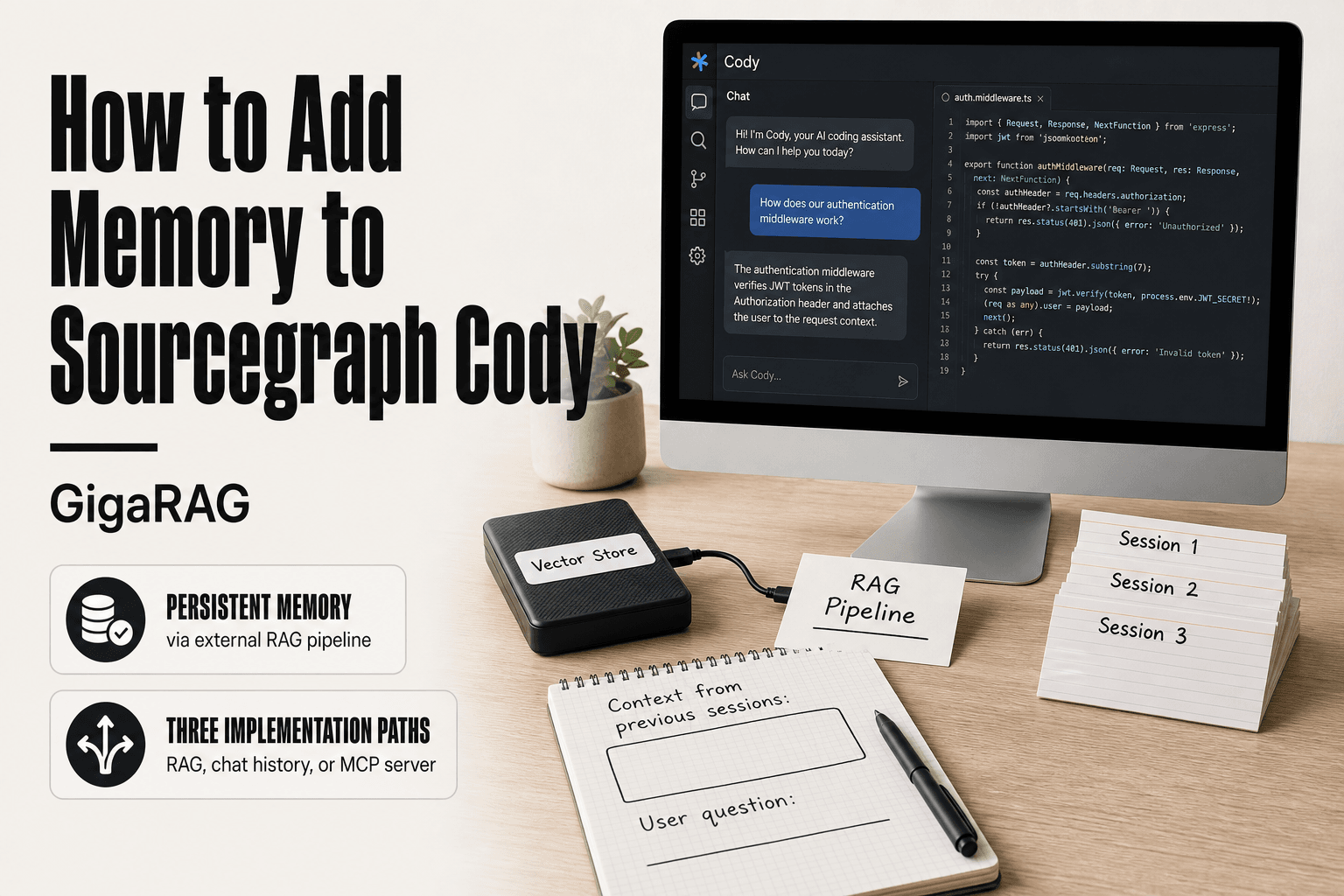
How to add memory to Sourcegraph Cody starts with an uncomfortable fact: Cody doesn't ship with persistent memory. No cross-session recall. No built-in vector store. What you get is a context window that resets, and that's it. The honest answer is that "Cody memory" is something you build, not something you enable. The good news is there are three workable paths: an external RAG pipeline that injects retrieved context into prompts, persistent chat history and session state, or an MCP server that stores and retrieves facts on demand. Each has real tradeoffs, and one of them carries a security risk most guides skip: Cody reads .env files by default, which means your memory layer can leak secrets if you're not careful. If you'd rather skip the manual setup entirely, GigaRAG handles persistent agent memory out of the box. This guide covers what Cody supports natively, three implementation approaches with copy-pasteable code, and the security steps to take before you wire anything up.
| At a glance | Details |
|---|---|
| Native memory | Cody has no built-in persistent memory across sessions |
| Workaround | Use external vector store with custom extension |
| Key limitation | Cody API is not publicly documented for memory injection |
| Security note | Avoid storing secrets in .env files read by extensions |
| Effort level | Requires intermediate Python and API skills |
| Best for | Developers building custom agent memory pipelines |
In This Guide
- What Memory Means for Sourcegraph Cody
- Cody Native Context vs External Memory Layer
- What Cody Supports Natively (And What It Doesn't)
- How To Add Memory To Sourcegraph Cody: A Step-by-Step Guide
- Approach 1: External Memory via a RAG Pipeline
- Approach 2: Persistent Chat History and Session State
- Approach 3: Using MCP Servers for Memory
- Security Implications of Adding Memory to Cody
- Common Mistakes When Adding Memory to Sourcegraph Cody
- When to Use GigaRAG Instead of Building Your Own Memory Layer
- Final Thoughts on Adding Memory to Sourcegraph Cody
What Memory Means for Sourcegraph Cody
Memory for Cody means any mechanism that lets context survive beyond a single chat turn or session. Cody ships with a context window, not a memory system. The difference matters more than most builders expect.
Session context vs. persistent memory
Session context is everything Cody can see right now: your open files, your chat history within the current conversation, and any code you've explicitly referenced. It lives in the active context window and disappears when the session ends.
Persistent memory is different. It's stored somewhere outside the context window and gets injected back in when relevant. That could be a vector database, a flat file of past conversations, or a dedicated memory server. The key distinction: persistent memory survives restarts, new chats, and even different machines.
Why Cody's default context window is not memory
Cody's context window holds tokens, not memories. When the window fills up, older context gets dropped. There's no built-in mechanism that summarizes, stores, or retrieves past context automatically. What you get is a sliding window of recent tokens.
That's a constraint, not a flaw. LLMs work this way by design. But it means anything you want Cody to remember across sessions has to be stored and re-injected by you. Cody won't do it on its own.
What agent memory and RAG pipelines require
Agent memory needs three things: a place to store facts, a way to retrieve relevant facts at query time, and a prompt structure that tells the agent when to use retrieved context. RAG pipelines handle the first two. The third is prompt engineering.
In practice, you'll store embeddings of past conversations or domain knowledge in a vector database, retrieve the top matches when a new query arrives, and inject those matches into Cody's prompt as additional context. The retrieval step is what separates memory from just dumping everything into the context window.
That's the scope. Cody gives you the model and the context window. Everything else is yours to build.
[!note] Sourcegraph Cody does not officially support persistent memory injection via its public API; any external memory solution relies on unofficial methods that may break with updates.
Cody Native Context vs External Memory Layer
| Factor | Cody Native Context | External Memory Layer |
|---|---|---|
| Persistence | Session-only, resets on restart | Persists across sessions via database |
| Setup complexity | None, works out of the box | Requires coding and infrastructure |
| Control over data | Limited to Cody's context window | Full control over storage and retrieval |
| Integration effort | No changes needed | Custom extension or API wrapper required |
| Use case | Single-session Q&A | Long-term agent memory and RAG pipelines |
What Cody Supports Natively (And What It Doesn't)
Cody's built-in context handling is narrow. You get the current session, the files you've opened, and whatever you paste in. Nothing more. Here's the full inventory.
Built-in context retention: what exists today
Cody retains context within a single chat session. Ask it about a function you showed it five messages ago, and it can still reference that function, as long as the tokens haven't been pushed out of the window. Open files stay visible. Recent edits stay visible. That's the extent of it.
The context window itself varies by model and plan. Cody Pro and Enterprise users get larger windows than free users, but the mechanism is identical: a sliding window of recent tokens. When the window fills, the oldest context drops silently. There's no warning, no summary, no fallback.
Hard limitations: no persistent cross-session memory
Cody does not store anything between sessions. Close the chat, start a new one, and Cody has no idea what you discussed an hour ago. It won't remember your project structure, your naming conventions, or the bug you were debugging. Each session starts from zero.
There's no built-in memory toggle, no memory settings panel, and no API for persisting context. Sourcegraph has not shipped a memory feature as of this writing. If you want Cody to remember something across sessions, you have to build that yourself. The approaches in the next sections cover how.
What the cody-web npm package actually provides
The cody-web npm package is a client library for interacting with Cody's chat API. It handles authentication, message sending, and response streaming. It does not provide memory.
You can use cody-web to build your own chat interface that persists history to a database, but the persistence is your code, not the package. The package gives you the transport layer. The memory layer is still yours to write. That's the honest read: cody-web is a useful building block, but it won't solve the memory problem for you.
[!tip] For developers using macOS, store API keys in the Keychain instead of .env files to prevent accidental exposure when sharing code or extensions.
How To Add Memory To Sourcegraph Cody: A Step-by-Step Guide
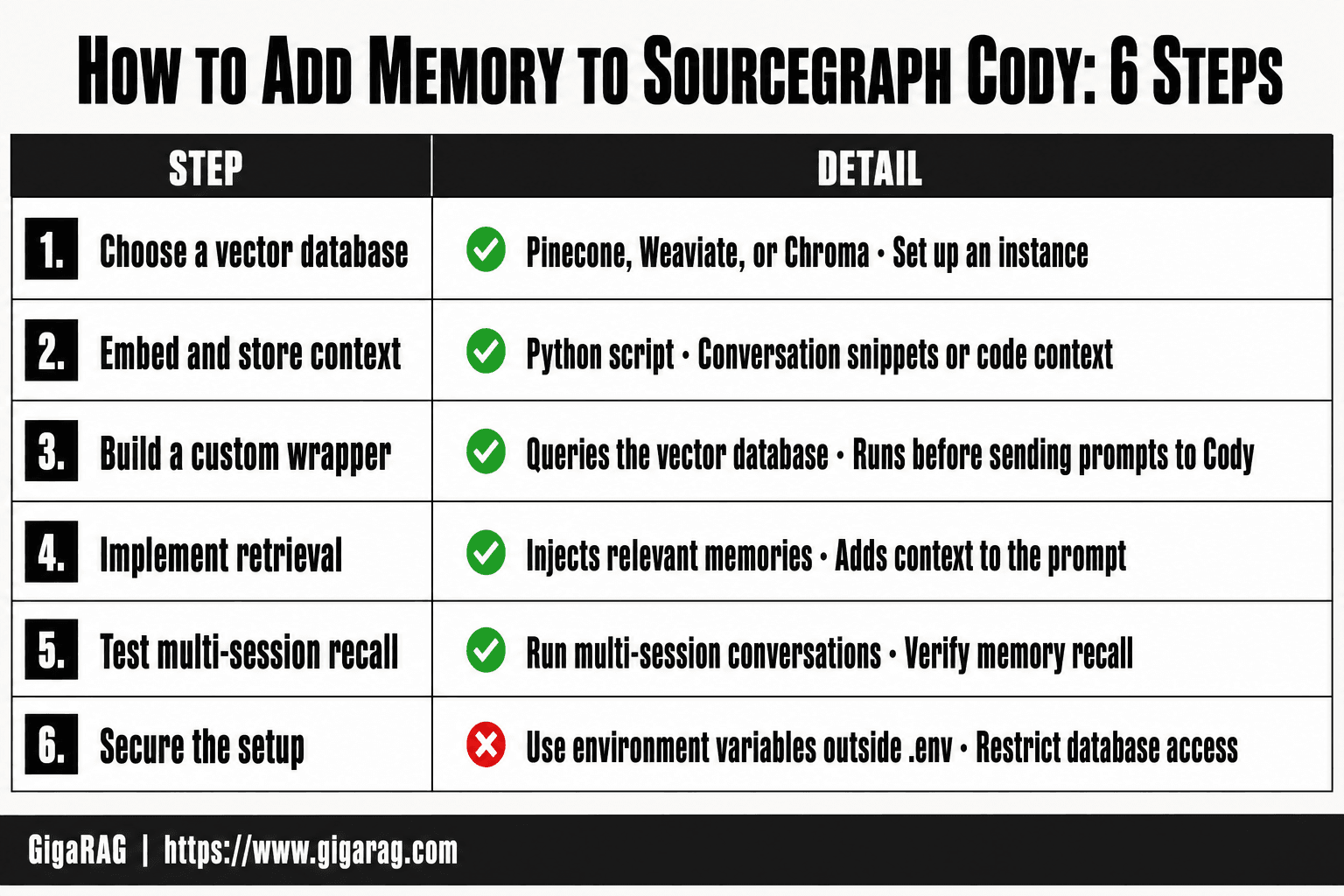
- Choose a vector database (e.g., Pinecone, Weaviate, or Chroma) and set up an instance.
- Create a Python script to embed and store conversation snippets or code context using an embedding model.
- Build a custom Cody extension or wrapper that queries the vector database before sending prompts to Cody.
- Implement a retrieval function that injects relevant memories into the prompt context.
- Test the integration by running multi-session conversations and verifying memory recall.
- Secure your setup by using environment variables outside .env files and restricting database access.
Approach 1: External Memory via a RAG Pipeline
The most direct way to give Cody memory is to stop relying on its context window entirely. Instead, you store context outside Cody, in a vector database, and retrieve it when you need it. This is a RAG pipeline: retrieval augmented generation. Cody stays the same. The memory lives elsewhere.
Architecture overview: Cody + vector database
The setup has three parts. First, a vector database holds your context as embeddings: project decisions, code patterns, bug fixes, anything you want Cody to remember. Second, a retrieval step searches that database for relevant context before you send a prompt. Third, you inject the retrieved context into Cody's prompt as plain text.
Here's why this works. Cody doesn't need to know the memory exists. It just sees a prompt that already contains the context it needs. The vector database does the remembering. Cody does the answering. You control what gets stored, what gets retrieved, and what gets injected.
The main catch is that this is not automatic. You write the retrieval logic. You decide when to store new context. You decide what counts as relevant. If you skip a retrieval step, Cody won't magically pull from the database. The pipeline is only as good as the code you write around it.
Step-by-step setup with Python
Start with a vector database. Chroma is the simplest option for local development. Pinecone and Weaviate work if you need a hosted solution. For this guide, Chroma keeps things simple: install it with pip install chromadb, and you're running locally in minutes.
Next, you need embeddings. OpenAI's text-embedding-3-small is cheap and good enough for most code context. Sentence-transformers gives you a local option if you don't want to send code to a third party. Either way, you'll write a small script that takes text, converts it to a vector, and stores it in Chroma with a metadata tag.
The retrieval side is a query. You embed the user's current question, search Chroma for the nearest vectors, and get back the most relevant stored context. Chroma handles the similarity search for you. You just set the number of results to return, usually three to five.
Code example: injecting retrieved context into Cody prompts
Here's a minimal Python script that stores context and retrieves it for injection:
import chromadb
from chromadb.utils import embedding_functions

client = chromadb.Client()
collection = client.create_collection(
    name="cody_memory",
    embedding_function=embedding_functions.DefaultEmbeddingFunction()
)

# Store context
collection.add(
    documents=["Project uses FastAPI with async endpoints. All routes return JSON."],
    metadatas=[{"type": "project_decision"}],
    ids=["decision_1"]
)

# Retrieve context for a new prompt
results = collection.query(
    query_texts=["How should I structure the API routes?"],
    n_results=3
)

retrieved_context = "\n".join(results["documents"][0])
cody_prompt = f"Context from previous sessions:\n{retrieved_context}\n\nUser question: How should I structure the API routes?"
That cody_prompt string is what you send to Cody. The retrieved context sits at the top, before the user's question. Cody reads it as part of the prompt and answers with the stored context in view.
Don't expect this to be turnkey. You'll write the storage triggers yourself: after a bug fix, after a design decision, after anything worth remembering. You'll also tune the retrieval. Three results might be too many or too few depending on your context. Test it with real prompts before you trust it.
Approach 2: Persistent Chat History and Session State
The RAG pipeline gives you memory you control. But it requires you to write retrieval logic and decide what to store. There's a simpler path if your goal is just continuity: persist Cody's chat history and session state so context survives across sessions. You're not building a memory layer. You're saving what Cody already produces.
The honest answer is that this approach is weaker than a RAG pipeline. It doesn't retrieve relevant context. It just keeps everything. That means old, irrelevant context can pile up and dilute your prompts. But for many use cases, that's fine. If you're working on one project and want Cody to remember what you discussed yesterday, persistence gets you there with far less code.
Where Cody stores session data
Cody keeps session state locally, not on Sourcegraph's servers. The exact location depends on your setup. In VS Code, Cody stores chat history in the extension's global storage directory. On Mac, that's typically under ~/Library/Application Support/Code/User/globalStorage/sourcegraph.cody-ai. On Linux, it's under ~/.config/Code/User/globalStorage/sourcegraph.cody-ai. On Windows, it's %APPDATA%\Code\User\globalStorage\sourcegraph.cody-ai.
What you'll find there is a SQLite database or JSON files containing your chat transcripts, depending on the Cody version. (verify at publish: the exact file format has changed across releases.) The key point is that this data is local and readable. That means you can back it up, copy it, and restore it.
Exporting and re-importing chat history
The simplest persistence method is manual export and import. Copy the storage directory to a backup location. When you want to restore context, copy it back. This works across machines if you're willing to move files manually.
But there's a catch. Cody doesn't automatically reload old chat history into a new session's context window. Restoring the files brings back your chat list, so you can scroll through previous conversations. It does not mean Cody will reference those conversations when answering a new prompt. You still need to either re-open the old chat or manually paste relevant context into a new prompt.
That's the limitation to be clear about. Persistence preserves the record. It doesn't make Cody consult the record unprompted.
Automating persistence with a simple script
If you want this to happen without thinking about it, a small script handles the copy. Here's a bash script that backs up Cody's storage directory on a schedule:
#!/bin/bash
SOURCE="$HOME/Library/Application Support/Code/User/globalStorage/sourcegraph.cody-ai"
BACKUP="$HOME/cody-backups/$(date +%Y-%m-%d)"
mkdir -p "$BACKUP"
cp -R "$SOURCE" "$BACKUP"
Run this with cron or launchd. You get daily snapshots of your chat history. Restore by copying the snapshot back to the original location.
Keep in mind this backs up the raw files, not a clean export. If Cody changes its storage format, your old backups may not load. Test a restore before you rely on it. And this script does nothing for cross-session context injection. It's a safety net, not a memory system.
Approach 3: Using MCP Servers for Memory
The RAG pipeline and chat persistence both work, but they're manual. You write the glue code. MCP servers flip that: the memory logic lives in a separate process, and Cody talks to it through a standard protocol. You get memory without owning every moving part.
What MCP servers are and why they matter
MCP stands for Model Context Protocol. It's an open standard that lets AI tools connect to external servers for context, tools, and data. Anthropic introduced it in late 2024. The idea is simple: instead of every AI tool building its own integrations, they all speak one protocol.
For memory, that means a dedicated MCP server can store facts, retrieve them on demand, and inject them into Cody's context. You don't modify Cody itself. You point it at a server that handles memory.
Connecting a memory MCP server to Cody
Cody supports MCP servers through its configuration. You add a server definition to Cody's settings, specifying the command to launch it and any environment variables it needs. The exact config location depends on your editor, but it's typically a JSON file in Cody's settings.
A memory MCP server exposes tools like store_fact and retrieve_facts. When Cody needs context, it calls those tools. The server handles persistence, so you don't manage a database yourself.
The main catch: MCP support in Cody is still maturing. Not every MCP server works out of the box, and you may need to test compatibility before committing.
Example: storing and retrieving facts via MCP
Here's what a minimal MCP server config looks like in Cody's settings:
{
  "mcpServers": {
    "memory": {
      "command": "npx",
      "args": ["-y", "memory-mcp-server"],
      "env": {
        "MEMORY_DIR": "~/.cody-memory"
      }
    }
  }
}
Once connected, you can tell Cody to store a fact: "Remember that our API uses port 8080." The MCP server saves it. Later, you ask Cody about the port, and it retrieves the fact from the server rather than guessing.
This is real memory, not just persistence. The server decides what's relevant and returns only that. But you're trusting the server's retrieval logic, which may not match your needs. Test it before relying on it.
Security Implications of Adding Memory to Cody
Adding memory to Cody means giving it more access to your files, your environment, and your data. That's the tradeoff. Before you wire up a RAG pipeline or point Cody at an MCP server, you need to know what it already reads by default.
The .env reading issue explained
Cody reads .env files by default. That's not a bug report from a fringe user; it's documented behavior that developers have flagged on Reddit. When Cody scans your project for context, it picks up environment files containing API keys, database credentials, and secrets. Those values can end up in the context window, which means they can end up in prompts sent to external LLM providers.
The risk isn't theoretical. If your .env holds a production database password, and Cody includes that file in its context, that password travels to whatever model backend you're using. You may not see it happen. The context injection is silent.
How memory solutions can amplify security risks
Memory makes this worse. A RAG pipeline that indexes your project files will happily index .env unless you explicitly exclude it. A memory MCP server that stores facts across sessions can persist secrets long after you've rotated them. Persistent chat history exports can capture credentials in plaintext on disk.
The core problem: memory systems are designed to retain everything. Security requires selective forgetting. Those two goals pull in opposite directions, and most DIY memory setups don't reconcile them.
Mitigations: scoping access and using environment isolation
Start by excluding .env and other secret files from any indexing or retrieval pipeline. In a RAG setup, add a filter that skips files matching .env, .env.*, *.pem, and *.key. Don't rely on the vector database to do this for you.
Use environment isolation. Run Cody in a container or a dedicated VM when you're testing memory integrations. Keep production credentials out of that environment entirely. If Cody can't see a secret, it can't leak it.
Check what your MCP server stores. Before you trust a memory server, inspect its persistence layer. If it writes plaintext JSON to disk, that's a problem. If it logs prompts, that's a bigger one. Treat any memory component as a potential data exfiltration point until you've verified otherwise.
Common Mistakes When Adding Memory to Sourcegraph Cody
You've seen the security risks. Now here's where most implementations actually break. These aren't hypothetical failures; they show up in the same places the SERP reveals: developers wiring up memory layers without checking what Cody already does, then watching context windows collapse or secrets leak.
Assuming Cody has native memory
The biggest mistake is starting from a false premise. Cody does not ship with persistent cross-session memory. If you build a memory layer on top of it assuming the base product handles retention, you'll design the wrong architecture. You'll skip the persistence step entirely, then wonder why context vanishes between sessions.
Check what Cody actually retains before you write a single line of code. Session context lives for the duration of that session. Chat history may persist locally depending on your setup, but it's not a memory system. Treat Cody as a stateless client. Your memory layer has to own state.
Ignoring token limits and context overflow
Memory systems fail when they feed too much into the context window. A RAG pipeline that retrieves 20 relevant chunks and injects all of them will blow past token limits fast. The model then truncates, and your carefully retrieved context gets dropped silently.
The fix is retrieval discipline. Cap the number of chunks you inject. Rank them by relevance score and keep only the top three to five. Measure token counts before you send the prompt. If you can't see how many tokens your memory layer is adding, you can't debug why Cody's answers degrade after a few turns.
Skipping security review of memory integrations
You read the previous section. Now apply it. The most common security failure is treating memory as a neutral storage layer. It isn't. A vector database that indexes your entire project directory will index .env files, private keys, and anything else sitting in the repo. A memory MCP server that logs prompts will capture secrets in its logs.
Before you deploy any memory integration, audit what it stores and where. Exclude secret files at the indexing layer. Check the persistence format. If the memory component writes plaintext to disk, that's a hard stop until you fix it. Security review isn't a final step; it's a precondition for turning the thing on.
When to Use GigaRAG Instead of Building Your Own Memory Layer
You've now seen three approaches, each with real setup cost. A RAG pipeline means managing a vector database, embeddings, and retrieval logic. Persistent chat history means writing export and re-import scripts. MCP servers mean configuring and maintaining another service. None of it is free.
GigaRAG exists for readers who want the outcome without the assembly. It's a purpose-built memory layer for agent and RAG pipelines, so you don't hand-roll the parts that break most often: chunking, embedding, retrieval ranking, and persistence.
What GigaRAG provides out of the box
GigaRAG handles the storage and retrieval side of memory as a managed service. You point it at your documents or conversation history, and it indexes them, embeds them, and serves relevant context back when your agent asks. The retrieval discipline I described earlier, capping chunks and ranking by relevance, is built in rather than something you script yourself.
That matters because the failure modes in the previous section come from DIY gaps. GigaRAG owns the token-counting and relevance-ranking logic, so you're less likely to silently truncate context or inject irrelevant chunks.
Comparing DIY memory vs. GigaRAG for RAG pipelines
The honest tradeoff is control versus time. A DIY pipeline gives you full control over the embedding model, the vector store, and the retrieval strategy. You can tune every parameter. You also own every bug, every migration, and every security review.
GigaRAG trades that control for speed. You get a working memory layer in hours instead of days, but you accept its defaults. If your use case needs a custom embedding model or a specific vector database, DIY still wins. If you need persistent agent memory that works today, GigaRAG is the shorter path.
Keep in mind: GigaRAG doesn't replace Cody. It sits alongside it, feeding retrieved context into your prompts the same way a hand-built pipeline would. The difference is who maintains the plumbing.
Final Thoughts on Adding Memory to Sourcegraph Cody
You have three workable paths. None of them are native, and none of them are free. A RAG pipeline gives you real retrieval but demands a vector database and embedding logic you maintain yourself. Persistent chat history is simpler but only replays old context, it doesn't understand it. MCP servers sit in between, flexible but another service to run.
The honest answer is that adding memory to Sourcegraph Cody means building a sidecar. Cody won't remember anything on its own. Whatever you choose, the memory lives outside Cody, in your scripts, your database, or your MCP server. That's the constraint to plan around before you write a line of code.
If you're already running agent memory or a RAG pipeline, the manual approaches make sense. You control the stack. If you're starting from zero, GigaRAG removes most of the assembly work while giving you the same retrieval outcome. Either way, you now know what's possible, what's not, and what it costs.
Frequently Asked Questions
Can I add persistent memory to Sourcegraph Cody?
Cody does not natively support persistent memory across sessions. However, you can build an external memory layer using a vector database and a custom extension or wrapper to simulate memory. This requires coding and may not be officially supported.
How do I add memory to Sourcegraph Cody using Python?
You can write a Python script that embeds conversation history and stores it in a vector database like Chroma or Pinecone. Then, create a custom Cody extension that queries this database and injects relevant context into prompts. This approach demands familiarity with APIs and embedding models.
Is there a way to add memory to Sourcegraph Cody on Mac?
The process is similar across platforms. On Mac, you can use the same Python-based external memory setup, but ensure you secure API keys using Keychain instead of .env files. Cody's extension system works on Mac, but unofficial methods may have limitations.
What are the security risks of adding memory to Cody?
Storing sensitive data in .env files or unsecured databases can lead to leaks. Always use secure storage for API keys and encrypt memory data. Additionally, unofficial extensions may have access to your codebase, so review permissions carefully.
Does Sourcegraph Cody have a built-in memory feature?
No, Cody does not have built-in persistent memory. It maintains context only within a single session. For long-term memory, you need to implement an external solution.
Can I use Cody with a RAG pipeline for memory?
Yes, you can integrate Cody with a RAG pipeline by using a vector database to store and retrieve relevant context. This involves building a custom layer that augments Cody's prompts with retrieved memories. It's a common approach for developers building agent memory systems.
About GigaRAG
GigaRAG is for agent memory and RAG pipeline builders. get this right. Whether you are working through How to add memory to Sourcegraph Cody or something adjacent, we publish what we have actually tested, including where it falls short.


