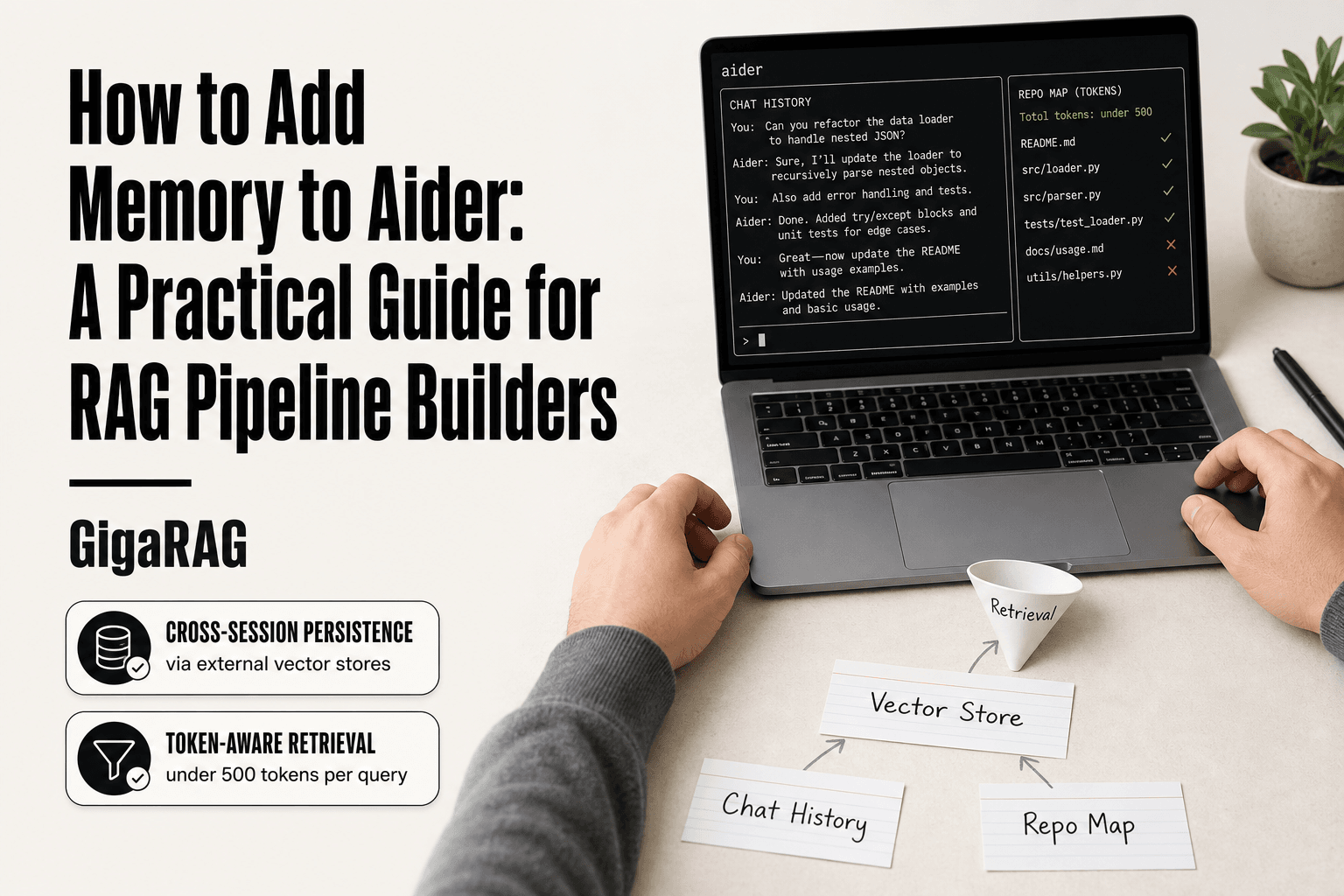
How to Add Memory to Aider: A Practical Guide for RAG Pipeline Builders
How to add memory to Aider starts with a problem most RAG builders know too well: you're 40 minutes into a session, the context window is full, and the assistant has forgotten the schema decision you made at minute 12. Chat history scrolls off. The repo map eats tokens. When you start a new session, it's gone. Aider's native memory is thin by design. Extending it means choosing between configuration tweaks, third-party MCP servers, or a full retrieval pipeline that indexes your chat history and code context into a vector store. GigaRAG is one option among several for agent memory, but it's not the only answer, and it's not always the right one. This guide covers what Aider can do natively, what third-party tools add, how to wire in a RAG pipeline, and, just as plainly, what you cannot do and what will fail in practice.
| At a glance | Details |
|---|---|
| Core limitation | Aider has no built-in persistent memory |
| Native option | CONVENTIONS.md and read-only files |
| External memory | Vector stores via MCP or custom scripts |
| Best for RAG | Retrieval-augmented context injection |
| Trade-off | Latency vs. context retention |
| Vendor solutions | GigaRAG and similar memory layers |
In This Guide
- Understanding Aider's Default Memory and Token Limits
- Native Aider Memory vs. External Memory Solutions
- Native Aider Options for Extending Memory
- How To Add Memory To Aider: A Step-by-Step Guide
- Third-Party Tools and MCP Servers for Aider Memory
- How to Add Memory to Aider with a RAG Pipeline
- Memory Architectures: Hierarchical Scoping and Temporal Versioning
- What You Cannot Do: Limitations and Failure Modes of Aider Memory
- Choosing the Right Memory Approach for Your Use Case
- Best Practices for Aider Memory Management
Understanding Aider's Default Memory and Token Limits
Aider doesn't have memory in the way a vector database does. It has a context window, and everything it "remembers" during a session has to fit inside that window. When the window fills, older content gets dropped. That's the whole story, and it explains most of the frustration people hit.
How Aider calculates token usage
Aider counts tokens across three buckets: the system prompt, the chat history, and the repo map. The system prompt is fixed overhead, roughly a few hundred tokens depending on your model and settings. Chat history grows with every message you and the model exchange. The repo map is a compressed view of your codebase that Aider rebuilds as files change.
The model never sees your raw files directly. It sees the repo map plus whatever file contents you've explicitly added to the chat with /add. So token usage isn't just "how long have we been talking." It's a running sum of conversation turns, added files, and the map.
Repo map tokens and chat history thresholds
Aider sets defaults for both. The repo map token budget is controlled by --map-tokens, and it defaults to around 1,000 tokens. The chat history threshold is controlled by --chat-history-max-tokens, which caps how much conversation Aider keeps before it starts summarizing or dropping older turns.
Here's what happens behind the scenes: when the combined tokens approach the model's context limit, Aider truncates the oldest chat messages first. It doesn't warn you loudly. It just drops them. If you asked a question twenty turns ago and expected the answer to still be there, it might not be.
Why the context window fills up
The main catch is that repo maps grow with your codebase. A small project might use 300 tokens for the map. A monorepo with hundreds of files can eat 3,000 or more before you've typed a single message. Add a long debugging session with pasted stack traces, and you're out of room fast.
In practice, most Aider users hit the limit during long refactoring sessions, not short edits. The good news is you can tune both the map budget and the history threshold. The honest answer is that tuning only buys you headroom. It doesn't add memory.
[!note] Aider does not natively support persistent memory across sessions; any cross-session memory requires external tools or custom integrations.
Native Aider Memory vs. External Memory Solutions
| Factor | Native Aider | External Memory |
|---|---|---|
| Setup complexity | Low (edit config files) | Medium to high (integrate services) |
| Persistence | Session-based only | Cross-session persistent |
| Context capacity | Limited by model window | Scalable with vector stores |
| Latency impact | Minimal | Adds retrieval overhead |
| Best for | Simple projects, quick tasks | RAG pipelines, long-term projects |
Native Aider Options for Extending Memory
Aider ships with three knobs that control how much context it keeps: repo map tokens, chat history thresholds, and configuration files. None of them add memory. They change how Aider spends the context it already has. That distinction matters before you touch anything.
Configuring repo map tokens
The repo map is Aider's compressed view of your codebase. You control its size with --map-tokens. The default is around 1,000 tokens. Raise it and Aider includes more of your repository structure in every request. Lower it and you free up room for chat history and file contents.
Start by checking what your map actually costs. Run Aider with --verbose and watch the token counts on the first request. If the map is eating 2,000 tokens in a monorepo and you only work in one subdirectory, cut it:
aider --map-tokens 500
That frees 1,500 tokens for actual conversation. The trade-off: Aider may lose track of files outside your active area, so it might suggest edits that don't account for code elsewhere.
Adjusting chat history thresholds
Chat history is the other big spender. Aider keeps a rolling window of past messages, and --chat-history-max-tokens sets the ceiling. When the window hits that ceiling, Aider summarizes older turns instead of keeping them verbatim.
The summarization is lossy. Aider compresses old exchanges into a shorter form, and details get flattened. If you're mid-debugging and need exact stack traces from twenty turns ago, they're gone.
For long sessions, raise the threshold:
aider --chat-history-max-tokens 4000
For short, focused edits, lower it. You'll get faster responses because Aider sends less history to the model each turn.
Using Aider configuration files
You don't have to pass flags every time. Aider reads a .aider.conf.yml file from your project root or home directory. Put your memory-related settings there:
map-tokens: 800
chat-history-max-tokens: 3000
Project-level config overrides home-level config, so you can set sane defaults globally and tune per repo. Check your current effective settings with /settings inside an Aider session.
Keep in mind these are budget controls, not storage. You're deciding what gets dropped and when. The dropped content doesn't come back.
[!tip] For RAG pipeline builders, start by logging Aider's context window usage to identify what gets dropped first, then target those elements for external retrieval.
How To Add Memory To Aider: A Step-by-Step Guide
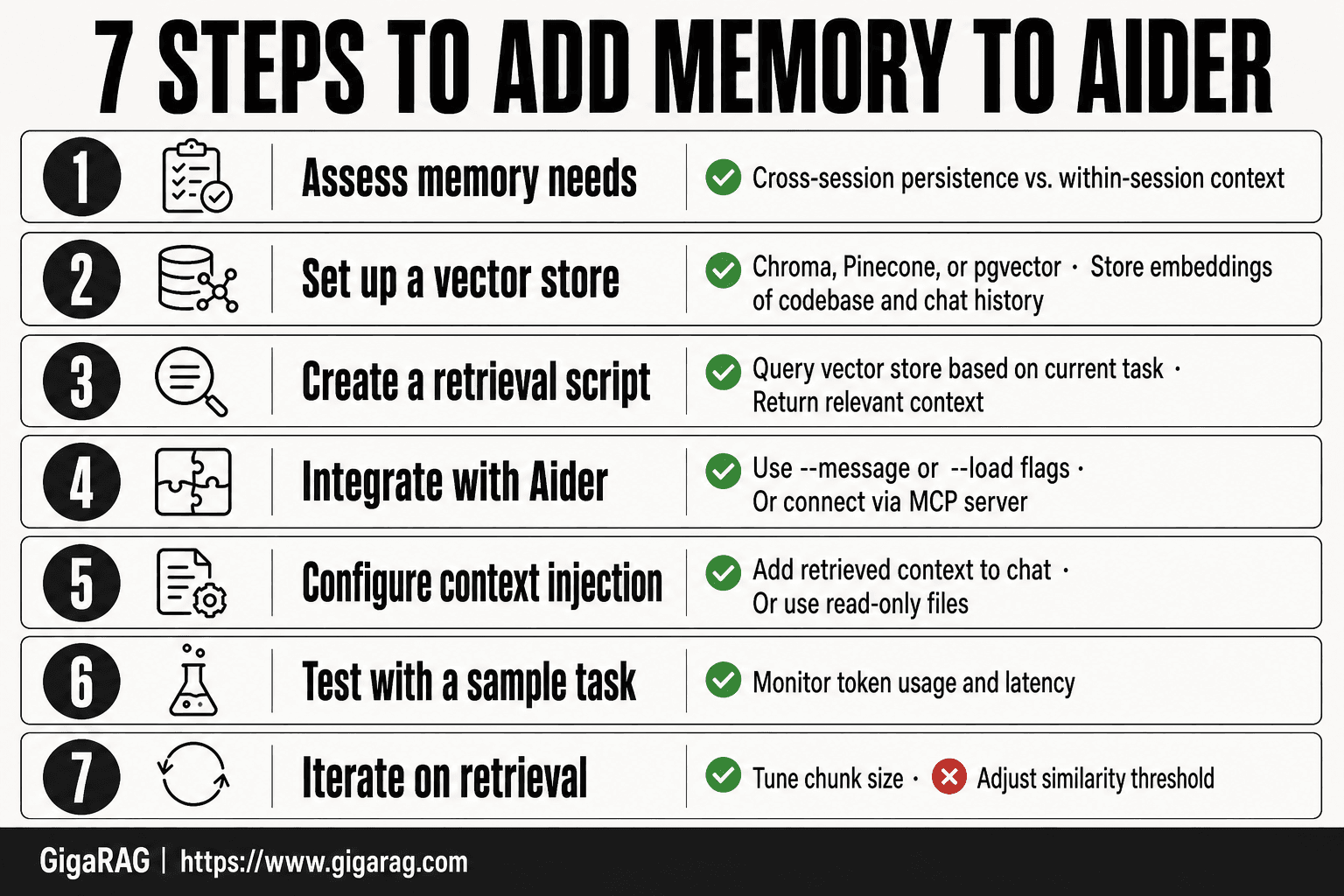
- Assess your memory needs: determine if you need cross-session persistence or just within-session context.
- Set up a vector store (e.g., Chroma, Pinecone) to store embeddings of your codebase and chat history.
- Create a retrieval script that queries the vector store based on the current task and returns relevant context.
- Integrate the script with Aider via its --message or --load flags, or use an MCP server if available.
- Configure Aider to read from the retrieved context by adding it to the chat or using read-only files.
- Test the setup with a sample task and monitor token usage and latency.
- Iterate on retrieval parameters (chunk size, similarity threshold) to balance context quality and performance.
Third-Party Tools and MCP Servers for Aider Memory
Native options only rearrange the context you already have. Third-party tools add something Aider doesn't ship with: a place to put context that survives the session. The two main approaches are MCP servers and proxy-based memory.
What MCP servers can do for Aider memory
MCP, the Model Context Protocol, lets Aider talk to external tools through a standard interface. A memory-focused MCP server sits between Aider and a storage backend. Instead of keeping everything in the chat window, you push documentation, code snippets, or past decisions into the server. Aider queries it when it needs context.
The honest answer is that MCP support in Aider is still maturing. You'll likely need to run the server yourself and configure Aider to connect to it. That means managing another process, another config file, and another failure point. The payoff is real: you stop burning tokens on content you only need occasionally.
Cross-agent memory via proxy
A proxy approach puts a memory layer between Aider and the model API. Every request Aider sends passes through the proxy. The proxy stores relevant exchanges, retrieves them on later requests, and injects them back into the context. This works across sessions and even across different Aider instances pointed at the same proxy.
The main catch is latency. Every request now makes an extra hop through your proxy, plus whatever retrieval step it runs. For a RAG builder, that retrieval step is familiar territory: embed the query, search a vector index, return the top matches. The proxy is just a retrieval pipeline wearing a different hat.
Example: connecting a vector store for retrieval
Here's a concrete pattern for RAG builders. You run a small proxy that intercepts Aider's requests. Before forwarding to the model, the proxy embeds the current prompt and queries a vector store holding your past Aider sessions, design docs, and code decisions. The top three matches get prepended to the request.
Aider never knows this is happening. It just sees a richer context than it sent. You control what goes into the vector store, how many results come back, and how much token budget the retrieved content can consume. That last part matters: retrieval that dumps 2,000 tokens of marginally relevant history into every request makes things worse, not better.
The trade-off is the same one you already know from RAG. Retrieval quality determines whether the memory helps or hurts. Bad embeddings return noise. Noise eats tokens. And Aider has no way to tell you the retrieved context was wrong.
How to Add Memory to Aider with a RAG Pipeline
A RAG pipeline gives Aider persistent memory by storing your chat history and code context in a vector database, then retrieving the most relevant chunks before each request. You control what gets indexed, how many results come back, and how much token budget retrieval can use.
The previous section showed the proxy pattern. Here's the full pipeline, step by step. You'll need a vector store, an embedding model, and a small script that sits between Aider and your storage.
Step 1: Choose a vector store
Start with what you already run. If you have Postgres, use pgvector. If you want zero infrastructure, use Chroma or LanceDB embedded in your script. Pinecone and Weaviate work if you need managed hosting and don't mind the monthly bill.
The decision comes down to scale and latency. Under 100k chunks, any of these work. Over a million, you'll want something with HNSW indexing and proper sharding. Don't overthink this step. The retrieval quality matters more than the store.
Step 2: Index Aider chat history and code context
Aider writes chat history to .aider.chat.history.md in your project root. That file is your raw material. Parse it into chunks: each user message plus the assistant response that follows it makes one chunk. Add file paths and function names as metadata.
Embed each chunk with your chosen model. OpenAI's text-embedding-3-small is cheap and good enough for most code. If you're privacy-sensitive, run bge-small-en-v1.5 locally. Store the embeddings with their metadata.
Step 3: Query the vector store from Aider
Write a small script that Aider calls before each session. The script embeds your current prompt or a summary of your session goal, queries the vector store, and returns the top three to five chunks. Prepend those to Aider's context.
Aider supports --read to load files at startup. Point it at a file your script generates. That keeps the retrieval logic outside Aider entirely.
Step 4: Test and tune retrieval
Run ten queries you know the answers to. Check whether the retrieved chunks actually contain those answers. If not, your chunking is wrong or your embeddings are weak. Adjust chunk size first. Then try a different embedding model.
Keep retrieval results under 500 tokens total. More than that and you're back to burning context on noise.
Memory Architectures: Hierarchical Scoping and Temporal Versioning
A RAG pipeline gives Aider memory, but memory without structure turns into noise. Two concepts fix that: hierarchical scoping and temporal versioning.
What hierarchical scoping means
Hierarchical scoping means memory lives at different levels: project-wide, session-specific, and task-specific. Project memory holds conventions that never change. Session memory holds decisions made in the last hour. Task memory holds what you're doing right now.
When you query, you pull from the narrowest scope first. If the task scope has an answer, use it. If not, fall back to session, then project. That keeps retrieval relevant instead of dumping everything into context.
How temporal versioning prevents stale memory
Temporal versioning means newer memory supersedes older memory. You don't overwrite the old entry. You mark it superseded and keep it for audit.
In practice: you index each memory chunk with a timestamp. When you retrieve, you filter out anything superseded by a newer chunk covering the same topic. That stops Aider from acting on a decision you reversed three sessions ago.
Memory categories for RAG pipelines
Split your index into three categories: facts, decisions, and code patterns. Facts are stable. Decisions change and need versioning. Code patterns are reusable snippets. Query each category separately. That gives you cleaner retrieval than one undifferentiated pile of embeddings.
What You Cannot Do: Limitations and Failure Modes of Aider Memory
Memory sounds like a pure win. It isn't. Every approach in this guide adds latency, storage, or failure modes you need to plan for. Here's what breaks.
Latency and performance trade-offs
Every retrieval call adds time to Aider's response. A local vector store might add 50 to 200 milliseconds per query. A remote MCP server adds network round-trip time on top of that. If you query memory on every turn, that cost compounds across a session.
The honest answer is that memory retrieval is only worth the latency when the context window is already full or the task spans multiple sessions. For short, single-session edits, native context is faster and just as accurate. Don't add a RAG pipeline to solve a problem you don't have.
Storage and privacy considerations
Persistent memory means your code, decisions, and chat history live somewhere outside Aider's session. That somewhere is your responsibility. A local vector store keeps data on your machine. A hosted MCP server or third-party memory proxy sends it to someone else's infrastructure.
If you're working on proprietary code, that matters. Read the provider's data retention policy before you index anything. And remember: embeddings are reversible enough that a determined attacker can reconstruct source text from them. Treat your vector store with the same care as the code itself.
When memory retrieval fails
Retrieval fails in three predictable ways. Stale memory: you changed your mind, but the old decision still ranks highest. Irrelevant memory: the embedding similarity score is high, but the content doesn't actually answer the query. Missing memory: the chunk was never indexed, or it fell outside the top-k cutoff.
None of these failures announce themselves. Aider will happily act on a stale or irrelevant chunk as if it were ground truth. The fix is testing: run retrieval queries against known answers, check what comes back, and tune your top-k and similarity threshold until the failures are rare enough to live with. They won't disappear.
Choosing the Right Memory Approach for Your Use Case
The right approach depends on three things: how long you need the memory to last, how much latency you can tolerate, and how much complexity you're willing to maintain.
Decision factors: persistence, latency, complexity
Persistence is the first filter. If memory only needs to survive within a single session, native Aider options are enough. If it needs to survive across sessions, you need storage outside Aider: a vector store, an MCP server, or a proxy.
Latency is the second filter. Native options add nothing. A local vector store adds 50 to 200 milliseconds per query. A remote MCP server adds network round-trip time. If you're doing short, single-session edits, that cost isn't worth paying.
Complexity is the third. Native options are configuration changes. A RAG pipeline means indexing, retrieval tuning, and ongoing maintenance. An MCP server means running and securing another service.
When native Aider options are enough
Native options are enough when your sessions are short, your repo is small enough that the repo map fits comfortably, and you don't need decisions to carry over between sessions. Adjusting repo map tokens and chat history thresholds costs you nothing in latency and nothing in maintenance. Start there.
When to use a RAG pipeline or MCP server
Use a RAG pipeline when you need persistent, retrievable memory across sessions and you're already comfortable running a vector store. Use an MCP server when you want memory offloaded to a separate process that multiple tools can share. Both add failure modes. Both are worth it when the context window is the bottleneck.
The rule: don't add infrastructure to solve a problem you don't have.
Best Practices for Aider Memory Management
Memory that works today can break tomorrow. The failure is usually silent: retrieval returns something close but not right, and you don't notice until the code is wrong. These practices catch that before it costs you.
Monitor token usage regularly
Check your token consumption at the start of every session, not just when Aider warns you. The repo map grows as your codebase grows, and chat history accumulates faster than you think. Aider shows token counts in the status line. If you're consistently above 70 percent of your context window before you start typing, you're already in trouble. Set a threshold and check it.
Clean up stale memory
Stale memory is worse than no memory. An outdated function signature retrieved from a vector store will send you down the wrong path with confidence. Schedule cleanup: re-index your chat history after major refactors, delete entries that reference code that no longer exists, and prune anything older than your project's release cycle. If your codebase changes weekly, your memory index should too.
Test retrieval quality
Don't trust retrieval. Test it. Keep a small set of known queries, maybe ten, that should return specific pieces of context. Run them after every re-index. If retrieval quality drops, fix the indexing before you fix the code. Knowing how to add memory to Aider is only half the job. Keeping that memory accurate is the other half.
Frequently Asked Questions
Can Aider remember context between sessions?
No, Aider does not persist memory between sessions by default. Each session starts fresh, though you can manually load files or use external tools to inject context.
What is the best way to add long-term memory to Aider?
The best approach depends on your needs. For simple cases, use CONVENTIONS.md and read-only files. For complex RAG pipelines, integrate a vector store with a retrieval script or MCP server.
Does Aider support vector databases?
Aider does not have built-in vector database support. However, you can connect it to a vector store via custom scripts or MCP servers that handle retrieval and inject results into the chat.
How do I prevent Aider from losing context?
You can mitigate context loss by summarizing important points in CONVENTIONS.md, using read-only files for critical code, and implementing external retrieval to fetch relevant context on demand.
What are the limitations of Aider's memory?
Aider's memory is limited to the current session and the model's context window. It cannot recall past sessions, and large codebases may exceed the window, causing important details to be dropped.
Can I use GigaRAG with Aider for memory?
Yes, GigaRAG can serve as an external memory layer for Aider. It provides retrieval-augmented generation capabilities that can be integrated via API or MCP, though setup requires some configuration.
About GigaRAG
GigaRAG is for agent memory and RAG pipeline builders. get this right. Whether you are working through How to add memory to Aider or something adjacent, we publish what we have actually tested, including where it falls short.


