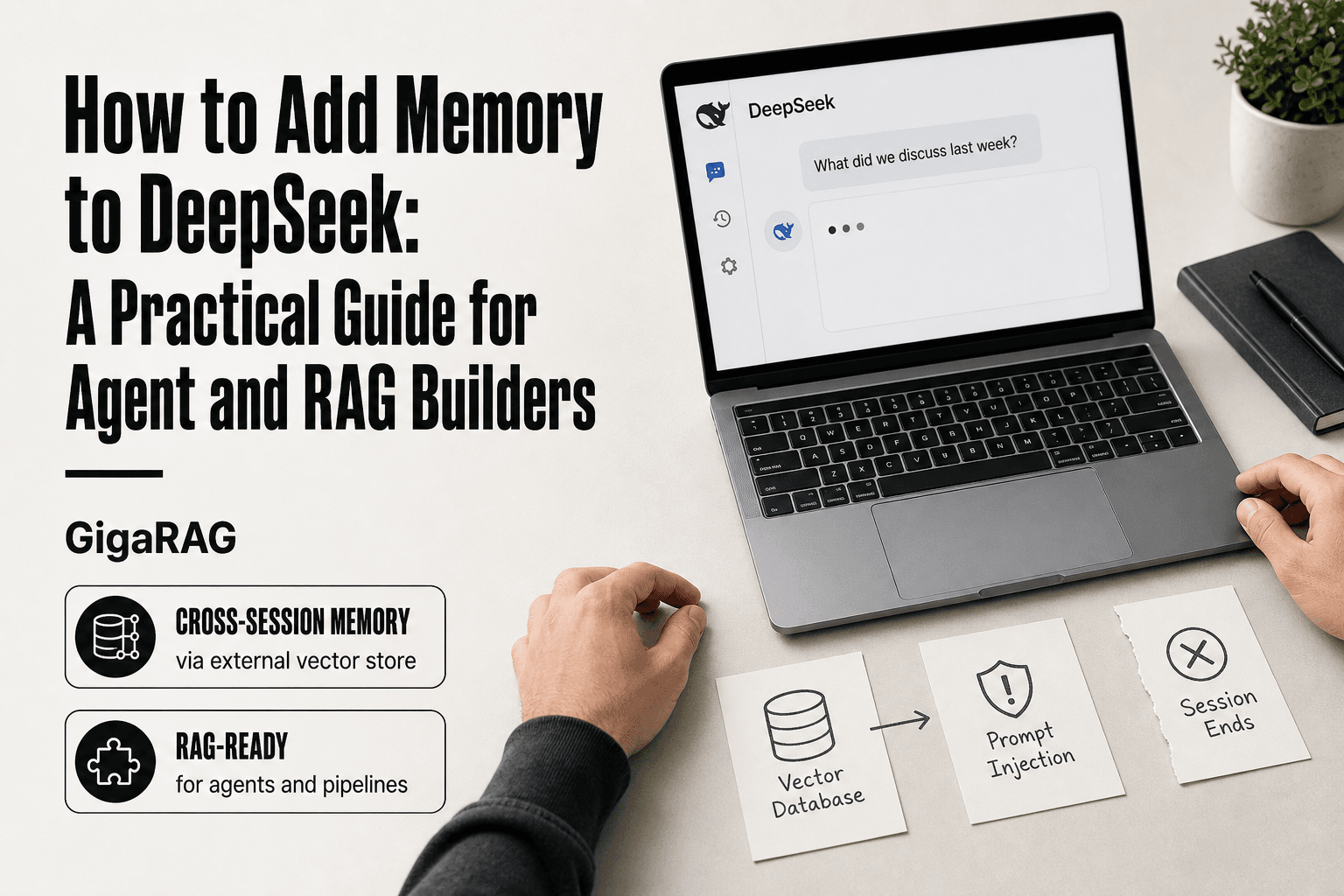
How to Add Memory to DeepSeek: A Practical Guide for Agent and RAG Builders
If you're a developer building agents or RAG pipelines on DeepSeek, you've already hit the wall: the model is sharp, fast, and completely amnesiac. Close the tab, open a new session, and every instruction, preference, and hard-won context is gone. DeepSeek has no native cross-session memory. No toggle in settings, no hidden API flag, nothing that persists once the request ends.
That's the honest starting point. The good news is you don't need DeepSeek to ship memory. You need an architecture that remembers for it. GigaRAG is one memory layer built for exactly this: it sits between your DeepSeek calls and a vector store, so context survives across sessions and scales past the token window.
This guide covers every viable approach, from browser extensions that fake it to local deployments with session state to full RAG-based memory. You'll get real trade-offs, code-level steps, and a clear answer on which one fits your use case.
| At a glance | Details |
|---|---|
| Native memory | None — each session starts blank |
| Best for agents | External vector store via API |
| Best for chat users | Browser extension or manual context |
| Context window | Large but finite; not persistent |
| Local RAM needs | Varies by model size and quantization |
| Core pattern | Store, retrieve, inject into prompt |
In This Guide
- Does DeepSeek Have Native Memory? (Spoiler: Not Really)
- DeepSeek Memory Approaches Compared: Native vs Plugin vs Local vs RAG
- Three Ways to Add Memory to DeepSeek (Compared Honestly)
- How To Add Memory To DeepSeek: A Step-by-Step Guide
- Option 1: Browser Extensions for Quick Memory
- Option 2: Local Deployment with Custom Memory
- Option 3: RAG-Based Memory for Agents and Pipelines
- What DeepSeek Cannot Do (Honest Limitations)
- How to Choose the Right Memory Approach for Your Use Case
Does DeepSeek Have Native Memory? (Spoiler: Not Really)
No, DeepSeek does not have native cross-session memory. It remembers context only within a single chat session. Once you close the tab or start a new conversation, everything is gone. There is no built-in feature that carries your preferences, past questions, or personal details from one session to the next.
What DeepSeek remembers within a single chat session
Within one open conversation, DeepSeek holds everything you've typed and everything it has replied. That's the context window at work. Ask it to summarize a point from ten messages ago and it can do that. Ask it to adjust its tone based on an instruction you gave earlier in the same thread and it will comply.
The limit is the context window size. DeepSeek-V3 handles 128K tokens, which is roughly 90,000 English words. That's a lot of back-and-forth before older messages start dropping off. But they do drop off. The model doesn't compress or archive them. It simply loses access.
What DeepSeek forgets when the session ends
Everything. Close the browser tab, refresh the page, or start a new chat and the model has no record of your previous conversation. It won't remember your name, your project, your coding preferences, or the conclusion you reached last week.
This is true across devices too. A conversation started on your phone doesn't continue on your laptop. There's no account-level memory store. Each session is an isolated event.
Why DeepSeek doesn't have ChatGPT-style memory yet
ChatGPT's memory feature stores facts about you in a separate database and injects relevant bits into future prompts. DeepSeek hasn't built that infrastructure. The model itself is stateless. It processes whatever prompt you send, returns a response, and retains nothing.
GitHub issue #67 on the DeepSeek repository requests exactly this feature. Users on r/DeepSeek regularly express the same frustration. The demand is clear. The feature just isn't there yet.
If you need DeepSeek to remember anything beyond a single session, you have to build the memory layer yourself.
[!note] DeepSeek does not natively remember past conversations across sessions; any persistent memory must be implemented externally by the developer or user.
DeepSeek Memory Approaches Compared: Native vs Plugin vs Local vs RAG
| Factor | Native / Manual | External Memory (Plugin, Local, RAG) |
|---|---|---|
| Persistence | None across sessions | Persists in your storage layer |
| Setup effort | Zero — just paste context | Moderate — requires code or extension |
| Best for | Casual one-off chats | Agents, RAG pipelines, recurring workflows |
| Control over data | Limited to what you paste | Full — you own the database |
| Scalability | Capped by context window | Grows with your vector store |
Three Ways to Add Memory to DeepSeek (Compared Honestly)
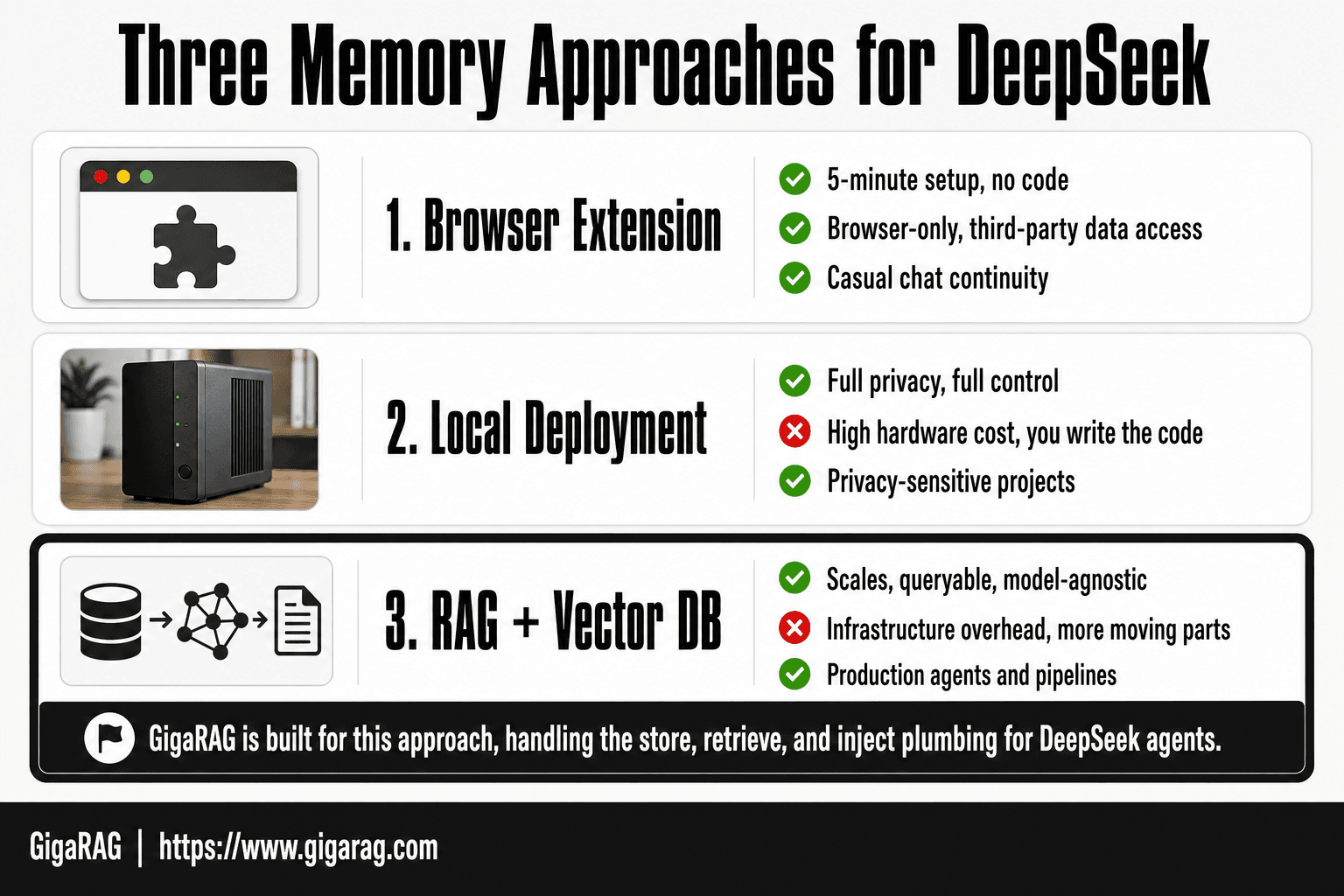
You have three real options. Each works, but they solve different problems at different costs. A browser extension is the fastest. Local deployment gives you control. RAG-based memory is the only approach that scales to production agents. Here's the honest comparison.
Browser extensions and plugins (MemoryPlugin, Edge extension)
Extensions sit between you and DeepSeek's web interface. They capture your conversation, store it locally or in the cloud, and re-inject relevant context into new sessions. Setup takes minutes. No code required.
The catch: this is a convenience layer, not a memory architecture. The extension can only see what happens in the browser. It can't help an API-based agent, a local deployment, or any pipeline that doesn't run through the web UI. And you're trusting a third party with your conversation history.
Best for casual users who want continuity across chat sessions without touching code. Not for production systems.
Local deployment with custom memory
Running DeepSeek locally means you control the entire stack. You can implement memory at the application layer: save conversation history to disk, reload it on startup, and append new context to each prompt. No external service sees your data.
The trade-off is hardware and effort. DeepSeek-R1 requires significant RAM and GPU resources. You're also writing the persistence logic yourself. Session state, file storage, context injection: all your code to maintain.
Best for privacy-sensitive projects and developers who want full control. The complexity is real, but so is the payoff.
RAG-based memory via API and vector databases
This is the approach that actually scales. You store memories as embeddings in a vector database, retrieve the most relevant ones at query time, and inject them into the prompt before sending it to DeepSeek's API. The model never "remembers" anything. You're feeding it the right context at the right moment.
The architecture is straightforward: embed, store, retrieve, inject. Tools like LangChain, LlamaIndex, and GigaRAG handle the plumbing. The cost is infrastructure: you need a vector store, an embedding model, and a retrieval pipeline running alongside DeepSeek.
Best for agents and RAG pipelines that need persistent, queryable memory across sessions, users, and even different models. This is the only option that works when DeepSeek is one component in a larger system rather than the whole system.
| Approach | Pros | Cons | Cost | Best for |
|---|---|---|---|---|
| Browser extension | 5-minute setup, no code | Browser-only, third-party data access | Free to $10/month | Casual chat continuity |
| Local deployment | Full privacy, full control | High hardware cost, you write the code | GPU + your time | Privacy-sensitive projects |
| RAG + vector DB | Scales, queryable, model-agnostic | Infrastructure overhead, more moving parts | Vector DB + API costs | Production agents and pipelines |
The honest answer: if you're building anything that needs to remember across sessions and serve real users, skip the extensions. Go straight to RAG.
[!tip] For agent builders, store not just raw text but also structured metadata (e.g., intent, entities, outcome) so you can filter memories by relevance before embedding search — this dramatically improves retrieval precision in long-running agents.
How To Add Memory To DeepSeek: A Step-by-Step Guide
- Choose a vector database (e.g., Chroma, Pinecone, Weaviate) and set up a collection for conversation memory.
- Generate embeddings for each user message or document chunk using an embedding model.
- Store the embeddings and original text in the vector database with metadata (timestamp, user ID, session ID).
- On each new user query, embed the query and retrieve the top-k most similar memories from the database.
- Construct a prompt that includes the retrieved memories as context, then send it to the DeepSeek API.
- After receiving the response, store the new exchange (user query + assistant reply) back into the vector database.
- Periodically prune or summarize old memories to keep retrieval relevant and control costs.
Option 1: Browser Extensions for Quick Memory
Extensions are the fastest path to continuity. They sit between your browser and DeepSeek's web interface, capture what you type, and re-inject relevant context into new sessions. No code. No infrastructure. Setup takes minutes.
The honest catch: this is a convenience layer, not real memory. The extension only sees what happens in the browser. It can't help an API-based agent, a local deployment, or any pipeline that doesn't run through the web UI. And you're trusting a third party with your conversation history.
How DeepSeek memory extensions work
The extension watches your chat. It stores your messages, either locally in your browser or in the extension maker's cloud. When you start a new session, it pulls relevant past context and injects it into the prompt before DeepSeek sees it. The model still doesn't remember anything. The extension is doing the remembering for it.
Step-by-step setup for a Chrome extension
Install the extension from the Chrome Web Store. Open DeepSeek in your browser. The extension detects the page and starts capturing automatically. Most extensions let you toggle memory on or off per session, and some let you tag or search past conversations. That's the whole setup.
What extensions can and cannot remember
Extensions can remember conversation text, user preferences you state explicitly, and context from past chats. They cannot remember anything outside the browser. No API calls, no local deployments, no agent pipelines. And if the extension's cloud storage goes down or the maker shuts down, your memory goes with it.
Option 2: Local Deployment with Custom Memory
Running DeepSeek locally gives you full control over memory. No third-party extension sees your data. No API rate limits. You own the model, the storage, and the retrieval logic. The trade-off is real: you also own the hardware bill and the engineering work.
Hardware requirements for running DeepSeek locally
RAM is the binding constraint. DeepSeek-R1 comes in distilled sizes from 1.5B to 70B parameters, and the model weights must fit in memory alongside your application. A 7B model quantized to 4-bit needs roughly 4-6GB of RAM. A 14B model at 4-bit needs 8-10GB. The full 671B model is not a local option for most people: it needs hundreds of gigabytes of VRAM across multiple GPUs.
For CPU-only inference, expect slow token generation on anything above 7B. A GPU with 8GB VRAM handles 7B comfortably and 14B with quantization. Check your total system RAM, not just VRAM, if you plan to run the model and a vector database on the same machine.
Managing session state in a local app
Local memory means you write the state management yourself. The model has no memory of its own, so your application must track conversation turns, user preferences, and any facts worth persisting. The simplest approach: keep a running transcript in your app's memory, append each turn, and pass the full transcript back to the model on every call.
That works until you hit the context window. DeepSeek's context window is finite, and once the transcript exceeds it, you either truncate (losing early context) or summarize (losing detail). Neither is memory. Both are workarounds.
Simple persistence: saving and reloading conversation history
The minimum viable persistence layer is a JSON file. After each turn, write the conversation to disk. On restart, load it back. This survives reboots but doesn't scale: every session is isolated, and there's no way to retrieve a fact from a conversation three weeks ago without manually searching files.
A better approach is SQLite. Store each message as a row with a session ID, timestamp, and role. You can query past sessions, pull relevant history by keyword, and rebuild context on demand. It's still not semantic memory, but it's real persistence with zero infrastructure cost.
The honest answer: local deployment gives you privacy and control, but memory remains your problem to solve. The model won't help.
Option 3: RAG-Based Memory for Agents and Pipelines
The local approaches get you persistence. They don't get you memory. A JSON file or SQLite row stores what happened, but retrieving the right fact from three months of conversations still means writing search logic yourself. RAG changes that: you store meaning, not just text, and the model pulls back what's relevant on demand.
How RAG memory works: embeddings, vector stores, and retrieval
Here's the mechanism. An embedding model converts text into a vector, a list of numbers that captures semantic meaning. Sentences about the same topic land close together in vector space, even when they share no keywords. You store those vectors in a vector database. When a new query arrives, you embed it too, find the nearest stored vectors, and inject the matching text into DeepSeek's prompt.
That's the whole architecture. Embed, store, retrieve, inject. The model never "remembers" anything. It just receives relevant context at inference time, which is functionally the same thing for most agent workflows.
Step-by-step: connecting DeepSeek to a vector database
Start with an embedding model. OpenAI's text-embedding-3-small is the default choice, but local options like BGE or E5 work if you're keeping everything on your own hardware. Then pick a vector store: ChromaDB for local development, Pinecone or Weaviate for production, or pgvector if you're already on Postgres.
The flow is three functions. First, a store function that embeds text and upserts it with metadata (session ID, timestamp, user ID). Second, a retrieve function that embeds the current query and runs a similarity search, typically returning the top 5 to 10 results. Third, an inject function that prepends those results to DeepSeek's system prompt before the API call.
Using GigaRAG as a memory layer for DeepSeek agents
GigaRAG handles the plumbing. It's a memory layer built for agent and RAG pipelines, so you don't write the store, retrieve, and inject functions yourself. You point it at DeepSeek's API, configure your embedding model and vector store, and it manages the retrieval loop.
The main catch: GigaRAG is an abstraction, not magic. If your retrieval quality is poor, GigaRAG won't fix it. You still need good embeddings and a sensible chunking strategy. What it saves you is the boilerplate and the edge cases: deduplication, stale memory eviction, and context window budgeting.
Code-level example: storing and retrieving memories
Here's the shape of it, stripped to essentials:
# Store a memory
memory_store.add(
    text="User prefers Python over JavaScript for backend work",
    metadata={"user_id": "u123", "session": "s456"}
)

# Retrieve relevant memories for a new query
memories = memory_store.search("What language should I use for the API?", top_k=5)

# Inject into DeepSeek's prompt
prompt = f"Relevant context:\n{memories}\n\nUser query: {query}"
response = deepseek_client.chat(prompt)
That's the entire pattern. You can implement it in 50 lines with LangChain or LlamaIndex, or let GigaRAG handle the store and retrieval loop for you. Either way, the model gets context it never had to "remember."
Keep in mind: retrieval quality is the ceiling. Bad embeddings return irrelevant memories, and irrelevant memories make DeepSeek worse, not better. Test your retrieval before you trust it in production.
What DeepSeek Cannot Do (Honest Limitations)
You've seen three ways to add memory. None of them make DeepSeek remember like a person. That's the honest framing before you commit engineering time.
No native cross-session memory (yet)
DeepSeek's API has no built-in memory endpoint. No remember call, no persistent user profile, no server-side conversation history. Every memory approach in this guide works around that absence. The model starts each request with a blank slate unless you inject context yourself.
Context window limits still apply
Memory via RAG doesn't escape the context window. DeepSeek's window is finite, and every retrieved memory consumes tokens you'd otherwise spend on the actual task. Inject too much context and you'll hit the limit or degrade response quality. Budget carefully.
Privacy trade-offs with cloud plugins
Browser extensions that capture your DeepSeek conversations send that data to third-party servers. You're trading privacy for convenience. If you're working with proprietary code or sensitive user data, plugins are the wrong choice. Local RAG keeps everything on your hardware, but costs more to build.
No solution makes DeepSeek truly "remember" like a human
Retrieval is not recall. The model doesn't form beliefs, update its understanding, or learn from mistakes across sessions. It receives relevant text at inference time and generates from that. That's powerful, but it's pattern matching, not memory. Set expectations accordingly.
How to Choose the Right Memory Approach for Your Use Case
The right approach depends on three things: how much context you need, who can see the data, and how much engineering time you have.
Decision matrix: use case vs. memory approach
Casual chat or personal productivity? A browser extension gets you memory in under five minutes. You trade privacy for speed, and that's fine when the stakes are low.
Production agents or RAG pipelines? Go straight to a vector database. Plugins don't give you retrieval control, and local-only persistence won't scale across users. RAG is the only approach that lets you filter, rank, and inject memories deterministically.
Privacy-sensitive data? Local deployment with custom memory. Nothing leaves your hardware. Budget for the GPU and the build time.
When to start with a plugin and when to go straight to RAG
Start with a plugin when you're testing whether memory helps at all. It's cheap, reversible, and shows you what persistent context feels like before you commit to infrastructure.
Go straight to RAG when you already know you need memory for a shipped product. Plugins can't be embedded in your own agent, can't be audited, and can't be tuned. Building RAG from day one avoids a rewrite later.
The honest answer: if you're building something real, learning how to add memory to DeepSeek via RAG is the only path that survives contact with production.
Frequently Asked Questions
Can DeepSeek remember past conversations?
No, DeepSeek does not have built-in memory across separate chat sessions. Each new session starts with a blank context. To achieve persistence, you need to implement external memory using a database or extension.
How much RAM is needed to run DeepSeek locally?
RAM requirements depend heavily on the model size and quantization. Smaller distilled versions may run on 16–32 GB, while full models require significantly more. Check the specific model card for exact requirements.
Is it legal to run DeepSeek locally?
Yes, running DeepSeek locally is generally legal as long as you comply with the model's license terms. Most open-weight models permit local use, but always review the license for commercial restrictions.
How to put information into long-term memory?
To add long-term memory, you need to store information in an external system (like a vector database) and retrieve it when needed. This involves embedding the data, saving it, and then querying it to inject relevant context into future prompts.
Does DeepSeek have memory across chats?
No, DeepSeek does not retain memory across different chat sessions. Each conversation is independent unless you manually provide context or use an external memory solution.
How to add memory to DeepSeek on Android?
On Android, you can use third-party apps or browser extensions that add memory features, or build a custom client that integrates with a vector database. Native memory is not available in the official app.
What is the best memory approach for RAG pipelines?
For RAG pipelines, using a vector database with embedding-based retrieval is the most effective. It allows you to store large amounts of information and retrieve the most relevant pieces to augment the prompt.
About GigaRAG
GigaRAG is for agent memory and RAG pipeline builders. get this right. Whether you are working through How to add memory to DeepSeek or something adjacent, we publish what we have actually tested, including where it falls short.


