How to Add Memory to Msty: A Practical Guide for Agent and RAG Builders
You searched how to add memory to Msty and got product announcements, forum threads, and a changelog. Not a guide. This article fixes that.
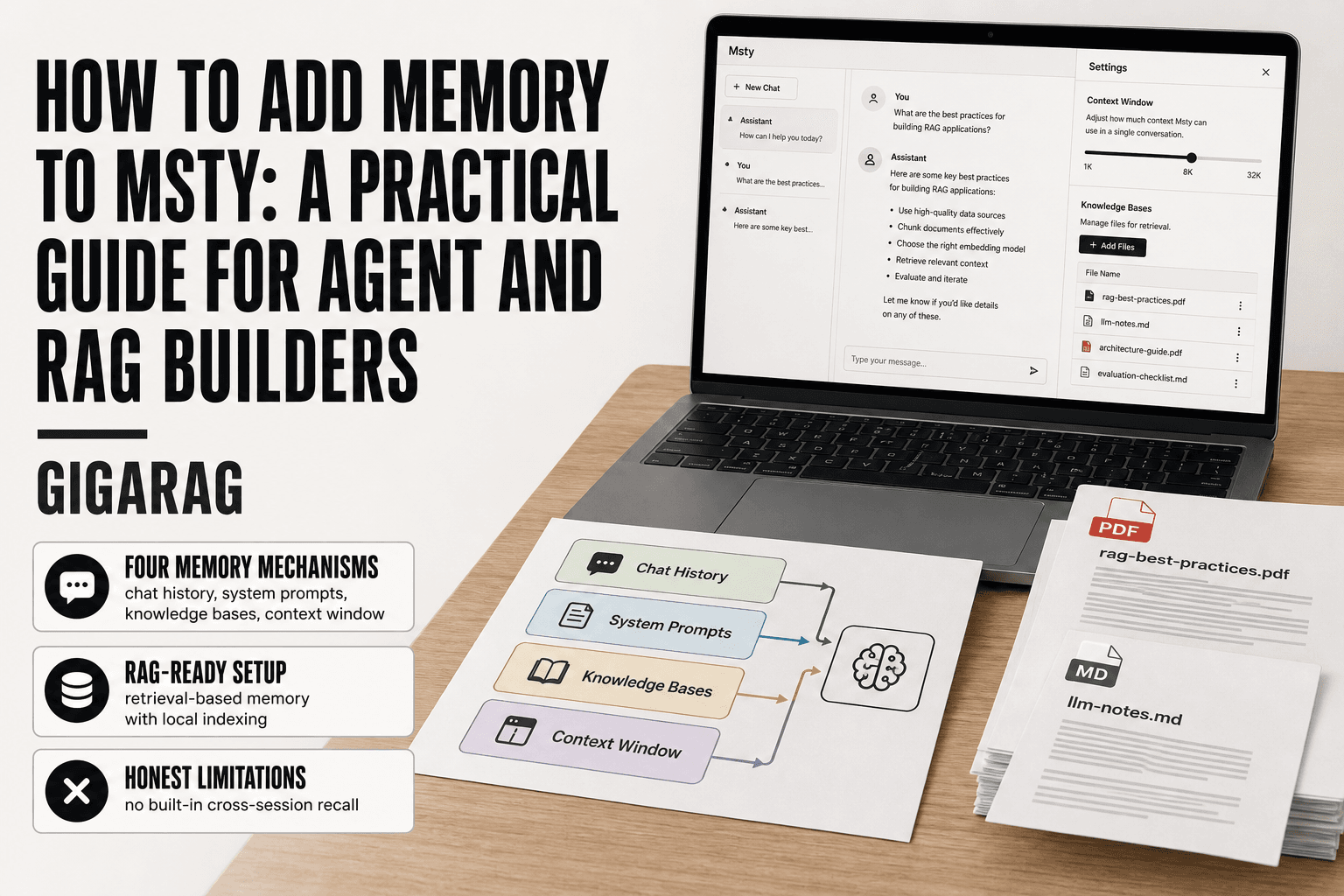
Here's the honest answer up front: Msty doesn't have a single "memory" toggle. What it has is four separate mechanisms: chat history, persistent system prompts, knowledge bases, and context window settings. Each does a different job. None of them, on its own, gives you true long-term agent memory. If you're building agent workflows or RAG pipelines, you need to know which mechanism to configure for which job, and what each one won't do.
That's what this guide covers: the three configuration steps that actually work, the mistakes that break memory silently, the hard limitations you'll hit, and when Msty's built-in options stop being enough. GigaRAG offers a dedicated memory layer for RAG pipelines that complements what Msty can do natively. You'll know by the end whether you need it.
| At a glance | Details |
|---|---|
| What it is | Msty's built-in conversation memory feature |
| Where to find it | Chat settings or model configuration panel |
| Best for | Short-term context in agent and RAG chats |
| Not for | Long-term persistent memory across sessions |
| Key limitation | Memory scope is per-chat, not global |
| Workaround | External vector store or dedicated memory layer |
In This Guide
- What Msty Memory Actually Means (and What It Doesn't)
- Msty Built-in Memory vs External Memory Layer
- Prerequisites: What You Need Before Adding Memory to Msty
- How To Add Memory To Msty: A Step-by-Step Guide
- Step 1: Configure Persistent System Prompts for Memory
- Step 2: Add a Knowledge Base for Retrieval-Based Memory
- Step 3: Use Chat History and Context Window Settings
- Common Mistakes When Adding Memory to Msty
- What You Cannot Do with Msty Memory (Honest Limitations)
- Scaling Memory Beyond Msty: When to Use a Dedicated Memory Layer
- Final Thoughts on Adding Memory to Msty
What Msty Memory Actually Means (and What It Doesn't)
Msty memory is not one thing. It's four separate mechanisms, and they behave differently.
Types of memory in Msty
Chat history is the conversation log for the current session. System prompts persist across sessions if you save them as custom instructions. Knowledge bases are files you upload that Msty indexes for retrieval. Context window is the token budget the model can see at once.
None of these are automatic. You configure each one.
What Msty memory cannot do
Msty won't remember a conversation from last week unless you explicitly saved something. It has no built-in episodic memory. Closing a chat and opening a new one starts clean.
How memory fits into agent and RAG workflows
For agents, system prompts carry identity and rules. For RAG, knowledge bases supply retrieved facts. Chat history fills the gaps in between. The honest answer is that Msty gives you the parts, not the assembly.
[!note] Msty's built-in memory is designed for short-term conversation context within a single chat session. It does not provide persistent, cross-session memory out of the box, so agent builders needing long-term recall must use an external memory solution.
Msty Built-in Memory vs External Memory Layer
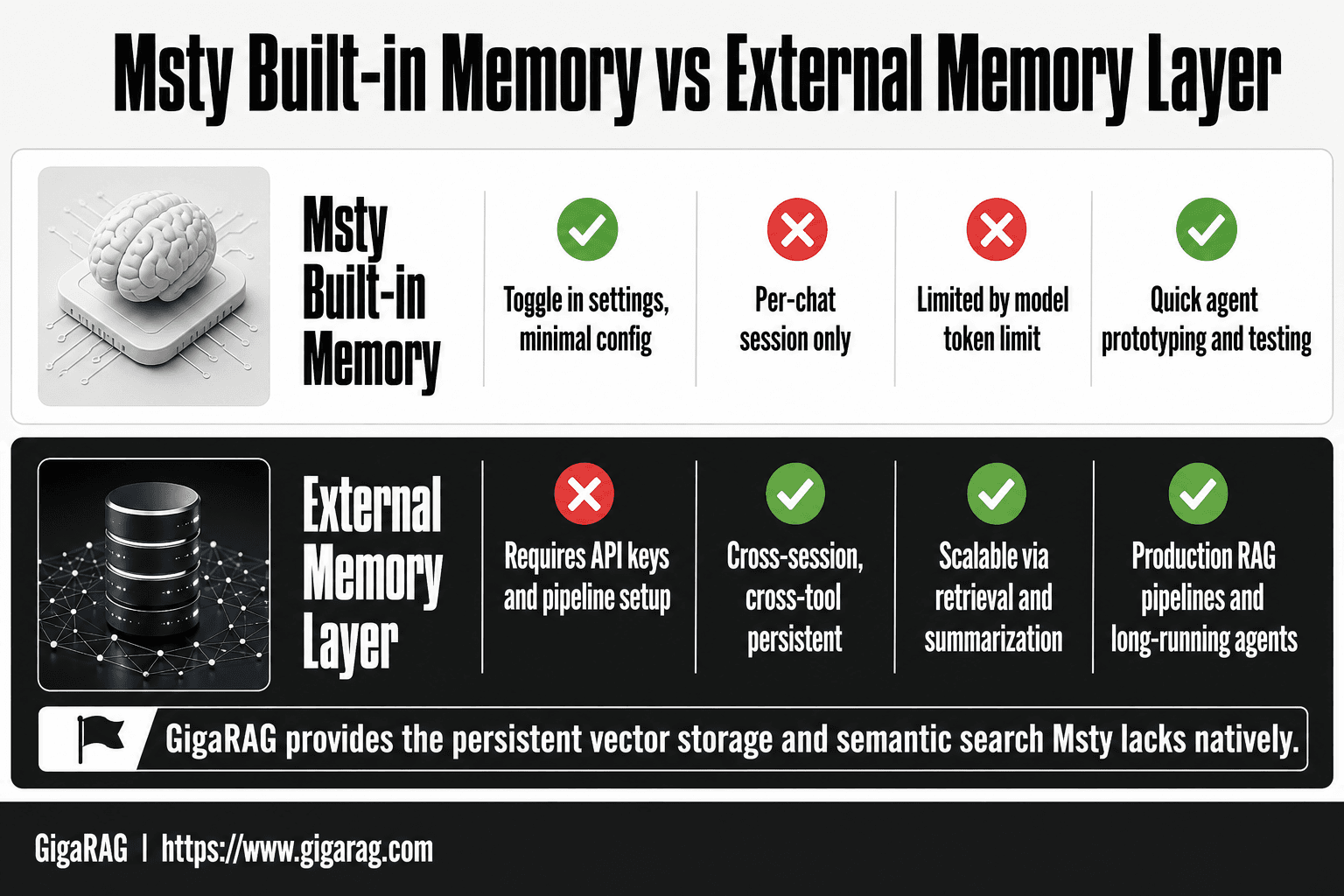
| Factor | Msty Built-in Memory | External Memory Layer |
|---|---|---|
| Setup effort | Toggle in settings, minimal config | Requires API keys and pipeline setup |
| Persistence | Per-chat session only | Cross-session, cross-tool persistent |
| Context window | Limited by model token limit | Scalable via retrieval and summarization |
| Best for | Quick agent prototyping and testing | Production RAG pipelines and long-running agents |
| Control | Limited to Msty's UI options | Full control over storage, retrieval, and pruning |
Prerequisites: What You Need Before Adding Memory to Msty
Before you touch any memory settings, get three things straight. Skip one and you'll hit errors mid-way.
Msty version and installation check
Run the latest Msty build. Older versions hide memory settings in different menus, and some knowledge base features only landed in recent releases. Check for updates first.
API keys and model access
You need an active API key for whatever model you're using. Local models skip this, but cloud models won't work without one. Make sure the key has enough quota for longer sessions.
Deciding your memory use case
Agent memory and RAG memory need different setups. Agents lean on system prompts. RAG leans on knowledge bases. Pick one before you configure, or you'll build the wrong thing.
[!tip] For agent builders, test memory behavior with a scripted multi-turn scenario before committing to a workflow. This reveals exactly what context Msty retains and where it drops off, saving hours of debugging later.
How To Add Memory To Msty: A Step-by-Step Guide
- Open Msty and navigate to the chat or agent you want to configure.
- Locate the memory or context settings in the model configuration panel.
- Enable the memory toggle and set the context window size appropriate for your model.
- Test with a multi-turn conversation to verify memory retention within the session.
- For RAG pipelines, connect your vector store and configure retrieval-augmented context injection.
- Document what memory persists and what resets between sessions for your agent design.
- Evaluate whether Msty's built-in memory meets your persistence needs or if an external layer is required.
Step 1: Configure Persistent System Prompts for Memory
The simplest memory in Msty is a persistent system prompt: instructions that stay fixed across every session, giving your agent stable context without any retrieval layer.
A system prompt is the base layer of memory. It doesn't store facts. It stores identity, rules, and workflow constraints. Msty applies it to every message in a conversation, so your agent behaves the same way each time you open a new chat.
Where to find system prompt settings in Msty
Open Msty, go to Settings, then look for the model or chat configuration panel. The system prompt field sits under the model selection options. Type your instructions there, save, and they persist for all future sessions using that model.
What to include in a persistent system prompt
Keep it short. Three things belong: who the agent is, what it does, and what it must never do. Anything longer than a paragraph starts eating context window space you'll need for actual work.
Example system prompt for agent workflows
"You are a data pipeline assistant. You write Python for ETL tasks. You never invent API endpoints. You ask for clarification when a schema is missing."
That's it. Stable, repeatable, and cheap on tokens.
Step 2: Add a Knowledge Base for Retrieval-Based Memory
A knowledge base is where Msty memory stops being static. Instead of instructions you write once, you point Msty at documents and let it pull relevant chunks into context when a question matches.
Creating a knowledge base in Msty
Open Msty and find the knowledge base or files panel, usually under the chat or workspace settings. Create a new knowledge base, name it, and upload your files. Msty indexes them locally. Once indexed, you can attach the knowledge base to a conversation so the model retrieves from it during responses.
Supported file types and indexing
Msty supports common text formats: PDF, Markdown, plain text, and some document types. Check the current file picker for the exact list, since support shifts between versions. Indexing splits documents into chunks and stores embeddings for similarity search. Larger files take longer to index, and the index lives on your machine unless you sync it.
How knowledge base retrieval works in RAG terms
This is retrieval-augmented generation with a local twist. Your query gets embedded, Msty finds the closest chunks in the knowledge base, and those chunks ride along in the prompt as context. The model answers from that retrieved text, not from memory. It's recall by similarity, not by history.
Step 3: Use Chat History and Context Window Settings
Chat history is the simplest memory Msty has. It's just the conversation log sent back to the model on each turn. The context window decides how much of that log actually fits.
How Msty manages chat history
Msty keeps your conversation in the current session and feeds recent turns back to the model. You can clear history, start a new chat, or pin specific messages so they stay in context. Pinning is useful for instructions you want the model to keep seeing.
Adjusting context window settings
Find context settings in the model or chat configuration. You can often set the context length per model. A larger window holds more history but costs more tokens and slows responses. Match the setting to what your model actually supports.
Token limits and what they mean for memory
Every model has a hard token ceiling. When your chat history plus system prompt plus retrieved chunks exceed it, Msty drops the oldest turns. That's not a bug. It's the model running out of room. For long agent sessions, pin what matters and accept that old context fades.
Common Mistakes When Adding Memory to Msty
Most memory problems in Msty come from four config errors. Each has a simple fix.
Overloading the system prompt
Builders stuff the system prompt with everything: identity, rules, examples, tool docs. The model then has less room for actual conversation. Keep the system prompt under 200 words. Put reference material in a knowledge base instead.
Ignoring token limits
You set a large context window and assume it all gets used. It doesn't. When history plus prompt plus retrieved chunks exceed the ceiling, Msty drops the oldest turns silently. Check your model's real token limit and budget for it.
Expecting true persistent memory
Msty won't remember last week's chat on its own. New session, blank slate. If you need continuity, pin messages or write a persistent system prompt. There's no automatic recall.
Confusing retrieval with memory
A knowledge base retrieves chunks. It doesn't remember what you said. Retrieval is lookup, not memory. Treat them as separate tools.
What You Cannot Do with Msty Memory (Honest Limitations)
Msty memory is bounded. It helps with context persistence and retrieval, but it won't act like a human memory. Here's what's off the table.
No true long-term episodic memory
Msty doesn't remember events, conversations, or decisions from weeks ago. It has no store of "what happened last Tuesday." Each session starts fresh unless you explicitly pin messages or write them into a system prompt. Even then, it's static text, not recall.
No automatic cross-session recall
Close a chat, open a new one, and Msty won't bring anything forward on its own. There's no background process watching for relevant past context. You have to configure persistence manually, and even that only covers what you chose to save.
No built-in vector database for large-scale RAG
Msty's knowledge base retrieves chunks, but it isn't a vector database. For production RAG with thousands of documents, embeddings, and semantic search at scale, you'll need a separate memory layer. Msty handles small to medium knowledge bases fine. It isn't built for enterprise retrieval.
Scaling Memory Beyond Msty: When to Use a Dedicated Memory Layer
Msty's built-in memory works until it doesn't. The breakpoint is predictable: when your knowledge base grows past a few hundred documents, when multiple agents need shared context, or when retrieval latency starts hurting response times.
Signs you've outgrown Msty memory
You'll know. Retrieval gets slower as the knowledge base grows. Agents can't share context across sessions without manual copying. You're hitting token limits because the system prompt is doing too much work. And there's no persistent vector store, so every session rebuilds what a dedicated layer would keep warm.
How GigaRAG complements Msty for RAG pipelines
GigaRAG handles the memory layer Msty doesn't: persistent vector storage, semantic search at scale, and shared context across agents. You keep Msty for the chat interface and system prompt configuration. GigaRAG sits behind it as the retrieval engine. That split works because each tool does what it's built for.
Migration considerations
Start by exporting your Msty knowledge base. Map each document to a GigaRAG collection. Then point your Msty workflows at GigaRAG's API instead of the local knowledge base. Expect to re-index once. After that, retrieval happens in GigaRAG, and Msty handles the conversation.
Final Thoughts on Adding Memory to Msty
Adding memory to Msty is straightforward once you know which layer you're configuring. System prompts give you persistent instructions. Knowledge bases give you retrieval. Chat history gives you session continuity. None of them give you true long-term recall.
That's the honest tradeoff. Msty memory is configurable but bounded. It works for single-agent workflows and small knowledge bases. It stops working when you need shared context across agents, persistent vector storage, or retrieval at scale.
If you're building a production RAG pipeline, evaluate a dedicated memory layer. GigaRAG handles the parts Msty doesn't: semantic search at scale, persistent vectors, and cross-agent context. You keep Msty for the interface. GigaRAG becomes the memory underneath.
The steps in this guide cover what Msty can do today. Use them for what they're good at. When you hit the limits, you'll know exactly what to move.
Frequently Asked Questions
How do I add memory to Msty?
Open your chat or agent settings in Msty, find the memory or context configuration section, and enable the memory toggle. Set your context window size based on your model's token limit. Memory is then retained within that chat session for multi-turn conversations.
Does Msty have persistent memory across sessions?
No, Msty's built-in memory is scoped to individual chat sessions. When you start a new session, previous context is not automatically carried over. For persistent memory, you need an external memory layer or vector store integrated into your pipeline.
Can I use Msty memory for RAG pipelines?
Yes, but with limitations. Msty's memory helps maintain conversation context, but RAG pipelines typically need a dedicated vector store for document retrieval. You can connect external retrieval systems and inject context, but Msty's native memory alone is not a full RAG memory solution.
What is the difference between Msty memory and agent memory?
Msty memory refers to the built-in conversation context feature within the app. Agent memory is a broader concept covering persistent state, tool outputs, and long-term recall across sessions. Msty's feature is a subset of what agent builders typically need.
How much memory can Msty handle?
Msty's memory is bounded by your chosen model's context window, which varies by model. It does not add independent memory storage beyond that limit. For larger memory needs, external solutions that summarize or retrieve relevant context are required.
Is Msty memory suitable for production agents?
For simple prototypes and short-lived agents, Msty's memory may suffice. For production agents requiring persistent, scalable memory across sessions and tools, a dedicated memory infrastructure like GigaRAG is more appropriate.
About GigaRAG
GigaRAG is for agent memory and RAG pipeline builders. get this right. Whether you are working through How to add memory to Msty or something adjacent, we publish what we have actually tested, including where it falls short.


