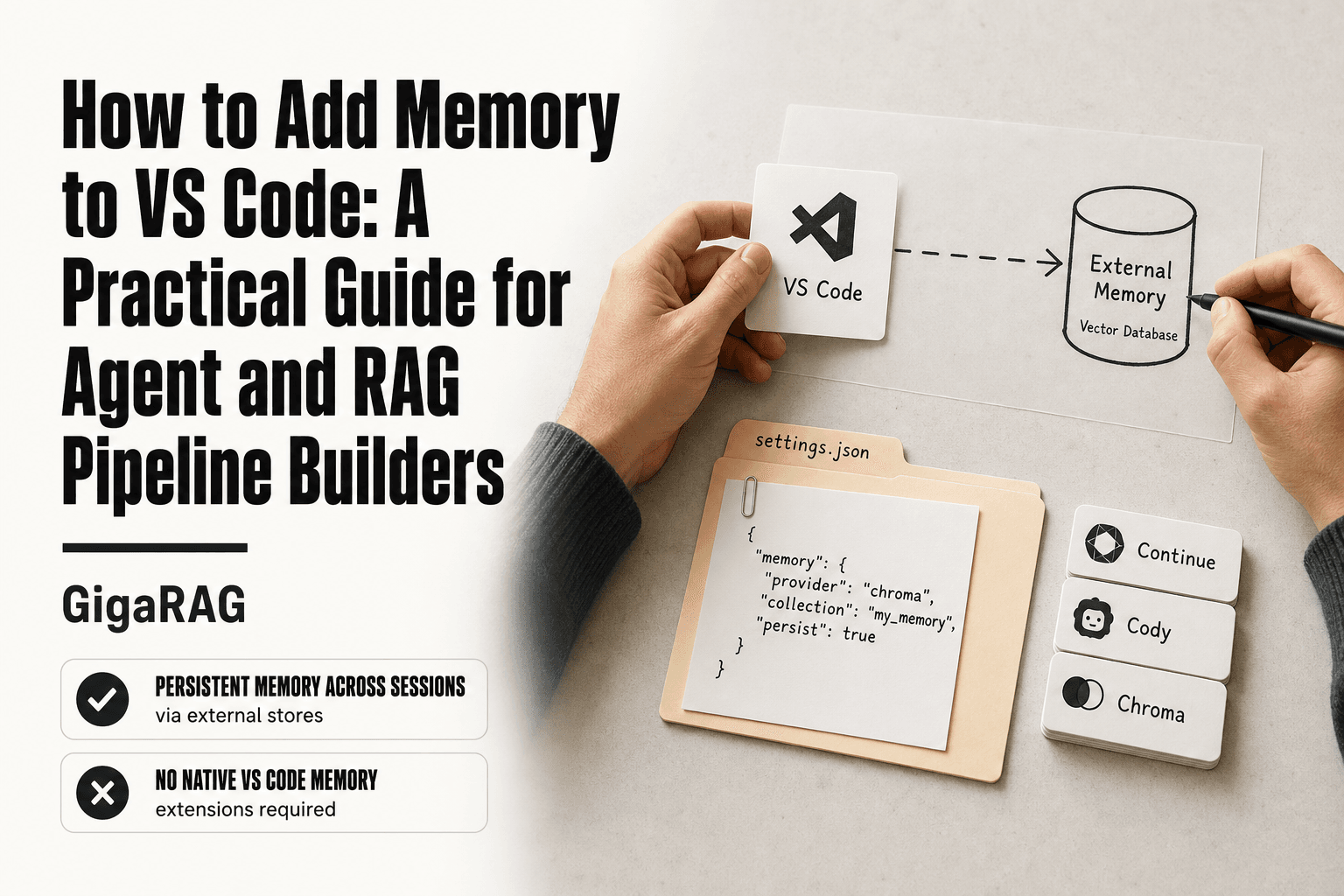
How to Add Memory to Windsurf
How to add memory to Windsurf starts with a frustration most agent builders know too well: Cascade forgets. You explain your stack preferences, your vector store choices, your architectural conventions, and the next session it's all gone. For anyone wiring up agent memory or a RAG pipeline, that's not an inconvenience. It's re-explaining the same context every single time you open the editor. This guide fixes the part Windsurf can fix. You'll get step-by-step instructions for native memories and rules, plus copy-paste templates built specifically for agent memory and RAG pipeline work. And I'll be straight about what Windsurf's built-in memory cannot do, because there are real gaps there. If you need persistent, shareable memory across sessions and teammates, GigaRAG is worth a look as a complementary layer, but that's a decision for later. First, the native tools.
| At a glance | Details |
|---|---|
| Primary method | Windsurf Memories + Rules |
| Global rules file | .windsurf/rules/global_rules.md |
| Workspace rules file | .windsurf/rules/workspace_rules.md |
| Auto-generated memory | Cascade writes memories automatically |
| Manual memory | Use @-mention to create memory |
| External memory option | MCP servers or GigaRAG |
In This Guide
- What Windsurf Memories and Rules Actually Are
- Windsurf Native Memory vs External Memory Layer
- How to Add Memory to Windsurf: Step-by-Step
- How To Add Memory To Windsurf: A Step-by-Step Guide
- Memory and Rule Templates for Agent Memory Builders
- Rules: Global, Workspace, and Project-Level
- What Windsurf's Built-in Memory Cannot Do
- Extending Windsurf Memory with MCP and External Tools
- Best Practices for Windsurf Memory Management
- Final Thoughts
What Windsurf Memories and Rules Actually Are
Windsurf memories are persistent context that Cascade loads automatically. Rules are behavioral constraints that shape how Cascade writes code. They solve different problems.
Memories: persistent context for Cascade
Memories store facts about your project: stack choices, architectural decisions, naming conventions. Cascade reads them every session, so you don't re-explain that you use FastAPI with async endpoints or that your vector store is Pinecone. They're context, not commands.
Rules: behavioral constraints and coding standards
Rules tell Cascade what to do or avoid. "Never use any in TypeScript." "Always wrap database calls in try/catch." They're constraints, not facts. Where memories describe your project, rules enforce how Cascade behaves inside it.
Workflows and Skills: what they are and why they're not memory
Workflows are repeatable multi-step procedures. Skills are reusable capabilities. Neither persists context between sessions. They execute; they don't remember. If you need Cascade to recall something next week, use a memory or a rule, not a workflow.
[!note] Windsurf's native memory is designed for lightweight context retention and does not provide semantic search or versioning. For complex agent memory systems, an external layer is often necessary.
Windsurf Native Memory vs External Memory Layer
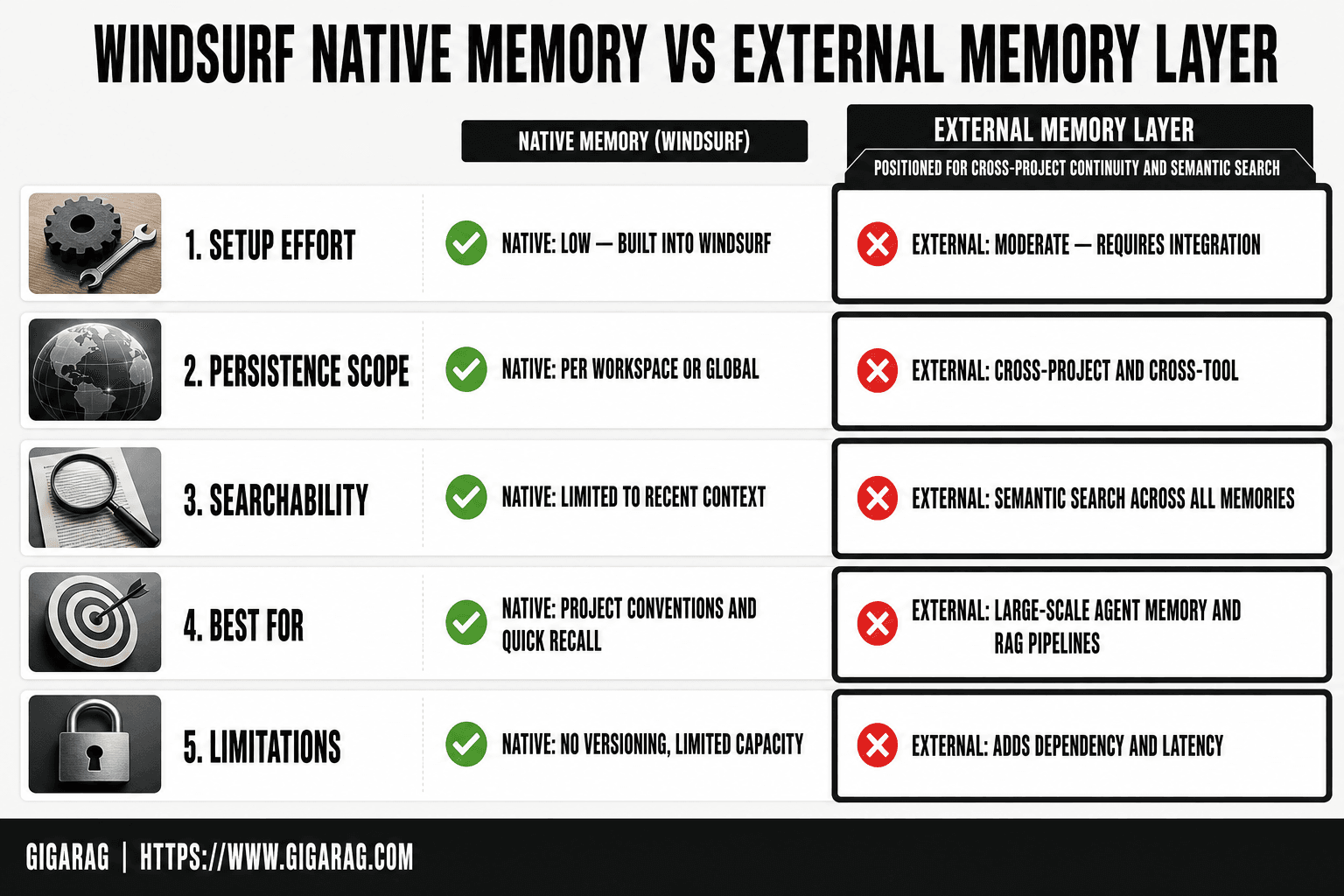
| Factor | Windsurf Native Memory | External Memory Layer (e.g., GigaRAG) |
|---|---|---|
| Setup effort | Low — built into Windsurf | Moderate — requires integration |
| Persistence scope | Per workspace or global | Cross-project and cross-tool |
| Searchability | Limited to recent context | Semantic search across all memories |
| Best for | Project conventions and quick recall | Large-scale agent memory and RAG pipelines |
| Limitations | No versioning, limited capacity | Adds dependency and latency |
How to Add Memory to Windsurf: Step-by-Step
Accessing the Memories panel
Open Windsurf, then click the Cascade icon in the sidebar. The Memories panel sits inside the Cascade view. On Mac, the keyboard shortcut is Cmd+Shift+M. On Windows, Ctrl+Shift+M. If you don't see the panel, check that you're on a recent build. Memory management shipped in mid-2024 and older versions won't have it.
Creating a new memory
Click "Add Memory" in the panel. A text field opens. Type the fact you want Cascade to remember, then save. Keep it to one or two sentences. A memory like "This project uses PostgreSQL with SQLAlchemy 2.0 async sessions" works better than a paragraph of context. Cascade loads memories at the start of each session, so shorter entries mean less noise in the context window.
Editing and deleting memories
Hover over any memory to reveal edit and delete controls. Edit in place, then save. Deleting is immediate. There's no confirmation dialog, so don't click it casually. If you need to bulk-clean, you'll do it one entry at a time. There's no import or export for memories.
Where memories are stored
Memories live in Windsurf's local configuration, not in your project repository. That means they follow your machine, not your repo. If you clone the project on another computer, the memories won't come with it. For team-shared context, you'll need rules files committed to the repo or an external memory layer.
[!tip] For RAG pipeline builders, store chunking strategies and embedding model choices in workspace_rules.md so Cascade consistently follows your architecture decisions.
How To Add Memory To Windsurf: A Step-by-Step Guide
- Open Windsurf and navigate to your project workspace.
- Create a .windsurf/rules directory if it doesn't exist.
- Add a global_rules.md file for cross-project preferences.
- Add a workspace_rules.md file for project-specific conventions.
- Use the @-mention feature in Cascade to create a memory from a conversation.
- Review and edit auto-generated memories in the Windsurf Memories panel.
- Test memory persistence by starting a new Cascade session and verifying context.
Memory and Rule Templates for Agent Memory Builders
The templates below are written for people building agent memory systems or RAG pipelines. Paste them directly into Windsurf's Memories panel or a rules file. Adjust the stack names to match yours.
Template 1: RAG pipeline conventions
This project uses a RAG pipeline with LlamaIndex as the orchestration layer.
Chunking: 512 tokens with 64-token overlap. Embeddings: OpenAI text-embedding-3-small.
Retrieval: top-k 8, reranked to top 3 with Cohere Rerank.
Never change chunk size without updating the eval set in tests/rag_eval/.
That's four lines. Cascade gets the stack, the parameters, the retrieval flow, and a constraint on what not to touch. The last line matters most: it stops the agent from "optimizing" your chunk size mid-session and silently breaking your recall numbers.
Template 2: Agent memory architecture preferences
Agent memory is layered: working memory (session-scoped, in-context), episodic memory (Postgres with pgvector), semantic memory (Milvus collection per agent).
Episodic writes happen after every tool call. Semantic writes happen only on explicit user approval.
Memory retrieval order: working first, then episodic, then semantic. Never retrieve semantic memory for a one-off question.
This template encodes the architecture, not just the stack. Cascade will follow the retrieval order when it writes agent code. Without it, you'll get agents that query the vector store for every trivial prompt and burn tokens.
Template 3: Vector store and retrieval defaults
Default vector store: Qdrant, local Docker on port 6333. Collection naming: {project}_{agent_role}.
Distance metric: cosine. Index: HNSW with M=16, ef_construct=200.
Hybrid search is on by default: dense + BM25, fusion with RRF k=60.
If a query returns fewer than 3 results above 0.7 similarity, fall back to keyword search before answering.
The fallback rule is the part people forget. It prevents the agent from confidently answering "I don't know" when the vector search just returned garbage. Paste this as a workspace rule if you want it applied across every project in that workspace.
Keep in mind: these templates are starting points. Your stack will differ. The value is the shape, parameters, constraints, and fallback behavior in one block, not the specific numbers.
Rules: Global, Workspace, and Project-Level
Rules are behavioral constraints. Cascade reads them before acting. The hierarchy determines scope: global rules apply everywhere, workspace rules apply to every project in that workspace, project-level rules apply only to the current project.
Global rules vs workspace rules
Global rules live in your Windsurf settings and apply across all workspaces and projects. Use them for preferences that never change: your preferred language, formatting conventions, or hard constraints like "never push to main directly."
Workspace rules sit in the workspace root and apply to every project inside it. That's the right place for team conventions shared across repos in one workspace. If you work solo across multiple projects, workspace rules save you from repeating yourself.
Project-level rules for team consistency
Project-level rules live in the project's .windsurf/rules directory. They override workspace rules when there's a conflict. Use them for repo-specific constraints: build commands, test runners, or architectural decisions that only apply to that codebase.
For team consistency, commit project-level rules to version control. That way every developer gets the same constraints when they clone the repo.
Example: Windsurf rules for Java
Use Java 21. Prefer records over classes for DTOs.
Use Maven, not Gradle. Run tests with: mvn test -Dtest=*UnitTest
Never use Lombok. Use explicit getters and setters.
Null checks: use Objects.requireNonNull, never if (x == null).
That's a project-level rule file. It constrains the agent's code generation without explaining why. The why belongs in a memory, not a rule.
What Windsurf's Built-in Memory Cannot Do
Windsurf's native memory is scoped to a single project on a single machine. That's the honest framing. It won't follow you across projects, won't sync to teammates, and won't survive a reinstall unless you back it up yourself.
No automatic cross-project memory
Memories you create in one project stay in that project. Open a different repo and Cascade starts fresh. There's no global memory pool that carries your stack preferences, architectural decisions, or vector store defaults from one codebase to the next. If you want the same memory in two projects, you copy it manually. That's the whole mechanism.
No built-in team synchronization
Windsurf has no native way to share memories with teammates. There's no sync server, no shared memory store, no "publish this memory to the team" button. If you commit your .windsurf directory to version control, teammates get your rules. Memories don't work that way. They're local, and they stay local.
Session amnesia: what Cascade forgets
Cascade's context window resets between sessions. Memories and rules get re-injected at the start of each session, but anything you told Cascade conversationally is gone. You explained a bug halfway through debugging yesterday? Cascade doesn't remember that today. You'll re-explain it or encode it as a memory before you close the session.
The fix is discipline: write down anything you'll need next session, before you need it.
Extending Windsurf Memory with MCP and External Tools
Built-in memory covers single-project, single-machine needs. When you need memory that spans projects, syncs across a team, or feeds a RAG pipeline, you reach for an external layer.
When built-in memory is enough
If you work alone, in one repo, and your conventions don't change often, Windsurf's native memories and rules do the job. You paste a few templates, prune them monthly, and move on. Don't add infrastructure you don't need.
MCP-based memory layers
MCP servers let Cascade query external memory at runtime. A memory MCP server can store and retrieve context from a database, so Cascade pulls what it needs instead of relying on a static rules file. The catch: you run and maintain the server. It's another process to keep alive, and it fails silently if the connection drops.
Vector databases for cross-agent continuity
For RAG pipelines and multi-agent setups, a vector database gives you persistent, queryable memory that any agent can read. GigaRAG is one option here: it stores agent memory as embeddings, so different sessions and different agents retrieve the same context. It's not the only option, and it's overkill for a solo dev in one repo. But when built-in memory stops at the project boundary, a vector store is where continuity actually lives.
Best Practices for Windsurf Memory Management
Memory bloat is the silent killer. Cascade reads everything you store, and every extra line dilutes the signal. Keep it tight.
Keep memories concise and specific
Write memories as single, declarative facts. "This project uses PostgreSQL 16 with pgvector for embeddings" beats a paragraph about why you chose it. If a memory needs more than three sentences, it's probably two memories or a rule. Specific beats comprehensive every time.
Review and prune regularly
Set a calendar reminder. Once a month, open the Memories panel and delete anything stale: old stack choices, abandoned conventions, preferences you've since changed. Cascade can't tell the difference between current and outdated context. It trusts everything equally. That's your job.
Use rules for behavior, memories for context
The split matters. Rules tell Cascade how to act: "Never use raw SQL strings, always use parameterized queries." Memories tell Cascade what's true: "This codebase uses FastAPI with async endpoints." Mixing them forces Cascade to guess whether a statement is a constraint or a fact. Don't make it guess.
Final Thoughts
Windsurf's native memory is useful. It handles project conventions, stack preferences, and coding standards well enough for solo work. But it stops there.
Agent memory and RAG pipeline builders need more: persistence across reinstalls, automatic team sharing, cross-project continuity. Built-in memory does none of that. The honest answer is that most serious builders will outgrow it.
That's where an external layer like GigaRAG fits. It gives you persistent, shareable memory that survives sessions, machines, and team turnover. If you've followed this guide and hit the ceiling, that's the natural next step. Knowing how to add memory to Windsurf is step one. Knowing when to outgrow it is step two.
Frequently Asked Questions
How do I add memory to Windsurf Cascade?
You can add memory to Windsurf Cascade by using the @-mention feature to create a memory from a conversation, or by editing the global_rules.md and workspace_rules.md files in the .windsurf/rules directory. Cascade also automatically generates memories based on your interactions.
Where are Windsurf memories stored?
Windsurf memories are stored locally within your Windsurf workspace, typically in the .windsurf directory. Global rules are stored in global_rules.md, and workspace-specific rules are in workspace_rules.md.
Can I use Windsurf memory with MCP?
Yes, Windsurf supports MCP (Model Context Protocol) servers, which can be used to connect external memory systems. This allows you to integrate tools like GigaRAG for more advanced memory capabilities.
What are Windsurf global rules?
Windsurf global rules are preferences and instructions defined in global_rules.md that apply across all your projects. They help maintain consistent behavior and coding standards in Cascade.
How do I edit Windsurf workspace rules?
You can edit workspace rules by opening the workspace_rules.md file in the .windsurf/rules directory of your project. Changes take effect immediately for that workspace.
Does Windsurf memory work on Mac?
Yes, Windsurf memory features are available on Mac as well as other supported platforms. The file paths and functionality remain consistent across operating systems.
What are the limitations of Windsurf memory?
Windsurf's native memory has limited capacity, no semantic search, and no versioning. It is not designed for large-scale agent memory or complex RAG pipelines, where external solutions are recommended.
About GigaRAG
GigaRAG is for agent memory and RAG pipeline builders. get this right. Whether you are working through How to add memory to Windsurf or something adjacent, we publish what we have actually tested, including where it falls short.