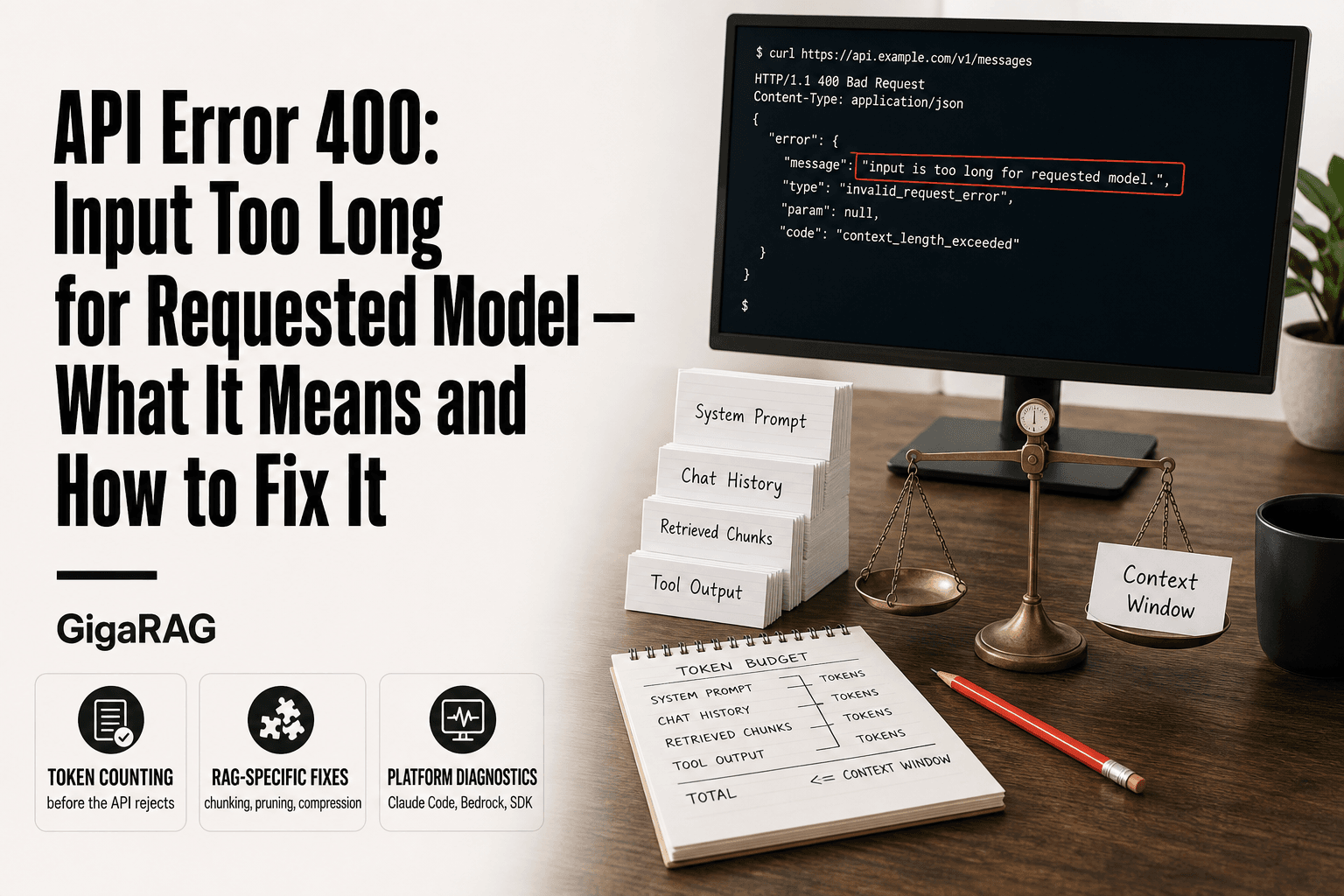
API Error 400: Input Too Long for Requested Model — What It Means and How to Fix It
Your RAG pipeline tests clean. Then production hits it with a dense retrieval batch, a long conversation history, and a system prompt that's grown three versions past what you planned. The API responds with "api error: 400 input is too long for requested model," and you're left guessing whether it's your code, the model's ceiling, or a platform quirk. The honest answer: it's usually the first two compounding until the third gets blamed.
This guide breaks down what the 400 actually measures, how to count your input before the API rejects it, and which prevention strategies hold up in production. You'll get the token numbers across Claude models and platforms, the RAG-specific failure patterns no forum thread covers, and a decision tree for separating real limits from Bedrock bugs. Tools like GigaRAG help manage agent memory and retrieval context so the api error: 400 input is too long for requested model fires less often, but the mechanics below work with or without them.
| At a glance | Details |
|---|---|
| Error meaning | Input exceeds the model's context window |
| Who sees it | Agent, RAG, and long-chat builders |
| Can you raise the limit? | No — the context window is defined by the specific model and version |
| First check | Measure total input tokens, not characters |
| Common trigger | Unpruned history or oversized retrieval batches |
| Fix category | Prevention: chunking, pruning, compression |
In This Guide
- What Does 'API Error: 400 Input Is Too Long for Requested Model' Actually Mean?
- Claude Code vs Bedrock vs Python SDK: How the 400 Input-Too-Long Error Behaves
- Token Limits Across Models: The Numbers You're Actually Hitting
- Api Error: 400 Input Is Too Long For Requested Model: A Step-by-Step Guide
- How to Measure Your Input Size Before the API Rejects It
- Why RAG Pipelines and Agent Memory Systems Hit This Error More Often
- Prevention Strategies That Actually Work for RAG Builders
- Platform-Specific Fixes: Claude Code, Bedrock, and Python SDK
- When It's Not Your Fault: Platform Bugs vs. Genuine Limits
- What You Cannot Do: Honest Limitations of the 400 Error
- Common Mistakes When Fixing API Error 400 Input Too Long
What Does 'API Error: 400 Input Is Too Long for Requested Model' Actually Mean?
The 400 error means your request was rejected before the model could process it. The request's input—including the system prompt, message history, tools, and retrieved context—exceeded the capacity available for that request.
A 400 is a client-error response. The API determined that the request could not be accepted as submitted. It is different from a rate-limit response or a server-side timeout.
HTTP status codes split into two families. 4xx generally means the request cannot be accepted as submitted, while 5xx indicates a server-side error. For an input-too-long 400, the first step is to inspect and reduce the request or otherwise bring it within the applicable model limits.
Measure your input, identify the largest contributors, and reduce or restructure the context until the request fits the applicable limits.
What 'input too long' measures: tokens, not characters
The API counts tokens, not characters. A token is roughly three to four characters of English text, but that ratio shifts with code, whitespace, and non-English languages. A 10,000-character prompt might be 2,500 tokens or 4,000 tokens depending on content.
The input total includes everything you send: the system prompt, all prior messages in the conversation, tool outputs, and any retrieved context from your RAG pipeline. Most developers forget the system prompt and message history when estimating size. Those add up fast.
Hard model limits vs. platform-specific bugs
There's a difference between hitting a genuine model limit and encountering a platform-specific issue. Each Claude model has an applicable context limit, and a request that exceeds the available capacity can be rejected.
Platform behavior can also differ. A request may behave differently across the direct Anthropic API, AWS Bedrock, or another integration because of model availability, request handling, configuration, or platform-specific constraints. If a request that is comfortably below the documented model limit is rejected, verify the model ID, platform configuration, and current provider documentation before assuming the input itself is too large.
[!note] A 400 'input too long' error usually indicates that the request exceeds the applicable context capacity. You cannot bypass a model's defined context limit with prompt engineering. If the request is genuinely over the limit, reduce or restructure the input, use a model with a larger supported context window, or retrieve only the information needed for the current request.
Claude Code vs Bedrock vs Python SDK: How the 400 Input-Too-Long Error Behaves
| Factor | Claude Code (CLI) | Bedrock / Python SDK |
|---|---|---|
| Where the limit lives | Model context window, enforced server-side | Model context window, enforced server-side |
| Typical surface | CLI error banner referencing input length | HTTP 400 with a validation message in the response body |
| What you control | Conversation length, file context, tool output size | Prompt assembly, chunk size, message history, retries |
| Best first diagnostic | Trim the conversation or attached files | Log token counts per request before sending |
| Prevention lever | Session hygiene and context scoping | Chunking, pruning, and compression in your pipeline |
Token Limits Across Models: The Numbers You're Actually Hitting
Here's what each Claude model accepts, and why the same input can pass on one platform and fail on another.
Claude model context windows: Haiku, Sonnet, Opus
Claude model context windows vary by model and version. For example, Claude Haiku 4.5 has a 200,000-token context window and up to 64,000 tokens of output, while Claude Sonnet 5.5 and Claude Opus 5.5 have 1 million-token context windows and up to 128,000 tokens of output.
The important point is that there is no single context-window limit that applies to every Claude model. When troubleshooting an input-too-long error, check the exact model ID and its current documented limits rather than assuming every Claude model has the same capacity.
Larger contexts can also increase processing requirements and cost, depending on the model and request. For production RAG systems, it is still good practice to retrieve only the context needed for the current task rather than filling the available window unnecessarily.
How Bedrock enforces limits differently from the direct API
AWS Bedrock provides access to Claude models through AWS infrastructure. The applicable context limit still depends on the specific model and version, while Bedrock also introduces its own model availability, API configuration, and regional considerations.
If a request behaves differently between the direct Anthropic API and Bedrock, first verify that you are using the same model/version and that the request is constructed equivalently. Check the model's documented limits and the Bedrock documentation for the specific model and region before concluding that the difference is a platform bug.
The practical takeaway: if the same input works on one platform but fails on another, compare the exact model ID, request structure, token count, region, and provider-specific limits before changing your RAG or context strategy.
[!tip] For RAG and agent-memory builders: budget your context window explicitly — reserve a fixed slice for system prompt, a slice for retrieved chunks, and a slice for conversation history, then enforce those budgets in code before every call. This turns an intermittent production failure into a predictable, testable constraint.
Api Error: 400 Input Is Too Long For Requested Model: A Step-by-Step Guide
- Reproduce the failure in isolation and capture the exact request payload that triggers it.
- Count input tokens (not characters) for system prompt, history, retrieved chunks, and tool output combined.
- Compare that total against the context window of the specific model you are calling.
- Identify the largest contributor — usually unpruned history or an oversized retrieval batch.
- Apply the matching fix: prune old turns, shrink chunks, or compress retrieved context before assembly.
- Add a pre-send token check that rejects or trims requests above a safety threshold.
- Log token counts per request so you can see growth trends before the next failure.
How to Measure Your Input Size Before the API Rejects It
You can't fix what you can't measure. Here's how to know your input size before the API tells you the hard way.
Using Anthropic's token counting endpoint
Anthropic provides a dedicated token counting endpoint. You send it your messages and it returns the exact token count without calling the model. It provides an API-level token count for the request you submit, making it much more reliable than estimating from character counts.
In the Python SDK, it looks like this:
import anthropic

client = anthropic.Anthropic()
response = client.messages.count_tokens(
    model="claude-3-5-sonnet-20241022",
    messages=[{"role": "user", "content": "Your full prompt here"}],
)
print(response.input_tokens)
The token-counting endpoint is designed to estimate the input tokens for a request without generating a model response. Check the current API documentation for its pricing and rate-limit treatment before relying on it as a production assumption.Call it before every request in development, or log it in production. The main catch: it counts only the messages you pass in. System prompts, tool definitions, and any retrieved context you inject need to be included in the messages array to get an accurate total.
Rough heuristics: characters-to-tokens ratios
When you can't call the endpoint, a rough estimate works. Character-to-token ratios vary substantially by language, formatting, and content type. Code, identifiers, whitespace, and non-English text can tokenize differently from ordinary English prose.
Don't rely on this for anything near the limit. It's a planning tool, not a safety check. A 190,000-token input estimated at 4 characters per token could be off by 10,000 tokens in either direction. That's enough to trigger the 400 error you're trying to avoid.
Adding token logging to your RAG pipeline
The fix that actually prevents production failures: log token counts on every request. Add a line before your API call that counts input tokens and writes them to your logging system. When a 400 hits, you'll see the exact input size that triggered it.
Here's the pattern:
token_count = client.messages.count_tokens(
    model=model_name,
    messages=full_messages,
).input_tokens
logger.info(f"input_tokens={token_count} request_id={request_id}")
Set an alert when input tokens approach a defined percentage of your model's applicable context capacity. That gives you time to trim retrieved context or prune message history before the API rejects the request. You'll catch the problem in your logs, not in your error handler.
Why RAG Pipelines and Agent Memory Systems Hit This Error More Often
RAG and agent systems don't fail because of one big prompt. They fail because of many small inputs that add up silently. A single user question is tiny. The system prompt is fixed. But retrieved chunks, conversation history, and tool outputs all stack on top of each other, and none of them announce their size before the request goes out.
The compounding effect: retrieved context + history + system prompt
Here's what happens behind the scenes. Your system prompt might be 1,500 tokens. Your conversation history from the last ten turns could be 8,000 tokens. Tool outputs from a database query or a web search might add another 6,000. Then retrieval pulls in chunks: at 500 tokens per chunk and top-k set to 10, that's 5,000 more. Total: 20,500 tokens before the user's current question even gets counted.
The math is unforgiving. A pipeline that works with 3 retrieved chunks at 1,500 tokens total will fail with 10 chunks at 5,000 tokens. Nothing about your code changed. The retrieval just returned more context than usual because the query was broader or the corpus grew. The API doesn't care why the input is long. It only sees the total.
Why testing with short conversations hides the problem
You test with three turns of conversation and two retrieved chunks. It works. You ship it. A user has a forty-turn session, retrieval returns eight chunks because their question is vague, and the request dies with a 400.
The honest answer is that short tests don't exercise the failure mode. Token growth is cumulative and slow until it isn't. Every turn adds the assistant's previous response plus the user's new message to the history. Every retrieval call adds chunks. Every tool call adds its output. None of these are problems in isolation. Together they cross the limit without warning.
The fix is to test with worst-case inputs, not average ones. Run a test with fifty turns of history, top-k at your maximum, and the largest tool output your system can produce. If it passes that, you have headroom. If it fails, you found the bug before your users did.
Agent memory growth as a silent token consumer
Agent memory is the quietest token consumer in the stack. Unlike retrieved chunks, which you can see and count, memory accumulates in the background. Summaries of past sessions, user preferences, facts the agent learned, all of it gets injected into the context on every request.
A memory layer that starts at 500 tokens can grow to 10,000 tokens over weeks of use. The agent doesn't warn you. The API doesn't warn you. The request just fails one day, and the error message says "input too long" without telling you that memory was the thing that pushed it over.
This is why memory systems need pruning and summarization built in from the start, not bolted on after the first production incident. A memory layer that compresses older entries and drops stale ones keeps the token footprint flat. One that appends forever will eventually hit the ceiling no matter how careful you are with retrieval.
Prevention Strategies That Actually Work for RAG Builders
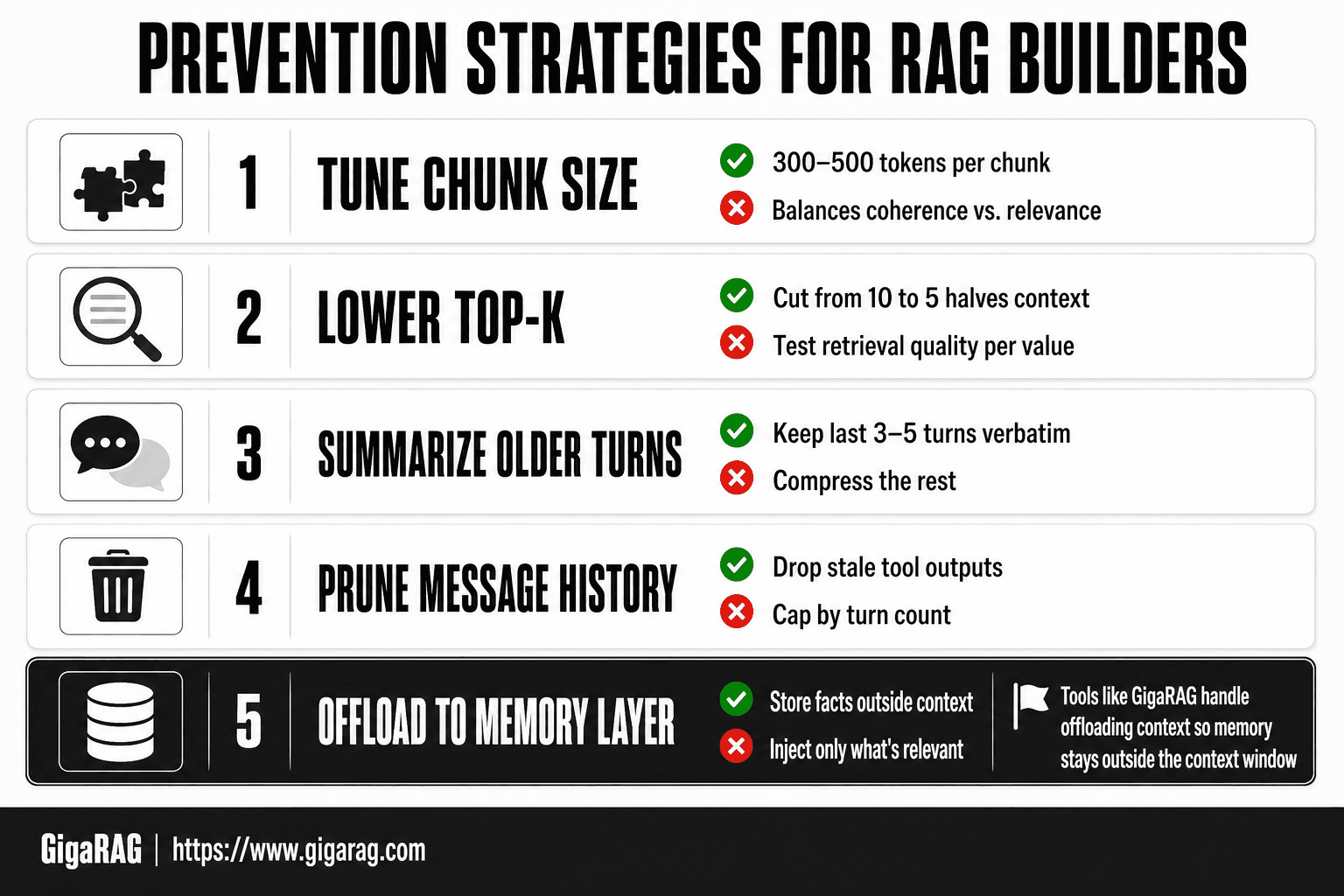
You can't raise the context window, but you can control what goes into it. The strategies below work because they reduce input size at the source: retrieval, history, and memory. Each one trades something away, and I'll name the tradeoff plainly.
Tuning chunk size and top-k for retrieval
Smaller chunks mean less context per retrieval. A 200-token chunk carries roughly a paragraph of meaning. A 1,000-token chunk carries five paragraphs, most of which may be irrelevant to the query. The tradeoff: smaller chunks can split a coherent idea across boundaries, so retrieval quality drops if you go too small. Chunk size is a design parameter rather than a universal number. The appropriate size depends on the document structure, retrieval method, embedding model, and task. Smaller chunks can reduce irrelevant context, while larger chunks can preserve more surrounding meaning.
Top-k is another important lever. Cutting top-k from 10 to 5 reduces the amount of retrieved context, but it can also remove relevant evidence. Test retrieval quality at different top-k values before shipping rather than assuming one value is optimal.
Context compression and summarization of older turns
Instead of sending the full conversation history, summarize everything older than the last few turns. A 10,000-token history can sometimes be compressed substantially while preserving the information needed for the current task, but the appropriate summary size depends on what information must be retained.
The tradeoff: summarization loses exact wording, numbers, and code snippets. If the user said "change the date to March 14" six turns ago, a summary might say "user wanted a date change" and drop the specific date. Keep the last three to five turns verbatim. Summarize everything before that. Re-summarize when the summary itself grows past a threshold.
Message history pruning strategies for agents
Agents accumulate history fast. Every tool call, every assistant response, every user correction gets appended. The fix is to prune aggressively and deliberately.
Three pruning rules that work in practice. First, drop tool outputs after the assistant has acted on them. The output served its purpose; the agent doesn't need the raw JSON from a database query ten turns later. Second, cap history at a fixed number of turns, not a token count. Token counts vary per message; turn counts are predictable. Third, never prune the system prompt or the current user message. Everything else is fair game.
The tradeoff: pruning loses context the agent might need later. A user might reference something from twenty turns ago. If you pruned it, the agent won't know. Mitigate this by summarizing pruned turns into a running context note before dropping them.
Using a memory layer to offload context
A memory layer stores facts, preferences, and session summaries outside the main context, then injects only what's relevant to the current request. This keeps the per-request token count flat even as the agent learns more over time.
The catch: a memory layer is another system to build and maintain. It needs its own retrieval, its own pruning, and its own failure modes. Tools like GigaRAG handle this offloading for you, but the principle holds whether you build it or buy it: memory should live outside the context window, not inside it.
Platform-Specific Fixes: Claude Code, Bedrock, and Python SDK
The same 400 error shows up differently depending on where you're calling the model from. What works on the direct API might not work on Bedrock, and Claude Code has its own quirks. Here's what I've found testing each platform.
Claude Code CLI: /model switch and conversation reset
Claude Code keeps your entire session in context. Every file you've read, every command you've run, every back-and-forth gets appended. A long debugging session can silently push you past the limit, and the error appears without warning.
Switching models can help only when the replacement model provides a larger applicable context window. Context limits vary by model and version, so check the current Claude Code and model documentation before relying on a model switch as a fix.
If changing models does not solve the problem, starting a fresh conversation can reduce accumulated conversation context. If you need information from the previous session, preserve the important details in project files or another external memory layer before starting over.
AWS Bedrock: regional issues and token limit quirks
Bedrock behavior can depend on the model, version, region, and API configuration. If you hit a 400 in one region, verify that the same model version is available and configured in both environments before comparing results.
The model ID matters because different Claude versions can have different context and output limits. Check the exact model ID used by your Bedrock invocation and compare it with the current AWS and Anthropic documentation.
Python SDK: catching the error and retrying with reduced input
The Python SDK raises an exception with the status code embedded. You can catch it, inspect the message, and retry with a smaller input. Here's the pattern:
try:
    response = client.messages.create(
        model="claude-3-5-sonnet-20241022",
        max_tokens=1024,
        messages=messages
    )
except anthropic.BadRequestError as e:
    if "input is too long" in str(e):
        # Truncate the oldest messages, keep the last 3 turns
        messages = messages[-6:]  # 3 user + 3 assistant turns
        response = client.messages.create(
            model="claude-3-5-sonnet-20241022",
            max_tokens=1024,
            messages=messages
        )
The retry only works if you actually reduce the input. Retrying with the same messages just throws the same error. Truncate from the oldest messages first, never from the middle, and never from the system prompt. If truncating the history still doesn't fit, you need to cut retrieved context or shorten the system prompt.
One more thing: the SDK won't auto-truncate for you. It sends exactly what you give it, and the API rejects it if it's over. The retry logic is yours to write.
When It's Not Your Fault: Platform Bugs vs. Genuine Limits
Sometimes the 400 error isn't your input at all. The model has a hard ceiling, sure, but the platform you're calling through has its own moving parts: regional deployments, model version rollouts, transient API hiccups. A request that's well under the documented limit can still get rejected because the endpoint you hit is misconfigured or stale. Knowing which failure you're dealing with saves you hours of pointless truncation.
Signs it's a platform bug, not your input
Inconsistency can be a useful signal that something other than raw input size may be involved. If the same request behaves differently across regions or model versions, compare the exact model ID, request structure, token count, and provider configuration before concluding that you have a platform bug.
Other useful signals include an error that appears despite no change to the request, a mismatch between the configured and reported model version, or behavior that conflicts with the provider's documented limits. These cases should be investigated with the provider's current documentation and support channels rather than assumed to be a context-window problem.
A decision tree for diagnosing the cause
Run through this in order:
- Count your tokens. Use the token counting endpoint or a local library. If you're under the documented limit, it's probably not your input.
- Test the same request on a different region. If it works elsewhere, it's a regional deployment issue. File a ticket with the platform, not a code fix.
- Test on a different model version. If the error follows a specific model ID, that version may have a lower effective limit than documented.
- Retry after a few minutes. Transient API problems clear on their own. If the error vanishes without any change to your input, it was never about your input.
- File a bug report. Include the region, model ID, timestamp, and token count. Platform teams need that data to trace the issue.
If you've done all five and the error persists with a token count under the limit, you've found a genuine platform bug. Document it and move on. Don't keep trimming a prompt that was never too long.
What You Cannot Do: Honest Limitations of the 400 Error
Some forum advice implies you can finesse your way past the context window. You can't. The limit is a physical property of the model's architecture, not a setting you can tweak. Here's what's actually off the table.
You cannot raise the model's context window
The context window is fixed at training time. Claude Haiku, Sonnet, and Opus each ship with a specific token ceiling, and no API parameter, header, or billing tier changes it. Paying more gets you higher rate limits, not a bigger window. If you need more room, you switch to a model with a larger window or you reduce what you send.
No prompt-engineering trick bypasses a hard token limit
You can compress, summarize, prune, and restructure. Those reduce token count. What you can't do is write a clever system prompt that makes the model "ignore" the limit or process more tokens than it was built for. The rejection happens before the model ever sees your prompt. The API counts tokens first, then decides whether to accept the request. No phrasing changes that arithmetic.
The API will not auto-truncate for you
This is the one that catches people. Some APIs silently drop overflow. Anthropic's doesn't. If your input exceeds the limit, you get a 400 error and nothing else. The API won't trim the middle of your context, won't drop older messages, won't guess which retrieved chunks matter least. That's your job, and it's a design choice, not an oversight. Silent truncation would corrupt RAG pipelines by removing context you never knew was gone.
The honest answer: manage input size yourself, or the error will keep managing you.
Common Mistakes When Fixing API Error 400 Input Too Long
You've measured your tokens, you've hit the limit, and now you're fixing it. The fixes themselves go wrong more often than the original error. Here are the three mistakes I see most in production RAG pipelines.
Truncating blindly without preserving retrieval quality
The fastest fix is also the worst: chop the middle of your context and ship it. You stay under the limit, but you've just deleted the retrieved chunks that mattered most. The model now answers from a hole in the middle of your evidence. If you truncate, truncate from the ends. Drop the oldest message history first, then trim retrieved chunks by relevance score, not by position. Blind middle-truncation is how you get confident, wrong answers.
Ignoring the system prompt and tool output sizes
Developers obsess over retrieved context and conversation history, then discover their system prompt alone eats 3,000 tokens. Tool outputs are worse. A single API call that returns a full JSON blob can add 5,000 tokens you never counted. Measure every input component separately before you start cutting. You can't fix what you haven't measured, and most teams haven't measured the system prompt.
Retrying without changing the input
The 400 error is deterministic. Same input, same limit, same rejection. Retrying with a backoff loop doesn't help because this isn't a rate limit or a transient failure. It's arithmetic. If you catch the error and retry without reducing token count, you'll get the same 400 every time. The fix is to catch the error, log the token count, reduce the input, and only then retry.
The pattern across all three mistakes: developers treat the api error: 400 input is too long for requested model as a nuisance to work around instead of a signal to measure. The error is telling you exactly what's wrong. The mistake is not listening.
Frequently Asked Questions
Why does Claude say my prompt is too long?
The total input — system prompt, conversation history, retrieved documents, and tool output combined — exceeds the model's context window. It is a size limit, not a content or formatting problem. Reducing any of those components brings you back under the limit.
What does the 400 error code mean in the Claude API?
HTTP 400 means the request was rejected as invalid before processing. When the message mentions input length, the payload exceeded the model's context window. Other 400 variants (malformed body, unsupported parameters) are different problems with different fixes.
How do I fix an HTTP 400 error from an LLM API?
Read the error message first — it usually names the exact problem. For input-too-long, measure token counts and trim the largest contributor. For other 400s, validate the request body, parameter names, and role structure against the current API docs.
Can I increase the context window to avoid this error?
- The context window is fixed per model and set by the provider. You can switch to a model with a larger window, but you cannot expand the one you are already using. The durable fix is managing input size in your application.
Does this error appear differently on Bedrock versus the Python SDK?
The underlying cause is the same, but the surface differs. Bedrock returns an HTTP 400 with a validation message in the response body, while SDK wrappers may raise a typed exception. Always log the raw response body — it contains the specific reason.
How do I prevent input-too-long errors in a RAG pipeline?
Set explicit token budgets for each context component, cap the number of retrieved chunks, and prune or summarize conversation history before assembly. Add a pre-send check that trims or rejects oversized requests so failures happen in your code, not in production.
Is a 400 input-too-long error ever a platform bug?
Rarely. It is almost always a genuine size overage. If your token count is clearly under the documented limit and the error persists, capture the full request and response and check the provider's status page before assuming a bug.
About GigaRAG
GigaRAG is for agent memory and RAG pipeline builders. get this right. Whether you are working through api error: 400 input is too long for requested model or something adjacent, we publish what we have actually tested, including where it falls short.


