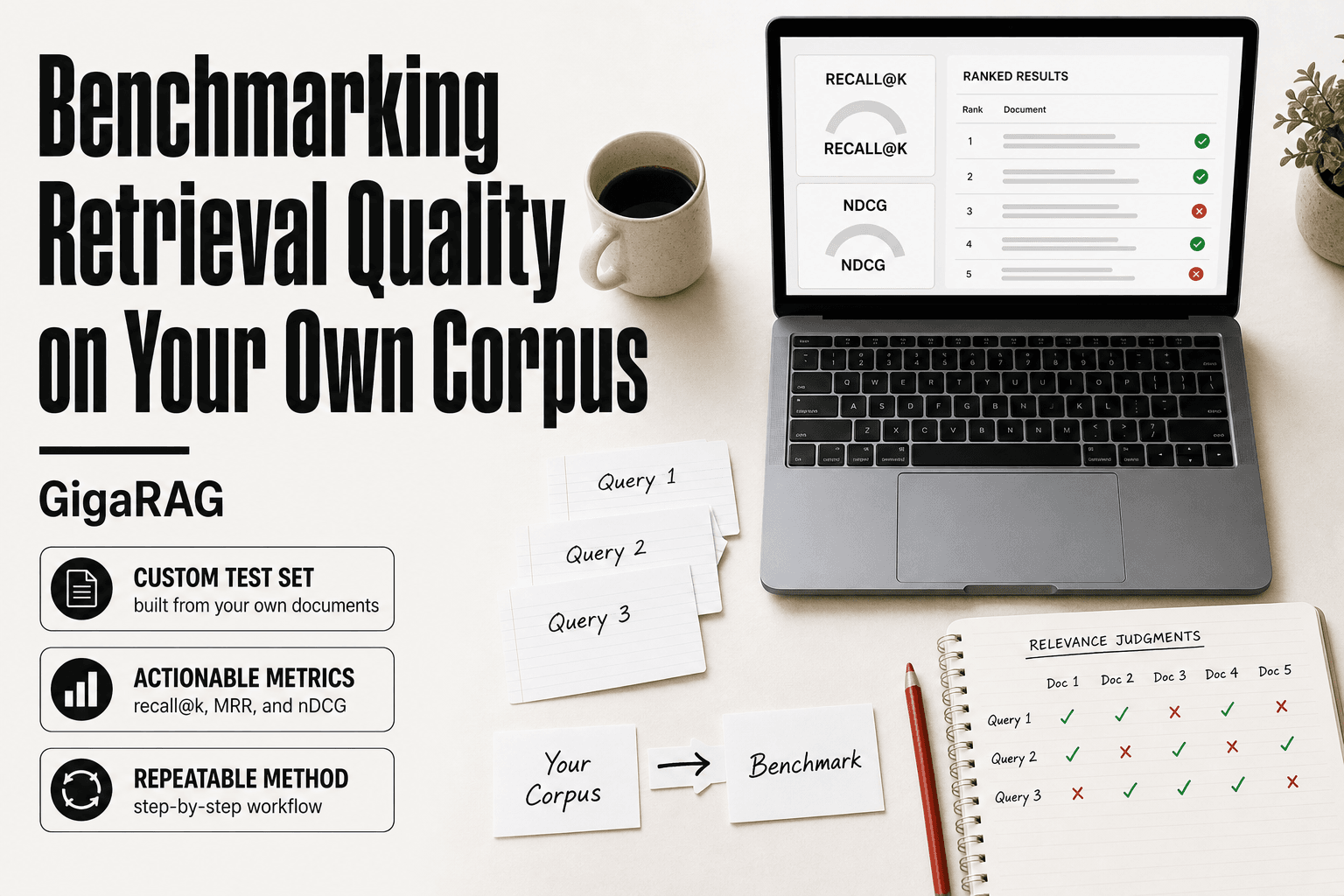
Benchmarking Retrieval Quality on Your Own Corpus
Benchmarking retrieval quality on your own corpus is the only way to know if your RAG pipeline or agent memory actually works for your data. Public benchmarks like BeIR and NIAH are fine for comparing embedding models, but they tell you almost nothing about how retrieval will behave on your private documents, your domain vocabulary, your chunking strategy. Agent memory and RAG pipeline builders face this gap every time they ship. The honest answer is that no public leaderboard can close it.
This guide gives you a repeatable, step-by-step method to build a custom retrieval benchmark on your own corpus. You'll learn how to sample a representative test set, generate queries, choose metrics that match your use case, run your pipeline, score results, and debug failures layer by layer. At GigaRAG we run these benchmarks on customer corpora weekly, and the results are rarely flattering. That's the point.
No vendor pitch, no inflated numbers.
| At a glance | Details |
|---|---|
| What it is | A custom eval set built from your own documents |
| Core metric | Recall@k, MRR, nDCG on labeled queries |
| Set size | Start with 50-200 labeled queries |
| Ground truth | Human-labeled relevant chunks per query |
| Main limitation | Measures retrieval only, not generation quality |
| When to rebuild | After corpus, chunking, or embedding changes |
In This Guide
- What Does 'Benchmarking Retrieval Quality on Your Own Corpus' Actually Mean?
- Public Benchmarks vs. Your Own Corpus Benchmark
- Why Public Benchmarks Won't Tell You Enough
- Benchmarking Retrieval Quality On Your Own Corpus: A Step-by-Step Guide
- Prerequisites: What You Need Before You Start
- Step 1: Build a Representative Test Set from Your Corpus
- Step 2: Choose Retrieval Metrics That Match Your Use Case
- Step 3: Run Your Retrieval Pipeline and Collect Results
- Step 4: Score Results and Interpret Them Honestly
- Step 5: Debug Retrieval Failures Layer by Layer
- What You Cannot Expect from Benchmarking Retrieval Quality on Your Own Corpus
- Best Practices for Maintaining Your Custom Benchmark
- Final Thoughts
What Does 'Benchmarking Retrieval Quality on Your Own Corpus' Actually Mean?
Benchmarking retrieval quality on your own corpus means building a labeled test set from your data, running your retrieval pipeline against it, and scoring the results with metrics like recall@k or nDCG. It's a measurement exercise, not a leaderboard entry.
Public benchmarks like BeIR or NIAH test retrieval on someone else's documents. Your corpus has different vocabulary, different document lengths, different failure modes. A custom benchmark swaps in your data and your pipeline. You write or generate queries, mark which documents should come back for each query, run your retriever, and count how often it gets the right documents in the top k results.
Public benchmarks vs. custom corpus benchmarks
Public benchmarks are standardized. Every model runs the same queries against the same corpus, so scores are comparable across models. That's their value. The catch: they tell you nothing about your data. A model that scores 0.85 on BeIR can still miss the internal wiki page your support agent needs.
A custom benchmark is the opposite. It's not comparable to anyone else's numbers. It's built from your corpus, your queries, your relevance judgments. You can't tweet the score, but you can ship on it.
What a custom benchmark can and cannot tell you
It can tell you whether your retrieval pipeline finds the right documents for the queries you tested. It can tell you whether a change to chunking, embedding, or reranking made retrieval better or worse on your data.
It cannot tell you how retrieval will perform on queries you didn't test. It cannot tell you if your score is "good enough" without a threshold tied to your use case. And it cannot fix retrieval. It only measures it.
Why agent memory and RAG pipelines need corpus-specific evaluation
Agent memory retrieves from a store of past interactions, decisions, and facts. RAG pipelines retrieve from your docs before generating an answer. Both fail silently when retrieval misses. A public benchmark won't catch that failure because it doesn't contain your data.
The only way to know if retrieval works on your corpus is to test it on your corpus. That's the whole method.
[!note] A retrieval benchmark measures whether the right chunks are returned, not whether the final answer is correct. You still need a separate generation or end-to-end evaluation to catch hallucination and reasoning failures.
Public Benchmarks vs. Your Own Corpus Benchmark
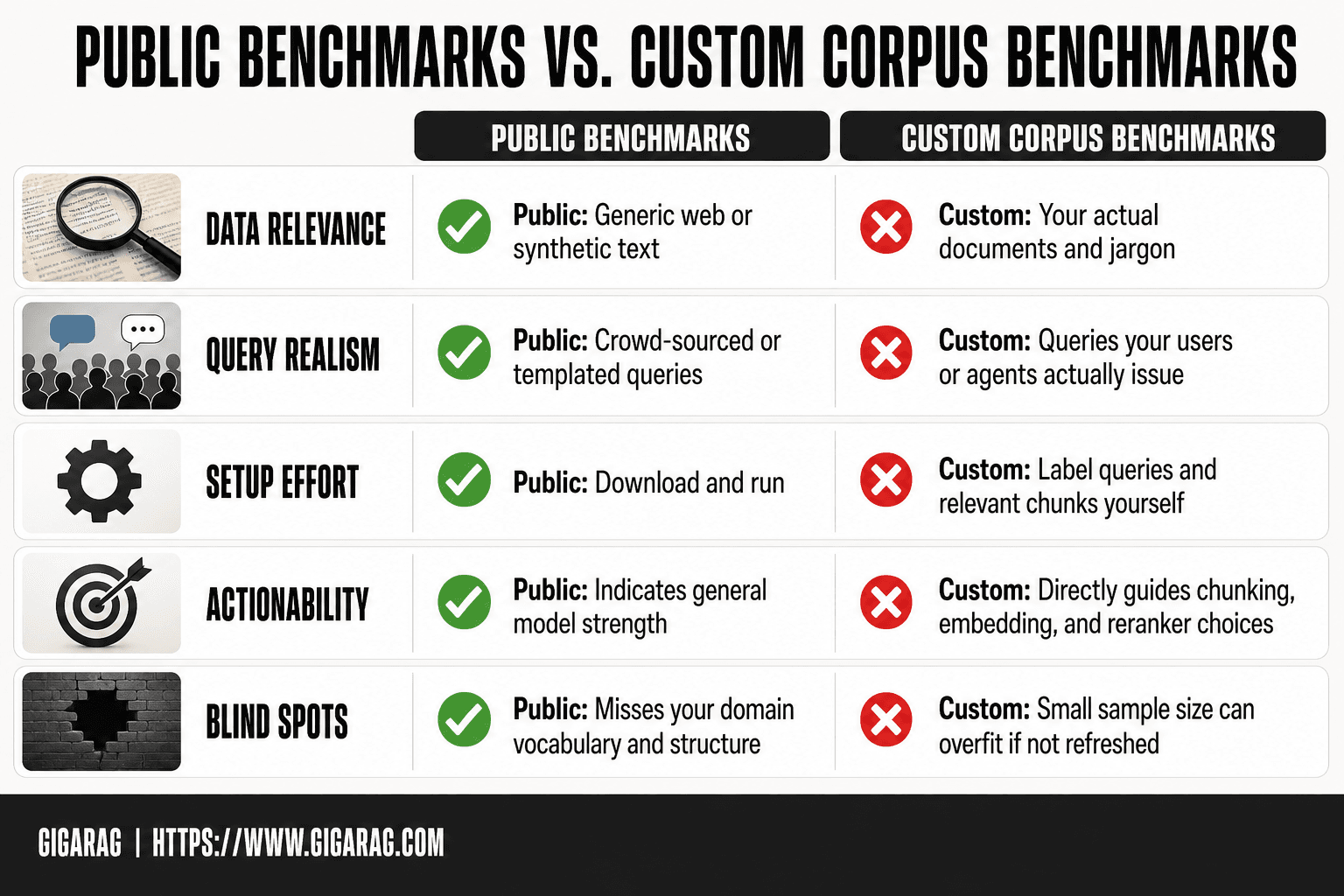
| Factor | Public Benchmarks (BeIR, NIAH) | Custom Benchmark on Your Corpus |
|---|---|---|
| Data relevance | Generic web or synthetic text | Your actual documents and jargon |
| Query realism | Crowd-sourced or templated queries | Queries your users or agents actually issue |
| Setup effort | Download and run | Label queries and relevant chunks yourself |
| Actionability | Indicates general model strength | Directly guides chunking, embedding, and reranker choices |
| Blind spots | Misses your domain vocabulary and structure | Small sample size can overfit if not refreshed |
Why Public Benchmarks Won't Tell You Enough
Public benchmarks measure retrieval on someone else's documents. Your corpus is not those documents. The gap between the two is where production failures live.
The distribution shift problem
Distribution shift is the technical name for a simple fact: the data you test on is not the data you ship on. BeIR tests retrieval on Wikipedia, news articles, and StackExchange. Your corpus might be internal incident reports, legal contracts, or customer support tickets. The vocabulary, document structure, and query patterns differ in ways that matter.
A retriever tuned to score well on Wikipedia-style passages learns to match encyclopedic language. Feed it a terse Slack thread about a database outage and it misses the relevant runbook. The model didn't get worse. The data changed underneath it.
What BeIR, NIAH, and FRAMES actually measure
BeIR measures zero-shot retrieval across 18 datasets spanning different domains. It's useful for comparing embedding models before you pick one. NIAH (Needle in a Haystack) tests whether a model can find a single fact buried in a long context. FRAMES evaluates multi-hop retrieval and reasoning across document sets.
None of them measure retrieval on your corpus. They measure general retrieval ability on public data. That's a starting point for model selection, not a prediction of production quality.
Why your corpus is different, and why that matters
Your corpus has domain-specific vocabulary that public benchmarks don't cover. An embedding model trained on general text may not know that "MTTR" means mean time to repair in your incident reports, or that "churn" means customer cancellation in your product docs. When the model doesn't know the vocabulary, it can't match queries to documents that use different words for the same concept.
Your corpus also has different document lengths, different chunk boundaries, and different query patterns. Users searching your internal wiki ask different questions than users searching Wikipedia. The only way to know if retrieval works on your data is to test it on your data.
[!tip] For agent memory pipelines, include multi-hop and temporal queries in your benchmark — for example, questions that require combining two memories or reasoning about when something was stored. These are the cases where naive vector search most often fails, and they rarely appear in public benchmarks.
Benchmarking Retrieval Quality On Your Own Corpus: A Step-by-Step Guide
- Sample a representative slice of your corpus across document types, lengths, and topics.
- Write 50-200 realistic queries your users or agents would ask, including hard and ambiguous ones.
- For each query, label the chunks or documents that are truly relevant (ground truth).
- Run your retrieval pipeline and record the top-k results for every query.
- Compute Recall@k, MRR, and nDCG against your labels.
- Segment results by query type or document category to find weak spots.
- Re-run the benchmark after any change to chunking, embeddings, or reranking.
Prerequisites: What You Need Before You Start
You can't benchmark retrieval without a few things in place first. Here's the concrete list.
Corpus access and preprocessing
You need read access to the corpus you'll test against. Not a sample. The actual documents your pipeline retrieves from, in the same format they'll be in production. If you chunk documents before indexing, you need the chunked version too. Benchmarking raw text when production uses 512-token chunks measures the wrong thing.
A retrieval pipeline you can run repeatedly
Your pipeline needs to accept a query and return top-k results with scores. It doesn't matter if it's a vector database, hybrid search, or a reranker on top. What matters is that you can run it the same way every time. If you can't reproduce a run, you can't trust a score.
Relevance judgment strategy: manual, synthetic, or hybrid
You need a way to decide which documents are actually relevant to each query. Manual judgments are the gold standard but slow. Synthetic judgments scale but carry noise. Hybrid approaches use synthetic labels for coverage and manual review for a subset. Pick one before you build the test set, because it shapes everything downstream.
Step 1: Build a Representative Test Set from Your Corpus
Your benchmark is only as good as the test set you build. A test set that overrepresents one document type, one topic, or one time period will give you scores that don't transfer to production. Here's how to build one that reflects what your retrieval system actually faces.
Sampling documents: coverage and diversity
Start by stratifying your corpus. Don't sample uniformly if your corpus isn't uniform. If 40% of your documents are support tickets, 30% are product specs, and 30% are internal wikis, your test set should mirror those proportions. Within each stratum, sample across time, author, and document length. A retrieval system that works on 200-word tickets may fail on 5,000-word specs. You need both in your test set.
The main catch is that you can't test retrieval on documents you haven't indexed. Sample from the indexed corpus, not the raw corpus. If your index is stale or missing documents, that's a separate problem you'll catch in Step 5, not here.
Generating queries: real logs, synthetic generation, or manual authoring
Real query logs are the best source, when you have them. They capture how users actually phrase things, including typos, shorthand, and domain jargon no synthetic generator will produce. Pull queries from the last 30 to 90 days, deduplicate them, and filter out anything malformed or empty.
If you don't have logs, you have two options. Synthetic generation uses an LLM to produce queries from sampled documents. It's fast and scales, but it produces cleaner, more grammatical queries than real users type. Manual authoring means you or a domain expert writes queries from scratch. It's slow and biased toward what you think users ask, but it captures domain-specific phrasing better than synthetic generation.
In practice, most teams start with synthetic queries and add manual ones for edge cases they know matter. Don't mix sources without labeling which is which. You'll want to know later whether a metric drop comes from synthetic noise or real retrieval failure.
Creating relevance judgments: binary vs. graded
Binary judgments mark each document as relevant or not. They're faster to produce and easier to agree on. Graded judgments use a scale, typically 0 to 3, where 0 is irrelevant, 1 is tangentially related, 2 is relevant, and 3 is directly answering. Graded judgments let you compute nDCG, which rewards ranking the most relevant document first. Binary judgments only support recall@k and precision@k.
The honest answer is that binary judgments are enough for most teams starting out. Graded judgments add cost and annotation disagreement. Start binary. Move to graded only if you need nDCG and have the budget for double annotation.
How many queries do you actually need?
It depends on the variance in your corpus and the size of the effect you're trying to detect. A rule of thumb: 50 queries is the minimum for a directional signal. 100 to 200 queries gives you enough to compare two pipeline configurations with some confidence. Below 50, a single bad query can swing your recall@k by several points.
Here's why. Retrieval metrics are averages over queries. The standard error shrinks with the square root of the query count. Going from 25 to 100 queries cuts your error bars in half. Going from 100 to 400 cuts them in half again. Most teams hit diminishing returns around 200 queries unless they're testing small, targeted changes.
One more thing. Hold out a portion of your test set. Build on 80%, evaluate on 20%. If you tune your pipeline on the same queries you score it on, you're overfitting to your own benchmark. You'll catch that in the maintenance section, but the fix starts here.
Step 2: Choose Retrieval Metrics That Match Your Use Case
The metric you pick determines what "good" means. Recall@k tells you whether the right document showed up anywhere in the top k. nDCG tells you whether the best document showed up first. They answer different questions, and optimizing the wrong one wastes your time.
Recall@k and precision@k: the basics
Recall@k measures how often the relevant document appears in your top k results. If you have 100 queries and the right document shows up in the top 10 for 80 of them, your recall@10 is 0.8. It's the metric to watch when missing a document is expensive.
Precision@k measures how many of your top k results are actually relevant. If 3 of your top 5 results are relevant, precision@5 is 0.6. It matters when your pipeline passes results downstream and irrelevant documents waste context window or confuse the answer generator.
The catch: recall and precision trade off against each other. Raising k boosts recall but lowers precision. You can't maximize both.
nDCG and MRR: when order matters
nDCG (normalized discounted cumulative gain) rewards putting the most relevant document first. It uses graded judgments, so a document rated 3 counts more than one rated 2. The "discounted" part means position matters: a relevant document at rank 1 is worth more than the same document at rank 5.
MRR (mean reciprocal rank) is simpler. It looks at where the first relevant document appears and averages the reciprocal of that position across queries. First place gets 1.0, second gets 0.5, third gets 0.33. MRR is the right metric when only the first relevant result matters.
Which metric should agent memory builders optimize?
Recall@k, with k set to your actual retrieval window. Agent memory systems pull a fixed number of memories into context. If you retrieve 20 memories per turn, recall@20 is what you care about. A memory that doesn't make the cut is invisible to the agent. Precision matters less because the agent can ignore irrelevant memories, but wasted context window is real.
Which metric should RAG pipeline builders optimize?
It depends on your answer generation setup. If you pass top-3 chunks to an LLM and it synthesizes from all of them, nDCG@3 or MRR@3 captures what you need: the best chunk should be in there, ideally first. If you pass top-10 and rely on the LLM to sort it out, recall@10 matters more than order. If you use a reranker, measure both before and after reranking. The gap tells you whether your reranker is earning its latency cost.
Step 3: Run Your Retrieval Pipeline and Collect Results
You've built a test set and picked your metrics. Now run the thing. The goal is a clean, repeatable pass over every query that captures top-k results, latency, and enough metadata to reproduce the run later.
Running queries against your pipeline
Run each query through the exact same code path you use in production. Not a simplified version. Not a notebook cell that skips the reranker. If production calls an embedding model, a vector database, and a reranker in sequence, your benchmark does too.
Batch queries where your pipeline supports it, but keep per-query timing separate. A batch of 200 queries that returns one aggregate latency number hides the slow outliers. You want the distribution.
Capturing top-k results consistently
Store, for every query: the query text, the query ID, the top-k document IDs in ranked order, each result's score, and the latency for that query. Use a consistent k across the whole run. If you plan to compare recall@5 and recall@20, capture top-20 once and slice later. Don't rerun with different k values.
Write results to a file or table as you go. Don't hold everything in memory. A run that crashes at query 180 of 200 shouldn't cost you the first 179 results.
Measuring latency alongside quality
Latency is a retrieval metric too. A pipeline with perfect recall@10 that takes 4 seconds per query is useless in an agent loop. Record p50 and p95 latency, not just the mean. The mean hides the slow tail, and the slow tail is what users feel.
Measure latency at the pipeline boundary: query in, results out. Include embedding time, vector search, and reranking. Exclude network overhead only if your production setup also excludes it.
Reproducibility: versioning your corpus, queries, and pipeline
A benchmark result without versions is a story, not a measurement. Record the corpus version (commit hash or snapshot ID), the query set version, the embedding model name and version, the vector database version, and any reranker or chunking parameters.
If you change the chunking strategy and recall drops, you need to know whether the corpus also changed. Version everything. A JSON or YAML config file checked into git works. So does a run ID that maps to a database row with all parameters.
Reproducibility is what lets you compare runs honestly. Without it, you're guessing.
Step 4: Score Results and Interpret Them Honestly
You have raw results from Step 3. Now turn them into numbers, then resist the urge to overread those numbers.
Computing recall@k, nDCG, and MRR from raw results
Recall@k is the simplest: for each query, divide the number of relevant documents in the top-k by the total relevant documents for that query. Average across queries. If a query has 5 relevant docs and 3 appear in the top 10, recall@10 is 0.6 for that query.
nDCG needs graded judgments. Assign each relevant document a gain (say, 1 for partially relevant, 3 for fully relevant). Compute DCG by summing gains discounted by position, divide by the ideal DCG if the perfect ranking were returned. Average across queries.
MRR looks only at the first relevant result. Take the reciprocal of its rank. If the first relevant doc is at position 4, MRR for that query is 0.25. Average across queries.
Write a small scoring script. Don't compute these by hand. A 200-query benchmark with three metrics is a 15-line Python function, not a spreadsheet exercise.
Confidence intervals and why they matter
A mean recall@10 of 0.72 on 50 queries has a wide confidence interval. On 500 queries, it's narrower. The honest answer is: report the interval, not just the point estimate.
For a proportion like recall, a simple binomial confidence interval works. At 50 queries, a 0.72 score might have a 95% interval of roughly plus or minus 0.12. That means your "0.72" could be 0.60 or 0.84. You don't actually know.
Small test sets lie. A 3-point difference between two pipelines on 40 queries is noise. Don't ship a change based on that.
What a single metric cannot tell you
Recall@10 says nothing about whether the right document was ranked first or tenth. MRR ignores everything after the first hit. nDCG assumes your gain values reflect real usefulness, which they rarely do perfectly.
No single number captures retrieval quality. You need at least two: one for coverage (recall) and one for ranking quality (nDCG or MRR). Even then, you're seeing a shadow.
Common interpretation mistakes to avoid
Don't compare metrics across different test sets. A recall of 0.8 on your corpus says nothing about a recall of 0.8 on someone else's. The test sets differ, the judgments differ, the difficulty differs.
Don't treat a benchmark score as a production guarantee. It's a measurement of one pipeline on one frozen test set at one moment.
Don't chase the last point. If recall@10 moves from 0.81 to 0.82 after a chunking change, that's within noise on most test sets. You're tuning to the benchmark, not to your users.
Step 5: Debug Retrieval Failures Layer by Layer
Low scores don't tell you what to fix. They tell you something is broken. You isolate the layer by testing each component against a small set of queries you already know the right answers for.
Chunking failures: wrong granularity
Symptom: relevant documents are retrieved, but the specific passage that answers the query is buried inside a chunk too large to rank well. Or the answer spans two chunks and neither one contains enough context.
Fix: test two or three chunk sizes on the same 50-query subset. If recall jumps when you shrink chunks from 1,000 tokens to 300, your chunks were too coarse. If it drops, you cut sentences in half.
Keep in mind: chunking changes cascade. A new chunk size means re-embedding your entire corpus. Don't test this casually.
Embedding failures: semantic mismatch
Symptom: queries return documents that share keywords but miss the meaning. A query for "how to cancel a subscription" returns billing policy pages, not the cancellation flow.
Fix: compare your embedding model against one alternative on the same test set. If a different model lifts recall by 8 points, the problem is the model, not your pipeline.
The main catch: swapping embedding models is cheap to test but expensive to roll back. Version your embeddings alongside your corpus.
Indexing failures: missing or stale documents
Symptom: you know a document exists. You can find it with a direct search. But it never appears in retrieval results for queries it should answer.
Fix: check whether the document was actually indexed. Check its metadata. Check whether a re-index job failed silently. Stale indexes are the most common cause of "it worked yesterday" retrieval failures.
Make sure you log indexing errors. A document that fails to embed often fails quietly.
Query understanding failures: ambiguous or malformed queries
Symptom: retrieval works fine on clean, well-formed queries but falls apart on real user input. Typos, missing context, pronouns without referents.
Fix: log the queries that score worst. Read them. If they're ambiguous, the failure is upstream of retrieval. You may need query rewriting, spell correction, or context injection before the query hits the vector store.
Don't blame the retriever for a query no retriever could answer.
Reranking failures: good candidates lost in the final cut
Symptom: recall@50 is high, but recall@5 is low. The right documents are in the candidate set, but the reranker drops them before the final answer.
Fix: test without the reranker. If recall@5 jumps when you return the raw top-k from the vector store, your reranker is the bottleneck. Tune its threshold or replace it.
The honest answer is that rerankers trade recall for precision. Sometimes that trade is wrong for your use case.
What You Cannot Expect from Benchmarking Retrieval Quality on Your Own Corpus
A custom benchmark tells you how your retrieval performs on the queries you tested, against the judgments you made, on the day you ran it. That's all. It doesn't tell you how retrieval will perform next Tuesday on a query you never anticipated.
Your benchmark won't predict production performance perfectly
Your test set is a snapshot. Production is a stream. Users will ask questions phrased in ways you didn't sample, about documents you didn't include, with context you didn't model. A benchmark that shows recall@5 at 0.82 doesn't mean you'll hit 0.82 in production. It means you hit 0.82 on that test set, under those conditions.
The gap between benchmark and production is distribution shift, and it's not a bug in your method. It's the nature of sampling. You can shrink the gap by re-sampling regularly and pulling queries from real logs, but you can't close it.
It won't replace human evaluation
Metrics compress relevance into a number. A human reads a retrieved passage and judges whether it actually answers the question, whether it's current, whether it's trustworthy. recall@k can't tell you that a retrieved document is technically relevant but factually wrong. nDCG can't tell you that the top result is a marketing page when the user needed a spec sheet.
Run human evaluation on a sample of results, especially when you're about to ship a change. Fifty queries reviewed by one person who knows the domain will catch failures your metrics miss.
It won't tell you if retrieval is 'good enough' without a threshold
A recall@5 score of 0.70 is not good or bad in the abstract. It depends on what your system does with the retrieved documents. If a missed document means a wrong answer to a paying customer, 0.70 might be unacceptable. If it means a slightly less complete summary in an internal tool, 0.70 might be fine.
Set the threshold before you run the benchmark. Decide what failure costs, then decide what score you need. Otherwise you'll rationalize whatever number comes back.
It won't fix your retrieval. It only measures it.
This is the one that catches people. You build the benchmark, run it, get a disappointing score, and then nothing changes. The benchmark didn't improve your chunking. It didn't tune your reranker. It just showed you where you are.
The fixing happens in Step 5, when you isolate the failing layer and change something. The benchmark is the measuring stick, not the repair tool. Expect it to tell you the truth. Don't expect it to do the work.
Best Practices for Maintaining Your Custom Benchmark
A benchmark is only as good as the last time you updated it. Your corpus changes, your pipeline changes, and your users change how they ask questions. A benchmark you built six months ago is measuring a system that no longer exists.
Version your benchmark alongside your corpus
Tag your benchmark with the same version as the corpus it was sampled from. When you re-chunk documents or add new sources, the old test set no longer matches what your pipeline actually retrieves. Store queries, judgments, and corpus version in one place. If you can't reproduce the exact corpus state a benchmark was run against, you can't trust any comparison over time.
Re-sample as your corpus evolves
If your corpus grows by 30%, your test set should grow too. New documents bring new vocabulary, new entity types, new failure modes. Pull fresh samples quarterly, or whenever a major content update lands. Don't just add queries. Re-sample the whole set so coverage stays representative.
Re-evaluate after every pipeline change
Changed your chunk size? Swapped embedding models? Added a reranker? Re-run the benchmark. Every time. A change that improves one metric can silently degrade another, and you won't know until you measure. Make benchmark runs part of your release checklist, not an afterthought.
Avoid overfitting to your own benchmark
The main catch. Once you've seen the scores, it's tempting to tune until they go up. That's overfitting. You're optimizing for your test set, not your users. Keep a held-out set of queries you never look at during tuning. Run it only when you think you're done. If the held-out score drops while your tuning set climbs, you've overfit.
Benchmarking retrieval quality on your own corpus is a practice, not a project. Keep it current or it stops telling you the truth.
Final Thoughts
Benchmarking retrieval quality on your own corpus is the only way to know if your retrieval works for your data. Public benchmarks tell you how a model performs on someone else's documents. Your users don't ask questions about someone else's documents.
The method is repeatable: sample your corpus, build queries, judge relevance, run your pipeline, score the results, debug the failures. Then do it again after every change. The honest answer is that no benchmark predicts production perfectly. But a benchmark you built yourself tells you something no leaderboard can: whether your retrieval is getting better or worse on the data you actually serve.
If you'd rather not build the harness from scratch, GigaRAG ships with a built-in evaluation suite for exactly this workflow. One sentence, no harder. The rest is up to you.
Frequently Asked Questions
How many queries do I need for a reliable retrieval benchmark?
Start with 50-200 labeled queries. Fewer than 50 gives noisy estimates; more than a few hundred becomes expensive to label and maintain. Focus on covering diverse query types rather than maximizing count.
Can I use an LLM to generate queries and labels for my corpus?
Yes, as a starting point. LLM-generated queries and relevance labels can bootstrap your benchmark, but they tend to be easier than real user queries and may miss domain nuance. Validate a sample by hand before trusting the numbers.
What metrics should I track for retrieval quality?
Recall@k tells you whether relevant chunks appear in the top k. MRR and nDCG capture ranking quality. Track at least Recall@k and nDCG, and report them at the k your pipeline actually uses.
How is this different from BeIR or NIAH?
BeIR and NIAH use public or synthetic data, so they measure general model behavior. A custom benchmark uses your documents and your queries, so it reflects how retrieval will perform in your production pipeline.
How often should I rebuild the benchmark?
Refresh it whenever your corpus changes materially, such as new document types or updated content, and whenever you change chunking or embedding models. A stale benchmark can hide regressions.
Does a good retrieval benchmark guarantee good RAG answers?
- Strong retrieval is necessary but not sufficient. The generator can still hallucinate, ignore context, or fail on multi-hop reasoning. Pair retrieval metrics with an end-to-end answer evaluation.
What should I not expect from benchmarking retrieval on my own corpus?
Do not expect it to tell you how your system performs on unseen domains, to replace human judgment on answer quality, or to stay valid indefinitely without maintenance. It is a diagnostic tool, not a certification.
About GigaRAG
GigaRAG is for agent memory and RAG pipeline builders. get this right. Whether you are working through benchmarking retrieval quality on your own corpus or something adjacent, we publish what we have actually tested, including where it falls short.


