Claude Code Failed to Load Session: A Practical Troubleshooting Guide
Claude Code failed to load session errors hit hardest when you're mid-run on a long agent task, watching context evaporate because a local jsonl file got corrupted or a rate limit reset at the wrong moment. Developers building agent memory or RAG pipelines feel this more acutely than most: your session isn't just a chat log, it's working state. Lose it, and you lose continuity. The good news is that most of these failures trace back to four triggers: rate limiting, corrupted local storage, network drops, and ephemeral environments that never persist anything in the first place. This guide consolidates the scattered forum threads and GitHub issues into one diagnostic flow, so you can identify your trigger and apply the right fix instead of guessing. One honest caveat before you start: some sessions cannot be recovered, and no workaround bypasses Anthropic's rate limits. Teams that need more reliable session persistence than Claude Code's local storage provides often look to GigaRAG as an architectural alternative.
| At a glance | Details |
|---|---|
| Error meaning | Claude Code cannot read or resume the saved session state |
| Common triggers | Rate limits, corrupted local .jsonl files, network drops, ephemeral containers |
| Recoverable? | Sometimes — depends on whether session data still exists |
| Corrupted sessions | Cannot be repaired; only fresh sessions work |
| Rate limits | Cannot be bypassed; must wait or upgrade plan |
| Ephemeral environments | Local storage is wiped — use external persistence |
In This Guide
- What Causes Claude Code Failed to Load Session?
- Local Session Storage vs External Persistence for Agent Memory
- Diagnose Your Claude Code Session Error
- Claude Code Failed To Load Session: A Step-by-Step Guide
- Fix Rate Limiting Session Failures
- Repair Corrupted Local Session Files
- Claude Code Failed to Load Session on Windows 11 and Mac
- Session Persistence for Agent Memory and RAG Builders
- What You Cannot Do About Claude Code Session Failures
- Preventing Future Claude Code Session Failures
- Final Thoughts on Claude Code Session Reliability
What Causes Claude Code Failed to Load Session?
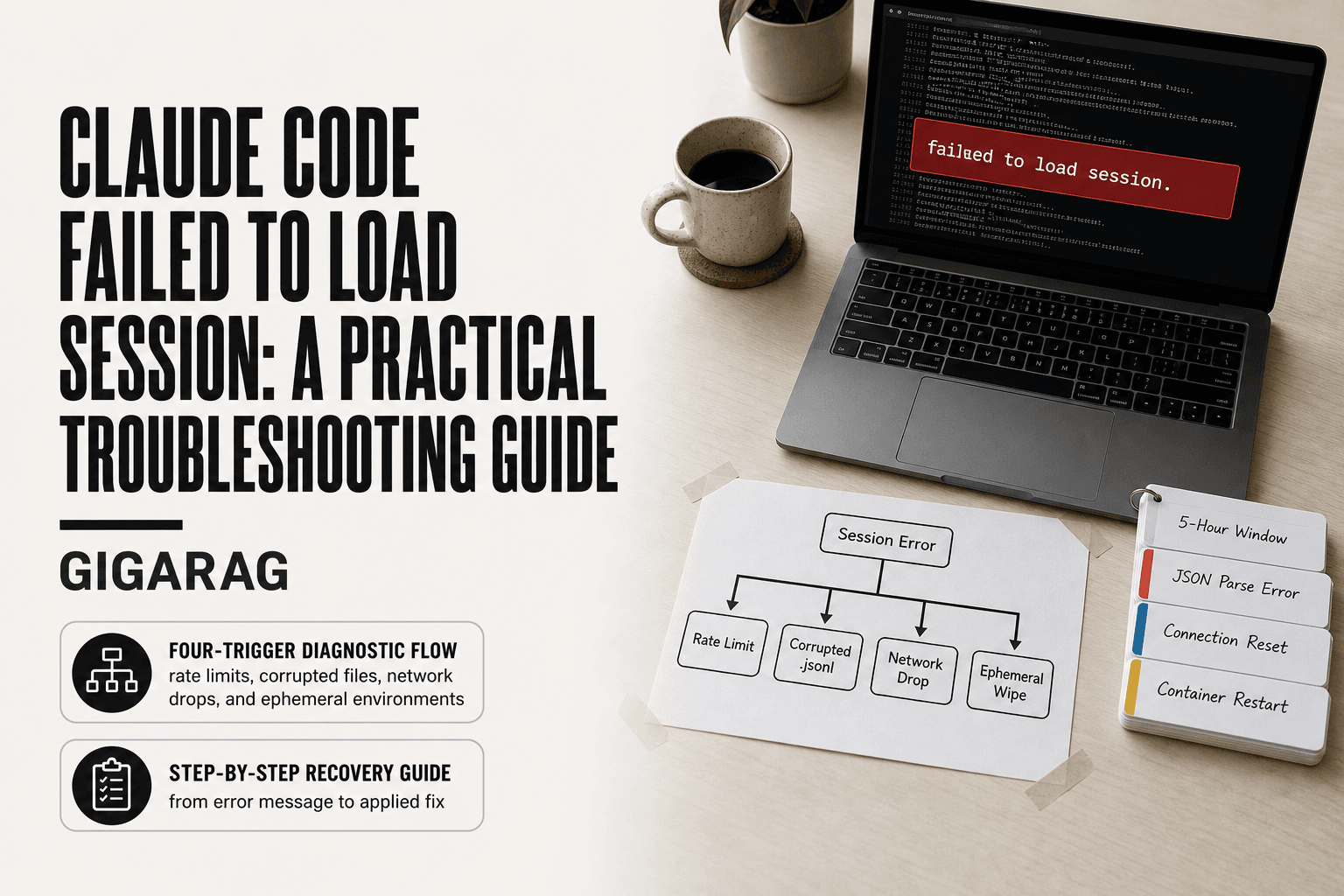
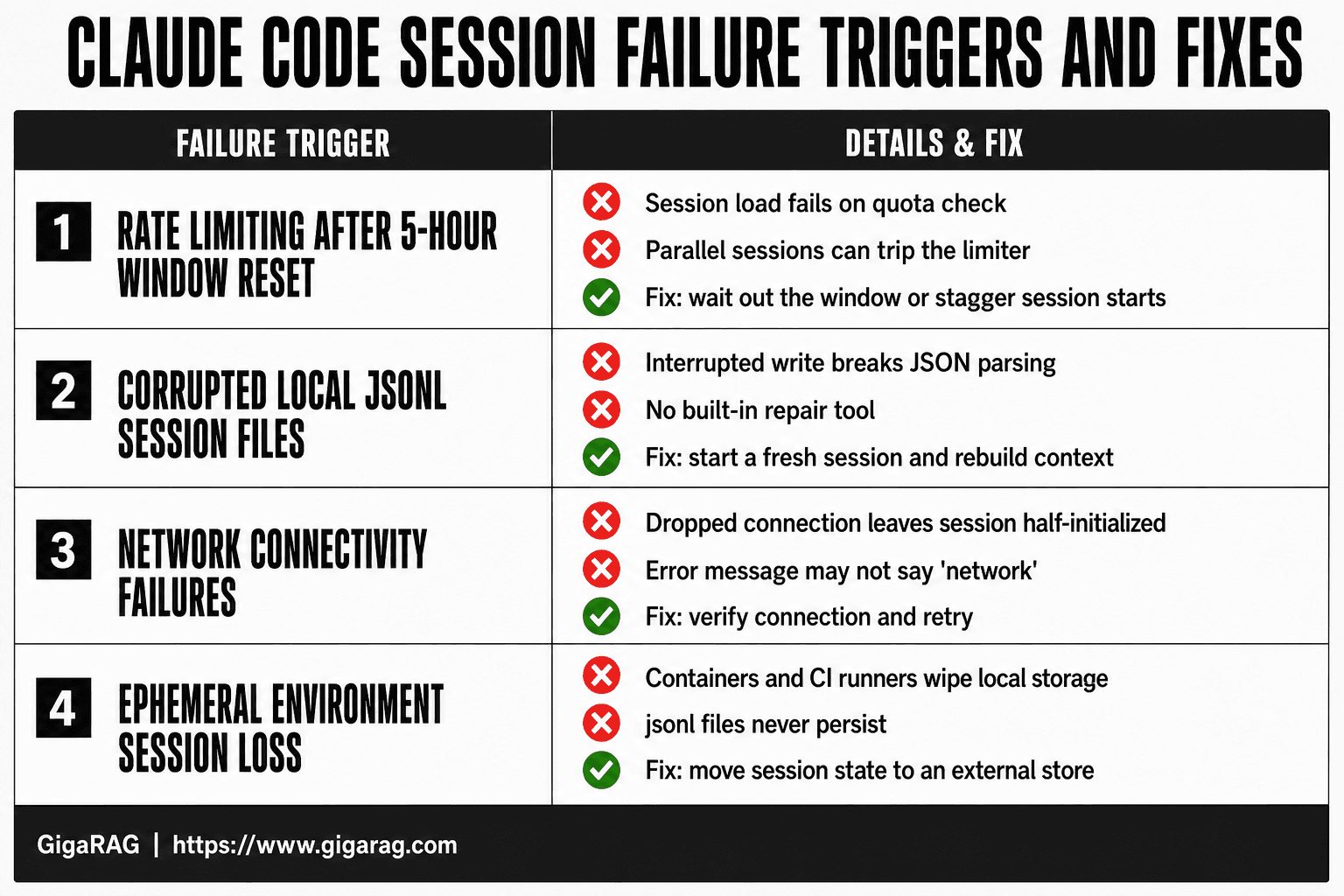
Claude Code fails to load a session for four main reasons: rate limiting after the 5-hour window reset, corrupted local jsonl session files, network connectivity failures, or running in an ephemeral environment that wipes local storage.
You can't fix what you can't name. Most session load failures trace back to one of these four triggers, and each needs a different fix.
Rate limiting after 5-hour window reset
Claude Code enforces rate limits on a rolling 5-hour window. When that window resets, parallel sessions can hit the limit simultaneously and fail to load. The error looks like a session problem. It's actually a quota problem.
Corrupted local jsonl session files
Claude Code stores session history in jsonl files on your local machine. If a write gets interrupted, the file corrupts. The next load attempt fails because the parser can't read the broken JSON.
Network connectivity failures
Session loading requires a round trip to Anthropic's servers. A dropped connection mid-load leaves the session half-initialized. The error message doesn't always say "network," but the timing usually does.
Ephemeral environment session loss
Containers, CI runners, and cloud dev environments wipe local storage between runs. Your jsonl files vanish. Claude Code has nothing to load because the session data never persisted.
[!note] Claude Code stores session history locally as .jsonl files by default; if those files are deleted, truncated, or corrupted, the session cannot be loaded and there is no built-in repair tool. Rate-limit errors and network failures are separate triggers that do not damage the session file but still block loading.
Local Session Storage vs External Persistence for Agent Memory
| Factor | Local .jsonl storage | External persistence (DB/vector store) |
|---|---|---|
| Survives container restart | No — files are wiped | Yes — data lives outside the container |
| Recovery from corruption | Difficult; often unrecoverable | Backups and versioning possible |
| Setup complexity | None — built into Claude Code | Requires database and integration code |
| Best for | Short interactive sessions | Long-running agents and RAG pipelines |
| Rate-limit resilience | None — session fails on limit | Can queue and retry independently |
Diagnose Your Claude Code Session Error
Before you apply a fix, you need to know which trigger you're dealing with. The four causes above produce different symptoms. Work through these three checks in order.
Check the exact error message
Read the full error text, not just the headline. A message mentioning "rate limit" or "quota" points to the 5-hour window. A JSON parse error or "unexpected token" points to corrupted jsonl files. A timeout or "connection reset" points to network failure. If the message is vague, move to the next check.
Note when the failure occurs
Timing narrows it down fast. Did it fail right after a 5-hour window reset? Rate limit. Did it fail after a crash, forced quit, or power loss? Corrupted file. Did it fail on a flaky connection or VPN? Network. Did it fail after a container restart or CI run? Ephemeral environment.
Inspect your environment type
Where are you running Claude Code? A local machine keeps jsonl files between sessions. A container, cloud IDE, or CI runner does not. If you're in an ephemeral environment and the session won't load, the files are gone. No fix will bring them back.
[!tip] If you build agent memory or RAG pipelines, treat Claude Code's local session file as a cache, not a source of truth — write critical context to an external database or vector store after every meaningful step so a failed session load never costs you more than one turn.
Claude Code Failed To Load Session: A Step-by-Step Guide
- Check the error message for keywords: rate limit, file not found, parse error, or connection timeout.
- Verify your network connection and confirm Claude Code services are reachable.
- Inspect the local session directory for .jsonl files and check if they are empty or malformed.
- If rate-limited, wait for the reset window or switch to a plan with higher limits.
- If files are corrupted, start a fresh session and re-establish context from your notes or external memory.
- For ephemeral environments, move session state to an external store before the container is recycled.
- Document the trigger and fix so you can recognize and resolve the same failure faster next time.
Fix Rate Limiting Session Failures
Rate limits don't just block new requests. They can stop Claude Code from loading a session at all, especially when the 5-hour window resets and multiple sessions try to resume at once.
Why rate limits break session loading
Claude Code checks your quota when it restores a session. If the window just reset and you're at zero, the load fails before any context is read. Parallel sessions make it worse: each one fires a restore request, and the combined burst trips the limiter. GitHub issue #53922 documents this exact pattern.
Workarounds for parallel session failures
Stagger your session starts. Wait 30 to 60 seconds between each one. If a session still won't load, close the others and retry. The honest answer is you can't bypass the limit. You wait out the window or reduce the number of sessions you run at once.
Repair Corrupted Local Session Files
Claude Code stores session history in local jsonl files. When those files get truncated mid-write, the loader can't parse them, and the session fails to load.
Locate your Claude Code session files
On macOS, sessions live under ~/.claude/projects/. On Windows, check %USERPROFILE%\.claude\projects\. Each project folder holds jsonl files named by session ID. Look for files that are unusually small or end mid-line. That's your corruption signal.
What to do when jsonl files are corrupted
Start by backing up the folder. Copy the whole project directory before touching anything.
Then open the suspect file in a text editor. A valid jsonl file has one JSON object per line. If the last line is cut off, you can sometimes delete just that line and save. The rest of the session loads.
The main catch is what you can't salvage. If corruption sits in the middle of the file, every line after it is unreachable. Claude Code won't skip bad lines. It fails the whole load.
Don't try to repair jsonl files by hand beyond trimming a broken final line. The format is strict, and a malformed JSON object anywhere in the file breaks parsing. If trimming doesn't work, the session is gone.
Claude Code Failed to Load Session on Windows 11 and Mac
The same error shows up differently across platforms. On Windows 11, it often appears as a blank session window after the app launches. On macOS, it's more likely to hit when you reopen a session from the recent list.
Windows 11 session loading issues
Windows 11 users report the error after app updates. The session cache points to files that moved during the update. Fix it by clearing the cache folder under %USERPROFILE%\.claude\ and restarting the app. Your jsonl files stay intact.
Antivirus can also block session reads. Add the .claude folder to your AV exclusions if the error persists after a cache clear.
macOS app session loading issues
On macOS, the app sandbox sometimes loses permission to read the session folder. Grant Full Disk Access to Claude Code in System Settings > Privacy & Security. That resolves most Mac-specific load failures.
If you run Claude Code from the terminal instead of the desktop app, the session path differs. Terminal sessions live in ~/.claude/projects/, and the desktop app may not see them. That mismatch looks like a failed load. It isn't. You're just pointing at two different session stores.
Session Persistence for Agent Memory and RAG Builders
Local session storage breaks exactly when agent workflows need it most. A long-running agent accumulates context across hours. That context lives in jsonl files on disk. One crash, one corrupted file, one ephemeral container recycle, and the agent forgets everything it learned.
Why local storage fails agent workflows
Agents don't run like chat sessions. They spawn sub-tasks, branch, and resume after interruptions. Claude Code's local jsonl store assumes a single linear session on a stable machine. Ephemeral environments (CI runners, cloud dev boxes, containers) wipe that store on every restart. Rate limit windows compound the problem: a session that fails to load at hour five loses whatever the agent built in hours one through four.
The honest answer is that local storage was never designed for agent memory. It's a transcript, not a state store.
Alternatives for reliable session persistence
If you're building agent memory or RAG pipelines, move session state to an external store. Options include Postgres with a session table, Redis for hot state, or a purpose-built persistence layer like GigaRAG that stores agent context as queryable vectors rather than raw transcripts. That's the architectural difference: transcripts record what happened. A persistence layer lets the agent retrieve what matters.
Keep in mind that external persistence adds a network hop. For short interactive sessions, local storage is fine. For agents that must survive restarts, it isn't.
What You Cannot Do About Claude Code Session Failures
Some failures are not fixable. Knowing which ones saves you hours of trying.
No recovery for corrupted sessions
A corrupted jsonl file is gone. You can't reconstruct lost turns from memory, and Claude Code has no built-in repair tool. The transcript is the only record. If the file is truncated or unreadable, the session state it held is unrecoverable.
No bypassing rate limits
Rate limits are enforced server-side. No client setting, no config flag, no workaround changes them. You wait out the window. Staggering sessions helps you avoid hitting the limit, but once you've hit it, the only fix is time.
No local storage reliability in ephemeral environments
Containers recycle. CI runners reset. Cloud dev boxes wipe state on every restart. Claude Code's local jsonl store cannot survive that. If your environment is ephemeral, local session persistence will fail eventually. That's not a bug you can patch. It's the architecture.
Preventing Future Claude Code Session Failures
Prevention beats recovery. Three habits stop most failures before they start.
Export sessions regularly
Export your session transcript after each meaningful milestone. Don't wait for the session to end. A saved copy means a corrupted jsonl file costs you minutes, not hours.
Avoid parallel sessions near rate limits
Running multiple sessions near the 5-hour reset window invites failures. Stagger them. Start the second session only after the first confirms it loaded.
Use external persistence for critical workflows
If a session holds state you can't afford to lose, don't trust local storage. Copy key context to an external file or a persistence layer built for agent memory. Local jsonl files are a cache, not a backup.
Final Thoughts on Claude Code Session Reliability
The diagnostic path is simple: check the error message, note the timing, inspect your environment. That tells you which fix applies.
What you can't do matters as much. Corrupted sessions stay gone. Rate limits don't bend. Local storage in ephemeral environments will fail you again.
For agent memory and RAG pipeline builders, the honest answer is architectural. Don't build critical workflows on a cache. External persistence removes the "claude code failed to load session" failure mode entirely. GigaRAG exists for exactly that: session state that survives restarts, resets, and lost local files.
Frequently Asked Questions
Why does Claude Code say failed to load session?
The error usually means Claude Code cannot read the saved session state. Common causes include a corrupted or missing .jsonl file, hitting a rate limit, a network interruption, or running in an ephemeral environment where local files were wiped. The exact cause is often indicated in the error details.
Can I recover a corrupted Claude Code session?
In most cases, no. If the .jsonl file is truncated or malformed, Claude Code has no built-in repair mechanism. You can try restoring from a backup if you have one, but otherwise you must start a fresh session and rebuild context manually.
Does Claude Code failed to load session happen on Windows 11 or Mac?
Yes, the error can occur on any platform. On Windows 11, file path issues or antivirus interference may contribute; on Mac, permission problems or disk errors can be factors. The underlying triggers — rate limits, corruption, network — are platform-independent.
How do I fix Claude Code failed to load session?
First identify the trigger from the error message. For rate limits, wait and retry. For corruption, start a new session. For network issues, check connectivity. For ephemeral environments, persist session data externally. There is no single fix because the causes vary.
Is there a way to bypass Claude rate limits?
No, rate limits are enforced by Anthropic and cannot be bypassed. You can wait for the limit to reset, upgrade to a plan with higher limits, or reduce the frequency of requests. Attempting to circumvent limits may violate terms of service.
What should I do if I lose my session in an ephemeral environment?
If your environment is ephemeral, local session files are lost when the container stops. To avoid this, architect your agent to write state to an external database or vector store after each step, so you can resume from the last saved state even if the local session is gone.
Can I use Claude Code for free with unlimited access?
Claude Code is not free unlimited. Anthropic offers free tiers with usage limits, and higher limits require a paid plan. The exact limits and pricing change over time, so check Anthropic's official pricing page for current details.
About GigaRAG
GigaRAG is for agent memory and RAG pipeline builders. get this right. Whether you are working through claude code failed to load session or something adjacent, we publish what we have actually tested, including where it falls short.


