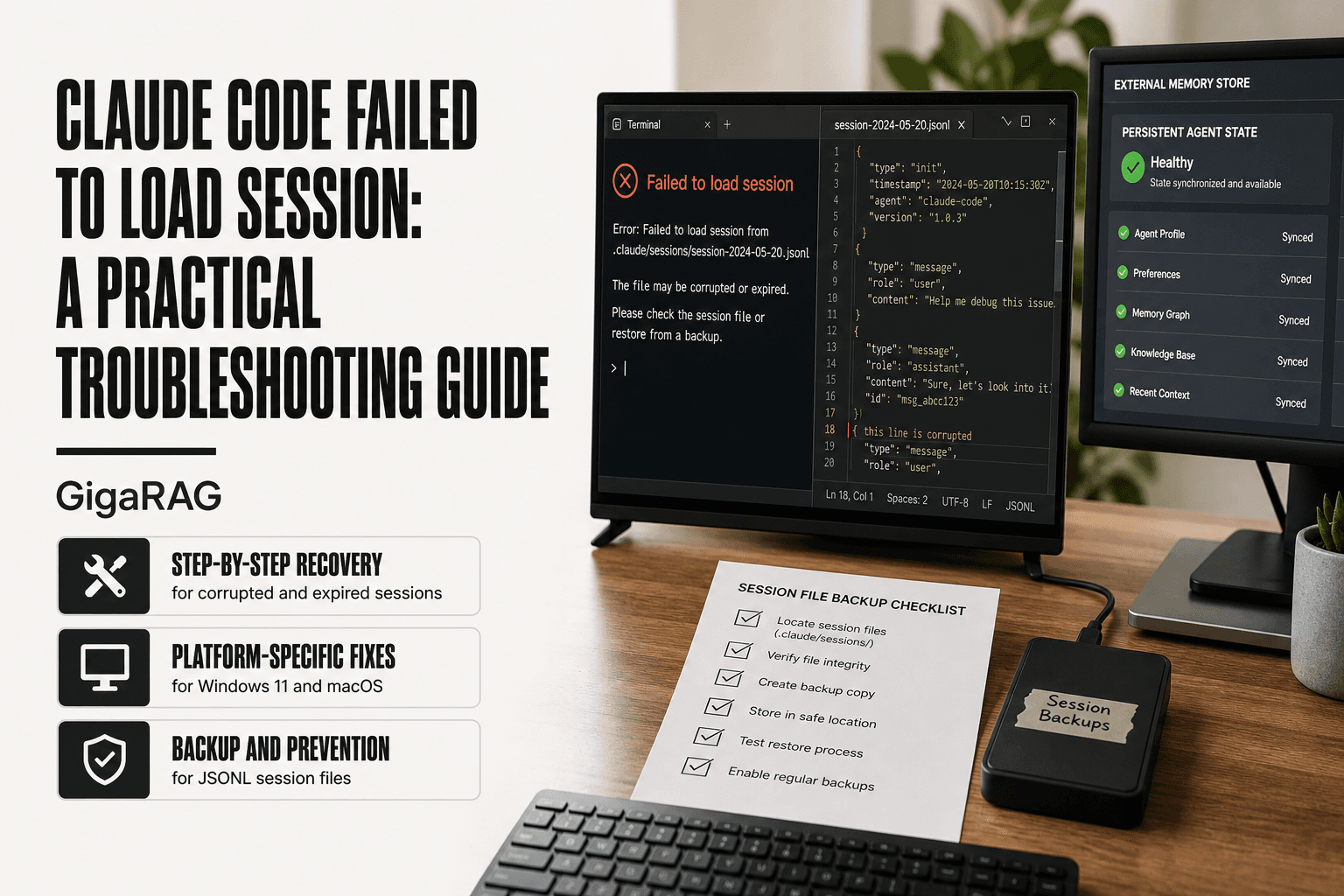
Claude Code Failed to Load Session: A Practical Troubleshooting Guide
Claude Code failed to load session is the error that hits mid-build, right when your agent has fifteen turns of context and a working state you can't reproduce by hand. The terminal freezes, the session file won't open, and everything since your last checkpoint is gone. The honest answer is that some of these sessions cannot be recovered. Claude Code's session layer was never built for the persistence demands of agent memory work, and it shows in the failure modes. This guide maps each cause to a specific fix, walks through Windows and macOS recovery paths, and shows you how to back up and restore jsonl session files yourself. It also covers what GigaRAG does differently: keeping agent memory persistent when Claude Code's session layer drops you.
| At a glance | Details |
|---|---|
| Error meaning | Claude Code cannot read or rebuild a saved session |
| Common triggers | Corrupted jsonl, missing files, version mismatch, expired auth |
| Storage format | Local JSONL session files under the Claude config directory |
| Recovery guarantee | None — corrupted sessions may be unrecoverable |
| Best prevention | Back up session files and keep Claude Code updated |
| Architecture fix | Externalize agent memory instead of relying on session state |
In This Guide
- What 'Claude Code Failed to Load Session' Actually Means
- Claude Code Session Storage vs External Agent Memory
- Root Causes of Claude Code Session Load Failures
- Claude Code Failed To Load Session: A Step-by-Step Guide
- Platform-Specific Fixes for Windows and macOS
- Session File Management: Backup, Restore, and Prevention
- What Agent Memory and RAG Pipeline Builders Must Know
- Common Mistakes When Fixing Claude Code Session Errors
- What You Cannot Expect From Claude Code's Session Layer
What 'Claude Code Failed to Load Session' Actually Means
"Failed to load session" means Claude Code found a session file on disk but couldn't read it into a working state. The file is there. The parser isn't. You lose your conversation history and any agent state tied to it.
The error message and its variants
The exact wording shifts between platforms. You'll see "failed to load session," "session could not be loaded," or a bare "load failed" in the terminal. All point to the same thing: the session file exists but is unreadable.
What the session layer is supposed to do
Claude Code writes each conversation to a local jsonl file as you work. On restart, it reads that file back to rebuild context. When the read fails, you get the error.
Why this error is different from a crash or timeout
A crash kills the process mid-write. A timeout hits a server limit. This error is neither: the file is present, but something between disk and memory broke.
[!note] Claude Code stores session data as local JSONL files, so a failed load usually means the file is missing, truncated, or written in a format the current version no longer reads. Claude Code does not guarantee recovery of a corrupted or expired session.
Claude Code Session Storage vs External Agent Memory
| Factor | Claude Code sessions | External memory store |
|---|---|---|
| Persistence scope | Per-project local JSONL files | Database or vector store you control |
| Survives corruption | No — file damage can lose the session | Yes — with backups and replication |
| Cross-machine access | Limited to where files live | Accessible from any environment |
| Recovery tooling | Manual file inspection and repair | Standard backup and restore workflows |
| Best for | Interactive coding sessions | Long-running agent memory and RAG pipelines |
Root Causes of Claude Code Session Load Failures
The error is a symptom, not a cause. Four failure modes sit behind it, and they need different fixes.
Session file corruption (local jsonl files)
Claude Code appends each turn to a jsonl file. A crash mid-write, a disk full error, or an interrupted sync can leave a truncated line. The parser hits that broken line and refuses to load anything. The file is still there. It's just not valid jsonl anymore.
Server-side rate limiting and 5-hour session expiry
Anthropic caps sessions at 5 hours. When the limit hits, the server stops accepting turns. On restart, Claude Code tries to resume and gets rejected. The local file is fine. The server won't honor it. Rate limiting produces the same symptom: the session loads locally but can't continue.
Platform-specific bugs (Windows 11, macOS)
Windows 11 has known issues with file locking during session writes. macOS has problems with sandboxed app storage paths. Both can corrupt or orphan session files. The fix differs by OS, which is why a generic "reinstall Claude Code" doesn't work.
Ephemeral environment session loss
Containers, CI runners, and cloud shells wipe the filesystem between runs. The session file never survives. Claude Code can't load what was never persisted. This isn't a bug. It's the environment.
[!tip] If you build agent memory or RAG pipelines, treat Claude Code sessions as disposable working context: checkpoint important state to your own database or vector store after each meaningful step so a failed session load costs you minutes, not a rebuild.
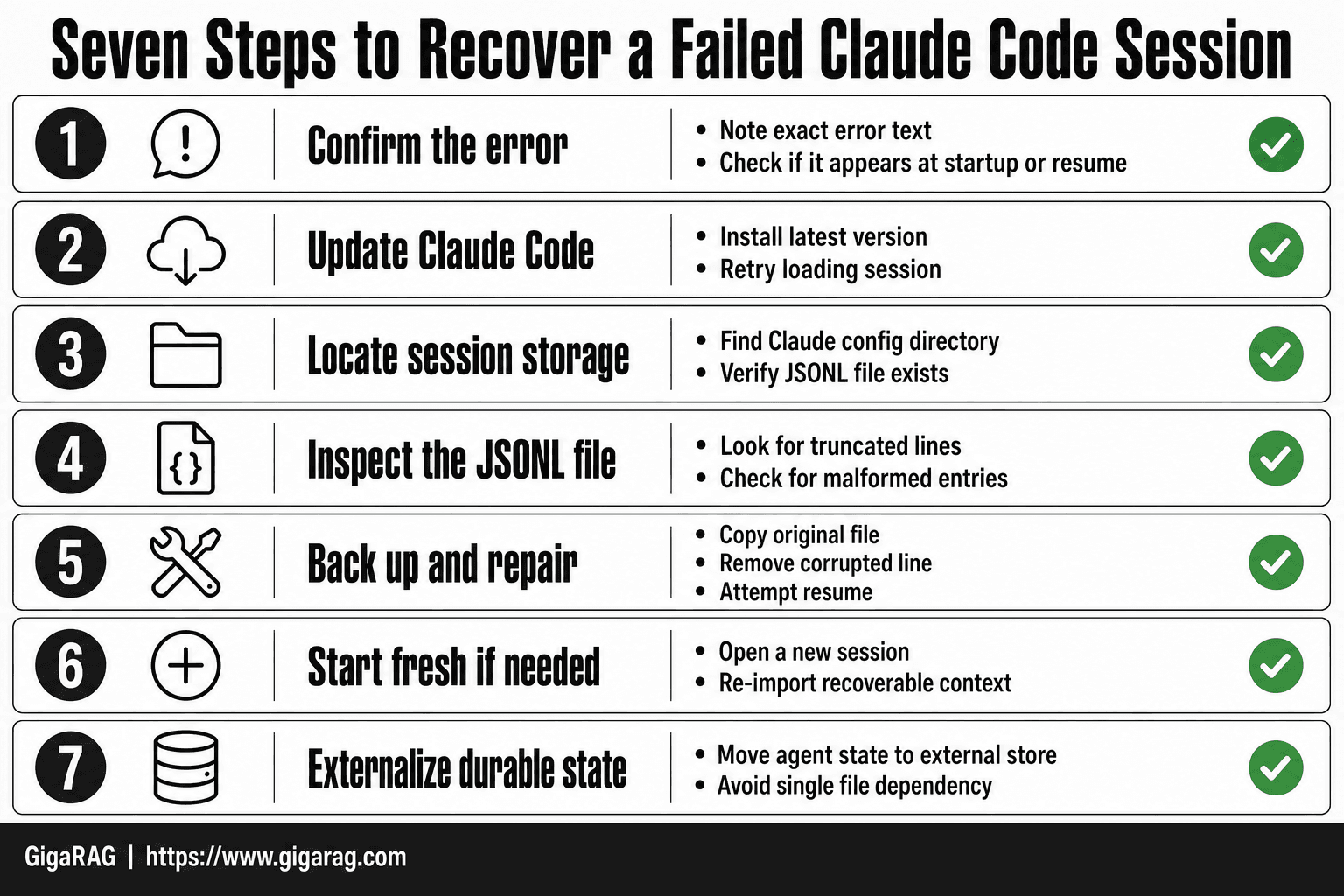
Claude Code Failed To Load Session: A Step-by-Step Guide
- Confirm the error text and note whether it appears at startup or when resuming a specific session.
- Update Claude Code to the latest version and retry, since format changes can break older session files.
- Locate the session storage directory in your Claude config path and check that the expected JSONL file exists.
- Inspect the JSONL file for truncated or malformed lines, which usually indicate an interrupted write.
- Back up the original file, then remove or repair the corrupted line and attempt to resume again.
- If the session still fails, start a fresh session and re-import only the context you can recover from logs or notes.
- For agent workflows, move durable state into an external store so a single session file is never the only copy.
Platform-Specific Fixes for Windows and macOS
The fix depends on where the session file lives and what the OS does to it. Windows locks files during writes. macOS sandboxes app storage. Both break sessions in different ways.
Windows 11: clearing local session cache
Close Claude Code completely. Open File Explorer and go to %USERPROFILE%\.claude\sessions. Delete the .jsonl files you don't need. Don't delete the folder itself. Restart Claude Code. If the session still won't load, the file is corrupted, not cached. Clearing won't help.
macOS: workarounds and known app limitations
macOS stores session files under ~/Library/Application Support/Claude. The sandbox can block writes when disk space is low. Check storage first. If sessions vanish after reboot, the app is writing to a temp directory. Move the session folder to a non-sandboxed location and symlink it back. This works until the next app update resets permissions.
Cross-platform: checking Claude Code version and logs
Run claude --version. Outdated builds carry known session bugs. Update before troubleshooting anything else. Logs live in ~/.claude/logs on both platforms. Open the latest file and search for "session". The error line tells you whether the failure is local or server-side. That distinction saves hours.
Session File Management: Backup, Restore, and Prevention
The fixes above get you back into Claude Code. They don't protect you from the next failure. That's what session file management does.
Where Claude Code stores session files
Claude Code writes every session to a local .jsonl file. Each line is one message or tool call, appended as it happens. On Windows, the path is %USERPROFILE%\.claude\sessions. On macOS, it's ~/.claude/sessions for the CLI and ~/Library/Application Support/Claude for the desktop app. The files are named by session ID, not by project or date. That makes them hard to identify by eye. Open one and read the first line to see which conversation it belongs to.
How to back up sessions before they fail
Copy the session folder somewhere outside the Claude directory. A scheduled copy works better than a manual one. On macOS, rsync -a ~/.claude/sessions/ ~/backups/claude-sessions/ does it in one line. On Windows, Task Scheduler can run a copy script every hour. Don't back up while Claude Code is writing. The file can be mid-append, and you'll get a truncated copy. Close the app first, or accept that hourly backups may miss the last few messages.
Restoring a session from local jsonl files
If the UI won't load a session but the file is intact, you can read it directly. cat session-id.jsonl shows the full transcript. To restore it into Claude Code, copy the file back into the sessions folder and restart. If the file is corrupted, you can salvage partial data with grep on the lines that parse cleanly. That recovers messages, not state. Agent memory, tool outputs, and context are gone. The transcript is all you get.
What Agent Memory and RAG Pipeline Builders Must Know
Claude Code's session layer is a transcript, not a memory. It records what happened. It doesn't hold state you can query, rebuild, or hand to another process. For long-running agents that's a single point of failure.
Why session persistence is a single point of failure for agents
An agent that depends on one .jsonl file for its entire working memory dies when that file corrupts, truncates, or sits in an ephemeral environment that wipes on restart. You lose the conversation history, the tool outputs, the decisions made. The agent doesn't just pause. It forgets.
Designing RAG pipelines that survive session loss
Write retrieval results to a store outside Claude Code as soon as they come back. A vector database, a Postgres table, anything with its own persistence. Then the pipeline can rebuild context from that store instead of from the session transcript. The session becomes a view, not the source of truth.
When to offload memory to a dedicated layer
Offload when the agent's work spans more than one session, or when losing a session costs real rework. A dedicated memory layer like GigaRAG keeps embeddings, chunk mappings, and retrieval state in its own store. Claude Code can crash. The memory doesn't.
Common Mistakes When Fixing Claude Code Session Errors
Most failed fixes come from acting before diagnosing. You see the error, you panic, you reinstall. That order is backwards.
Don't reinstall before backing up session files
A clean reinstall wipes the local session directory. If your .jsonl files were intact and the problem was a bad binary or a version mismatch, you just destroyed the one thing that could have restored your work. Back up the session folder first. Then reinstall if you still need to.
Don't confuse rate limiting with local corruption
A 429 or a "session expired" message is not a broken file. It's the server telling you the session hit its limit. Reinstalling, clearing caches, or deleting .jsonl files won't fix that. It wastes time and can make things worse.
Don't expect recovery after jsonl corruption
If the session file is truncated or unreadable, there is no repair tool. Claude Code won't rebuild it. Your only real option is restoring from a backup you made before the failure. No backup means the session is gone.
What You Cannot Expect From Claude Code's Session Layer
Claude Code's session layer was built for interactive coding, not durable state. If you're designing agent memory or RAG pipelines around it, you need to know where the guarantees stop.
No guaranteed recovery after corruption
A truncated or unreadable .jsonl file is gone. There's no repair tool, no hidden recovery mode, no server-side copy waiting to be restored. The only path back is a backup you made yourself.
No built-in session backup
Claude Code does not snapshot your sessions. Nothing runs in the background saving versions of your .jsonl files. If you want backups, you build them.
No persistence guarantees in ephemeral environments
Containers, CI runners, cloud shells: when the environment dies, the local session directory dies with it. Claude Code won't warn you and won't sync anything to a remote store.
The honest answer: if you can't afford to lose a session, you can't rely on Claude Code's session layer to keep it. Claude Code failed to load session is the symptom. The fix is architecting persistence that doesn't depend on a single local file.
Frequently Asked Questions
Why does Claude Code say failed to load session?
The message usually means Claude Code could not read or parse the saved session file. Common causes include a corrupted or truncated JSONL file, a missing session file, a version mismatch after an update, or expired authentication. Checking the file and updating Claude Code resolves many cases.
Where does Claude Code store session files?
Claude Code keeps session data in local files under its configuration directory, typically as JSONL files tied to your project. The exact path depends on your operating system and installation, so check the Claude Code documentation or your config directory to confirm the location before backing anything up.
Can I recover a corrupted Claude Code session?
Sometimes. If the JSONL file is only partially damaged, you may be able to back it up, remove the malformed lines, and resume. If the file is missing or heavily corrupted, recovery is not guaranteed and starting a fresh session is usually faster.
Does Claude Code failed to load session happen on Mac?
Yes, this error is not platform-specific. Mac users report it in the same situations as other platforms: corrupted session files, permission issues in the config directory, or version mismatches after an update. The troubleshooting steps are the same.
How do I prevent Claude Code session failures?
Keep Claude Code updated, avoid interrupting writes to session files, and back up your session directory regularly. For long-running agent work, store durable memory outside Claude Code so a single failed session does not wipe your progress.
Is Claude Code free and does that affect session limits?
Claude Code availability and usage limits depend on your Claude plan and can change, so check the current pricing and limits on Anthropic's site. Free or limited tiers may have stricter usage caps, but session load failures are typically a file or version issue rather than a billing one.
Should I rely on Claude Code sessions for agent memory?
- Claude Code sessions are designed for interactive coding context, not as a durable memory layer. For agent memory and RAG pipelines, externalize state to a database or vector store and treat the session as a temporary workspace.
About GigaRAG
GigaRAG is for agent memory and RAG pipeline builders. get this right. Whether you are working through claude code failed to load session or something adjacent, we publish what we have actually tested, including where it falls short.


