
Claude Conversation Too Long: What It Means and How to Fix It
"Claude conversation too long" is the error every RAG builder hits at the worst possible moment: mid-debug, context loaded, one more query from done. Then the wall. The frustration is real, and the limit is not a setting you can toggle. Claude has a fixed token budget per conversation, and when you exceed it, the chat ends. Nothing recovers the truncated history. That's the honest part.
The good news is the limit becomes manageable once you understand what's actually happening behind the scenes. The error isn't random. It's token math, and you can work with it. For developers building agent memory or retrieval pipelines, the real fix isn't a workaround at all. It's architecture. Tools like GigaRAG help you persist conversation state outside Claude's window, so each session starts lean instead of bloated.
This guide explains why the limit exists, which workarounds actually work, which ones waste your time, and how to design around the constraint for long-running agents.
| At a glance | Details |
|---|---|
| What triggers it | Conversation context exceeding Claude's window |
| Can you extend it | No — the limit is fixed per model |
| Recover lost context | Not possible once truncated |
| Best dev fix | External memory store + retrieval |
| Quick workaround | Summarize and start a fresh chat |
| Who this hits | RAG and agent memory builders |
In This Guide
- Why Claude Says 'Conversation Too Long'
- Summarize-and-Restart vs External Memory Store for Long-Running Agents
- What You Cannot Do About the Limit
- Claude Conversation Too Long: A Step-by-Step Guide
- Workarounds for Claude Conversation Too Long
- Why Claude Slows Down in Long Conversations
- Managing Claude Context for RAG Pipelines
- Common Mistakes When Claude Conversation Too Long
- Final Thoughts
Why Claude Says 'Conversation Too Long'
Claude has a fixed token budget per conversation. Every message you send and every response it generates consumes tokens. When the cumulative total exceeds that budget, the conversation stops and you get the error.
What a context window actually is
A context window is the total number of tokens Claude can hold in working memory at once. A token is roughly three-quarters of a word, so 100 tokens is about 75 words. The window includes your prompts, Claude's responses, any attached files, and the system prompt running behind the scenes.
When the conversation's total token count approaches the window limit, Claude has no room left to generate a response. That's when the error appears.
How tokens accumulate in a conversation
Every exchange adds tokens. Your question takes up space. Claude's answer takes up space. The next question includes the previous question and answer in the context, because Claude re-reads the entire conversation each time it responds.
A 20-message conversation isn't just the last message being processed. It's all 20 messages, plus every response, fed back in on every turn. Long conversations grow token usage quadratically, not linearly.
Chat UI vs. API: different limits, same problem
The chat interface and the API have different context windows. The chat UI typically runs a smaller window than what the API offers on higher-tier plans. But the mechanic is identical: hit the ceiling and the conversation ends.
The API gives you more control. You can count tokens before sending, trim conversation history programmatically, and swap in summarized context. The chat UI does some of this automatically through compaction, but you have less visibility into what gets kept and what gets dropped.
[!note] Claude's context window is fixed per model version and cannot be extended by the user — the 'conversation too long' error means the accumulated messages, tool definitions, and attachments have filled that window. Once content is truncated, it is not recoverable from within the conversation.
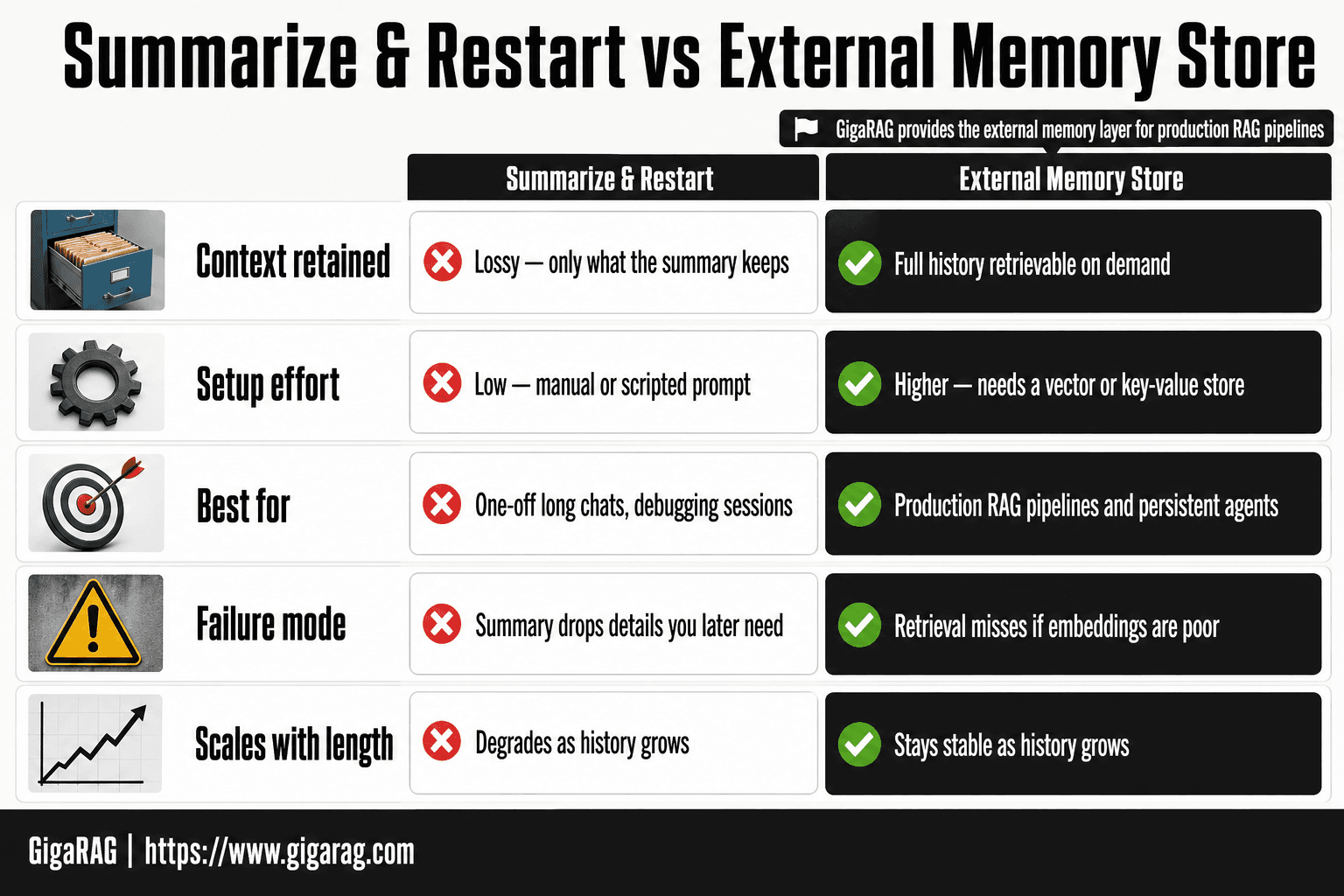
Summarize-and-Restart vs External Memory Store for Long-Running Agents
| Factor | Summarize & Restart | External Memory Store |
|---|---|---|
| Context retained | Lossy — only what the summary keeps | Full history retrievable on demand |
| Setup effort | Low — manual or scripted prompt | Higher — needs a vector or key-value store |
| Best for | One-off long chats, debugging sessions | Production RAG pipelines and persistent agents |
| Failure mode | Summary drops details you later need | Retrieval misses if embeddings are poor |
| Scales with length | Degrades as history grows | Stays stable as history grows |
What You Cannot Do About the Limit
Some workarounds floating around make promises they can't keep. Here's what's off the table, no matter what a LinkedIn post says.
You cannot extend the context window
The token budget is fixed by the model and the plan you're on. No prompt, setting, or plugin changes it. You can buy a higher tier with a larger window, but that's a different window, not an extension of the one you're in.
You cannot recover a truncated conversation
Once Claude drops older messages to make room, that context is gone. There's no undo, no hidden archive, no way to scroll back and restore what the model no longer holds. What's dropped is dropped.
You cannot rely on compaction to always work
Compaction summarizes the conversation to free up space. It's a heuristic, not a guarantee. Important details can get flattened or lost in the summary, and you won't always know what got cut. Treat it as a stopgap, not a memory system.
[!tip] For agent memory developers: treat the conversation as a cache, not a database. Persist every important fact to an external store the moment it appears, so a context reset costs you nothing but a retrieval call.
Claude Conversation Too Long: A Step-by-Step Guide
- Identify where the limit is hit — log token counts per turn to find the growth curve.
- Move durable state out of the conversation into an external store (vector DB or key-value).
- Summarize the live conversation periodically and replace older turns with the summary.
- Retrieve only the relevant memory slices per turn instead of replaying full history.
- Cap tool definitions and image payloads — they consume context before your messages do.
- Test with a long-running agent loop to confirm the limit is no longer reached.
- Add a fallback that starts a fresh chat with a seeded summary if the limit is still hit.
Workarounds for Claude Conversation Too Long
You can't extend the limit, but you can work around it. These are ranked by how much context they preserve.
Start a new chat (and what you lose)
The simplest fix: open a fresh conversation. You get the full context window back immediately. What you lose is everything the model learned during the session. If you were mid-debug or mid-design, that state is gone unless you carry it over yourself.
Use Claude Projects for persistent context
Projects let you attach files and custom instructions that persist across chats within the project. That's useful for stable reference material: API docs, style guides, schema definitions. What it doesn't do is carry conversation state. Each new chat still starts cold on the back-and-forth.
Copy-paste handoff: what survives, what doesn't
Copy the last few exchanges into a new chat and Claude picks up reasonably well. What survives: recent decisions, current task state, explicit instructions you paste. What doesn't: earlier nuance, discarded alternatives, the reasoning behind why you chose one path over another. The model only knows what you give it.
Compaction: when it works, when it fails
Compaction summarizes older messages to free space. It works when the conversation is mostly filler: greetings, restated questions, dead ends. It fails when precision matters. Code snippets, exact error messages, and subtle constraints can get flattened into a paraphrase that loses the detail you needed.
Remove tools to free up space
Each tool attached to a conversation consumes tokens in the system prompt. Removing unused tools frees budget for actual conversation. It's a small gain, but it's free and instant.
Why Claude Slows Down in Long Conversations
Long conversations mean more tokens to process per request. Claude reads the entire context window on every turn, so a 100k-token conversation takes longer to respond to than a 5k-token one. The slowdown isn't a bug. It's the cost of the model re-reading everything you've said.
Token count and latency
Every message you send includes the full conversation history. At 10k tokens, that's fast. At 100k tokens, the model processes ten times more input before generating a single word. Response time scales roughly with context length. You'll notice it most when you're near the limit and every reply takes noticeably longer than the first few exchanges did.
Why compaction helps response time
Compaction summarizes older messages into a shorter form, which cuts the token count the model has to read. A compacted 100k-token conversation might drop to 30k tokens. That's a real speedup on every subsequent turn. Starting fresh is faster still: a new chat with a short handoff summary responds at full speed immediately.
Managing Claude Context for RAG Pipelines
Chat UI workarounds buy you time. They don't solve the underlying problem: a long-running agent needs memory that survives across sessions, not just within one conversation. RAG pipeline builders need a different approach.
Summarize and store conversation state
Every few turns, run a summarization pass over the conversation history. Store the summary in a database, not in the chat window. When the conversation grows too long, start a new session and load the summary as the system prompt. You lose verbatim exchanges but keep the decisions, constraints, and open threads.
Use embeddings for long-term memory
Summaries are lossy. Embeddings preserve more. Chunk the conversation into segments, embed each chunk, and store the vectors in a vector database. When the agent needs context later, query the database for the most relevant chunks. This works because embeddings capture semantic similarity, so the agent can find "that decision about the API rate limit" without you re-pasting the whole thread.
Retrieve relevant context on demand
Don't load everything. Load what matters. Before each agent turn, run a retrieval query against your vector store and inject only the top-k relevant chunks into the prompt. This keeps token counts low while preserving access to the full history. The tradeoff: retrieval quality depends on your embedding model and chunking strategy.
How GigaRAG fits into the architecture
GigaRAG sits between your agent and its memory. It stores conversation state, embeddings, and retrieval indexes in one layer, so you don't stitch together a vector database, a summarizer, and a session store yourself. It doesn't extend Claude's context window. It manages what goes into it.
Common Mistakes When Claude Conversation Too Long
Most developers hit the limit, panic, and make it worse. The mistakes are predictable.
Pasting everything without summarizing
You copy the entire conversation into a new chat. It works once. Then the new chat fills up faster because you brought all the dead weight with you. Summarize first. Keep decisions, drop filler.
Treating compaction as a permanent fix
Compaction buys you a few turns. It doesn't reset the budget. If you rely on it, you'll hit the wall again mid-task. It's a stopgap, not an architecture.
Ignoring token count until the error appears
The error is the last warning you get. By then you've already lost the thread. Track your token usage as you go. Design the handoff before you need it.
Final Thoughts
The limit is real. You can't extend it, and you can't recover what's already gone.
Workarounds buy time. Starting a new chat, using Projects, compacting: these keep you moving for a few more turns. But they don't solve the underlying problem. Every workaround eventually hits the same wall.
The real fix is architecture. Design your system so context lives outside the conversation. Store embeddings in a vector database. Summarize state as you go. Retrieve only what the current turn needs. Then a claude conversation too long error stops being a crisis and becomes a signal that your handoff logic needs tuning.
GigaRAG fits here: it manages long-term context across sessions without pretending to remove Claude's limit. It's a layer, not a loophole.
Frequently Asked Questions
Does Claude have a limit on conversation length?
Yes. Every Claude model has a fixed context window measured in tokens, covering your messages, Claude's replies, tool definitions, and attachments. Once that window fills, you will see a 'conversation too long' error and must start a new chat or remove tools to free space.
Can I extend Claude's context window?
- The context window is set per model version and cannot be increased by any setting, prompt, or workaround. The only practical options are to reduce what fills the window or move state outside the conversation entirely.
How do I recover context after hitting the limit?
You cannot recover truncated context from within the conversation itself. If you saved key facts externally — a summary, a notes file, or a memory store — you can seed a new chat with them. Otherwise you will need to reconstruct the important parts manually.
Why does Claude take long to respond in long conversations?
Longer conversations mean more tokens for the model to process on every turn, which increases response time. Tool definitions and large attachments add to this load. Starting a fresh chat with a concise summary usually restores faster responses.
What is the best workaround for RAG and agent memory use cases?
Externalize memory. Store conversation facts in a vector database or key-value store, retrieve only the relevant slices per turn, and keep the live conversation short. Summarize-and-restart works for one-off chats but degrades for persistent agents because summaries are lossy.
How long does Claude take to compact a conversation?
Compaction time varies with conversation size and current load, so no fixed figure applies. In practice it is usually quick, but for production agents you should not rely on compaction as your primary memory strategy — design for external storage instead.
Does removing tools really free up space in a Claude chat?
Yes. Tool definitions consume context tokens even when unused, so removing tools you are not actively using frees space for conversation content. It is a temporary fix, not a solution for long-running agents that need many tools.
About GigaRAG
GigaRAG is for agent memory and RAG pipeline builders. get this right. Whether you are working through claude conversation too long or something adjacent, we publish what we have actually tested, including where it falls short.


