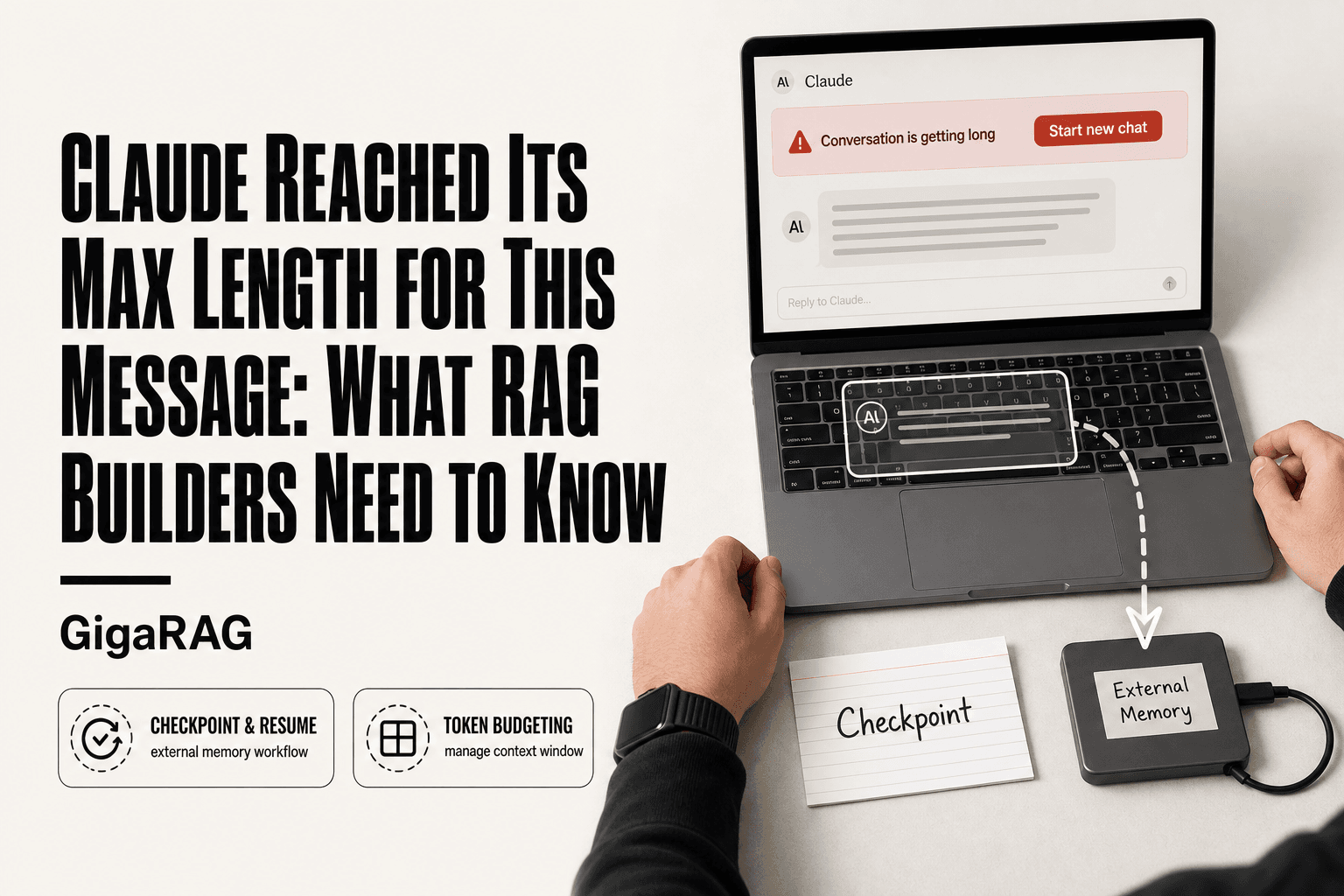
Claude Reached Its Max Length for This Message: What RAG Builders Need to Know
Claude reached its max length for this message is the error every RAG pipeline builder dreads seeing mid-build. You're 40 minutes into debugging a retrieval loop, the conversation holds the exact state you need, and Claude just stops. Your first question is whether you've hit a usage cap or a length cap. They're different problems, and conflating them wastes hours. This guide is written for developers and agent memory builders, not casual users. The honest answer is that no prompt edit will truly fix a full context window, and native Claude features won't let you continue seamlessly without data loss. The real fix is architectural: GigaRAG provides external agent memory that can checkpoint and resume Claude conversations without manual summarization.
| At a glance | Details |
|---|---|
| What it means | Conversation context window is full |
| Native fix | None — start a new chat |
| Real fix | External memory + checkpointing |
| Who it affects | RAG and agent builders most |
| Key metric | Tokens, not message count |
| Workaround | Summarize, store, resume externally |
In This Guide
- Why Claude Reached Its Max Length for This Message
- Manual Summarization vs External Memory Checkpointing
- What You Cannot Do: Honest Limits of Native Claude Features
- Claude Reached Its Max Length For This Message: A Step-by-Step Guide
- Immediate Workarounds When Claude Reaches Its Max Length
- Prevention Strategies for RAG Pipeline Builders
- The Architectural Fix: External Memory for Agent Systems
- API vs. Chat: What Developers Need to Know About Claude's Limits
- Common Mistakes When Claude Reached Its Max Length for This Message
- Final Thoughts: Architecting Around Claude's Limits
Why Claude Reached Its Max Length for This Message
Claude hits its max length when the conversation's total token count exceeds the model's context window, not because you've used up a daily message quota. The two limits are separate, and confusing them leads to the wrong fix.
Usage limits vs. length limits: what's actually happening
Anthropic enforces two distinct constraints. Usage limits cap how many messages you can send in a window of time, typically five hours for free users. Length limits cap how much text fits in a single conversation. The error "Claude reached its max length for this message" is a length limit, not a usage limit.
Here's why the distinction matters. If you hit a usage limit, you wait. If you hit a length limit, waiting changes nothing. The conversation has simply grown too large for Claude to hold in memory at once. You either shorten it or start fresh.
How Claude's context window works (and why it fills up)
Claude reads your entire conversation every time you send a message. That's the context window: the full text of your prompts, Claude's responses, any files you've uploaded, and system instructions, all fed back into the model on each turn.
The window fills up fast because nothing leaves it automatically. Every exchange adds tokens. A long debugging session where you paste code snippets, error logs, and revised prompts can burn through tens of thousands of tokens before you notice. When the combined text approaches the model's limit, Claude refuses the next message rather than silently dropping earlier context.
Token counting basics: what counts toward the limit
Tokens are chunks of text, roughly three-quarters of a word in English. A 100-word paragraph is about 133 tokens. But code, JSON, and non-English text often tokenize less efficiently, so the same character count can produce more tokens.
Everything in the conversation counts: your prompts, Claude's replies, uploaded files, and any hidden system context. There's no separate budget for any of these. The honest answer is that you can't see your exact token count in the chat interface, which makes the limit feel sudden. The API exposes usage numbers, but the chat UI doesn't.
[!note] Claude's limit is a context window measured in tokens, so the exact point you hit it depends on message length, attachments, and system prompts — not a fixed number of messages. The precise current limit varies by model and plan, so verify it against Anthropic's documentation at publish time.
Manual Summarization vs External Memory Checkpointing
| Factor | Manual Summarization | External Memory (e.g. GigaRAG) |
|---|---|---|
| Context retention | Lossy — details dropped each pass | Persistent — full history stored and retrieved |
| Developer effort | High — rewrite prompts every session | Low — automated checkpoint and resume |
| Scalability | Degrades as conversation grows | Scales with storage, not context window |
| Auditability | Summaries overwrite prior state | Versioned checkpoints remain inspectable |
| Best for | One-off consumer chats | RAG pipelines and agent memory systems |
What You Cannot Do: Honest Limits of Native Claude Features
Most guides skip this part. That's a mistake, because knowing the hard walls saves you hours of trying workarounds that don't exist.
You cannot truly bypass the limit without changing architecture
No prompt trick removes the context window. You can compress, summarize, or prune, but the ceiling stays. Claude will not hold more tokens than its model allows, and no setting in the chat interface changes that.
The honest answer is that "bypass" is the wrong word. You can delay the limit. You cannot remove it. The only real fix is moving conversation state somewhere else, which is an architectural change, not a chat setting.
You cannot seamlessly continue a conversation without data loss
When Claude hits max length, you have two native options: summarize the conversation and start a new one, or start fresh with no summary. Both lose something.
Summarization drops details. Nuance, specific error messages, the exact revision you made three turns ago, all of it gets flattened into a paragraph that Claude wrote from memory. Starting fresh loses everything. There is no native "continue where we left off" that preserves full fidelity. The context window is the only memory Claude has in a chat, and when it's full, something gets left behind.
Claude Projects and Memory are not a substitute for external memory
Projects let you upload files and set custom instructions. Memory lets Claude remember facts about you across conversations. Neither solves the length limit.
Projects still load everything into the context window. Upload a 50,000-token codebase and you've consumed most of your budget before the first message. Memory stores small preferences and facts, not conversation state. It won't checkpoint your debugging session or restore the last 40 turns of context.
For RAG builders, the implication is clear: native features buy you convenience, not capacity. The fix is external.
[!tip] For RAG builders: treat the conversation as a retrievable document, not a live buffer. Store every turn in your vector store as it happens, then on resume query for the top-k most relevant prior turns instead of replaying the full history — this keeps you under the token limit indefinitely without manual summarization.
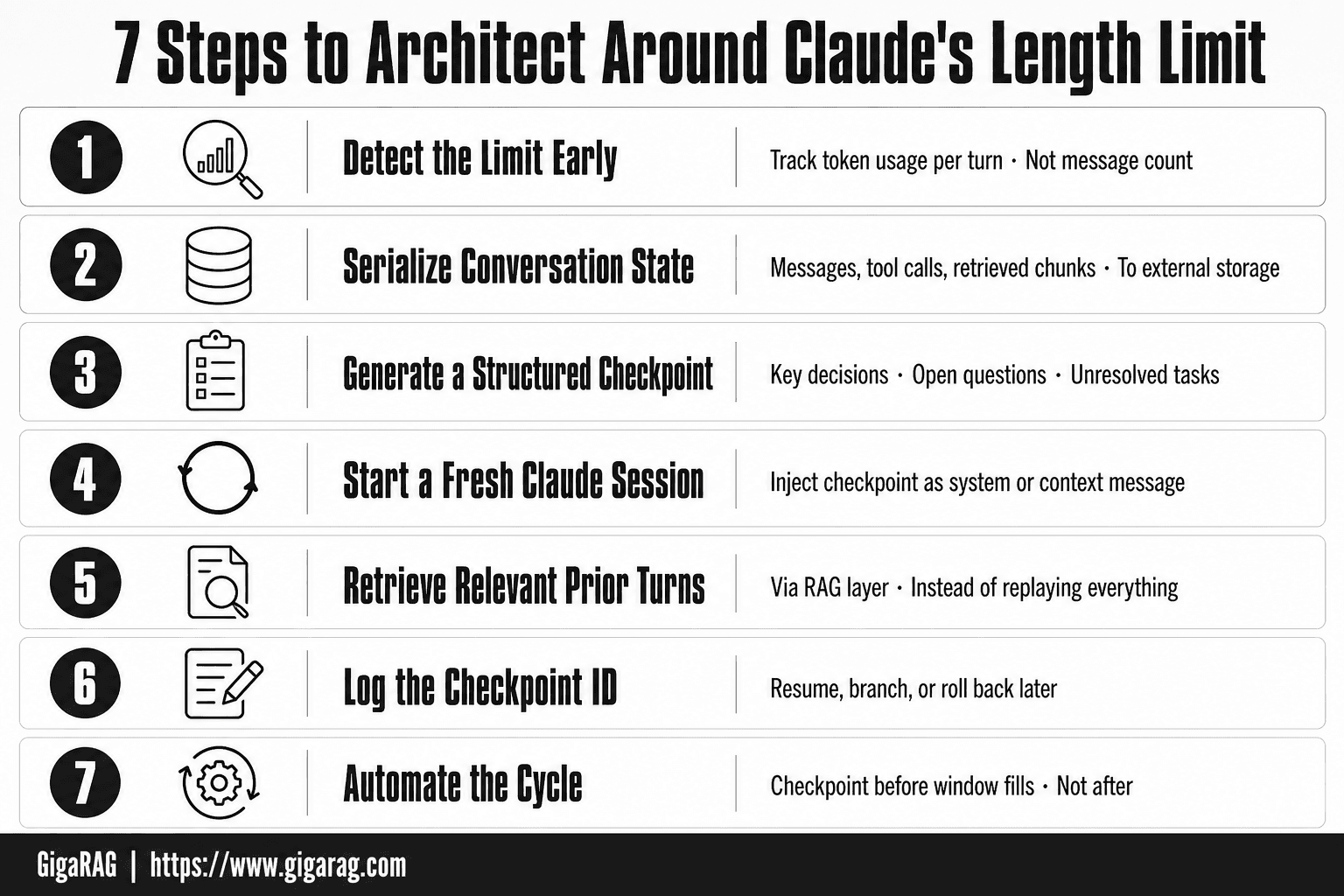
Claude Reached Its Max Length For This Message: A Step-by-Step Guide
- Detect the limit early by tracking token usage per turn, not message count.
- Serialize the full conversation state (messages, tool calls, retrieved chunks) to external storage.
- Generate a structured checkpoint: key decisions, open questions, and unresolved tasks.
- Start a fresh Claude session and inject the checkpoint as a system or context message.
- Retrieve only the relevant prior turns via your RAG layer instead of replaying everything.
- Log the checkpoint ID so you can resume, branch, or roll back later.
- Automate the cycle so checkpointing triggers before the window fills, not after.
Immediate Workarounds When Claude Reaches Its Max Length
You've hit the wall. The error is on screen. Before you reach for an architectural fix, you need to get unstuck right now. These three tactics work today, but each one has a real cost.
Summary handoff: the most reliable immediate fix
Ask Claude to summarize the conversation before it refuses to respond. The trick is to do this before the limit is fully reached, not after. When you see the warning that the conversation is getting long, stop and say: "Summarize our current state, including all decisions, errors, and next steps. Keep it under 500 words."
Then paste that summary into a new chat. You lose nuance, but you keep momentum. The summary captures decisions and next actions, not the full reasoning path. For debugging sessions, include the exact error messages in your prompt so Claude doesn't have to reconstruct them from a flattened description.
The main catch is fidelity. A 500-word summary of a 40-turn debugging session drops most of what happened. You'll re-explain things you already covered. But it beats starting from zero.
Editing your prompt to reduce token usage
If you're not at the hard limit yet, you can buy yourself a few more turns. Cut the fat from your next prompt. Remove quoted code blocks you've already pasted twice. Drop pleasantries. Replace long explanations with terse references to earlier context: "same error as turn 12, but now on line 47."
This is a stopgap, not a strategy. You'll recover maybe 5-10% of your context window. Enough for one or two more exchanges. Not enough to finish a real build session.
Don't bother asking Claude to "forget" earlier parts of the conversation. It can't. The full history stays in context until you start a new chat.
Starting fresh: when it's the only option
Sometimes the conversation is too far gone. The summary would be longer than the remaining budget. Claude won't respond to anything. In that case, start a new chat and rebuild from your own notes.
This is the worst option for a reason: you become the memory. Everything you didn't write down is gone. If you've been keeping a development log outside Claude, this is when it pays off. If you haven't, this is the moment you start.
The honest answer is that none of these workarounds solve the underlying problem. They're triage. For RAG builders, the real fix is checkpointing conversation state externally so you never have to choose between a lossy summary and a total restart.
Prevention Strategies for RAG Pipeline Builders
Workarounds get you unstuck. Prevention keeps you from getting stuck in the first place. For RAG builders, that means treating Claude's context window like a budget you actively manage, not a resource you discover is gone.
Token budgeting: how to track and manage your context usage
You can't manage what you don't measure. Before each session, decide how much context you're willing to spend on conversation history versus new work. A rough rule: keep at least 30% of the window free for the next three turns. If you're debugging a retrieval pipeline, that means trimming old turns before you paste the next error trace.
Track your usage in a running log outside Claude. Note the approximate token count of each major exchange. You don't need exact numbers. You need to know when you've crossed the halfway mark, because that's when you start summarizing or checkpointing.
The good news is that Claude warns you before the hard limit. Use that warning as a trigger, not a surprise.
Consolidating messages and pruning irrelevant context
Long conversations accumulate dead weight. Failed experiments, abandoned approaches, code you've already replaced. All of it still sits in context, eating budget.
Every 10 to 15 turns, consolidate. Ask Claude to compress the last stretch into a tight state block: current architecture, open questions, next steps. Then start a new chat with that block as the opening context. You lose the reasoning trail but keep the decisions.
For RAG work specifically, prune aggressively. A vector store schema you changed three turns ago doesn't need to stay in context. The current schema does.
Using Claude Projects and Artifacts strategically
Projects give you persistent instructions and file context that don't count against every turn the same way conversation history does. Load your schema definitions, prompt templates, and retrieval config as project files. Reference them by name instead of pasting them into messages.
Artifacts help for code you're iterating on. When Claude generates a retrieval function, ask for it as an Artifact. You can then reference the Artifact by name in later turns instead of repasting the full code. That's real token savings on a long build.
Keep in mind: Projects and Artifacts reduce token burn, but they don't eliminate the limit. The conversation still fills up. They buy you headroom, not a bypass.
The Architectural Fix: External Memory for Agent Systems
Prevention buys you headroom. It doesn't solve the underlying problem. Claude's context window is finite, and no amount of pruning changes that. The real fix is to stop treating Claude's window as your only memory.
How external memory offloads context from Claude's window
Here's what happens behind the scenes. Every turn, Claude reads your entire conversation history plus any files or instructions you've loaded. That's the context. When it fills up, the limit hits. External memory changes the equation: instead of keeping everything in context, you store state somewhere else and retrieve only what's relevant for the current turn.
A vector database is the standard tool. You embed conversation turns, code snippets, and decisions into vectors, store them outside Claude, and query them when you need them. Claude's window only holds the current query plus the retrieved chunks. The full history lives in the vector store.
The tradeoff is real. Retrieval isn't perfect. You'll occasionally pull the wrong chunk or miss a decision that mattered. But for RAG builders, imperfect recall beats no recall at all.
Checkpointing and resuming: the workflow that actually works
Checkpointing means saving your conversation state at regular intervals so you can resume later without starting from zero. It's not summarization. It's structured state capture.
The workflow looks like this. Every 10 to 15 turns, or whenever you hit a natural milestone, you write a checkpoint: current architecture, open questions, decisions made, next steps. Store it in your external memory system. When Claude hits its max length, you start a new chat, load the latest checkpoint, and continue. You lose the reasoning trail but keep the state.
The main catch is discipline. Checkpointing only works if you do it before the limit hits. If you wait until Claude refuses to respond, you're back to manual summarization under pressure.
GigaRAG for agent memory: a concrete implementation
GigaRAG is an external memory system built for exactly this workflow. It stores conversation state, code, and retrieval context outside Claude's window, then retrieves the relevant chunks when you resume.
In practice, you'd wire GigaRAG into your agent loop. Each turn, the agent writes its state to GigaRAG. When context fills up, you start a new Claude session, point it at GigaRAG, and the agent pulls the checkpoint it needs. No manual summarization. No lost decisions.
Keep in mind: GigaRAG doesn't make Claude's window bigger. It makes the window matter less, because the window no longer has to hold your entire history. That's the architectural fix.
API vs. Chat: What Developers Need to Know About Claude's Limits
The chat interface hides most of what's actually happening. You type, Claude responds, and when the conversation gets long enough, you hit a wall. The API doesn't hide anything. It forces you to manage context explicitly, which is exactly what RAG builders need.
Chat length limits vs. API context windows: key differences
The chat limit and the API context window are the same underlying constraint wearing different clothes. Claude's context window is the total number of tokens it can hold at once: conversation history, system prompt, files, and the current turn all count. The chat interface adds a conversation length cap on top of that, which is why you'll sometimes hit "max length" in chat even when the raw context window isn't full.
The API gives you direct control. You send the full context every request. Nothing persists between calls unless you store it yourself. That's the key difference: chat maintains state for you, the API doesn't. For RAG builders, that's a feature, not a bug. You decide what goes in the window.
How to programmatically manage context in the API
Here's what that looks like in practice. You maintain a message array in your code. Before each API call, you check the token count. If it's approaching the model's limit, you trim: drop the oldest turns, summarize a section, or swap in a checkpoint from your external memory system.
The good news is you can automate all of it. A token-counting function runs before every request. A pruning function removes whatever you've marked as low-value. A retrieval function pulls fresh context from your vector store when the conversation shifts topic. None of this requires manual intervention.
The main catch is that you're now responsible for context quality. Claude won't tell you when you've dropped something important. You will find out when the output degrades.
Token counting at the API level: what you can control
You can't change the token limit. You can control what counts toward it. Every token you send costs context, so the levers are: how much history you keep, how long your system prompt is, how many retrieved chunks you inject, and how aggressively you prune.
Anthropic provides token-counting endpoints, and most SDKs include a count function. Use it before every call. Budget your context the way you'd budget memory in a constrained system, because that's exactly what it is.
The honest answer is that API context management is more work than chat. It's also the only way to build a RAG pipeline that doesn't collapse when conversations get long.
Common Mistakes When Claude Reached Its Max Length for This Message
Most RAG builders don't hit the limit because their pipeline is broken. They hit it because they treated Claude's context window like a scratchpad instead of a budget. Here are the three mistakes that make the problem worse.
Relying on manual summarization instead of automation
Manual summarization feels like the obvious fix. You paste the conversation into a fresh chat, ask Claude to compress it, and continue. It works once. Then you do it again. Then the summary drifts, key decisions get flattened, and you're rebuilding context from a lossy paraphrase.
The real cost is time. Every manual handoff interrupts your workflow and forces you to re-explain what you were doing. A checkpointing system does this automatically: it stores conversation state externally, retrieves the relevant slice, and resumes without you touching anything. If you're summarizing by hand more than twice a day, you've already outgrown the approach.
Ignoring token budgeting until it's too late
Token budgeting sounds like accounting. It's actually the difference between hitting the wall at 3 a.m. and never hitting it at all. Most builders don't track usage until the error appears, which means they're always reacting instead of planning.
The fix is simple: count tokens before every API call. Most SDKs include a count function. If you're at 80% of the window, prune the oldest turns or swap in a checkpoint. If you're at 95%, stop and reset. You don't need a dashboard. You need a check that runs automatically.
Treating Claude's context window as infinite
The context window is finite, and pretending otherwise is how you lose work. Every message you send, every retrieved chunk you inject, every line of your system prompt consumes tokens that won't come back. When you treat the window as infinite, you defer the decision about what to keep until the decision is made for you.
That's when "Claude reached its max length for this message" stops being a warning and becomes a data loss event. Budget the window from the first message, not the last one.
Final Thoughts: Architecting Around Claude's Limits
The limit isn't a bug. It's a budget. Claude's context window fills because every token you send stays there until the conversation ends, and when it's full, the error appears. You can't negotiate with it.
What you can't do: bypass the limit natively, continue seamlessly without data loss, or treat Projects and Memory as a substitute for real external state. Those are honest constraints, and pretending otherwise wastes your time.
What you can do: architect around it. Token budgeting keeps you ahead of the wall. Checkpointing moves conversation state out of Claude's window and into a system you control. That's the fix that scales.
GigaRAG gives you that external memory layer. It checkpoints conversation state, retrieves the relevant slice when you resume, and lets you continue without manual summarization. If you're building RAG pipelines or agent systems that keep hitting "Claude reached its max length for this message," the architecture is the answer.
Frequently Asked Questions
What to do when Claude reached its max length for this message?
You cannot extend the current conversation natively — the context window is full. Start a new chat and carry forward only the essential state: a summary, key decisions, and any code or data you still need. For production systems, automate this with external memory so nothing is lost.
Why is Claude saying limit for messages?
Claude tracks the total tokens in the conversation, including your messages, its replies, system prompts, and attachments. When that cumulative count approaches the model's context window, it warns you or blocks further input. It is a token budget, not a message counter.
How to bypass Claude chat length limit?
There is no true native bypass — you cannot exceed the context window without changing architecture. The practical approach is to offload memory externally: store conversation state in a database or vector store, then start fresh sessions that retrieve only what is relevant. This is how RAG and agent systems handle it.
Why does Claude keep saying my conversation is too long?
Long conversations accumulate tokens quickly, especially with code blocks, documents, or images. Even if your visible messages look short, the underlying token count may be high. Check for large attachments or pasted content, and consider whether the conversation has simply run its course.
Can I continue a Claude conversation after hitting the limit without losing context?
Not seamlessly with native features alone — you will lose some context when starting a new chat. To avoid data loss, export or serialize the conversation before the limit hits, then re-inject the essential parts into a new session. External memory tools automate this checkpoint-and-resume cycle.
Does the Claude length limit apply to the API too?
Yes, the API enforces the same context window per request. However, the API gives you programmatic control: you can count tokens, truncate strategically, and manage memory yourself. This is why RAG builders typically prefer the API over the chat interface for long-running workflows.
What is the best way to manage Claude conversation memory for agents?
Use an external memory layer that stores every turn, summarizes or indexes it, and retrieves relevant context on demand. This decouples your agent's memory from Claude's context window, so the conversation can continue indefinitely without manual summarization or data loss.
About GigaRAG
GigaRAG is for agent memory and RAG pipeline builders. get this right. Whether you are working through claude reached its max length for this message or something adjacent, we publish what we have actually tested, including where it falls short.


