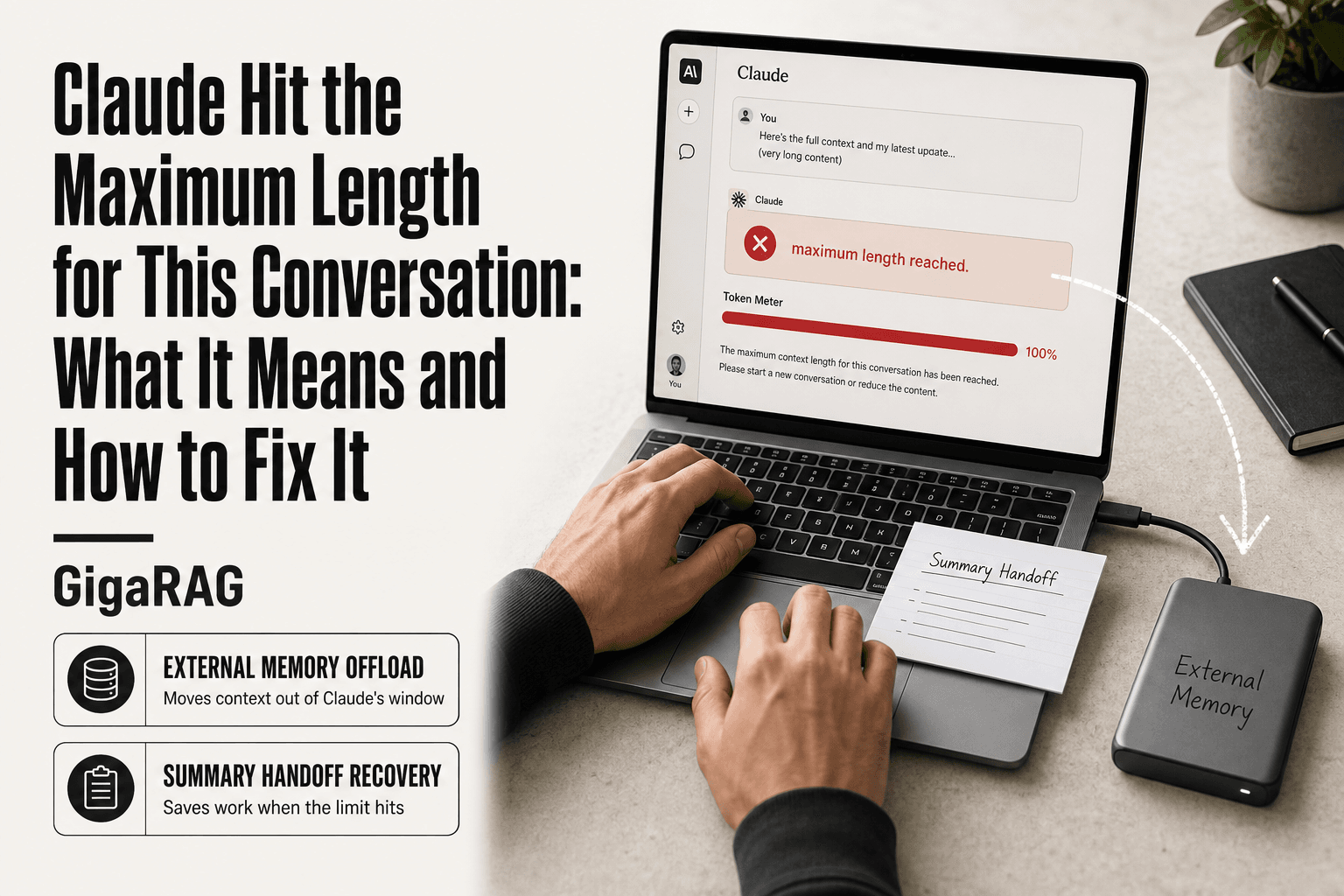
Claude Hit the Maximum Length for This Conversation: What It Means and How to Fix It
Claude hit the maximum length for this conversation is the message no builder wants to see mid-pipeline. You're twenty messages into debugging an agent memory system, the context is rich, and suddenly Claude stops. The frustration is real, especially when you're running long agentic workflows or RAG pipelines that depend on accumulated context.
The hard truth: Claude's context window is a hard architectural limit. You cannot bypass it. You cannot extend it. You can only mitigate it.
The good news is that mitigation works, and for builders there's a structural fix. GigaRAG acts as persistent external memory, offloading context from Claude's window so the limit stops interrupting your work. This guide covers what the error means, how to recover your work right now, how to prevent recurrence, and when to offload to external memory instead of fighting the window.
| At a glance | Details |
|---|---|
| What it means | Conversation context window is full |
| Can you bypass it? | No — only mitigate or offload |
| Typical limit | Around 200k tokens (model-dependent) |
| Immediate fix | Summarize and hand off to new chat |
| Best prevention | External memory layer like GigaRAG |
| Who this hits hardest | Agent and RAG pipeline builders |
In This Guide
- What Does 'Claude Hit the Maximum Length for This Conversation' Actually Mean?
- Claude Built-in Features vs External Memory (GigaRAG)
- Immediate Recovery: How to Save Your Work When Claude Hits the Maximum Length
- Claude Hit The Maximum Length For This Conversation: A Step-by-Step Guide
- Prevention Strategies: Architecting Conversations to Avoid the Limit
- Using Claude Projects and Artifacts to Manage Context
- The Architectural Fix: External Memory for RAG Pipelines and Agent Builders
- Decision Framework: When to Use Summary Handoff, Projects, or External Memory
- What You Cannot Do: Honest Limits and Common Misconceptions
- How Claude's Limit Compares to Other Models' Context Windows
- Final Thoughts: Building Beyond the Limit
What Does 'Claude Hit the Maximum Length for This Conversation' Actually Mean?
Claude's context window is full. The conversation has accumulated more tokens than the model can hold in active memory, and Claude cannot continue the current thread. You'll need to start a new conversation or offload context elsewhere.
Length limits vs. usage limits: the key difference
A length limit is about how much a single conversation can hold. A usage limit is about how many messages you can send in a given time window. They fail differently.
When you hit a usage limit, Claude says you've sent too many messages and tells you to wait. Your conversation is intact. When you hit a length limit, the conversation itself is the problem. The thread has grown too large for Claude to process, and the only path forward is to start fresh or compress what you have.
What counts toward the context window
Everything in the conversation counts. Your prompts, Claude's responses, any files you've uploaded, any tool outputs, and any system instructions all consume tokens. A 200k token window sounds large, but it fills fast when you're pasting code files, logs, or long documents into a thread.
Claude's automatic context compaction helps by summarizing older parts of the conversation, but it only buys time. It doesn't reset the counter.
Why Claude cannot simply 'extend' the window
The context window is a hardware and architecture constraint, not a setting. The model's attention mechanism processes every token in the window simultaneously, and the compute cost scales with the window size. Doubling the window means roughly quadrupling the compute for every generation.
Anthropic could ship a larger window in a future model, but you cannot toggle it on for the current one. The limit is fixed. The honest answer is that you work around it, not through it.
[!note] The exact context limit varies by Claude model and plan, and Anthropic has changed these limits over time — check the current documentation rather than assuming a fixed number. The limit applies to the whole conversation's accumulated tokens, not just your latest message.
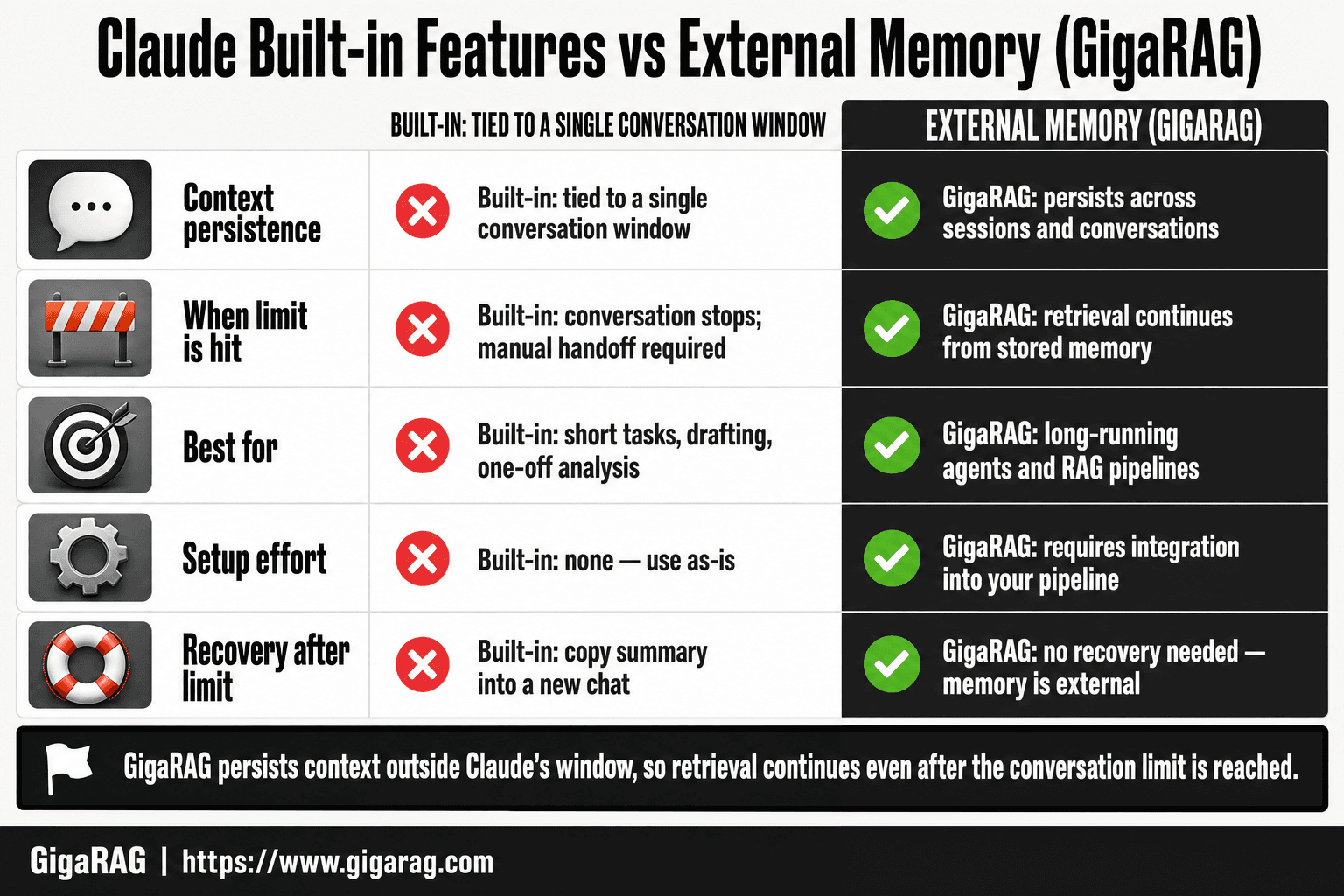
Claude Built-in Features vs External Memory (GigaRAG)
| Factor | Claude Built-in Features | External Memory (GigaRAG) |
|---|---|---|
| Context persistence | Tied to a single conversation window | Persists across sessions and conversations |
| When limit is hit | Conversation stops; manual handoff required | Retrieval continues from stored memory |
| Best for | Short tasks, drafting, one-off analysis | Long-running agents and RAG pipelines |
| Setup effort | None — use as-is | Requires integration into your pipeline |
| Recovery after limit | Copy summary into a new chat | No recovery needed — memory is external |
Immediate Recovery: How to Save Your Work When Claude Hits the Maximum Length
You hit the wall mid-build. The conversation won't accept another prompt. Here's what to do in the next five minutes.
The summary handoff: ask Claude to compress before you lose access
The moment you see the warning, stop sending new prompts. Instead, ask Claude for a structured summary of everything it knows about your current task. Be specific about what you need: the decisions made, the code written, the constraints discovered, and the next steps.
A good summary prompt looks like this: "Summarize the current state of this project. Include the architecture decisions, the files we've created, the bugs we fixed, and the exact next task. Format it so I can paste it into a new conversation."
Claude can still respond to this request even when the window is nearly full, because summarization compresses rather than expands. The output you get back is your bridge to a fresh thread. Paste it as the first message in a new conversation and you've recovered most of your working context.
The main catch: the summary is only as good as what Claude chose to include. It will drop details it considers minor, and those details might matter to you. Ask for the summary before the conversation becomes completely unresponsive. Once Claude refuses to generate anything, you've lost the ability to extract a clean handoff.
Editing your last accepted prompt instead of sending a new one
If the conversation is at the limit but still technically responsive, don't send a new message. Edit your last accepted prompt instead. Claude re-processes the conversation from that point, which can free up enough room to continue.
This works because editing a message rewinds the thread. Everything after the edited message gets regenerated, and the token count drops back to where it was at that point. You lose the responses that came after, but you keep the conversation alive.
In practice, you'll edit the prompt to include a compression instruction: "Before continuing, summarize the conversation so far in under 500 words, then answer the original question." This forces Claude to compact the context before moving forward.
What you cannot recover once the limit is hit
Be honest about what's gone. If Claude has stopped responding entirely, you cannot recover the exact state of the conversation. The intermediate reasoning, the rejected approaches, the subtle context that never made it into a summary, all of it is lost.
You also cannot recover files or code that existed only in Claude's responses and were never saved elsewhere. If you didn't copy the output to a file or a project, it's gone when the conversation dies.
The summary handoff recovers the broad strokes. It does not recover the full thread. For builders running long agentic workflows, this is the strongest argument for external memory: the conversation should never be the only place your work lives.
[!tip] For agent and RAG builders: treat the chat window as scratch space, not storage. Write every durable artifact — decisions, schemas, intermediate results — to your external memory layer as you go, so hitting the limit becomes a non-event instead of a work-loss incident.
Claude Hit The Maximum Length For This Conversation: A Step-by-Step Guide
- Ask Claude to summarize the current state, decisions, and open threads before the conversation locks.
- Copy that summary plus any critical code or data into a fresh conversation as your starting context.
- Move stable reference material (docs, schemas, specs) out of the chat and into a retrievable store.
- For agent workflows, log each turn's key outputs to an external memory layer instead of relying on chat history.
- Retrieve only the relevant slices per turn rather than replaying the full conversation.
- Set a token budget per session and checkpoint summaries at intervals before you approach the limit.
- Test your pipeline with a simulated long session to confirm memory retrieval works under load.
Prevention Strategies: Architecting Conversations to Avoid the Limit
Recovery is a rescue operation. Prevention is a habit. These four patterns keep your context budget from filling up in the first place.
Edit instead of follow-up: why this halves context growth
Every new message you send re-sends the entire conversation history to Claude. That's how the context window works: the full thread travels with each prompt. A follow-up message asking "can you also add error handling?" costs you the entire conversation again.
Editing your previous prompt instead means Claude re-processes from that point forward. The token count resets to where it was before the edited message. You lose the responses that came after, but you keep the thread alive without paying for the full history twice.
The habit: when you need a small change, edit the prompt that produced the output rather than appending a new request. Over a 50-message session, this alone can cut context growth by half.
Start fresh every 15-20 messages
Long conversations accumulate dead weight: abandoned approaches, superseded code, tangents that went nowhere. None of it helps Claude answer your next question, but all of it counts against the window.
The fix is a scheduled reset. Every 15 to 20 messages, ask Claude for a structured summary, then open a new conversation and paste it as the first prompt. You keep the working context, drop the noise, and reset the token counter to near zero.
This is a habit, not a one-time fix. Build it into your workflow the way you commit code at regular intervals.
Use Claude Haiku for simple, repetitive tasks
Not every task needs the full Sonnet or Opus context. Haiku is Claude's fast, lightweight model, and it handles simple jobs like formatting, classification, or quick lookups at a fraction of the context cost.
Route the repetitive work to Haiku. Reserve Sonnet or Opus for the reasoning-heavy parts of your build. You'll burn less context per task and keep your main conversation focused on what actually needs the bigger model.
Use Claude's automatic context compaction
Claude already does some of this work for you. When a conversation approaches the limit, Claude automatically compresses older messages into a condensed form before continuing. You don't have to trigger it manually.
The catch: automatic compaction is lossy. Claude decides what to keep and what to drop, and it may discard details you still need. Treat it as a safety net, not a strategy. Manual summaries at the 15-20 message mark give you control over what survives the compression.
Using Claude Projects and Artifacts to Manage Context
Prevention habits help, but they require discipline. Claude's built-in features do some of that work for you automatically.
Projects: persistent instructions without re-pasting
Projects let you save custom instructions and reference files that Claude loads at the start of every conversation in that project. You write the system prompt once, attach the files, and every new chat starts with that context already in place.
For builders, this means your coding conventions, API schemas, and project structure don't need to be re-pasted every time you start fresh. A 500-token instruction block saved in a Project costs you nothing to re-enter. It still counts against the context window when loaded, but you pay for it once, not every session.
Artifacts: caching reusable outputs
Artifacts are self-contained outputs like code blocks, documents, or diagrams that Claude generates in a separate pane. You can reference them without re-generating the content.
The practical benefit: when Claude produces a long code file or a structured document, that output lives as an Artifact. You can ask follow-up questions about it without the full text being re-sent in every prompt. It's a form of output caching, not input caching. Your prompts still carry the conversation history, but the generated content stays put.
Why Projects is not a substitute for external memory
Projects store static instructions and files. They don't store conversation history, they don't query a knowledge base, and they don't persist new information across sessions. When a conversation ends, whatever Claude learned in that thread is gone unless you manually save it.
For RAG builders, this is the key distinction: Projects reduce the cost of re-entering fixed context. They do not give you queryable, persistent memory. If your agent needs to retrieve facts from a growing corpus of documents, Projects won't help. That's what external memory is for.
The Architectural Fix: External Memory for RAG Pipelines and Agent Builders
Projects and Artifacts reduce the cost of re-entering context. They don't solve the underlying problem: Claude's window fills up because every conversation carries its entire history. The architectural fix is to stop carrying that history inside Claude at all.
How RAG offloads context from Claude's window
Retrieval-augmented generation flips the model. Instead of pasting your full knowledge base into the prompt, you store it in a vector database. When a query comes in, you embed it, run a similarity search, and retrieve only the handful of chunks that actually matter for this specific question. Those chunks go into Claude's context. Everything else stays out.
Here's what happens behind the scenes. Your documents get split into chunks, each chunk gets converted to an embedding vector, and those vectors live in a database like Pinecone, Weaviate, or pgvector. At query time, the same embedding model converts the user's question into a vector. The database returns the 5 or 10 most similar chunks. Claude sees the question plus those chunks. That's it.
The consequence: your conversation history stays small because the knowledge lives outside the window. A 50,000-document corpus costs you maybe 2,000 tokens per query, not 50,000. The limit stops being the thing you hit because you never approach it.
When to use external memory vs. Claude's built-in features
It depends on what you need to persist.
Use Projects when your context is static: coding conventions, API schemas, fixed instructions. Use summary handoff when your conversation is one-off and you just need to carry the gist forward. Use external memory when your agent needs to query a growing body of information across many conversations.
The honest answer is that most builders hit the limit because they're treating Claude's window as a database. They paste documents in, ask questions, paste more documents, ask more questions. The window fills because the knowledge base is growing. External memory moves that growth out of the window entirely.
A practical example: agent memory with GigaRAG
GigaRAG is one implementation of this pattern. It's a persistent external memory layer built for RAG pipelines and agent builders. You connect your documents, code, or conversation logs once. GigaRAG handles chunking, embedding, and storage. When your agent needs context, it queries GigaRAG instead of relying on what's already in Claude's window.
In practice, an agent that processes support tickets would store every resolved ticket in GigaRAG. When a new ticket arrives, the agent retrieves the three most similar past tickets, passes them to Claude with the new ticket, and gets a response. The conversation is effectively stateless. Each request starts fresh, pulls what it needs from external memory, and never accumulates enough context to hit the limit.
The main catch: you're adding infrastructure. A vector database, an embedding step, a retrieval layer. That's real engineering work. But for builders running agentic workflows that repeatedly hit Claude's maximum length, it's the difference between patching the symptom and removing the cause.
Decision Framework: When to Use Summary Handoff, Projects, or External Memory
The choice comes down to one question: what needs to persist after this conversation ends? Nothing, instructions, or knowledge.
Short one-off tasks: summary handoff
Use summary handoff when the conversation is a single session with a clear endpoint. You're debugging one error, drafting one document, analyzing one dataset. Before you hit the limit, ask Claude to write a structured summary: decisions made, code written, next steps. Paste that summary into a new conversation and continue.
The cost is near zero. The catch: summaries lose detail. Fine for a one-off task. Wrong for anything you'll revisit.
Persistent instructions: Claude Projects
Use Projects when the thing that persists is how Claude should behave. Coding conventions, API schemas, response formats, fixed rules. You set these once in the project instructions. Every conversation in that project starts with them already loaded.
Projects don't store knowledge. They store directives. If your agent needs to recall facts from past work, Projects won't help.
Queryable memory across conversations: external RAG memory
Use external memory when the thing that persists is information. Past tickets, resolved bugs, document corpora, conversation logs. Anything your agent needs to search, not just obey.
External RAG stores that information in a vector database. Each new conversation queries it fresh. The window stays small because history lives outside it. GigaRAG is one implementation of this pattern.
The rule: if it's a rule, put it in Projects. If it's a fact, put it in external memory. If it's neither, summarize and move on.
What You Cannot Do: Honest Limits and Common Misconceptions
There is no bypass. Anyone selling a trick to "unlock" Claude's context window is selling a workaround, not a fix. The limit is architectural.
You cannot bypass the limit, only mitigate it
The 200k token window is a hard ceiling. You can compress, summarize, offload to external memory, or start fresh. You cannot make the window bigger than it is. Any prompt engineering that claims otherwise is just compaction wearing a costume.
You cannot extend the context window beyond 200k tokens
No setting, no API parameter, no paid tier changes this. Claude Pro, Max, and the API all share the same fundamental constraint. The window is fixed at model design time.
You cannot recover context lost after the limit is hit
Once Claude refuses to continue, the conversation history is frozen. You can still read it. You can copy from it. You cannot make Claude process one more token in that thread. The only path forward is a new conversation with whatever you managed to extract.
The honest answer: mitigation, not bypass. Build for the limit.
How Claude's Limit Compares to Other Models' Context Windows
Claude's 200k token window is large but fixed. ChatGPT behaves differently. Knowing the difference matters when you're designing a system that runs for hours or days.
Claude vs. ChatGPT: fixed window vs. rolling window
Claude holds the entire conversation in context until the window fills. When it fills, the conversation stops. You get the error. Nothing is silently dropped.
ChatGPT uses a rolling window. Old messages fall out of context as new ones arrive. The conversation keeps going, but the model quietly forgets earlier turns. You won't get an error. You'll get answers that ignore something you said 40 messages ago.
The tradeoff is honesty versus continuity. Claude tells you when it's full. ChatGPT doesn't tell you when it forgot.
What this means for long-running agentic workflows
For agents, silent forgetting is worse than a hard stop. An agent that loses track of a constraint mid-task produces wrong output without warning. Claude's hard limit forces you to handle context explicitly: summarize, offload, or restart. That's annoying in the moment. It's safer in production.
Other models: Gemini offers up to 1 million tokens on some tiers. GPT-4 Turbo sits at 128k. Claude's 200k is mid-pack on raw size, but its fixed-window behavior is the most predictable. Predictability is what you want when a pipeline runs unattended.
Final Thoughts: Building Beyond the Limit
The limit isn't a bug. It's a boundary. Claude tells you when the conversation is full because the architecture demands it. You can summarize, restart, and edit your way around it for a while. But if you're building agents or RAG pipelines that run for days, workarounds become the job.
The real fix is moving memory out of the conversation. A vector database holds your context. Claude queries it when needed. The window stays lean because the knowledge lives elsewhere. That's the pattern GigaRAG implements: persistent, queryable memory that survives every restart.
When Claude hit the maximum length for this conversation, you lost momentum. You don't have to lose it twice. External memory turns the limit from a wall into a speed bump.
Frequently Asked Questions
How to bypass Claude chat length limit?
You cannot truly bypass the context window limit — it is a hard constraint of the model. You can only mitigate it by summarizing and starting fresh, or by offloading context to an external memory layer that retrieves only what each turn needs.
What does it mean when Claude says it reached its max length for this message?
It means the total tokens in the conversation — your messages, Claude's replies, and any attached content — have filled the model's context window. Claude can no longer accept more input in that thread until you reduce or move the context elsewhere.
What to do when Claude says the conversation is too long?
First, ask for a structured summary of the state and open tasks. Then start a new conversation with that summary as context. For ongoing work, move reference material into an external store so future sessions do not repeat the problem.
What does it mean when Claude says "you've hit your limit"?
This usually refers to a usage or rate limit on your plan rather than the context window, though the wording can overlap. Check whether the message mentions conversation length or usage quota — they have different fixes and different reset behavior.
Does the Claude length limit reset?
A full context window does not reset within the same conversation — you must start a new one. Usage or rate limits typically reset on a rolling window or billing cycle, depending on your plan, so check your account details for specifics.
Can I just start a new conversation and keep going?
Yes, but you lose the accumulated context unless you carry it forward. Copy a summary and any essential artifacts into the new chat, or better, store them externally so you can retrieve them on demand instead of pasting everything.
How do RAG and agent builders avoid this entirely?
By keeping the conversation window as a working buffer and storing durable state — documents, decisions, intermediate outputs — in an external memory layer. Each turn retrieves only the relevant slices, so the context window never fills with stale history.
About GigaRAG
GigaRAG is for agent memory and RAG pipeline builders. get this right. Whether you are working through claude hit the maximum length for this conversation or something adjacent, we publish what we have actually tested, including where it falls short.


