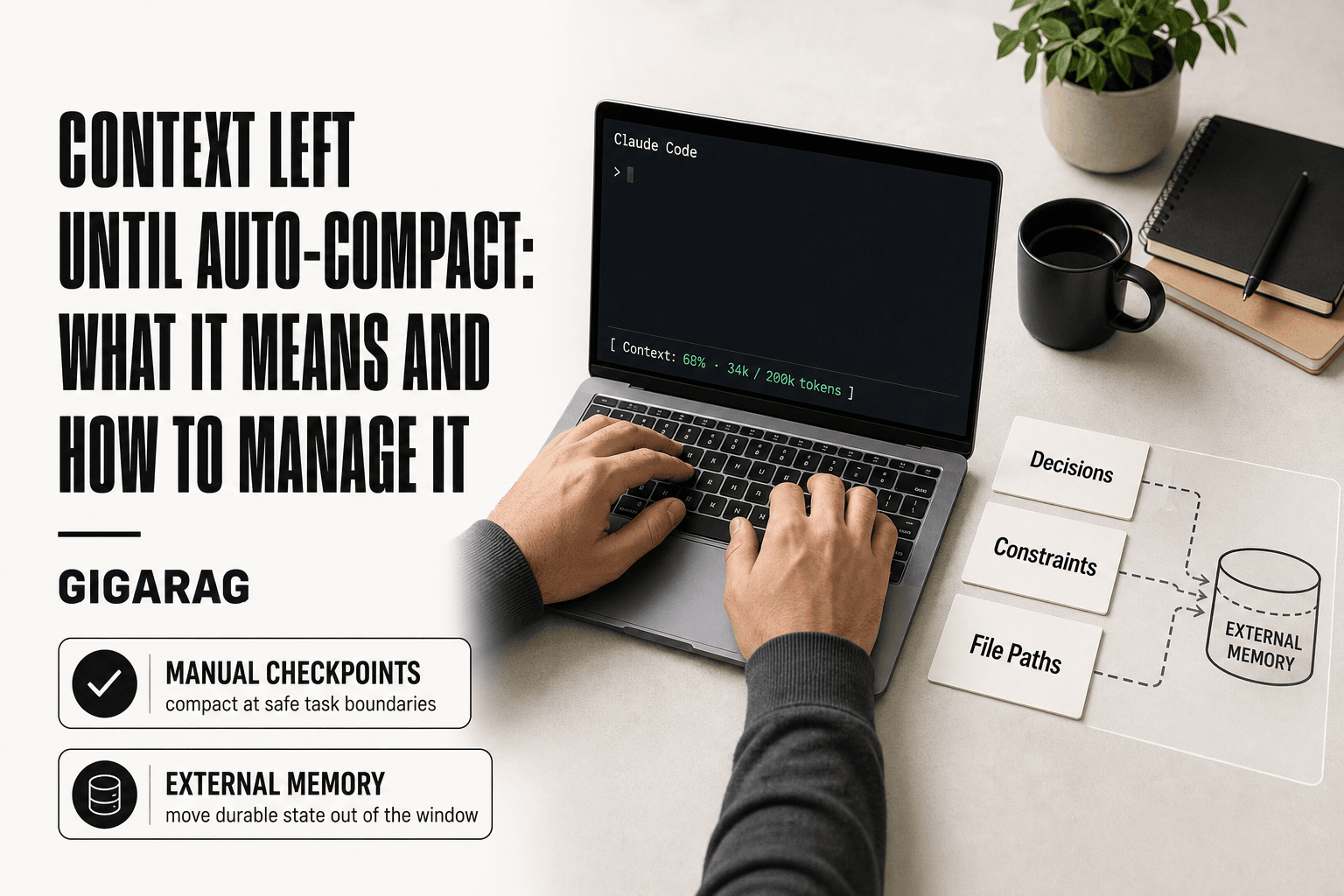
Context Left Until Auto-Compact: What It Means and How to Manage It
Context left until auto-compact is the number every Claude Code user learns to watch. For builders running long RAG debugging sessions or agent memory tests, it reads like a fuse burning down. The counter hits single digits mid-build and you're left guessing: what actually gets summarized? What's gone for good? The honest answer is that auto-compact is not a failure state. It's a trade-off, and one you can control. For RAG pipeline builders and agent memory developers, that ticking counter is a signal your context strategy needs deliberate design, not just a bigger window. GigaRAG is one option for externalizing context beyond Claude Code's native limits, but before you reach for a tool, you need to understand what the indicator actually tells you. This guide covers what the counter means, how auto-compact works under the hood, what it preserves and what it loses, and a practical framework for managing context in long-running agentic workflows.
| At a glance | Details |
|---|---|
| What it is | A Claude Code indicator showing context remaining before auto-compaction |
| When it triggers | Near the model's context window limit, automatically |
| What it does | Summarizes older conversation turns to free space |
| What it can't do | Preserve every detail or expand the context window |
| Who it affects | Developers running long agentic or RAG workflows |
| Key control | Monitor the counter and compact manually at safe checkpoints |
In This Guide
- What 'Context Left Until Auto-Compact' Actually Means
- Auto-Compact vs Manual Compact: Which Should You Use?
- How Auto-Compact Works Under the Hood
- Context Left Until Auto-compact: A Step-by-Step Guide
- Auto-Compact vs. Manual Compact: What Builders Need to Know
- What Auto-Compact Cannot Do: Honest Limitations
- A Practical Framework for Managing Context in Agentic Workflows
- Why Context Left Until Auto-Compact Matters for RAG and Agent Memory
- Common Mistakes When Managing Context Left Until Auto-Compact
What 'Context Left Until Auto-Compact' Actually Means
The "context left until auto-compact" counter is a countdown showing how many tokens remain before Claude Code automatically summarizes your conversation history to free up space. It's not a measure of total context used. It's a measure of how close you are to the point where Claude Code will step in and compress older messages.
The counter sits in your Claude Code session and ticks down as you add messages, tool outputs, and file contents. When it reaches zero, auto-compact triggers. The indicator is a progress bar for a process you didn't explicitly start.
The counter as a countdown to compaction
Think of it as a fuel gauge, not a speedometer. The number tells you how much runway you have left before the system takes action. It doesn't tell you what will be summarized, what will be kept verbatim, or how much reasoning quality you'll lose. It only tells you when.
For builders running long agentic workflows, that's the uncomfortable part. You watch the number drop and you don't know what's about to get flattened into a summary.
What triggers auto-compact in Claude Code
Auto-compact fires when your conversation approaches the context window limit. Claude Code reserves a completion buffer so the model can finish its current response before compaction happens. That's why the counter hits zero before your context window is technically full.
The trigger is automatic. You don't confirm it. You don't get a prompt asking which messages to keep. The system decides.
How the indicator relates to your total context window
Your total context window is the hard ceiling. The auto-compact counter is the soft boundary before that ceiling. Claude Code compacts early so it never has to stop mid-response and tell you the window is full.
That's the trade-off. You get continuity, but you pay for it with summarization. The counter is the only warning you get.
[!note] Auto-compact summarizes older conversation turns to free context space — it does not increase the model's context window, and summarized details are not guaranteed to be recoverable in their original form.
Auto-Compact vs Manual Compact: Which Should You Use?
| Factor | Auto-Compact | Manual Compact |
|---|---|---|
| Trigger | Fires automatically near the context limit | You invoke it at a chosen point |
| Timing control | None — may interrupt mid-task | Full — compact at logical checkpoints |
| Risk of losing context | Higher — may summarize critical details away | Lower — you decide what matters first |
| Best for | Unattended or exploratory sessions | Long agentic pipelines with critical state |
| Recovery options | Limited once compaction runs | You can export or save state beforehand |
How Auto-Compact Works Under the Hood
The counter hits zero and Claude Code doesn't just truncate your history. It runs a summarization pass over older messages, compresses them into a shorter form, and keeps the recent conversation intact. The result is a hybrid: a summary of what came before, plus verbatim text of what's happening now.
What gets summarized vs. what gets preserved
Older messages get summarized. That includes your earlier prompts, Claude's earlier responses, tool outputs, and file contents you pasted in. The system condenses these into a shorter narrative that captures the gist but not the exact wording.
Recent messages stay verbatim. Claude Code preserves the last several turns so the model has full fidelity on what you're currently working on. The boundary between "old enough to summarize" and "recent enough to keep" shifts based on how much context is left.
The main catch is that you don't control where that boundary falls. Claude Code decides which messages are old enough to compress. You can't mark a specific message as "keep this exact wording."
The completion buffer: why compaction happens before you hit zero
Claude Code reserves a slice of the context window for the model to finish its current response. That's the completion buffer. Without it, the model would hit the hard ceiling mid-sentence and stop.
Compaction triggers early enough that the summarization pass itself has room to run. The system needs tokens to generate the summary before it can free up space. If it waited until the window was truly full, there'd be no room to do the compaction work.
That's why the counter reaches zero before your context window is technically exhausted. The buffer is the gap between the soft boundary and the hard ceiling.
Why earlier compaction can protect reasoning quality
Compacting earlier means the model summarizes a smaller chunk of history at a time. Smaller summarization jobs tend to preserve more detail than one massive compression pass at the end.
If Claude Code waited until the window was completely full, it would have to summarize everything at once. That's a harder task. More information gets flattened. Earlier, incremental compaction spreads the loss across multiple smaller summaries instead of concentrating it in one big one.
The trade-off is that you get compacted more often. But each compaction is less destructive than a single emergency compression would be.
[!tip] For RAG and agent memory builders: treat the context counter as a design signal. If you are compacting frequently, your pipeline is likely holding state in the conversation that belongs in an external retrieval store — move durable facts out of context and compaction becomes far less risky.
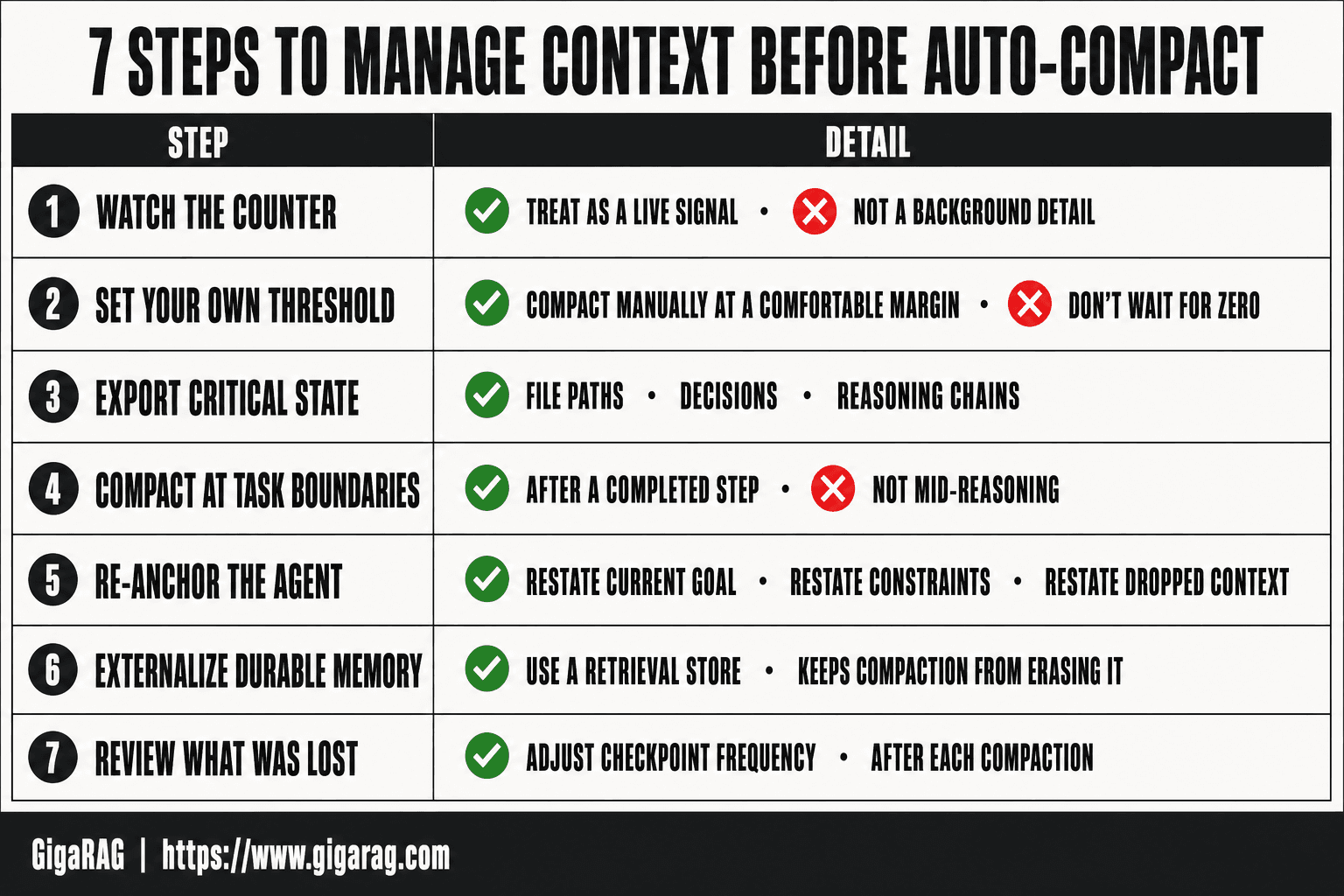
Context Left Until Auto-compact: A Step-by-Step Guide
- Watch the 'context left until auto-compact' counter as a live signal, not a background detail.
- Set your own threshold — compact manually when the counter drops to a comfortable margin rather than waiting for zero.
- Before compacting, export or save critical state: file paths, decisions, and reasoning chains you cannot afford to lose.
- Compact at natural task boundaries — after a completed step, not mid-reasoning.
- After compaction, re-anchor the agent by restating the current goal, constraints, and any dropped context.
- For RAG pipelines, externalize durable memory to a retrieval store so compaction does not erase it.
- Review what was lost after each compaction and adjust your checkpoint frequency accordingly.
Auto-Compact vs. Manual Compact: What Builders Need to Know
Auto-compact happens on a schedule you don't set. Manual compact happens when you decide. That's the whole difference, and it matters more for pipeline builders than for casual users because you're the one who knows which context is load-bearing.
What manual /compact does differently
Typing /compact in Claude Code triggers the same summarization pass auto-compact uses. The mechanics are identical: older messages get compressed, recent messages stay verbatim, and the completion buffer stays reserved.
The difference is timing and control. Manual compact lets you choose the moment. You can finish a debugging step, confirm the current state works, then compact before starting the next task. Auto-compact fires mid-task, whenever the counter hits zero, which might be right in the middle of a reasoning chain you'd rather keep intact.
Manual compact also gives you a chance to review what's about to be summarized. You can scroll back, note anything critical, and copy it out before running the command. Auto-compact doesn't pause for review.
When to rely on auto-compact vs. when to compact manually
Auto-compact is fine for exploratory work. If you're poking at a codebase, trying things, and the exact history of your failed attempts doesn't matter, let it run. The summary will capture enough to keep going.
Manual compact is the right call when you're mid-pipeline and the current context is precious. Before you compact, you can export or copy the specific values, file paths, or reasoning steps you'll need after compaction. You can't do that if auto-compact already fired.
The honest answer is that most builders should use both. Let auto-compact handle routine sessions. Take manual control when you're working on something where losing nuance means redoing work.
Configuring auto-compact thresholds and settings
Claude Code doesn't expose a setting to change the auto-compact threshold directly. The counter is what it is. You can't set it to trigger at 20% instead of zero.
What you can control is how much context you're using in the first place. Shorter prompts, fewer pasted file contents, and clearing old tool outputs all push the compaction point further out. You can also run /clear to reset the conversation entirely, which is a blunt instrument but works when you're starting a fresh task.
Some users work around the fixed threshold by compacting manually before the counter gets low. That gives you the same effect as a custom threshold: you choose when the summarization happens, just by watching the counter and acting before zero.
What Auto-Compact Cannot Do: Honest Limitations
Auto-compact is a summarization pass, not a memory upgrade. It compresses old messages to make room for new ones. It does not preserve everything, and it does not understand what matters to you. Here's what that means in practice.
Nuanced reasoning context can be lost in summarization
When Claude Code compacts, it summarizes the conversation history. Summaries are shorter than the original. That's the point. But compression means detail gets dropped, and the detail that gets dropped is often the reasoning chain: why you chose one approach over another, what you tried that failed, the specific constraint that shaped a decision.
A summary might say "explored three approaches to the retrieval bug." It won't say which three, why the first two failed, or what the third approach assumed about the vector index. If you need that reasoning later, it's gone. You'll redo the thinking or make a decision on incomplete context.
Auto-compact does not expand your context window
Your context window is a fixed size. Auto-compact doesn't make it bigger. It just rearranges what's inside it: old messages shrink, freeing tokens for new ones. The total capacity stays the same.
This matters for RAG pipeline builders because your retrieved context, embeddings, and tool outputs all compete for the same window. Compaction doesn't create room for more retrieval results. It just summarizes what's already there. If your pipeline needs more working context than the window allows, auto-compact won't solve that. You need external memory or a different architecture.
It cannot distinguish critical from trivial context in complex agent workflows
Auto-compact treats all old messages the same way. It doesn't know that the API key in message 12 is load-bearing while the stack trace in message 14 is noise. It summarizes both.
In a long-running agent workflow, the critical context is often scattered: a file path here, a decision there, a constraint mentioned once and never repeated. Auto-compact will happily summarize all of it into a paragraph that loses the specifics. The system has no model of what's important to your task. Only you do.
That's the honest limitation. Auto-compact is a blunt tool. It works fine for routine sessions where the history doesn't matter much. It fails when the history is the work.
A Practical Framework for Managing Context in Agentic Workflows
The limitations above aren't a reason to avoid auto-compact. They're a reason to stop treating it as a black box. You can build a simple workflow around it that preserves what matters and lets the summarizer handle the rest. Here's the framework I use.
Step 1: Monitor context usage proactively
Don't wait for the counter to hit 5%. Check it at natural breakpoints: after a big retrieval, after a tool call that returns a lot of output, after you've pasted a large file. The counter tells you how much room is left, but it doesn't tell you what's consuming it.
Run /context to see a breakdown of what's in the window. Look for the biggest consumers. In RAG work, that's usually retrieved chunks and tool outputs. If a single retrieval dumped 40k tokens of context, you'll see it immediately. That's your signal to trim before compaction does it for you.
Step 2: Identify what must be preserved before compaction
Before the counter gets low, ask yourself: what in this conversation would be expensive to lose? That's usually three things: decisions you've made and why, constraints that shape the current task, and file paths or identifiers you'll need later.
Write these down. Not in your head. In a scratch file or a note outside the conversation. A single line like "using cosine similarity, not dot product, because embeddings aren't normalized" can save you an hour of re-deriving a decision after compaction summarizes it away.
Step 3: Decide between auto-compact, manual compact, or externalization
Auto-compact is fine when the history is routine and you don't need the details. Let it run. Manual /compact gives you a checkpoint: you decide when it happens, and you can review the summary before continuing. That's worth doing before a major phase change in your workflow.
Externalization means moving context out of the window entirely. Write the critical state to a file, a vector store, or a memory layer. That's the only option that actually preserves detail. Auto-compact summarizes. Externalization stores. For RAG builders, this is where tools like GigaRAG come in: they let you push context out of Claude Code's window and retrieve it on demand, so compaction stops being the only mechanism for managing a full window.
Step 4: Verify reasoning quality after compaction
After any compaction, test the system. Ask Claude Code a question that requires the context you care about. If it answers correctly, the summary preserved enough. If it hesitates, asks for clarification, or gives a generic answer, the detail is gone.
This is the step most people skip. They compact and keep going, then discover twenty minutes later that the model forgot a constraint. A thirty-second verification after compaction catches that immediately. Do it every time.
Why Context Left Until Auto-Compact Matters for RAG and Agent Memory
The counter isn't just a Claude Code quirk. For RAG pipeline builders and agent memory developers, it's a signal about where your context actually lives. If you're watching it tick down constantly, your context strategy is leaning too hard on the window itself.
How compaction interacts with RAG retrieval context
Retrieved chunks and tool outputs are usually the biggest consumers of your window. When auto-compact runs, it summarizes those chunks along with everything else. The original text is gone. What remains is a compressed paraphrase.
That's a problem for RAG work. Your pipeline retrieved specific passages for a reason: exact wording, code snippets, identifiers. A summary preserves the gist but not the text. If your agent needs to quote or reference a chunk after compaction, it can't. The detail is gone.
The fix is to treat retrieved context as disposable by design. Store the chunks in a vector database or memory layer outside the window. Let the window hold pointers and summaries, not the raw text. Then compaction loses nothing critical.
When external memory beats in-window context
In-window context works until it doesn't. It's fast, it's simple, and it's limited to whatever fits. For short tasks, that's fine. For long-running agents that accumulate state across many turns, it breaks down.
External memory wins when you need three things: persistence across sessions, retrieval of exact text, and context that survives compaction. A vector store gives you all three. The window gives you none of them reliably.
The trade-off is latency and complexity. Every retrieval adds a round trip. Every memory layer adds code to maintain. It's worth it when the cost of losing context exceeds the cost of managing the layer.
Signs your agent needs a dedicated memory layer
You'll know it's time when you see these patterns. The counter hits zero mid-task and you lose a decision you made an hour ago. You're re-deriving the same constraints after every compaction. Your agent asks for information you already gave it.
Another sign: you're using /export or copy-pasting context into scratch files just to survive. That's manual externalization. It works, but it's brittle. A dedicated memory layer does the same thing automatically and retrieves on demand.
GigaRAG targets exactly this problem. It externalizes context from Claude Code's window and retrieves it when needed, so compaction stops being the thing that decides what your agent remembers. That's the honest fix: don't fight the window. Move the memory out of it.
Common Mistakes When Managing Context Left Until Auto-Compact
Most builders don't lose context to compaction. They lose it to their own habits. The counter is visible for a reason, and the mistakes below are the ones I see repeated across long-running agent sessions.
Ignoring the counter until it's too late
The counter sits in the corner of the screen, quietly counting down. You're deep in a debugging session. You notice it at 12%, then 8%, then it's gone and compaction has already run.
By then, you've lost the chance to decide what matters. The summarizer made that call for you.
Check the counter at natural breakpoints: after a tool call, before a big retrieval, when you finish a reasoning step. It takes two seconds. The alternative is discovering mid-task that your agent no longer remembers a constraint you set twenty turns ago.
Assuming compaction preserves everything important
Compaction preserves the gist. It does not preserve the text. If you're relying on exact wording, code snippets, or specific identifiers surviving compaction, you're going to lose them.
The summarizer doesn't know what's critical to your workflow. It knows what looks representative. A constraint buried in a long message gets compressed. A subtle reasoning step gets flattened. The agent keeps working, but it's working from a lossy memory.
Treat compaction as destructive by default. If something must survive, move it out of the window before the counter gets low.
Treating auto-compact as a replacement for context strategy
Auto-compact is a safety net, not a memory system. It keeps the session alive. It doesn't decide what your agent should remember, and it doesn't retrieve anything on demand.
Builders who lean on it end up with agents that drift. The agent keeps answering, but the answers get shallower as the session goes on. The reasoning quality drops, and you can't tell exactly when it happened.
The fix is to design your context deliberately. Decide what belongs in the window, what belongs in external memory, and what can be discarded. Then let auto-compact handle the overflow. It's a cleanup mechanism, not a strategy.
Context left until auto-compact is a signal, not a verdict. It tells you the window is filling up. It doesn't tell you what to do about it. For RAG pipeline builders and agent memory developers, the answer is rarely to watch the counter and hope. It's to decide what belongs in the window, what belongs outside it, and when to compact on your own terms. The counter will keep ticking. What you do before it hits zero is the part you control.
Frequently Asked Questions
What is automatically compacting context?
Auto-compacting is Claude Code's automatic process of summarizing older parts of a conversation when the context window fills up. It condenses prior turns into a shorter form so the session can continue. The trade-off is that fine-grained details from earlier turns may be lost or paraphrased.
What does auto-compact mean in Claude Code?
In Claude Code, auto-compact is the built-in mechanism that triggers when your context usage approaches the model's limit. The 'context left until auto-compact' indicator shows how much room remains before that happens. When it fires, older conversation history is summarized to make space for new input.
Why does Claude keep compacting my conversations?
Frequent compaction usually means your session is accumulating more context than the window can hold — common in long agentic runs or RAG workflows that keep large documents or tool outputs in the conversation. The fix is to externalize durable state and compact deliberately at checkpoints rather than letting it fire automatically.
What should I do when my context window is full?
First, export or save any critical state you cannot afford to lose. Then either let auto-compact run or trigger a manual compact at a clean task boundary. Afterward, re-anchor the agent with your current goal and constraints, and consider moving persistent memory into an external store.
Does auto-compact lose important context?
It can. Auto-compact summarizes older turns, which means nuanced reasoning, exact code snippets, and subtle decisions may be compressed or dropped. It preserves the gist, not the detail — so anything critical should be saved or externalized before compaction runs.
Can I control when auto-compact triggers?
You cannot change the automatic trigger point directly, but you can compact manually before it fires. Watching the context counter and compacting at logical checkpoints gives you far more control over what is preserved than waiting for the automatic process.
Is auto-compact a problem for RAG pipelines?
It can be, because RAG workflows often hold retrieved documents and intermediate reasoning in context. If compaction summarizes those away mid-pipeline, output quality can drop. Externalizing retrieved context and durable memory to a retrieval store keeps compaction from erasing what your pipeline depends on.
About GigaRAG
GigaRAG is for agent memory and RAG pipeline builders. get this right. Whether you are working through context left until auto-compact or something adjacent, we publish what we have actually tested, including where it falls short.


