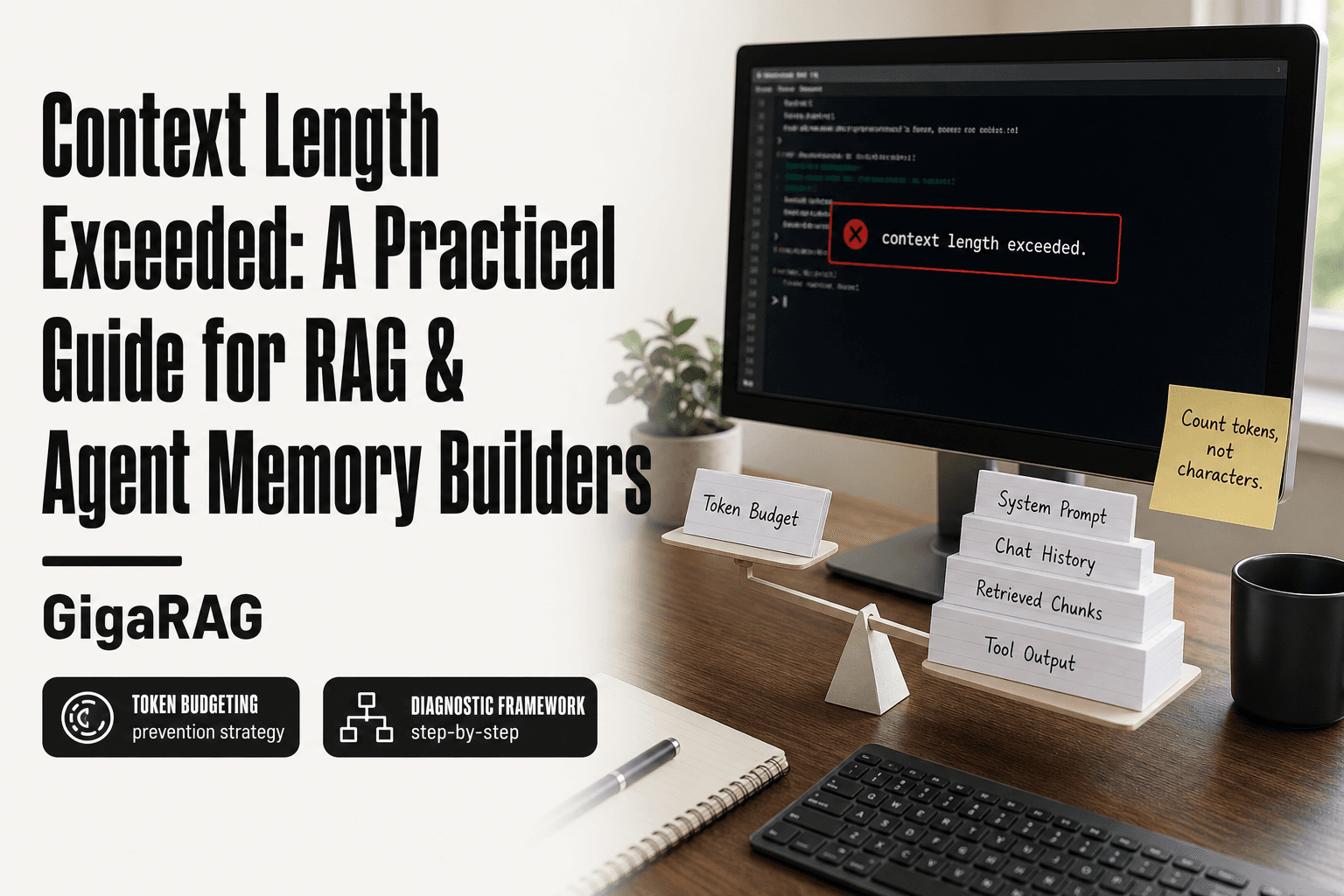
Context Length Exceeded: A Practical Guide for RAG & Agent Memory Builders
Context length exceeded is the error that stops a production RAG pipeline mid-query, usually right when you pass three retrieved chunks and a conversation history into the API. You check the token count, it's under the model's published limit, and the call still fails. The advice online doesn't help much: scattered forum threads, vendor-specific docs that assume you're only using their stack, and no systematic way to figure out which component actually broke the budget.
The honest answer is that most guides skip the diagnostic step entirely. They jump to fixes without telling you how to confirm the cause. This guide takes the opposite approach. I'll walk through why the error happens, how to isolate whether it's your prompt, your retrieval, or your agent memory, and how to prevent it with token budgeting. GigaRAG handles some of this automatically, but you still need to understand the mechanics to debug what it can't fix. Here's what you'll get: a repeatable diagnostic framework, a prevention strategy that works across OpenAI, Anthropic, and open-source models, and a clear statement of what no tool can do.
| At a glance | Details |
|---|---|
| What it means | Input tokens exceed the model's max context window |
| Common cause | Unbounded RAG chunks or agent memory growth |
| First check | Count tokens, not characters or words |
| Quick fix | Trim retrieved chunks and cap memory turns |
| Long-term fix | Token budgeting plus summarization or retrieval |
| Hard truth | No model offers truly infinite context |
In This Guide
- What Does 'Context Length Exceeded' Actually Mean?
- RAG Retrieval vs Context Extension vs Summarization: Which Fix When?
- Why Context Length Exceeded Happens in RAG Pipelines
- Context Length Exceeded: A Step-by-Step Guide
- How to Diagnose Context Length Exceeded: A Step-by-Step Framework
- Token Budgeting: The Prevention Strategy Most Guides Skip
- Practical Fixes for Context Length Exceeded
- What You Cannot Do: Honest Limits of Context Extension
- RAG vs. Context Extension: How to Choose
- Common Mistakes When Context Length Exceeded Errors Persist
What Does 'Context Length Exceeded' Actually Mean?
"Context length exceeded" means your input, measured in tokens, hit the model's hard context window limit, and the API rejected the call. It's not a warning. The request fails before the model generates anything.
Tokens vs. characters: why counting matters
Tokens are chunks of text, not characters. A token is roughly 4 characters in English, but one word can be one token or several. "Chatbot" might be two tokens. "a" is one. Counting characters tells you nothing useful. Counting tokens tells you exactly how much room you have left.
What counts toward context: prompt, history, retrieved docs, system messages
Everything you send counts. Your system prompt. The conversation history. Every retrieved document chunk. Tool definitions. Tool outputs. The model's own previous responses in a multi-turn exchange. All of it lands in the same bucket before a single output token is generated.
Hard limits vs. soft limits: what the API actually enforces
The limit is hard. GPT-4o has a 128k token window. Claude Sonnet has 200k. Exceed it and the API returns an error, not a truncated response. Some providers let you set a lower max_tokens for output, but that's a separate dial. The input limit is fixed per model.
[!note] Every model has a hard maximum context window, and 'context length exceeded' means your total input tokens (plus reserved output tokens) crossed that limit — there is no setting that makes the limit disappear.
RAG Retrieval vs Context Extension vs Summarization: Which Fix When?
| Factor | RAG Retrieval | Context Extension / Summarization |
|---|---|---|
| Best for | Large, changing knowledge bases | Long conversations or single long documents |
| Token cost | Low per call; scales with top-k chunks | High per call; grows with history length |
| Latency impact | Adds retrieval round-trip | Adds summarization or compression step |
| Accuracy risk | Missed chunks if retrieval is weak | Detail loss from compression or truncation |
| When to choose | Knowledge exceeds context window | Knowledge fits but history keeps growing |
Why Context Length Exceeded Happens in RAG Pipelines
RAG pipelines fail on context length for reasons that have nothing to do with your prompt. The retrieval step injects text you didn't write, and that text is often larger than you think.
Retrieval bloat: too many chunks, too large chunks
You ask for the top 5 chunks. Each chunk is 1,000 tokens. That's 5,000 tokens before your prompt even starts. If your chunking strategy splits documents into 2,000-token passages and you retrieve 10 of them, you've spent 20,000 tokens on retrieval alone. The fix is not always fewer chunks. Sometimes it's smaller chunks. Sometimes it's both.
Agent memory accumulation over multi-turn conversations
Agents keep appending. Every tool call, every tool output, every previous response stays in the context. By turn 20, the conversation history alone can hit 50,000 tokens. You didn't retrieve anything. You just talked too long.
System prompts and tool definitions eating into budget
A 3,000-token system prompt plus 15 tool definitions at 200 tokens each is 6,000 tokens gone before the user types a word. That's budget you can't spend on retrieval or history.
[!tip] For agent memory systems, cap the number of retained turns and summarize older ones into a rolling memory block; for RAG, rerank and truncate chunks to a fixed token budget rather than passing everything the retriever returns.
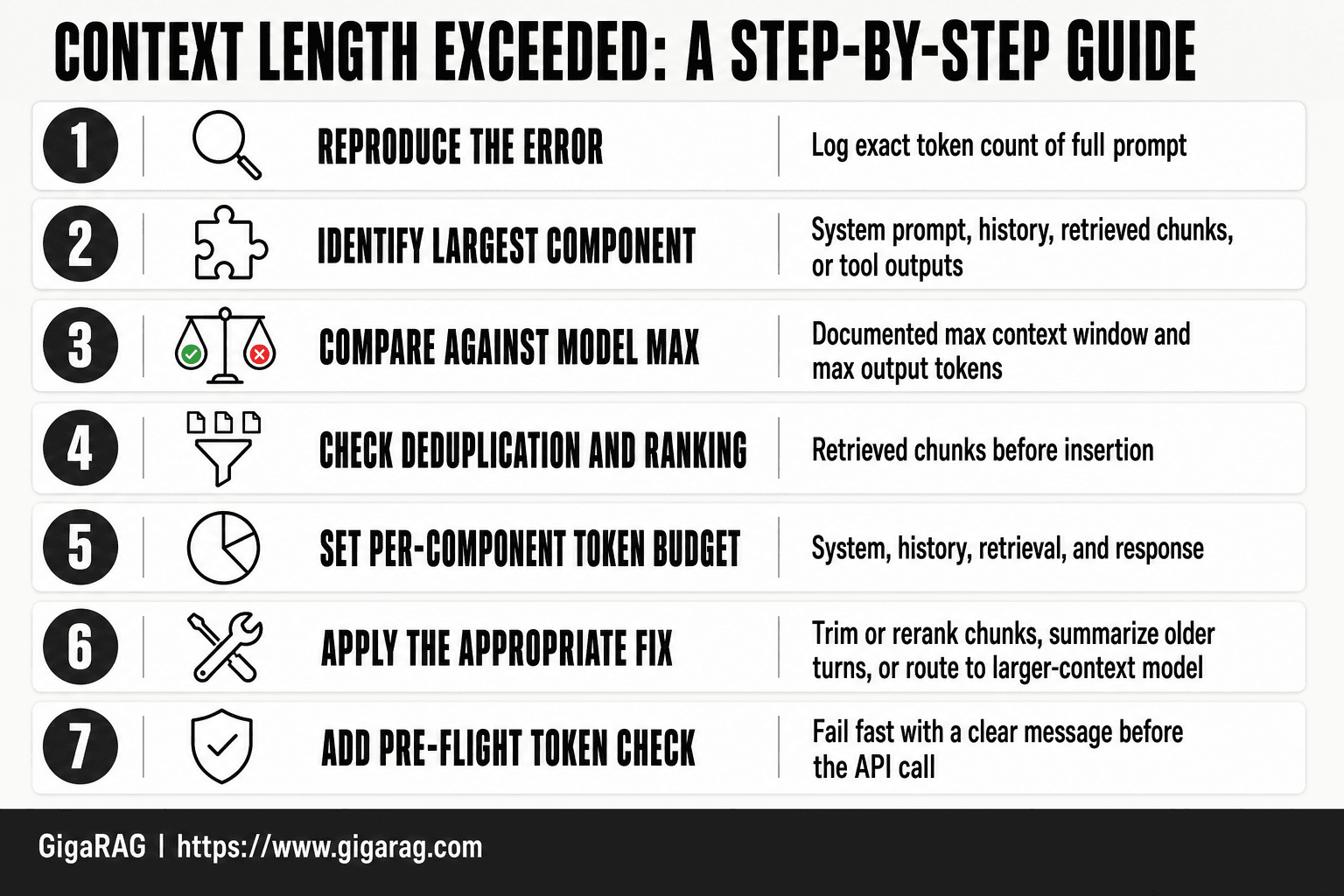
Context Length Exceeded: A Step-by-Step Guide
- Reproduce the error and log the exact token count of the full prompt (system, history, retrieved chunks, and user input).
- Identify which component is largest: system prompt, conversation history, retrieved documents, or tool outputs.
- Compare the total against the model's documented max context window and max output tokens.
- Check whether retrieved chunks are being deduplicated and ranked before insertion.
- Set a token budget per component (for example, system, history, retrieval, and response) and enforce it in code.
- Apply the appropriate fix: trim or rerank chunks, summarize older turns, or route to a larger-context model.
- Add a pre-flight token check that fails fast with a clear message before the API call.
How to Diagnose Context Length Exceeded: A Step-by-Step Framework
You need a repeatable process, not a guess. Here's the framework I use when a RAG pipeline or agent loop throws the error mid-run.
Step 1: Log token counts at every API call
Before each call, count tokens for the prompt, history, and retrieved documents separately. Most providers return usage data in the response. Log it. You can't fix what you can't see.
Step 2: Isolate the component — prompt, history, or retrieval
Run the same call three ways: with retrieval off, with history truncated, with a bare prompt. Whichever change makes the error disappear is your culprit.
Step 3: Test with a minimal prompt to confirm the baseline
Send a one-sentence prompt with no history and no retrieval. If that works, the model and API are fine. The problem is in your pipeline, not the provider.
Step 4: Identify the specific trigger (chunk size, history length, tool output)
Now narrow it. If retrieval is the issue, check chunk size and count. If history, check how many turns you're keeping. If tool output, check what your tools return. One of these is eating your budget.
Token Budgeting: The Prevention Strategy Most Guides Skip
Most guides tell you to fix the error after it happens. Budgeting prevents it. You decide up front how much of the context window each component gets, then enforce those limits in code.
The 70/20/10 rule: prompt, history, retrieval
A workable starting split: 70% for retrieved documents, 20% for conversation history, 10% for system prompt and instructions. Adjust based on what your pipeline actually needs. A document-heavy RAG setup might push retrieval to 80%. An agent with long-running sessions might give history 30%. The point is that you choose deliberately, not by accident.
How to calculate your model's actual usable context
Your model's advertised context window is not all yours. Subtract the output token limit first. Then subtract system prompt and tool definitions. What remains is what you can spend on history and retrieval. For GPT-4o, that's roughly 120k tokens of usable input after reserving 4k for output. For Claude 3.5 Sonnet, closer to 195k. Check your provider's docs for exact numbers.
Reserving space for output tokens
If you fill the entire context window with input, there's no room for the model to respond. The API will reject the call or truncate your input. Set max_tokens explicitly on every call, and subtract that number from your input budget. A 1,000-token output reserve is a safe default for most RAG responses.
Practical Fixes for Context Length Exceeded
You've budgeted. The error still appears. Here's what to change, ranked by effort.
Reduce chunk size and retrieval count
Smaller chunks mean less padding per retrieved passage. Cut chunk size from 1,000 tokens to 300, and drop retrieval count from 10 to 4. You'll lose some recall. Test whether your answers stay accurate before shipping.
Summarize conversation history instead of passing it raw
Pass the last 3 turns verbatim, then a 200-token summary of everything before. The summary loses nuance. For fact-heavy conversations, keep raw turns longer.
Use a sliding window for agent memory
Keep only the last N turns in context. Older turns get dropped or summarized. Simple to implement. Agents lose long-term recall.
Compress retrieved documents before injection
Run retrieved chunks through a smaller model that extracts only the sentences relevant to the query. Cuts tokens by 60-80%. Adds latency and a second model to maintain.
When to increase the model's context window (and when not to)
Switch to a larger-context model if your input is consistently 10-20% over the limit. Don't if you're 3x over. The cost and latency climb faster than the benefit, and you'll hit the new limit within a month.
What You Cannot Do: Honest Limits of Context Extension
No model offers infinite context. Every context window is a hard ceiling, and every workaround costs something.
Why "just use a bigger model" is not always the answer
Bigger windows are slower and pricier. A 1M-token model can cost 4x more per call than a 128K model, and latency climbs with every token. You'll hit the new limit eventually.
The cost and latency tradeoffs of larger context windows
Longer inputs mean longer time-to-first-token. For interactive agents, that delay compounds across turns.
Information loss in summarization and truncation
Summarization drops details. Truncation drops everything past the cutoff. Both are lossy. Budget for that.
RAG vs. Context Extension: How to Choose
The decision comes down to three things: corpus size, update frequency, and cost per call. If your documents change often or number in the thousands, RAG wins. If you're working with a small, static set of files, context extension is simpler and often cheaper.
When RAG is the only viable solution
Large corpora don't fit in any context window. A 10,000-document knowledge base needs retrieval, not a bigger window. Frequent updates make RAG essential: you re-embed changed chunks instead of re-sending everything each call. Cost sensitivity pushes the same way. Retrieving five relevant chunks costs a fraction of passing the whole corpus.
When context extension is simpler and sufficient
Small, static context doesn't need a pipeline. If you're passing one contract, one spec, or a handful of docs under 100K tokens, just include them. No vector database, no embedding costs, no retrieval latency. The main catch is that you re-send everything every call, which gets expensive fast as documents grow.
Hybrid approaches: RAG + summarization
For mid-sized corpora, summarize each document once, then retrieve from summaries. You cut token costs while keeping retrieval speed. The tradeoff: summaries lose detail, so queries needing exact figures will miss.
Common Mistakes When Context Length Exceeded Errors Persist
Most developers don't hit the limit once. They hit it repeatedly, in production, after the fix they thought worked didn't. Here's what keeps going wrong.
Not logging token counts in development
You can't fix what you can't see. If you're not logging token counts before every API call, you're debugging blind. Add a one-line logger that records prompt tokens, completion tokens, and total. It takes ten minutes and saves days.
Forgetting that tool outputs also consume context
Agent loops hide this one. Your LLM calls a tool, the tool returns 4,000 tokens of JSON, and suddenly the next call fails. Tool outputs count against context just like everything else. Budget for them.
Assuming a bigger context window fixes the root cause
It doesn't. A larger window just delays the same context length exceeded error. If your retrieval is pulling 50 chunks when 5 would do, a 200K window buys you time, not a fix.
Frequently Asked Questions
What does 'context length exceeded' actually mean?
It means the total number of tokens in your request — system prompt, conversation history, retrieved context, and user message — plus the tokens reserved for the response exceeds the model's maximum context window. The API rejects the call rather than truncating silently.
How do I count tokens before sending a request?
Use the tokenizer library published for your model family, or a token-counting endpoint if your provider offers one. Counting characters or words is unreliable because tokenization varies by model and language.
Can I just use a model with a larger context window?
It buys headroom but does not solve the underlying problem. Larger windows cost more per call, can degrade attention over very long inputs, and your data will eventually outgrow any fixed limit.
Why does my RAG pipeline hit the limit even with small documents?
Retrievers often return many chunks per query, and those chunks accumulate across turns in an agent loop. Without deduplication, ranking, and a per-call token budget, retrieved context grows faster than you expect.
Should I summarize or retrieve when I hit the limit?
Summarize when the problem is long conversation history or a single long document. Retrieve when the problem is a large external knowledge base. Many production systems combine both: retrieve relevant chunks and summarize older turns.
How do I prevent context length errors in production?
Enforce a token budget per component, add a pre-flight token check that fails fast, log token usage per call, and alert when usage approaches the limit. Treat context as a finite resource to be allocated, not a bucket to fill.
About GigaRAG
GigaRAG is for agent memory and RAG pipeline builders. get this right. Whether you are working through context length exceeded or something adjacent, we publish what we have actually tested, including where it falls short.


