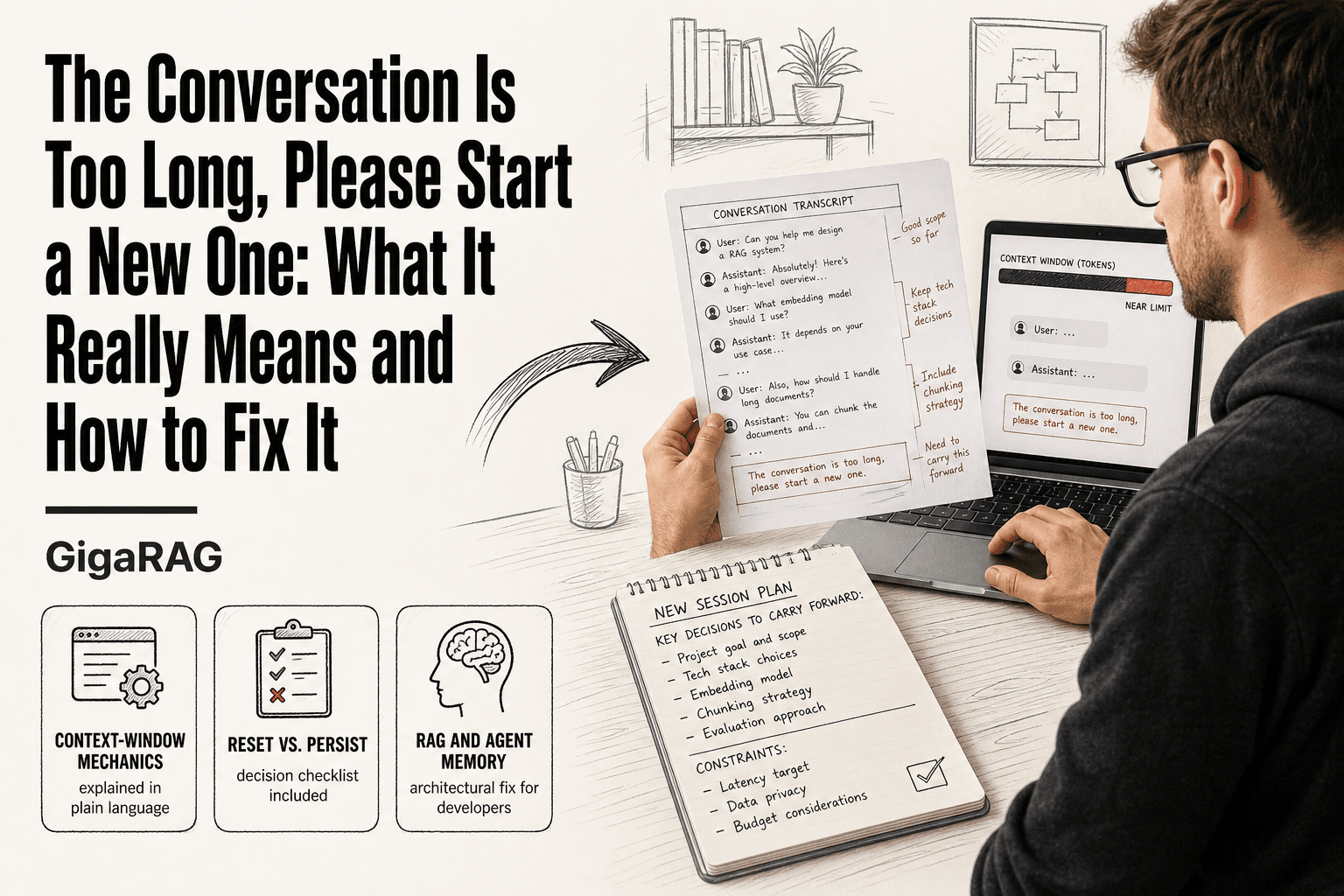
The Conversation Is Too Long, Please Start a New One: What It Really Means and How to Fix It
The conversation is too long, please start a new one. If you're a developer who's watched a model finally understand your multi-step task only to have that error wipe the context, you know the specific kind of frustration involved. It's not a bug and it's not a punishment. It's a token-limit problem, and it's solvable. The honest answer is that you cannot recover a conversation the UI has already truncated. But you can stop it from happening again. This guide explains the context-window mechanics behind the error, gives you the concrete numbers for ChatGPT, Claude, and Grok, and shows you when to reset versus when to persist. For builders working with agent memory or RAG pipelines, GigaRAG helps architect around this limit entirely.
| At a glance | Details |
|---|---|
| What it means | Your chat exceeded the model's context window |
| Who sees it | ChatGPT, Claude, Grok, and API users |
| Root cause | Token count, not message count |
| Quick fix | Summarize context, then start fresh |
| Best prevention | External memory and retrieval pipelines |
| Not always needed | Short, unrelated tasks can stay in one chat |
In This Guide
- What "The Conversation Is Too Long, Please Start a New One" Actually Means
- Start a New Chat vs. Persist and Manage Context
- Token Limits and Context Windows: The Numbers Behind the Error
- The Conversation Is Too Long Please Start A New One: A Step-by-Step Guide
- Why the Error Happens More Often Than You Expect
- What You Can Do Right Now: Practical Workarounds
- When to Start a New Conversation vs. When to Persist
- Architecting Around the Limit: Agent Memory and RAG for Developers
- Common Mistakes When You Hit 'The Conversation Is Too Long, Please Start a New One'
What "The Conversation Is Too Long, Please Start a New One" Actually Means
The error means your conversation has hit the model's context-window limit: the maximum amount of text the model can hold in memory at once. It's a hard technical ceiling, not a bug, not a punishment, and not a sign you did something wrong.
The error is a context-window limit, not a bug
The model isn't broken. It has a fixed amount of working memory, and your conversation has filled it. When that happens, the interface refuses to continue rather than silently dropping earlier messages. That refusal is the error you see.
What a context window is in plain language
Think of it as the model's short-term memory. Everything the model needs to respond goes in: your messages, its replies, system instructions, and any tool outputs. When the window fills, there's no room left for a new response.
Why the limit exists: compute, cost, and attention constraints
Every token costs compute. Longer contexts mean more processing per reply, higher latency, and higher cost per request. Attention mechanisms also degrade as context grows: the model gets worse at tracking details buried thousands of tokens back. The limit keeps responses fast, affordable, and accurate.
[!note] The error is triggered by total tokens in the request, which includes system prompts, past messages, attached files, and tool outputs, not just the number of messages you typed.
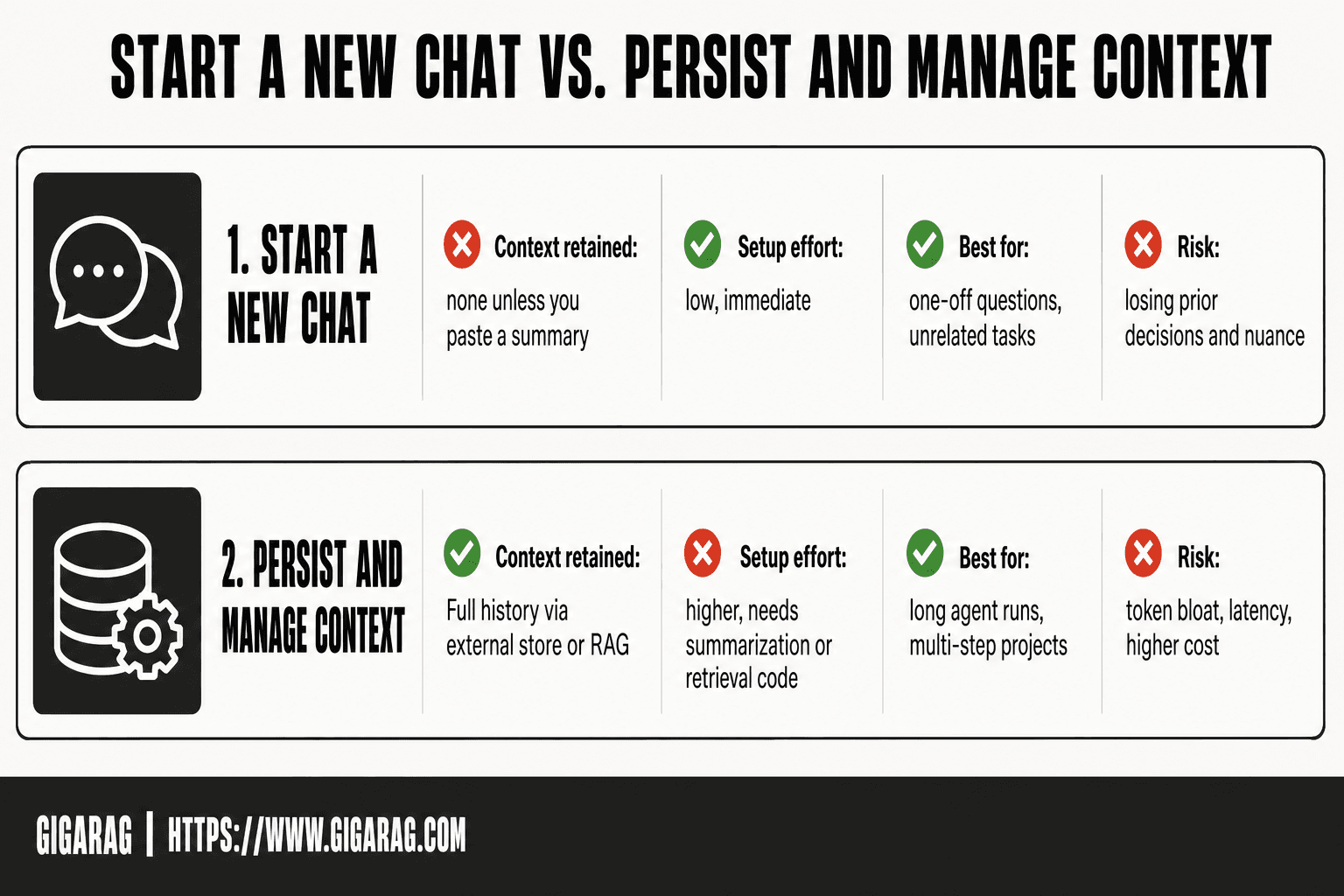
Start a New Chat vs. Persist and Manage Context
| Factor | Start a New Chat | Persist and Manage Context |
|---|---|---|
| Context retained | None unless you paste a summary | Full history via external store or RAG |
| Setup effort | Low, immediate | Higher, needs summarization or retrieval code |
| Best for | One-off questions, unrelated tasks | Long agent runs, multi-step projects |
| Risk | Losing prior decisions and nuance | Token bloat, latency, higher cost |
| Typical tools | Manual copy-paste of key points | Vector store, summary buffer, memory API |
Token Limits and Context Windows: The Numbers Behind the Error
The exact number depends on the model, but the pattern is the same: a conversation that feels short can still blow the budget. Here's the math.
Tokens vs. words: a quick conversion
A token is roughly three-quarters of a word. So 100 words is about 133 tokens. A 4,000-token window holds around 3,000 words, not 4,000. That gap surprises people.
ChatGPT context window limits by model
GPT-4o and GPT-4 Turbo run a 128,000-token window. GPT-3.5 Turbo sits at 16,384. The free tier often uses smaller or older models with tighter limits, so the same conversation can hit the wall faster depending on your plan.
Claude context window limits by model
Claude 3.5 Sonnet and Claude 3 Opus both offer 200,000 tokens. That's about 150,000 words, enough for a full novel. Claude 3 Haiku runs 200,000 as well, but the API pricing and latency differ.
Grok context window limits
Grok's context window is 131,072 tokens for the current model. That's close to GPT-4o's 128,000, but the interface and tool behavior differ, so the practical limit can feel tighter.
Why tool use and system prompts eat into your budget
Every tool call, every system prompt, every hidden instruction counts against the window. A conversation with web browsing or code execution enabled can hit the limit with half the visible messages of a plain chat. The error message telling you to "remove some tools to free up space" is literal: tools consume tokens you never see.
[!tip] For developers: keep a rolling summary buffer and a vector store side by side. Summarize older turns into a short running brief, embed the raw turns for retrieval, and send only the top matching chunks plus the brief on each call. This keeps context useful without resending the whole history.
The Conversation Is Too Long Please Start A New One: A Step-by-Step Guide
- Copy the key decisions, code, and constraints from the current chat into a scratch file.
- Ask the model to summarize the conversation into a compact brief before it locks up.
- Start a new chat and paste that brief as your first message.
- Re-attach only the files or snippets the next task actually needs.
- For API or agent work, store the summary in an external memory or vector store.
- Retrieve only the relevant chunks per turn instead of resending full history.
- Monitor token usage per request so you reset before hitting the hard limit.
Why the Error Happens More Often Than You Expect
The visible conversation is only part of what the model holds. Hidden context eats the budget silently.
Hidden context consumers: system prompts and tool outputs
System prompts run before your first message. They carry instructions, safety rules, and tool definitions. Tool outputs, like a web search result or a code execution return, can be thousands of tokens each. You never see them in the chat, but they count.
How multi-turn reasoning compounds token usage
Every turn resends the full history. Turn ten includes turns one through nine. A 500-token exchange becomes 5,000 tokens of context by turn ten. The model also generates reasoning tokens before answering, and those count too.
Why the error appears suddenly, not gradually
The limit is binary. You're fine at 127,000 tokens and blocked at 128,001. There's no warning. One tool call or long paste can cross the line in a single turn. That's why it feels abrupt.
What You Can Do Right Now: Practical Workarounds
You can't recover a truncated conversation. But you can preserve the context before you reset.
Summarize the conversation before starting new
Ask the model to summarize the conversation while it still responds. Request key decisions, constraints, and open questions. Paste that summary into a new chat.
Export or copy the conversation for reference
Copy the full transcript to a file before resetting. You'll need it when the summary misses a detail.
Start a new chat with a pasted summary and explicit task statement
Open a new chat. Paste the summary. Then state the exact task: "Continue debugging the auth flow. We left off at the token refresh failing."
Ask the model to provide answers in multiple replies
If you're near the limit, ask for the answer in parts. "Answer in two replies. Part one: the diagnosis. Part two: the fix." Each reply resets the output budget.
What these workarounds cannot do
They don't recover lost context. They don't prevent the error from recurring. They buy you a clean restart, nothing more.
When to Start a New Conversation vs. When to Persist
Resetting loses everything the model learned about your task. Persisting costs tokens and risks the error recurring. The right call depends on what the context is worth.
Signs you should start a new conversation
Start fresh when the task is done or nearly done. If you're asking a new question unrelated to the old thread, the old context is dead weight. Same when the conversation has drifted: three topic changes in, the model is carrying baggage that no longer helps. Reset when you can state the remaining work in one sentence.
Signs you should persist and manage context instead
Persist when the model holds state you can't easily reconstruct: a debugging session with failed attempts, a design discussion with rejected options, a codebase walkthrough. If you'd need more than a paragraph to bring a new chat up to speed, the context has value. Summarize and continue.
A simple decision checklist
- Can you restate the task in one sentence? Reset.
- Does the old context contain failed attempts or decisions? Persist.
- Is the remaining work under five minutes of thinking? Reset.
- Would a summary lose critical detail? Persist.
If you're unsure, summarize first. You can always reset after.
Architecting Around the Limit: Agent Memory and RAG for Developers
The workarounds buy you time. They don't fix the underlying problem: every turn you send the full history, and every turn the history grows. If you're building the system yourself, you can stop sending everything.
Summarization as a memory strategy
Keep a running summary of the conversation. After each exchange, or every few turns, ask the model to compress what's happened into a few hundred tokens. Send the summary plus the last few raw turns instead of the full transcript. You lose verbatim detail but keep the thread. For debugging sessions, store failed attempts in the summary; they're the most expensive context to rebuild.
Chunking and storing conversation state in a vector database
Split the conversation into chunks: user message, assistant reply, tool output. Embed each chunk and store it in a vector database with a session ID. When the context window fills, retrieve the most relevant chunks for the current turn and inject only those. This is the standard pattern for long-running agents.
Retrieval-augmented generation for long conversations
RAG works the same way for conversation memory as it does for documents. Embed the history, query it with the current user message, and return the top matches. The model sees relevant context without the full transcript. The catch: retrieval quality depends on your embedding model and chunk boundaries. Bad chunking loses the thread.
How GigaRAG fits into this architecture
GigaRAG handles the chunking, embedding, and retrieval pipeline so you don't build it from scratch. That's the soft-sell. The rest of this section stands on its own.
Honest limitations: what agent memory cannot do
Memory systems approximate context. They don't restore it perfectly. A summary loses exact wording. Vector retrieval can miss a detail that mattered three turns ago. And none of this helps if you're using a consumer chat interface: you can't attach a vector database to ChatGPT's web app. The architecture only works when you control the pipeline.
Common Mistakes When You Hit 'The Conversation Is Too Long, Please Start a New One'
Most people lose more than they need to. Here are the four errors I see repeatedly.
Losing context unnecessarily by resetting too early
The error appears and you start fresh. But if you're mid-debug or mid-design, that context is the asset. Export first. Summarize first. Reset only when the thread is spent.
Over-summarizing and losing critical details
Compressing everything into three bullet points feels efficient. It isn't. You'll lose the failed attempt that mattered, the exact error message, the constraint you set three turns ago. Keep verbatim what you can't rebuild.
Ignoring tool outputs and system prompt overhead
Tool calls eat tokens silently. A single file read can return thousands. If the error says "remove some tools," that's a real budget line, not noise.
Assuming the error is a bug instead of a limit
It's a limit. The model didn't break. Your context window filled. Treat it as a resource problem and you'll stop losing work to it.
Frequently Asked Questions
What to do if ChatGPT conversation is too long?
Summarize the conversation while the model still responds, then paste that summary into a new chat. Export the full transcript first so you have the verbatim record. If you're near the limit, ask for the answer in multiple replies.
What does this mean this conversation is too long to continue, start a new chat or remove some tools to free up space?
It means the conversation has hit the model's context-window limit. The model can only hold so much text in memory at once, and your conversation plus hidden system prompts and tool outputs have filled it. Removing tools frees up tokens those tools were consuming.
What should I do if my Claude conversation is too long?
Claude's context window is 200,000 tokens, so you have more room than most models. When you hit it, summarize the conversation, export the transcript, and start a new chat with the summary pasted in. The same workarounds apply.
How do I restart a conversation after a long time?
Copy the full transcript to a file. Ask the model to summarize key decisions, constraints, and open questions while it still responds. Open a new chat, paste the summary, and state the exact task you're continuing.
Can I recover a conversation that has already been truncated?
- Once the UI has truncated the conversation, the context is gone. You can't recover it. The workarounds in this guide prevent the loss, but they can't undo it.
Why does the error say 'remove some tools to free up space'?
Tool outputs consume tokens you never see in the chat. A web search result or code execution return can be thousands of tokens. Removing tools frees that budget for your actual conversation.
Is there a way to increase the conversation length limit?
Not in the consumer chat interface. The limit is set by the model's context window. You can switch to a model with a larger window, or you can architect around the limit with summarization, chunking, and vector retrieval if you control the pipeline.
Does this error happen with the API, or only in the chat interface?
Both. The API has the same context-window limits. The difference is that with the API, you control what gets sent each turn, so you can implement summarization, chunking, and retrieval to manage the context yourself.
The conversation is too long, please start a new one. It's a limit, not a bug, and it's one you can work around. Summarize before you reset. Export before you lose the thread. And if you're building the system yourself, stop sending the full history every turn. Chunk it, embed it, retrieve what matters. The error stops being a wall when you treat context as a resource you manage, not a budget you hope you don't exceed.
Frequently Asked Questions
What to do if ChatGPT conversation is too long?
Ask ChatGPT to summarize the conversation into a short brief, copy that brief, and start a new chat by pasting it. This preserves the important context while resetting the token count. If you are on a plan with memory or projects, save the brief there for reuse.
What does 'this conversation is too long to continue, start a new chat or remove some tools to free up space' mean?
It means the combined tokens from your messages, the system prompt, attached files, and any enabled tools have filled the model's context window. Removing tools or files frees space because their definitions and outputs also consume tokens. Starting a new chat resets the count entirely.
What should I do if my Claude conversation is too long?
Claude shows a similar limit when the context window fills. Ask Claude to produce a structured summary of decisions and open questions, then open a new conversation and paste that summary. For API use, move history into an external store and retrieve only relevant chunks per request.
How do I restart a conversation after a long time?
Treat it as a fresh session: write a short brief covering the goal, key constraints, prior decisions, and current state. Paste that as your first message and attach only the files you need. This gives the model the context it needs without dragging the full old thread.
Why does the error appear even when my chat does not feel that long?
Token count includes everything in the request, not just your visible messages. Long system prompts, tool schemas, pasted documents, and verbose model replies all add up. A chat with a few large file attachments can hit the limit faster than a long text-only thread.
Can I prevent this in my own LLM app or agent?
Yes. Use a summarization buffer to compress older turns, store full history in a vector database, and retrieve only the most relevant chunks per request. Set a token budget per call and trim or summarize when you approach it. This is the standard pattern in RAG pipelines and agent memory systems.
Is starting a new chat always the right move?
- If the next task is unrelated to the current thread, a new chat is cleaner and cheaper. If you are mid-task and the model already understands your context, persisting with a managed summary or retrieval setup preserves momentum. Choose based on whether continuity matters for the next step.
About GigaRAG
GigaRAG is for agent memory and RAG pipeline builders. get this right. Whether you are working through the conversation is too long, please start a new one or something adjacent, we publish what we have actually tested, including where it falls short.


