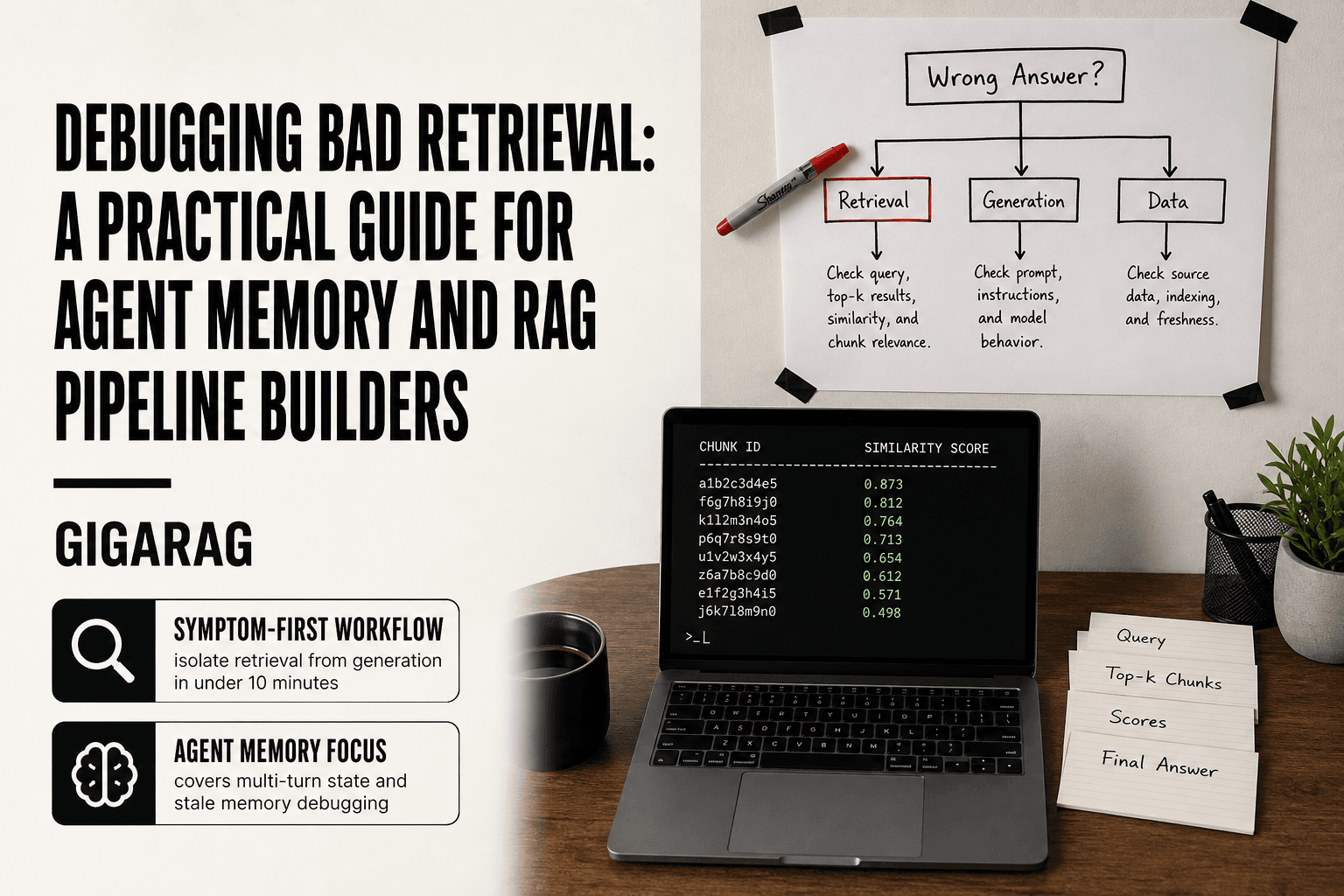
Debugging Bad Retrieval: A Practical Guide for Agent Memory and RAG Pipeline Builders
Debugging bad retrieval is something every agent memory builder hits eventually: the agent pulls a stale or irrelevant memory, then confidently acts on it as if it were current fact. The failure looks like a generation problem at first. It usually isn't.
The honest answer is that debugging bad retrieval is a process of elimination, not a single fix. You isolate retrieval from generation, then from data quality, then from ranking. Each step narrows the field. Skip a step and you'll tune chunk size for three days while the real problem sits in your embedding model or your index freshness.
This guide gives you that elimination flow, built specifically for multi-turn agent memory and stateful RAG pipelines. GigaRAG helps agent memory builders observe retrieval quality directly, but the diagnostic process here is vendor-neutral and runs on any stack. It will also tell you plainly what retrieval debugging cannot fix: bad source data, a weak generator, and fundamentally ambiguous queries. Here's the diagnostic flow, from symptom to root cause.
| At a glance | Details |
|---|---|
| Core problem | Isolating retrieval vs generation vs data quality |
| Key diagnostic | Retrieved chunks vs final answer |
| Agent memory twist | Stateful retrieval adds persistence bugs |
| First step | Log raw retrieved chunks per turn |
| Hard limit | Cannot fix missing or wrong source data |
| Vendor neutrality | Works with any vector store or LLM |
In This Guide
- Start with the symptom, not the pipeline
- Retrieval Failure vs Generation Failure: How to Tell Them Apart
- Isolate retrieval from generation in under 10 minutes
- Debugging Bad Retrieval: A Step-by-Step Guide
- The five retrieval failure modes that cause bad answers
- A decision tree for debugging bad retrieval in agent memory
- Debugging retrieval quality with concrete metrics
- What debugging bad retrieval cannot fix
- Agent memory debugging: multi-turn retrieval and state
- Common mistakes when debugging bad retrieval
- A repeatable diagnostic flow for retrieval failures
- Final thoughts on debugging bad retrieval
Start with the symptom, not the pipeline
Most RAG debugging starts backwards. You open the vector database, check the chunk sizes, fiddle with top-k, and hope something changes. That's tuning without a target. You'll burn an afternoon and learn nothing.
Here's the fix: define the exact failure before you touch any component. Not "retrieval is bad." That's useless. You need the specific way it's bad. Wrong answer? Missing answer? Slow answer? Each points to a different part of the pipeline, and each needs a different diagnostic path.
Wrong answer vs. missing answer vs. slow answer
A wrong answer means the retriever found something, but it was the wrong something. The chunks came back, the generator used them, and the output was confidently incorrect. That's a relevance problem: the retriever's notion of similarity doesn't match yours.
A missing answer means the retriever found nothing useful, or the generator refused to answer because the context looked thin. That's a coverage problem: the right chunk exists somewhere, but the retriever didn't surface it. Different root cause, different fix.
A slow answer means retrieval works but takes too long for your agent loop. That's a performance problem, and it lives in the index, the embedding model, or the query path. Don't confuse it with the other two.
Write a one-sentence failure statement
Before you change anything, write this down:
"When I ask [specific query], I expect [specific chunk or answer], but I get [specific wrong result]."
That sentence forces you to name the query, the expected result, and the actual result. If you can't fill in all three blanks, you don't have a bug yet. You have a vague feeling. Go reproduce the failure with a fixed query first.
The statement also gives you a test you can rerun after every change. Did the fix move the actual result closer to the expected one? If not, revert it and try the next hypothesis.
Why symptom-first beats component-first debugging
Component-first debugging starts at the embedding model and works forward. You check embeddings, then chunking, then the index, then ranking. It feels thorough. It's actually slow, because most components are fine most of the time. You'll spend hours verifying things that were never broken.
Symptom-first debugging starts at the failure and works backward. Wrong answer? Check what the retriever actually returned before you touch embeddings. Missing answer? Check whether the right chunk is even in the index before you blame the model. Each symptom narrows the search space immediately.
The honest answer is that symptom-first won't make debugging fun. It will make it faster, because you stop fixing things that aren't broken.
[!note] Retrieval tuning cannot fix fundamental data quality issues: if the answer is not present in your source documents or memory store, no embedding model or chunking strategy will retrieve it.
Retrieval Failure vs Generation Failure: How to Tell Them Apart
| Factor | Retrieval Failure | Generation Failure |
|---|---|---|
| Symptom | Wrong or missing chunks in context | Correct chunks present but answer wrong |
| Diagnostic check | Inspect retrieved chunks before LLM call | Inspect final answer against retrieved chunks |
| Fix area | Embeddings, chunking, index, query | Prompt, model, decoding, context ordering |
| Agent memory impact | Stale or irrelevant memories retrieved | Agent misinterprets correct memory |
| Debug priority | Fix first: garbage in, garbage out | Fix after retrieval is verified |
Isolate retrieval from generation in under 10 minutes
The fastest way to tell if retrieval is broken is to bypass it entirely: feed the generator a known-good context and see if the answer improves. If it does, retrieval is the problem. If it doesn't, generation is.
You can run this test before you touch a single line of pipeline code. It takes one query, one manually selected chunk, and one call to your generator. That's it.
The known-good answer test
Pick a query that's currently failing. Go into your knowledge base by hand and find the chunk that should answer it. Not the chunk the retriever found. The chunk you know is correct.
Now call your generator directly with that chunk as the context. Same prompt, same model, same settings. Just swap the retrieved context for your hand-picked one.
If the answer comes out right, retrieval is your culprit. The generator knew what to do once it had the right material. If the answer is still wrong, retrieval isn't the whole story. You have a generation problem, a prompt problem, or a data problem, and no amount of vector tuning will fix it.
Bypassing the retriever with a fixed context
The cleanest version of this test is to hardcode the context. Don't call the retriever at all. Build the prompt manually with your known-good chunk pasted in, and send it straight to the model.
Here's why this matters: it removes every retrieval variable at once. Embedding quality, chunk size, top-k, ranking, metadata filters. All of it gone. If the answer improves with a fixed context, you've isolated the failure to the retrieval stack. If it doesn't improve, you've just saved yourself a week of tuning embeddings that were never the problem.
Make sure you use the exact same generator call you use in production. Same temperature, same system prompt, same model. Changing anything else muddies the result.
Reading the generated answer for retrieval leakage
Sometimes the generator tells you what it retrieved without you asking. Look at the answer it produced. Does it cite a source that doesn't exist? Does it reference a fact that isn't in any of your chunks? Does it hedge with phrases like "based on the provided context" when the context was thin?
That's retrieval leakage. The generator is showing you what the retriever actually gave it, and that's often different from what you assumed it gave it. If the answer confidently states something from a chunk you know wasn't retrieved, your retriever returned something unexpected. Go inspect the actual retrieved chunks before you blame the model.
The good news is that this test is fast. Ten minutes, one query, one manual chunk, and you know which half of the pipeline to debug. The honest answer is that most RAG failures are retrieval failures, but you can't assume that. You have to prove it, and this is how.
[!tip] For agent memory systems, always log the retrieved memory IDs and their timestamps alongside the query — stale or duplicate memories are a common and easily missed failure mode that looks like a retrieval bug but is actually a state management bug.
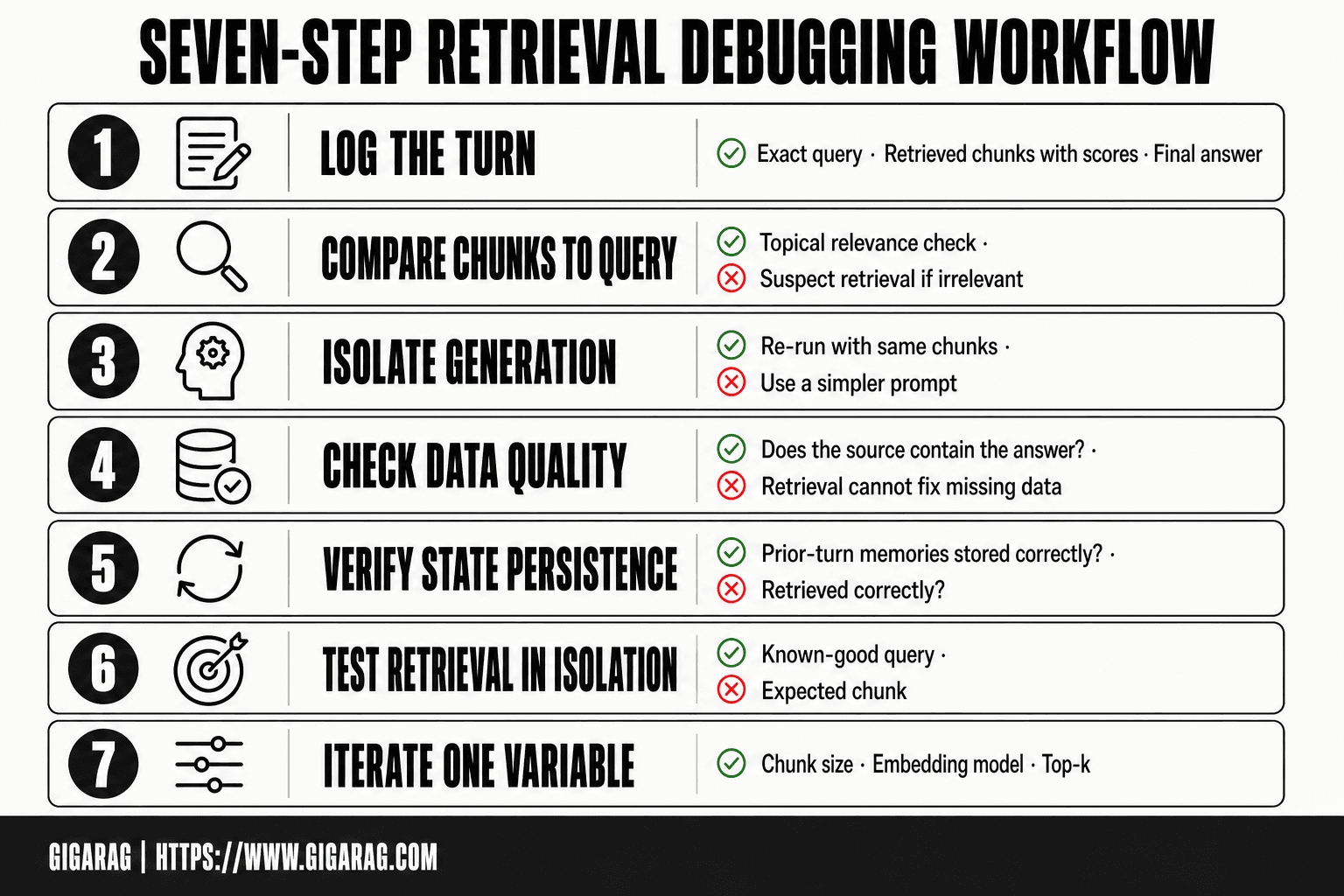
Debugging Bad Retrieval: A Step-by-Step Guide
- Log the exact query, retrieved chunks (with scores), and final answer for each turn.
- Compare retrieved chunks to the query: are they topically relevant? If not, retrieval is suspect.
- If chunks are relevant but answer is wrong, isolate generation: re-run with same chunks and a simpler prompt.
- Check data quality: do the source documents actually contain the answer? If not, retrieval cannot fix it.
- For agent memory, verify state persistence: are memories from prior turns correctly stored and retrieved?
- Test retrieval in isolation with a known-good query and expected chunk to rule out index or embedding issues.
- Iterate on one variable at a time (chunk size, embedding model, top-k) and re-measure.
The five retrieval failure modes that cause bad answers
Once you've isolated the failure to retrieval, the next job is to name the specific mode. Retrieval doesn't fail one way. It fails five ways, and each one has a different fix. Treating all retrieval failures as the same problem is how you end up tuning chunk size when the real issue is stale data.
Wrong or missing chunks
The retriever returned chunks that don't contain the answer, or it returned nothing useful at all. The symptom is an answer that's confidently wrong or a generator that says it doesn't have enough information.
This mode usually points at embedding quality, chunking strategy, or a query that doesn't match how the content was indexed. If your chunks are too large, the right sentence is buried inside a 2,000-token block and the embedding can't surface it. If your chunks are too small, the context is fragmented and the retriever grabs a piece that's missing the surrounding explanation.
The test is simple: inspect the retrieved chunks by hand. If the answer isn't in them, you have a chunking or embedding problem. If the answer is in them but the retriever didn't rank them high enough, you have the next mode.
Right chunks, wrong ranking
The correct chunk is in your index. The retriever even found it. But it ranked fifth when it should have ranked first, and your top-k cut it off before it reached the generator.
This is a ranking problem, not a retrieval problem. The fix is usually re-ranking, hybrid search, or adjusting your similarity threshold. Cosine similarity alone is a blunt instrument. It measures vector closeness, not relevance. A chunk can be semantically near the query and still not answer it.
Check the scores on your retrieved chunks. If the right chunk scored 0.72 and the wrong ones scored 0.78, your embedding model is confused. A re-ranker or a metadata filter can often fix this without touching your embeddings at all.
Hallucination despite good retrieval
The retriever did its job. The right chunks are in the context. The generator still made something up.
This is the mode that confuses people, because it looks like a retrieval failure but isn't. The retrieval was fine. The generator ignored the context, or the context was too long and the model lost track of it, or the prompt didn't force the model to ground its answer in the retrieved material.
Before you touch retrieval, verify the chunks were actually passed to the generator. Then check your prompt. If the model isn't explicitly told to answer only from the provided context, it will happily fill gaps with plausible-sounding fiction.
Stale and duplicate results
The retriever returns chunks that were correct once but aren't anymore. Or it returns the same information three times from three near-identical chunks, crowding out the one chunk that actually answers the query.
Stale results come from an index that wasn't rebuilt after the source data changed. Duplicate results come from chunk overlap that's too aggressive, or from ingesting the same document multiple times.
The fix for staleness is re-indexing on a schedule that matches how often your data changes. The fix for duplicates is deduplication at ingest time and tuning your chunk overlap down. Both are data hygiene problems, not embedding problems.
Slow retrieval under load
Retrieval is correct but takes 800 milliseconds when your agent loop needs it under 200. In an agent memory system, slow retrieval isn't just annoying. It breaks the interaction, because the agent is waiting on memory before it can act.
This mode is about infrastructure, not quality. Vector search on a large index without proper indexing, or a re-ranker that's too heavy for your latency budget, or a network hop you don't need. Profile the retrieval call before you optimize anything. Find out whether the time is in embedding, search, or re-ranking, and fix the slowest stage first.
A decision tree for debugging bad retrieval in agent memory
Agent memory retrieval fails differently from one-shot RAG. The retriever isn't just answering a query. It's trying to reconstruct context across turns, and the failure modes compound. Here's a decision tree that walks from symptom to root cause.
Symptom: retrieved memory is irrelevant to the current turn
The agent pulled a memory that has nothing to do with what the user just said. First question: is the memory semantically close to the query but factually wrong, or is it just noise?
If it's noise, the embedding model is likely failing on the query side. Multi-turn queries are often short and context-dependent. "What about the other one?" means nothing without the previous turn. The fix is query rewriting: expand the query with conversation history before embedding it. If you're already doing that, check whether the rewrite is actually capturing pronouns and references.
If the memory is semantically close but wrong, you have a ranking problem. The right memory exists but scored below irrelevant ones. Add a re-ranker or tighten your similarity threshold.
Symptom: retrieved memory is correct but ignored by the agent
The right memory is in the context window. The agent still acted as if it wasn't there. This is not a retrieval failure.
Check two things. First, is the memory actually in the prompt, or did it get truncated? Long context windows silently drop middle content. Second, does your prompt tell the agent to use retrieved memories? If the instruction is buried or absent, the model treats memory as optional decoration.
The fix is prompt-side, not retrieval-side. Make memory usage explicit: "Use the retrieved memories below to answer. If they conflict with the current turn, say so."
Symptom: retrieved memory is stale or duplicated
The agent retrieved a memory that was true three turns ago but isn't anymore. Or it retrieved the same memory three times.
Staleness means your memory store isn't being updated when new information arrives. Agent memory needs write policies: when does a new fact overwrite an old one? If you never overwrite, the index fills with outdated state.
Duplicates mean your chunking or memory segmentation is too aggressive. Overlapping windows create near-identical memories that all score highly. Deduplicate at write time, not read time.
Symptom: retrieval is correct but too slow for the agent loop
The memory is right, but retrieval takes 600 milliseconds and the agent loop needs 200. In multi-turn systems, latency compounds. Every turn pays the retrieval cost.
Profile first. Is the time in embedding, search, or re-ranking? If embedding, batch your queries or cache frequent ones. If search, check your index configuration. If re-ranking, consider whether you need it on every turn or only when confidence is low.
The honest answer: slow retrieval in agent memory is usually an architecture problem, not a tuning problem. You may need to move memory to a faster store or reduce how much you retrieve per turn.
Debugging retrieval quality with concrete metrics
The decision tree gets you to a root cause. Metrics tell you whether your fix actually worked. Without numbers, you're tuning blind and calling it progress.
Recall@k and MRR for retrieval evaluation
Recall@k answers one question: did the right chunk show up in the top k results? If you retrieve 10 chunks and the correct one is in there, recall@10 is 1.0 for that query. If it's missing, recall@10 is 0.0. Average across your test set and you have a number you can track.
MRR, or mean reciprocal rank, tells you where the right chunk landed. If it's the first result, that query scores 1.0. If it's third, it scores 1/3. If it's not in the top k at all, it scores 0. MRR punishes ranking failures harder than recall does, which makes it the better metric when your problem is "right chunks, wrong order."
The main catch: both metrics need a labeled test set. You need to know which chunk is correct for each query. Building that set is tedious, but it's the only way to measure retrieval quality objectively. Start with 50 to 100 queries. That's enough to catch regressions without spending a week labeling.
A minimal Python evaluation loop
Here's a loop that computes recall@k and MRR for a retriever you've already built. It assumes your retriever has a search(query, k) method that returns a list of chunk IDs.
def evaluate_retrieval(retriever, test_queries, k=10):
    recall_scores = []
    reciprocal_ranks = []

    for query, correct_chunk_id in test_queries:
        results = retriever.search(query, k=k)
        retrieved_ids = [r["id"] for r in results]

        # Recall@k
        recall_scores.append(1.0 if correct_chunk_id in retrieved_ids else 0.0)

        # MRR
        if correct_chunk_id in retrieved_ids:
            rank = retrieved_ids.index(correct_chunk_id) + 1
            reciprocal_ranks.append(1.0 / rank)
        else:
            reciprocal_ranks.append(0.0)

    recall_at_k = sum(recall_scores) / len(recall_scores)
    mrr = sum(reciprocal_ranks) / len(reciprocal_ranks)

    return {"recall@k": recall_at_k, "mrr": mrr}
Run this before and after any change to your retrieval pipeline. If recall@10 drops from 0.82 to 0.74 after you change chunk size, you know the change hurt. Revert it. Don't argue with the number.
Keep in mind: this loop measures retrieval in isolation. It doesn't tell you whether the final answer is good. That's a separate evaluation.
When to use LLM-as-judge for retrieval relevance
Labeled test sets are the gold standard, but they're expensive to build and they go stale as your knowledge base changes. LLM-as-judge is a cheaper alternative: feed the query and the retrieved chunk to a strong model, ask it to rate relevance on a scale of 1 to 5.
The honest answer is that LLM-as-judge works best for catching obvious failures. A model can reliably tell you that a chunk about Kubernetes is irrelevant to a query about Python decorators. It's less reliable at fine-grained ranking: distinguishing between a 4 and a 5 is noise.
Use it as a smoke test. Run it on a sample of production queries weekly. If the judge flags relevance dropping below a threshold, dig in. Don't use it to replace your labeled test set for regression testing. The judge has its own biases, and you're now debugging two models instead of one.
What debugging bad retrieval cannot fix
Retrieval tuning has a ceiling. You can improve embeddings, adjust chunk sizes, add re-ranking, and fix metadata filters. None of that helps if the underlying material is wrong, the generator is weak, or the query itself is unsolvable. Here's what sits outside retrieval's reach.
Bad source data
If your knowledge base contains incorrect, outdated, or contradictory information, retrieval will faithfully return it. The retriever's job is to find the most relevant chunk, not to fact-check it. A chunk that says your API returns JSON when it actually returns XML will be retrieved confidently and passed to the generator, which will then repeat the error.
The fix is upstream. You need a data quality process: review source documents, remove stale entries, resolve contradictions. Retrieval debugging cannot turn bad data into good data. It can only surface the bad data faster, which is useful but not a cure.
A weak generator model
Retrieval can hand the generator a perfect chunk and still get a wrong answer. If your generator is a small model that struggles with instruction following, or a model with a short context window that truncates the retrieved text, no amount of retrieval tuning will compensate.
Test this directly. Feed the same retrieved chunks to a stronger model. If the answer improves, your retrieval was fine and your generator was the bottleneck. If the answer stays wrong, retrieval is the problem. The known-good answer test from earlier isolates this in minutes.
Fundamentally ambiguous queries
Some queries have no single correct answer. "What's the best database?" depends on workload, scale, budget, and a dozen other factors. If your knowledge base contains five different recommendations for five different scenarios, retrieval will return all five, and the generator will either pick one arbitrarily or hedge into uselessness.
This is not a retrieval failure. It's a query design failure. The fix is query rewriting, clarification prompts, or narrowing the scope of what your system claims to answer. Retrieval cannot resolve ambiguity that exists in the question itself.
Missing context that was never indexed
The most common unfixable problem: the answer exists somewhere, but it was never added to your index. Maybe the document wasn't ingested. Maybe the chunk was dropped during preprocessing. Maybe the relevant section was split across chunk boundaries and lost its meaning.
Retrieval can only return what's in the index. If the context isn't there, no embedding model, no re-ranker, no hybrid search will conjure it. The symptom looks identical to a retrieval failure: wrong answer, confident tone. The difference is that no amount of pipeline tuning will fix it. You need to audit your ingestion pipeline and check whether the source document actually made it into the index.
Before you spend another hour tuning chunk overlap, check whether the chunk you need exists at all.
Agent memory debugging: multi-turn retrieval and state
Single-turn retrieval is stateless. You send a query, you get chunks back, you generate an answer. Agent memory breaks that assumption. The retriever now runs inside a loop, with conversation history, prior tool outputs, and stored memories all competing for space in the context window. Failure modes multiply.
Why multi-turn retrieval fails differently
In a single-turn RAG pipeline, a wrong chunk is annoying. In an agent loop, a wrong chunk can derail the entire session. The agent retrieves a stale memory from turn two, treats it as current state, and acts on it confidently. By turn five, the error has compounded.
The core difference is state. Your retriever isn't just matching a query against documents anymore. It's matching a query plus conversation history plus agent state against a memory store that may have been written to earlier in the same session. The query changes shape every turn. The index changes shape every time the agent writes a new memory. Both sides are moving.
That's why standard retrieval debugging fails here. You can't reproduce a multi-turn failure with a single fixed query. You need the full conversation transcript, the memory writes, and the retrieval calls logged in sequence.
Debugging memory overwrites and context pollution
Memory overwrites are the most common agent-specific failure. The agent writes a new memory that partially or fully replaces an older one, and the retriever now returns the new version even when the old version was correct for the current turn.
The symptom looks like this: the agent answered correctly earlier in the session, then started answering the same question wrong after a memory write. That's not an embedding problem. That's a write conflict.
Check your memory write path. Does it upsert by key? Does it append? Does it deduplicate aggressively and drop the wrong copy? Log every memory write with a timestamp and the turn number. Then replay the session and check which version of the memory the retriever returned at each turn.
Context pollution is the other common failure. The agent stuffs too much into the context window: retrieved chunks, tool outputs, scratchpad notes, partial plans. The retriever returns the right chunk, but the generator can't distinguish it from the noise. The fix is not retrieval tuning. It's context management: trim, summarize, or prioritize what gets passed to the generator.
Testing retrieval across conversation turns
You need a test harness that replays full conversations, not isolated queries. Start with a recorded session where the agent failed. Replay it turn by turn, logging the retrieved chunks at each step. Find the turn where retrieval first returned something wrong. That's your failure point.
Then isolate. Take the exact query and conversation history from that turn. Run it against the memory store as it existed at that moment. Does the retriever return the right memory? If yes, the problem is downstream in generation or context assembly. If no, the problem is in retrieval or in the memory writes that preceded it.
Don't test multi-turn retrieval with single-turn benchmarks. Recall@k on a static dataset won't catch a memory overwrite bug. You need session-level evaluation: did the agent retrieve the right memory at the right turn, across the full conversation. That's the only test that matches how the system actually runs.
Common mistakes when debugging bad retrieval
Most retrieval debugging time gets wasted on fixes that were never the problem. Here are the four mistakes I see most often, in order of how much time they burn.
Tuning chunk size before isolating the failure
Chunk size is the most tempting knob. It's concrete, it's easy to change, and it feels productive. But if you haven't isolated whether the failure is in retrieval, generation, or data, you're just re-rolling dice.
The honest answer: chunk size matters, but it's rarely the root cause of a sudden retrieval failure. If retrieval worked last week and broke this week, your chunk size didn't change. Something else did. Check the data, the index, the query path. Leave chunk size alone until you've ruled out everything upstream.
Changing embeddings without a baseline
Swapping embedding models is the second most common reflex. The reasoning goes: retrieval is bad, so the embeddings must be bad. Maybe. But you have no way to know without a baseline.
Before you change models, run your current setup against a fixed evaluation set. Record recall@k and MRR. Then swap the model and re-run. If the numbers don't move, the embeddings weren't the problem. If you skip the baseline, you'll never know whether the swap helped or you just got lucky on a few test queries.
Ignoring metadata and filters
A lot of bad retrieval isn't bad retrieval at all. It's missing metadata. The retriever returns the right chunk, but it's from the wrong user, the wrong time window, or the wrong document type. The semantic match is fine. The filter is wrong or absent.
Check your metadata filters before you touch embeddings or chunking. A single missing filter clause causes more wrong answers than any embedding quality issue. This is especially true in agent memory systems, where the retriever must filter by session, user, or memory type and often doesn't.
Debugging generation when retrieval is the problem
The generator is the loudest component. It produces the wrong answer, so it gets the blame. But the generator can only work with what the retriever hands it. If the retrieved chunks are wrong, the answer will be wrong no matter how good the model is.
Run the isolation test from earlier in this guide. Feed the generator a known-good context. If it produces a correct answer, generation is fine. The problem is retrieval. Stop tuning prompts and start inspecting retrieved chunks. Debugging bad retrieval means looking at what came back, not just what got said.
A repeatable diagnostic flow for retrieval failures
You've read the failure modes, the decision tree, the metrics, and the mistakes. Here's the flow that ties it together. Run these five steps in order every time retrieval fails. Don't skip ahead.
Step 1: Reproduce the failure with a fixed query
Pick one query that fails. Write it down exactly. Don't paraphrase it, don't use a "similar" query, don't let the agent regenerate it. The query is your control variable.
Run it three times. If the failure is intermittent, you have a different problem than if it's consistent. Intermittent failures point to index staleness, race conditions, or non-deterministic ranking. Consistent failures point to data, embeddings, or filters. You can't diagnose what you can't reproduce.
Step 2: Inspect retrieved chunks manually
Pull the top-k chunks the retriever actually returned for that query. Not the answer. The chunks. Read them.
Ask three questions. Are the right chunks in the top-k at all? If yes, ranking is the problem. If no, indexing or embedding is the problem. Are the chunks from the right source, user, or time window? If no, metadata filtering is broken. Are the chunks stale or duplicated? If yes, your index refresh or deduplication logic is failing.
This step takes ten minutes and answers most of the question. Most people skip it and go straight to tuning.
Step 3: Check ranking and scores
If the right chunks are in the top-k but not at the top, look at the scores. Cosine similarity, dot product, whatever your vector database returns. Are the scores clustered tightly together? That means the retriever can't distinguish relevant from irrelevant. Your embeddings aren't separating the space well, or your query needs rewriting.
If you're using hybrid search, check whether the keyword component is drowning out the semantic component. A bad weight ratio produces right chunks at wrong ranks. Adjust one weight at a time and re-run the fixed query.
Step 4: Test with a known-good context
Bypass the retriever entirely. Hand the generator a context you know contains the answer. Run the same query.
If the generator produces a correct answer with known-good context, retrieval is the problem. If it still produces a wrong answer, generation is the problem, or the query is fundamentally ambiguous. This test takes five minutes and splits the problem space in half.
Step 5: Decide: retrieval, generation, or data
You now have enough evidence to make a call. Retrieval failure means the right chunks aren't coming back, or they're ranked wrong. Generation failure means the model can't use good context. Data failure means the answer was never in your index to begin with.
Write down which one it is. Then fix that one thing. Don't fix all three at once. Debugging bad retrieval is elimination, not shotgun debugging.
Final thoughts on debugging bad retrieval
Debugging bad retrieval is a process of elimination. You isolate the retriever from the generator, you inspect the chunks, you check the scores, and you make one change at a time. There is no single setting that fixes everything. Anyone who tells you otherwise is selling something.
The honest answer is that most retrieval failures come down to three things: the right chunk was never indexed, the right chunk was indexed but ranked below irrelevant ones, or the generator couldn't use the chunk it got. Each has a different fix. Each takes a different amount of time. None of them is solved by swapping embedding models on a hunch.
What you can't debug your way out of: bad source data, a weak generator, and queries that are ambiguous no matter how good your retrieval is. Those are constraints, not bugs. Accept them early and you'll stop wasting cycles.
For agent memory systems specifically, observability is the bottleneck. You can't fix what you can't see. If you're running multi-turn retrieval and your agent keeps acting on stale memories, you need visibility into what got retrieved, what got ranked, and what got passed to the generator at each turn. That's the gap GigaRAG is built to fill: it gives you a trace of retrieval decisions across agent turns, so debugging bad retrieval stops being guesswork. It won't fix your data or your model. It will show you which one is broken.
Start with the symptom. Isolate the failure. Measure before you change. That's the whole job.
Frequently Asked Questions
What are the potential causes of wrong RAG answers?
Wrong RAG answers can stem from retrieval failures (irrelevant or missing chunks), generation failures (model ignores context or hallucinates), or data quality issues (source lacks the answer). Debugging requires isolating which stage is at fault by inspecting retrieved chunks versus final output.
What are the six stages of debugging?
While debugging frameworks vary, a common six-stage approach includes: reproduce the issue, gather data, isolate the fault, identify the root cause, fix it, and verify the fix. For retrieval, this maps to logging queries and chunks, comparing relevance, testing components in isolation, and iterating.
What are three common types of debugging?
Three common types are: print/log debugging (inspecting outputs), interactive debugging (step-through with breakpoints), and remote debugging (attaching to a running process). For RAG pipelines, log-based debugging of retrieved chunks is often the most practical first step.
How to solve debugging problems?
Start by reproducing the issue consistently, then isolate variables by testing retrieval and generation separately. Use logging to capture intermediate outputs, form hypotheses about the failure mode, and change one thing at a time while measuring impact.
How do I debug retrieval in an agent memory system?
Agent memory adds statefulness: check that memories are correctly written, persisted, and retrieved across turns. Log memory IDs and timestamps, and verify that the retrieval query includes the right context from prior turns. Stale or duplicate memories often masquerade as retrieval bugs.
What can't retrieval tuning fix?
Retrieval tuning cannot fix missing or incorrect source data, model limitations like context window constraints or reasoning errors, or fundamental mismatches between user intent and available knowledge. If the answer isn't in your data, no retrieval strategy will find it.
About GigaRAG
GigaRAG is for agent memory and RAG pipeline builders. get this right. Whether you are working through debugging bad retrieval or something adjacent, we publish what we have actually tested, including where it falls short.


