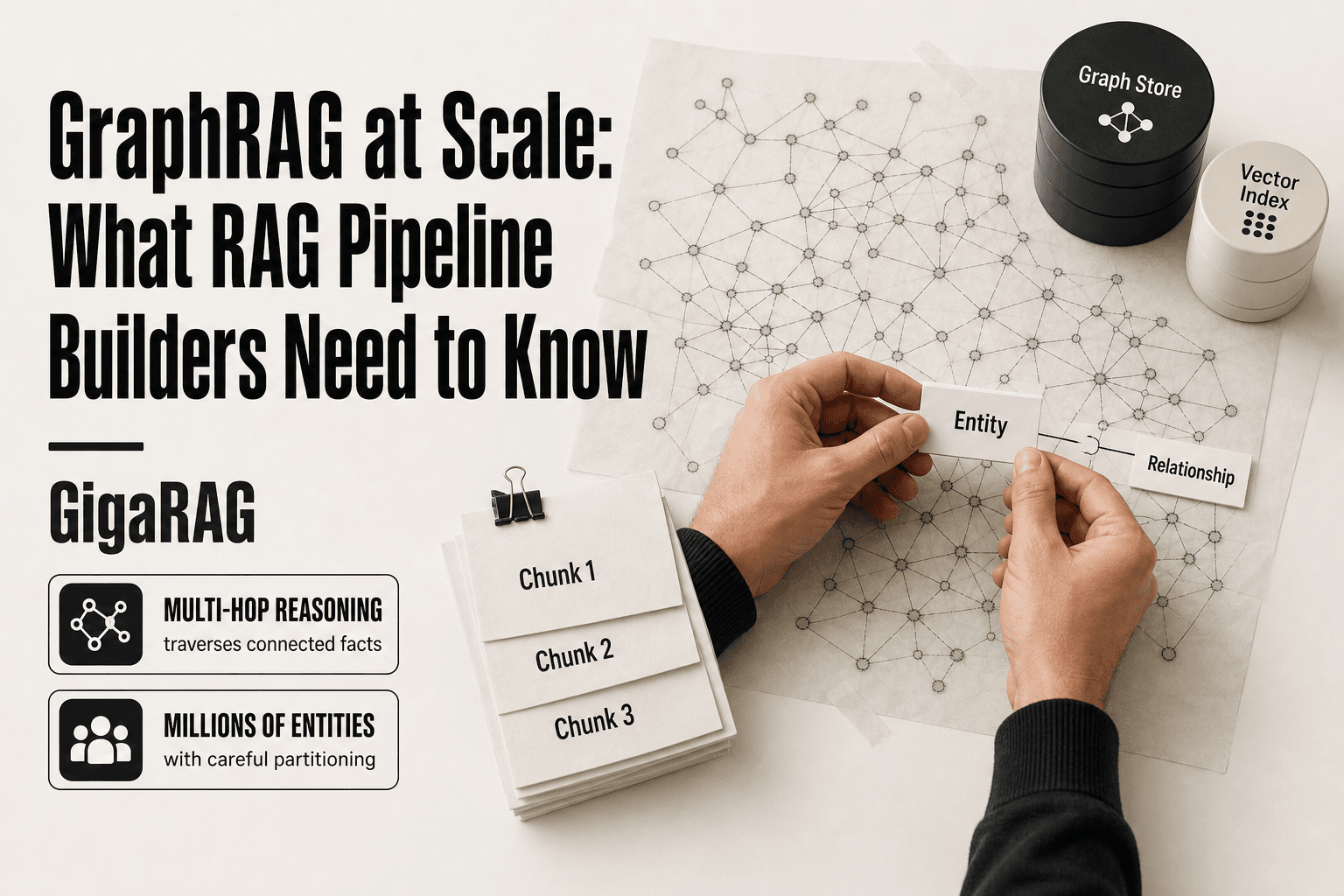
GraphRAG at Scale: What RAG Pipeline Builders Need to Know
Most GraphRAG content shows you a toy example: a few hundred entities, a pretty diagram, a demo that runs in a notebook. Scaling that to production for agent memory and RAG pipelines is a different problem entirely. You're now dealing with millions of entities, query latency budgets measured in milliseconds, and indexing costs that can quietly eat your entire infrastructure budget. The honest answer is that graphrag at scale forces hard trade-offs between freshness, cost, and query speed, and most guides never mention that. GigaRAG was built for exactly this challenge, but this guide isn't a pitch. It's a practical walkthrough of what scaling actually requires: the architecture decisions you'll face, the patterns that work, the anti-patterns that fail, and the limitations you should accept before you commit.
| At a glance | Details |
|---|---|
| What it is | Graph-based retrieval that links entities for multi-hop reasoning |
| Best for | Agent memory needing relationship-aware, multi-hop retrieval |
| Main trade-off | Indexing cost and latency vs. answer quality |
| Scales to | Millions of entities with careful partitioning |
| Avoid if | You need real-time updates or sub-second global queries |
| Typical stack | Graph DB + vector index + LLM extraction pipeline |
In This Guide
- What Is GraphRAG at Scale?
- GraphRAG vs Vector RAG at Scale: Which Fits Your Agent Memory?
- How GraphRAG Works: The Architecture You're Scaling
- Graphrag At Scale: A Step-by-Step Guide
- Scaling Patterns for GraphRAG in Production
- GraphRAG for Agent Memory: What Changes at Scale
- GraphRAG Frameworks Compared for Scaling
- Limitations and Anti-Patterns: What GraphRAG at Scale Cannot Do
- Common Mistakes When Implementing GraphRAG at Scale
- GraphRAG vs RAG: When Scale Changes the Equation
- Final Thoughts on Scaling GraphRAG
What Is GraphRAG at Scale?
GraphRAG combines retrieval augmented generation with a knowledge graph, so the LLM pulls from structured entity and relationship data instead of only vector-similarity chunks. Standard RAG retrieves text passages. GraphRAG retrieves connected facts, which lets it answer questions that span multiple documents or require reasoning across relationships.
GraphRAG vs standard RAG: the core difference
Standard RAG embeds documents into vectors and retrieves the closest chunks to a query. That works for "find the passage that answers this." It breaks down when the answer lives across ten documents, or when the question is "what connects these two things?" Vector similarity can't see structure.
GraphRAG builds a graph first. Entities become nodes. Relationships become edges. Communities of related nodes get summarized hierarchically. At query time, the system can traverse the graph, follow edges, and pull in context that no single chunk contains. The LLM then reasons over that structured context.
The trade-off is cost. Building the graph requires LLM calls for entity extraction, relationship extraction, and community summarization. That indexing step is expensive. Standard RAG just embeds text. GraphRAG pays a heavy upfront price for better multi-hop answers.
What 'at scale' means for agent memory workloads
For most RAG pipelines, scale means millions of documents and thousands of queries per day. For agent memory, it means something sharper: millions of entities, tens of millions of relationships, and queries that must return in under a second because an agent is waiting mid-task.
Here's what that looks like in practice. An agent tracking a customer support conversation needs to recall past interactions, related tickets, and product facts. That's a graph query against a live memory store. If it takes three seconds, the agent feels broken. If it costs $0.50 per query in LLM calls, the economics collapse.
So "at scale" isn't just entity count. It's three constraints at once: entity volume, query latency, and indexing cost. You can't optimize one without watching the other two.
[!note] GraphRAG indexing cost scales with the number of entities and relationships, not just document count, so a small corpus with dense links can be more expensive than a large flat one.
GraphRAG vs Vector RAG at Scale: Which Fits Your Agent Memory?
| Factor | GraphRAG | Vector RAG |
|---|---|---|
| Retrieval type | Multi-hop, relationship-aware | Single-hop semantic similarity |
| Indexing cost | High (LLM entity/relation extraction) | Low to moderate (embedding only) |
| Query latency | Higher; global queries can be slow | Low; typically sub-second |
| Update handling | Complex; incremental updates are hard | Simple; re-embed changed chunks |
| Best fit | Agent memory with linked facts | FAQ, doc search, simple Q&A |
How GraphRAG Works: The Architecture You're Scaling
GraphRAG has two pipelines: indexing and querying. Indexing builds the graph. Querying reads from it. Most scaling pain lives in the indexing pipeline, because that's where the LLM calls pile up. Query scaling is a different problem: graph traversal speed and context assembly.
Indexing pipeline: entity and relationship extraction
Indexing starts with raw text. The system chunks documents, then sends each chunk to an LLM with a prompt that says: find the entities, find the relationships between them. Entities become nodes. Relationships become edges with labels and sometimes properties.
This is the expensive part. Every chunk costs at least one LLM call, often more. A million-document corpus means millions of extraction calls. The output is a graph, but it's noisy. The same entity appears with different names ("IBM", "International Business Machines", "Big Blue"). Relationships get extracted that don't matter. You need entity resolution to merge duplicates, and that costs more LLM calls.
The honest answer is that indexing quality depends entirely on your extraction prompts and your resolution step. Garbage prompts produce garbage graphs. And there's no shortcut: you can't skip extraction and still call it GraphRAG.
Community detection and hierarchical summarization
Once the graph exists, the system runs community detection. The standard algorithm is Leiden, which finds clusters of densely connected nodes. Each community gets summarized by an LLM. Then communities get grouped into higher-level communities, and those get summarized too. The result is a hierarchy: low-level communities with specific summaries, high-level communities with abstract ones.
This hierarchy is what makes global search possible. Instead of traversing the whole graph for a broad question, the system reads community summaries at the right level of abstraction. It's a compression trick. The trade-off is that community detection is computationally heavy on large graphs, and the summaries go stale when the graph changes.
Global search vs local search: when to use each
Local search starts from specific entities and follows edges outward. It answers questions like "what do we know about this customer?" or "what's connected to this ticket?" It's fast and focused.
Global search asks questions across the whole graph: "what are the main themes in this corpus?" or "what patterns connect these incidents?" It uses the community hierarchy to answer without touching every node. It's slower and more expensive per query, but it's the only way to answer corpus-level questions.
In practice, agent memory workloads lean on local search. Agents ask about specific entities most of the time. Global search matters for summarization, reporting, and pattern detection. You'll likely run both, but they scale differently and cost differently.
[!tip] For agent memory, store only durable, high-value facts in the graph and keep ephemeral context in a vector store — this keeps the graph small enough to query quickly.
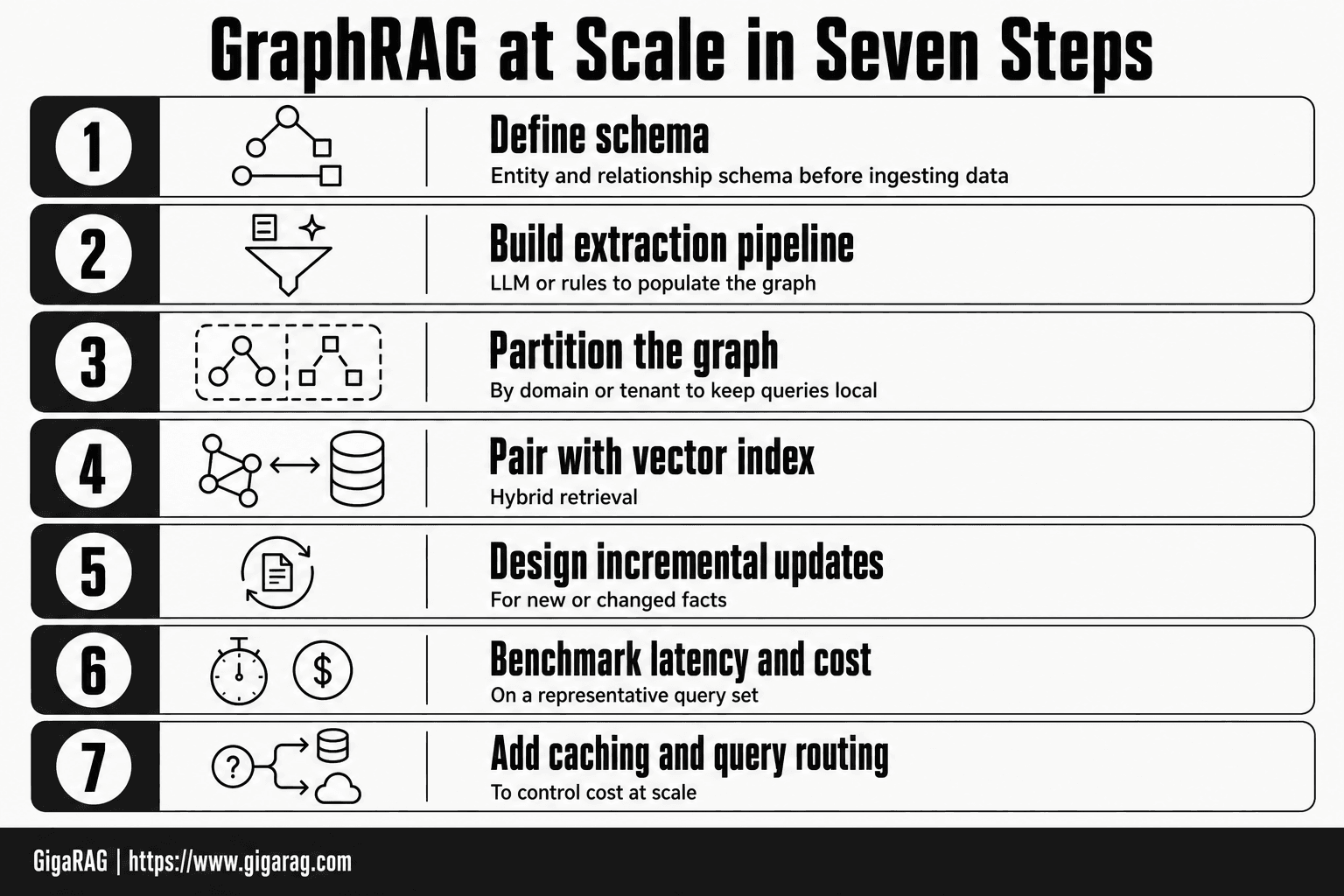
Graphrag At Scale: A Step-by-Step Guide
- Define your entity and relationship schema before ingesting any data.
- Build an extraction pipeline (LLM or rules) to populate the graph.
- Partition the graph by domain or tenant to keep queries local.
- Pair the graph with a vector index for hybrid retrieval.
- Design an incremental update strategy for new or changed facts.
- Benchmark latency and cost on a representative query set.
- Add caching and query routing to control cost at scale.
Scaling Patterns for GraphRAG in Production
The architecture you just read scales badly by default. Full re-indexing on every update, unbounded LLM calls, and graph traversals that get slower as the graph grows. Here's what actually works when you move past prototypes.
Incremental indexing: avoiding full re-indexing
The naive approach re-runs extraction on the entire corpus every time new data arrives. Don't. At a million documents, that's a million LLM calls you've already paid for once.
Incremental indexing means only new or changed chunks go through extraction. You keep a hash or version marker per chunk. When a document changes, you re-extract just that chunk, then update the affected entities and relationships. The graph database handles the merge.
The catch is entity resolution. A new chunk might mention an entity that already exists under a different name. You need a resolution step that checks new entities against existing ones, not just within the new batch. That step costs LLM calls too, but far fewer than full re-indexing.
Sharding and partitioning strategies
When your graph hits tens of millions of nodes, a single graph database instance stops being enough. You shard.
The practical split is by domain or by time. Domain sharding puts all entities for one customer or one product line in the same shard. Time sharding puts recent data in a hot shard and archives older data to slower storage. Agent memory workloads usually shard by domain, because agents query within a domain most of the time.
Cross-shard queries are the problem. A global search that needs to traverse multiple shards gets slow and complicated. You'll need a routing layer that knows which shard holds which entities. That routing layer is custom code. No framework gives it to you for free.
Caching and precomputation for latency reduction
Community summaries are expensive to generate and rarely change. Cache them. When a community's underlying graph hasn't changed, the summary stays valid. Store summaries with a version tied to the graph state, and only regenerate when that version changes.
Local search results also cache well. Agents ask similar questions repeatedly. Cache the traversal results keyed by the starting entity and the query pattern. You'll see hit rates of 60 to 80 percent on agent memory workloads, because agents revisit the same entities.
The trade-off is staleness. Cached results go stale when the graph updates. You need a cache invalidation policy tied to your indexing pipeline, not a time-based expiry.
Batching LLM calls to control cost
Extraction calls are the dominant cost. You can't avoid them, but you can batch them.
Most LLM providers give you a batch API that costs 50 percent less than synchronous calls. Use it for indexing. Indexing is not latency-sensitive. You don't need the graph updated in real time. Queue chunks, batch them, run extraction overnight or during off-peak hours.
The same applies to community summarization. Summaries don't need to be fresh to the minute. Batch them after each indexing run.
The honest answer is that batching trades freshness for cost. If your agent memory needs updates within minutes, batching won't work. If it can tolerate updates within hours, batching cuts your indexing bill in half.
GraphRAG for Agent Memory: What Changes at Scale
Agent memory is not a search index. An agent reads, writes, and updates its memory across a multi-step task. That changes what you need from the graph.
State management and persistence
A standard RAG pipeline is stateless between queries. Agent memory is not. The agent accumulates facts during a conversation, and those facts need to land in the graph before the next turn.
The practical approach is a write-ahead log. Agent actions append to a log first, then a background worker extracts entities and relationships from the log and merges them into the graph. The agent reads from the graph, not the log. That keeps reads fast and writes consistent.
The catch is that the agent can't see its own most recent actions until the worker runs. If your agent needs immediate recall of what it just did, keep a small session buffer in the prompt and let the graph handle longer-term memory.
Context window trade-offs for agent workflows
GraphRAG helps here, but not for free. Local search pulls a subgraph around relevant entities, which fits in context far better than dumping raw chunks. Global search pulls community summaries, which compress large regions into a few hundred tokens.
The trade-off is precision. Community summaries lose specific facts. If your agent needs exact values, dates, or identifiers, local search is the only option. Global search gives you the shape of the knowledge, not the details.
A working pattern is two-stage retrieval. Run global search to find which communities matter, then run local search inside those communities for the specific facts. That costs two query rounds but keeps context tight.
Consistency and staleness in agent memory
The graph is only as current as your indexing pipeline. If you batch indexing overnight, your agent's memory is up to 24 hours stale. For most agent workflows, that's fine. For anything that needs same-day recall, it's not.
The honest answer is that GraphRAG is not built for real-time memory. The extraction and summarization steps are too slow and too expensive to run on every agent action. You need a tiered memory design: a fast session buffer for immediate recall, the graph for consolidated long-term memory, and a scheduled pipeline that moves facts from the buffer into the graph.
That design works. It's also more moving parts than most teams expect.
GraphRAG Frameworks Compared for Scaling
The framework you pick determines your ceiling. Microsoft GraphRAG, FalkorDB, Neo4j-based approaches, and GigaRAG all claim to scale, but they scale differently: indexing cost, query latency, and operational complexity are the three dimensions that matter.
Microsoft GraphRAG
Microsoft GraphRAG is the reference implementation. It's open source, built on Python, and does the full pipeline: entity extraction, relationship extraction, community detection via Leiden, and hierarchical summarization.
The good news is it works out of the box on small corpora. The catch is indexing cost. Every document goes through multiple LLM passes, and community detection runs on the full graph. At a million entities, you're looking at significant token spend and hours of indexing time. Global search is also slow because it traverses community summaries at query time.
Operationally, it's a batch system. You index, then you query. Incremental updates are not a first-class feature.
FalkorDB and graph-native databases
FalkorDB is a graph database built for GraphRAG workloads. It stores entities and relationships natively, which means local search runs as a graph traversal rather than a vector lookup plus graph walk.
The advantage is query latency. Traversals in a graph-native database are faster than bolting a graph layer onto a vector store. You also get real query language support, which matters when your agent needs to ask structured questions.
The trade-off is that FalkorDB doesn't do extraction or summarization for you. You still need a pipeline to build the graph. It's a storage and query layer, not a full GraphRAG framework.
GigaRAG for agent memory and RAG pipelines
GigaRAG is a platform built specifically for agent memory and RAG pipelines at scale. It handles indexing, graph storage, and query serving as a managed service.
The main difference is operational complexity. You don't run the indexing pipeline yourself, and you don't manage the graph database. That matters when your team is building agents, not maintaining infrastructure.
Keep in mind that managed services trade control for convenience. If you need custom extraction logic or a specific graph schema, a self-hosted approach gives you more room to move.
Limitations and Anti-Patterns: What GraphRAG at Scale Cannot Do
GraphRAG is not a real-time system. It is not a cheap system. And it is not a drop-in replacement for vector RAG. If your workload needs any of those three things, you should know that before you commit.
Real-time updates: why GraphRAG struggles
GraphRAG indexes in batches. You extract entities, build relationships, run community detection, and generate summaries. That pipeline takes minutes to hours, not milliseconds.
When a new document arrives, you can't just insert it. The graph changes, which means communities change, which means summaries change. A single new edge can cascade into re-summarizing an entire community hierarchy.
The honest answer is that GraphRAG works best on corpora that change slowly: documentation, knowledge bases, historical records. If your agent needs to remember something from five seconds ago and query it immediately, use a different mechanism for that. Keep GraphRAG for the long-term memory layer.
Cost anti-patterns: over-indexing and redundant extraction
The most common production failure is indexing everything. Teams point GraphRAG at their entire corpus, run full extraction on every document, and then wonder why the token bill arrived before the graph finished building.
Over-indexing means extracting entities and relationships from documents that don't need it. A changelog doesn't need community detection. A list of API endpoints doesn't need hierarchical summarization.
Redundant extraction is worse. If you re-run the full pipeline every time a document changes, you pay for extraction on documents that haven't changed. Incremental indexing exists for a reason. Use it.
The rule: index only what your queries actually traverse. If a global search never touches a document, it doesn't need community summaries.
When not to use GraphRAG at all
GraphRAG is the wrong tool when your queries are simple. If users ask "find documents about X" and a vector search answers that in 50 milliseconds, you don't need a graph.
It's also wrong when latency matters more than reasoning depth. Global search traverses community summaries, which takes seconds. If your agent needs sub-second responses on every turn, standard RAG wins.
And it's wrong when your corpus is small. Under a few thousand documents, the indexing cost buys you little that a well-tuned vector search can't already do. GraphRAG earns its complexity at scale, not before it.
Common Mistakes When Implementing GraphRAG at Scale
Most GraphRAG failures aren't architectural. They're operational. Teams pick the right tool and then misconfigure it, misprice it, or misuse it.
Underestimating indexing token costs
The indexing pipeline runs an LLM over every document, sometimes multiple times. Entity extraction, relationship extraction, and community summarization each consume tokens. A 10,000-document corpus can easily burn hundreds of millions of tokens before you've answered a single query.
The mistake is treating indexing as a one-time cost. It isn't. Every document update, every schema change, every re-tuning of extraction prompts triggers re-indexing. Teams budget for the first pass and get blindsided by the second.
Before you start, run the pipeline on 100 documents and extrapolate. Multiply by your expected update frequency. If the number makes you uncomfortable, it should. That's the real cost of graphrag at scale.
Ignoring community detection tuning
Community detection is where the graph earns its reasoning power. It's also where most implementations go wrong. The Leiden algorithm has parameters: resolution, iteration count, minimum community size. Defaults are tuned for small graphs.
At scale, defaults produce either thousands of tiny communities with useless summaries or a few giant ones that defeat the purpose of hierarchical search. Neither helps your queries.
Tune resolution against your actual query patterns. If global search returns vague answers, your communities are too coarse. If it returns nothing, they're too fine. This isn't a set-and-forget parameter. It needs iteration.
Treating GraphRAG like a drop-in RAG replacement
GraphRAG doesn't slot into an existing RAG pipeline. It changes your indexing, your query routing, and your latency budget. Teams that swap it in without redesigning the surrounding system end up with a slower, more expensive version of what they already had.
The main catch is query routing. Standard RAG sends every query to the same retriever. GraphRAG needs a decision layer: local search for specific questions, global search for thematic ones. Without that routing, you pay global search costs for local search questions.
GraphRAG is a different architecture, not a better retriever. Treat it that way from the first design doc.
GraphRAG vs RAG: When Scale Changes the Equation
Standard RAG retrieves chunks and stuffs them into a context window. GraphRAG retrieves entities, relationships, and community summaries. At small scale, the difference is marginal. At scale, it changes what questions you can ask.
Multi-hop reasoning: GraphRAG's advantage
Standard RAG struggles with questions that span multiple documents. "Which suppliers have shipped late to customers in the same region as our recent complaints?" That question needs connections, not chunks. Vector similarity finds passages that mention suppliers or complaints, but it doesn't trace the relationship between them.
GraphRAG does. The graph encodes those connections explicitly. A query can traverse supplier to shipment to customer to complaint without the LLM having to infer the links from scattered passages. That's the core win: multi-hop reasoning without multi-hop retrieval.
Cost and latency: standard RAG's advantage
The honest trade-off is that GraphRAG pays for that reasoning upfront. Indexing costs 10-100x more than embedding chunks. Global search queries run slower because they aggregate community summaries before generating an answer.
Standard RAG is cheap and fast. Embed, retrieve, generate. Three steps, sub-second latency, predictable cost per query. If your questions are specific and local, that's all you need.
Decision framework for choosing between them
It depends on your query patterns. If most questions target specific facts or passages, standard RAG wins on cost and speed. If questions require connecting entities across documents, GraphRAG earns its overhead.
Start with standard RAG. Move to GraphRAG when you can name the multi-hop questions your current system fails on. Don't adopt it because it's newer.
Final Thoughts on Scaling GraphRAG
Scaling graphrag at scale is a series of trade-offs you make deliberately, not defaults you inherit. Incremental indexing versus full re-indexing. Sharding versus a single graph. Caching versus fresh answers. Each choice shifts cost, latency, and staleness in a direction you can measure.
The decisions that matter most are the ones you make before the first entity gets extracted. Pick your query patterns first. If most traffic is local search, you don't need community summaries at full depth. If global questions are rare, precompute less. If agent memory needs sub-second reads, cache aggressively and accept some staleness.
GigaRAG addresses several of these scaling challenges directly: incremental indexing, built-in caching, and agent memory state management. It's one option among the frameworks compared earlier, not the only one. Microsoft GraphRAG and FalkorDB each fit different workloads.
GraphRAG at scale will keep evolving. Cheaper extraction models, better incremental indexing, and tighter integration with agent runtimes are all active areas. The core constraint won't change: graphs cost more to build than vectors, and they answer questions vectors can't. Your job is knowing which questions you actually ask.
Frequently Asked Questions
What is GraphRAG?
GraphRAG is a retrieval approach that builds a knowledge graph of entities and relationships from your data, then uses that graph to answer queries. It excels at multi-hop questions where the answer depends on connecting several facts. It is typically combined with vector search for hybrid retrieval.
GraphRAG vs RAG: what's the difference?
Standard RAG retrieves text chunks by semantic similarity, which works well for single-hop lookups. GraphRAG adds a graph layer so retrieval can traverse relationships across documents. The trade-off is higher indexing cost and query latency in exchange for better multi-hop reasoning.
Can GraphRAG handle real-time updates?
Not easily. Incremental graph updates require re-extracting entities and relationships, which is slower and more complex than re-embedding a text chunk. For real-time needs, many teams keep a vector store for fresh data and sync to the graph in batches.
How much does GraphRAG cost at scale?
Costs depend on your extraction method, graph size, and query volume. LLM-based extraction is the dominant cost during indexing, while query cost depends on traversal depth. Budget for both and benchmark on your own data before committing.
Is GraphRAG worth it for agent memory?
It can be, if your agent needs to reason over linked facts rather than retrieve isolated snippets. If your workload is mostly simple lookups, a vector store is cheaper and faster. A hybrid approach often gives the best balance.
What tools support GraphRAG?
Options include Microsoft's GraphRAG, LlamaIndex property graph indices, Neo4j with vector search, and managed platforms like GigaRAG. The right choice depends on your existing stack and how much you want to manage yourself.
What are common GraphRAG anti-patterns?
Common mistakes include building a graph without a schema, treating the graph as a real-time store, and skipping hybrid retrieval. Another is over-extracting low-value entities, which bloats the graph and slows queries without improving answers.
About GigaRAG
GigaRAG is for agent memory and RAG pipeline builders. get this right. Whether you are working through graphrag at scale or something adjacent, we publish what we have actually tested, including where it falls short.


