GraphRAG Examples and Project Ideas for Agent Memory and RAG Pipeline Builders
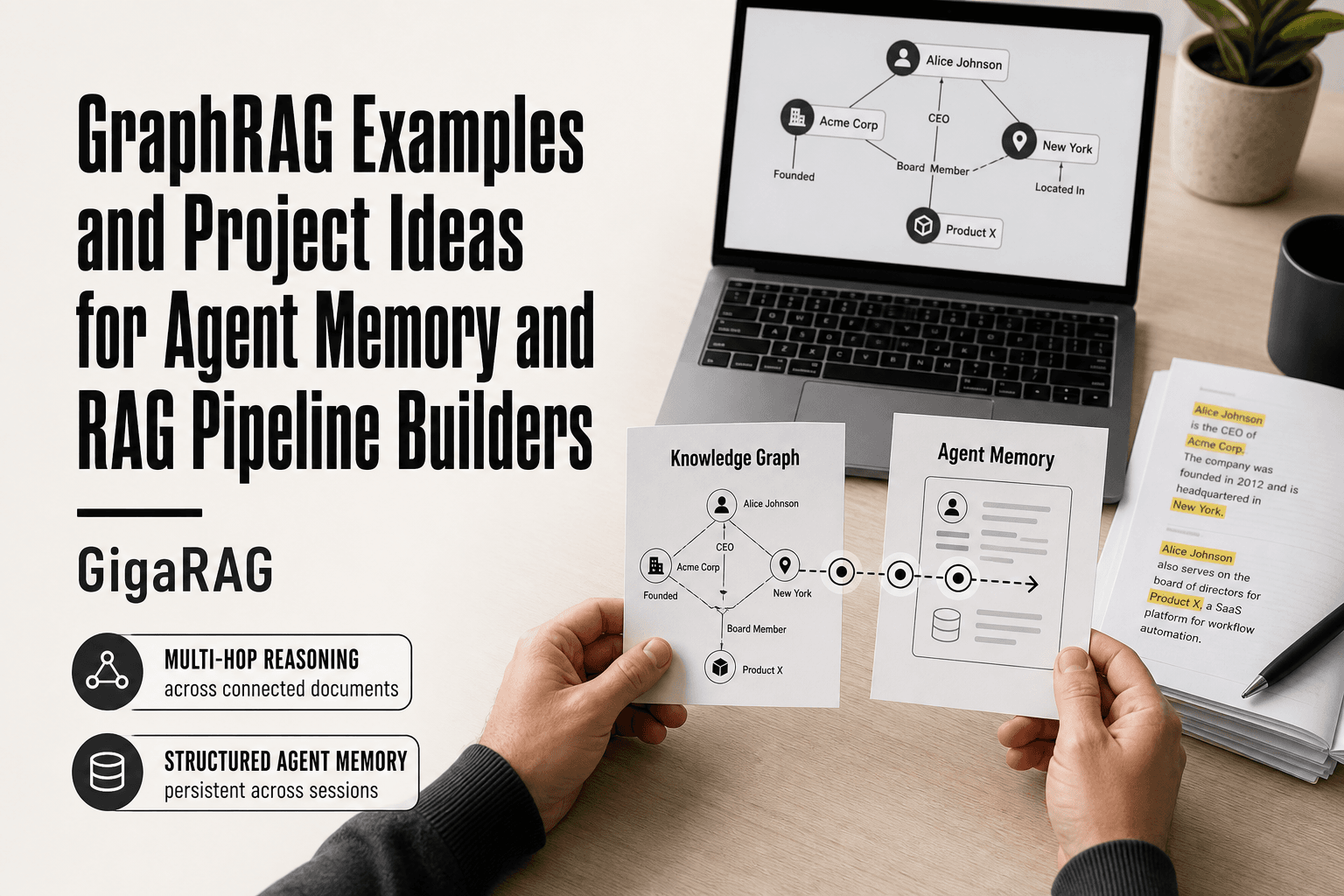
Most GraphRAG examples and project ideas you'll find are either tied to one vendor's stack or stuck at the level of a diagram with arrows and no code. That's not useful when you're a developer building RAG pipelines or agent memory systems and you need something you can implement by Friday. GraphRAG, in one sentence, is retrieval augmented generation that runs over a knowledge graph instead of a flat vector index, so the LLM can follow entities and relationships rather than just similarity scores. GigaRAG is one tool for that job, aimed specifically at agent memory and RAG pipeline builders, but this article doesn't depend on any single framework. You'll get honest tradeoffs, not a whitepaper.
| At a glance | Details |
|---|---|
| What it is | GraphRAG combines knowledge graphs with retrieval-augmented generation |
| Core benefit | Multi-hop reasoning and global summarization over connected data |
| Typical use cases | Agent memory, enterprise search, recommendation, research |
| Main limitation | Graph construction cost and complexity; not a drop-in replacement |
| Tooling | Tool-agnostic; works with Neo4j, NetworkX, LlamaIndex, LangChain, etc. |
| Skill level | Beginner to advanced; start with small projects |
In This Guide
- What Is GraphRAG and How Does It Work?
- GraphRAG vs Traditional RAG: Which Should You Choose?
- Why GraphRAG Matters for Agent Memory and RAG Pipelines
- Graphrag Examples And Project Ideas: A Step-by-Step Guide
- GraphRAG Examples and Project Ideas for Beginners
- Intermediate GraphRAG Projects for RAG Pipeline Builders
- Advanced GraphRAG Projects for Agent Memory Systems
- Tools and Frameworks for Building GraphRAG Projects
- GraphRAG Limitations and What Not to Expect
- How to Choose the Right GraphRAG Project for Your Needs
- Final Thoughts on GraphRAG Examples and Project Ideas
What Is GraphRAG and How Does It Work?
GraphRAG is retrieval augmented generation that uses a knowledge graph instead of flat vector search to find context for an LLM. It extracts entities and their relationships from your documents, stores them as nodes and edges, then retrieves connected subgraphs when you ask a question.
Here's why that matters. Vector-only RAG finds passages that are semantically similar to your query. It misses connections that span documents. GraphRAG finds those connections by walking the graph.
How GraphRAG differs from vector-only RAG
Vector search matches meaning. Graph search matches structure. If you ask "Who worked with the person who wrote this report?", a vector store might return the report but not the collaborator. A graph follows the edge from report to author to teammate.
The tradeoff is cost. Building the graph takes an extra pass over your data with an LLM doing entity extraction. You pay for that upfront.
Key components: entities, relationships, and communities
Entities are the nouns: people, places, products, dates. Relationships are the verbs that connect them: works_at, authored, depends_on. Communities are clusters of tightly connected nodes, found by algorithms like Leiden.
Those communities matter because they let you summarize whole regions of the graph instead of retrieving node by node. That's how GraphRAG handles questions that span dozens of documents without blowing your context window.
[!note] GraphRAG is not a drop-in replacement for traditional RAG; it requires additional infrastructure for graph construction and maintenance, and its benefits are most pronounced when your data has rich relational structure.
GraphRAG vs Traditional RAG: Which Should You Choose?
| Factor | GraphRAG | Traditional RAG |
|---|---|---|
| Data structure | Knowledge graph with entities and relationships | Flat document chunks with embeddings |
| Retrieval method | Graph traversal and community detection | Vector similarity search |
| Multi-hop reasoning | Strong: follows relationships across hops | Limited: relies on chunk co-occurrence |
| Setup complexity | High: requires graph construction and maintenance | Low: embed and index documents |
| Best for | Connected data, agent memory, global summaries | Simple Q&A, document search, fast prototyping |
Why GraphRAG Matters for Agent Memory and RAG Pipelines
Vector-only RAG treats every query as a fresh search. Agents don't work that way. They accumulate context across turns, and they need to recall relationships, not just passages.
Multi-hop reasoning across documents
A question like "Which supplier shipped the part that failed in last week's incident?" spans three documents: the incident report, the part manifest, and the supplier directory. Vector search returns fragments. GraphRAG walks the edges.
Structured memory for agents
Agents need to remember what they learned in earlier turns and earlier sessions. A graph gives you a place to store that state as entities and relationships. You can update nodes without re-embedding everything.
When vector-only RAG falls short
Vector RAG works fine for single-hop lookups. It breaks when the answer depends on a path through your data. If your queries involve "who worked with", "which depends on", or "what came before", you need the structure.
[!tip] Start with a small, personal dataset (like your own notes or a hobby corpus) to prototype GraphRAG without the overhead of large-scale data pipelines. This lets you validate the approach and learn the tooling before committing to production.
Graphrag Examples And Project Ideas: A Step-by-Step Guide
- Define a small, well-scoped problem where relationships matter (e.g., personal notes, a niche domain).
- Collect and preprocess your text data; clean and chunk if needed.
- Extract entities and relationships using an LLM or NLP pipeline.
- Build a knowledge graph using a library like NetworkX or a database like Neo4j.
- Implement retrieval: combine graph queries with vector search for hybrid retrieval.
- Integrate with an LLM to generate answers using retrieved graph context.
- Evaluate and iterate: measure accuracy, latency, and cost; refine extraction and retrieval.
GraphRAG Examples and Project Ideas for Beginners
Here are three projects you can build in a weekend, each with a clear scope and a result you can show someone.
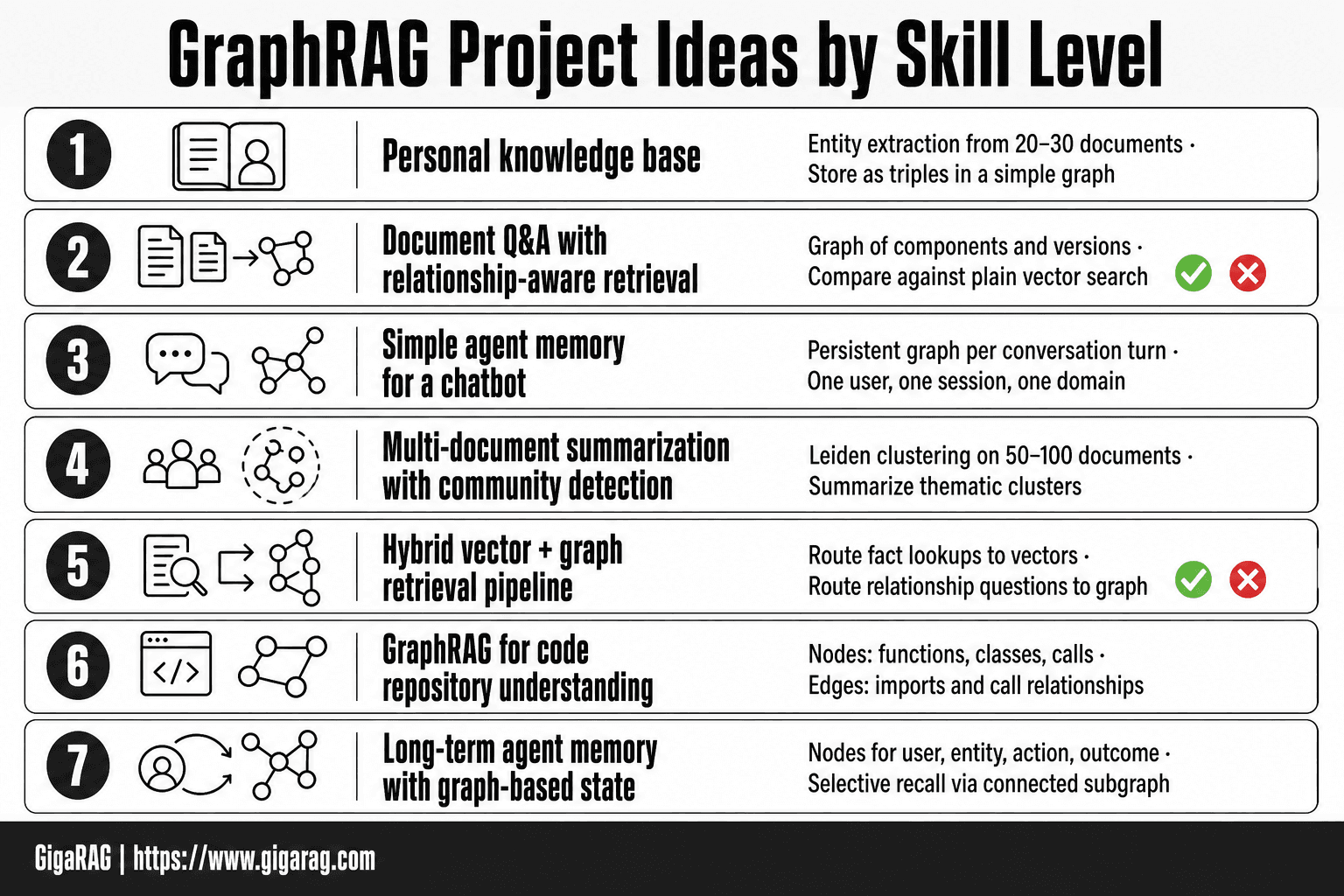
Project 1: Personal knowledge base with entity extraction
Feed your notes, saved articles, and bookmarks into a script that extracts entities and relationships. Store them in a simple graph. Query it with natural language.
Start small: 20 to 30 documents. Use an LLM to pull out people, places, tools, and the verbs connecting them. Don't build a UI yet. Print the graph as a list of triples.
You'll learn where extraction breaks, which is the whole point.
Project 2: Document Q&A with relationship-aware retrieval
Take a set of related PDFs, like a product manual and its changelog. Build a graph of components and versions. When a query comes in, retrieve the relevant node and its neighbours, then feed that context to the LLM.
Compare the answer quality against plain vector search on the same documents. The difference shows up on questions like "what changed between version 2 and version 3?"
Project 3: Simple agent memory for a chatbot
Give a chatbot a persistent graph as memory. Each conversation turn adds entities and relationships. Before answering, the bot queries the graph for relevant context.
Keep the scope tight: one user, one session, one domain. The goal is seeing how memory changes responses, not building a production system.
Intermediate GraphRAG Projects for RAG Pipeline Builders
These projects assume you already have a working RAG pipeline. You're adding a graph layer, not starting from scratch.
Project 4: Multi-document summarization with community detection
Run Leiden community detection on a corpus of 50 to 100 related documents. Each community becomes a thematic cluster. Summarize clusters, not individual documents.
The output is a map of what your corpus actually covers. You'll spot overlaps and gaps that flat summarization misses.
Project 5: Hybrid vector + graph retrieval pipeline
Keep your existing vector index. Add a graph index alongside it. Route queries based on type: fact lookup goes to vectors, relationship questions go to the graph.
The hard part is the router. Start with keyword rules, then try an LLM classifier. Measure latency and answer quality on a fixed eval set.
Project 6: GraphRAG for code repository understanding
Parse a repo into functions, classes, and call relationships. Build a graph where edges are imports and calls. Query it with questions like "what breaks if I change this function?"
The graph won't replace reading code. It will tell you where to look.
Advanced GraphRAG Projects for Agent Memory Systems
These projects assume you've built a working graph layer and want agents that remember across sessions. The honest catch: each one takes weeks, not weekends.
Project 7: Long-term agent memory with graph-based state
Store every interaction as nodes: user, entity, action, outcome. Edges capture relationships and timestamps. When the agent starts a new session, it queries the graph for relevant past context instead of relying on a flat transcript.
The graph gives you selective recall. The agent pulls what's connected to the current query, not everything it's ever seen. Expect to spend real time on entity resolution. The same user mentioned twice needs to map to one node.
Project 8: Multi-agent knowledge sharing via shared graph
Run two or more agents against one graph. One agent writes findings as nodes and edges. Another reads them to answer questions. The graph becomes the shared memory bus.
The hard part is write conflicts. Two agents updating the same node simultaneously will corrupt state. Use a graph database with transactional writes, or serialize updates through a single writer process.
Project 9: Temporal GraphRAG for evolving knowledge
Add valid-from and valid-to timestamps to every edge. Query the graph as it existed at a specific time. This matters for agents that track changing facts: org charts, product specs, regulatory rules.
The main catch is storage overhead. Every update creates a new edge version. Plan for your graph to grow 3 to 5 times faster than a non-temporal version.
Tools and Frameworks for Building GraphRAG Projects
You don't need to build the graph layer from scratch. Four tool families cover most GraphRAG work, each with real tradeoffs.
Microsoft GraphRAG
The reference implementation from Microsoft Research. It handles entity extraction, relationship detection, and community summarization out of the box. The catch: it's built for batch processing of static corpora, not live agent memory. Running it on every new message gets expensive fast.
LlamaIndex and LangChain
Both frameworks offer graph integrations that sit on top of your existing RAG pipeline. LlamaIndex has a PropertyGraphIndex for hybrid retrieval. LangChain connects to Neo4j and Memgraph through graph query chains. You get flexibility, but you assemble the pieces yourself.
Neo4j and Memgraph
Graph databases, not GraphRAG frameworks. You store nodes and edges, then query with Cypher. Neo4j is the most documented option. Memgraph is lighter and in-memory. Neither extracts entities for you. Pair them with an LLM extraction step.
GigaRAG for agent memory
GigaRAG handles graph construction and retrieval as managed agent memory. It's built for the agent use cases in this article, not batch document processing. The tradeoff: less control over the graph internals than a raw Neo4j setup.
GraphRAG Limitations and What Not to Expect
GraphRAG is not a drop-in replacement for vector search. It's a different tool with different costs, and you should know the failure modes before you commit.
Cost and latency of graph construction
Building the graph is the expensive part. Entity extraction and relationship detection run an LLM over every chunk of your corpus, which costs real money and takes real time. Microsoft's reference implementation processes a corpus in batch, not incrementally. If you're indexing thousands of documents, expect hours of processing and a meaningful API bill. Updating the graph when new data arrives means re-running extraction, not just appending a vector.
When vector-only RAG is sufficient
If your queries are simple lookups, vector search wins. "Find the paragraph about X" doesn't need a graph. Vector-only RAG is cheaper, faster to set up, and easier to maintain. GraphRAG earns its keep on multi-hop questions and relationship-aware retrieval. If you don't have those, you don't need the graph.
Common failure modes in entity extraction
The LLM that extracts entities will make mistakes. It will merge two people with the same name. It will miss relationships that are implied but not stated. It will create entities for things that aren't entities. These errors compound: a wrong edge in the graph leads to a wrong answer downstream. You'll need a review step or a tolerance for noise.
How to Choose the Right GraphRAG Project for Your Needs
Pick the project that matches the problem you actually have, not the one that looks most impressive. If your queries are single-hop lookups, start with Project 1 or 2. You'll learn entity extraction without paying for a graph you don't need.
Matching project complexity to your goals
Ask what the retrieval must do. Multi-hop questions across documents? You need community detection and relationship-aware retrieval. Agent memory that persists across sessions? You need graph-based state. A weekend prototype for a chatbot? Simple entity extraction gets you there.
When to start simple vs. go advanced
Start simple if you've never built a graph pipeline. The failure modes compound fast: bad entities, wrong edges, noisy communities. Debugging those on a small corpus teaches you more than wrestling a multi-agent system on day one. Go advanced only when a simple graph demonstrably fails on your queries.
Final Thoughts on GraphRAG Examples and Project Ideas
The honest takeaway: GraphRAG earns its complexity when your queries need relationships, not just similarity. If your retrieval is single-hop, vector RAG still wins on cost and speed.
Start with one project. Run it end to end. Watch where entity extraction breaks, because it will. That failure tells you more than any tutorial.
For agent memory and RAG pipeline builders, GigaRAG handles the graph plumbing so you can test these graphrag examples and project ideas without rebuilding the stack. Not a magic fix. Just less setup between you and the experiment.
Frequently Asked Questions
What are some projects that use GraphRAG?
Projects include agent memory systems that store and retrieve past interactions as a graph, enterprise knowledge bases for multi-hop question answering, recommendation engines that leverage user-item relationships, and research tools that summarize connected concepts. Open-source examples are available on GitHub for inspiration.
What is GraphRAG used for?
GraphRAG is used to enhance retrieval-augmented generation by incorporating knowledge graphs, enabling better multi-hop reasoning, global summarization, and handling of complex queries that involve relationships between entities. It's particularly useful for agent memory and domain-specific search.
What are some good topics in graph theory for a project?
For GraphRAG, focus on practical graph concepts: entity-relationship extraction, community detection (e.g., Leiden algorithm), graph traversal (BFS/DFS), and centrality measures. These help in building and querying knowledge graphs effectively.
What are some simple graph ideas?
Start with a personal knowledge graph from your notes, a movie recommendation graph linking users and films, or a research paper citation network. These are small enough to prototype quickly and demonstrate GraphRAG's value.
How to implement GraphRAG?
Implement GraphRAG by extracting entities and relationships from your text, building a graph (using Neo4j, NetworkX, etc.), and combining graph queries with vector search for retrieval. Then integrate with an LLM to generate answers. Tools like LlamaIndex and LangChain offer components to streamline this.
Is GraphRAG open source?
Yes, there are open-source implementations and libraries for GraphRAG, such as Microsoft's GraphRAG, LlamaIndex's knowledge graph modules, and various community projects. You can also build your own using open-source graph databases and NLP tools.
About GigaRAG
GigaRAG is for agent memory and RAG pipeline builders. get this right. Whether you are working through graphrag examples and project ideas or something adjacent, we publish what we have actually tested, including where it falls short.


