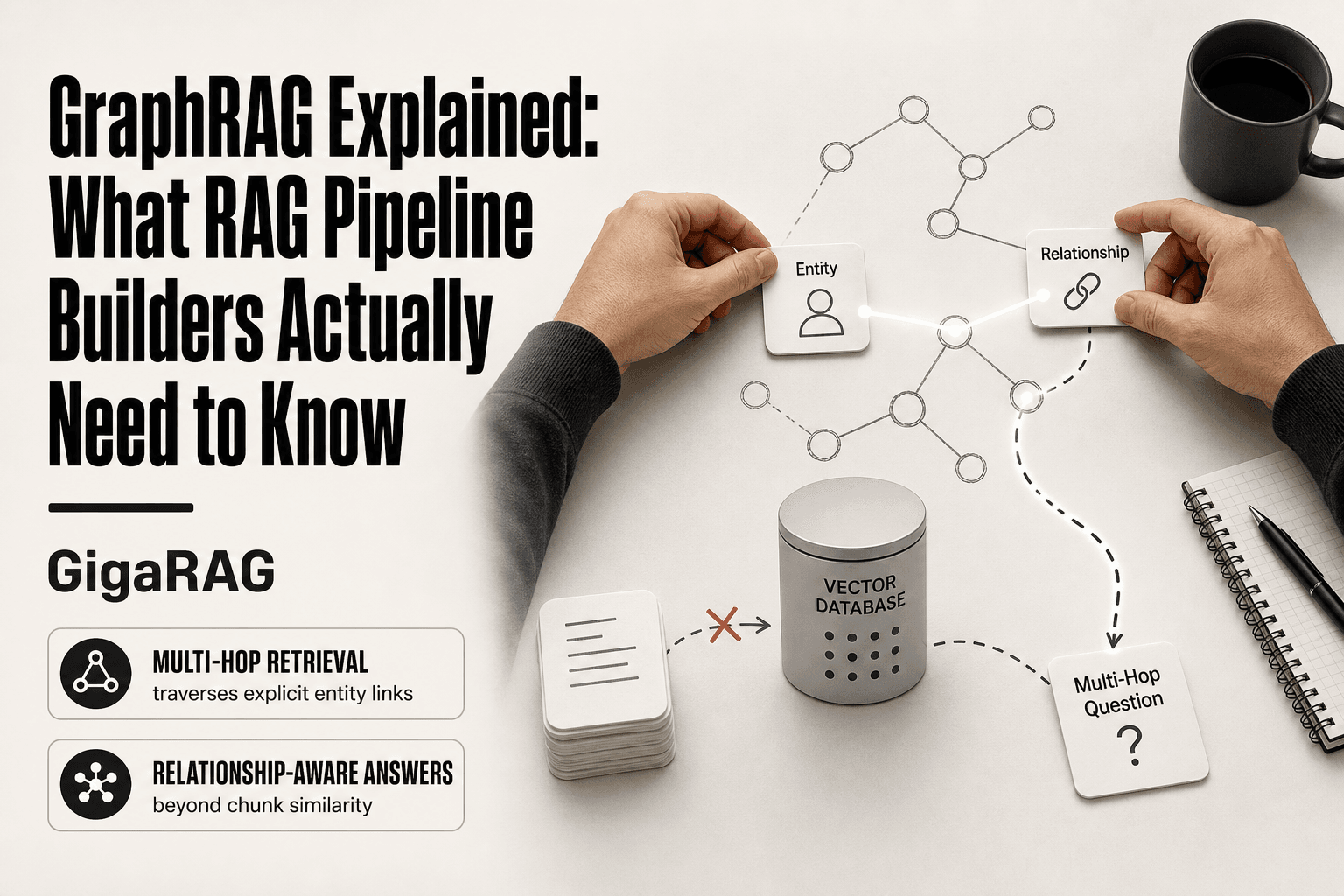
GraphRAG Explained: What RAG Pipeline Builders Actually Need to Know
GraphRAG explained starts with a failure you've probably hit yourself: your pipeline retrieves the right chunks, but the answer still isn't there. The question spans three documents, and the connection between the entities lives in none of them alone. Standard RAG can't join those dots. GraphRAG was built to. In one plain sentence: GraphRAG is retrieval-augmented generation that extracts entities and their relationships from your corpus into a knowledge graph, then uses that graph structure to answer questions chunk-based retrieval can't.
The honest answer is that GraphRAG isn't a magic upgrade. It's an architecture with real token costs, real latency, and real failure modes. Most content on this topic stays high-level or promotional. This guide doesn't. You'll get a concrete walkthrough of the indexing and querying phases, an honest cost breakdown, the scenarios where GraphRAG is the wrong tool, and a decision checklist for your own pipeline. GigaRAG operationalizes these ideas for agent memory and RAG builders, but you'll understand the mechanics well enough to judge that for yourself.
| At a glance | Details |
|---|---|
| What it is | Graph-based retrieval-augmented generation |
| Core idea | Entities and relations as retrieval units |
| Best for | Multi-hop and relationship-heavy queries |
| Main cost | LLM calls for graph construction |
| Biggest risk | Over-engineering simple retrieval tasks |
| Typical stack | LLM + graph store + vector index |
In This Guide
- What Is GraphRAG?
- Standard RAG vs GraphRAG: Which Fits Your Pipeline?
- Where Standard RAG Falls Short
- Graphrag Explained: A Step-by-Step Guide
- GraphRAG Architecture Explained
- GraphRAG for Agent Memory
- The Real Cost of GraphRAG
- When Not to Use GraphRAG
- A Decision Checklist for Your Pipeline
- Final Thoughts on GraphRAG
What Is GraphRAG?
GraphRAG is retrieval-augmented generation that builds a knowledge graph from your documents first, then uses that graph's structure to answer questions that span multiple chunks. Standard RAG retrieves text chunks by vector similarity. GraphRAG adds a layer that extracts entities and the relationships between them, so the retriever can follow connections instead of just matching words.
Standard RAG in one paragraph
Standard RAG splits documents into chunks, embeds each chunk into a vector, and stores those vectors in a database. When you ask a question, the system embeds your query, finds the nearest chunks by cosine similarity, and feeds them to an LLM to generate an answer. It works well for fact lookup. It breaks when the answer depends on how two entities relate across different documents.
What the "graph" adds
GraphRAG runs an extra indexing pass. It extracts entities, like people, places, and products, and the relationships between them, like "works at" or "ships to." Those entities become nodes and the relationships become edges in a knowledge graph. At query time, the system can traverse that graph to pull in connected context that vector search alone would miss. The graph gives you structure. Structure gives you multi-hop answers.
[!note] GraphRAG is not a drop-in replacement for standard RAG; it adds an offline graph-construction stage that can dominate cost and latency. Start with a small, high-value dataset to measure whether the accuracy gain justifies the overhead.
Standard RAG vs GraphRAG: Which Fits Your Pipeline?
| Factor | Standard RAG | GraphRAG |
|---|---|---|
| Retrieval unit | Text chunks | Entities and relations |
| Multi-hop reasoning | Limited; relies on chunk overlap | Strong; traverses explicit links |
| Indexing cost | Low; embedding calls only | High; LLM calls for extraction |
| Query latency | Low; single vector search | Higher; graph traversal plus generation |
| Best fit | Factoid lookup over flat text | Relationship-heavy or agent memory tasks |
Where Standard RAG Falls Short
Standard RAG assumes the answer lives in a chunk. It doesn't. The answer often lives in the space between chunks, and vector search has no way to see that space.
The relationship problem
Embeddings capture semantic similarity. They don't capture how entities connect. If one document says "Alice manages the Berlin office" and another says "The Berlin office handles EMEA accounts," a vector search for "Who handles EMEA accounts?" might retrieve the second chunk but miss the first. The relationship between Alice and EMEA accounts exists only across two documents. Standard RAG can't join them.
Multi-hop questions that break chunk-based retrieval
Multi-hop questions require following a chain of facts. "Which supplier shipped the component that failed in the Q3 recall?" needs three hops: the recall notice names the component, the component record names the supplier, the supplier record confirms the shipment. Each hop lives in a different chunk. Vector search retrieves chunks independently, so it returns pieces that look relevant in isolation but don't connect. The LLM then guesses at the missing links, and that's where hallucination creeps in.
Why embeddings alone can't capture structure
Embeddings reduce text to a point in vector space. Two chunks about the same entity can sit far apart if they use different words. Two chunks about different entities can sit close together if they share vocabulary. Structure, the actual graph of who relates to whom, gets flattened into similarity scores. The information is still in the documents. The retrieval mechanism just can't reach it.
[!tip] Before committing, run a cost estimate: count your documents, estimate LLM calls for entity extraction, and compare against your current embedding-only pipeline. For agent memory, start with a lightweight graph of user facts and preferences rather than full document graphs.
Graphrag Explained: A Step-by-Step Guide
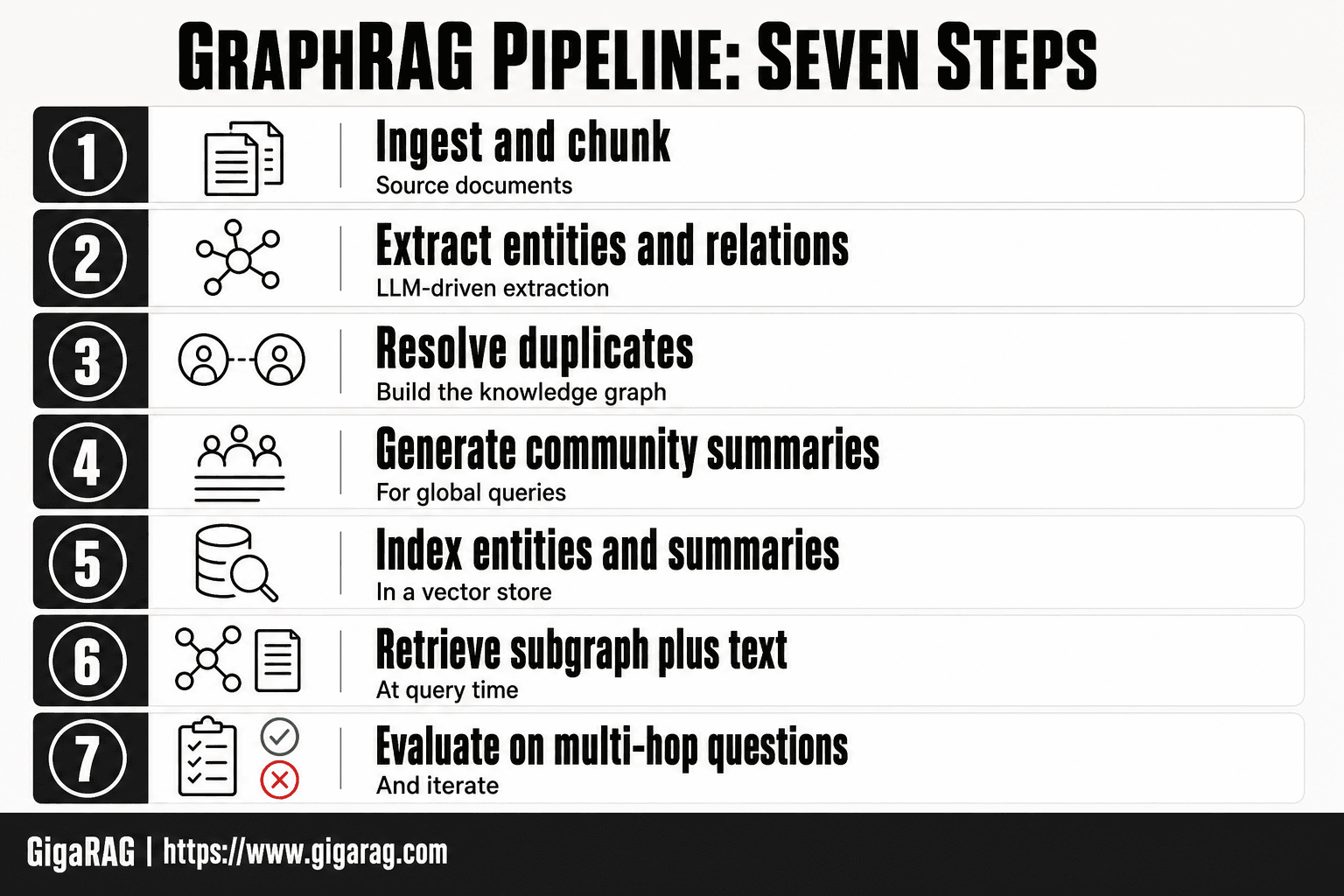
- Ingest and chunk source documents
- Extract entities and relations with an LLM
- Resolve duplicates and build the knowledge graph
- Generate community summaries for global queries
- Index entities and summaries in a vector store
- At query time, retrieve subgraph plus text and generate
- Evaluate on multi-hop questions and iterate
GraphRAG Architecture Explained
GraphRAG splits into two phases: indexing and querying. Indexing builds the graph from your corpus. Querying uses that graph to answer questions. Each phase has its own cost profile and failure modes, so it's worth understanding both before you commit.
Indexing phase: entity and relationship extraction
The indexing phase starts with your raw documents. An LLM reads each text chunk and extracts entities (people, places, organizations, products) and the relationships between them. "Alice manages the Berlin office" becomes two nodes (Alice, Berlin office) and one edge (manages). The LLM does this extraction, not a rules engine. That's the main cost driver.
The output is a knowledge graph: nodes for entities, edges for relationships, each with a short description the LLM generated. This graph becomes your retrieval index. Standard RAG indexes embeddings. GraphRAG indexes structure.
Community detection and graph summarization
Once the graph exists, GraphRAG runs community detection. The default algorithm is Leiden, which groups nodes into communities based on how densely they connect. Each community gets summarized by an LLM into a short report: what entities it contains, what relationships matter, what the community is about.
These summaries are the key to global search. Instead of retrieving individual nodes, GraphRAG can retrieve community summaries that capture structure across many documents. That's how it answers questions like "What are the main themes in this corpus?" rather than "Where is Alice mentioned?"
Query phase: local vs. global search
Querying has two modes. Local search starts from a specific entity and walks its neighborhood in the graph, pulling in connected entities and their relationships. It's good for questions about a known person, product, or event.
Global search works differently. It uses the community summaries to reason across the entire corpus, not just around one entity. Global search is slower and more token-hungry because it feeds multiple summaries to the LLM at once. Local search is cheaper but misses cross-community connections.
The honest tradeoff: local search handles targeted questions well. Global search handles corpus-wide questions but costs more per query. Most pipelines end up using both, with a router deciding which mode fits the incoming question.
GraphRAG for Agent Memory
Agents fail when they forget. A vector store remembers chunks. It doesn't remember that Alice manages the Berlin office, that the Berlin office closed in March, or that Alice now reports to someone else. GraphRAG stores those facts as nodes and edges, which is closer to how an agent actually needs to recall state.
Why agents need structured memory
An agent working across sessions has to track entities that change. Vector search retrieves text that looks similar. It doesn't retrieve the current state of a relationship. GraphRAG gives you a persistent structure where "Alice manages Berlin" can be updated to "Alice managed Berlin until March" without rewriting every document that mentions her.
That's the difference between memory and retrieval. Retrieval finds passages. Memory holds facts that survive the conversation.
Entities as memory anchors
In a graph, entities are stable reference points. An agent can anchor on "Alice" and pull her current relationships, her history, and the entities connected to her. That's local search in GraphRAG. It's fast and targeted.
The catch: entity extraction has to run on every new document before the agent can use it. That's indexing cost, and it's not free.
Relationship recall across sessions
Multi-step reasoning needs relationship recall. "Who does Alice report to now, and what team are they on?" requires two hops: Alice to her manager, manager to their team. A graph walks those edges directly. A vector store hopes the answer sits in one chunk.
The honest limit: GraphRAG doesn't solve memory decay or conflict resolution. If two documents disagree about Alice's role, the graph holds both claims until something reconciles them. You still need a policy for that.
The Real Cost of GraphRAG
GraphRAG's indexing phase is where the bill lands. Every document runs through an LLM for entity extraction, relationship extraction, and community summarization. A 1,000-token document can easily consume 10,000 to 30,000 tokens of LLM output during indexing. That's 10x to 30x the input size, before you've answered a single query.
Indexing token costs
The indexing pipeline makes multiple LLM passes per document: one for entities, one for relationships, one for community reports. Each pass costs tokens. A corpus of 10,000 documents can run into hundreds of millions of tokens indexed. Budget for that before you commit.
Query-time latency
Queries are slower than standard RAG. Local search is comparable to vector retrieval, but global search runs community summarization across multiple graph partitions. Expect seconds, not milliseconds, for global queries. That rules out real-time chat.
Infrastructure and storage overhead
You need a graph database or an in-memory graph store, plus your vector index, plus the LLM pipeline. Storage for entities, edges, and community summaries adds 20% to 50% on top of your raw text. The honest answer: GraphRAG costs real money to run, and most of it is indexing.
When Not to Use GraphRAG
GraphRAG earns its cost when relationships span documents. When they don't, you're paying for structure you'll never query. The honest answer is that most RAG pipelines don't need a graph. They need better chunking and a decent reranker.
Small or relationship-light corpora
A knowledge base of 50 product docs doesn't need community detection. The entities are obvious, the relationships are few, and a vector index retrieves the right chunk on the first try. GraphRAG's indexing pass would burn tokens building a graph you already understand. If your corpus fits in a single context window, stop. Standard RAG is done.
Latency-sensitive applications
Global search runs community summarization across graph partitions. That takes seconds. If you're building a customer support bot that needs answers in under 500 milliseconds, GraphRAG's global mode will miss the deadline. Local search is faster, but then you're paying graph overhead for vector-level performance. Real-time chat, live agent assist, autocomplete: skip the graph.
When a vector database is enough
Here's the test. Do your queries require connecting facts across documents? If the answer is no, a vector database with hybrid search and a reranker covers 90% of retrieval needs. You'll ship faster, spend less on indexing, and debug a simpler system. GraphRAG solves a specific problem: multi-hop questions where the answer lives in the relationships, not the chunks. If your users never ask those questions, you don't have that problem.
A Decision Checklist for Your Pipeline
Before you commit engineering time, run through these questions. Answer honestly. If you answer "no" to most of them, standard RAG is the right call.
Questions to ask about your data
Does your corpus contain entities that appear across many documents? Do those entities have relationships that matter to the answer? If your data is flat product descriptions or isolated support tickets, the graph adds nothing. If it's research papers, legal contracts, or incident reports where "who did what to whom" spans files, the structure earns its keep.
Questions to ask about your queries
Do your users ask multi-hop questions? "Which supplier shipped the part that failed in the Texas incident?" needs relationship traversal. "What's the return policy?" doesn't. Check your query logs. If fewer than 10% of queries require connecting facts across documents, you're building for a problem you don't have.
Questions to ask about your budget
Can you absorb a 10-50x increase in indexing token costs? Can you tolerate multi-second latency on global queries? Do you have someone who can debug a graph pipeline when community detection produces garbage clusters? If any answer is no, start with vector search and revisit GraphRAG when the failure mode shows up in production.
Final Thoughts on GraphRAG
GraphRAG isn't a drop-in replacement for vector search. It's a different retrieval model, one that trades indexing cost and query latency for relationship-aware answers. That trade is worth it when your queries span documents and your entities carry structure. It isn't when they don't.
The decision comes down to your data and your queries. If you checked most of the boxes in the checklist above, the architecture will pay for itself. If you didn't, you'll spend weeks building a graph pipeline to answer questions a vector database already handles.
For agent memory specifically, the graph structure maps cleanly to persistent entity state and cross-session recall. That's the use case where graphrag explained as a concept stops being academic and starts being infrastructure. If you're building that kind of system, GigaRAG operationalizes these ideas without the manual graph plumbing.
Frequently Asked Questions
What is GraphRAG in simple terms?
GraphRAG is a retrieval-augmented generation approach that builds a knowledge graph from your documents and uses it to retrieve information. Instead of matching text chunks by similarity, it retrieves entities and their relationships, which helps answer questions that require connecting multiple facts.
How does GraphRAG differ from standard RAG?
Standard RAG retrieves text chunks based on vector similarity, which works well for factoid questions but struggles with multi-hop reasoning. GraphRAG adds a graph layer that explicitly models relationships, enabling traversal across connected entities and better handling of complex queries.
When should I not use GraphRAG?
Avoid GraphRAG when your queries are simple lookups, your data is mostly flat text without rich relationships, or your budget and latency constraints are tight. Standard RAG or hybrid search is often sufficient and much cheaper for those cases.
What are the main costs of GraphRAG?
The dominant cost is the LLM calls required to extract entities and relations from every document chunk during indexing. You also need storage for the graph and vector index, plus additional compute for graph traversal at query time. These costs can be several times higher than standard RAG.
Can GraphRAG be used for agent memory?
Yes, GraphRAG is well-suited for agent memory because it can store facts, preferences, and relationships between them. Agents can retrieve relevant subgraphs to maintain context over long conversations, though you should start with a focused schema to control cost.
Is there a GitHub implementation of GraphRAG?
Microsoft Research has released an open-source GraphRAG implementation on GitHub, and other libraries like LlamaIndex and LangChain offer graph-based retrieval components. These can serve as starting points, but expect to adapt them to your specific data and query patterns.
How do I evaluate if GraphRAG is worth it?
Build a small benchmark with multi-hop questions from your domain and compare standard RAG against GraphRAG on accuracy, latency, and cost. If the accuracy gain on your critical queries does not justify the extra expense, stick with standard RAG.
About GigaRAG
GigaRAG helps GigaRAG is for agent memory and RAG pipeline builders. get this right. Whether you are working through graphrag explained or something adjacent, we publish what we have actually tested, including where it falls short.


