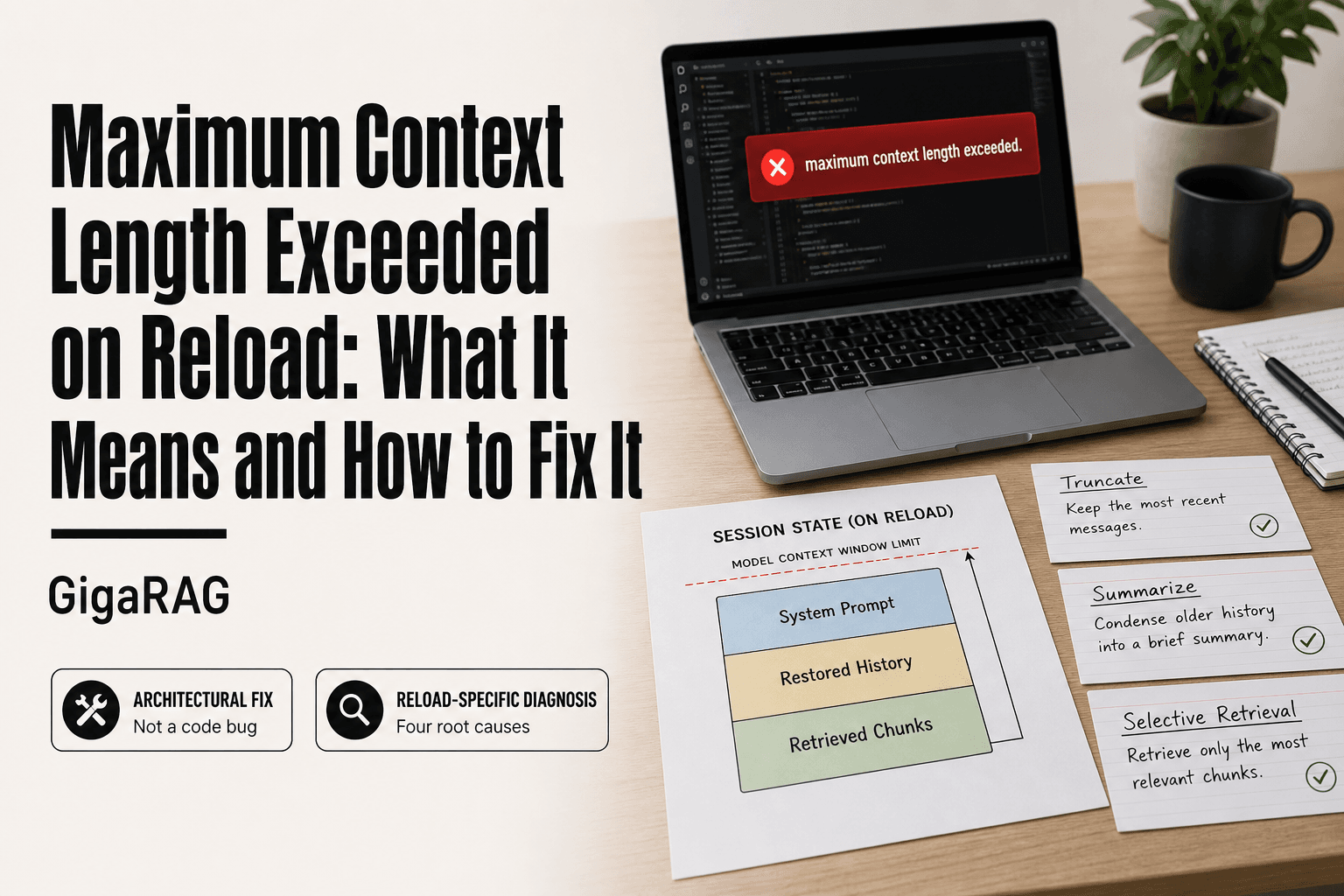
Maximum Context Length Exceeded on Reload: What It Means and How to Fix It
You reload an agent session in your RAG pipeline or dev environment, and the screen goes red: maximum context length exceeded on reload. You didn't add any new tokens. You just hit refresh. Now you're staring at a stack trace wondering whether your code is broken, your provider changed its limits, or your memory architecture is fundamentally wrong.
It's usually not a bug. It's a context window overflow problem, and reload is where it surfaces because reload restores everything at once: full conversation history, system prompts, retrieved chunks, tool outputs, the lot. The good news is the fix is architectural, not magical. GigaRAG handles agent memory context this way by design, but you can apply the same principles in any stack.
This guide covers why the error happens on reload, how to diagnose the exact trigger in your pipeline, and which context management strategies actually prevent it from coming back.
| At a glance | Details |
|---|---|
| What it means | Reloaded context exceeds model's token limit |
| Typical trigger | Session restore re-appends full history |
| Not a bug | Usually a context management design issue |
| First check | Count tokens in the reloaded payload |
| Common fix | Truncate, summarize, or retrieve selectively |
| Hard limit | Context windows cannot be extended infinitely |
In This Guide
- What Does "Maximum Context Length Exceeded on Reload" Mean?
- Truncation vs Summarization for Reload Context
- Root Causes of Context Length Overflow on Reload
- Maximum Context Length Exceeded On Reload: A Step-by-Step Guide
- How to Diagnose the Error in Your RAG Pipeline or Agent
- Context Management Strategies to Prevent the Error
- What You Cannot Do: Honest Limitations of Context Management
- Common Mistakes When Fixing Maximum Context Length Exceeded on Reload
What Does "Maximum Context Length Exceeded on Reload" Mean?
The error means the total tokens in your prompt, including restored session state, crossed the model's hard context window limit the moment you reloaded. It's a capacity problem, not usually a code bug.
What is a context window?
A context window is the maximum number of tokens a model can process in one request. Tokens are chunks of text, roughly four characters each. Everything counts: system prompt, conversation history, retrieved documents, tool outputs, and your new query. When the sum exceeds the window, the API rejects the request.
Why reload triggers the error
Reload restores saved state. If that state includes full conversation history, agent memory, or retrieved context from a previous session, it all gets injected at once. A session that worked before reload may have been under the limit only because older context had been trimmed or summarized. Reloading brings everything back, and the total jumps past the ceiling.
How this error differs from a normal token limit error
A normal token limit error happens mid-conversation when new input pushes you over. This one happens at the moment of restore, before you've added anything. The trigger is the reload itself, which means the fix lives in what you persist and how you restore it, not in what you type next.
[!note] A 'maximum context length exceeded' error means the total tokens sent to the model — prompt, history, retrieved chunks, and expected output — exceed the model's context window. It is a limit of the model and API, not necessarily a bug in your reload logic, though reload logic often triggers it.
Truncation vs Summarization for Reload Context
| Factor | Truncation | Summarization |
|---|---|---|
| Token savings | Predictable and immediate | Depends on summary length target |
| Information loss | Drops older or newer turns entirely | Compresses but preserves gist |
| Implementation effort | Low, simple slicing logic | Higher, needs a summarizer step |
| Latency impact | Minimal | Adds a model call on reload |
| Best for | Short sessions with clear recency | Long sessions with recurring themes |
Root Causes of Context Length Overflow on Reload
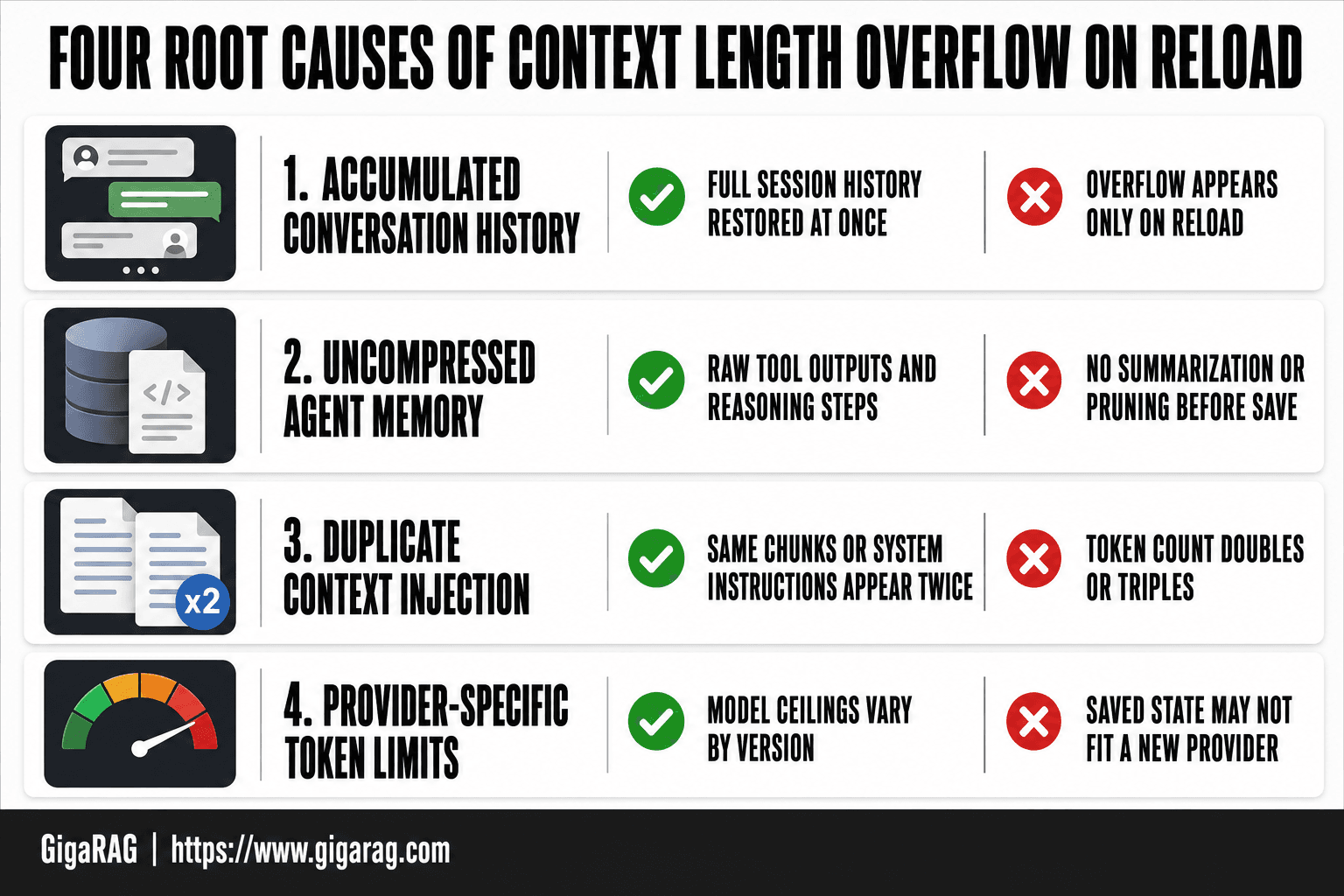
The error doesn't come from one place. Four distinct causes produce it, and your fix depends on which one you're hitting.
Accumulated conversation or session history
Every turn you store adds tokens. A session that ran fine for 20 messages may hold 15,000 tokens of history. Reload restores all of it at once. Nothing was trimmed during the original session because you never hit the limit live. The overflow only appears when the full history gets injected in a single request.
Uncompressed agent memory
Agents often persist raw memory: tool outputs, retrieved chunks, intermediate reasoning steps. None of it gets summarized or pruned before save. On reload, that uncompressed memory lands in the prompt alongside the system message and new input. The total exceeds the window even though the live session never did.
Duplicate context injection on reload
This is the sneaky one. Your reload logic may inject context twice: once from the saved state, once from a re-run retrieval or initialization step. The same document chunks or system instructions appear in the prompt two or three times. Token count doubles or triples without any new information. You're not over the limit because of too much history. You're over because of redundant copies.
Provider-specific token limits
Not all models have the same ceiling. GPT-4o supports 128k tokens. Claude 3.5 Sonnet supports 200k. Older models sit at 4k or 8k. If you built and tested on one provider, then switched or upgraded, your saved state may fit the old window but not the new one. Check the model's documented context length before assuming your code is broken.
[!tip] For agent memory builders: reserve a fixed token budget for the response and system prompt before assembling history, so reload logic never consumes the entire window. Track that budget as a constant in your code rather than a magic number scattered across the pipeline.
Maximum Context Length Exceeded On Reload: A Step-by-Step Guide
- Reproduce the error by reloading the exact session or agent state that failed.
- Log the full payload sent to the model and count its tokens with the model's tokenizer.
- Compare the token count against the model's documented context window limit.
- Identify what grows on reload: chat history, retrieved documents, tool outputs, or system prompts.
- Check whether the reload path re-appends history that was already present before the reload.
- Apply one strategy: truncate, summarize, or switch to selective retrieval on reload.
- Re-test the reload and confirm the payload stays under the limit with headroom.
How to Diagnose the Error in Your RAG Pipeline or Agent
You can't fix what you haven't measured. Before changing any code, run through these four checks in order. Each one narrows the cause.
Step 1: Log token counts before and after reload
Count tokens at three points: before save, at reload, and after context assembly. Most providers return usage data in the API response. If yours doesn't, use a tokenizer like tiktoken for OpenAI models or the provider's own counting tool. The gap between "before save" and "after reload" tells you whether the overflow comes from restored state or from something added during reload. A jump of 2x or 3x points to duplication, not accumulation.
Step 2: Inspect what state is being restored
Dump the restored prompt to a file. Read it. You're looking for raw tool outputs, retrieved chunks, or intermediate reasoning that should have been summarized but wasn't. If the restored state contains full document text instead of embeddings or summaries, that's your leak.
Step 3: Check for duplicate or redundant context
Search the assembled prompt for repeated blocks. Same system message twice? Same retrieved chunk in two places? Duplicate context is the most common reload-specific cause and the easiest to miss because each individual injection looks correct.
Step 4: Identify the provider's hard limit
Check the documented context window for the exact model you're calling. Not the model family. The specific version. A saved state that fit GPT-4o's 128k window won't fit a 32k variant. If your token count is under the documented limit but you still get the error, check for overhead: system prompts, tool schemas, and formatting tokens all count against the window.
Context Management Strategies to Prevent the Error
Diagnosis tells you where the overflow came from. The fix is architectural: stop reloading raw history. Four strategies do that, each with a different trade-off.
Summarization of older context
Replace old messages with a compressed summary before saving state. Instead of storing 40 turns of conversation, store the last 5 turns plus a 200-word summary of everything before. On reload, the summary occupies a fixed token budget regardless of session length. The catch: summarization loses detail. Specific numbers, code snippets, and exact user phrasing get flattened. Use it for conversation history and tool output, not for retrieved document chunks where precision matters.
Sliding window context
Keep only the most recent N tokens and drop everything older. Simple to implement, predictable memory use, zero summarization cost. The trade-off is total amnesia beyond the window. An agent that needs to recall a user preference from 50 turns ago won't find it. Sliding windows work for short sessions or stateless pipelines. They fail for long-running agents.
Vector memory for long-term recall
Store past context as embeddings in a vector database. On reload, retrieve only the chunks relevant to the current query. This decouples memory size from context size: you can store a million tokens of history and load 2k of relevant ones. The cost is retrieval latency and relevance risk. Retrieved chunks may miss what the current turn actually needs. Vector memory suits agents with long lifespans and sparse recall patterns.
Context compression techniques
Compress prompts before sending: strip whitespace, shorten system prompts, deduplicate repeated instructions, or use a smaller model to rewrite verbose context into dense form. Compression buys back 10-30% of your window without changing what the model sees semantically. The risk is subtle: aggressive compression can alter meaning or remove formatting the model relied on. Test compressed prompts against your eval set before deploying.
What You Cannot Do: Honest Limitations of Context Management
Context management buys you headroom. It does not buy you infinite memory. Every strategy trades something away.
Why you cannot just increase the context window
Bigger windows cost more per call and slow inference. A 1M-token window does not mean the model attends to all 1M tokens equally. Recall degrades in the middle of long contexts. You still hit a limit, just later and at higher cost.
Trade-offs of summarization and compression
Summarization flattens detail. Exact numbers, code, and user phrasing get lost. Compression can alter meaning if pushed too hard. Both are lossy. Use them for conversational history, never for retrieved evidence where precision matters.
Latency and cost implications of vector memory
Vector memory adds a retrieval step to every reload. That is extra latency: tens to hundreds of milliseconds per query. Embedding storage and search also add infrastructure cost. You trade token budget for time and money. The honest answer is that no strategy removes the ceiling. You choose which resource to spend.
Common Mistakes When Fixing Maximum Context Length Exceeded on Reload
Most failed fixes come from treating the symptom, not the reload path. Here are the three mistakes I see repeatedly.
Blind truncation
Chopping the oldest messages until the token count fits feels decisive. It isn't. You lose the system prompt's position, user preferences, or the exact instruction that made the session work. Truncate with a rule: keep the system prompt intact, keep the last N turns, and cut only the middle. Blind truncation from the front breaks context silently.
Ignoring system prompt overhead
Your system prompt eats tokens on every reload. A 2,000-token system prompt on a 32k window leaves 30k for everything else. If you reload full history plus that prompt, you overflow faster than you expect. Measure the prompt's token cost first. Trim it before touching conversation history.
Not testing reload scenarios
You test the happy path: fresh session, short history. Then production reloads a week-old session and dies. Test reload with maximum history, duplicate injections, and a cold start. The error only shows up under load. Maximum context length exceeded on reload is a capacity problem with an architectural fix. Measure what you restore, stop reloading raw history, and test the reload path before it fails in production.
Frequently Asked Questions
Why does the error only appear on reload and not during the original session?
During the original session, context is built incrementally and may stay under the limit. On reload, the system often re-appends the full stored history, retrieved documents, or tool outputs at once, producing a larger payload than the model accepts.
Is 'maximum context length exceeded' a bug in the model or in my code?
It is a model and API constraint, not a model bug. Whether it is a code issue depends on your reload logic: if you re-send history that was already counted or fail to trim retrieved content, the overflow is a design problem in your pipeline.
How do I count tokens before sending a request?
Use the tokenizer that matches your model, or a token-counting endpoint if your provider offers one. Count the system prompt, conversation history, retrieved chunks, tool outputs, and your expected response length together, since they all share the same context window.
Should I truncate old messages or summarize them?
Truncation is simpler and predictable but loses information outright. Summarization preserves the gist of older turns at the cost of an extra model call and some fidelity. Many production systems combine both: summarize older history and truncate the oldest raw turns.
Can I just increase the context window to fix this?
You can switch to a model with a larger context window, but that raises cost and latency and does not remove the underlying problem. Context windows are finite, so any system that grows context on every reload will eventually hit the limit again.
What is the best way to prevent this error from recurring?
Treat context as a managed budget: cap history length, summarize or evict old turns, retrieve only relevant chunks on reload, and reserve headroom for the response. Add a pre-send token check that fails fast with a clear log instead of letting the API reject the request.
About GigaRAG
GigaRAG is for agent memory and RAG pipeline builders. get this right. Whether you are working through maximum context length exceeded on reload or something adjacent, we publish what we have actually tested, including where it falls short.


