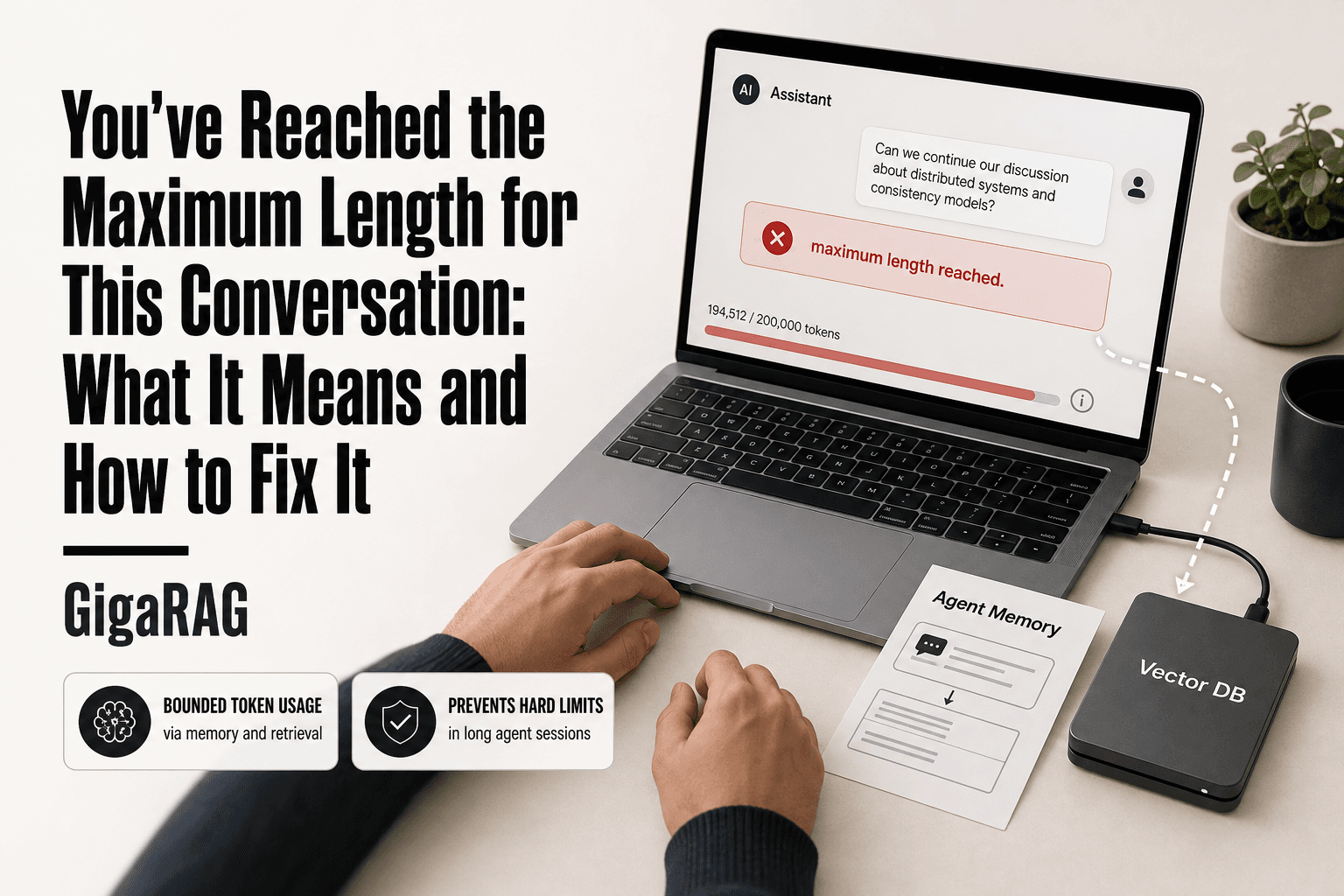
You've Reached the Maximum Length for This Conversation: What It Means and How to Fix It
You've reached the maximum length for this conversation. If you build AI agents, you've seen it: the agent is mid-task, the user is waiting, and then the error appears with no explanation and no obvious fix. It feels like a bug. It isn't. Every LLM has a finite context window, a hard token budget that conversation history, system prompts, tool outputs, and retrieved context all draw from. When the sum exceeds it, the agent fails. That's the whole story, and most forum posts never get past reporting the symptom.
What they skip is the fix. You can't just raise a limit and call it done. You need to change where conversation state lives. Agent memory and RAG pipelines, the architecture GigaRAG is built around, move history and knowledge out of the context window and retrieve only what's relevant. That's the difference between a settings tweak and a real solution.
This guide covers the mechanics behind the error, the workarounds that buy you time, and the architecture patterns that prevent it for good.
| At a glance | Details |
|---|---|
| What it is | Context window overflow, not a bug |
| Root cause | Token count exceeds model's context limit |
| Who hits it | Long chats and agent pipelines |
| Quick fix | Start a new conversation or summarize |
| Real fix | Agent memory architecture and RAG |
| Key constraint | Context windows are finite; cannot grow infinitely |
In This Guide
- What Causes "You've Reached the Maximum Length for This Conversation"?
- Naive Full-Context vs. Memory-Architected Agents
- Token Limits and Context Windows: The Mechanics Behind the Error
- You've Reached The Maximum Length For This Conversation: A Step-by-Step Guide
- Why Agent Memory and RAG Pipelines Prevent This Error
- Practical Workarounds When You Hit the Limit
- Common Mistakes When Dealing with Conversation Length Limits
- How to Architect Around the Limit: A Practical Checklist
What Causes "You've Reached the Maximum Length for This Conversation"?
The error appears when the total tokens in your conversation exceed the model's context window, not when you've sent too many messages. Every LLM has a finite token budget. When the combined context exceeds the model or platform's supported limit, the request can fail or be rejected.
Token limits vs. context windows: what actually fills up
A token limit can refer to a limit on the tokens accepted or generated in a request. A context window is the total amount of context a model can handle for a request. The error fires when the second one overflows. Your conversation isn't too long in messages. It's too long in tokens.
How conversation history silently consumes your token budget
In a full-history approach, previous messages are included again with subsequent turns. A 50-message conversation doesn't cost 50 messages of tokens. It costs the sum of all previous messages, every time. The model processes whatever conversation history the application includes in each request. That's why the error appears suddenly, even when your last message was short.
Why tool outputs and retrieved context make it worse
Agents add more than chat. Tool outputs, retrieved documents, and system prompts all sit inside the context window. A single RAG retrieval can inject thousands of tokens. Repeatedly injecting large tool outputs or retrieved context across turns can consume the available context quickly. The error isn't a bug. It's the model telling you the working memory is full.
[!note]
The 'maximum length' error is not a platform bug; it occurs when the request's context and output requirements exceed the model or platform's supported limits, which varies by model and provider.
Naive Full-Context vs. Memory-Architected Agents
| Factor | Naive Full-Context | Memory-Architected |
|---|---|---|
| Token usage | Grows linearly with turns | Bounded via summarization and retrieval |
| Error risk | Hits max length mid-conversation | Rarely hits hard limits |
| Response quality | Degrades as context fills | Maintains relevance via RAG |
| Implementation | Simple, no extra components | Requires memory store and retriever |
| Scalability | Poor for long sessions | Scales to long or multi-session use |
Token Limits and Context Windows: The Mechanics Behind the Error
The error message says "maximum length" but the real limit is token count. A token is a chunk of text the model processes: roughly three-quarters of a word in English. "Conversation" is one token. "Conversational" is two. Code, JSON, and non-English text cost more per character.
What counts as a token in an agent conversation
Everything in the prompt counts. System instructions, conversation history, tool definitions, tool outputs, retrieved documents, and your latest message all become tokens before the model sees them. A 200-word system prompt is about 270 tokens. A single tool output can be thousands.
How context windows work in practice
The model doesn't remember anything between turns. Every request rebuilds the full prompt from scratch. If your context window is 128k tokens, the model can see 128k tokens at once. Exceed that and the request fails. The window is fixed per model. You can't stretch it with settings.
Why the error threshold is lower than the model's max context
The model reserves part of its window for output. If the window is 128k and the model needs 8k for its response, your input budget is 120k. Agents add overhead too: tool schemas, formatting, and hidden system messages eat into the space. You'll hit the error before the advertised maximum.
[!tip] For developers building agents, treat the context window as a cache, not a database: keep only the most relevant recent turns and retrieved facts in-context, and persist everything else externally for retrieval on demand.
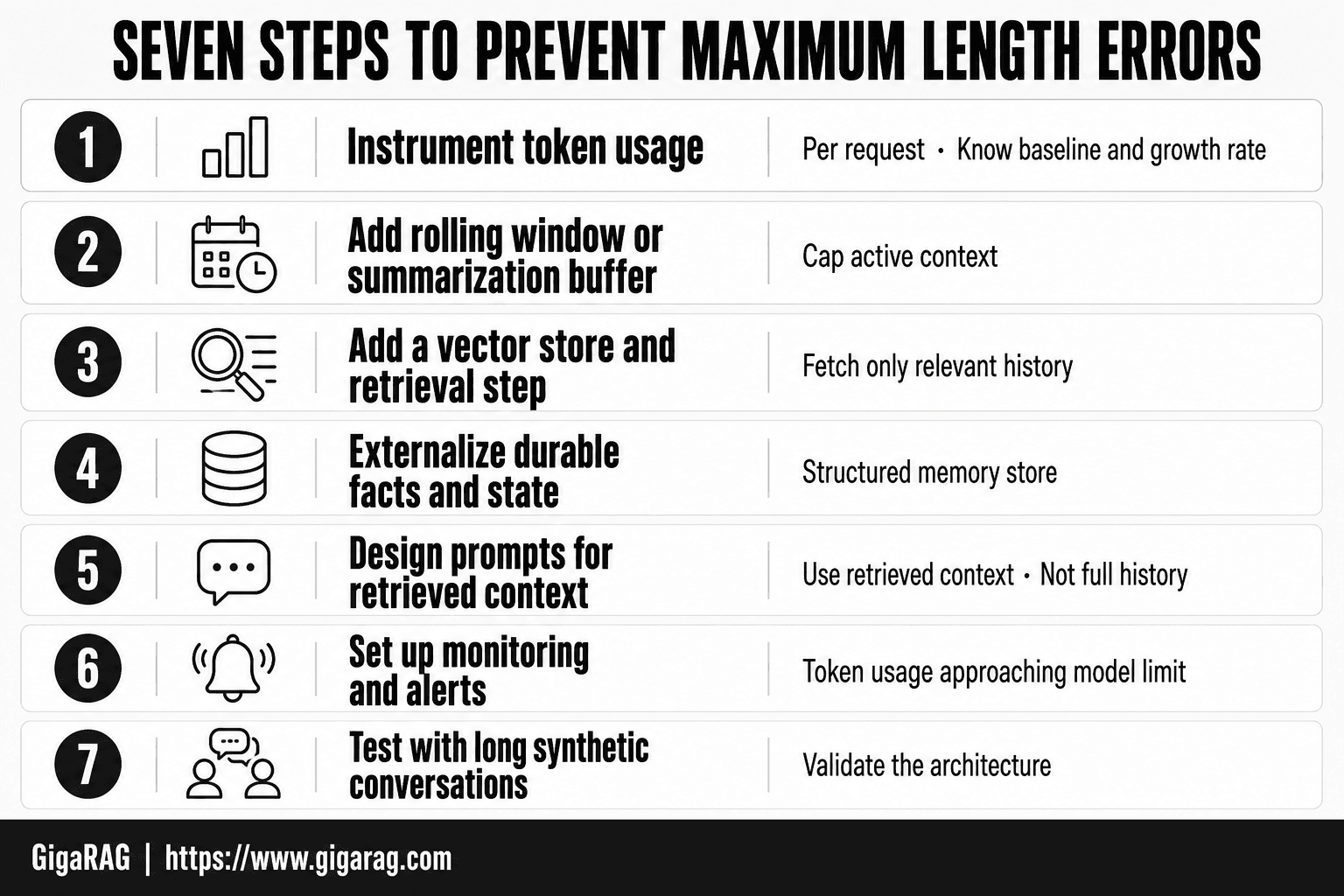
You've Reached The Maximum Length For This Conversation: A Step-by-Step Guide
- Instrument token usage per request to know your baseline and growth rate.
- Implement a rolling window or summarization buffer to cap active context.
- Add a vector store and retrieval step to fetch only relevant history.
- Externalize durable facts and state into a structured memory store.
- Design prompts that instruct the model to use retrieved context, not full history.
- Set up monitoring and alerts for token usage approaching the model's limit.
- Test with long synthetic conversations to validate the architecture.
Why Agent Memory and RAG Pipelines Prevent This Error
The fix isn't a bigger window. It's keeping less in the window. Agent memory and RAG pipelines move conversation history and knowledge out of the prompt and into external storage, then retrieve only what the current turn actually needs.
How agent memory offloads conversation history
Instead of replaying every message, the agent writes each turn to a database. When you ask a follow-up, it pulls the last few turns plus a summary of everything before. The old history stays out of the token budget. You lose some detail, but you stop hitting the wall.
How RAG retrieves relevant context instead of loading everything
RAG splits your knowledge base into chunks, embeds them, and stores the vectors. At query time it searches for the closest matches and injects only those. A 10,000-document knowledge base costs a few hundred tokens per turn, not millions. The tradeoff: retrieval can miss context that a full load would catch.
The token budget math: why retrieval beats retention
A 50-turn conversation at 500 tokens per turn is 25,000 tokens. Add a 2,000-token system prompt and you're at 27,000 before tool outputs. Retrieval cuts that to the last 3 turns plus a 300-token summary: roughly 2,000 tokens. You trade completeness for headroom. For long-running agents, that's the only trade that keeps them running.
Practical Workarounds When You Hit the Limit
These workarounds buy you time. They don't fix the architecture. Use them while you build the memory layer properly.
Start a new session and carry over a summary
The fastest fix is to stop feeding the old conversation to the model. Copy the last few messages, write a 200-300 token summary of what's been decided, and paste it into a new session as the first message. You lose the verbatim history. You keep the context that matters.
This works because a fresh session starts with a clean token budget. The summary costs a few hundred tokens instead of tens of thousands. The catch: you're the one writing the summary, and you'll miss details the agent would have caught.
Prune or compress conversation history
If you control the agent code, add a summarization step. When the conversation passes a threshold, say 70% of the context window, compress everything before the last 5 turns into a summary. Store the summary, drop the raw messages.
You can do this with a second LLM call or a simple truncation rule. Summarization preserves meaning but loses exact wording, numbers, and code snippets. Truncation is cheaper but dumber: it just cuts the oldest messages and hopes nothing important was in them.
Reduce tool output and retrieved context size
Tool outputs are the silent budget killer. A web scrape returning 8,000 tokens of HTML eats a third of your window in one call. Cap tool output at 500-1,000 tokens. Truncate retrieved chunks to the top 3 results instead of top 10.
The honest tradeoff: smaller outputs mean the agent sometimes lacks the detail it needs. You'll see more "I don't have that information" responses. That's the cost of staying under the limit without real memory architecture.
Common Mistakes When Dealing with Conversation Length Limits
The workarounds above keep you running. The mistakes below keep you stuck.
Assuming a bigger context window solves everything
A 1M-token window doesn't fix the problem. It postpones it. Conversation history grows to fill whatever budget you give it, and the error returns at a higher cost. Longer contexts also degrade retrieval quality and slow every response.
Ignoring the problem until production fails
Testing with 10-turn conversations won't catch it. Users run 50 turns. Then the error hits live traffic, and you're debugging an opaque failure under pressure. Build the memory layer before you need it.
Relying on platform-specific settings instead of architecture
Tweaking a ChatGPT or Claude setting is a patch, not a fix. The moment you switch models or platforms, the setting disappears. The token budget is a property of the model, not the UI. Architecture travels. Settings don't.
How to Architect Around the Limit: A Practical Checklist
The workarounds keep you running. This checklist keeps you from hitting the wall at all.
Audit where your tokens actually go
You can't fix what you don't measure. Log the token count of every component before it enters the context window: system prompt, conversation history, tool outputs, retrieved chunks. Most developers are surprised to find their system prompt eats 20% of the budget and tool outputs eat another 30%. That's half your window gone before the model thinks a single thought.
Implement conversation summarization
Summarize older turns and replace the raw history with the summary. A rolling window works: keep the last 10 turns verbatim, compress everything before that into a 200-token digest. The model keeps recent detail and loses distant noise. You lose some fidelity. You gain a conversation that doesn't end.
Add retrieval-based memory with a vector store
Store conversation turns and domain knowledge as embeddings in a vector database. When the agent needs context, retrieve the top-k relevant chunks instead of loading everything. This is the RAG pattern applied to memory. The token budget stops scaling with conversation length and starts scaling with relevance. GigaRAG handles this out of the box: it embeds conversation history, retrieves what matters, and keeps the context window lean without you writing the plumbing.
Test with realistic multi-turn conversations
Run 50-turn simulations. Not 10. Include tool calls, long user inputs, and retrieved context in every test. Measure the token count at turn 50, not turn 5. If you pass at 50, you have headroom. If you fail, you found it before your users did.
You've reached the maximum length for this conversation. Now you know why it happens, what buys you time, and what actually fixes it. The error isn't a mystery. It's a budget problem, and budgets respond to architecture.
Frequently Asked Questions
Why does ChatGPT say you've reached the maximum length for this conversation?
ChatGPT enforces a maximum context window measured in tokens. When your conversation history plus the model's response would exceed that limit, it stops and shows this message. It is a hard constraint of the underlying model, not an error in your usage.
Can I increase the maximum conversation length?
You cannot increase it beyond the model's fixed context window. Some platforms offer higher limits on paid tiers or with different models, but the limit is always finite. The practical solution is to manage context through summarization or retrieval.
What is a token and how does it relate to the limit?
A token is a piece of text, roughly 4 characters or 0.75 words in English. The context window is measured in tokens, and both your input and the model's output count toward it. Longer conversations accumulate more tokens until the limit is reached.
How do I fix the 'maximum length' error in my own agent?
Implement a memory architecture: summarize or truncate old turns, store long-term facts in a vector database, and retrieve only relevant context per query. This keeps token usage bounded while preserving important information.
Does starting a new conversation lose all context?
Yes, starting a new conversation typically resets the context window, so the model forgets previous turns. To preserve continuity, you need an external memory system that can re-inject key facts into the new conversation.
What is the difference between context window and memory in AI agents?
The context window is the model's short-term working memory for a single request, limited by tokens. Agent memory is an external system (like a database or vector store) that persists information across requests and retrieves it as needed.
Are there models with unlimited context?
No, all current models have a finite context window, though sizes vary widely. Some techniques like sparse attention or retrieval can extend effective context, but they do not remove the fundamental limit.
About GigaRAG
GigaRAG is for agent memory and RAG pipeline builders. get this right. Whether you are working through you've reached the maximum length for this conversation( agent limit issue) or something adjacent, we publish what we have actually tested, including where it falls short.


