How to Use One MCP Memory Server Across Multiple Clients
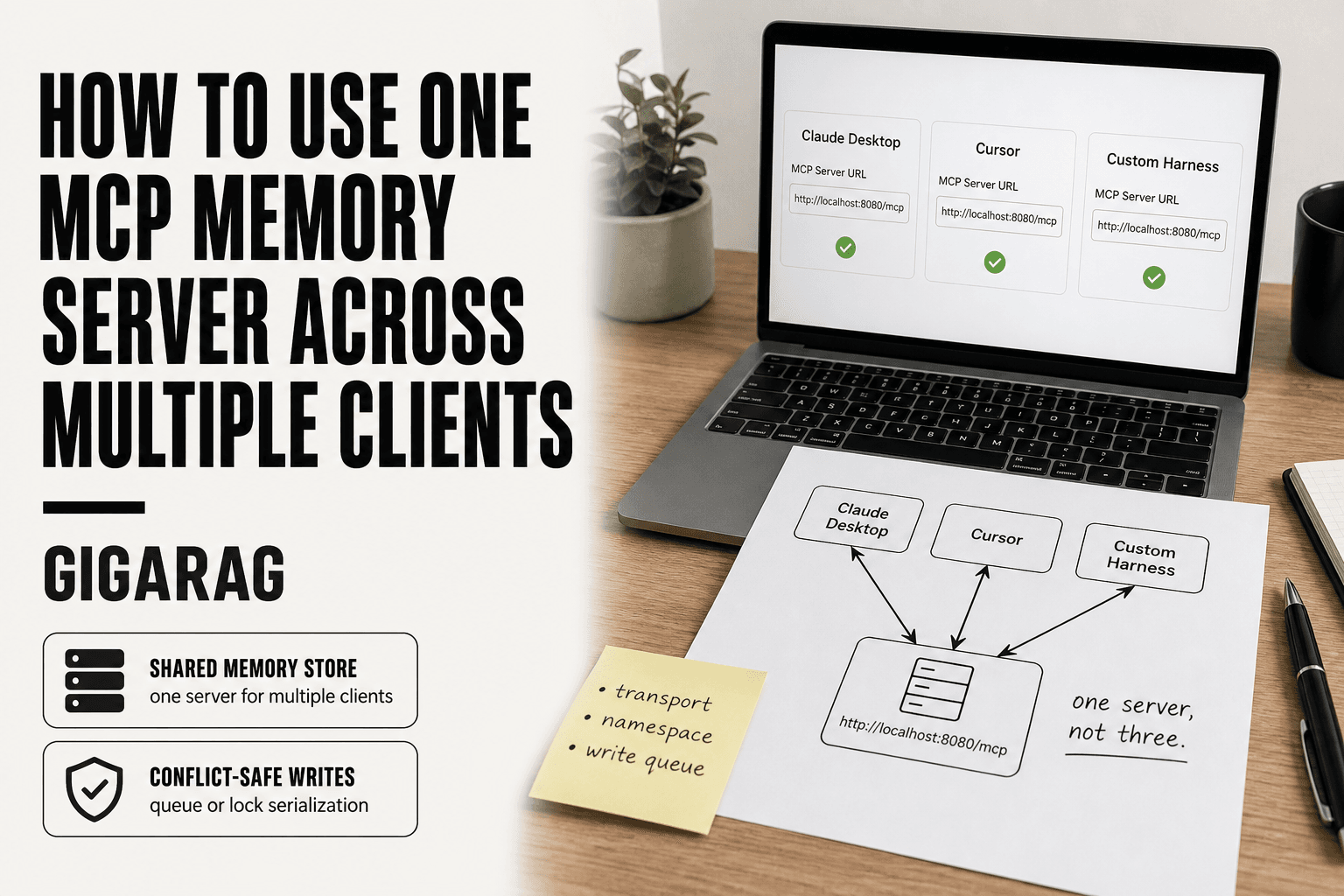
You've built a memory server that works, and now every client wants its own instance. Claude Desktop needs one. Cursor needs another. Your custom agent harness needs a third. That's three servers to run, three stores to keep in sync, and three failure points you didn't ask for. The fix is straightforward: run one MCP memory server and point every client at it.
Here's the catch. MCP gives you a clean protocol for sharing memory, but it doesn't give you multi-writer coordination. Simultaneous writes from two clients can clobber each other, and no amount of configuration changes that. GigaRAG's agent memory layer is built for exactly this multi-client scenario, but the honest answer is that even a well-designed server needs namespacing and a conflict strategy to work safely.
This guide covers what an MCP memory server actually does, how to deploy one with a network-ready transport, how to configure Claude Desktop, Cursor, and custom agents against the same server, and how to handle write conflicts without losing data.
| At a glance | Details |
|---|---|
| Core idea | One server, many clients, shared store |
| Transport | HTTP/SSE for remote, stdio for local |
| Main risk | Concurrent writes without locking |
| Fix | Serialize writes via queue or lock |
| Client config | Each client points to same URL |
| Best for | Read-heavy, low-contention memory use |
In This Guide
- What an MCP Memory Server Does (and What It Doesn't)
- Local stdio MCP Server vs Shared HTTP/SSE MCP Server
- Prerequisites for Sharing One MCP Memory Server
- How To Use One Mcp Memory Server Across Multiple Clients: A Step-by-Step Guide
- Step 1: Deploy Your MCP Memory Server with a Network-Ready Transport
- Step 2: Configure Each Client to Point at the Same Server
- Step 3: Namespace Your Memory to Avoid Cross-Client Collisions
- Handling Write Conflicts and Synchronization Limits
- Common Mistakes When Using One MCP Memory Server Across Multiple Clients
- When One Shared Memory Server Is the Wrong Choice
- Final Thoughts on Shared MCP Memory
What an MCP Memory Server Does (and What It Doesn't)
An MCP memory server is a persistent store exposed through the Model Context Protocol. Clients connect to it, then read and write memory using MCP primitives. That's the whole job.
MCP primitives relevant to memory: resources, tools, prompts
Three primitives matter here. Resources expose data as URIs a client can read. Tools let a client perform actions, like storing a fact or querying a vector index. Prompts are templates the server hands back for reuse. Memory servers lean on tools and resources most.
What "memory" means in an MCP context
Memory is just data that survives between sessions. It can be key-value pairs, embeddings in a vector store, or plain text. The server doesn't reason about it. It stores and retrieves.
What a single server cannot do: no built-in multi-writer coordination
The honest catch: MCP defines no locking, no transactions, no conflict resolution. Two clients writing at once can overwrite each other. You handle coordination yourself.
[!note] MCP itself does not provide cross-client write locking; simultaneous writes from multiple clients to the same memory store can overwrite or corrupt entries unless you add external serialization (a queue, lock, or single-writer service).
Local stdio MCP Server vs Shared HTTP/SSE MCP Server
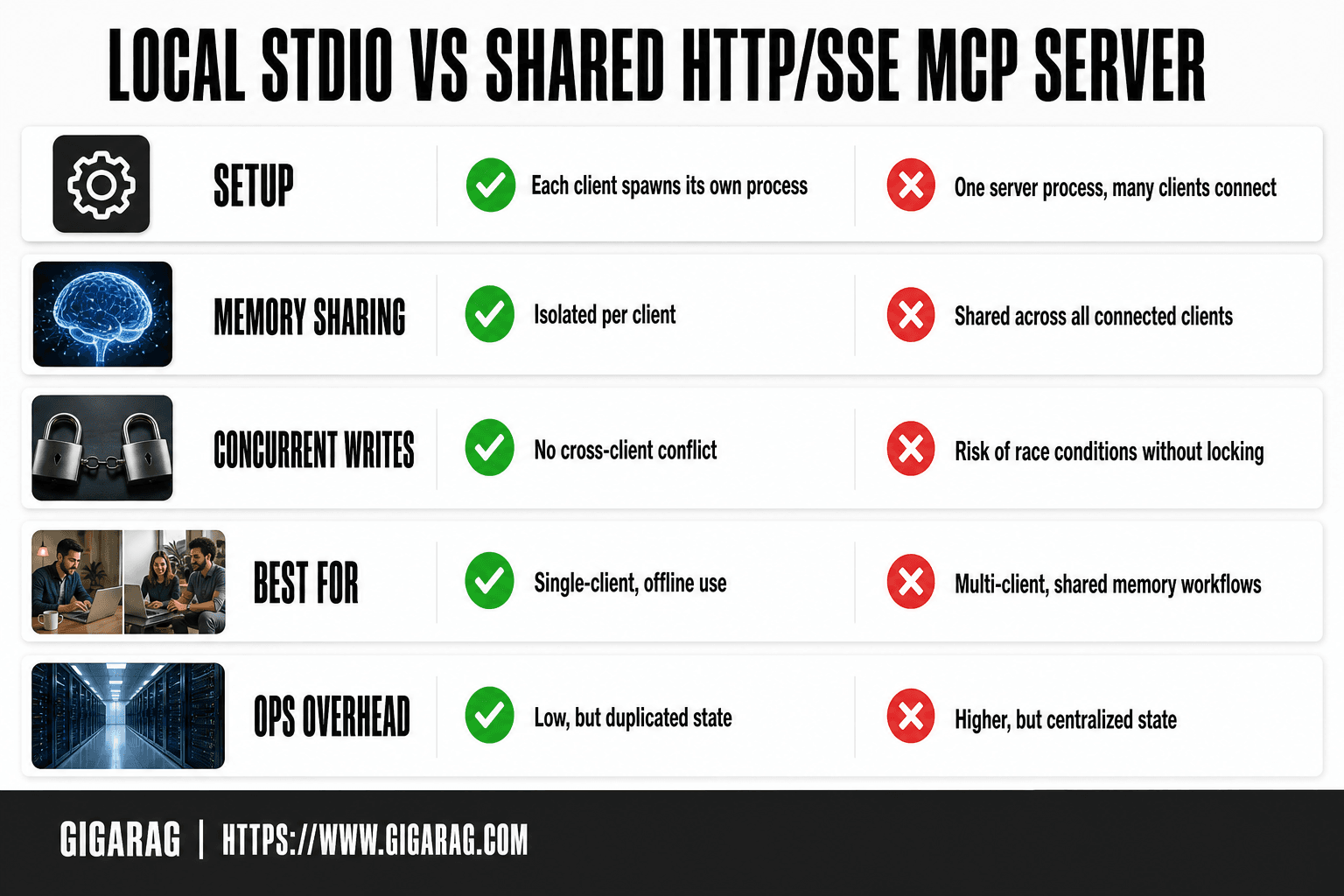
| Factor | Local stdio (per-client) | Shared HTTP/SSE (one server) |
|---|---|---|
| Setup | Each client spawns its own process | One server process, many clients connect |
| Memory sharing | Isolated per client | Shared across all connected clients |
| Concurrent writes | No cross-client conflict | Risk of race conditions without locking |
| Best for | Single-client, offline use | Multi-client, shared memory workflows |
| Ops overhead | Low, but duplicated state | Higher, but centralized state |
Prerequisites for Sharing One MCP Memory Server
You need three things before you start: a running memory server, a transport that accepts multiple connections, and config file access on every client.
Choose a transport: why stdio won't work for multiple clients
stdio is a single pipe between one client and one server process. It can't accept a second connection. Use SSE or streamable HTTP instead.
Server requirements: persistent storage and a stable URL
Storage must survive restarts. The URL must not change, or every client config breaks.
Client prerequisites: config file access for each client
You need write access to each client's config file. Claude Desktop, Cursor, and custom harnesses each store their MCP server list in a different place.
[!tip] For agent memory builders: keep writes funneled through one 'writer' client or a lightweight queue service, and let other clients be read-only — this avoids most conflict scenarios without complex locking.
How To Use One Mcp Memory Server Across Multiple Clients: A Step-by-Step Guide
- Choose a memory MCP server implementation that supports HTTP or SSE transport (not stdio-only).
- Run the server once on a host reachable by all clients, binding to a known port.
- Point each client's MCP config at the same server URL instead of spawning a local process.
- Verify each client can read and write by adding and retrieving a test memory entry.
- Add a write-serialization layer (queue or lock) if more than one client will write.
- Monitor for conflicts and define a merge or last-write-wins policy for your use case.
Step 1: Deploy Your MCP Memory Server with a Network-Ready Transport
stdio won't work here. You need a transport that listens on a network port and accepts many connections at once. That means SSE or streamable HTTP.
Choosing between SSE and streamable HTTP
SSE is older and simpler: the server pushes events over a long-lived HTTP connection. Streamable HTTP is the newer MCP transport, and it handles reconnects and dropped connections better. For a shared memory server, pick streamable HTTP if your server supports it. If not, SSE works.
Minimal deployment example
Deploy the server to any host that gives you a stable URL. Render, Fly.io, or a small VPS all work. The key part is the transport flag:
mcp-memory-server --transport streamable-http --port 8080
Point every client at https://your-server.example.com/mcp. Don't use localhost. Localhost only works for clients on the same machine.
Security: authentication and access control
A network-exposed memory server is a target. Anyone who can reach the URL can read and write your agents' memory. Put it behind authentication before you connect a single client. A reverse proxy with an API key check is the minimum. If your server supports OAuth or token auth, use it. Don't ship a bare server on the open internet.
Step 2: Configure Each Client to Point at the Same Server
To share one MCP memory server, point every client at the same URL using the same transport. Each client needs a config entry that specifies the server's streamable HTTP or SSE endpoint. The snippets below show the exact format for Claude Desktop, Cursor, and a custom harness.
Claude Desktop configuration example
Claude Desktop reads MCP servers from claude_desktop_config.json. Add your memory server under the mcpServers key:
{
  "mcpServers": {
    "shared-memory": {
      "url": "https://your-server.example.com/mcp",
      "transport": "streamable-http"
    }
  }
}
Restart Claude Desktop after saving. The server appears in the tools list as shared-memory.
Cursor configuration example
Cursor uses a .cursor/mcp.json file in your project root. The format is close to Claude Desktop's, but the transport field is optional if your server uses the default:
{
  "mcpServers": {
    "shared-memory": {
      "url": "https://your-server.example.com/mcp"
    }
  }
}
Cursor picks up the file on reload. If your server uses SSE instead of streamable HTTP, add "transport": "sse" explicitly.
Custom agent harness configuration example
For a custom harness, you configure the MCP client library directly. The Python SDK example:
from mcp import ClientSession, StreamableHttpTransport

transport = StreamableHttpTransport("https://your-server.example.com/mcp")
session = await ClientSession.connect(transport)
The client library handles reconnects, but you still need to handle auth headers yourself. Pass them in the transport constructor if your server requires an API key.
Step 3: Namespace Your Memory to Avoid Cross-Client Collisions
Two clients writing to the same memory key will overwrite each other. That's not a bug. It's what happens when you share a store without partitioning it. Namespacing fixes this by giving each client its own address space.
Why namespacing matters with multiple clients
Claude Desktop and Cursor don't know about each other. If both store a note under user_preferences, the second write clobbers the first. You lose data silently. Namespaces prevent that by making keys unique per client.
Implementation patterns: prefixes, collections, or scopes
Three patterns work. Prefixes are simplest: claude:user_preferences and cursor:user_preferences live side by side. Collections give you stronger isolation if your server supports them. Scopes work when the server enforces access rules per client ID.
Example namespace scheme for agent memory
Use the client name as the prefix. claude:, cursor:, harness:. Shared memory gets a shared: prefix that all clients can read but only one designated writer can update. That keeps common context available without letting everyone edit it.
Handling Write Conflicts and Synchronization Limits
Namespacing stops accidental overwrites. It does not stop two clients from writing to the same key at the same moment. Most MCP memory servers have no built-in multi-writer coordination. The last write wins, and the earlier write is gone.
What breaks with simultaneous writes
Two clients read the same value, modify it, and write back. One update is lost. There's no merge, no conflict flag, no error. The server just stores whichever write arrived last. If your agents update shared state frequently, you'll lose data without knowing it.
Mitigation 1: last-write-wins with versioning
Accept the race but make it visible. Store a version field with every record. Clients read the version before writing and include it in the update. If the version changed since the read, the write fails and the client retries. This doesn't prevent conflicts. It makes them detectable.
Mitigation 2: external queue or lock service
Put a queue in front of the memory server. Clients send writes to the queue, and a single worker applies them in order. Redis, SQS, or a simple database table all work. The memory server stays single-writer. You trade latency for safety.
Mitigation 3: read-only shared memory
The simplest fix: designate one writer. All other clients get read-only access. They can query memory but not modify it. This works when one agent owns the memory and others just need context. It removes write conflicts entirely.
Common Mistakes When Using One MCP Memory Server Across Multiple Clients
Most multi-client failures come down to four setup errors. Each one looks fine in a single-client test and breaks the moment a second client connects.
Using stdio transport for multiple clients
stdio is a pipe between one process and one client. It cannot accept a second connection. If your server only speaks stdio, every new client needs its own instance. You've rebuilt the problem you were trying to solve.
Skipping authentication on a shared server
A memory server on a public URL without auth is an open database. Anyone who finds the endpoint can read or write agent memory. Add a token or API key before you expose it beyond localhost.
Assuming writes are atomic
Read-modify-write is not atomic on most MCP memory servers. Two clients can read the same value, change it, and write back. One update disappears. If your agents update shared state, you need versioning or a queue.
Ignoring schema drift across clients
Client A stores memory as {"key": "value"}. Client B stores {"key": {"value": "x", "timestamp": 123}}. Both write to the same namespace. Queries break. Define a schema before you connect the second client, or give each client its own collection.
When One Shared Memory Server Is the Wrong Choice
A single server works when clients mostly read, or write to separate namespaces. It breaks when they contend for the same data.
High-frequency concurrent writes
Two agents updating the same key every second will lose updates. No MCP memory server ships with a write queue. You'll need an external lock service, and at that point a dedicated database per writer is simpler.
Strict data isolation requirements
Compliance rules sometimes demand that one client's memory never touch another's, even at the storage layer. A shared server can't guarantee that. Run separate instances.
Incompatible memory schemas across clients
If one client stores vectors and another stores key-value pairs, forcing both through one schema creates friction. Split them.
Final Thoughts on Shared MCP Memory
One server, many clients: it works. The honest answer is that it works best when you plan for it.
The three decisions that matter are transport, namespacing, and write strategy. Use SSE or streamable HTTP, never stdio. Partition memory by client or agent from day one. Accept that simultaneous writes need a queue, a lock, or a read-only rule.
Write conflicts are real. Don't pretend otherwise.
If you need persistent shared memory across multiple agents without building the coordination layer yourself, GigaRAG's agent memory layer handles namespacing and conflict resolution out of the box. For everyone else, the setup above is how to use one MCP memory server across multiple clients without losing data.
Frequently Asked Questions
Can multiple clients use the same MCP memory server at once?
Yes, if the server uses a network transport like HTTP or SSE and all clients point to the same URL. However, concurrent writes are not safely handled by default and need external serialization.
How do I host an MCP memory server for free?
You can run it locally on your machine or on a free-tier cloud host that supports long-running processes. The exact options depend on the server implementation you choose.
What is the best MCP memory server for multiple clients?
The best choice is one that supports HTTP/SSE transport and a persistent shared store (e.g., SQLite or a database). Evaluate based on your client compatibility and whether you need write locking.
How do I configure Claude Desktop to use a shared MCP memory server?
In Claude Desktop's MCP config, specify the server with a URL-based transport instead of a command. The exact JSON keys depend on the server, so check its documentation for the correct fields.
What happens if two clients write to the same memory at the same time?
Without locking, you risk lost updates, duplicate entries, or corrupted state. Use a queue, a lock, or designate a single writer client to prevent this.
Can I use a local memory MCP server with remote clients?
Only if the server is reachable over the network (e.g., via a tunnel or by binding to a non-localhost interface). Stdio-based servers are not accessible to remote clients.
How do I resolve conflicts when multiple clients write to shared memory?
Define a policy: last-write-wins, versioned entries with merge, or a single-writer queue. The right choice depends on whether your data is append-only or mutable.
About GigaRAG
GigaRAG helps GigaRAG is for agent memory and RAG pipeline builders. get this right. Whether you are working through How to Use One MCP Memory Server Across Multiple Clients or something adjacent, we publish what we have actually tested, including where it falls short.


