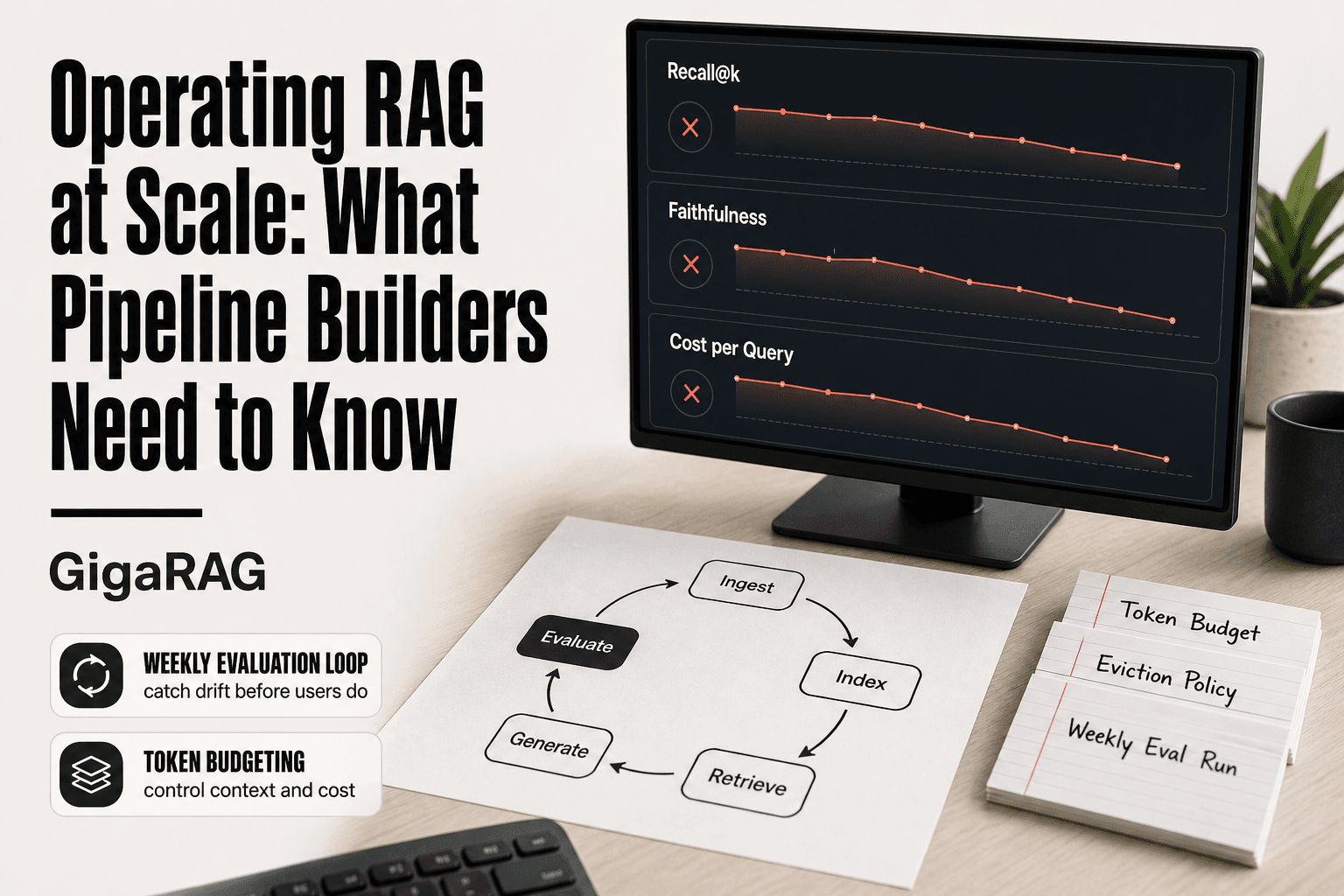
Operating RAG at Scale: What Pipeline Builders Need to Know
Operating RAG at scale is the work most pipeline builders sign up for after the demo works. You've built the retrieval loop, wired it to an agent, and watched it answer three questions correctly. Then production happens. Memory drifts, retrieval quality decays without warning, and token costs climb with every query. Most RAG content stops at "add a vector database and call it a day." That advice breaks the moment you run multi-turn agents against a corpus that changes weekly.
The honest answer is that operating RAG at scale is an engineering discipline, not a feature. It means owning the full lifecycle: ingestion, indexing, retrieval, generation, evaluation, and iteration. It means measuring what breaks before your users do. GigaRAG was built for exactly this, but this guide is not a product pitch. It's a vendor-neutral operating playbook for the parts no one writes about: agent memory management, evaluation loops you can actually run, and cost levers that survive query volume.
| At a glance | Details |
|---|---|
| Core challenge | Memory drift, retrieval degradation, runaway token costs |
| Key metrics | Recall@k, faithfulness, answer relevance, latency, cost per query |
| Agent memory | State management, context budgeting, eviction strategies |
| Cost drivers | Token usage, retrieval calls, context window size |
| Common pitfall | Scaling retrieval does not eliminate hallucination |
| Evaluation loop | Offline benchmarks, online monitoring, continuous feedback |
In This Guide
- What Does Operating RAG at Scale Actually Mean?
- Naive RAG vs. Production-Grade RAG at Scale
- The Hard Parts of Operating RAG at Scale
- Operating Rag At Scale: A Step-by-Step Guide
- Agent Memory: The Missing Layer in Most RAG Systems
- How to Evaluate a RAG System Before It Fails in Production
- Cost Optimization for Operating RAG at Scale
- Deployment Patterns That Hold Up Under Load
- Common Mistakes When Operating RAG at Scale
- Is ChatGPT a RAG Model? And Other Misconceptions
- A Practical Operating Checklist for RAG Pipeline Builders
What Does Operating RAG at Scale Actually Mean?
RAG is a pipeline that retrieves relevant text from a knowledge base and feeds it into a language model so the model answers from evidence instead of memory alone. Operating it at scale means running that pipeline continuously, with real users, real latency budgets, and real money on the line.
RAG in one paragraph
Retrieval-augmented generation splits the answer into two steps. First, a retriever searches your documents for passages relevant to the query. Second, a generator (an LLM) reads those passages plus the query and writes an answer grounded in what it retrieved. The point is not fancier output. It's that the model cites your data instead of guessing. That works until your corpus grows, your query volume spikes, or your agents start holding multi-turn conversations. Then it's an operating problem.
What "at scale" means for pipeline builders
Scale is not one number. It's four constraints at once. Query volume: hundreds of requests per second, not a demo script. Corpus size: millions of chunks, not a folder of PDFs. Latency budget: sub-second retrieval plus generation, because users wait. Team size: one or two engineers maintaining it, not a research lab. When any two of those tighten, the naive pipeline breaks.
The operating lifecycle: ingest → index → retrieve → generate → evaluate
The pipeline is a loop, not a line. You ingest source documents, chunk them, and embed them into an index. At query time you retrieve candidates, optionally rerank, then generate. The step most teams skip is evaluation: measuring whether retrieval found the right passages and whether generation stayed faithful to them. Skip it, and quality degrades silently. Run it weekly, and you catch drift before users do.
[!note] RAG will not fix bad source data; if your knowledge base is outdated or inconsistent, retrieval will surface those flaws. Scaling retrieval does not eliminate hallucination—it only reduces it when combined with strong generation safeguards.
Naive RAG vs. Production-Grade RAG at Scale
| Factor | Naive RAG | Production-Grade RAG |
|---|---|---|
| Memory management | No persistent state; full context each time | Stateful with context budgeting and eviction |
| Evaluation | Manual spot-checks | Automated metrics (recall, faithfulness) + online monitoring |
| Cost control | Unpredictable token usage | Budgeting, caching, and retrieval optimization |
| Failure handling | No fallback; hallucination unchecked | Graceful degradation and guardrails |
| Scalability | Breaks under load; latency spikes | Horizontal scaling with load balancing |
The Hard Parts of Operating RAG at Scale
The lifecycle looks clean on a whiteboard. In production it breaks in four predictable places, and each one fails quietly until a user complains.
Retrieval quality degrades silently
Your index drifts the moment you stop feeding it. New documents arrive, old ones go stale, and the embedding model that worked at launch starts missing queries it used to catch. Nothing alerts you. The system keeps returning results, they're just slightly worse than last week. By the time someone notices, you've been serving degraded answers for days. The fix is not a better model. It's a weekly evaluation run against a fixed query set so you can see the drop before your users do.
Context windows are a finite budget
Every retrieved chunk spends tokens. The generator's context window is the hard ceiling, and you're competing with the system prompt, conversation history, and tool outputs for space. Stuff too many chunks in and the model starts ignoring the middle ones. Stuff too few and you starve it of evidence. There's no universal chunk count. It depends on your chunk size, your model's window, and how much history your agent carries. Budget it explicitly or the model will silently drop the passage that mattered.
Latency compounds across pipeline stages
Retrieval is not one call. It's embedding the query, running vector search, maybe hybrid search, maybe reranking, then generation. Each stage adds tens to hundreds of milliseconds, and they stack. A 200ms vector search plus a 150ms rerank plus a 2-second generation call is a 2.4-second answer. Users feel that. The lever is not making one stage faster. It's cutting stages you don't need for the query at hand.
Token costs scale with query volume, not corpus size
This is the one that surprises people. A bigger knowledge base does not directly raise your per-query cost much. Retrieval is cheap. Generation is where the money goes, and generation cost scales with how many tokens you stuff into the prompt and how many the model writes back. Ten thousand queries a day at 2,000 tokens per prompt is a real bill. The corpus size matters for storage and indexing, but your monthly invoice tracks query volume and prompt length. Cut prompt bloat before you cut corpus.
[!tip] For backend and ML engineers: implement a token budget per agent session and use a sliding window or summarization for memory eviction. This prevents context bloat and controls costs without sacrificing recent context.
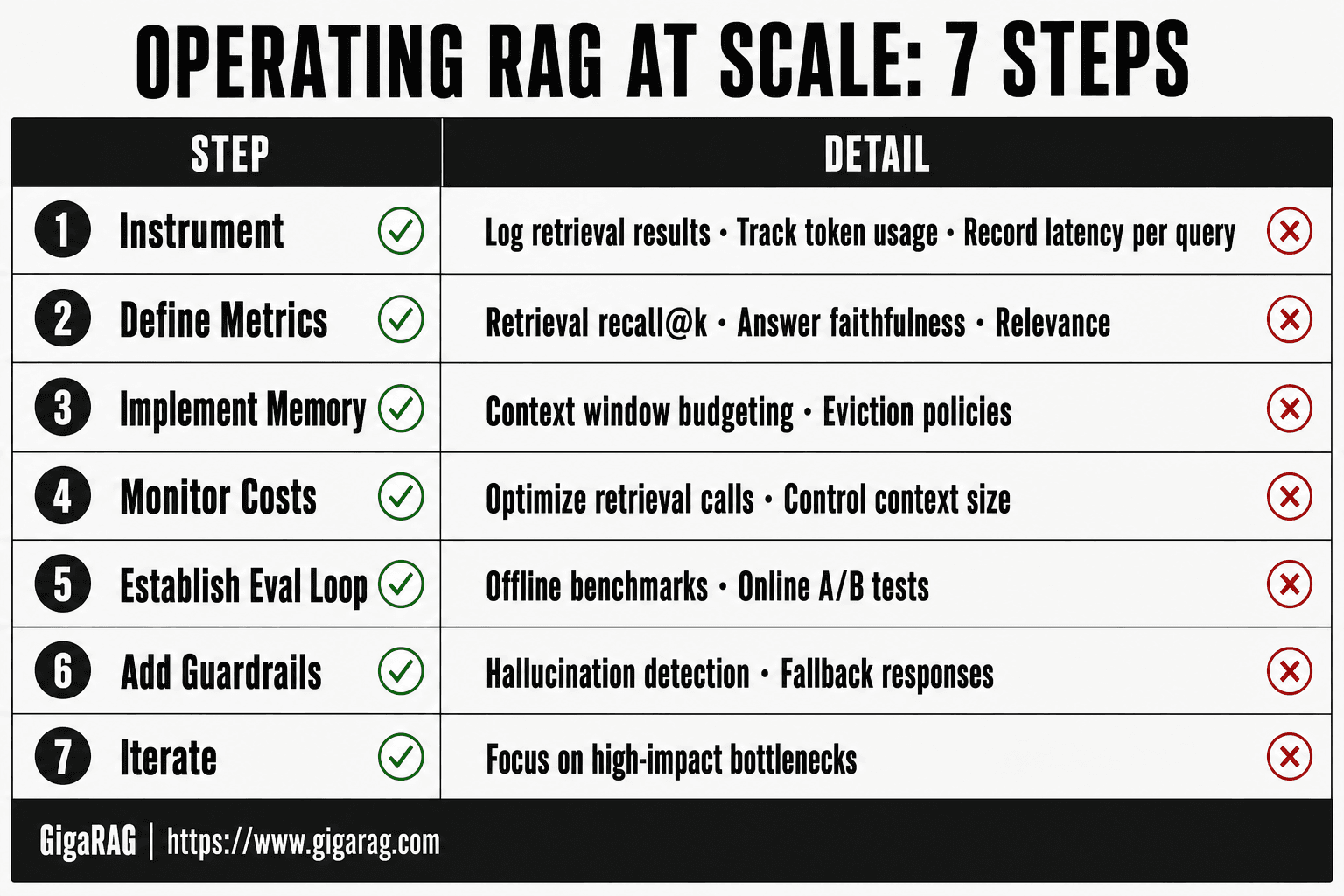
Operating Rag At Scale: A Step-by-Step Guide
- Instrument your pipeline to log retrieval results, token usage, and latency per query.
- Define evaluation metrics: retrieval recall@k, answer faithfulness, and relevance.
- Implement agent memory management with context window budgeting and eviction policies.
- Set up cost monitoring and optimize retrieval calls and context size.
- Establish an evaluation loop: offline benchmarks and online A/B tests.
- Add guardrails for hallucination detection and fallback responses.
- Iterate based on metrics, focusing on high-impact bottlenecks.
Agent Memory: The Missing Layer in Most RAG Systems
Most RAG guides stop at retrieval and generation. They skip what happens between turns. An agent that forgets the last question, or one that drags every past exchange into every prompt, both fail in production. Memory is the layer that decides what the model sees next.
Working memory vs. long-term memory in agents
Working memory is the current turn: the query, the retrieved chunks, the scratchpad. It lives in the context window and dies when the request ends. Long-term memory is what survives across turns: facts about the user, decisions made earlier, summaries of past sessions. You store long-term memory somewhere durable, then load only the relevant slice into working memory when a new turn starts. Confuse the two and you'll either lose state between turns or bloat every prompt with history the model doesn't need.
Context window budgeting for multi-turn agents
Every turn spends tokens. The system prompt, the conversation history, the retrieved chunks, the tool outputs, the model's own draft. If you don't budget, the oldest and often most important context gets truncated first. A practical rule: reserve 20 to 30 percent of the window for retrieval and tool output, keep history compressed, and never let raw conversation logs grow unbounded. When the budget is tight, cut history before you cut evidence.
Memory eviction and compaction strategies
Unbounded memory breaks in two ways. The prompt overflows, or the agent starts reasoning from stale, contradictory facts. Eviction means dropping what's least useful: oldest first, least accessed, or lowest relevance score. Compaction means rewriting a long history into a short summary that preserves decisions and constraints but drops the back-and-forth. Run compaction on a schedule, not just when the window fills. A summary written at turn 5 is more accurate than one written at turn 50.
When agent memory should NOT live in the vector store
Vector stores are for semantic search over documents. They're bad at storing structured state like user preferences, session flags, or task progress. That belongs in a key-value store or a database with transactional guarantees. The vector store is for "find passages similar to this query," not "what did the user say three turns ago." Mixing the two gives you slow lookups and no clear source of truth. Keep state in a database, keep knowledge in the index, and load both into the prompt only when the turn needs them.
How to Evaluate a RAG System Before It Fails in Production
Most teams find out their RAG system is broken when a user complains. That's too late. Evaluation has to run before deployment, not after. The good news is you don't need a research lab. You need three sets of metrics and a loop that runs them weekly.
Retrieval metrics: recall@k, MRR, nDCG
Retrieval quality is the foundation. If the right chunks never reach the model, generation can't save you. Recall@k measures whether the relevant passage appears in the top k retrieved chunks. For a support bot, recall@5 above 0.8 is a reasonable starting bar. MRR (mean reciprocal rank) tells you how high the first relevant chunk ranks. nDCG accounts for graded relevance, so it rewards systems that put the most useful chunk first, not just any relevant one.
You need a labeled set of queries with known relevant passages. Build it from real user questions, not synthetic ones. Fifty to a hundred queries is enough to catch regressions. Without this set, you're guessing.
Generation metrics: faithfulness and answer relevance
Retrieval can be perfect and generation still fails. Faithfulness measures whether the answer is grounded in the retrieved chunks. You check this by asking a judge model: does every claim in the answer appear in the source passages? Answer relevance measures whether the response actually addresses the query. A faithful answer that misses the question is still a failure.
Run both with an LLM-as-judge setup. It's cheaper than human review and catches most drift. Spot-check 10 percent of judgments manually to keep the judge honest.
Operational metrics: latency percentiles and cost per query
Quality metrics won't catch a system that's too slow or too expensive. Track p50 and p95 latency across the full pipeline: retrieval, reranking, generation. p95 is what your users actually feel. Cost per query breaks down into embedding cost, storage, and generation tokens. Watch the trend, not just the total. A system that works at 1,000 queries a day may fall apart at 100,000.
A weekly evaluation loop you can actually run
Run the labeled retrieval set every week. Log recall@5, MRR, and nDCG. Run faithfulness and answer relevance on a sample of 50 production queries. Pull p95 latency and cost per query from your logs.
The loop is simple: if retrieval metrics drop, look at your indexing pipeline or embedding model. If faithfulness drops, check your prompt or generation model. If latency climbs, check your reranker or vector store. One metric per failure mode. Fix the cause, not the symptom.
Cost Optimization for Operating RAG at Scale
Cost in RAG doesn't scale with corpus size. It scales with query volume. A million documents sitting in your vector store costs almost nothing until someone queries them. Then every query triggers embedding, retrieval, reranking, and generation. That's where the money goes.
Where the money goes: embeddings, storage, and generation
Three line items dominate. Embedding cost hits at ingest time and query time. Storage cost is the vector index itself, plus any metadata you keep. Generation cost is the LLM call, and it's usually the biggest line item. For a typical support bot, generation runs 60 to 80 percent of total cost. Embeddings run 10 to 20 percent. Storage is the rest.
The cost model is simple:
Cost per query = (embedding cost × embedding calls) + (rerank cost × rerank calls) + (generation cost per token × output tokens)
Pipeline builders can adapt this. Plug in your own numbers. The levers below attack different terms in that formula.
Caching strategies that actually reduce cost
Embedding cache is the highest-return lever. Most queries repeat. If you've embedded a query before, reuse the vector instead of calling the embedding model again. A simple key-value store with the query string as key works. Cache hit rates of 30 to 50 percent are common for support systems.
Response cache is riskier. Caching full answers works only when your knowledge base changes slowly. If your corpus updates daily, stale answers will leak through. Set a short TTL or invalidate on index updates.
Tiered retrieval: cheap recall, expensive rerank
Don't rerank everything. Retrieve 50 to 100 candidates with a cheap method: BM25 or a small embedding model. Then rerank the top 20 with a cross-encoder. Rerankers are expensive per call but cheap when applied to a small candidate set. This cuts rerank cost by 60 to 80 percent while keeping most of the quality gain.
Model routing for cost-aware generation
Not every query needs your best model. Route simple queries to a smaller, cheaper model. Route complex or high-stakes queries to the large model. A classifier or a few-shot prompt can make the routing decision. Teams report 40 to 60 percent generation cost reduction with routing, at a small quality cost on the routed subset.
The honest answer is that cost optimization is a tuning exercise. Start with the embedding cache. Then tier your retrieval. Then route your generation. Measure cost per query before and after each change.
Deployment Patterns That Hold Up Under Load
Cost is one constraint. Latency is the other. A RAG pipeline that's cheap but takes four seconds to answer is just as broken as one that's expensive but fast. Deployment choices determine both.
Async indexing vs. synchronous updates
Synchronous indexing means a document is searchable the moment it's written. That's the right call for compliance or incident response, where a missing document is a failure. It also means every write pays the embedding latency.
Async indexing decouples the write from the embed. Documents land in a queue, a worker embeds them, and the vector store updates a few seconds later. Most systems should default to async. The tradeoff is staleness: a query can miss a document written two seconds ago. If that matters, go synchronous for that path only.
Scaling retrieval with read replicas
Vector stores are read-heavy. Queries outnumber writes by orders of magnitude. Read replicas let you scale retrieval horizontally without touching the write path. Route queries to replicas, keep writes on the primary. Most managed vector stores do this automatically. Self-hosted setups need to configure it explicitly.
Batching and concurrency for generation
LLM calls are the slowest stage. Batching helps when you can group independent generation requests. Concurrency helps when you can't. Set a max concurrency on your generation worker pool and tune it against your model provider's rate limits. Don't assume more concurrency is better. Past a point, you're just queueing.
Build vs. buy: an honest tradeoff
Managed services handle replicas, failover, and upgrades. You pay a premium and accept some lock-in. Self-hosting gives you control and lower unit costs, but you own the operational burden: monitoring, patching, scaling. For a team of two or three engineers, managed is usually the right call. For a team with dedicated infrastructure people and predictable load, self-hosting can save real money. The honest answer is that it depends on your team size and your tolerance for 3 a.m. pages.
Common Mistakes When Operating RAG at Scale
Most RAG failures aren't architecture problems. They're operational habits that look fine in a demo and break under real load. Here are the four that cost pipeline builders the most time.
Over-chunking and losing semantic coherence
Chunking exists to fit text into embedding windows. The mistake is treating smaller chunks as automatically better. A 100-token chunk of a procedure document loses the context that tells you which system it applies to. You get high retrieval scores for fragments that don't answer the question.
The fix is to chunk by semantic boundary, not token count. Headers, list items, and paragraph breaks are natural edges. Test chunk sizes against your actual queries. If recall drops when chunks get smaller, you've found the floor.
Ignoring embedding model drift
Embedding models change. Providers ship new versions, and your indexed vectors stay frozen in the old space. Queries embed with the new model, retrieve against old vectors, and relevance quietly degrades. Nobody notices until someone checks recall.
Re-embedding a corpus is expensive but necessary. Schedule it when you upgrade models. If you can't re-embed everything at once, version your embeddings and route queries to the matching index. Don't mix embedding versions in one store.
Treating RAG as a substitute for data quality
RAG retrieves what's in your knowledge base. If the source documents are contradictory, outdated, or just wrong, retrieval makes it worse. The model grounds its answer in bad data and sounds confident doing it.
Clean the source before you index it. Deduplicate, remove stale versions, and mark documents with provenance. RAG amplifies data quality. It doesn't create it.
Assuming more retrieval always means better answers
Retrieving 50 chunks instead of 5 doesn't improve answer quality. It increases latency, burns context window, and introduces noise that confuses the generator. Past a point, more context makes answers worse.
Measure answer quality against retrieval depth. Find the knee in the curve and cap retrieval there. The honest answer is that relevance comes from better indexing and reranking, not from retrieving more.
Is ChatGPT a RAG Model? And Other Misconceptions
- ChatGPT is not a RAG system by default. It answers from weights learned during training, not from a live retrieval step. When you upload a file to ChatGPT, it does retrieve from that file. But the base model alone has no external knowledge source.
ChatGPT vs. RAG: what's actually different
RAG adds a retrieval step before generation. The model pulls relevant chunks from a knowledge base, then generates an answer grounded in those chunks. ChatGPT without retrieval just predicts the next token from its training data.
The practical difference is freshness and provenance. A RAG pipeline can cite which documents informed an answer. A base model can't. It can only tell you what it learned, not where it learned it.
RAG vs. fine-tuning: when to use which
Fine-tuning changes the model's weights. RAG changes the model's inputs. Use fine-tuning when you need a consistent style, format, or domain vocabulary baked into the model itself. Use RAG when you need answers grounded in documents that change frequently.
They're not competitors. Most production systems use both: fine-tune for behavior, retrieve for facts.
What RAG cannot fix
RAG does not eliminate hallucination. It reduces it by giving the model source material, but the generator can still ignore the retrieved chunks, misread them, or blend them with training data.
RAG also can't fix bad source data. If your knowledge base is wrong, retrieval makes the wrongness more accessible. The model will ground its answer in bad documents and sound confident doing it.
A Practical Operating Checklist for RAG Pipeline Builders
Here's the checklist I use when running RAG pipelines in production. It's not exhaustive, but it covers the failure modes that actually page you at 2 a.m.
Pre-deployment checklist
Before you ship, verify these five things. First, confirm your chunking strategy preserves semantic coherence: split on document structure, not arbitrary token counts. Second, load-test retrieval at your expected peak query volume. Third, set explicit latency budgets for each pipeline stage. Fourth, configure alerts on retrieval failure rates and embedding model errors. Fifth, document your rollback path for index rebuilds.
Weekly operating tasks
Run your evaluation set against production every week. Track recall@k and faithfulness scores, and investigate any drop over 5 percent. Review cache hit rates. Check for embedding drift by re-embedding a sample of new documents and comparing similarity distributions. Rotate API keys and audit access logs.
Monthly cost and quality review
Pull cost per query and total spend by stage: embeddings, storage, generation. Look for queries where generation cost spiked without a corresponding quality gain. Review your reranking threshold. If retrieval is returning irrelevant chunks that still get sent to the generator, tighten it.
Incident triggers: when to page someone
Page when retrieval latency p95 exceeds your budget by 2x for 10 minutes. Page when faithfulness scores drop below your baseline for two consecutive evaluation runs. Page when the index fails to rebuild. Don't page for a single bad answer. That's a quality issue, not an outage.
Operating RAG at scale is a discipline of measurement and iteration. The pipeline breaks in predictable places, and the fix is rarely a better model. It's a weekly evaluation run, a tighter memory budget, or a cache you should have added months ago. Build the loop, run it, and you'll catch the drift before your users do.
Frequently Asked Questions
What does RAG mean in tech?
RAG stands for Retrieval-Augmented Generation. It combines a retrieval system (like a vector database) with a generative model to produce answers grounded in external knowledge.
Is ChatGPT a RAG model?
No, ChatGPT is a standalone generative model. However, it can be used as the generation component in a RAG pipeline when paired with a retrieval system.
How do I evaluate my RAG system?
Evaluate retrieval with recall@k and precision, and generation with faithfulness and answer relevance. Use both offline benchmarks and online monitoring with user feedback.
What is a RAG used for?
RAG is used for question answering, chatbots, and agent-based applications where responses need to be grounded in up-to-date or domain-specific knowledge.
How do I manage agent memory in RAG at scale?
Use state management with context window budgeting, and implement eviction strategies like sliding windows or summarization to keep memory usage efficient.
What are the biggest cost drivers in RAG at scale?
Token usage from large context windows and frequent retrieval calls are the main cost drivers. Optimize by caching, reducing context size, and batching queries.
Can RAG eliminate hallucination?
No, RAG reduces hallucination by grounding responses in retrieved data, but it does not eliminate it. Additional guardrails and evaluation are necessary.
About GigaRAG
GigaRAG is for agent memory and RAG pipeline builders. get this right. Whether you are working through operating rag at scale or something adjacent, we publish what we have actually tested, including where it falls short.


