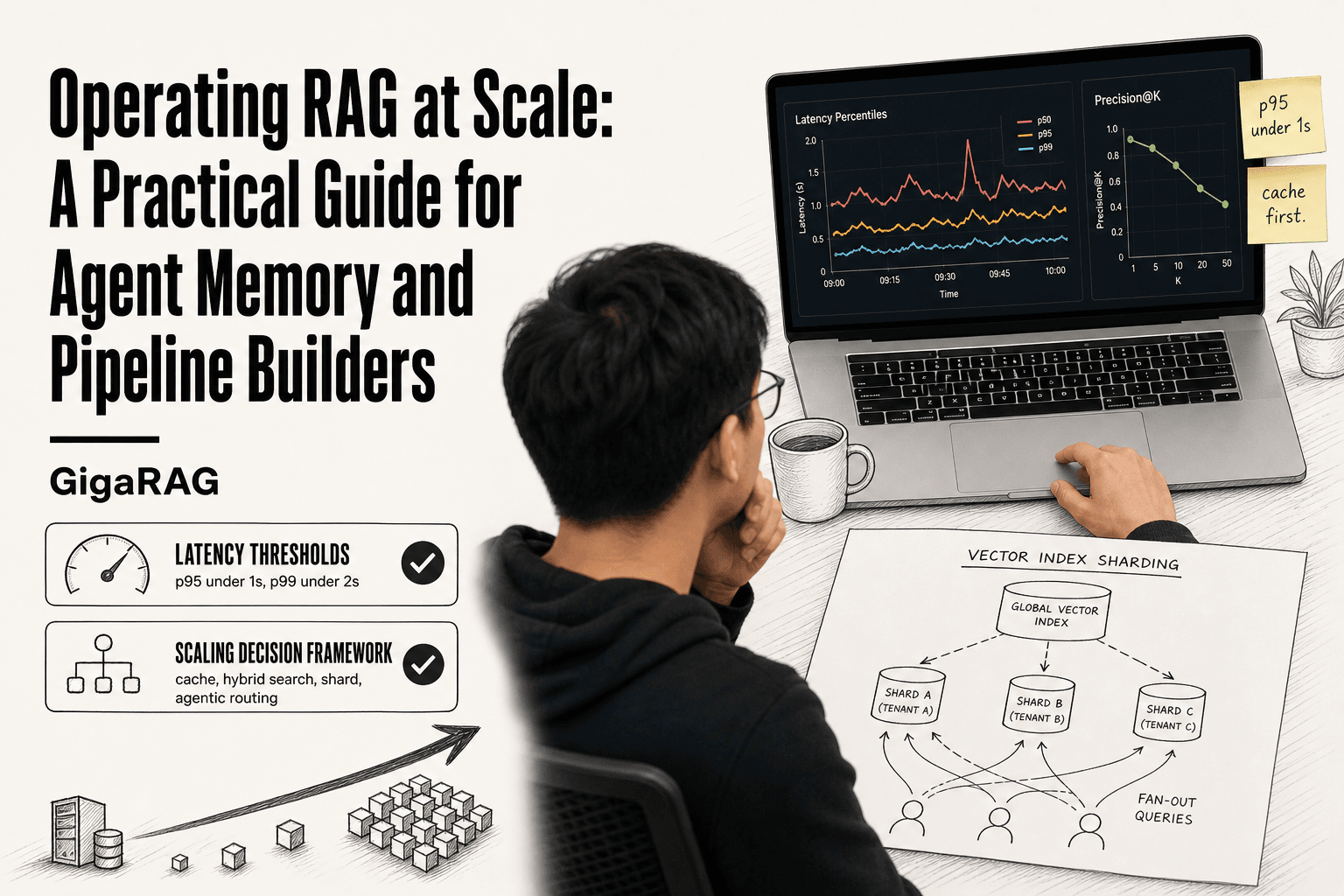
Operating RAG at Scale: A Practical Guide for Agent Memory and Pipeline Builders
Operating RAG at scale is where the demo ends and the real work begins for pipeline builders and agent memory engineers. You've seen it: the notebook retrieval works perfectly, then production traffic hits and latency spikes, retrieval quality degrades, and your token bill triples overnight. Most guidance out there is either too basic to help or thinly veiled vendor marketing pushing a specific stack. The honest answer is that there's no single tool that fixes this, including GigaRAG, which is one option among many for agent memory pipelines but not a magic bullet.
This guide is for practitioners already running RAG in production and hitting walls. You'll get concrete metrics with real thresholds, scaling strategies you can choose between based on your actual constraints, and a plain statement of what RAG cannot do at scale. Here's what we'll cover: what breaks first, how to measure it, how to fix it, and what you cannot expect from any RAG system.
| At a glance | Details |
|---|---|
| Primary challenge | Latency, retrieval quality, cost at scale |
| Key metrics | P95 latency, precision@k, hallucination rate |
| Agent memory patterns | State, context persistence, hierarchies |
| Common failure | Demo works, production breaks under load |
| Scaling strategy | Sharding, caching, async pipelines |
| Hard limit | Cannot guarantee factual accuracy |
In This Guide
- What RAG at Scale Actually Means
- Monolithic RAG vs. Modular RAG for Scale
- What Breaks First When Operating RAG at Scale
- Operating Rag At Scale: A Step-by-Step Guide
- Operational Metrics You Should Track (With Real Thresholds)
- Scaling Strategies: A Decision Framework
- Agent Memory: The Missing Piece in RAG at Scale
- Multi-Tenant RAG: Architecture and Isolation
- Cost Optimization at Scale
- What You Cannot Do with RAG at Scale
- Putting It Together: An Operational Checklist
What RAG at Scale Actually Means
RAG is retrieval-augmented generation: you fetch relevant chunks from a document store, stuff them into a prompt, and let the model answer from that context. That's the demo. Scale is what happens when the demo meets production traffic.
The RAG pipeline in one paragraph
A query comes in, gets embedded into a vector, and runs against a vector index. The top-k chunks come back, optionally get re-ranked, then join the prompt. The model generates an answer. That's it. Every scaling problem lives inside those five steps.
What 'at scale' means: concurrency, corpus size, and query volume
It depends on three things. Concurrency: how many queries hit your pipeline at once. Corpus size: how many chunks you search across. Query volume: how many total requests per day. A system handling 10 queries per minute against 10,000 chunks is not at scale. One handling 500 concurrent queries against 50 million chunks is.
Why scale changes everything: the compounding failure modes
Here's the catch. Each factor worsens the others. More concurrency means queueing, which spikes latency. A bigger corpus means more candidate chunks, which degrades retrieval precision. Higher volume means more embedding calls, which drives cost. These don't add up. They multiply. A pipeline that works at 10 queries per minute can fall over at 100, not because any single component broke, but because the bottlenecks fed each other.
[!note] RAG systems cannot guarantee factual accuracy or handle real-time data without additional infrastructure like streaming updates or fact-checking layers.
Monolithic RAG vs. Modular RAG for Scale
| Factor | Monolithic RAG | Modular RAG |
|---|---|---|
| Latency | High, single point of failure | Lower, parallelizable components |
| Scalability | Vertical scaling only | Horizontal scaling per component |
| Maintenance | Difficult to update parts | Easier to swap or upgrade modules |
| Cost | Higher due to over-provisioning | Optimized per component |
| Agent memory support | Limited, tightly coupled | Flexible, supports hierarchies |
What Breaks First When Operating RAG at Scale
The honest answer is that retrieval quality goes first, and it goes quietly. You won't see an error. You'll see answers that are almost right, sourced from chunks that are almost relevant, and your users will notice before your dashboards do.
Retrieval quality degradation as your corpus grows
As your corpus grows, the vector index gets denser. More chunks means more near-neighbours for any query, and the top-k results start to include chunks that are adjacent to the answer but not the answer itself. Precision drops. A system returning 90% relevant chunks at 100,000 documents might return 70% at 10 million. The fix is not a bigger k. It's better chunking, re-ranking, or hybrid search. But you have to notice the drop first.
Latency spikes under concurrent query load
Concurrency is where pipelines fall over. Embedding calls queue up, the vector database serializes reads, and the re-ranker becomes a bottleneck. A query that takes 300ms at low load can take 3 seconds at 50 concurrent requests. The p99 is what matters here. Your average hides the spike.
Cost explosions: embedding, storage, and re-ranking
Every query costs money three times: once to embed it, once to store and search the index, once to re-rank candidates. Re-ranking is the sneaky one. Cross-encoders are expensive per call, and at high volume they dominate the bill. A pipeline doing 1 million queries per month with re-ranking can cost 10x the same pipeline without it.
Agent-specific failures: context drift, state loss, memory bloat
Agent memory adds failure modes RAG alone doesn't have. Context drift: the agent's retrieved context from turn one no longer matches what it needs at turn five, so answers wander. State loss: a session times out or a cache evicts, and the agent forgets what it already knew. Memory bloat: the agent stores everything, the context window fills, and retrieval quality collapses under irrelevant history. These compound with the failures above.
[!tip] For agent memory builders: implement a tiered memory hierarchy (short-term context, long-term vector store, and episodic logs) to balance latency and recall. Use a write-through cache for recent interactions to avoid repeated vector searches.
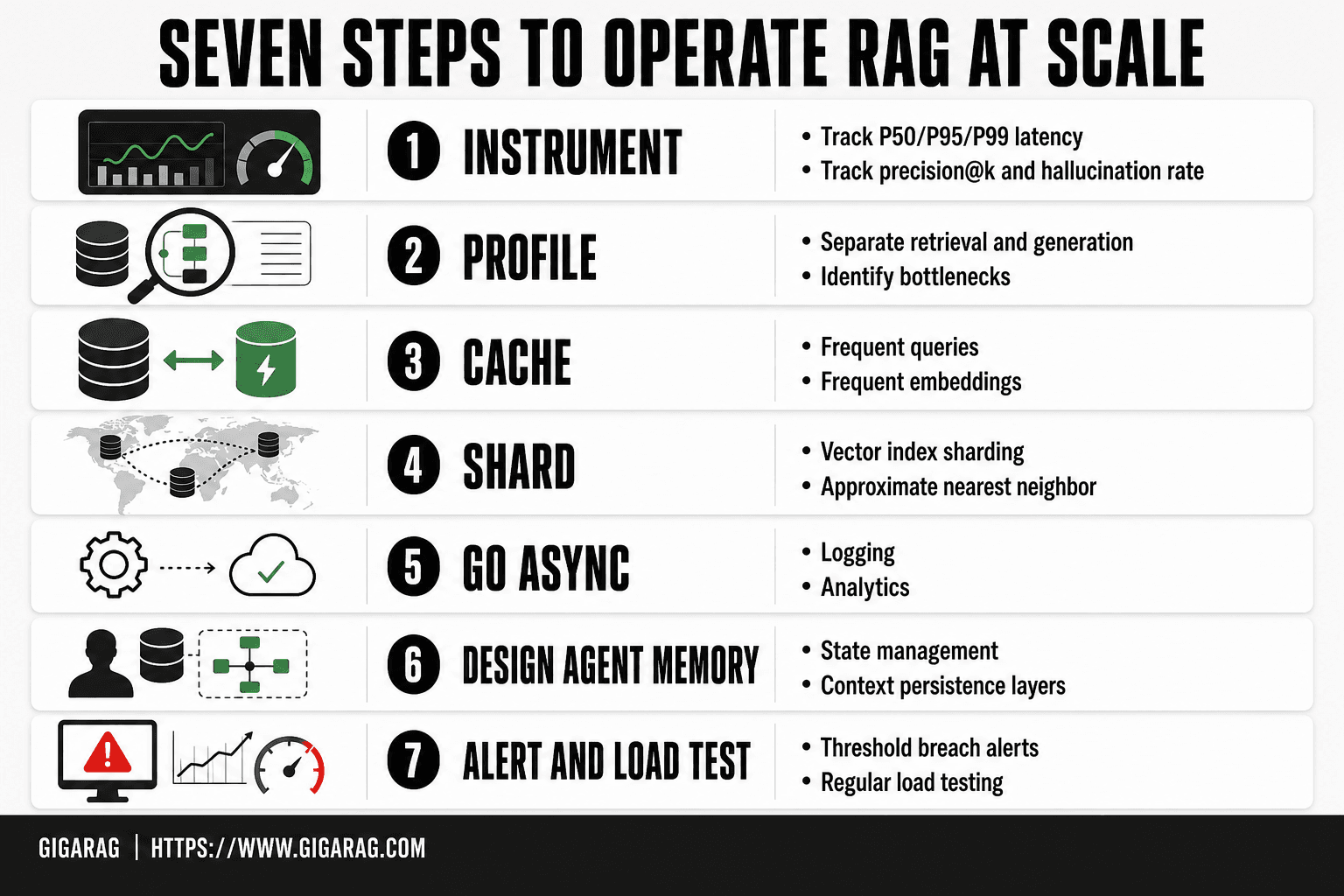
Operating Rag At Scale: A Step-by-Step Guide
- Instrument your pipeline with metrics: track P50/P95/P99 latency, retrieval precision@k, and hallucination rate.
- Profile retrieval and generation separately to identify bottlenecks.
- Implement caching for frequent queries and embeddings to reduce load.
- Shard your vector index and use approximate nearest neighbor (ANN) for faster retrieval.
- Adopt asynchronous processing for non-critical path operations like logging and analytics.
- Design agent memory with clear state management and context persistence layers.
- Set up alerting for threshold breaches and conduct regular load testing.
Operational Metrics You Should Track (With Real Thresholds)
Track p50, p95, and p99 latency, precision@k, recall@k, hallucination rate, token cost per query, and cache hit rate. Set p95 under 1 second, p99 under 2 seconds, precision@5 above 0.8, and hallucination rate below 5% before you scale further.
Latency percentiles: p50, p95, p99 targets
Averages lie. Track p50, p95, and p99 separately. For interactive agent memory, p50 under 300ms keeps users engaged. p95 under 1 second means most queries feel responsive. p99 under 2 seconds catches the worst case without false alarms. If p99 exceeds 5 seconds, users abandon sessions and agents lose context mid-turn.
Retrieval quality: precision@k and recall@k
Precision@k measures how many of the top-k retrieved chunks are actually relevant. Recall@k measures how many of all relevant chunks you found. For agent memory, precision@5 above 0.8 is a reasonable target. Recall@10 above 0.7 works for most pipelines. Below those numbers, your agent is reasoning over noise.
Hallucination rate: how to measure and what's acceptable
Sample 100 queries per week. Have a human or an LLM judge label each answer as grounded or hallucinated. Under 5% hallucination rate is acceptable for most production systems. Above 10%, you have a retrieval problem or a prompt problem, not a model problem. Track this weekly. It drifts.
Cost metrics: token cost per query, cache hit rate
Token cost per query includes embedding, generation, and re-ranking tokens. Track it per tenant, not just globally. Cache hit rate tells you how often you skip embedding or retrieval entirely. Above 60% cache hit rate is healthy. Below 30%, you're paying full price for repeat work.
Alerting thresholds: when to page, when to investigate
Page when p99 latency exceeds 5 seconds for 10 minutes, or hallucination rate jumps above 10% in a single sample. Investigate when precision@5 drops below 0.7, or cache hit rate falls below 30% for a day. Don't page on p50. It moves too slowly to matter.
Scaling Strategies: A Decision Framework
You've got the metrics. Now you need to pick a scaling path. The honest answer is it depends on three things: corpus size, latency budget, and what you can spend. Here's how to choose.
Vector database sharding: when and how
Shard when a single collection passes roughly 50 million vectors or when p95 latency creeps past your target under concurrent load. Shard by tenant, by time window, or by content domain. Tenant sharding is cleanest for multi-tenant systems: each customer gets their own index, and a bad query from one tenant can't degrade another. Time-window sharding works for append-heavy corpora like logs or news. The catch: cross-shard queries get expensive. If your agent needs to search across all tenants, you'll need a fan-out query that hits every shard and merges results, which adds latency.
Hybrid search: dense + sparse retrieval
Dense embeddings miss exact terms. Sparse retrieval (BM25 or similar) misses semantic matches. Hybrid search runs both and merges results with reciprocal rank fusion. It's worth it when your corpus contains product codes, error strings, or proper nouns that embeddings blur. The cost is roughly double the retrieval compute, plus you need to maintain two indexes. For agent memory, hybrid search helps when the agent must recall a specific fact, not just a similar one.
Caching strategies: embedding cache, query cache, result cache
Three layers, in order of payoff. Embedding cache stores vectors for chunks you've already embedded, so re-indexing or new tenants with overlapping content don't re-pay embedding cost. Query cache stores embeddings for repeated user queries. Result cache stores the final retrieved chunk list for identical queries. Result cache gives the biggest latency win, but it's the hardest to invalidate when your corpus updates. Start with embedding cache. It's safe and it compounds.
Agentic retrieval: when to let agents decide what to retrieve
Agentic retrieval means the agent decides which index to query, which filters to apply, or whether to retrieve at all. It helps when your corpus is heterogeneous: some chunks live in a vector DB, some in a SQL table, some in a document store. The agent routes the query. The cost is unpredictability. An agent that retrieves too much burns tokens. One that retrieves too little hallucinates. Put guardrails on the agent: max retrieval calls per turn, required filters for certain query types.
Decision matrix: data volume vs. latency vs. budget
Under 10 million vectors, don't shard. Use hybrid search if exact-match recall matters. Over 50 million vectors, shard by tenant or time window. If p95 latency is your binding constraint, add result caching before sharding. If budget is the constraint, cut re-ranking before anything else. The order that works for most teams: cache first, hybrid search second, shard third, agentic routing last.
Agent Memory: The Missing Piece in RAG at Scale
Scaling the retrieval pipeline solves throughput. It doesn't solve the problem of an agent that forgets what it was doing between turns. That's the gap: most RAG guidance treats each query as stateless. Agents don't work that way.
State management across multi-turn agent conversations
An agent mid-task holds context that no vector index knows about: what the user asked three turns ago, which documents it already rejected, what it promised to check next. If that state lives only in the prompt, you hit the context window fast. If it lives nowhere, the agent repeats itself or drifts. The fix is explicit state: a small, structured object the agent reads and writes each turn. Keep it tiny. A few hundred tokens, not a transcript.
Context persistence: what to store, what to discard
Store decisions, not raw text. "User rejected the 2023 pricing doc, wants 2024 numbers" is worth keeping. The full retrieved chunk is not. Discard anything the agent won't need next turn. A good rule: if it didn't change the agent's next action, don't persist it. Persistence has a cost too. Every stored fact becomes another candidate for retrieval, and retrieval quality drops as your memory store fills with noise.
Memory hierarchies: working, episodic, and semantic memory
Working memory is the current task state. It resets when the session ends. Episodic memory is what happened in past sessions: "this user asked about invoice exports last week." Semantic memory is distilled knowledge: facts the agent has verified and can reuse without re-retrieving. Most systems only build working memory, because it's the easiest. The honest answer is that episodic and semantic memory are where the real value sits, and they're also where most teams stall. Storing episodes is easy. Knowing which episodes matter later is hard.
Operational implications of agent memory at scale
Memory adds a second retrieval path. You now have corpus retrieval and memory retrieval, and they can disagree. When the agent pulls a stale fact from episodic memory instead of re-querying the corpus, you get confident wrong answers. You also get a new failure mode: memory bloat. Every session writes state. Without a retention policy, your memory store grows unbounded and retrieval latency climbs. Set TTLs on episodic entries. Cap working memory size. Treat memory like a cache, not a database.
How GigaRAG approaches agent memory (one option among many)
GigaRAG treats agent memory as a first-class retrieval target, with working, episodic, and semantic tiers separated so each can be queried and evicted independently. It's one approach. The pattern matters more than the tool: explicit state, tiered persistence, and retention rules. Build that with any stack.
Multi-Tenant RAG: Architecture and Isolation
One index serving ten customers is not the same as ten indexes. The moment your platform has more than one tenant, every query carries a question: whose data can this user see? Get it wrong and you leak documents across customer boundaries. That's a breach, not a bug.
Tenant isolation: separate collections vs. metadata filtering
Two approaches dominate. Separate collections give each tenant their own vector index. Isolation is structural: a query against tenant A's collection physically cannot touch tenant B's vectors. The cost is operational. Every tenant needs their own embedding pipeline, their own index maintenance, their own scaling headroom. Ten tenants means ten indexes to monitor.
Metadata filtering keeps one shared index and tags every chunk with a tenant ID. Queries add a filter clause. It's cheaper to run and simpler to deploy. The risk is the filter itself: one missing clause in one code path and a query returns everything. You're one bug away from a cross-tenant leak.
The hybrid is separate collections for large tenants, metadata filtering for the long tail. It works, but you now run both isolation models and both failure modes.
Security and compliance implications
Isolation is a security property, not a feature. Separate collections give you hard boundaries that auditors can verify. Metadata filtering gives you soft boundaries that depend on every query path being correct. If you're under SOC 2 or HIPAA, the audit question is simple: can you prove tenant A's data never appears in tenant B's results? Separate collections make that proof trivial. Metadata filtering makes it a code review exercise.
Performance trade-offs of multi-tenant architectures
Separate collections scale worse. Each tenant's index is small, so you lose the batching efficiency of large shared indexes. Embedding throughput drops. Storage overhead rises from per-tenant index structures. Metadata filtering keeps one large index, which is faster to query and cheaper to embed, but hot tenants can starve cold ones. A single noisy tenant's query load degrades everyone.
The honest answer: start with metadata filtering, move large tenants to separate collections when they outgrow the shared index. It depends on tenant count and tenant size variance.
Cost Optimization at Scale
Cost doesn't scale linearly with usage. It scales with the number of embeddings you compute, the number of chunks you store, and the number of re-ranking calls you make. Each of those has a lever.
Embedding cost reduction: caching, batching, model selection
Cache embeddings by content hash. The same document chunk embedded twice costs you twice. A hash lookup costs almost nothing. Batching cuts API overhead: most embedding providers charge per token, but rate limits and round-trip latency favor sending 100 chunks at once over 100 single calls. Model selection is the bluntest lever. A smaller embedding model (768 dimensions vs. 3072) cuts cost per chunk by 4x and often keeps retrieval precision within a few points. Test it on your own queries before switching.
Storage optimization: chunk size tuning, deduplication
Larger chunks mean fewer embeddings. A 1,000-token chunk costs the same to embed as a 200-token chunk but covers five times the content. Retrieval precision drops, so tune against your eval set. Deduplication is simpler: near-duplicate chunks (common in documentation with repeated boilerplate) waste storage and dilute retrieval. Hash-based dedup catches exact matches. MinHash or embedding similarity catches near-duplicates.
Re-ranking cost control: selective re-ranking, tiered retrieval
Re-ranking is the most expensive per-query cost you control. Don't re-rank 100 candidates. Retrieve 100, re-rank the top 20. Precision loss is minimal; cost drops 80%. Tiered retrieval goes further: use a cheap lexical filter first, then dense retrieval on the survivors, then re-ranking only on the final pool.
The cost-quality trade-off curve
Every optimization above trades something. Smaller models trade precision. Larger chunks trade recall. Selective re-ranking trades ranking quality. The curve is not linear: you can cut 50% of cost for a 5% quality drop, but the next 30% costs you 20% quality. Find your knee. Measure cost per query and precision@k together, not separately.
What You Cannot Do with RAG at Scale
RAG retrieves text and feeds it to a model. It does not verify anything. The model can still hallucinate, misread the retrieved chunks, or stitch facts together wrong. Retrieval narrows the error surface. It doesn't close it.
No guarantee of factual accuracy
A retrieved chunk can be wrong, outdated, or contradicted by another chunk. The model picks what sounds plausible. You can measure hallucination rate and tune prompts, but you cannot ship a RAG system that never returns a false claim. If you need guaranteed accuracy, you need deterministic rules or human review, not retrieval.
No real-time data without additional infrastructure
RAG reads from an index. The index is a snapshot. If your data changes every second (stock prices, live sensor feeds, breaking news), the index is stale the moment you build it. Real-time RAG means adding a streaming pipeline, incremental indexing, and cache invalidation. That's separate infrastructure. RAG alone won't do it.
No replacement for fine-tuning on domain reasoning
RAG gives the model facts. It doesn't teach the model how to reason about those facts. If your domain needs specialized inference (legal analysis, medical diagnosis, code review), retrieval plus a general model will underperform a fine-tuned model on the same task. RAG improves recall. Fine-tuning improves reasoning. They solve different problems.
No perfect context across very long agent sessions
Agent memory degrades. The longer the session, the more context you accumulate, and the more likely the model drops or misweights earlier information. You can summarize, compress, and prioritize, but you cannot hold a 10,000-turn conversation in perfect fidelity. Context windows are finite. Attention drifts. Plan for degradation, not prevention.
Putting It Together: An Operational Checklist
You've read what breaks, what to measure, and what RAG can't do. Here's the checklist to take to your team.
Pre-deployment checklist
Before you ship, verify these five things. First, load test with your expected peak concurrency, not a demo script. Second, measure p95 latency under that load and confirm it's under your SLO. Third, run retrieval quality evals on a held-out query set and record precision@k and recall@k as baselines. Fourth, confirm your index rebuild time fits your data freshness window. Fifth, document your rollback path: can you revert to the previous index in under five minutes?
Ongoing monitoring checklist
Track p95 and p99 latency, hallucination rate, cache hit rate, and token cost per query. Alert on p99 latency exceeding 2x baseline for ten minutes. Alert on hallucination rate above your threshold (5% is a reasonable starting point for most use cases). Review retrieval quality weekly, not monthly. Drift shows up fast.
Scaling triggers: when to shard, when to cache, when to re-architect
Shard when your index exceeds roughly 50 million vectors or when a single node can't hold your working set in memory. Cache when your cache hit rate drops below 40% and query patterns repeat. Re-architect when p99 latency stays above SLO after sharding and caching, or when your cost per query doubles without a corresponding quality gain.
Cost review cadence
Review costs weekly for the first month, then monthly. Watch embedding spend, storage growth, and re-ranking costs separately. If re-ranking exceeds 30% of total cost, consider selective re-ranking. If storage grows faster than query volume, audit your chunking and deduplication.
Operating RAG at scale is a discipline, not a one-time setup. The systems that hold up are the ones with baselines, alerts, and a review cadence.
Frequently Asked Questions
What are the key metrics to monitor for RAG at scale?
Track latency percentiles (P50, P95, P99), retrieval precision and recall, hallucination rate, and cost per query. These metrics help identify bottlenecks and quality degradation as you scale.
How do I handle agent memory in a RAG pipeline?
Agent memory requires state management, context persistence, and often a memory hierarchy. Use a combination of short-term context windows, long-term vector stores, and episodic logs to maintain coherence across interactions.
What are the limitations of RAG at scale?
RAG cannot guarantee factual accuracy, handle real-time data without additional streaming infrastructure, or eliminate hallucinations entirely. It also struggles with complex reasoning tasks that require multi-step logic.
How can I reduce latency in a large-scale RAG system?
Optimize retrieval with ANN indexes, cache frequent queries, parallelize independent operations, and consider model distillation or smaller models for generation. Also, precompute embeddings where possible.
What is the difference between monolithic and modular RAG?
Monolithic RAG tightly couples retrieval and generation, making it simpler but harder to scale. Modular RAG separates components, allowing independent scaling, easier maintenance, and better support for agent memory patterns.
How do I evaluate RAG performance in production?
Use a combination of offline evaluation (precision, recall, faithfulness) and online metrics (user feedback, click-through rates, task success). Continuously monitor and A/B test changes.
Can RAG handle real-time data updates?
Standard RAG pipelines are not designed for real-time updates; they typically rely on batch indexing. To handle real-time data, you need additional infrastructure like streaming ingestion and incremental indexing.
About GigaRAG
GigaRAG is for agent memory and RAG pipeline builders. get this right. Whether you are working through operating rag at scale or something adjacent, we publish what we have actually tested, including where it falls short.


