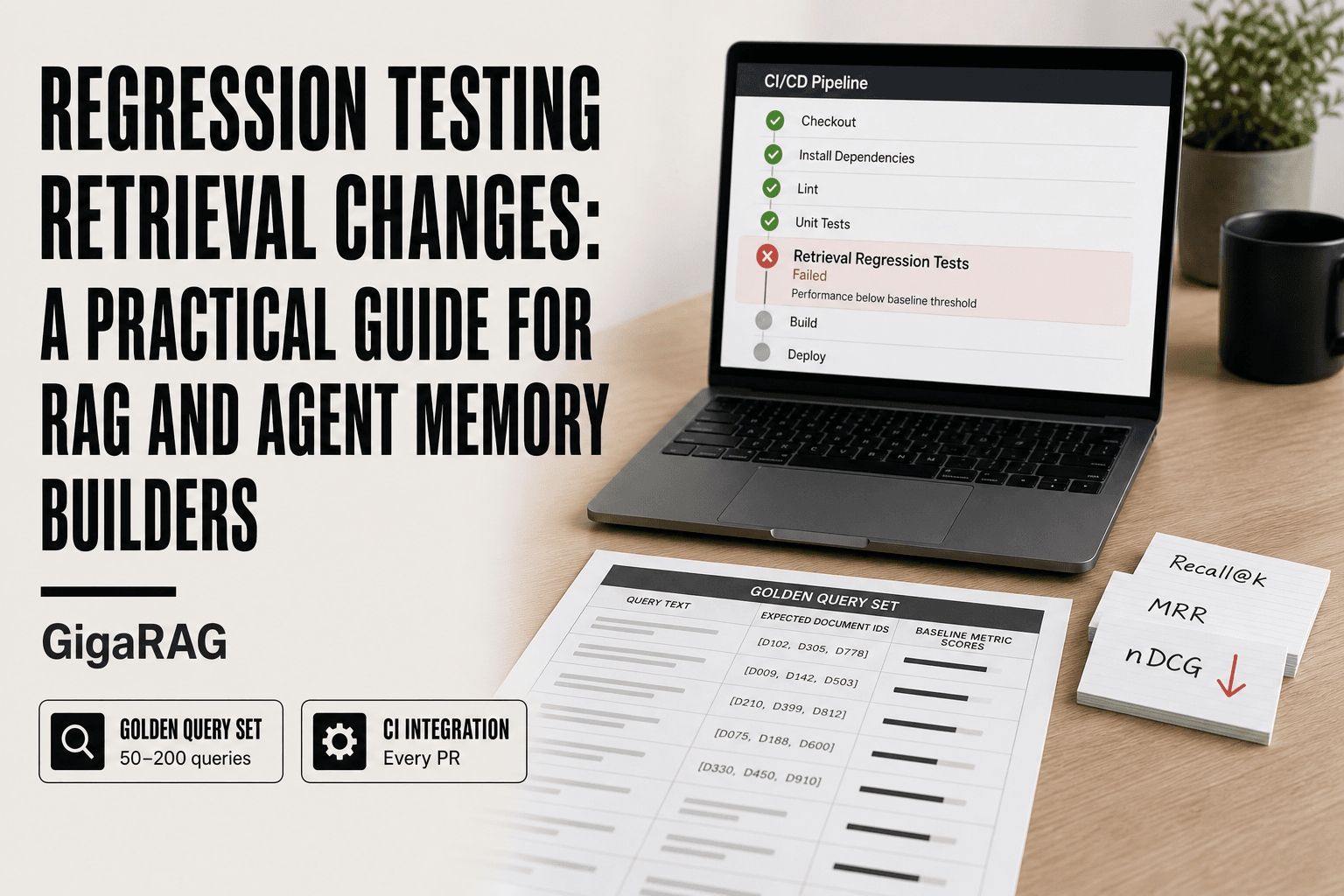
Regression Testing Retrieval Changes: A Practical Guide for RAG and Agent Memory Builders
Regression testing retrieval changes is the practice that saves RAG builders from their own fixes. Here's the scene: you swap an embedding model because one query finally returns the right document. A month later, support tickets trickle in. Queries that worked fine now surface garbage. You cannot see the damage until users report it, because nothing in your pipeline checks whether old behavior survived the change. That silence is the problem. GigaRAG gives agent memory and RAG pipeline builders a way to manage this, but the discipline itself is what matters. You need a golden query set, a set of metrics, and a process that runs before every deploy. This guide covers a step-by-step framework for setting up retrieval regression tests, the specific metrics that catch different failure modes, agent-memory scenarios like embedding swaps and vector store migrations, and the honest limitations that no test suite can escape.
| At a glance | Details |
|---|---|
| Core idea | Test retrieval quality before shipping changes |
| Key metrics | Recall@k, MRR, nDCG |
| Golden set size | 50–200 queries, expand over time |
| Common triggers | Embedding swaps, chunking, vector store migrations |
| CI integration | Run on every PR touching retrieval |
| Main limitation | Cannot catch novel failures or test set drift |
In This Guide
- What Is Regression Testing for Retrieval Changes?
- Regression Testing vs. Retesting for Retrieval Changes
- Why Regression Testing Retrieval Changes Matters for RAG and Agent Memory
- Regression Testing Retrieval Changes: A Step-by-Step Guide
- The Golden Query Set: Your Regression Testing Foundation
- Metrics That Matter: recall@k, MRR, and nDCG for Retrieval Regression
- Step-by-Step: How to Set Up Regression Testing for Retrieval Changes
- Agent Memory Regression Testing: Embedding Changes, Chunking Updates, and Vector Store Migrations
- What Regression Testing Retrieval Changes Cannot Do
- Common Challenges When Regression Testing Retrieval Changes
- Final Thoughts: Making Regression Testing Retrieval Changes a Habit
What Is Regression Testing for Retrieval Changes?
Regression testing for retrieval changes means running a fixed set of queries against your retrieval system before and after a change, then comparing the results to catch silent quality drops. It's not about finding new bugs. It's about proving you didn't break what already worked.
Here's the core idea: you have a golden query set, a list of questions with known-good documents. You run it against your current retrieval config and record the scores. You make a change, an embedding model swap, a chunking tweak, a vector store migration. You run the same queries again. If scores drop below your threshold, you've got a regression.
Regression testing vs. retesting: what's the difference?
Retesting asks "does the fix work?" You changed something to address a specific failure, and you check that one case. Regression testing asks "did the fix break anything else?" You check the cases that were already passing.
In practice, you do both. Fix the failing query, retest it. Then run your golden set to make sure the other 200 queries still return the right documents. Retesting is narrow. Regression testing is broad.
Why retrieval systems need their own regression testing approach
Retrieval quality degrades silently. A function either returns the right value or it doesn't, so a unit test catches the break immediately. Retrieval returns a ranked list, and "wrong" is a matter of degree. The right document might drop from position 2 to position 8. Nothing crashes. No error fires. Your users just get slightly worse answers, and you don't find out until someone complains.
That's why retrieval needs a dedicated approach: frozen query sets, ranking metrics like recall@k and MRR, and explicit pass/fail thresholds. You're not testing correctness. You're testing ranking quality, and that requires different tools.
[!note] Regression testing for retrieval changes cannot catch failures on query types not represented in your golden set, and the golden set itself can drift from real user queries over time, requiring periodic refresh.
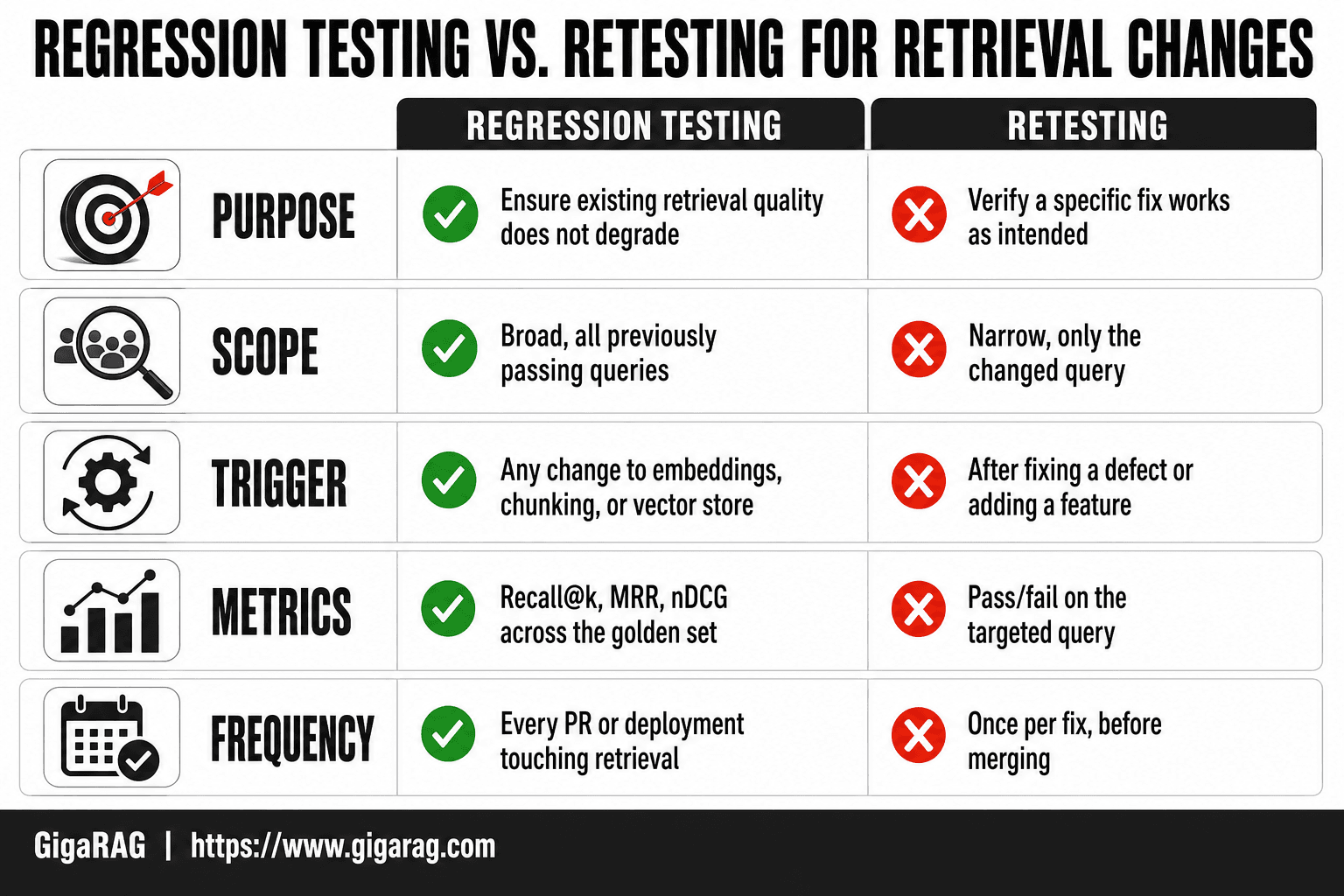
Regression Testing vs. Retesting for Retrieval Changes
| Factor | Regression Testing | Retesting |
|---|---|---|
| Purpose | Ensure existing retrieval quality does not degrade | Verify a specific fix or change works as intended |
| Scope | Broad: all previously passing queries | Narrow: only the changed query or feature |
| Trigger | Any change to embeddings, chunking, or vector store | After fixing a defect or adding a feature |
| Metrics | Recall@k, MRR, nDCG across the golden set | Pass/fail on the targeted query |
| Frequency | Every PR or deployment touching retrieval | Once per fix, before merging |
Why Regression Testing Retrieval Changes Matters for RAG and Agent Memory
A retrieval change that fixes one query can break five others. You won't see it in a stack trace. You'll see it weeks later, in support tickets or a slow drop in user trust.
The silent failure mode of retrieval regressions
Retrieval quality doesn't fail loudly. A wrong answer from a hallucination gets noticed. A slightly worse ranking doesn't. The right document moves from position 3 to position 8, the LLM still produces a plausible answer, and nobody flags it. The system looks fine.
Here's what happens behind the scenes. You swap an embedding model because it handles a specific query type better. The new model ranks your golden queries differently. Some improve. Some degrade. Without a frozen query set, you only see the improvement. The degradation ships to production and compounds across every future change.
Why agent memory systems are especially vulnerable
Agent memory systems stack retrieval layers. An agent retrieves from short-term memory, long-term memory, and possibly external tools. Each layer has its own embedding model, chunking strategy, and vector store. A change to any one layer ripples through the others.
The main catch is that agent memory is stateful. A retrieval regression doesn't just produce a wrong answer once. It corrupts what the agent "remembers" for the rest of the session. The agent then makes decisions based on degraded context, and those decisions feed back into memory. One bad retrieval compounds.
The cost of wrong answers in production
Where a wrong answer has a cost, retrieval regressions are expensive. A support agent that retrieves the wrong policy document gives wrong information to a customer. A coding agent that retrieves an outdated API reference generates broken code. A research assistant that misses a key paper produces an incomplete analysis.
The honest answer is that retrieval quality is a business metric, not just a technical one. Every point of recall@k you lose translates into wrong answers downstream. And wrong answers in production cost more than the time it takes to run a golden query set before you ship.
[!tip] For agent memory systems, include queries that test temporal reasoning and entity disambiguation—these are often the first to break when you change embedding models or chunking strategies.
Regression Testing Retrieval Changes: A Step-by-Step Guide
- Curate a golden set of 50–200 representative queries with known relevant documents, covering diverse query types and edge cases.
- Choose metrics: recall@k for coverage, MRR for ranking quality, and nDCG for graded relevance.
- Establish a baseline by running the golden set against your current retrieval pipeline and recording metric scores.
- Automate the test suite to run on every pull request that modifies embedding models, chunking logic, or vector store configuration.
- Set thresholds for acceptable degradation (e.g., no more than 2% drop in recall@10) and fail the build if exceeded.
- Analyze failures: when a regression is detected, inspect which queries degraded and why (e.g., embedding mismatch, chunk boundary issues).
- Iterate and expand the golden set with new query types as your application evolves.
The Golden Query Set: Your Regression Testing Foundation
A golden query set is a frozen list of queries with known correct answers. You run it against your retrieval system before and after every change. If the metrics drop, you don't ship.
How to select queries that represent your real traffic
Start with your production logs. Pull the 200 to 500 most common query patterns, then deduplicate by intent. A query like "refund policy" and "how do I get my money back" are the same intent. Keep one.
Don't cherry-pick. Include queries your system currently fails. Those are the ones most likely to break further. Include edge cases: very short queries, very long queries, queries with typos, queries in other languages if your users speak them.
Aim for 100 to 300 queries. Fewer and you miss regressions. More and maintenance becomes a burden.
Mapping expected documents to each query
For each query, record the document IDs that should rank in the top k. Don't record just one. Record every document in your corpus that correctly answers the query. A query about "cancellation policy" might have three relevant documents: the policy page, the FAQ entry, and the terms of service section.
Get this mapping from subject matter experts, not from your current retrieval system. If you map based on what your system currently returns, you bake in its blind spots. You're testing against a mirror.
Store the mapping as a simple JSON or CSV file. Query text, expected document IDs, and optionally a relevance grade for each document. Grades let you use nDCG later.
Maintaining and versioning your golden query set
Your golden query set is not static. User behavior shifts. New document types enter your corpus. Queries that mattered six months ago may not matter now.
Review the set quarterly. Remove queries that no longer represent real traffic. Add new queries from recent production logs. When you add a query, map its expected documents before you run any tests.
Version the set with your code. Store it in the same repository as your retrieval configuration. When you change the query set, that's a commit. When you change your retrieval system, you run the committed set. Both sides of the test are versioned, so you can always reproduce a result.
The main catch is that building this set takes real time. Expect a day or two of work for the first version. It's the highest-leverage day you'll spend on retrieval quality.
Metrics That Matter: recall@k, MRR, and nDCG for Retrieval Regression
Your golden query set is only as useful as the metrics you compute over it. Three metrics cover most retrieval regression needs. Each catches a different failure mode.
recall@k: did the right document make it into the top results?
Recall@k measures whether any of the expected documents appear in the top k results. If you have three relevant documents for a query and one shows up in the top 10, recall@10 is 0.33. If all three show up, it's 1.0.
This is the metric to watch when you change embedding models or chunking strategies. A drop in recall@k means relevant documents are falling out of the result set entirely. The user never sees them.
MRR: how high did the first relevant document rank?
Mean Reciprocal Rank cares about position. If the first relevant document ranks third, the reciprocal rank is 1/3. If it ranks first, it's 1.0. MRR averages this across all queries.
Use MRR when the user typically needs one answer, not a list. Support chatbots and FAQ retrieval fit this pattern. A drop in MRR means users have to scroll further to find what they need.
nDCG: how well-ordered are the results overall?
Normalized Discounted Cumulative Gain considers both position and graded relevance. A highly relevant document in position one scores more than a marginally relevant document in position five. nDCG normalizes against the ideal ordering, so scores range from 0 to 1.
This is the strictest metric. Use it when result ordering matters, like in research assistants or multi-document synthesis. It catches subtle regressions that recall@k and MRR miss.
Choosing the right metric for your use case
It depends on what your users do with the results. If they scan the top few items, recall@k and MRR are enough. If they read deeply and the order matters, add nDCG.
Track all three if you can. They're cheap to compute once you have the golden set. A regression that only nDCG catches is still a regression.
Step-by-Step: How to Set Up Regression Testing for Retrieval Changes
You have the golden query set and the metrics. Now you need a workflow. Here's the five-step process I use when shipping retrieval changes.
Step 1: Snapshot your current retrieval configuration
Before you touch anything, record exactly what's running. That means the embedding model name and version, the chunk size and overlap, the vector store and its index settings, the top-k value, and any reranking step. Store this as a config file in version control, not in your head.
If you can't reproduce your current setup from this snapshot, you can't compare against it later. That's the whole game.
Step 2: Run your golden query set and record baseline metrics
Run every query in your golden set against the current configuration. Compute recall@k, MRR, and nDCG. Save the per-query results, not just the averages. Averages hide the one query that dropped from 0.9 to 0.2.
Store this baseline as a JSON or CSV file with a timestamp and the config hash. You'll diff against it in step 4.
Step 3: Apply the retrieval change
Swap the embedding model, adjust the chunking, migrate the vector store. Do one change at a time. If you change three things and metrics drop, you won't know which one caused it.
Step 4: Re-run the golden query set and compare metrics
Run the same queries against the new configuration. Compute the same metrics. Diff per-query results against the baseline.
Look for two things: the overall metric change, and any individual query that regressed badly. A 2% average drop with one query at -40% is a bigger problem than a 5% average drop spread evenly.
Step 5: Set pass/fail thresholds and automate
Decide what counts as a pass before you run the comparison. A common starting point: recall@k and MRR cannot drop more than 2% on average, and no single query can drop more than 10%. Tune these based on how much risk your use case tolerates.
Then wire the whole thing into CI. Every pull request that touches retrieval config runs the golden set and blocks the merge if thresholds fail. That's what turns this from a manual check into regression testing.
Agent Memory Regression Testing: Embedding Changes, Chunking Updates, and Vector Store Migrations
Agent memory systems fail differently than document RAG. The retrieval target isn't a static corpus. It's a growing, shifting set of memories, and the changes you make to embeddings, chunking, or the vector store hit that moving target hard. Here's how to test each one.
Testing embedding model changes
Swapping embedding models is the highest-risk change you'll make. Every vector in your store was built with the old model. New queries get embedded with the new model. The distance between them is now meaningless.
You have two options. Re-embed the entire memory store with the new model, or run a hybrid test where you compare old-embedded memories against new-embedded queries. The first is expensive but clean. The second is cheap but tells you nothing about how new memories will behave.
In practice, re-embed. Then run your golden query set and check recall@k. Expect some drop. A 5-10% average drop is normal when switching model families. More than that means the new model doesn't capture your domain's semantics.
Testing chunking strategy updates
Chunking changes break memory retrieval in a specific way: the same memory gets split differently, so the vector that used to match a query no longer exists. Your golden set catches this if it includes queries that target memories spanning old chunk boundaries.
Test with queries that require combining two adjacent memories. If your old chunking kept them separate and your new chunking merges them, recall should improve. If it drops, the new boundaries are cutting across the information your queries need.
Keep a small set of "boundary queries" specifically for this. They're the canary.
Testing vector store migrations
Migrating vector stores changes the index, not the data. The same vectors get organized differently, which changes what "nearest neighbor" returns. Your golden set still works here, but you need to add one more check: latency.
Run the same queries against the old and new store. Compare recall@k and MRR, but also compare p95 query time. A new store that returns better results but takes 400ms longer per query will break your agent's response time budget.
Snapshot your index settings before migrating. If metrics drop, you need to know whether it's the store or the settings you chose for it.
What Regression Testing Retrieval Changes Cannot Do
Regression tests catch what you've already seen. That's the whole mechanism: you freeze a set of queries, record expected results, and compare. The moment your traffic changes, the frozen set stops representing your traffic. It's a rearview mirror, not a windshield.
Test set drift: your golden queries age
Your golden query set reflects the queries users asked when you built it. Users change. Products change. Six months later, the set is testing retrieval for a version of your system that no longer exists.
The honest answer is that drift is unavoidable. You can slow it by sampling real production queries every quarter and rotating stale ones out. But you can't stop it. A golden set is a snapshot, and snapshots go stale.
Maintenance cost: golden datasets require ongoing investment
Building the set is the easy part. Keeping it useful is the tax. Every new feature that changes what users ask means new queries to add. Every deprecated feature means old queries to remove. Someone has to own this.
If nobody owns it, the set rots. Tests pass because the queries no longer match what anyone actually asks. That's worse than no tests at all: it gives you false confidence.
Novel failures: regression tests only catch what you've seen before
A regression test cannot catch a failure mode you never anticipated. If a new embedding model breaks retrieval for a query pattern that isn't in your golden set, the test passes. The bug ships.
This is the main catch. Regression testing protects you from repeating past mistakes. It does nothing for new ones. You still need production monitoring, user feedback loops, and manual spot checks on high-stakes queries.
Keep your expectations honest. Regression tests reduce risk. They don't eliminate it.
Common Challenges When Regression Testing Retrieval Changes
You'll hit four practical obstacles the moment you move from a one-off comparison to something you run every week. None of them are theoretical. All of them have fixes.
Flaky retrieval results and non-determinism
Embedding models are not always deterministic. Run the same query twice against the same index and you can get slightly different vectors, which means slightly different neighbours, which means a borderline document flips in or out of your top-k. The test fails. You re-run it. It passes. Now you don't trust the test.
The fix is to pin everything you can. Fix the embedding model version, not just the model name. Set a seed where the inference library supports one. If your vector store uses approximate nearest neighbour search, switch to exact search for the regression run, or accept a small tolerance band on your metrics. The goal isn't perfect determinism. It's repeatability within a margin you can defend.
Tuning pass/fail thresholds
Set your threshold too tight and every minor change fails the suite. Too loose and real regressions slip through. There's no universal number.
It depends on your traffic and your tolerance for wrong answers. A support chatbot that occasionally misses a document is annoying. A medical retrieval system that misses a contraindication is dangerous. Start by recording your baseline metric variance across ten runs with no changes. Set your threshold outside that variance. Then adjust after you see a few real regressions: if a change that broke production still passed, tighten it. If a harmless change keeps failing, loosen it.
Integrating retrieval regression tests into CI/CD
The main catch is runtime. Running a few hundred queries against a vector store takes minutes, not seconds. That's fine for a nightly job. It's too slow to block every pull request.
Split your suite. Keep a small smoke set, maybe twenty queries, that runs on every PR and catches catastrophic breakage. Run the full golden set nightly or on merge to main. Cache your embeddings where you can. And make the test output readable: a diff of per-query metric changes beats a single pass/fail boolean when you're debugging at 2am.
Final Thoughts: Making Regression Testing Retrieval Changes a Habit
The workflow is simple: snapshot your config, run the golden set, record baselines, apply the change, re-run, compare. The hard part isn't any single step. It's doing all of them every time you touch an embedding model, a chunk size, or a vector store.
Treat the golden set like code. Version it. Review changes to it. If you fix a production retrieval failure, add that query to the set before you close the ticket. That's how the suite grows teeth.
GigaRAG can help agent memory and RAG pipeline builders manage this process, particularly when your golden set spans multiple retrieval configs and you need per-query metric diffs without hand-rolling the harness.
Start small. Twenty queries, one metric, a nightly run. You'll catch your first real regression within a month, and that's the moment regression testing retrieval changes stops being a chore and becomes a reflex.
Frequently Asked Questions
What is the main purpose of regression testing?
The main purpose is to ensure that recent changes—such as a new embedding model or chunking strategy—do not break existing retrieval functionality. It acts as a safety net, catching unintended side effects before they reach production.
What is regression testing primarily used for ensuring new changes don't break existing functionality?
Yes, that is its primary role. In RAG and agent memory systems, it verifies that modifications to embeddings, chunking, or vector stores maintain retrieval quality across a broad set of queries, not just the one you intended to improve.
Can you tell me the difference between regression testing and retesting?
Retesting is narrow: it checks that a specific fix works for the targeted issue. Regression testing is broad: it checks that the fix or change did not degrade other, previously working queries. Both are necessary but serve different purposes.
What is regression testing?
Regression testing is the practice of re-running a suite of tests to confirm that recent code or configuration changes have not introduced new defects or degraded existing performance. For retrieval systems, it means measuring metrics like recall@k and MRR against a golden query set.
How do I choose metrics for retrieval regression testing?
Use recall@k to measure whether relevant documents appear in the top k results, MRR to assess how high the first relevant result ranks, and nDCG to account for graded relevance. The choice depends on whether coverage, ranking, or nuanced relevance matters most for your use case.
How often should I run retrieval regression tests?
Run them on every pull request that touches retrieval logic, embedding models, chunking, or vector store configuration. For high-traffic systems, also run them nightly against a production-like dataset to catch drift.
What are common pitfalls in retrieval regression testing?
Common pitfalls include an unrepresentative golden set, ignoring query types that are rare but critical (e.g., temporal queries in agent memory), and setting thresholds too loosely or too strictly. Also, failing to update the golden set as user behavior changes can lead to false confidence.
About GigaRAG
GigaRAG is for agent memory and RAG pipeline builders. get this right. Whether you are working through regression testing retrieval changes or something adjacent, we publish what we have actually tested, including where it falls short.


