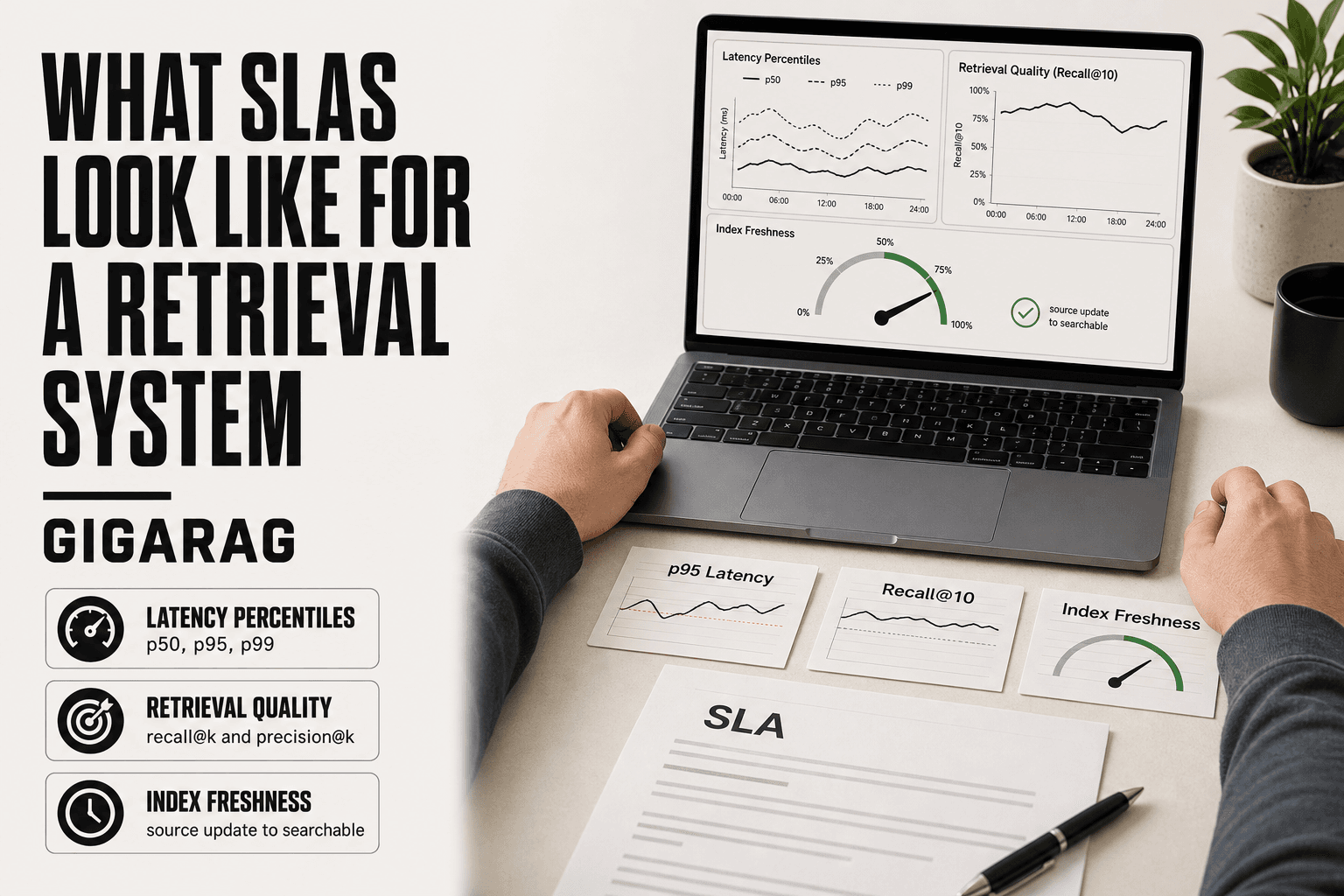
What SLAs Look Like for a Retrieval System
Most SLA guidance is written for infrastructure teams who care about uptime and response time. Retrieval system builders need something different. A vector database that is up 99.99% of the time but returns the wrong chunks is still failing your RAG pipeline. What SLAs look like for a retrieval system is a different document entirely: it has to cover latency percentiles, retrieval quality, and index freshness, not just availability.
The honest answer is that most existing SLA templates don't map to retrieval at all. A p95 latency number tells you something. A recall@10 threshold tells you something. "Service available" tells you almost nothing about whether your agent memory is pulling the right context. GigaRAG exists to help teams build retrieval systems that can actually meet the SLAs described here.
This guide covers the concrete numbers, a sample SLA table you can adapt, and a plain section on what an SLA cannot guarantee for semantic relevance.
| At a glance | Details |
|---|---|
| Core latency metric | p95 retrieval latency, not averages |
| Quality metrics | recall@k and precision@k on a fixed benchmark |
| Freshness metric | index lag from source update to searchable |
| Availability | Query success rate, separate from uptime |
| What SLAs miss | Semantic relevance and answer correctness |
| Measurement cadence | Continuous latency, scheduled quality evals |
In This Guide
- What Is an SLA for a Retrieval System?
- Generic Cloud SLA vs Retrieval System SLA
- Key Metrics in a Retrieval System SLA
- What Slas Look Like For A Retrieval System: A Step-by-Step Guide
- What SLAs Look Like for a Retrieval System: Concrete Numbers
- What SLAs Cannot Guarantee for Retrieval Systems
- SLA Types and Priority Levels for Retrieval Incidents
- How to Build and Monitor a Retrieval System SLA
- Final Thoughts on Retrieval System SLAs
What Is an SLA for a Retrieval System?
An SLA for a retrieval system is a written contract that sets measurable targets for how fast, how available, and how accurate your retrieval pipeline must be, with penalties when it misses.
Most SLA templates are built for cloud uptime or IT support tickets. They cover "is the server up" and "how fast did a human respond." A retrieval system SLA has to cover different ground: latency percentiles for top-k results, recall@k and precision@k on a benchmark dataset, and index freshness. Uptime alone tells you nothing about whether your RAG pipeline actually pulled the right chunks.
How a retrieval SLA differs from a cloud or IT support SLA
A cloud SLA promises 99.9% uptime. An IT support SLA promises a human answers within 15 minutes. Neither touches retrieval quality. Your system can be up, fast, and still return wrong chunks. A retrieval SLA adds quality metrics to the operational ones.
Why retrieval quality metrics belong in an SLA
Because the failure mode is different. A slow database is annoying. A retrieval system that returns irrelevant chunks produces wrong answers downstream. If recall@10 drops below 0.9, the whole pipeline degrades even when every server is green.
[!note] A retrieval SLA can contractually guarantee latency, availability, freshness, and benchmarked recall@k — but it cannot guarantee that retrieved chunks are semantically relevant or that the final generated answer is correct, because relevance is subjective and depends on the generator and prompt.
Generic Cloud SLA vs Retrieval System SLA
| Factor | Generic Cloud SLA | Retrieval System SLA |
|---|---|---|
| Primary metric | Uptime percentage (e.g. 99.9%) | p95/p99 query latency plus recall@k |
| Quality guarantee | None beyond availability | recall@k and precision@k on a benchmark set |
| Freshness | Not covered | Index lag from source update to searchable |
| Failure definition | Service unreachable or erroring | Slow queries, empty results, stale chunks |
| Measurement method | Uptime probes and error rates | Latency histograms plus scheduled eval runs |
Key Metrics in a Retrieval System SLA
A retrieval SLA needs four metric categories. Latency tells you how fast results come back. Availability tells you whether the system is up at all. Retrieval quality tells you whether the results are right. Index freshness tells you whether the results reflect current data.
Latency percentiles: p50, p95, p99
Average latency hides the worst cases. A system with 50ms average can still take 2 seconds for one in twenty queries. Percentiles fix that. p50 is the median: half of queries finish faster. p95 is what 95% of queries beat. p99 is the tail. For retrieval, p95 matters most. Users notice the slowest 5%, not the median.
Availability and uptime
99.99% uptime means 52 minutes of downtime per year. 99.9% means 8.8 hours. The difference is real money. But availability alone says nothing about retrieval quality. A system can be up and still return garbage.
Retrieval quality: recall@k and precision@k
Recall@k measures whether the right chunks appear in the top k results. Precision@k measures how many of those top k are actually relevant. You need both. High recall with low precision means the right answer is buried in noise. High precision with low recall means you miss things.
Index freshness and embedding quality
Freshness is how quickly new documents become retrievable. If your index lags by 24 hours, users query stale data. Embedding quality is separate: a weak embedding model degrades recall no matter how fresh the index is.
[!tip] For RAG pipeline builders: version your benchmark dataset and eval harness alongside the SLA, so when recall@k drifts you can tell whether the cause is a model change, an index change, or a genuine corpus shift — not just that the number moved.
What Slas Look Like For A Retrieval System: A Step-by-Step Guide
- Define the query types covered (top-k retrieval, filtered search, hybrid search) and exclude anything out of scope.
- Set latency targets as percentiles: p50, p95, and p99 for each query type at a fixed k.
- Choose quality metrics — recall@k and precision@k — and freeze a benchmark dataset with labeled relevant chunks.
- Specify index freshness as a maximum lag between source update and the chunk being retrievable.
- Define availability as query success rate, and state what counts as a failed query (timeout, error, empty result).
- Agree on measurement methods: continuous latency histograms and scheduled quality eval runs.
- Document exclusions and review cadence, then re-baseline thresholds as the corpus and traffic grow.
What SLAs Look Like for a Retrieval System: Concrete Numbers
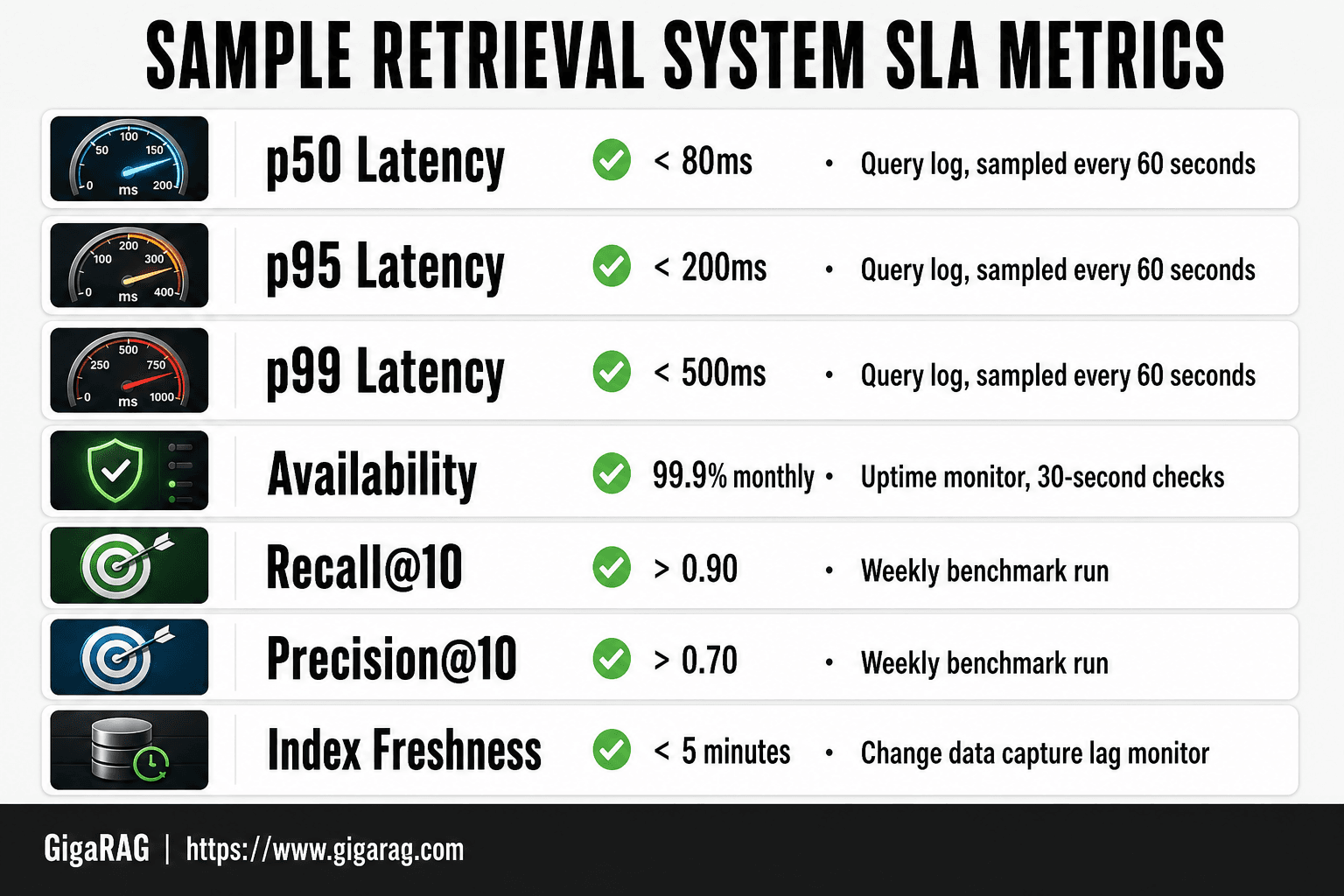
Here's a sample SLA table you can adapt. The numbers are realistic for a production RAG pipeline serving top-10 retrieval on a vector database with 10 million or fewer chunks.
Sample SLA table: metric, threshold, measurement method
| Metric | Threshold | Measurement method |
|---|---|---|
| p50 latency | < 80ms | Query log, sampled every 60 seconds |
| p95 latency | < 200ms | Query log, sampled every 60 seconds |
| p99 latency | < 500ms | Query log, sampled every 60 seconds |
| Availability | 99.9% monthly | Uptime monitor, 30-second checks |
| recall@10 | > 0.90 | Weekly benchmark run on held-out dataset |
| precision@10 | > 0.70 | Weekly benchmark run on held-out dataset |
| Index freshness | < 5 minutes | Change data capture lag monitor |
Why p95 < 200ms is a reasonable starting point for top-10 retrieval
Users tolerate about 200ms before they perceive a delay. A vector search over 10 million chunks with a good index typically returns in 50-150ms. Reranking adds 50-100ms. So 200ms p95 leaves room for reranking without crossing the perception threshold. If you skip reranking, tighten to 100ms.
How to set recall@k and precision@k thresholds on a benchmark dataset
Build a benchmark of 500-1,000 real queries with labeled relevant chunks. Run it weekly. Set recall@10 at 0.90 and precision@10 at 0.70 as starting points, then adjust based on what your users actually complain about. If users report missing answers, raise recall. If they report noise, raise precision. Don't set both high at once; they trade off.
What SLAs Cannot Guarantee for Retrieval Systems
An SLA is a contract about measurable things. Latency, availability, index freshness: these are numbers you can check. Retrieval quality is different. It sits on top of human judgment.
Why semantic relevance is hard to contractually guarantee
Two users can ask nearly the same question and disagree about which chunk is relevant. One wants the literal match. The other wants the conceptual one. Your embedding model encodes one notion of similarity, not both. A contract needs a definition both sides can verify. "Relevant" doesn't have one that survives a dispute.
What to do instead: benchmark-based quality thresholds
The honest answer is to contract the process, not the outcome. You can commit to running a benchmark of labeled queries weekly and publishing recall@10 and precision@10. You can commit to a threshold on that benchmark. You cannot commit that every real user query will feel relevant. Benchmarks are proxies. They catch regressions. They don't measure satisfaction.
Common SLA clauses that overpromise on retrieval quality
Watch for clauses like "retrieval results will be relevant to user queries" or "the system will return the correct answer." These are unenforceable. Correctness depends on the query, the corpus, and the user's intent. A vendor who signs that clause is either naive or planning to dispute every breach. Replace it with a benchmark clause and a remediation process.
SLA Types and Priority Levels for Retrieval Incidents
The three types of SLAs
There are three standard SLA structures. Customer-based covers one customer across all services they use. Service-based covers one service for all customers, which is what most retrieval APIs offer. Multi-level combines both: a corporate-level agreement, a service-level agreement, and a per-feature agreement for things like vector search or reranking.
P1, P2, P3, P4 priority levels for retrieval incidents
Priority levels define response time, not severity of the underlying bug. P1 means the retrieval system is down: queries fail, the vector database is unreachable, or the index is corrupted. Response target is usually 15-30 minutes. P2 is degraded service: retrieval works but latency is 3x baseline or recall drops sharply. P3 is a partial failure affecting a subset of queries or a single index shard. P4 is cosmetic or minor: a slow dashboard, a stale metric, latency creeping up 10%.
How to map retrieval failures to priority levels
Start with user impact. If every query fails, that's P1. If only queries hitting a specific embedding model version fail, that's P2. If a background reindex job is behind schedule but serving is fine, that's P3. A P4 might be a logging gap. The mapping matters because it drives your response time commitment, and that's what the SLA actually enforces.
How to Build and Monitor a Retrieval System SLA
SLA checklist for RAG pipeline builders
Start with the metrics you can measure, not the ones you wish you could. Your checklist: p50 and p95 latency on top-10 retrieval, recall@10 on a fixed benchmark set, index freshness in minutes, and availability. Write each threshold as a number with a measurement method attached. If you can't measure it, it's not an SLA term.
Monitoring latency percentiles and recall@k in production
Log every query with its latency and the retrieved chunk IDs. Compute percentiles over a rolling 24-hour window, not all-time. For recall@k, run a fixed set of 200-500 labeled queries against production on a schedule, hourly or daily. Don't reuse your training eval set. Keep it separate.
How to handle SLA breaches and service credits
Define breach as three consecutive 5-minute windows below threshold. Alert on the first, page on the second, credit on the third. Service credits are usually a percentage of monthly fees. The honest answer is credits matter less than the postmortem: fix the index, tune the embedding model, or add capacity.
Final Thoughts on Retrieval System SLAs
The core of what SLAs look like for a retrieval system comes down to this: measure what you can, write down the number, and attach a method. Latency percentiles, recall@k on a fixed benchmark set, index freshness, availability. If a metric can't be measured, it doesn't belong in the contract.
What you can't guarantee is semantic relevance in any absolute sense. You can guarantee that the system retrieves the right chunks against a benchmark you both agreed on. That's the honest line.
GigaRAG helps teams build retrieval systems that can actually meet the SLAs described here. Not a magic fix. A way to get the metrics in place before you sign anything.
Frequently Asked Questions
What are the three types of SLAs?
The common three-tier framing is customer-facing SLAs (contractual commitments to end users), internal SLAs (between teams, e.g. platform and application), and vendor SLAs (from a cloud or API provider to you). For a retrieval system, you typically need all three: a vendor SLA for the vector store, an internal SLA between the retrieval and application teams, and a customer-facing SLA for the product.
What is P1, P2, P3, P4 SLA?
P1–P4 are priority tiers that map incident severity to response and resolution targets. In a retrieval context, P1 might be total query failure or p95 latency far above target, P2 a quality regression below the recall@k floor, P3 elevated latency on one query type, and P4 cosmetic or documentation issues. The exact thresholds are yours to define; the tiers just make escalation unambiguous.
What is an example of a good SLA for a retrieval system?
A realistic example: p95 latency under 200 ms for top-10 retrieval on a corpus of a few million chunks, p99 under 500 ms, query success rate at or above 99.9%, index freshness within 5 minutes of a source update, and recall@10 at or above 0.9 on a frozen benchmark set. Treat these as starting points and re-baseline against your own corpus and hardware.
What does 99.99% SLA mean?
99.99% availability allows roughly 52 minutes of downtime per year, or about 4.3 minutes per month. For a retrieval system, the more useful question is what counts as 'down' — a query that returns an error, a query that times out, or a query that returns stale or empty results. Define that precisely or the percentage is meaningless.
Should retrieval SLAs use averages or percentiles?
Percentiles, always. Averages hide the tail, and the tail is what users feel — a p50 of 80 ms with a p99 of 3 seconds still produces a bad experience for a meaningful slice of queries. Contract on p95 and p99, and monitor p50 for context.
Can an SLA guarantee that retrieved results are relevant?
Not directly. You can contract on recall@k and precision@k against a labeled benchmark, which is a proxy for relevance on that dataset. But semantic relevance on arbitrary live queries is subjective and shifts with the corpus, so it belongs in a quality objective or SLO rather than a hard contractual guarantee.
How often should retrieval SLA thresholds be reviewed?
Review at least quarterly, and immediately after any major change to the embedding model, index structure, corpus size, or traffic profile. Thresholds that were realistic at one million chunks may be unachievable or unnecessarily loose at one hundred million.
About GigaRAG
GigaRAG is for agent memory and RAG pipeline builders. get this right. Whether you are working through what slas look like for a retrieval system or something adjacent, we publish what we have actually tested, including where it falls short.


