
Scaling RAG for Agent Memory: What Pipeline Builders Need to Know
Most scaling RAG advice is written for stateless retrieval: one query in, a few chunks out, done. Agent memory breaks that model. You're dealing with concurrent sessions, stateful context that has to survive across turns, and memory writes happening as fast as the agent reasons. If you're a pipeline builder trying to move from a working RAG demo to production agent workloads, the generic guides won't tell you what you need.
The honest answer is that scaling RAG for agent memory is a different problem from scaling RAG for search. The good news is that the levers are specific and learnable. This guide covers the architecture, the step-by-step scaling levers, the limitations you should expect, and the mistakes that will cost you the most. GigaRAG is built for exactly this use case, but most of what follows applies to any stack you run.
| At a glance | Details |
|---|---|
| Focus | Scaling RAG for agent memory workloads |
| Core challenge | Concurrent sessions, millions of docs, low latency |
| Key levers | Indexing, retrieval, caching, orchestration |
| Biggest mistake | Treating agent memory like static document search |
| Honest limit | No silver bullet; trade-offs are inherent |
| Tool fit | GigaRAG for agent memory scaling |
In This Guide
- What Scaling RAG Actually Means for Agent Memory
- Naive RAG vs. Scaled RAG for Agent Memory
- The Core Challenges of Scaling RAG for Agents
- Scaling Rag: A Step-by-Step Guide
- Designing an Agent Memory Architecture That Scales
- Step 1: Scale Your Ingestion Pipeline for Agent Memory
- Step 2: Optimize Retrieval Latency and Throughput
- Step 3: Implement a Multi-Level Caching Strategy
- Step 4: Choose and Configure a Vector Database for Production
- Step 5: Monitor and Evaluate Your Scaling RAG System
- What You Cannot Do When Scaling RAG for Agent Memory
- Common Mistakes When Scaling RAG Pipelines
- Putting It All Together: A Scaling RAG Checklist
What Scaling RAG Actually Means for Agent Memory
Scaling RAG for agent memory means keeping retrieval fast and accurate as three things grow at once: the number of documents in your index, the number of concurrent agent sessions, and the amount of state each session carries. Generic scaling advice ignores the last two entirely.
How agent memory differs from stateless RAG
A stateless RAG pipeline answers one query, returns one response, and forgets everything. Agent memory doesn't work that way. Each session accumulates context: what the user asked before, what the agent already retrieved, what decisions it made. That state has to persist somewhere, and it has to be available on the next retrieval call without a full re-embedding pass.
The practical consequence is that your retrieval layer now serves two workloads. It answers fresh queries against the document index, and it serves memory lookups against session state. Those lookups happen far more often than you'd expect, because agents re-check their own context constantly.
The three scaling dimensions: documents, sessions, latency
Scaling RAG for agents means managing three dimensions at once. Documents: your index grows from thousands to millions, and recall has to hold. Sessions: you're no longer serving one user, you're serving hundreds or thousands of concurrent agent conversations, each with its own memory namespace. Latency: agents make multiple retrieval calls per turn, so a 200ms retrieval that's fine for a single query becomes a multi-second stall when an agent chains five lookups together.
Those dimensions interact. More sessions means more memory writes competing with document queries for the same index. More documents means slower ANN search, which compounds the multi-hop latency problem. You can't tune one without affecting the others.
Why generic RAG advice falls short for agent memory
Most scaling guides assume a stateless request/response pattern. They tell you to parallelize ingestion, tune your ANN index, and add caching. That advice is correct but incomplete. It doesn't cover session isolation, memory compaction, or the write-heavy load that agent memory introduces. You need those pieces before the generic levers actually help.
[!note] Scaling RAG for agent memory is not just about adding more hardware; it requires rethinking data structures, retrieval strategies, and memory lifecycle management to handle the unique demands of persistent, concurrent agents.
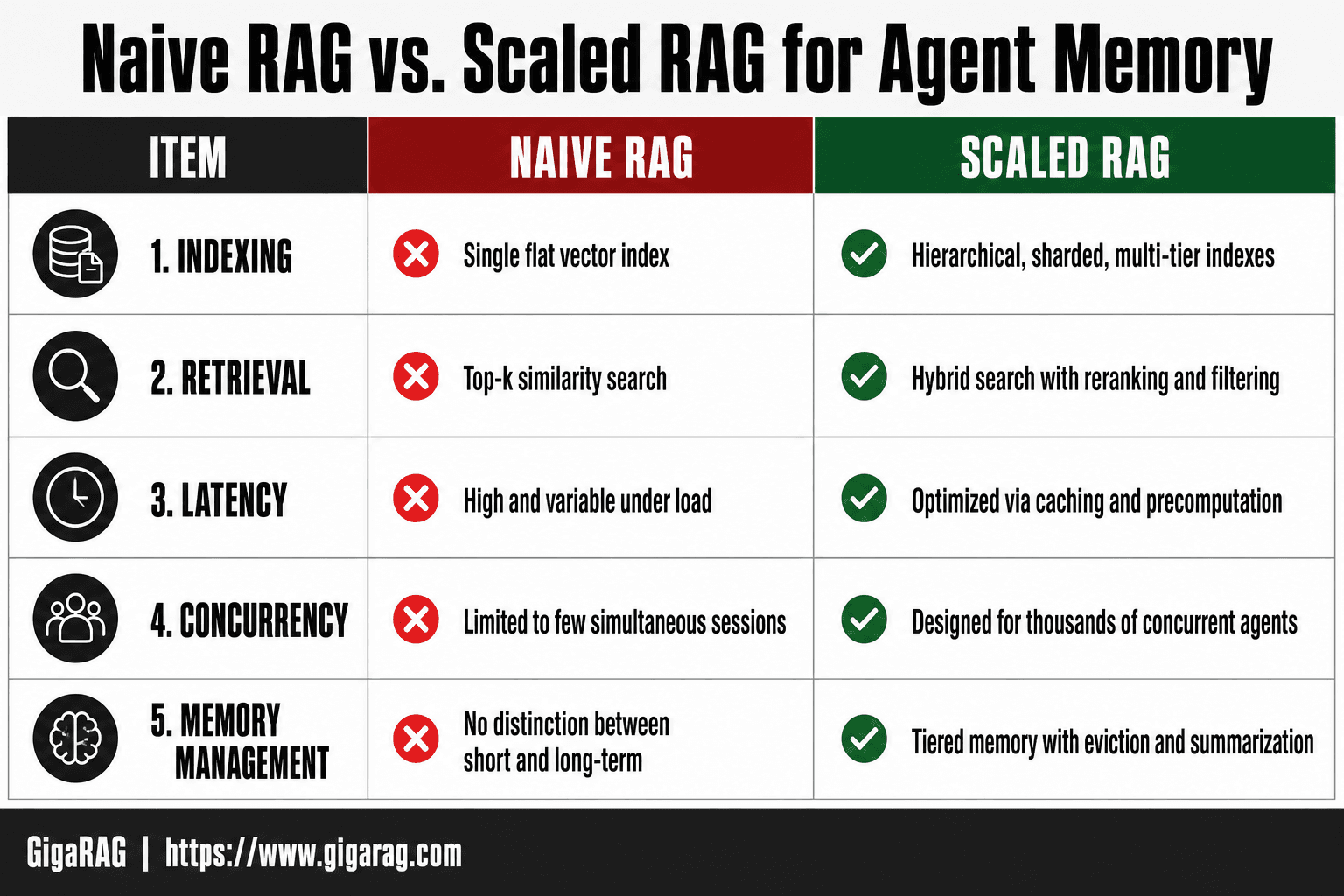
Naive RAG vs. Scaled RAG for Agent Memory
| Factor | Naive RAG | Scaled RAG for Agent Memory |
|---|---|---|
| Indexing | Single flat vector index | Hierarchical, sharded, multi-tier indexes |
| Retrieval | Top-k similarity search | Hybrid search with reranking and filtering |
| Latency | High and variable under load | Optimized via caching and precomputation |
| Concurrency | Limited to few simultaneous sessions | Designed for thousands of concurrent agents |
| Memory management | No distinction between short and long-term | Tiered memory with eviction and summarization |
The Core Challenges of Scaling RAG for Agents
Scaling RAG for agent memory breaks in four specific places. Each one compounds the others, and none of them show up in a stateless pipeline. You'll hit ingestion first, then embedding cost, then retrieval slowdown, then the consistency problem that only agents have.
Ingestion bottlenecks with millions of documents
Ingestion is the first wall. Embedding a million documents on a single worker takes days, not hours. The bottleneck isn't your vector database, it's the embedding API rate limit and the CPU cost of chunking and preprocessing. When agent memory writes join the queue, things get worse: every session produces new memory chunks that need embedding immediately, not in a nightly batch. Your ingestion pipeline now has two SLAs, one for bulk documents and one for real-time memory writes. They don't mix well on the same workers.
Embedding latency and cost at scale
Embedding cost scales linearly with document count, and agent memory makes it superlinear. Each agent turn can generate new memory chunks that need embedding on the critical path. At 10 million documents, a full re-embedding pass costs thousands of dollars and takes a week. You can't re-embed on every schema change. You need incremental indexing and a strategy for when embeddings go stale.
Retrieval slowdown as the index grows
ANN search degrades as the index grows. A 10ms query at 100k documents becomes 50ms at 10 million, and that's with a well-tuned index. Agents make multiple retrieval calls per turn, so 50ms becomes 250ms of pure retrieval latency before the LLM even starts. The fix is hierarchical retrieval and aggressive filtering, but those add their own complexity.
Memory consistency across concurrent agent sessions
This is the hard one. Two sessions from the same user can write conflicting memory updates. Session A retrieves a memory, Session B updates it, Session A writes back a stale version. You need versioning, last-write-wins, or a merge strategy. Most vector databases don't give you this out of the box. You build it yourself, and it's the part most teams underestimate.
[!tip] For RAG pipeline builders, start by instrumenting your pipeline to measure p95 latency and retrieval recall under realistic concurrent load. This data will guide which scaling lever—indexing, caching, or orchestration—will yield the biggest improvement for your agent memory use case.
Scaling Rag: A Step-by-Step Guide
- Profile your current pipeline to identify bottlenecks in indexing, retrieval, and generation.
- Design a tiered memory architecture separating short-term (session) and long-term (persistent) memory.
- Implement hierarchical indexing with sharding and replication to handle millions of documents.
- Add a caching layer for frequent queries and precompute embeddings for common agent interactions.
- Introduce hybrid retrieval combining vector search with keyword filters and reranking.
- Set up monitoring and autoscaling to maintain low latency under concurrent load.
- Regularly evaluate retrieval quality and adjust chunking, embedding models, and index parameters.
Designing an Agent Memory Architecture That Scales
Agent memory isn't one store. It's two, and they have different failure modes. Treating them as one index is the mistake that makes scaling painful later.
Short-term vs. long-term agent memory
Short-term memory is the working context of a single session: what the user just said, what the agent just did, the intermediate steps it hasn't finished. It lives in the context window or a fast key-value store, and it dies when the session ends. Long-term memory is what persists across sessions: user preferences, facts learned, decisions made. It lives in your vector database and gets retrieved, not loaded wholesale.
The split matters because they scale differently. Short-term memory grows with session length, not document count. Long-term memory grows with user count and interaction volume. If you store both in the same index, a single user's chatty session pollutes retrieval for every other query. Keep them separate from day one.
Session isolation and memory namespacing
Every memory write needs a namespace. The simplest scheme: user:{user_id}:session:{session_id} for short-term, user:{user_id}:memory for long-term. This gives you three things. You can delete a session's short-term memory without touching long-term. You can filter retrieval to a single user's long-term memory, which cuts the search space by orders of magnitude. And you can enforce isolation so one user's memory never leaks into another's results.
Most vector databases support metadata filtering. Use it. A query that filters on user_id before ANN search is faster and safer than one that searches everything and filters after.
Memory compaction and summarization
Long-term memory can't grow forever. Every session adds chunks, and at some point retrieval quality drops because the index is full of near-duplicate or outdated memories. Compaction is the fix: periodically summarize clusters of related memories into a single chunk, then delete the originals.
Run compaction offline, not on the critical path. A nightly job that groups memories by user, clusters them by embedding similarity, and replaces each cluster with an LLM-generated summary works well. You lose some detail. You gain a smaller, faster index and fewer stale retrievals. That's the trade, and it's usually worth it.
Hierarchical retrieval for agent memory
Retrieval should go coarse to fine. First, filter by user and memory type. Then search a small set of summary chunks to find which cluster is relevant. Then search only within that cluster for the specific memory.
This cuts latency because each ANN search runs over a fraction of the index. It also improves recall: summaries are easier to match than raw chunks, so you're more likely to route to the right cluster before doing the expensive fine-grained search. The cost is an extra hop and a summary index to maintain. For agent memory at scale, that's a cheap price.
Step 1: Scale Your Ingestion Pipeline for Agent Memory
Ingestion is where most pipelines fall over first. You can tune retrieval all day, but if new memories take minutes to index, your agent is working from stale context.
Parallelizing embedding generation
Embedding is the bottleneck. A single embedding model call takes 20-100ms, and a batch of 10,000 chunks takes minutes on one worker. Split the work across workers: shard by document ID, not by chunk order, so no worker gets stuck with one giant document. Use async batching on the embedding API. Most providers accept batches of 100-500, and batching cuts per-chunk latency by 5-10x versus one call per chunk.
Don't embed on the request path. Queue new memories and process them in the background. A user shouldn't wait for their memory to be indexed before the agent responds.
Incremental indexing for memory updates
You don't re-embed the whole index when one memory changes. You update the changed chunks only. Track a last_modified timestamp on every chunk. On update, delete the old vectors and insert the new ones. On delete, remove the vectors. That's it.
The catch is chunk boundaries. If a document changes and you re-chunk it, every chunk after the change point shifts. Use fixed-size chunks with stable IDs derived from content hash, not position. Then only the changed chunks get new IDs.
Handling high-frequency memory writes
Agent memory writes are small and frequent: a fact learned here, a preference updated there. Writing each one straight to the vector DB creates a storm of tiny upserts. Buffer them. Accumulate writes per user for 30-60 seconds, then flush as a batch. This cuts write amplification by an order of magnitude and keeps the index from thrashing.
For very hot users, consider a write-through cache: update the fast store immediately, sync to the vector DB on a slower cadence. The agent reads fresh memory from the cache, and the vector index catches up within a minute.
Step 2: Optimize Retrieval Latency and Throughput
Retrieval latency is the wall every agent memory system hits. At 20 million documents, a brute-force scan is out. You need approximate nearest neighbor (ANN) search, and you need it tuned.
Tuning ANN indexes for agent memory workloads
ANN indexes trade recall for speed. The dial is the number of candidate vectors checked per query. More candidates means higher recall and higher latency. For agent memory, aim for 95% recall at p95 latency under 100ms. That's the target worth hitting.
Start with HNSW. Set ef_search between 100 and 300 for most workloads. Lower it if p95 latency creeps past 100ms. Raise it if recall drops below 90%. Test on your own query distribution, not a benchmark. Agent queries are short and conversational, which changes the nearest-neighbor graph's behavior.
Don't rebuild the index on every write. HNSW supports incremental inserts, but graph quality degrades over time. Schedule a full rebuild weekly if your write volume is high.
Query routing and filtering
Not every query needs the full index. Route by memory type first. A query about user preferences should hit the preference namespace, not the entire document store. Filtering before ANN search cuts candidate count and latency by 30-50% in most cases.
Use metadata filters aggressively: user ID, session ID, memory type, timestamp. Push filters into the vector DB query itself, not post-filter in application code. Post-filtering means you fetch 100 candidates and keep 10. That's wasted work.
Hybrid search: when to use it
Hybrid search combines vector similarity with keyword matching. It helps when agents query for exact terms: product names, error codes, API endpoints. Pure vector search misses those.
The cost is latency. You run two queries and merge results. Only enable hybrid search for query types that need it. Route exact-match queries to keyword search, semantic queries to vector search, and skip the merge unless both signals matter.
Keep in mind: hybrid search adds 20-40ms per query. If your p95 is already at 90ms, hybrid pushes you over budget. It's a tool, not a default.
Step 3: Implement a Multi-Level Caching Strategy
Caching is where most RAG scaling guides stop at "add Redis." Agent memory needs three distinct cache layers, and they solve different problems.
Semantic caching for repeated agent queries
Agents repeat themselves. A user asks the same question in three different phrasings across a session. Semantic caching stores the embedding of each query and returns the cached answer when a new query's embedding lands within a similarity threshold.
Set the threshold at 0.95 cosine similarity for exact matches, 0.85 for near-matches. Below 0.85, you risk returning wrong answers. Store the cache key as the query embedding, the value as the retrieved context plus the generated response. Check the cache before hitting the vector DB. A cache hit skips retrieval and generation entirely, cutting latency from hundreds of milliseconds to single digits.
The catch: cache invalidation. When memory updates, cached answers go stale. Version your cache by memory namespace and invalidate on write.
Session-level memory caching
Each agent session pulls the same memory context repeatedly. User preferences, conversation history, prior decisions. Loading these from the vector DB on every turn is wasteful.
Keep a per-session cache in memory or Redis. Load the session's working memory once, hold it for the session's lifetime, and update it incrementally as the agent writes new memories. This cuts memory lookups per turn from several vector DB queries to zero.
Set a TTL matching your session timeout. If sessions last 30 minutes, expire the cache at 30 minutes. Don't let stale session state bleed into the next conversation.
Prefix caching for LLM serving
Every LLM call includes a system prompt, tool definitions, and conversation history. That prefix is identical across turns. Prefix caching stores the KV cache for the shared prefix, so the model only computes attention for the new tokens.
Most serving frameworks (vLLM, TensorRT-LLM) support this natively. Enable it and structure prompts so the static prefix comes first. Expect 30-50% lower time-to-first-token on multi-turn agent workloads.
Don't expect prefix caching to help when every request has a different prefix. It only pays off when the shared prefix is long and stable.
Step 4: Choose and Configure a Vector Database for Production
The vector DB is where agent memory lives. Pick wrong and you'll hit a wall at a few hundred thousand documents. Pick right and the same index handles millions without a rewrite.
Key features for agent memory workloads
Filtering matters more than raw speed. Agent memory queries almost always include a namespace or session ID filter. If the DB can't filter before ANN search, you'll scan irrelevant vectors on every query.
Look for four things: metadata filtering with pre-filtering, TTL support for expiring short-term memories, hybrid search (dense + sparse) for keyword-heavy memory lookups, and namespacing to isolate sessions.
Configuration for high document counts
Start with HNSW. Set M between 16 and 32, ef_construction between 200 and 400. Higher values build slower but query faster. Tune ef_search at query time: start at 100, raise it until recall stops improving.
Shard by namespace, not by document ID. Agent sessions are naturally isolated. Sharding by session keeps hot sessions on separate nodes and prevents one noisy agent from degrading everyone else's latency.
Monitor index size. At 10 million vectors, HNSW memory usage can exceed 100 GB. Plan for it before you hit it.
When to consider a dedicated vector DB vs. pgvector
pgvector works fine under 1 million vectors with modest query rates. It's one less system to run, and you already have Postgres.
The honest answer is it depends on your write pattern. Agent memory writes constantly. pgvector's HNSW index rebuilds on insert, which gets expensive at high write rates. Dedicated vector DBs (Qdrant, Weaviate, Milvus) handle concurrent writes better and offer TTL natively.
If you're already on Postgres and under 1 million vectors, stay. If you're building for millions of documents with frequent memory writes, go dedicated.
Step 5: Monitor and Evaluate Your Scaling RAG System
Monitoring a scaling RAG system means watching four numbers: latency percentiles, recall@k, memory hit rate, and cost per query. Everything else is noise.
Key metrics for agent memory RAG
Track p50 and p99 retrieval latency separately. p50 tells you the typical experience. p99 tells you when a session stalls. Agent memory queries spike when a session loads its full context, so p99 is where you'll see problems first.
Memory hit rate measures how often the agent finds what it needs without a full re-embedding pass. Below 80%, your compaction or indexing strategy is failing.
Cost per query is the number that catches silent regressions. A new embedding model can cut latency by 20% and triple your bill. Watch both.
Setting alert thresholds
Alert on p99 latency above 500 ms, not p50. Alert on recall@k dropping below 0.9 for your top 10 results. Alert on memory hit rate below 80% for two consecutive hours.
Don't alert on p50 latency. Don't alert on index size. Don't alert on CPU usage. Those are symptoms, not failures.
Evaluating retrieval quality at scale
Recall@k is your ground truth. Run a fixed evaluation set of 500 to 1,000 queries against your production index after every index rebuild or embedding model change. If recall drops, roll back before users notice.
The honest answer is that most teams skip this step. They ship, latency looks fine, and six weeks later an agent starts hallucinating because recall silently degraded. Run the eval set weekly. It takes ten minutes and catches the failures that cost you trust.
What You Cannot Do When Scaling RAG for Agent Memory
Scaling RAG for agent memory has hard limits. You can push them, but you can't remove them. Here's what to expect.
No infinite context windows
Context windows are finite, and they'll stay finite. You can't load every memory into every prompt. Even with 1M-token models, stuffing more context slows inference and degrades retrieval quality. The fix isn't a bigger window. It's memory compaction, summarization, and hierarchical retrieval that pulls only what the current turn needs.
Don't design your agent memory around the assumption that context will grow to fit your data. Design it around the assumption that context is a scarce resource you budget per session.
No perfect recall at millions of documents
Recall degrades as your index grows. At 10,000 documents, a well-tuned ANN index might hit 0.95 recall@10. At 10 million, that number drops unless you add routing, filtering, or hybrid search. And even then, you'll miss things.
The honest answer is that perfect recall doesn't exist at scale. You're trading recall for latency and cost. Pick a target, measure it, and accept that some queries will miss.
No zero-latency retrieval
Every retrieval costs time. ANN search, embedding generation, reranking, network hops. You can get p50 latency under 100 ms with aggressive caching and a tuned index. You cannot get p99 under 10 ms for arbitrary queries against millions of documents.
If an agent needs instant memory access, cache the hot path. Session-level memory lookups can be near-instant. Cold queries against the full index will always take longer. Budget for both.
Common Mistakes When Scaling RAG Pipelines
Most scaling failures aren't architecture problems. They're choices made early that compound as load grows. Here are the ones I see repeatedly.
Over-chunking documents
Smaller chunks feel safer. More granularity, better precision, right? Wrong at scale. Chunking a 10,000-document corpus into 200-token pieces triples your index size and your embedding cost. It also fragments context, so retrieval returns pieces that don't carry enough meaning on their own.
The anti-pattern is treating chunk size as a precision dial. It isn't. Chunk size is a recall and context tradeoff. For agent memory, 500 to 1,000 tokens per chunk with overlap works better than 200-token fragments. Test recall@k at different sizes before you commit. Don't default to tiny chunks because a tutorial told you to.
Ignoring session state in memory
Stateless RAG treats every query as independent. Agent memory doesn't work that way. A user asks "what did I say about the budget last week?" and the system needs session context to answer. If you ignore session state, you get retrieval that's technically correct but contextually useless.
The mistake is building a retrieval pipeline that only indexes documents, never conversations. Agent memory needs session namespacing, per-session memory stores, and compaction that summarizes old turns into retrievable state. Skip this and your agent forgets everything between turns.
Premature optimization without metrics
You can't optimize what you don't measure. The most common scaling mistake is tuning ANN parameters, adding caching layers, and sharding indexes before you've measured baseline latency and recall. You'll optimize the wrong thing.
Start with p50 and p99 latency, recall@k, and cost per query. Measure those for a week under real load. Then optimize the bottleneck. If p99 retrieval is 800 ms and your target is 200 ms, tune the index. If recall@10 is 0.72 and you need 0.85, fix chunking or add hybrid search. Metrics first, optimization second.
Putting It All Together: A Scaling RAG Checklist
You've read the architecture, the steps, and the failure modes. Here's the condensed version you can pin to a wall or paste into a PR description. Each item maps to a section above.
Ingestion checklist
- Chunk at 500 to 1,000 tokens with overlap. Test recall@k before committing.
- Parallelize embedding generation across workers. Batch writes to the vector store.
- Use incremental indexing for new documents and memory updates. Never re-embed the whole corpus.
- Namespace every memory write by session ID. No session state, no agent memory.
- Compact old conversation turns into summaries before they hit the index.
Retrieval checklist
- Tune the ANN index for your recall target. Measure p50 and p99 latency before and after.
- Add query routing when one index serves multiple memory types.
- Use hybrid search only where sparse terms matter: names, IDs, dates.
- Cache repeated queries semantically. Session-level cache for memory lookups.
- Set a hard latency budget per query. 200 ms p99 is a reasonable target for agent memory.
Monitoring checklist
- Track latency percentiles, recall@k, memory hit rate, and cost per query.
- Alert on p99 latency breaches, not averages. Averages hide tail latency.
- Evaluate retrieval quality weekly with a fixed test set. Don't eyeball it.
- Log every cache miss and every fallback. Those are your scaling signals.
That's the full loop. If you want agent memory and RAG pipeline scaling handled out of the box rather than assembled piece by piece, GigaRAG covers both. Otherwise, this checklist is your build order.
Frequently Asked Questions
Is RAG still relevant in 2026?
Yes, RAG remains highly relevant, especially for agent memory where up-to-date, context-specific information is critical. As agents become more autonomous, the need for scalable, low-latency retrieval will only grow.
Is ChatGPT a RAG?
ChatGPT itself is not a RAG system, but it can be integrated with RAG pipelines to enhance its responses with external knowledge. Many production systems combine LLMs like ChatGPT with RAG for agent memory.
What does scaling mean in AI?
In AI, scaling typically refers to increasing model size, data volume, or compute resources to improve performance. For RAG, scaling means handling more documents, concurrent users, and lower latency without sacrificing accuracy.
What are the 7 types of RAG?
While there is no universally agreed list, common RAG variants include naive RAG, hybrid RAG, multi-hop RAG, adaptive RAG, conversational RAG, agentic RAG, and graph-based RAG. Each addresses different retrieval and reasoning needs.
How do I scale RAG for millions of documents?
Use sharded vector indexes, hierarchical retrieval, and caching. Distribute the index across multiple nodes and employ approximate nearest neighbor search to keep latency low. Also, consider filtering and reranking to improve precision.
What are the limitations of scaling RAG?
Scaling RAG introduces trade-offs: increased cost, complexity, and potential latency. You cannot infinitely scale without diminishing returns; eventually, retrieval quality may degrade if not managed carefully. Also, agent memory requires careful eviction policies to avoid stale data.
About GigaRAG
GigaRAG is for agent memory and RAG pipeline builders. get this right. Whether you are working through scaling rag or something adjacent, we publish what we have actually tested, including where it falls short.


