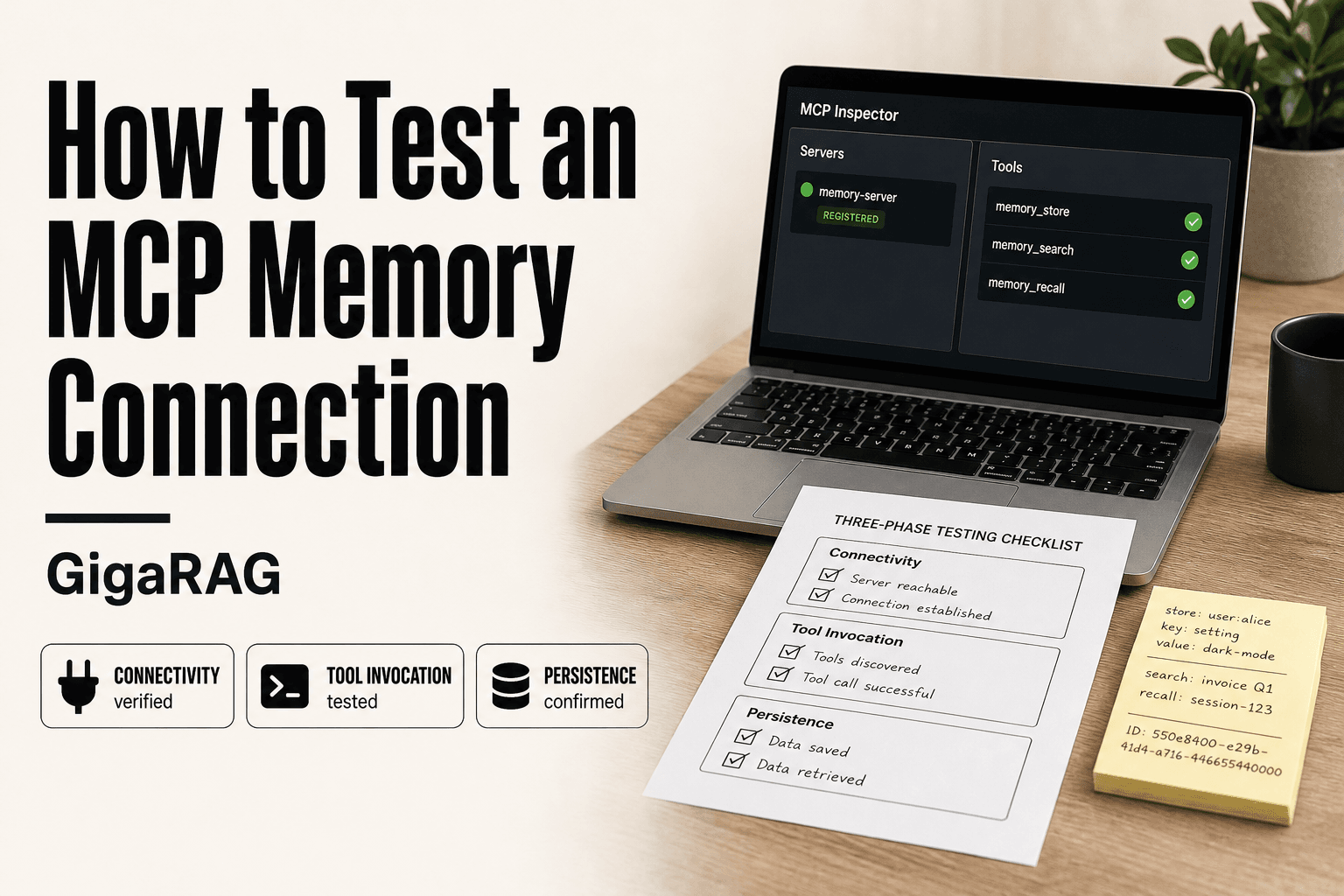
How to Test an MCP Memory Connection
Most MCP memory guides stop at installation. You configure the server, restart your client, and hope it works. That's not testing. If you're building a RAG pipeline, hope is not a verification strategy. The honest answer is that an MCP memory connection fails in three predictable ways: the client can't reach the server, the tools don't invoke correctly, or the memory doesn't survive a restart. Most builders only discover which one after a production failure. GigaRAG is a persistent agent memory solution that benefits from exactly this kind of rigorous testing, because memory that works in a demo and memory that works under load are different things. This guide covers a repeatable testing protocol in three phases: verify basic connectivity, test memory tool invocation, and confirm persistence across sessions. No fluff, no vendor bias, just the checks you need before you trust your memory layer.
| At a glance | Details |
|---|---|
| What it tests | Connectivity, tool invocation, and persistence |
| Who it's for | RAG pipeline builders and agent memory developers |
| Prerequisites | MCP memory server installed and client configured |
| Key limitation | No automatic cross-session recall without configuration |
| Time required | 15–30 minutes for a full protocol |
| Output | Verified memory layer ready for production |
In This Guide
- What an MCP Memory Connection Actually Is
- MCP Memory Server vs. Traditional Database for Agent Memory
- Prerequisites: What You Need Before Testing
- How To Test An MCP Memory Connection: A Step-by-Step Guide
- Step 1: Verify Basic Connectivity to the Memory Server
- Step 2: Test Memory Tool Invocation
- Step 3: Verify Memory Persistence Across Sessions
- Common MCP Memory Connection Failures and Fixes
- What You Cannot Do with an MCP Memory Connection
- A Testing Checklist for MCP Memory Connections
- Final Thoughts on Testing MCP Memory Connections
What an MCP Memory Connection Actually Is
An MCP memory connection is a persistent link between your agent and a memory server that stores observations, entities, and relationships outside the context window. You write to it, you read from it, and the data survives the session.
How memory MCP differs from other MCP servers
A regular MCP server exposes tools or resources. A memory MCP server exposes state. The tools look similar: add_observations, create_entities, search_memory. But the contract is different. You're not asking for a computation. You're asking for recall.
Why RAG builders need verified memory connections
RAG pipelines already have a retrieval layer. Memory MCP adds a second one, and if it's broken, your agent quietly loses context between turns. Testing it isn't optional. It's the difference between a memory and a log file.
[!note] MCP memory connections do not provide automatic cross-session recall unless the server is configured for persistence and the client reconnects to the same memory store. Without explicit configuration, memory may be lost when the session ends.
MCP Memory Server vs. Traditional Database for Agent Memory
| Factor | MCP Memory Server | Traditional Database |
|---|---|---|
| Setup complexity | Moderate; requires MCP client configuration | Variable; depends on database and driver |
| Tool invocation | Standardized via MCP tools | Custom code per database |
| Persistence model | Often in-memory or file-based; configurable | Designed for durable storage |
| Cross-session recall | Not automatic; requires explicit configuration | Native via persistent storage |
| Best for | Rapid prototyping and agent integration | Production-grade, high-volume memory |
Prerequisites: What You Need Before Testing
You need three things in place before running a single test. Skip one and you'll waste an hour debugging a missing dependency instead of testing memory.
MCP client setup (Claude Code, custom client, or inspector)
Install an MCP client that can connect to your memory server. Claude Code works, or the MCP inspector if you want a GUI. Make sure the client can see the server before you test anything else.
Memory server configuration and environment variables
Your memory server needs a config file pointing to its storage backend. Check the environment variables: API keys, database URLs, file paths. A wrong path here fails silently.
A test script or notebook for repeatable checks
Write down your test commands once. You'll run them after every config change, so don't retype them from memory.
[!tip] For RAG pipeline builders: always test with a unique identifier (e.g., a UUID) in your sample data so you can confirm that the exact data you wrote is what you read back, avoiding false positives from cached or default responses.
How To Test An MCP Memory Connection: A Step-by-Step Guide
- Verify the MCP memory server is installed and running by checking the process or logs.
- Confirm your MCP client configuration includes the memory server with correct command and arguments.
- Test basic connectivity by invoking a simple MCP tool (e.g., list tools) and checking for a response.
- Invoke a memory write tool (e.g., create_entities) with sample data and verify success.
- Invoke a memory read tool (e.g., read_graph) to confirm the data is retrievable.
- Restart the MCP client and server, then re-read the memory to test persistence across sessions.
- Document results and troubleshoot any failures using the common issues checklist.
Step 1: Verify Basic Connectivity to the Memory Server
The best way to test an MCP server is to start with a connectivity check: confirm the client can see the server, authenticate, and establish a session before touching any memory tools. Skip this and every later failure becomes harder to diagnose.
Using MCP inspector to check server registration
Open MCP inspector and look for your memory server in the registered servers list. If it's not there, the client never loaded the config. Check the config file path first. Then check that the server process actually started. A server that crashes on launch won't register, and the inspector will show nothing.
Running a ping or health-check tool invocation
Most memory servers expose a ping or health-check tool. Invoke it directly from your client. You're looking for a response that confirms the server is alive and the session is established. A timeout here means the server is unreachable, not that your memory is broken. Don't confuse the two.
Reading server logs for connection errors
Start the server with verbose logging enabled. Watch the logs while you connect. Connection refused, authentication failed, and handshake errors all show up here with timestamps. The logs tell you whether the failure is on the client side or the server side. That distinction saves you from debugging the wrong half of the connection.
Step 2: Test Memory Tool Invocation
Connectivity confirmed doesn't mean memory works. The server can be reachable and still return garbage from its tools. You need to invoke the memory-specific tools directly and check what comes back.
Writing a test observation and reading it back
Start with the simplest round trip. Call add_observations with a known string, something like "test observation 2024-01-15". Then call search_memory with a query that should match it. If the write succeeds but the read returns empty, the problem is in the storage layer, not the connection. If both fail, check whether the tool names match what the server actually exposes. Tool names vary between memory servers, so confirm the exact names from the server's tool list before you test.
Testing entity creation and relationship queries
Create an entity with create_entities, then query for it. Give the entity a unique name so you're not matching stale data from earlier tests. Then create a second entity and a relationship between them. Query the relationship. This catches servers that store entities but silently drop relationships, a common failure in graph-backed memory servers.
Checking tool error handling and timeouts
Send a malformed request to each tool. Missing arguments, wrong types, empty strings. A well-behaved server returns a structured error. A broken one hangs or crashes. Set a timeout on your client, 10 seconds is enough for local servers, and watch what happens when the server exceeds it. The timeout behaviour tells you whether the client will hang your RAG pipeline or fail cleanly.
Step 3: Verify Memory Persistence Across Sessions
The write-read round trip only proves the server works right now. Persistence is the test that matters for RAG builders. If memory evaporates on restart, your agent forgets everything between sessions.
Writing memory, restarting the client, and reading it back
Write a test observation. Note the exact string. Close the client completely, not just the conversation. Reopen it, reconnect to the same memory server, and search for that string. If it's gone, the server was holding memory in process memory, not on disk.
Testing cross-session recall with a new conversation
Start a fresh conversation in the same client. Don't reference the earlier session. Ask a question that should only be answerable if the stored observation survived. This catches servers that persist data but scope it to a session ID.
Checking storage backend (file, database, vector store) for written data
Look at where the server claims to store data. A file-backed server should show a growing file. A database-backed server should show new rows. If the backend is empty after a successful write, the server is lying about persistence.
Common MCP Memory Connection Failures and Fixes
Most failures fall into four buckets. Here's what each looks like and what actually fixes it.
Connection refused or timeout errors
The client can't reach the server at all. Check the server is running, the port matches your config, and no firewall is blocking it. A refused connection means nothing is listening. A timeout means something is listening but not responding. Start the server in the foreground and watch the logs.
Tool invocation returns empty or wrong results
The connection works but the tool doesn't. This usually means the tool name is misspelled or the server registered a different schema than you expect. List the available tools from your client. Compare the exact tool names and parameter shapes against what you're calling.
Memory writes succeed but reads fail after restart
The server accepted the write but stored it in process memory. Check the storage backend. If the file or database is empty after a successful write, the server isn't persisting anything. Switch to a file-backed or database-backed configuration.
High latency in memory queries
Slow reads usually mean the backend is doing a full scan instead of an indexed lookup. Check the storage engine. A vector store without an index will crawl as data grows. A flat JSON file gets slower with every write. Move to a proper database or add an index.
What You Cannot Do with an MCP Memory Connection
MCP memory connections are not a magic fix. They have hard limits, and you'll hit them faster than you expect.
No automatic recall without configuration
The server stores what you tell it to store. It doesn't watch your conversations and decide what matters. You write the tools that save observations. You decide when recall happens. Skip that wiring and the memory sits empty.
No unlimited memory or context
Storage is bounded by your backend. A flat file gets slow. A vector store costs money. And pulling memory into a prompt still eats context window. You can't dump everything in and expect the model to sort it out.
No built-in security or encryption guarantees
Most memory servers ship with no auth, no encryption at rest, and no access controls. Anyone who can reach the port can read your memory. If you're storing sensitive data, you add the security layer yourself.
A Testing Checklist for MCP Memory Connections
Copy this. Run every item before you trust the connection in production.
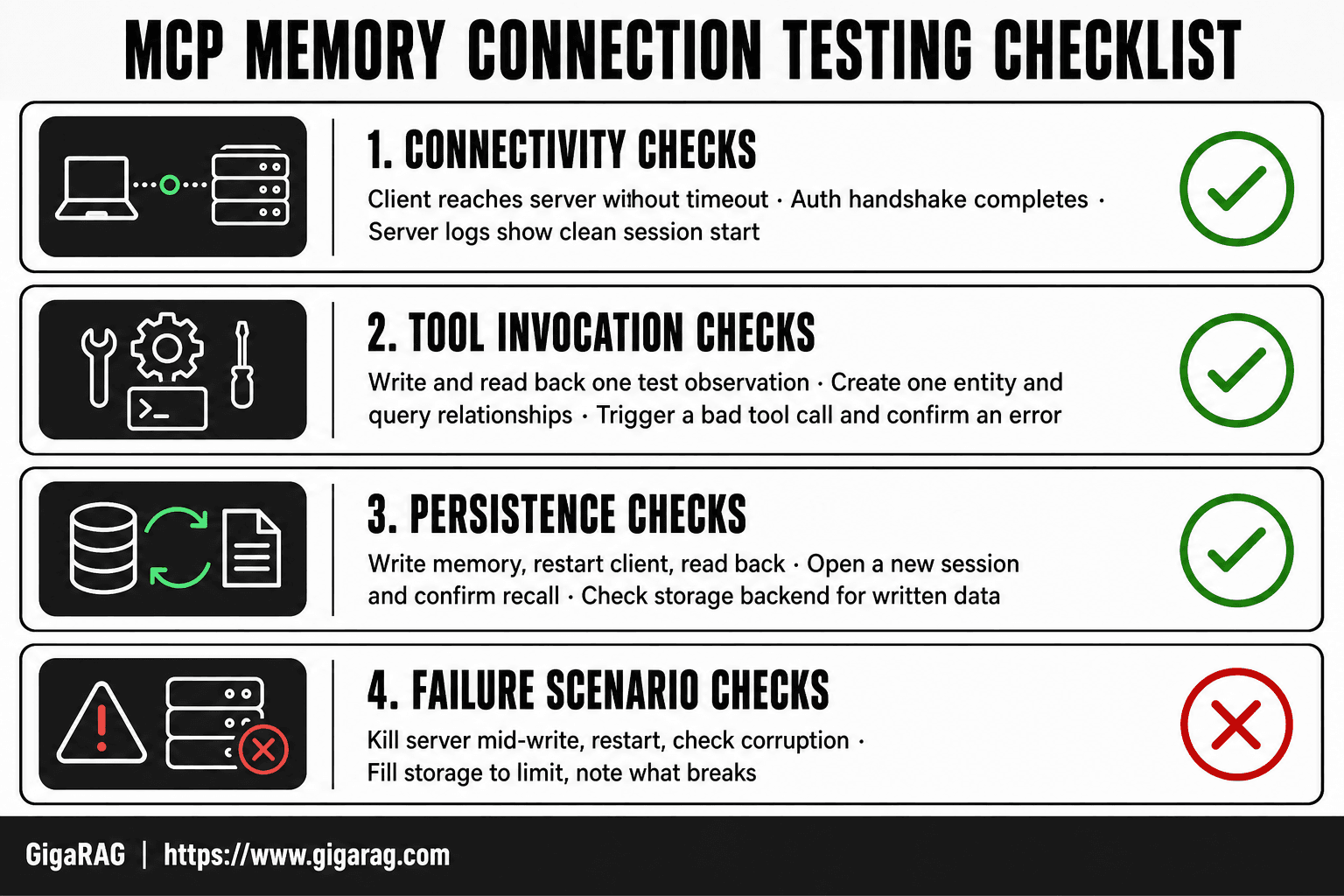
Connectivity checks
- Client reaches the server without timeout
- Auth handshake completes, if configured
- Server logs show a clean session start
Tool invocation checks
- Write one test observation, read it back
- Create one entity, query its relationships
- Trigger a bad tool call, confirm you get an error
Persistence checks
- Write memory, restart the client, read it back
- Open a new session, confirm recall works
- Check the storage backend for written data
Failure scenario checks
- Kill the server mid-write, restart, check for corruption
- Fill storage to its limit, note what breaks first
Skip any of these and you're guessing.
Final Thoughts on Testing MCP Memory Connections
Connectivity, tool invocation, persistence. Three phases, in that order, every time. Skip one and you're testing a guess.
The honest answer is that testing an MCP memory connection is not optional for RAG builders. Your recall is only as good as the memory you verified. GigaRAG, as a persistent agent memory solution, benefits from exactly this protocol: write, restart, read back, confirm.
Run the checklist. Trust the results, not the install.
Frequently Asked Questions
Can MCP connect to a database?
Yes, MCP servers can connect to databases, but the MCP protocol itself does not mandate a specific database. You can build or use an MCP server that interfaces with a database (e.g., SQLite, PostgreSQL) to provide memory capabilities. The connection is typically handled by the server implementation, not the protocol.
How does memory MCP work?
Memory MCP servers expose tools for storing and retrieving entities, relations, and observations, often using a knowledge graph model. The client invokes these tools to read and write memory. Persistence depends on the server's backend—some use in-memory storage, others file-based or database-backed storage.
How to check if an MCP server is installed?
Check your MCP client configuration file (e.g., claude_desktop_config.json) for the server entry, and verify the server command is available in your PATH. You can also run the server command manually in a terminal to see if it starts without errors.
What is the best way to test an MCP server?
The best way is to test connectivity, tool invocation, and persistence in sequence. Start by listing available tools, then invoke a simple tool, and finally test a write-read cycle across a restart. This ensures the server is not only reachable but also functional and durable.
Why does my MCP memory connection fail after restart?
This usually happens because the memory server is configured for in-memory storage, which does not persist across restarts. To fix it, configure the server to use a persistent backend (e.g., a file or database) and ensure the client reconnects to the same store.
Can I use MCP memory with any AI agent?
MCP is an open protocol, so any AI agent that supports MCP can potentially use a memory server. However, the agent must be configured to connect to the server and invoke its tools. Not all agents have built-in MCP support; you may need to add it via a client library.
About GigaRAG
GigaRAG helps GigaRAG is for agent memory and RAG pipeline builders. get this right. Whether you are working through How to Test an MCP Memory Connection or something adjacent, we publish what we have actually tested, including where it falls short.


