How to Add Memory to OpenClaw
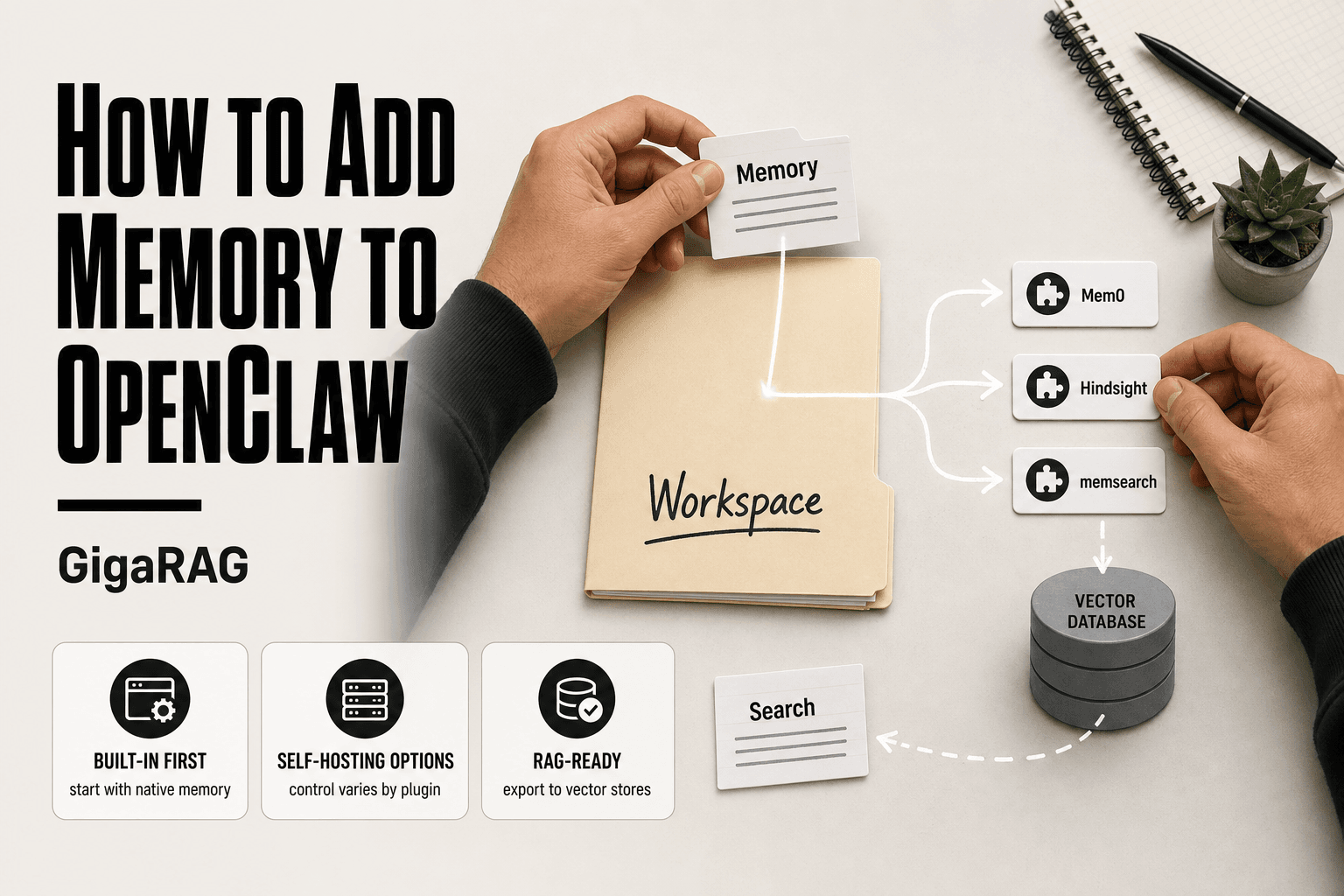
How to add memory to OpenClaw is a question that sends most agent memory and RAG pipeline builders down a rabbit hole of reference-heavy docs and vendor blogs pushing their own plugins. The system itself is capable. The guidance around it is not. You'll find the CLI commands documented, but no walkthrough that starts with built-in memory and tells you honestly when to stop there. You'll find Mem0 and Hindsight each claiming to be the answer, but no side-by-side comparison of self-hosting, cost, and control. The honest answer is that OpenClaw memory is fragmented, not broken, and you can get it working without buying into any vendor's story. GigaRAG builds agent memory and RAG pipelines, so we care about this distinction: what OpenClaw does natively, what it needs a plugin for, and what it will never do. This guide covers built-in memory first, then the three main plugins, then RAG integration, then the limitations nobody else mentions.
| At a glance | Details |
|---|---|
| Built-in memory | Markdown files in workspace, no vector search by default |
| Best for beginners | Start with built-in memory, add plugins later |
| Vector search | Requires plugin such as memory-lancedb or memsearch |
| Cross-agent memory | Not automatic; must be shared or synced manually |
| External options | Mem0, Hindsight, memsearch, or custom RAG pipeline |
| Self-hosting | Possible for all options; control varies by approach |
In This Guide
- What Is OpenClaw Memory and How Does It Work?
- Built-in OpenClaw Memory vs Mem0 vs Hindsight vs memsearch
- How to Add Memory to OpenClaw Using Built-in Tools
- How To Add Memory To OpenClaw: A Step-by-Step Guide
- Advanced Built-in Memory Features: Dreaming and Grounded Backfill
- OpenClaw Memory Plugins: Mem0, Hindsight, and memsearch Compared
- Integrating OpenClaw Memory with RAG Pipelines and Vector Databases
- Limitations and What Not to Expect from OpenClaw Memory
- Troubleshooting Common OpenClaw Memory Issues
- How to Choose the Right OpenClaw Memory Approach
What Is OpenClaw Memory and How Does It Work?
OpenClaw memory is a persistent store that lets agents recall past sessions, facts, and decisions instead of starting from zero every time. It works through a layered architecture: sessions capture what happened, active memory holds what matters right now, and a knowledge wiki stores what should stay stable over time.
Sessions and active memory
Every interaction with an OpenClaw agent runs inside a session. A session is the container for context: what you asked, what the agent did, what it learned. Sessions end, but the memory doesn't have to.
Active memory is the working set. It's what the agent can pull from immediately during a conversation. When something in a session looks worth keeping, you promote it into active memory. That promotion is manual by default. OpenClaw won't decide for you what's important.
Here's what happens behind the scenes: the agent writes memories as structured entries, not raw chat logs. Each entry gets indexed so it can be searched later. The index is what makes recall fast. Without it, you're just storing text.
Multi-agent memory
OpenClaw supports multiple agents in one workspace. Each agent has its own memory. That's the key constraint: memory is per-agent, not shared across agents automatically.
If you want two agents to remember the same thing, you have to make that happen explicitly. You can promote a memory into a shared space, but it's a deliberate step. The good news is that this keeps agents from polluting each other's context. The main catch is that cross-agent recall requires setup.
What goes where: memory vs. knowledge wiki
Memory and the knowledge wiki serve different jobs. Memory is what happened. The knowledge wiki is what's true.
Put facts, procedures, and reference material in the knowledge wiki. Put experiences, decisions, and session outcomes in memory. If you mix them, retrieval gets noisy. An agent searching for "how to deploy" shouldn't have to wade through yesterday's debugging session.
In practice, most teams start with memory only and add the knowledge wiki when they notice agents repeating the same research. That's a reasonable path. Don't build the wiki until you need it.
[!note] OpenClaw's built-in memory does not automatically share context across different agents or sessions unless you explicitly configure shared storage or sync. It also lacks built-in vector search without a plugin.
Built-in OpenClaw Memory vs Mem0 vs Hindsight vs memsearch
| Factor | Built-in OpenClaw Memory | Mem0 / Hindsight / memsearch |
|---|---|---|
| Setup effort | Minimal; works out of the box | Requires installation, API keys, or config |
| Vector search | Not included by default | Core feature of these tools |
| Self-hosting | Fully local by default | Varies; some offer cloud-only tiers |
| Cost | Free with OpenClaw | Free tiers or paid plans depending on provider |
| Control over data | Full; files stay in your workspace | Depends on hosting and vendor policies |
How to Add Memory to OpenClaw Using Built-in Tools
You don't need a plugin to start using OpenClaw memory. The CLI ships with six commands that cover the basics: status, index, search, promote, forget, and reset. You'll use these before you touch Mem0 or Hindsight, and for many setups you'll never need more.
Step 1: Check memory status
Start by seeing what's already there. Run:
openclaw memory status
The output shows how many memories are stored, which agent owns them, and whether the index is current. If you just installed OpenClaw, expect zero memories. That's not an error. It means nothing has been promoted yet.
The status command also tells you where memory is stored locally. On a default install, that's inside the agent workspace directory. If you're self-hosting, this is the file you'll want to back up.
Step 2: Index and search memories
Memories don't become searchable until they're indexed. Run:
openclaw memory index
This rebuilds the search index from stored memory entries. You'll run it after promoting new memories or after a restore. The index is what makes recall fast, so if search returns nothing, check whether you've indexed recently.
Search works like this:
openclaw memory search "deployment steps"
The command returns matching memories ranked by relevance. Keep in mind this is keyword and metadata matching, not semantic search. If you search "ship it" and the memory says "deploy to production," built-in search may miss it. Semantic search needs a plugin, which we'll cover later.
Step 3: Promote and forget memories
Promotion is how a session detail becomes a lasting memory. The syntax:
openclaw memory promote <memory-id>
You get the memory ID from session output or from a search. Promotion is manual by design. OpenClaw won't guess what matters.
Forgetting is just as deliberate:
openclaw memory forget <memory-id>
This removes a single memory. Use it when a memory is outdated, wrong, or no longer useful. There's no undo, so check the ID twice.
Step 4: Reset memory when needed
Sometimes the cleanest fix is a full wipe:
openclaw memory reset
This clears all memories for the current agent. It doesn't touch the knowledge wiki. Use it when an agent's memory has accumulated too much noise, or when you're repurposing an agent for a different job.
Before you reset, export anything you might need. The reset command doesn't prompt for confirmation on every version, so treat it as destructive.
[!tip] For agent memory builders, start with built-in memory to understand OpenClaw's recall behavior, then graduate to a plugin like memory-lancedb only when you hit retrieval limits. This avoids premature complexity and keeps your stack vendor-neutral.
How To Add Memory To OpenClaw: A Step-by-Step Guide
- Confirm your OpenClaw workspace directory and locate the default memory files.
- Enable built-in memory by ensuring the memory feature is active in your OpenClaw configuration.
- Test basic recall by asking OpenClaw to remember a fact and then querying it in a new session.
- Decide whether built-in memory is sufficient or if you need vector search for larger datasets.
- Install a memory plugin such as memory-lancedb or memsearch if vector search is required.
- Configure the plugin with your preferred embedding model and storage path.
- Optionally connect OpenClaw memory to an external RAG pipeline or vector store for advanced retrieval.
Advanced Built-in Memory Features: Dreaming and Grounded Backfill
Built-in memory does more than store and search. Two features handle the hard part of agent memory: deciding what's worth keeping without you doing it by hand.
What dreaming does
Dreaming is OpenClaw's background consolidation process. It runs after a session ends and reviews what happened, then proposes memories worth promoting. You still approve them. Dreaming doesn't write memories on its own.
The main catch is timing. Dreaming runs on a schedule, not instantly. If you need a memory available right after a session, promote it manually instead of waiting.
Grounded backfill and live promotion
Grounded backfill fills gaps in memory from past sessions. It looks at what an agent did before memory was enabled, or before a specific memory was promoted, and reconstructs the missing context.
Live promotion is the companion feature. When an agent is mid-task and something important happens, live promotion can flag it for memory immediately rather than waiting for the session to end.
CLI commands for dreaming and backfill
Trigger dreaming manually with:
openclaw memory dream
Run grounded backfill with:
openclaw memory rem-backfill
Backfill a specific session with:
openclaw memory session-backfill <session-id>
These commands are useful after you enable memory on an existing agent. Backfill pulls in what the agent already knows from prior work. Dreaming then consolidates it. Expect both to take time on large histories.
OpenClaw Memory Plugins: Mem0, Hindsight, and memsearch Compared
Built-in memory handles the basics. When you need semantic search, automated extraction, or hybrid retrieval, you add a plugin. Three dominate the OpenClaw ecosystem, and they solve different problems.
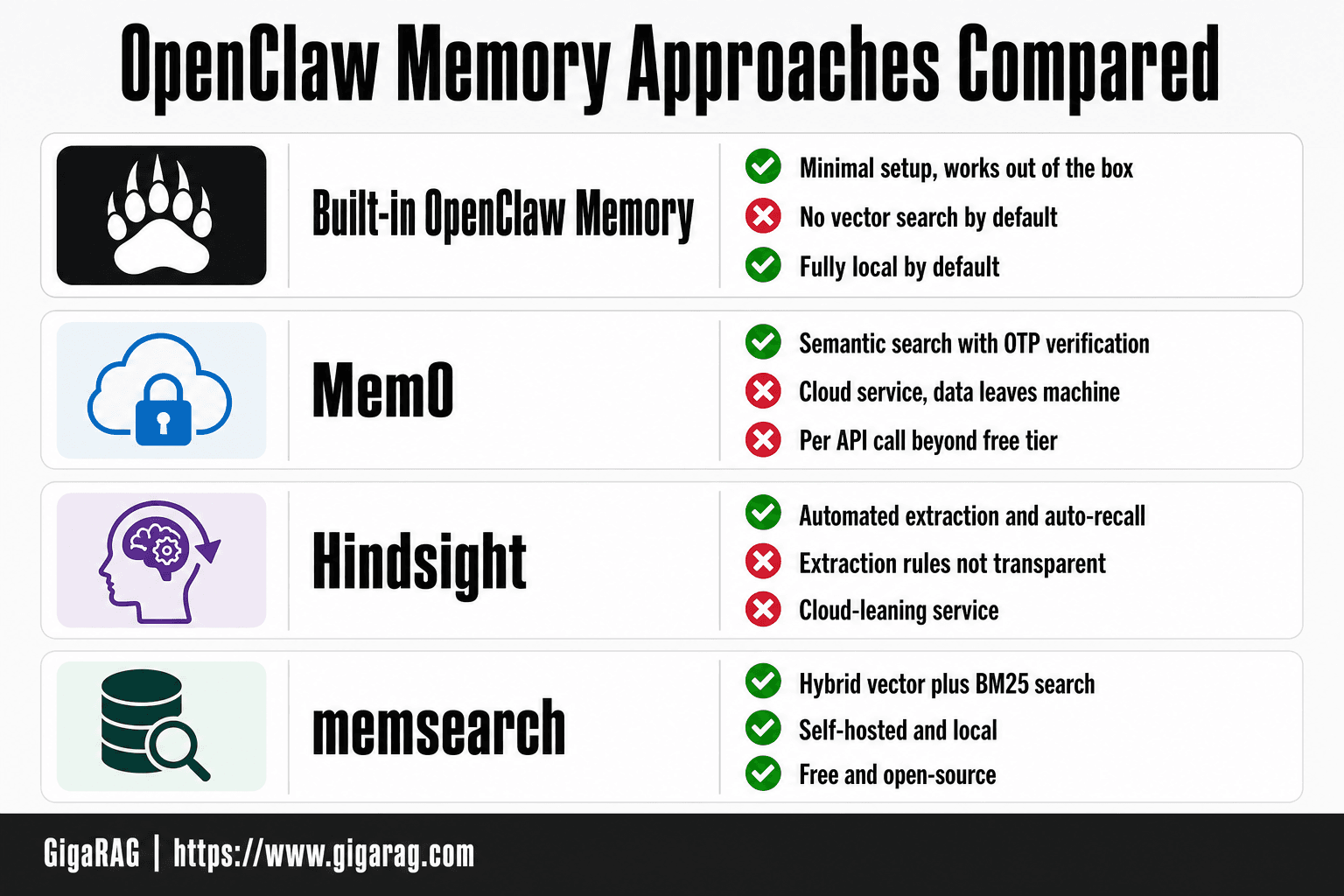
Mem0: quick-start and OTP verification
Mem0 adds a managed memory layer with semantic search. Setup is fast: install the plugin, run the quick-start command, and you're prompted for a one-time password sent to your email. That OTP step is the main friction. It ties your memory to Mem0's cloud service, which means your data leaves your machine.
The tradeoff is real. You get working semantic search without configuring embeddings or a vector store. You give up self-hosting and pay per API call beyond the free tier.
Hindsight: automated extraction and auto-recall
Hindsight takes the opposite approach. It watches your sessions and extracts memories automatically, no manual promotion needed. Auto-recall injects relevant memories into new sessions without you asking.
The catch is control. Hindsight decides what's worth keeping, and its extraction rules aren't transparent. If you want to audit every memory before it's stored, Hindsight fights you.
memsearch: hybrid vector + BM25
memsearch is the self-hosted option. It runs locally and combines vector search with BM25 keyword matching, which means it finds both semantic matches and exact phrases. No cloud dependency, no OTP, no per-call pricing.
The cost is setup time. You configure the embedding model, the vector store, and the hybrid weighting yourself. If you're comfortable with that, memsearch gives you the most control of the three.
Decision criteria: self-hosting, cost, control
Self-hosting narrows the field fast. Mem0 and Hindsight both lean on cloud services. memsearch runs entirely on your machine.
Cost follows the same split. Mem0 charges per API call after the free tier. Hindsight's pricing depends on the plan (verify at publish). memsearch is free and open-source.
Control is where memsearch wins outright. You own the pipeline. Mem0 and Hindsight trade control for convenience. Pick based on which you value more.
Integrating OpenClaw Memory with RAG Pipelines and Vector Databases
OpenClaw memory stores text. A RAG pipeline needs retrievable text. The gap between them is smaller than it looks, but it isn't automatic.
Using OpenClaw memory as a retrieval source
The built-in memory search command returns keyword matches. That's your retrieval source. Export the results to JSON, feed them into your pipeline as context, and you have a basic RAG loop without any plugin.
The honest answer is that keyword search alone misses semantic matches. If an agent stored "user prefers dark mode" and you search for "interface theme," you get nothing. That's the ceiling of built-in retrieval.
Connecting to LanceDB or other vector stores
LanceDB works well here because it's embedded, not a separate server. Export OpenClaw memories, embed them with your model of choice, and insert them into LanceDB. You control the embedding model, the chunk size, and the index.
The main catch is that nothing syncs automatically. Every new memory needs a manual export and re-embed step, or you write a script to watch the memory store. OpenClaw doesn't push updates to external stores.
Hybrid search: vector + BM25
Hybrid retrieval is the fix for keyword-only search. Run BM25 over the raw memory text and vector search over the embeddings, then merge results with reciprocal rank fusion. memsearch already does this internally. If you're building your own pipeline, LanceDB supports full-text search alongside vector queries, so you can implement the same pattern without a plugin.
Keep in mind that hybrid search adds latency. For a few thousand memories, it's negligible. For millions, you'll need to tune the merge step.
Limitations and What Not to Expect from OpenClaw Memory
OpenClaw's memory system is useful, but it's not a general-purpose knowledge base. Knowing what it won't do saves you from building on assumptions that fail later.
No automatic cross-agent memory
OpenClaw does not share memory between agents automatically. Each agent has its own memory store, and nothing syncs across them unless you build that sync yourself.
That's a real constraint for multi-agent setups. If Agent A learns a user's name and Agent B needs it, Agent B won't have it. You'd need to export from A, transform, and import into B, or route both agents through a shared external store like LanceDB. The built-in tools don't do this for you.
No built-in vector search without plugins
The built-in memory search command is keyword-based. It matches text, not meaning. If you want semantic search, you need a plugin like memsearch or an external vector store.
That's the single biggest gap between what vendor blogs imply and what the tool actually does. A memory containing "the client wants faster response times" won't match a search for "latency concerns" without embeddings. You add that layer yourself.
Common failure points
Three things trip people up most often. First, assuming memory persists across sessions without checking memory status. Second, expecting the index to update instantly after new memories are written. Third, treating the memory store as a database you can query with SQL. It's a text store with a search command, nothing more.
The good news is that all three are avoidable once you know they exist. The honest answer is that OpenClaw memory is a solid foundation, not a finished retrieval system.
Troubleshooting Common OpenClaw Memory Issues
Most memory problems come down to three things: the index not refreshing, local storage getting corrupted, or a plugin failing to install. Here's how to fix each one without reinstalling everything.
Memory index not updating
You write a memory, run memory search, and it doesn't show up. The index lags behind the store.
The fix is usually a manual reindex. Run memory index to force a rebuild. If that doesn't work, check that the memory was actually written: memory status shows the count of stored memories. A count that hasn't changed means the write failed, not the index.
Timing matters too. The index updates on a schedule, not instantly. If you need a memory searchable right away, trigger the index manually after writing. Don't assume it'll be there in five seconds.
Local memory storage problems
Local storage breaks in predictable ways. The most common is a corrupted memory file after an unclean shutdown. Symptoms: memory status throws an error, or searches return partial results.
Start by backing up the memory directory. Then run memory reset to clear the store and reindex from scratch. That's destructive, so only do it after you've confirmed the file is actually corrupted.
If you're using memory-lancedb, check that the LanceDB process is running and the path is correct. A stale path from a moved project directory causes silent failures: writes appear to succeed but go nowhere.
Plugin installation errors
Plugin installs fail for two reasons: dependency conflicts and missing build tools. The qmd installer needs a working Node toolchain. If you see native module errors, install the build essentials for your OS first.
The other common issue is version mismatch. A plugin built for an older OpenClaw API will install but throw errors on first use. Check the plugin's supported OpenClaw version before installing, not after.
If a plugin half-installs, remove it completely and start over. Partial installs leave orphaned config entries that break future installs.
How to Choose the Right OpenClaw Memory Approach
The right approach depends on three things: how much control you need, what you're willing to pay, and whether your memory has to feed something else.
Built-in memory: when it's enough
Start here. Built-in memory covers sessions, active memory, and the knowledge wiki. It's local, free, and requires no external services. If you're running a single agent that needs to remember context within a session or across a few sessions, this is all you need.
The main catch is search quality. Built-in search is keyword-based, not semantic. You'll find exact matches, but not "things that mean the same thing." If that's fine for your use case, don't add a plugin.
Plugin memory: when to add Mem0, Hindsight, or memsearch
Add a plugin when you need semantic search or automated memory extraction. Mem0 gives you quick semantic recall with OTP verification. Hindsight automates extraction and auto-recall from conversations. memsearch adds hybrid vector plus BM25 search.
The tradeoff is operational overhead. Plugins mean another service to run, another API key to manage, and another failure point. If you're self-hosting, you own the infrastructure. If you're using a hosted version, you're paying per query.
RAG integration: when you need external retrieval
Go this route when OpenClaw memory has to feed a retrieval pipeline or an external vector store like LanceDB. You're treating OpenClaw as a memory source, not a memory destination.
This gives you the most control: you decide the embedding model, the chunking strategy, and the retrieval logic. It also costs the most in setup time. You're building and maintaining the pipeline yourself.
The honest answer is that most users should start with built-in memory, add a plugin only when semantic search becomes necessary, and reach for RAG integration when memory has to serve an external system. That's the whole decision on how to add memory to OpenClaw in one sentence.
Frequently Asked Questions
What is the best OpenClaw memory plugin?
There is no single best plugin; it depends on your needs. memory-lancedb is popular for local vector search, while memsearch offers flexible search options. Evaluate based on self-hosting requirements, cost, and integration with your existing RAG pipeline.
How do I install qmd for OpenClaw?
qmd is a memory tool that can be integrated with OpenClaw. Installation typically involves adding it as a plugin or configuring it in your OpenClaw settings. Check the official qmd documentation for the latest installation steps, as methods may change.
Can OpenClaw memory be stored locally?
Yes, OpenClaw's built-in memory is stored locally in your workspace as Markdown files. Many plugins also support local storage, but some external services like Mem0 may require cloud connectivity unless self-hosted.
How does OpenClaw memory search work?
Built-in memory search relies on simple text matching or file scanning. For semantic search, you need a plugin that adds vector embeddings, such as memory-lancedb or memsearch, which enable similarity-based retrieval.
What are common OpenClaw memory issues?
Common issues include memory not persisting across sessions, plugins failing to load, and vector search returning irrelevant results. These often stem from misconfiguration, missing dependencies, or exceeding context limits.
Can OpenClaw memory feed into a RAG pipeline?
Yes, you can export OpenClaw memory files or use a plugin to sync them with an external vector store. This allows your RAG pipeline to retrieve agent memories alongside other documents, but requires custom integration work.
About GigaRAG
GigaRAG is for agent memory and RAG pipeline builders. get this right. Whether you are working through How to add memory to OpenClaw or something adjacent, we publish what we have actually tested, including where it falls short.