How to Add Memory to Cursor: A Practical Guide for Agent and RAG Builders
How to add memory to Cursor starts with admitting the obvious: Cursor forgets. You explain the architecture, you encode the conventions, you get the agent working. Close the window, open a new session, and it's gone. The accumulated context that made the workflow tick just isn't there.
Here's the honest answer: Cursor has no true built-in long-term memory. It has a context window, project indexing, and the ability to read files. That's it. Anything that persists between sessions is something you built, not something Cursor keeps for you.
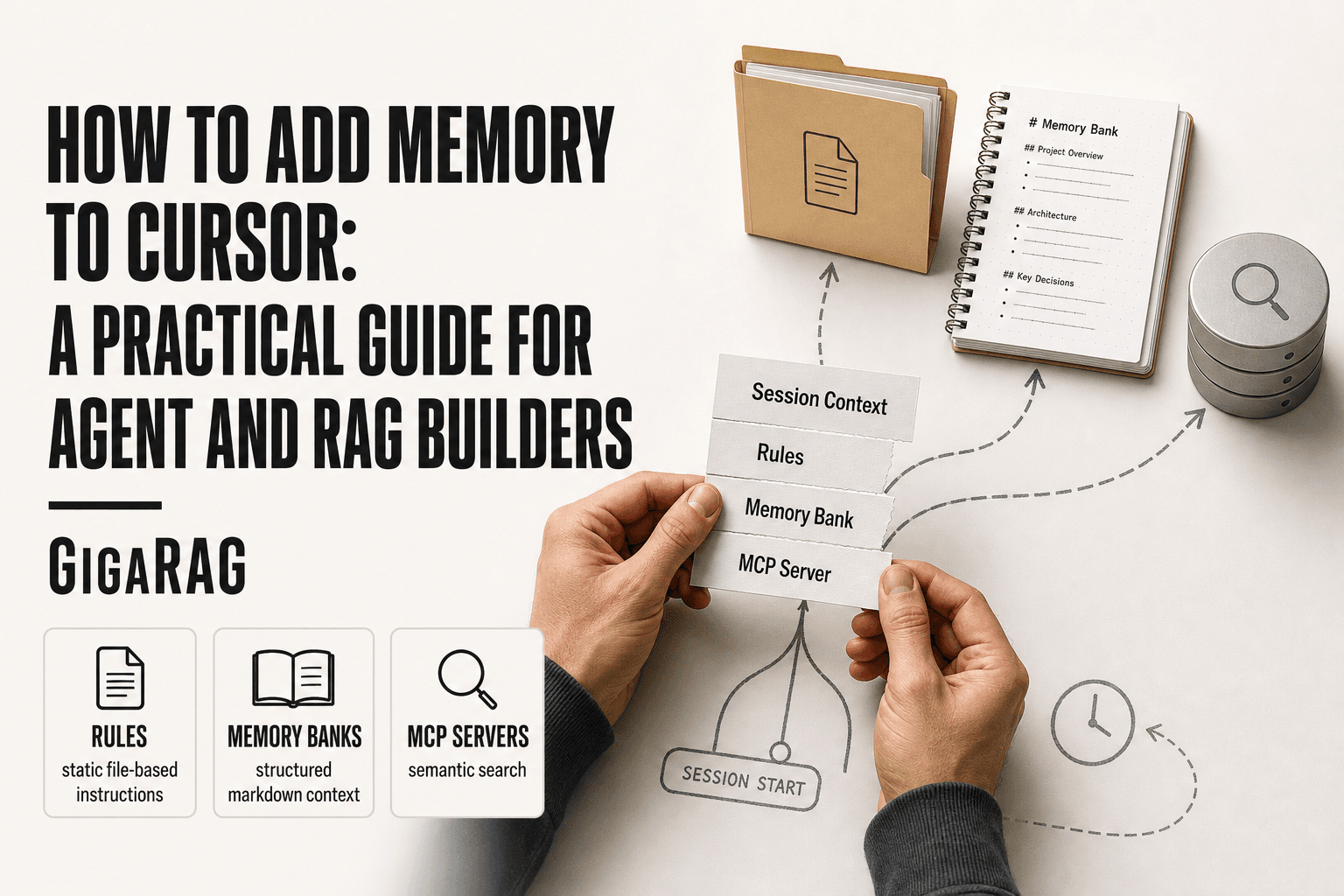
Three approaches get you there. Cursor Rules give you static, file-based instructions. Memory banks store structured project context in markdown. MCP servers add external memory with actual semantic search. Each has real tradeoffs, and none is a magic bullet. For teams building production agent memory or RAG pipelines, a dedicated memory layer like GigaRAG complements Cursor's local approaches rather than replacing them. This guide covers what Cursor remembers natively, how to set up all three methods, what they can't do, and how to choose based on your actual workflow.
| At a glance | Details |
|---|---|
| Core methods | Rules, memory banks, MCP servers |
| Built-in memory | Limited; no true persistent memory |
| Best for agents | MCP server or memory bank |
| Best for RAG | MCP server with vector store |
| Setup effort | Rules easiest; MCP most involved |
| Key limitation | No cross-session memory out of the box |
In This Guide
- Does Cursor Have Built-In Memory?
- Cursor Rules vs Memory Banks vs MCP Servers: Which Memory Approach Fits?
- Three Ways to Add Memory to Cursor
- How To Add Memory To Cursor: A Step-by-Step Guide
- Method 1: Cursor Rules for Persistent Instructions
- Method 2: Memory Banks with ai_instructions.md
- Method 3: MCP Servers for Semantic Memory
- What Cursor Memory Cannot Do
- Memory vs. Skills: What's the Difference?
- Managing Memory Usage and Performance
- Choosing the Right Memory Approach for Your Workflow
- Final Thoughts on Adding Memory to Cursor
Does Cursor Have Built-In Memory?
No. Cursor has no true long-term memory. It remembers only what fits in the current context window, what's indexed in your project, and what you explicitly write to files. Between sessions, that context disappears. Any persistence you want has to come from external mechanisms: rules, memory banks, or MCP servers.
What Cursor remembers natively
Cursor keeps your open files, recent edits, and indexed project symbols in context. That's it. It's working memory, not stored memory.
What Cursor forgets between sessions
Conversations, decisions, and learned preferences vanish when the session ends. Nothing carries over automatically.
Why context window ≠ memory
A context window holds tokens temporarily. Memory implies retrieval over time. Cursor has the first, not the second.
[!note] Cursor does not have built-in persistent memory across sessions; any memory solution requires manual setup or external tools.
Cursor Rules vs Memory Banks vs MCP Servers: Which Memory Approach Fits?
| Factor | Rules | Memory Banks |
|---|---|---|
| Persistence | Manual, per-project | Manual, file-based |
| Setup complexity | Low | Medium |
| Best use case | Static guidelines and preferences | Project context and decisions |
| Agent integration | Limited | Moderate |
| Scalability | Poor | Moderate |
Three Ways to Add Memory to Cursor
You have three real options. They differ in complexity, persistence, and whether they can search by meaning rather than exact text.
Cursor Rules: simple, file-based instructions
Rules are static text files Cursor reads every session. You write conventions once, they apply always. No retrieval, no updates unless you edit them.
Memory banks: structured markdown for project context
A memory bank is a markdown file (or set of files) holding decisions, architecture, and gotchas. Cursor reads it at session start. Manual to maintain, but persistent.
MCP servers: external memory with semantic search
MCP servers run outside Cursor and store memory in a database. They can retrieve by meaning, not just keywords. Most setup, most capability.
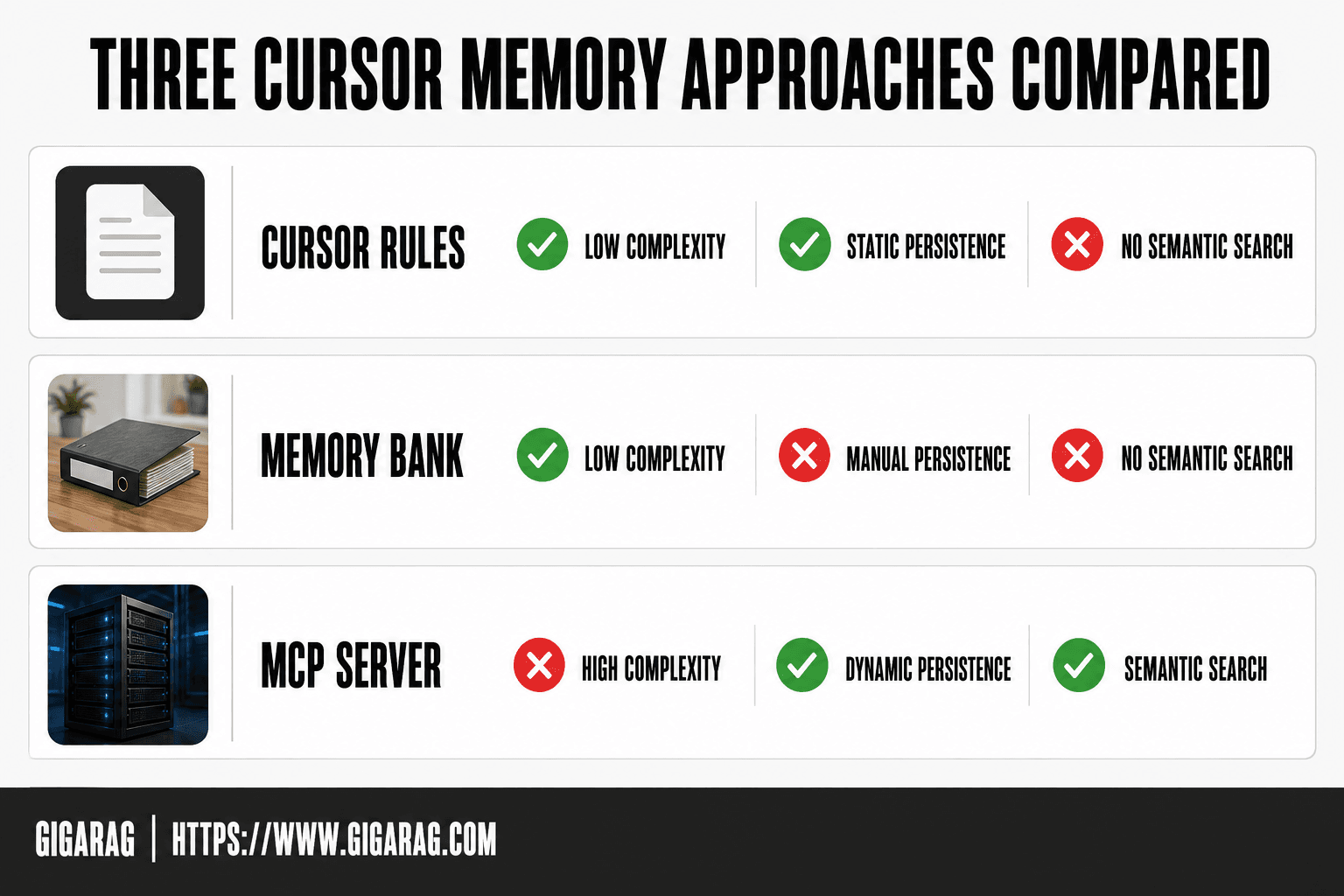
Comparison table: complexity vs. capability
| Approach | Complexity | Persistence | Semantic search | Best for |
|---|---|---|---|---|
| Cursor Rules | Low | Yes, static | No | Conventions |
| Memory bank | Low | Yes, manual | No | Project context |
| MCP server | High | Yes, dynamic | Yes | Agent memory |
[!tip] For agent and RAG builders, start with a simple memory bank to capture project context, then graduate to an MCP server with a vector store when you need semantic retrieval across sessions.
How To Add Memory To Cursor: A Step-by-Step Guide
- Decide whether you need static rules, project memory, or dynamic agent memory.
- For rules: create a .cursorrules file or use Cursor's rules settings to define persistent instructions.
- For memory banks: create a memory-bank folder with markdown files (e.g., projectbrief.md, activeContext.md) and reference them in your prompts.
- For MCP servers: set up an MCP server that provides memory tools (e.g., a vector database) and configure it in Cursor's MCP settings.
- Test the memory by starting a new chat and verifying that context is retained.
- Iterate on your memory structure based on what the agent actually uses.
Method 1: Cursor Rules for Persistent Instructions
Rules are the simplest memory layer. A rule is a text file Cursor reads every session, so whatever you write stays applied. No database, no server, no retrieval step.
Creating a Cursor Rule step-by-step
Create a .cursor/rules file in your project root. Write plain markdown. Cursor picks it up on the next session start. You can also add rules through the Rules UI under Cursor Settings, which writes to the same location.
What to put in rules: project conventions, architecture decisions, API patterns
Rules work best for things that don't change often. Project conventions: naming, folder structure, lint rules. Architecture decisions: why you chose one pattern over another. API patterns: how endpoints are shaped, what auth looks like. One rule per concern keeps files readable.
Limitations: static, no semantic search, manual updates
Rules don't search. Cursor reads them top to bottom, every time. If your rule file grows past a few hundred lines, it eats context window. And nothing updates rules for you. You edit them by hand when a decision changes. For agent memory builders, rules hold the constants, not the learned stuff.
Method 2: Memory Banks with ai_instructions.md
A memory bank is a structured markdown file Cursor reads at the start of each session. Unlike rules, which hold static conventions, a bank stores accumulated project knowledge: decisions, architecture, gotchas. It's manual. You write it, you maintain it, you update it.
Setting up a memory bank file
Create ai_instructions.md in your project root. Reference it from a Cursor rule so it loads automatically. Keep it under 200 lines. Anything longer eats context window fast.
What to store: decisions, architecture, recurring patterns
Store what you'd otherwise re-explain every session. Why you picked Postgres over SQLite. How auth tokens flow. The one endpoint that breaks when touched. Recurring patterns: error handling, test setup, deploy steps. Don't store code snippets you can grep. Store the reasoning behind them.
Maintaining the bank: when and how to update
Update when a decision changes or a new gotcha appears. Do it in the same commit as the change. If you wait, it goes stale and the bank lies to you. A stale bank is worse than no bank.
Cursor 3.x workaround
Cursor 3.x changed how rules load, so some users point a rule at ai_instructions.md explicitly. The file itself doesn't change. Only the loading mechanism does.
Method 3: MCP Servers for Semantic Memory
MCP servers are the most powerful option. They move memory outside Cursor entirely, into a separate process that can do semantic search. Rules and memory banks are static text. MCP memory is queryable.
What is MCP and why it matters for memory
MCP stands for Model Context Protocol. It's an open standard that lets AI tools talk to external servers. For memory, that means Cursor can query a knowledge graph instead of reading a flat file. You ask a question, the server retrieves relevant context, and Cursor gets only what it needs. No more loading 200 lines of markdown when you need three facts.
Setting up mcp-knowledge-graph step-by-step
The mcp-knowledge-graph server is a concrete implementation covered in the Cursor forum. It stores entities and relationships as a graph. Setup is straightforward: install the server, configure it in Cursor's MCP settings, and point it at a storage directory. Once connected, Cursor can add, query, and update nodes through tool calls.
How semantic search works in practice
Semantic search finds meaning, not keywords. Ask "how does auth work in this project" and the server retrieves the auth-related nodes even if you never typed "auth" exactly. Behind the scenes, it uses embeddings: vector representations of text that cluster by meaning. This is the same mechanism RAG pipelines use.
Connecting MCP memory to RAG pipelines
MCP memory is a retrieval layer. For production RAG, you'd combine it with a dedicated vector store. MCP handles the query interface inside Cursor. The vector store handles scale, persistence, and multi-project retrieval. They're complementary, not competing.
What Cursor Memory Cannot Do
Cursor memory approaches are not true long-term semantic memory. They're files and servers you maintain by hand. Nothing learns automatically.
No automatic learning from conversations
Cursor won't remember what you discussed yesterday unless you write it down. Rules and memory banks are static text. You update them, or they don't change.
No cross-project memory without manual setup
Each project needs its own rules file or memory bank. MCP servers can share memory across projects, but only if you configure them that way.
Not a replacement for a vector database or RAG pipeline
MCP memory does retrieval, but it's not a production vector store. Scale, multi-project persistence, and query performance belong to a dedicated system.
Token limits still apply
Every memory approach feeds text into Cursor's context window. Large banks eat tokens. You'll hit limits.
Memory vs. Skills: What's the Difference?
Memory stores context. Skills define what Cursor can do. They're different layers.
What skills are in Cursor
Skills are capabilities: how to run tests, refactor code, or use a specific framework. You add them via rules or extensions that tell Cursor how to act.
How memory and skills work together
Memory tells Cursor what's true about your project. Skills tell it what to do with that truth. A rule can hold both: "We use FastAPI" is memory. "Generate endpoints with Pydantic validation" is a skill.
When to use memory vs. skills
Use memory for facts that persist. Use skills for workflows you repeat. Most rules mix both.
Managing Memory Usage and Performance
When Cursor feels slow, it's usually RAM, not context. The two get confused.
RAM usage vs. context memory: what's actually happening
RAM is what your machine allocates to run Cursor, extensions, and MCP servers. Context memory is what the model can see in a session. A large memory bank file doesn't eat RAM by itself. But a memory MCP server that loads embeddings or runs a local vector database will.
Optimizing memory bank file size
Keep memory bank files under a few hundred lines. Split by topic if they grow. Cursor reads the whole file into context, so every line costs tokens.
When to prune or reset memory
Prune when a decision is obsolete or a pattern changed. Reset when the file holds more history than current truth.
Choosing the Right Memory Approach for Your Workflow
The right approach depends on what you need memory to do. Static instructions, structured context, or semantic retrieval are three different jobs.
For simple project conventions: use rules
Rules are for things that don't change often: coding standards, API patterns, architecture decisions. They're static, so they work best when the instruction stays true for weeks or months. If you're updating a rule every session, you've picked the wrong tool.
For structured project context: use a memory bank
A memory bank holds decisions, gotchas, and recurring patterns in markdown. It's manual, but it gives you control over exactly what enters context. Use it when your project has accumulated knowledge that's too complex for rules but doesn't need semantic search.
For semantic search and agent memory: use MCP
MCP servers add retrieval: the agent can search past context by meaning, not just by file. This matters when your agent needs to find relevant information across many sessions without you pointing at it.
For RAG pipeline builders: combine MCP with external vector store
MCP gives you the interface. A vector store gives you scale. If you're building a RAG pipeline, use MCP to connect Cursor to your existing store rather than duplicating embeddings locally.
Final Thoughts on Adding Memory to Cursor
Adding memory to Cursor is a spectrum. Rules handle static instructions. Memory banks hold structured context. MCP servers add semantic retrieval. None of them is a silver bullet.
The honest answer: pick the simplest approach that solves your problem. Don't reach for MCP when a rule file would do.
For teams building production agent memory or RAG pipelines that need to scale beyond local files, GigaRAG provides a managed memory layer. That's the point where local approaches stop being enough. How to add memory to Cursor, in the end, is a question of how much you're willing to maintain by hand.
Frequently Asked Questions
Does Cursor have a memory?
Cursor has limited built-in memory within a session, but it does not persist context across sessions by default. You need to use rules, memory banks, or MCP servers to add persistent memory.
How do I add files to Cursor?
You can add files to Cursor by dragging them into the editor, using the file explorer, or referencing them in your prompts with @. For memory, you can create markdown files and reference them in your rules or memory bank.
Why is Cursor using so much memory?
Cursor's memory usage depends on the size of your project, open files, and extensions. Large codebases or many extensions can increase RAM usage. This is separate from the concept of persistent memory for context.
How do I add skills to Cursor?
You can add skills to Cursor by defining custom rules or using MCP servers that provide additional capabilities. Skills are essentially tools or instructions that extend what the agent can do.
What is a Cursor memory bank?
A Cursor memory bank is a structured set of markdown files that store project context, decisions, and progress. It is manually maintained and referenced by the agent to retain information across sessions.
Can I use Cursor with a RAG pipeline?
Yes, you can integrate Cursor with a RAG pipeline via MCP servers. This allows the agent to query external knowledge bases and use retrieved information in its responses.
Is there a Cursor memory MCP?
Yes, there are MCP servers designed for memory, such as those that connect to vector databases or note-taking apps. You can configure them in Cursor's MCP settings to provide persistent memory.
About GigaRAG
GigaRAG helps GigaRAG is for agent memory and RAG pipeline builders. get this right. Whether you are working through How to add memory to Cursor or something adjacent, we publish what we have actually tested, including where it falls short.