7 Common Agentic Memory Mistakes and How to Avoid Them
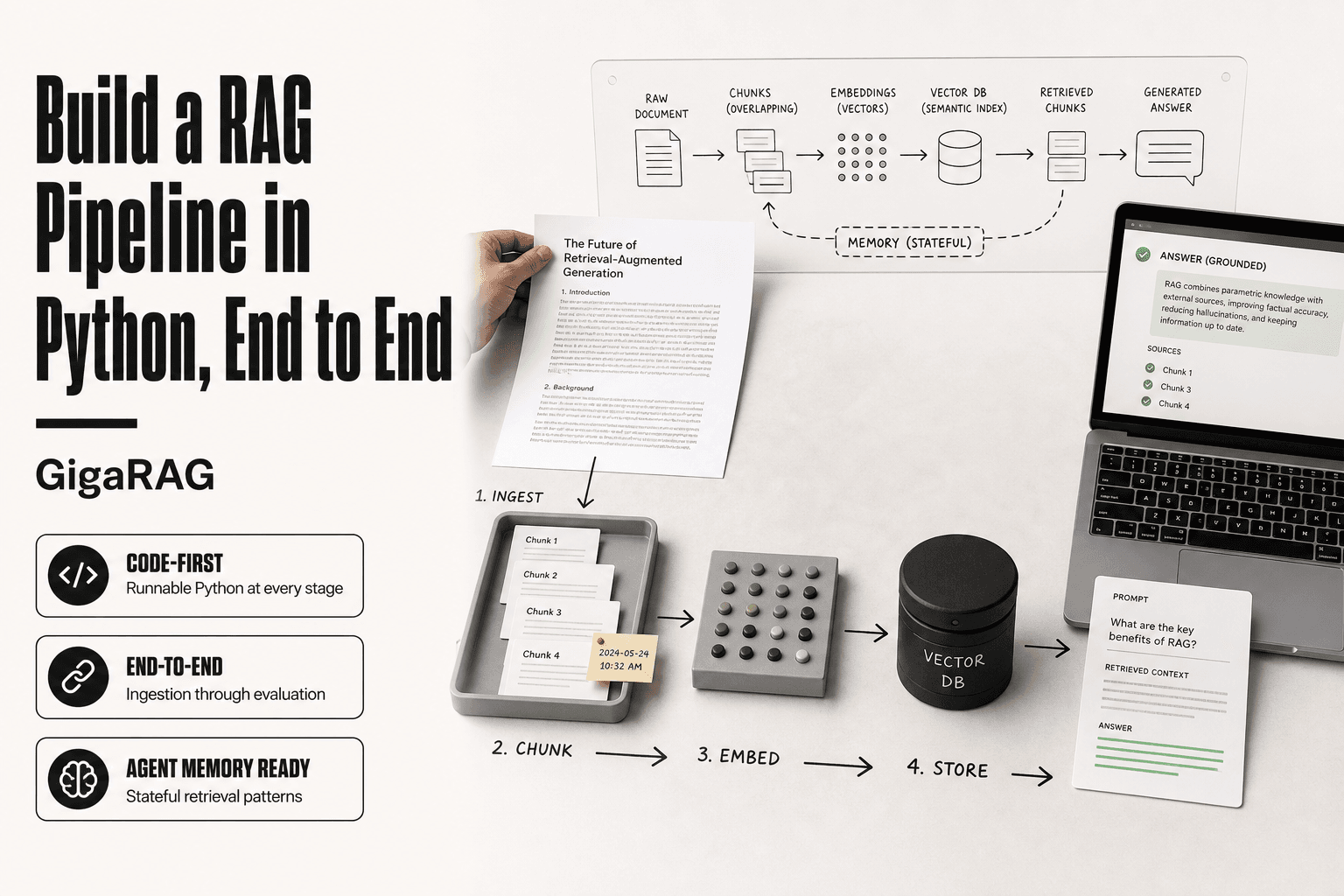
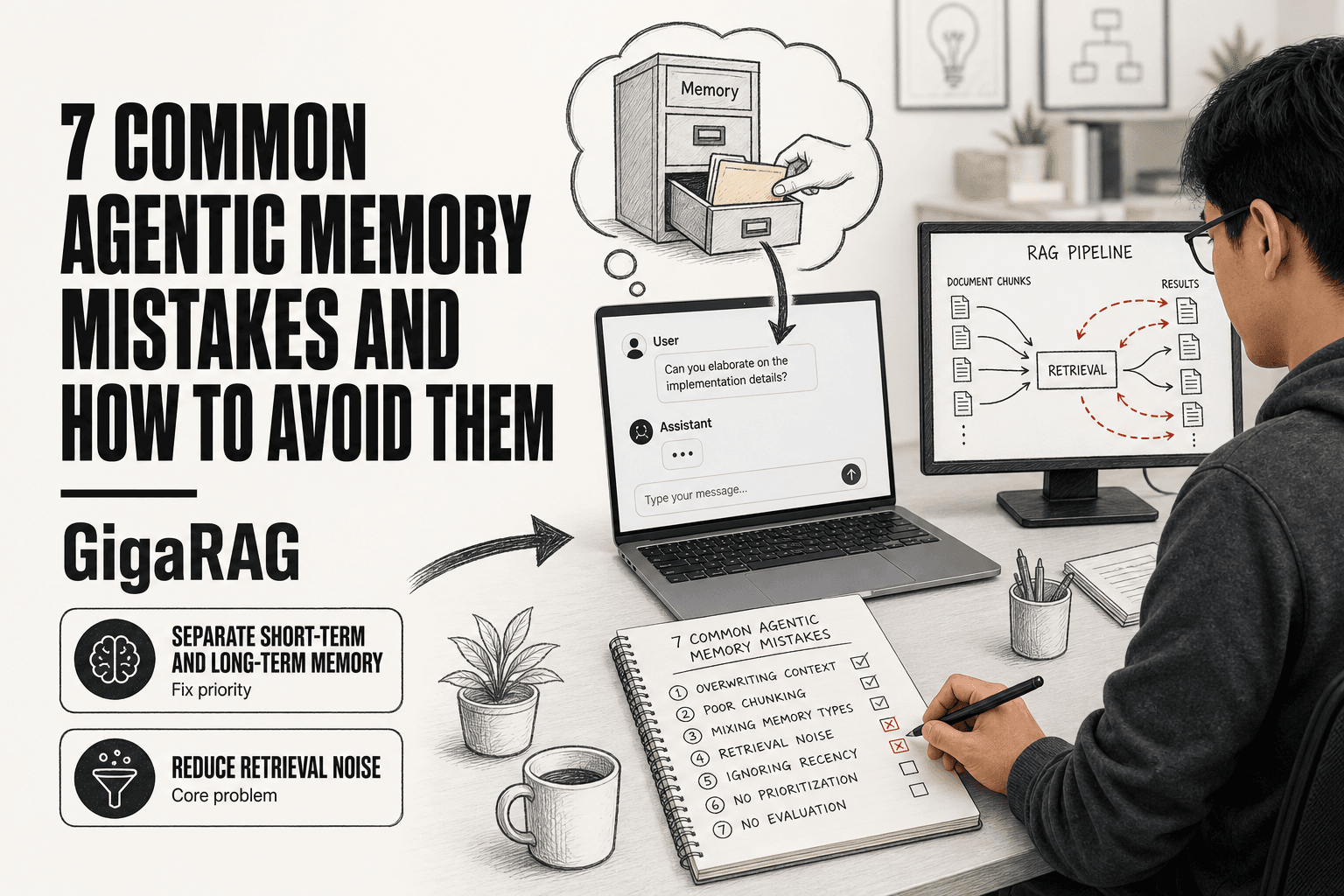
Your agent retrieves the same irrelevant chunk three times in one session, then forgets a user preference stated five turns ago. If you build RAG pipelines, you know this failure. It isn't a generic AI problem. It's an agentic memory problem, and the mistakes are specific to how retrieval, embeddings, and chunking interact inside a production system. The good news is most agentic memory mistakes are fixable once you can name them. This guide covers the 7 most common agentic memory mistakes RAG pipeline builders make, each mapped to its architecture failure mode: retrieval noise, embedding drift, chunk strategy conflicts, and more. GigaRAG addresses several of these directly, but I'll be honest about what memory systems cannot do, because no top result will tell you that. Here's what you'll get: a working definition of agentic memory, the three types your pipeline is probably missing one of, and a practical checklist for choosing the right architecture.
| At a glance | Details |
|---|---|
| Core problem | RAG-specific memory failures, not generic AI issues |
| Top mistake | Storing everything without relevance filtering |
| RAG failure mode | Retrieval noise from stale or conflicting chunks |
| Fix priority | Separate short-term and long-term memory stores |
| Realistic limit | Memory cannot fix poor retrieval or chunking |
| When to skip | Simple context windows suffice for short sessions |
In This Guide
- What Is Agentic Memory?
- Short-Term Context vs. Long-Term Agentic Memory: When to Use Which
- The Three Types of Agentic Memory (And Which One Your RAG Pipeline Is Missing)
- Agentic Memory Mistakes: A Step-by-Step Guide
- Mistake 1: Treating RAG Retrieval as Memory
- Mistake 2: Ignoring the Context Window as a Constrained Resource
- Mistake 3: No Forgetting Mechanism (Or Forgetting the Wrong Things)
- Mistake 4: Embedding Drift in Long-Running Agents
- Mistake 5: Chunk Strategy Conflicts with Memory Retrieval
- Mistake 6: No Memory-Aware Retrieval Inside the Agent Loop
- Mistake 7: No Evaluation or Monitoring of the Memory Layer
- What Agentic Memory Cannot Do: Honest Limitations
- How to Choose the Right Memory Architecture for Your RAG Pipeline
What Is Agentic Memory?
Agentic memory is the system an AI agent uses to store, retrieve, and update its own state across turns, sessions, and tasks. It's not a single feature. It's a set of coordinated mechanisms: what to store, how to store it, how to retrieve it, and when to forget it.
Why memory is a systems problem, not a feature
Memory touches every layer of your pipeline. The embedding model decides how memories are represented. The chunking strategy decides what gets stored. The retrieval layer decides what comes back. The context window decides what actually fits. Change any one of these and memory behavior shifts.
That's why you can't bolt on a memory module and call it done. A vector store alone doesn't remember what your agent already retrieved. A session log alone doesn't help the agent generalize across sessions. Memory only works when storage, retrieval, and forgetting are designed together.
How memory differs from a single vector store lookup
A vector store lookup answers one question: what's semantically similar to this query? Memory answers a different question: what does this agent know, and what should it bring into this turn?
The difference shows up in failure modes. A vector store will happily return the same irrelevant chunk three times in one session. A memory system tracks what was already retrieved and filters it out. A vector store has no notion of importance or recency. A memory system prioritizes what matters now and decays what doesn't.
If your agent repeats itself or forgets a preference stated five turns ago, you don't have a retrieval problem. You have a memory problem.
[!note] Agentic memory systems cannot compensate for fundamental RAG weaknesses such as poor document chunking or an inadequate embedding model; they only manage what is already retrievable.
Short-Term Context vs. Long-Term Agentic Memory: When to Use Which
| Factor | Short-Term Context | Long-Term Agentic Memory |
|---|---|---|
| Typical duration | Single session or conversation | Across sessions, days to months |
| Storage mechanism | In-prompt context window | Vector database or external store |
| RAG failure risk | Context overflow, truncation | Embedding drift, retrieval noise |
| Best for | Stateless tasks, quick queries | Personalization, multi-turn continuity |
| Maintenance cost | Low, no persistence layer | High, requires deduplication and decay |
The Three Types of Agentic Memory (And Which One Your RAG Pipeline Is Missing)
Agentic memory splits into three types: semantic, episodic, and procedural. Most RAG pipelines implement the first, half-implement the second, and skip the third entirely.
Semantic memory: your vector store is not enough
Semantic memory holds facts and concepts: what a document says, what a term means, what your product does. In RAG, this maps to your vector store. It's the type every pipeline has because it's the type retrieval was built for.
But semantic memory is static. It doesn't know what happened in this session or what the agent already tried. That's the gap.
Episodic memory: session history and conversation logs
Episodic memory stores what happened: which chunks were retrieved, what the user said five turns ago, which answers failed. In practice, this is your conversation log plus a record of retrieval actions.
Most pipelines keep the log but never query it. The agent can't ask "what did I already show this user?" because nothing indexes that history.
Procedural memory: system prompts, tool schemas, and learned behaviors
Procedural memory is how the agent does things: which tools to call, what order to follow, what rules to obey. It lives in system prompts and tool schemas.
This is the type most RAG pipelines under-implement. Builders treat the system prompt as a static config file, not as memory that should update as the agent learns what works.
[!tip] For production RAG pipelines, instrument retrieval logs with a unique chunk ID and timestamp so you can trace exactly when and why the same irrelevant chunk gets retrieved multiple times in one session.
Agentic Memory Mistakes: A Step-by-Step Guide
- Log every retrieval call and its returned chunks for one full agent session.
- Flag repeated or near-duplicate chunks that indicate retrieval noise.
- Check if user preferences stated in early turns are stored and retrievable later.
- Compare embedding model versions used for indexing versus querying to detect drift.
- Review chunk boundaries for conflicts with your memory summarization strategy.
- Test a simple context-window-only baseline to see if memory adds measurable value.
- Document which mistakes are architecture-specific versus general agent design issues.
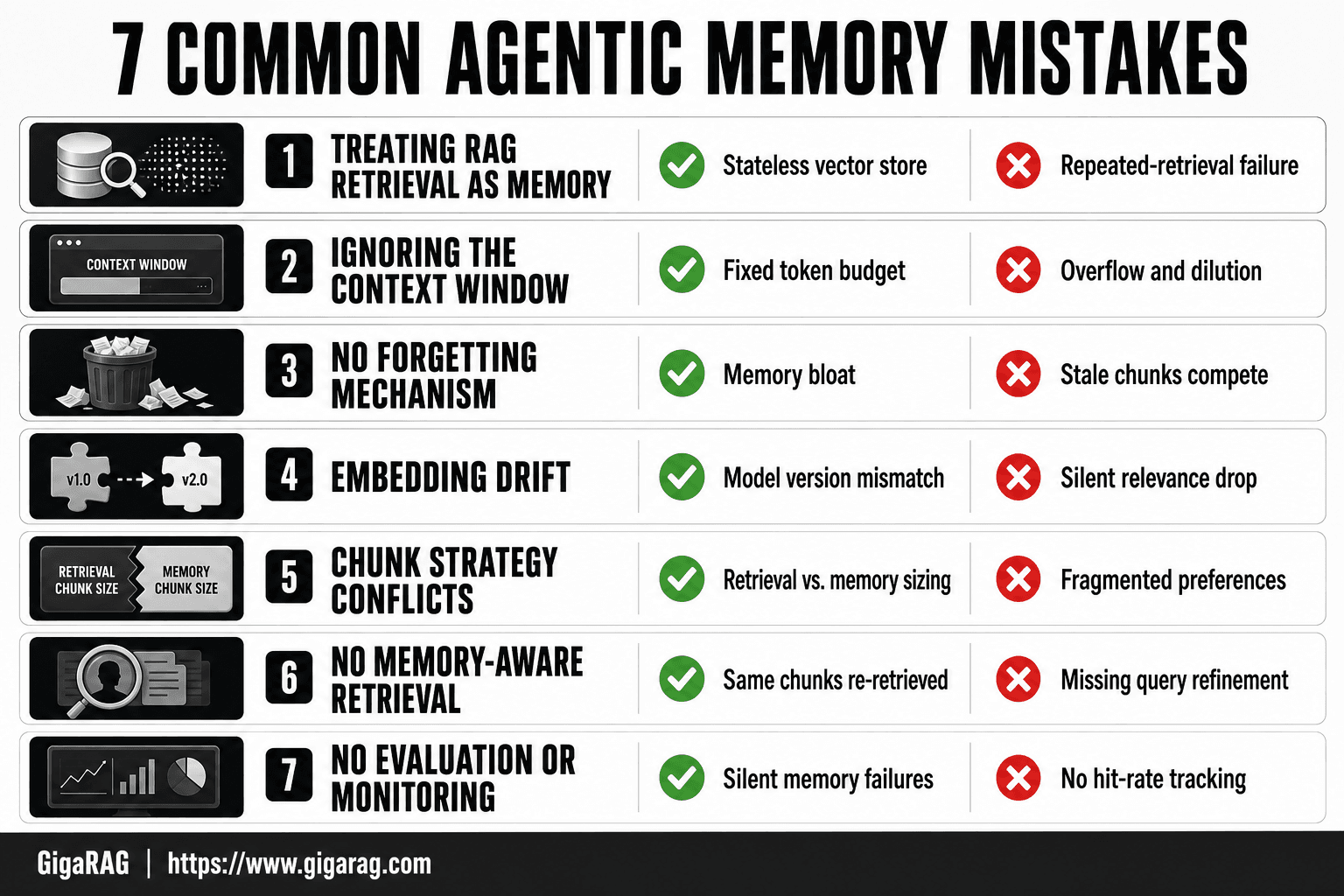
Mistake 1: Treating RAG Retrieval as Memory
RAG retrieves knowledge from an external store. Memory stores agent-internal state. They are different systems with different jobs, and conflating them breaks agents in predictable ways.
RAG retrieves knowledge; memory stores state
A vector store answers "what does the corpus say about X?" Memory answers "what did I already try, and what did the user tell me?" The first is stateless. The second is not. When you treat retrieval as memory, the agent has no record of its own actions.
The repeated-retrieval failure mode
Here's what happens: the agent retrieves a chunk, finds it irrelevant, and moves on. Next turn, the same query fires, and the same chunk comes back. Nothing recorded that it was already rejected. The agent loops, burning tokens and frustrating the user.
When a vector store is not a memory system
A vector store holds facts. It doesn't hold session state, user preferences, or retrieval history. If you need the agent to remember what it did, you need a memory layer separate from retrieval. The honest answer: most pipelines skip this and wonder why agents repeat themselves.
Mistake 2: Ignoring the Context Window as a Constrained Resource
The context window is a fixed budget. Every token you stuff in competes with every other token for the model's attention. Treat it as infinite, and your agent will forget the thing you needed it to remember.
What happens when memory exceeds the context window
Overflow pushes the oldest or least-relevant content out. That's often the user's preference stated five turns ago. Over-stuffing is worse: the model's attention dilutes across too much text, and it retrieves nothing well. Both failures look like memory loss. They're actually budget mismanagement.
Summarization and prioritization strategies
Summarize aggressively. Keep raw text only for the current turn. Compress older turns into structured notes: user preferences, decisions made, open questions. Prioritize by recency and task relevance, not by what's easiest to keep.
Eviction policies: what to drop and when
Drop anything the agent has already acted on. Drop retrieved chunks after they've been used, not after they've been read. Keep user-stated constraints until the task ends. The rule: evict by utility, not by age alone.
Mistake 3: No Forgetting Mechanism (Or Forgetting the Wrong Things)
An agent that never forgets is not smarter. It's slower. Every stale chunk it keeps competes with fresh, relevant context for retrieval attention.
Why forgetting is a feature, not a bug
Memory bloat is the silent killer. Retrieval latency climbs as the store grows. Irrelevant context leaks into prompts. The agent starts answering from outdated information because that's what similarity search keeps surfacing. Forgetting is how you keep the signal loud.
Decay, consolidation, and explicit deletion
Three mechanisms do the work. Decay lowers the weight of old memories over time. Consolidation compresses many related memories into one summary. Explicit deletion removes memories that are wrong, resolved, or superseded. Use decay for preferences that might change. Use consolidation for long conversations. Use deletion for anything the agent already acted on.
The cost of forgetting the wrong things
Here's the counterpoint that matters. Forgetting a user's stated constraint mid-task is worse than never forgetting anything. An agent that deletes a preference because it hasn't been mentioned in three turns will annoy the user faster than a bloated memory store will. The rule: never forget anything the user explicitly stated until the task ends. Forgetting is for retrieved chunks and intermediate reasoning, not for user constraints.
Mistake 4: Embedding Drift in Long-Running Agents
Embedding drift is the quiet failure. Your retrieval worked in testing. Six months later, the same queries return garbage. Nothing in your code changed. The model did.
What embedding drift looks like in production
Embedding models get updated. Providers ship new versions with different vector spaces. Your stored vectors were built with the old model. New queries use the new one. The similarity scores still look fine, but the matches are wrong. The agent retrieves chunks that are semantically adjacent, not relevant. Users notice the agent repeating itself or missing context. You won't see an error log.
Detecting drift before it breaks retrieval
Track retrieval relevance scores over time. If the average similarity score for accepted chunks drops, drift is happening. Sample retrievals manually. Check whether the top chunk actually answers the query. A drop in relevance without a code change is the signal. Set a threshold. When relevance falls below it, re-embed.
Re-embedding strategies and when to use them
Re-embedding means running your entire store through the current model. It's expensive. Do it when you upgrade embedding models, when your domain vocabulary shifts, or when relevance scores drop below your threshold. Don't re-embed on a schedule. Re-embed on a signal.
Mistake 5: Chunk Strategy Conflicts with Memory Retrieval
Your chunking strategy was built for document retrieval. Then you pointed memory at the same chunks. That's the conflict.
Retrieval chunks vs. memory chunks: different needs
Retrieval chunks are sized for relevance. You want a chunk big enough to answer a query, small enough to rank precisely. Memory chunks are sized for consolidation. You want a chunk that captures a complete fact, preference, or event. Those sizes rarely match. A 512-token retrieval chunk might hold three separate user preferences. Memory can't isolate them.
How chunk size affects memory consolidation
Too-large chunks bury individual memories. The agent stores one vector for a block of text that contains five distinct facts. Retrieving any one of them pulls all five. Too-small chunks fragment context. A preference stated across two sentences gets split into two chunks, and the agent stores two partial memories. Neither is useful alone.
Decoupling memory chunking from retrieval chunking
Run two chunking passes. Retrieval chunks stay optimized for search. Memory chunks get built separately, sized for the unit of memory you need: one preference, one event, one fact. Store them in a separate index. It costs more storage. It fixes the conflict.
Mistake 6: No Memory-Aware Retrieval Inside the Agent Loop
Retrieval that ignores what the agent already knows will keep pulling the same chunks. The loop spins. The agent looks stuck.
What memory-aware retrieval actually means
Memory-aware retrieval means the query you send to the vector store is shaped by the agent's current memory state. Not just the user's latest message. The agent knows what it has already retrieved, what it has already said, and what the user has already confirmed. Retrieval uses that state to decide what to look for next. Without it, every retrieval call is a fresh start. The agent has no way to say "I already have this."
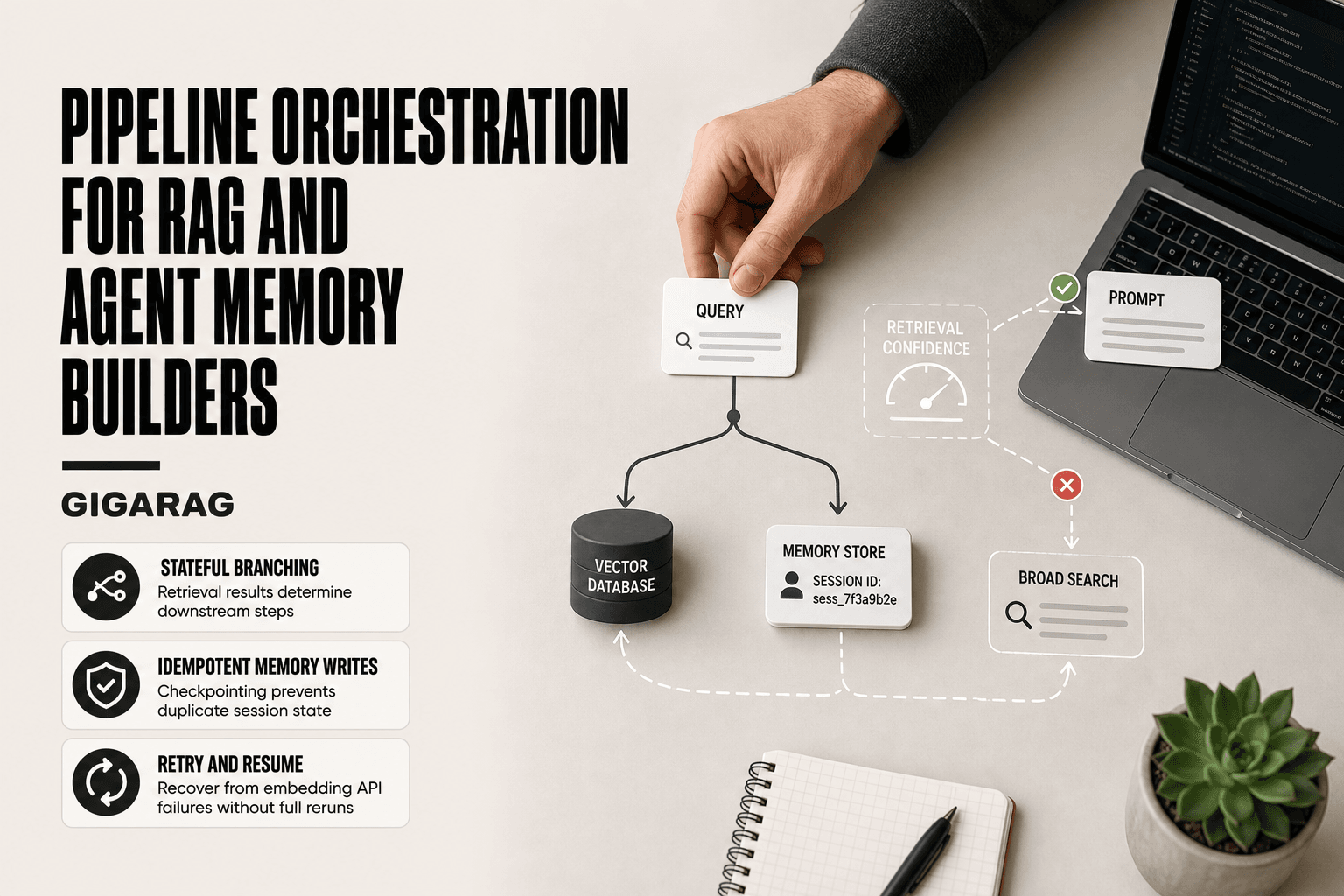
Filtering already-retrieved chunks
The simplest fix: track chunk IDs. Every time retrieval returns a set of chunks, store those IDs in working memory. Before the next retrieval call, filter them out. The agent can't retrieve the same chunk twice in a session unless the user explicitly asks for it. This alone stops the most visible failure mode: an agent that repeats the same paragraph three turns in a row because the similarity score keeps ranking it first.
Using memory state to refine retrieval queries
Filtering is the floor. The ceiling is query refinement. When the agent knows what it has already retrieved, it can ask a better question. If the first retrieval returned general information about a topic, the next query can target the specific gap: "what about X, which the previous chunks didn't cover." That requires the agent to hold a running summary of what it knows and what it still needs. It's more work than filtering. It's also what separates an agent that retrieves from one that investigates.
Mistake 7: No Evaluation or Monitoring of the Memory Layer
Memory systems fail silently. Retrieval relevance drops, hit rates fall, and the agent starts repeating itself or missing context. You won't notice until a user complains. Evaluation has to be deliberate.
Memory-specific evaluation metrics
RAG retrieval evaluation measures whether the right chunk came back. Memory evaluation measures whether the right state persisted. Track memory hit rate: how often a stored memory is retrieved when needed. Track forgetting accuracy: how often the agent drops what it should drop and keeps what it should keep. Track retrieval latency: memory lookups that take 400ms will kill an agent loop. These are different numbers than your RAG benchmark scores.
Monitoring memory hit rate and forgetting accuracy
Log every memory write and every memory read. If a memory is written but never read, it's dead weight. If a memory is read but produces irrelevant context, the storage decision was wrong. Forgetting accuracy is harder: you need a held-out set of memories that should survive and a set that should decay. Compare what the system actually kept against that set. Most teams skip this. It's the metric that catches silent drift.
Continuous improvement loops for memory systems
Run evaluation on a schedule, not as a one-off. Weekly is a reasonable starting point. When hit rate drops below your threshold, look at what changed: new embedding model, new chunk sizes, new memory types. Fix the cause, not the symptom. Memory systems degrade over time. The only way to catch it is to watch the numbers.
What Agentic Memory Cannot Do: Honest Limitations
Agentic memory is not a fix for a broken retrieval pipeline. If your embeddings are poor, your chunks are misaligned, or your vector store returns irrelevant results, adding memory will not save you. Memory stores state. Retrieval finds knowledge. They are different jobs, and one cannot compensate for the other.
What memory cannot fix
Memory cannot fix bad chunking. If your chunks split a concept across two vectors, no memory layer will reassemble it. Memory cannot fix poor embedding quality. If your embedding model maps "invoice" and "receipt" to distant vectors, memory won't bridge that gap. Memory cannot guarantee perfect recall. Agents forget things. That's a feature when it drops stale context, a bug when it drops a user preference stated five turns ago. You cannot eliminate both failure modes at once.
When simple context management is enough
Most agents don't need a memory system. If your sessions are short, your context window fits the full conversation, and your users don't return with long-term expectations, a plain context buffer works. Adding semantic memory, episodic logs, and consolidation adds latency and failure modes. Don't build it until a real failure forces you to.
Realistic expectations for production systems
Expect memory to reduce repetition, not eliminate it. Expect it to improve retrieval relevance, not guarantee it. Expect it to degrade over time as embeddings drift and storage grows. Plan for evaluation and re-embedding from day one. Memory is a maintenance burden, not a one-time build.
How to Choose the Right Memory Architecture for Your RAG Pipeline
You don't need a memory architecture until a real failure forces one. The previous section covered what memory can't fix. This one covers the four decisions you'll make once you've confirmed you need it.
The four decisions: what, how, when, and why
What to store: user preferences, session state, retrieved chunks, or learned procedures. Each has a different storage cost and retrieval pattern. How to store: vector store for semantic recall, append-only log for episodic history, system prompt for procedural rules. When to forget: decay timers, consolidation thresholds, or explicit deletion. Why: every memory type exists to serve a specific retrieval need. If you can't name the need, don't store it.
A practical checklist for RAG pipeline builders
Start with the smallest memory that fixes your failure. Store only what retrieval actually needs. Pick a forgetting mechanism before you ship. Evaluate memory hit rate separately from retrieval relevance. Re-embed when drift degrades recall. If any step feels optional, it probably is.
Matching memory architecture to use case
Short sessions with no returning users: context buffer only. Long sessions with repeated preferences: episodic log plus decay. Cross-session knowledge work: semantic store plus consolidation. Multi-step tool use: procedural memory in system prompts. Most agentic memory mistakes come from building more than the use case needs.
Frequently Asked Questions
What are the most common agentic memory mistakes in RAG systems?
The most common mistakes include storing all conversation history without relevance filtering, using the same embedding model for indexing and querying without version control, and failing to separate short-term session memory from long-term knowledge stores. Each leads to specific RAG failure modes like retrieval noise or embedding drift.
How does agentic memory differ from standard RAG retrieval?
Standard RAG retrieves from a static knowledge base per query, while agentic memory adds dynamic, session-aware storage that persists across turns. This introduces new failure modes such as stale memory chunks competing with fresh retrievals and memory summaries that conflict with original source chunks.
Which of the following is not a recommended risk mitigation strategy for agentic AI?
Storing unlimited conversation history without any decay or relevance filtering is not recommended. Effective mitigation includes memory expiration policies, relevance thresholds for retrieval, and regular audits of what the agent actually remembers versus what it should forget.
How can designers mitigate risks in agentic AI systems?
Designers should implement separate memory tiers for short-term and long-term storage, enforce embedding model version consistency, and set retrieval relevance thresholds. Regular logging of retrieval calls helps identify when memory is adding noise rather than value.
When is simple context management enough instead of full agentic memory?
Simple context management suffices for single-session tasks, stateless queries, or when the total relevant context fits within the model's window. Adding persistent memory introduces complexity and new failure modes that may not be justified for short-lived or low-stakes interactions.
What can agentic memory realistically not do?
Agentic memory cannot fix poor document chunking, compensate for an inadequate embedding model, or guarantee that the agent will recall information it was never designed to store. It also cannot resolve conflicts between contradictory source documents without additional logic.
About GigaRAG
GigaRAG is for agent memory and RAG pipeline builders. get this right. Whether you are working through 7 common agentic memory mistakes and how to avoid them or something adjacent, we publish what we have actually tested, including where it falls short.