ChatGPT Memory Limit Explained: What "Memory Full" Means
Seeing "memory full" in ChatGPT can sound like your chats, code, and project decisions are about to vanish. A full saved-memory state is a storage-management issue, not proof that ChatGPT has kept a complete project archive or can recover details you never saved elsewhere.
Chat history, in-session context, saved memories, and durable project knowledge overlap, but they are not the same thing. The main catch is that clearing a memory notice won't rebuild missing context, and external storage won't expand ChatGPT's built-in memory.
Quick answer
A "memory full" notice concerns ChatGPT's saved-memory storage. It does not, by itself, prove that all chat history is lost or that unsaved project details can be recovered.
Treat saved memory, chat history, and external project knowledge as distinct.
ChatGPT memory limit explained: What "memory full" means
You can reach a saved-memory limit. A "memory full" notice is a storage-management message, not proof that ChatGPT has failed, erased your chat history, or can recover a whole project. Review what has been saved before expecting new details to persist.
[!note] A full saved-memory state does not automatically mean all chat history has been lost. It also does not mean ChatGPT can recover project details that were never saved externally.
What ChatGPT's saved memory feature is
Saved memory is for details you want carried forward, such as preferences or recurring instructions. It isn't a complete record of every chat.
What a "memory full" notice does and does not indicate
Treat the notice as a prompt to manage saved items. It doesn't, by itself, show that a current chat has vanished, all chat history is gone, or your account has a system fault.
Memory at 100% isn't automatically bad. It means you need to decide which saved details still deserve space.
Why saved memory is not a complete project archive
A project archive needs deliberate records: requirements, technical decisions, source links, and current task state. If you never saved those details outside a conversation, a memory notice can't recreate them for your next session.
How ChatGPT memory works and what it does not do
ChatGPT memory doesn't give you a durable, searchable record of everything you say. It can carry selected information forward, but it can't guarantee that a past discussion, a hidden detail, or an unsaved project decision will be available when you need it.
[!tip] For developer-agent work, keep durable project knowledge separate from ChatGPT's built-in memory and check that you stored the relevant information before starting a new session.
Limited-memory AI vs. ChatGPT's saved memory feature
Limited-memory AI is a broad term for systems that use recent or stored information to shape a response without treating every past interaction as permanent knowledge. It describes a capability pattern, not one specific ChatGPT setting.
ChatGPT's saved-memory feature is narrower: it concerns information kept for future chats. Don't treat that feature as a technical definition of all limited-memory AI, or as proof that an agent has a complete model of your work.
Saved memories vs. chat history vs. in-session context
These are separate layers. Saved memories are selected details meant to carry forward, chat history is your record of past conversations, and in-session context is the information available during a particular interaction.
Seeing a chat in history doesn't mean every detail from it is available to a later response. Starting a new chat also changes the working context, so restate the task state when accuracy matters.
What ChatGPT memory won't preserve or retrieve
Don't expect automatic project archives, exact decision trails, source files, or reliable recovery of facts you never deliberately recorded. It also can't reconstruct a conversation that isn't available to it.
For work that must survive handoffs or fresh sessions, keep a short external record of requirements, decisions, and the next task.
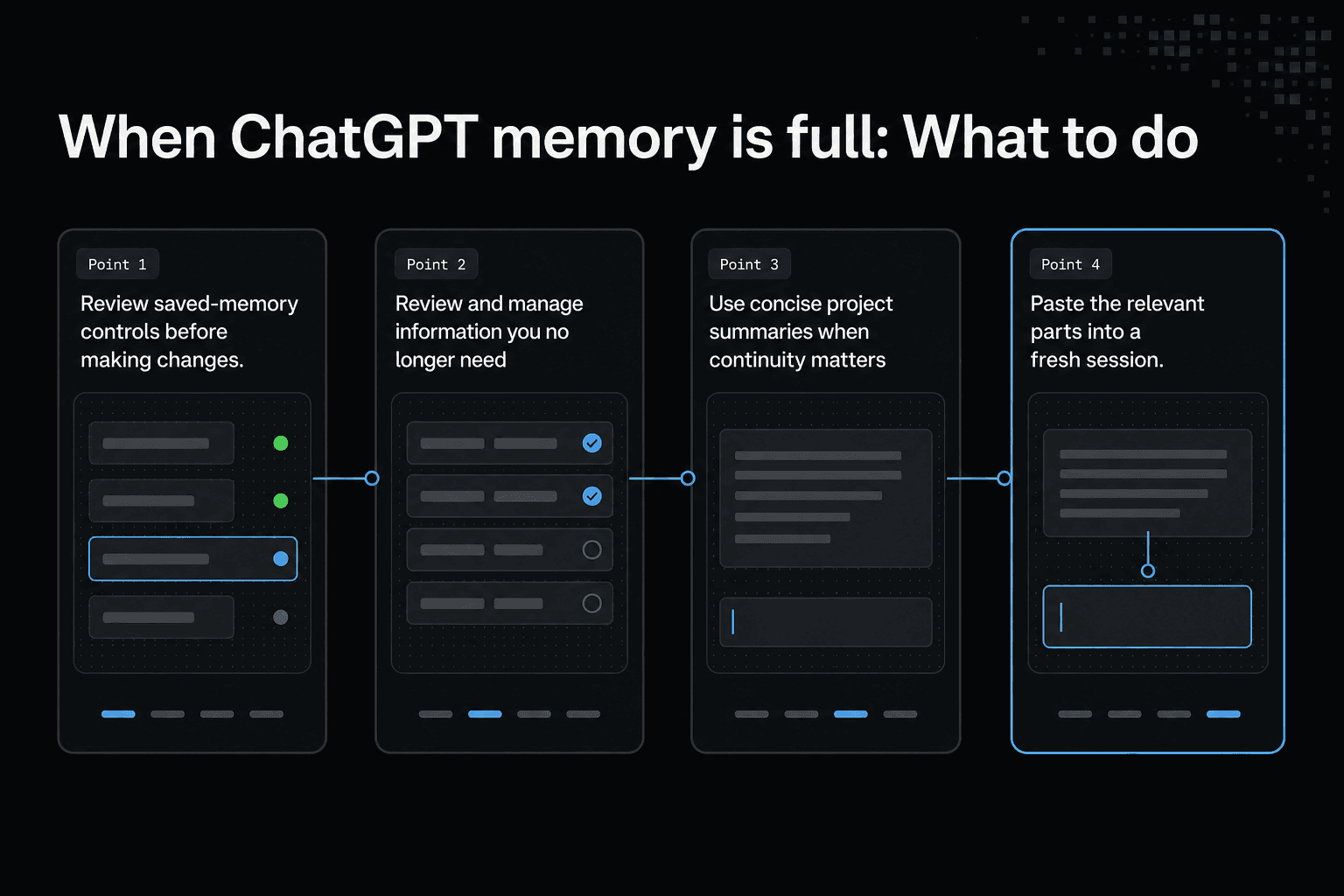
When ChatGPT memory is full: What to do
A full-memory notice is a storage prompt, not a failure report. Start by naming the gap: a new preference not sticking may point to saved memory, an old chat you can't find may be a chat-history issue, and a reply that loses track of the task needs the key details restated in the chat.
- Identify whether the notice concerns saved memory or a separate project-knowledge system.
- Decide which information you need ChatGPT to retain as saved memory.
- Review saved-memory controls before making changes.
- Keep important project knowledge in a separate system if your workflow requires external persistence.
- Check that the information you need is actually stored there before relying on it in another session.
Review and manage information you no longer need
Review saved items and remove only what you no longer want carried forward. Changing a setting or deleting an item isn't a recovery step.
Use concise project summaries when continuity matters
Keep a short project summary outside the chat: goal, current state, decisions, constraints, and next action. Paste the relevant parts into a fresh session.
This is a manual handoff: the model can use the context you paste into a new chat, but it does not automatically retrieve an external project summary.
What not to expect after clearing or changing memory
Don't expect clearing saved memory to rebuild a project record, recover facts never saved elsewhere, or restore a prior session's working context. Keep original chats and external notes until you've checked what you still need.
How to Use GigaRAG for Persistent AI Memory
ChatGPT's built-in memory and external project memory serve different purposes. If you want project knowledge to remain accessible across different AI agents, sessions, and tools, you can use GigaRAG as a shared memory platform.
GigaRAG connects compatible AI agents to a central Hive Mind through MCP (Model Context Protocol) or its API. This allows agents to save, search, and retrieve project information, subject to workspace permissions.
Step 1: Connect GigaRAG to Claude Code
One way to connect GigaRAG is through its CLI. Open your terminal and run:
npm install -g gigarag
gigarag login
gigarag connect
Sign in through the browser and authorize your workspace. Restart Claude Code after the connection is complete.
Alternatively, configure the MCP connection directly:
claude mcp add --transport http --scope user gigarag https://mcp.gigarag.com/mcp
claude mcp login gigarag
Follow the browser authentication process and select the workspace you want to connect.
Step 2: Verify the connection
Open Claude Code and run:
/mcp
Confirm that GigaRAG appears as a connected MCP server.
You can also ask the agent:
"List my GigaRAG buckets."
If it can retrieve your workspace information, the connection is working.
Step 3: Create a space for project knowledge
Organize your information using GigaRAG's MCP tools:
list_buckets: View available project knowledge spaces.create_bucket: Create a dedicated bucket for a project.create_thread: Organize related project discussions.create_node: Save individual knowledge records or memos.
For example, create a bucket named "AI Assistant Project" and store important information such as:
- Project objectives and requirements.
- Architecture decisions and technology choices.
- Important implementation instructions.
- Bugs and solutions.
- Current development status and pending tasks.
You can ask your connected agent:
"Create a project memory record containing the architecture, technology stack, important decisions, current implementation status, unresolved issues, and next development steps. Store it in the appropriate GigaRAG project bucket and thread."
Step 4: Retrieve saved knowledge in a new agent session
When you start a fresh session or switch to another connected agent, the original conversation may not be available. However, you can retrieve previously saved project knowledge.
GigaRAG provides these MCP tools:
search_nodes: Search stored project information.fetch_node: Retrieve a specific memo.fetch_nodes: Retrieve multiple memos.
Ask your connected agent:
"Search GigaRAG for the latest project information about AI Assistant Project. Retrieve the relevant architecture decisions, implementation status, unresolved issues, and pending tasks. Summarize them before continuing development."
The new agent can use the retrieved information to understand the project without depending entirely on the previous conversation.
What GigaRAG Can and Cannot Do
GigaRAG can preserve and retrieve information that developers or connected agents have explicitly saved. It can help maintain project continuity across compatible AI agents, sessions, and tools.
However, it does not increase ChatGPT's built-in saved-memory capacity, automatically import every previous ChatGPT conversation, or restore deleted chats. Information must be stored in GigaRAG before another agent can retrieve it.
Use ChatGPT's built-in memory for personalization, conversation history for accessible past chats, and GigaRAG for reusable project knowledge shared across connected agents.
ChatGPT built-in memory vs. external project memory
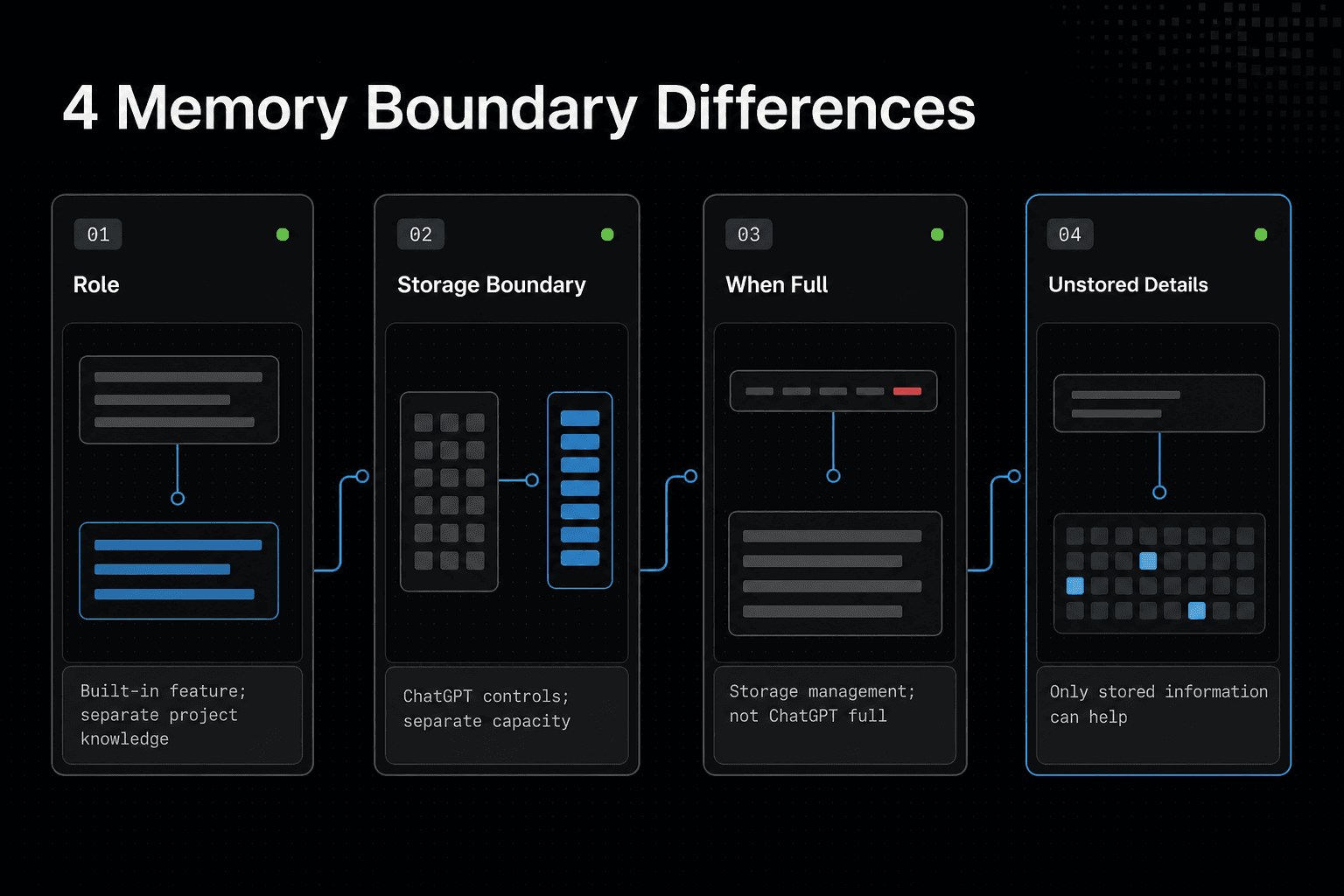
Built-in memory isn't a project database. External storage can't increase its capacity, change its limits, or make ChatGPT recall a conversation that was never saved.
| Factor | ChatGPT saved memory | External project memory |
|---|---|---|
| Role | A product-level saved-memory feature | A separate place for project knowledge |
| Storage boundary | Governed by ChatGPT's saved-memory controls | Separate from ChatGPT's built-in memory capacity |
| When full | A storage-management issue | Does not itself indicate ChatGPT memory is full |
| Unstored details | Cannot be assumed recoverable | Can only help with information stored there |
Use case comparison: preferences, chat continuity, and project knowledge
Use built-in memory for stable preferences, such as your writing style or usual coding language. Use the current chat for short-lived context.
Put reusable project instructions, architecture choices, and handoff notes in external records when another session or agent must find them later. GigaRAG is designed to keep project knowledge available across sessions and tools.
Persistence, retrieval, and access controls
External project memory needs structure. Give records clear names, dates, ownership, and access rules, then make sure an agent searches before it acts on old information.
That adds work. It also gives you a reviewable boundary: you can update a decision record without relying on an unclear recollection from a past chat.
What external storage cannot do
The honest answer is no. An external store sits beside ChatGPT's saved-memory feature, not inside it.
Your workflow must retrieve the right record and pass it into the new session. Therefore, the result depends on what you saved and how you search.
Nothing saved means nothing to retrieve. An external system can't reconstruct a discarded chat, an unstated requirement, or a technical decision that only existed in someone's head.
Keep in mind that stale records can mislead a new agent. Mark replaced decisions clearly, or you may give it yesterday's plan when it needs today's constraints.
Choose the right memory boundary for your work
Choose the boundary based on what must survive. ChatGPT memory can suit stable preferences and small pieces of recurring context, but it isn't the place to depend on for a project's working record.
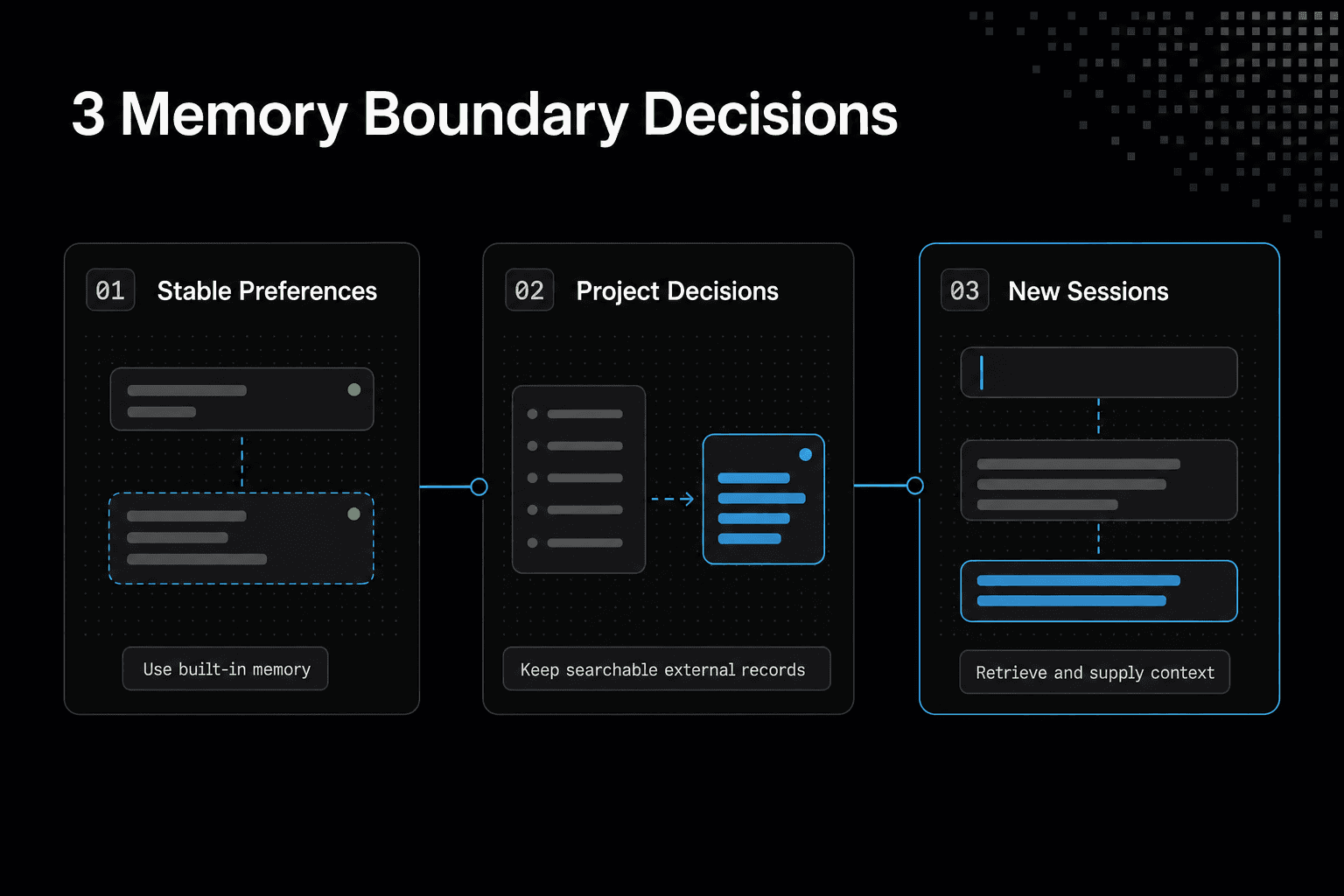
If an agent must pick up technical decisions across new sessions, tasks, or tools, maintain those decisions outside the chat in records your workflow can search and retrieve. That takes discipline, but it gives your team a clear source to review, update, and hand to another agent.
A simple decision rule for developers and teams
Use built-in memory when losing the detail wouldn't block the work. Use external project knowledge when it would.
No transfer is automatic: a new session only gets external context when your workflow retrieves and supplies it. No system can recover a conversation, requirement, or decision that was never saved.
Frequently asked questions
Can you run out of memory on ChatGPT?
ChatGPT can show a full state for saved memory. That is a saved-memory storage issue, not proof that all chat history is lost.
What does "memory full" mean in ChatGPT?
It refers to a full state for ChatGPT's saved-memory storage. It does not show that ChatGPT has retained an entire project.
Is memory at 100% bad?
A full state may require attention to saved-memory storage, but it does not by itself show that chat history is lost or that a project is unrecoverable.
What is limited-memory AI?
It is separate from a ChatGPT saved-memory notice. The notice describes saved-memory storage, not an AI system's broader memory design.
Is ChatGPT saved memory the same as chat history?
- Saved memory and chat history are distinct, and a full saved-memory state does not automatically mean all chat history has been lost.
Can ChatGPT recover project details that were never saved?
Don't assume it can. A full-memory notice does not make information you never saved externally recoverable.
Does clearing saved memory automatically delete all of my chats?
- Clearing or changing saved memory does not automatically delete chat history; saved-memory controls and chat history are separate.
Can external project memory increase ChatGPT's built-in memory capacity?
- External project memory is separate, so it does not increase ChatGPT's built-in saved-memory capacity.
About GigaRAG
GigaRAG is a shared memory platform for AI agents that helps developers and teams keep project knowledge available across sessions and tools.
You can connect agents to a central Hive Mind through MCP or the API. Access controls manage what each agent can use.