How to Implement Agentic Memory Step by Step
Most guides on how to implement agentic memory step by step either pitch a product or skip the hard parts entirely: decay, corruption, retrieval quality. If you're an agent builder who already knows RAG and vector stores, you've probably noticed the gap. Agentic memory is what lets an agent remember past interactions, learned preferences, and facts across sessions instead of starting cold every time. This guide won't give you a production-ready system in ten minutes. It also won't pretend memory decay doesn't exist. What you'll get is a framework-agnostic implementation path with code structure, failure modes, and evaluation methods you can apply to your own stack. If you're building RAG pipelines, GigaRAG handles the retrieval side, but the memory layer you'll build here is separate.
| At a glance | Details |
|---|---|
| What it is | Persistent state layer for agents across sessions |
| Core components | Write, store, retrieve, decay, evaluate |
| Typical stack | Vector store plus metadata and policy layer |
| Hardest part | Retrieval quality and memory decay tuning |
| Common failure | Context pollution and hallucinated memories |
| Framework support | LangGraph, LlamaIndex, or custom orchestration |
In This Guide
- What Is Agentic Memory?
- LangGraph vs LlamaIndex vs Custom for Agentic Memory
- Why Agents Need Memory
- How To Implement Agentic Memory Step By Step: A Step-by-Step Guide
- Short-Term vs. Long-Term Memory in Agents
- Step-by-Step Implementation of Agentic Memory
- Choosing a Memory Storage Backend
- Implementing Memory Decay and Forgetting
- Evaluating Memory Retrieval Quality
- What Can Go Wrong with Agentic Memory
- Integrating Agentic Memory with RAG Pipelines
- Best Practices for Agentic Memory Implementation
- Final Thoughts on Implementing Agentic Memory
What Is Agentic Memory?
Agentic memory is a persistent store of past interactions, learned preferences, and task outcomes that an AI agent can write to, query, and update across sessions. Unlike a static prompt or a one-shot retrieval call, it changes as the agent works.
An agent without memory starts every task from zero. It re-asks your name, re-derives your preferences, and repeats mistakes it already made. Agentic memory fixes that by giving the agent a place to put things and a way to get them back later.
How agentic memory differs from context windows
A context window is what the model can see right now. It's fixed in size, and it vanishes when the session ends. Agentic memory lives outside the model. The agent decides what to store, retrieves only what's relevant, and keeps it across sessions. Context is the working surface. Memory is the filing cabinet.
How agentic memory differs from RAG retrieval
RAG pulls from documents you already have. Agentic memory pulls from experience the agent itself generated. RAG answers "what does this manual say?" Memory answers "what did we try last time, and did it work?" The two can share infrastructure, but they answer different questions.
The three memory types: episodic, semantic, procedural
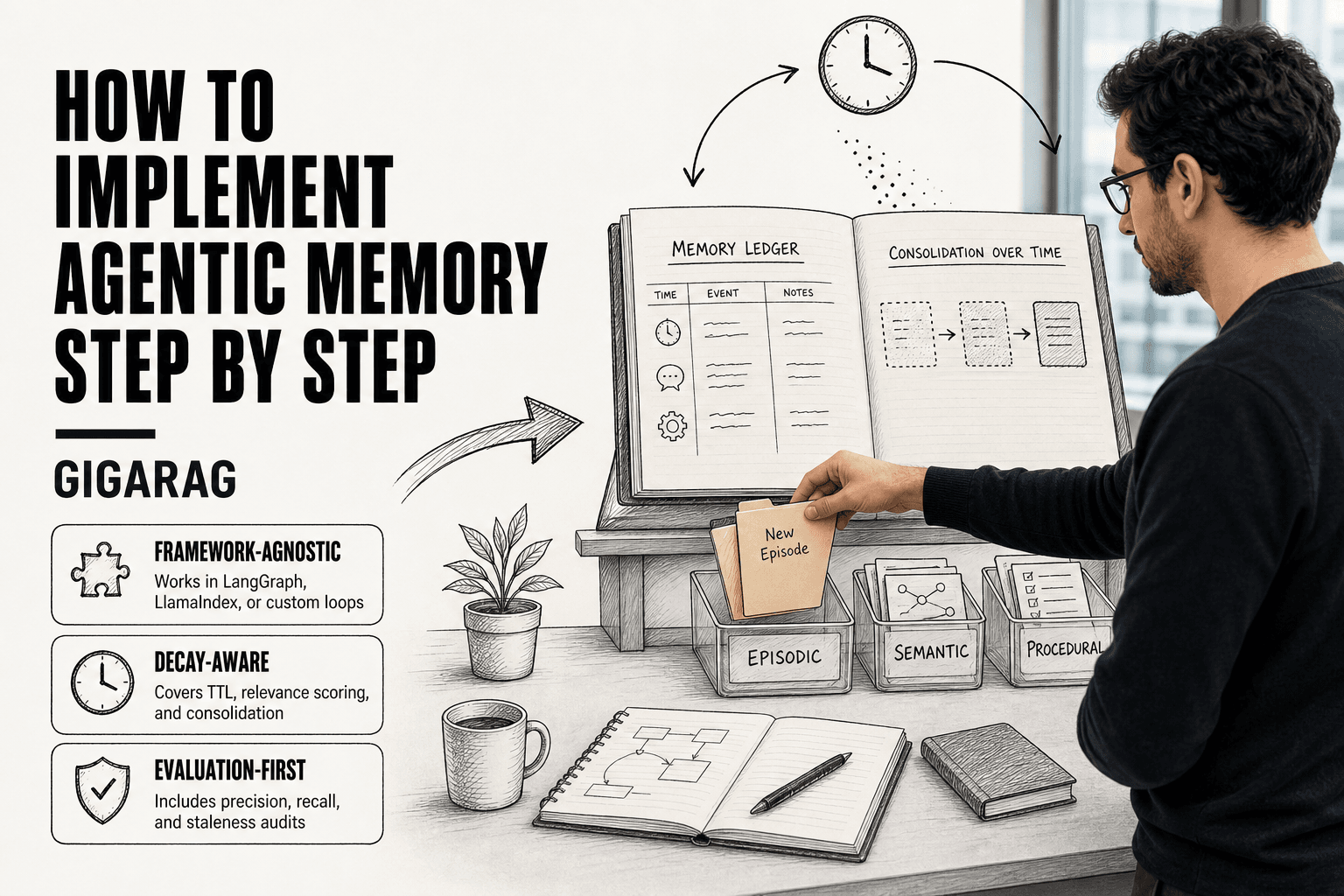
Episodic memory stores specific events: what happened, when, with whom. Semantic memory stores distilled facts: user preferences, learned rules. Procedural memory stores how to do things: workflows, scripts, sequences that worked. Most agents need all three, but you don't build them all on day one.
[!note] Agentic memory is not the same as a longer context window; context windows hold a single session, while agentic memory persists, decays, and is selectively retrieved across sessions. Treating the two as interchangeable is a common source of bloat and cost overruns.
LangGraph vs LlamaIndex vs Custom for Agentic Memory
| Factor | LangGraph | LlamaIndex |
|---|---|---|
| Memory primitives | Checkpointer and store abstractions | Memory modules and chat stores |
| Best for | Stateful multi-step agent graphs | RAG-centric retrieval memory |
| Decay support | Manual via custom nodes | Manual via custom post-processors |
| Retrieval control | High, graph-level routing | High, retriever and reranker hooks |
| Lock-in risk | Moderate to framework patterns | Moderate to index abstractions |
Why Agents Need Memory
A memoryless agent is a new hire every time you talk to it. It asks your name twice, forgets the bug you spent an hour debugging, and recommends the same failed approach on the next ticket. The cost isn't just annoyance. It's repeated work.
Cross-session continuity
Users expect the agent to remember what happened last Tuesday. Without memory, every session starts cold. The agent re-asks for context you already gave, re-explores paths it already walked. Memory turns a series of one-off chats into a working relationship.
Learning from past mistakes
An agent that can't write down what failed will fail again. Memory lets it store outcomes: this API call timed out, this prompt style got rejected, this user hates bullet points. Next time, it skips the dead ends.
Personalization without retraining
You don't need to fine-tune a model to make it feel personal. Store preferences as retrievable facts. The agent pulls them when relevant. No retraining, no new weights, just a lookup.
[!tip] For backend and AI engineers, log every memory write and retrieval with a trace ID from day one — when a hallucinated memory pollutes a response, the trace is the only fast way to find which write caused it and roll it back.
How To Implement Agentic Memory Step By Step: A Step-by-Step Guide
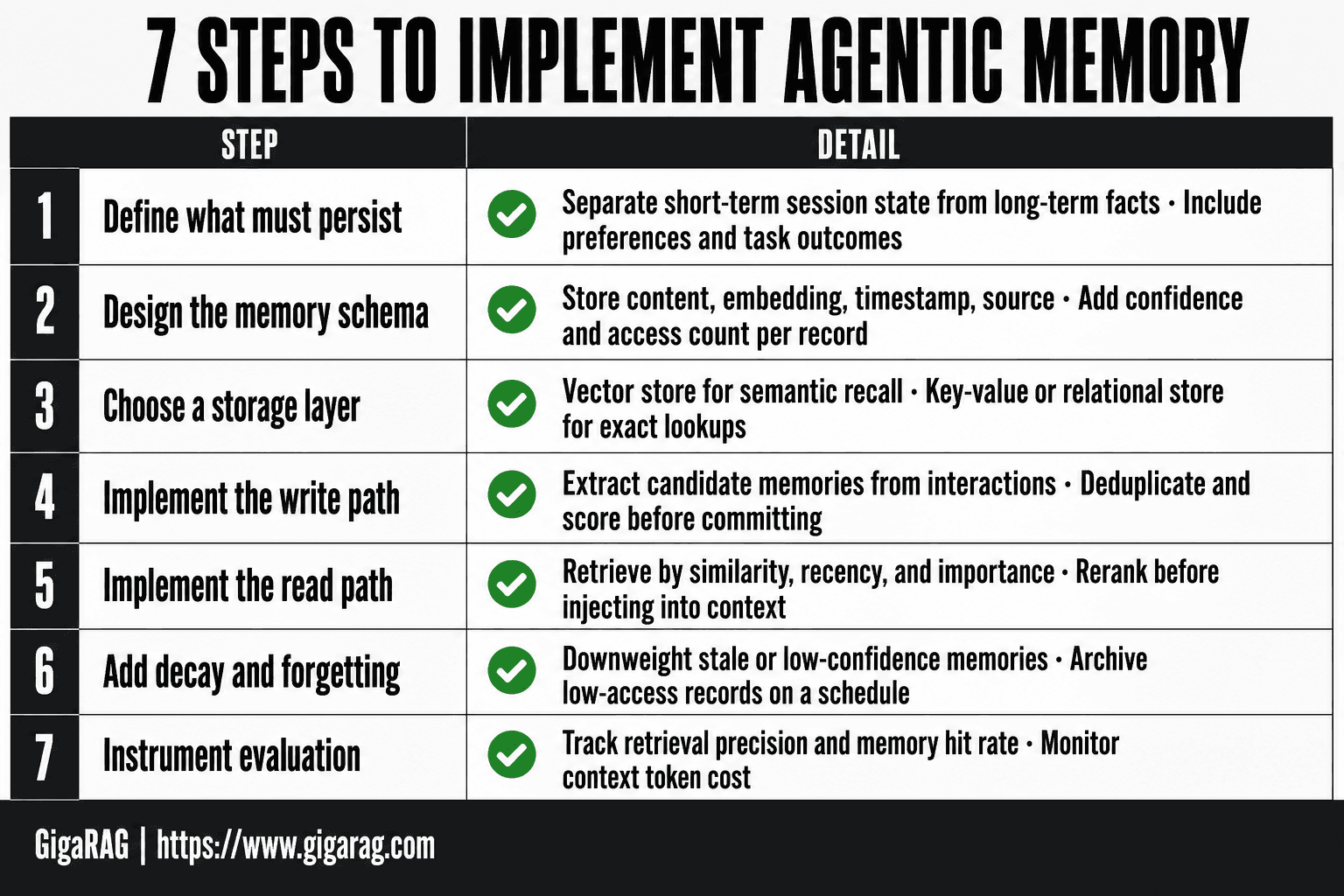
- Define what must persist: separate short-term session state from long-term facts, preferences, and task outcomes.
- Design the memory schema: store content, embedding, timestamp, source, confidence, and access count per record.
- Choose a storage layer: pair a vector store for semantic recall with a key-value or relational store for exact lookups.
- Implement the write path: extract candidate memories from interactions, deduplicate, and score before committing.
- Implement the read path: retrieve by similarity plus recency and importance, then rerank before injecting into context.
- Add decay and forgetting: downweight or archive stale, low-access, or low-confidence memories on a schedule.
- Instrument evaluation: track retrieval precision, memory hit rate, and context token cost, then iterate.
Short-Term vs. Long-Term Memory in Agents
The distinction isn't storage size. It's lifetime. Working memory dies when the session ends. Long-term memory survives it.
Working memory: the agent's scratchpad
Working memory is everything the agent can see right now: the current prompt, recent turns, tool outputs, intermediate reasoning. It lives in the context window. It's fast, cheap to access, and gone when the conversation closes. The limit is hard. Most models cap context at 128k tokens or less, and retrieval quality degrades long before that ceiling.
Long-term memory: what persists across sessions
Long-term memory is what the agent writes down and retrieves later. It sits in a vector database, a graph store, or a key-value store outside the model. When a new session starts, the agent queries this store for relevant facts, preferences, and past outcomes. It's slower than working memory. A retrieval round-trip costs tens to hundreds of milliseconds. But it's the only memory that survives a restart.
The bridge: when working memory gets consolidated
Not everything in working memory deserves to persist. The agent should consolidate selectively: store outcomes that changed its behavior, facts the user repeated, errors it shouldn't make twice. Ephemeral chatter gets dropped. Consolidation is a write policy, not an afterthought. Decide what's worth keeping before the session ends, or you'll store noise.
Step-by-Step Implementation of Agentic Memory
The steps below are framework-agnostic. They work in LangGraph, LlamaIndex, or a custom loop. What changes is the API, not the architecture.
Step 1: Define what your agent needs to remember
Don't store everything. Decide what changes behavior. A support agent needs user preferences, past ticket outcomes, and product facts. A coding agent needs file structure, past fixes, and user conventions. Write the list down. If you can't name why a memory type changes a future decision, skip it.
Step 2: Choose a memory storage backend
Vector database for semantic recall. Key-value store for fast lookups by ID. Graph store for relationships. Most agents start with a vector store plus a simple key-value table. Add a graph only when you need multi-hop queries across entities.
Step 3: Design the memory schema (episodic, semantic, procedural)
Episodic memories are events: "user asked X, agent did Y, result Z." Semantic memories are facts: "user prefers Python." Procedural memories are skills: "when task fails with timeout, retry with backoff." Each type gets its own collection or table. Mixing them in one index degrades retrieval.
Step 4: Implement capture — when and what to store
Capture on three triggers: session end, explicit user correction, and task completion. Store the input, the action, the outcome, and a timestamp. Skip chatter. A good rule: if the user repeated themselves, store it. If the agent made an error, store it.
Step 5: Implement retrieval — how to query memory
Embed the current context, query the vector store for top-k similar memories, and filter by recency or relevance score. Keep k small. Three to five memories is usually enough. More than that pollutes the context window.
Step 6: Implement update and consolidation
Memories aren't static. When a new fact contradicts an old one, update the old entry or mark it stale. Periodically consolidate: merge duplicate episodic memories into a single semantic fact. Run consolidation offline, not in the request path.
Step 7: Test memory operations
Write tests for each operation: capture, retrieve, update, delete. Feed the agent a known sequence, then verify it recalls the right memory for a follow-up query. Test the failure cases too: missing memory, stale memory, contradictory memory.
Choosing a Memory Storage Backend
Your storage choice determines retrieval latency, query flexibility, and how much operational overhead you'll carry. There's no single right answer. It depends on what you're retrieving and how often.
Vector databases for semantic retrieval
Pinecone, Weaviate, pgvector, and Redis all store embeddings and return nearest neighbors. Pinecone is fully managed, which means zero ops but a monthly bill. pgvector runs inside Postgres, so you get vector search alongside your existing relational data without adding a new service. Weaviate sits in between: self-hosted or managed, with built-in filtering. Redis is fastest for low-latency lookups but you'll manage your own index.
Graph stores for relational memory
Use a graph store when relationships matter more than similarity. Neo4j or Amazon Neptune let you query "what did this user do after that error" as a traversal, not a similarity search. The catch: graph queries are harder to write and the operational overhead is real.
Key-value stores for fast episodic lookup
Redis or DynamoDB work when you know the exact key: session ID, user ID, task ID. Retrieval is O(1) and cheap. You lose semantic search entirely.
Trade-off table: latency, cost, flexibility
| Backend | Latency | Cost | Query flexibility | Ops overhead |
|---|---|---|---|---|
| Pinecone | Low | High | Semantic only | None |
| pgvector | Medium | Low | Semantic + SQL | Low |
| Weaviate | Medium | Medium | Semantic + filters | Medium |
| Redis | Very low | Low | Key-value + vector | Medium |
| Neo4j | Medium | Medium | Graph traversal | High |
Start with pgvector if you already run Postgres. Add Redis for hot episodic lookups. Reach for a graph store only when multi-hop queries become a bottleneck.
Implementing Memory Decay and Forgetting
Memory without decay becomes a liability. Every stored interaction adds retrieval noise, and stale facts start competing with current ones. You need a forgetting policy from day one.
Why agents need to forget
An agent that remembers everything retrieves everything. Context windows fill with irrelevant history, latency climbs, and answers drift toward old information. Forgetting is not a bug. It's how you keep retrieval precise.
TTL and expiration policies
The simplest decay mechanism is time-to-live. Attach a TTL to every memory record: 24 hours for working notes, 30 days for episodic events, no expiry for verified facts. When TTL hits zero, delete or archive. This alone cuts memory bloat by half in most systems.
Relevance scoring and decay functions
TTL is blunt. A decay function is sharper: multiply each memory's relevance score by a decay factor on every retrieval. Memories that get retrieved often decay slower. Memories never retrieved fade fast. Use exponential decay with a half-life tuned to your domain.
Consolidation: turning episodic into semantic memory
Episodic memories are raw events. Semantic memories are distilled facts. Run a nightly consolidation job that scans recent episodic records, extracts recurring patterns, and promotes them to semantic memory. The raw events then expire. You keep the lesson, drop the noise.
Evaluating Memory Retrieval Quality
You can't improve what you don't measure. Memory retrieval quality breaks down into four checks: does it return the right memories, does it return them fast enough, are they still true, and does the policy actually help.
Precision and recall for memory retrieval
Precision@k measures how many of the top k retrieved memories are relevant. Recall measures how many relevant memories you found at all. For agent memory, precision matters more than recall. One irrelevant memory in the context window can derail an entire response. Track both, but optimize precision first. A precision@5 of 0.8 means four of five retrieved memories were useful. Below 0.6, your retrieval is actively hurting.
Latency and cost benchmarks
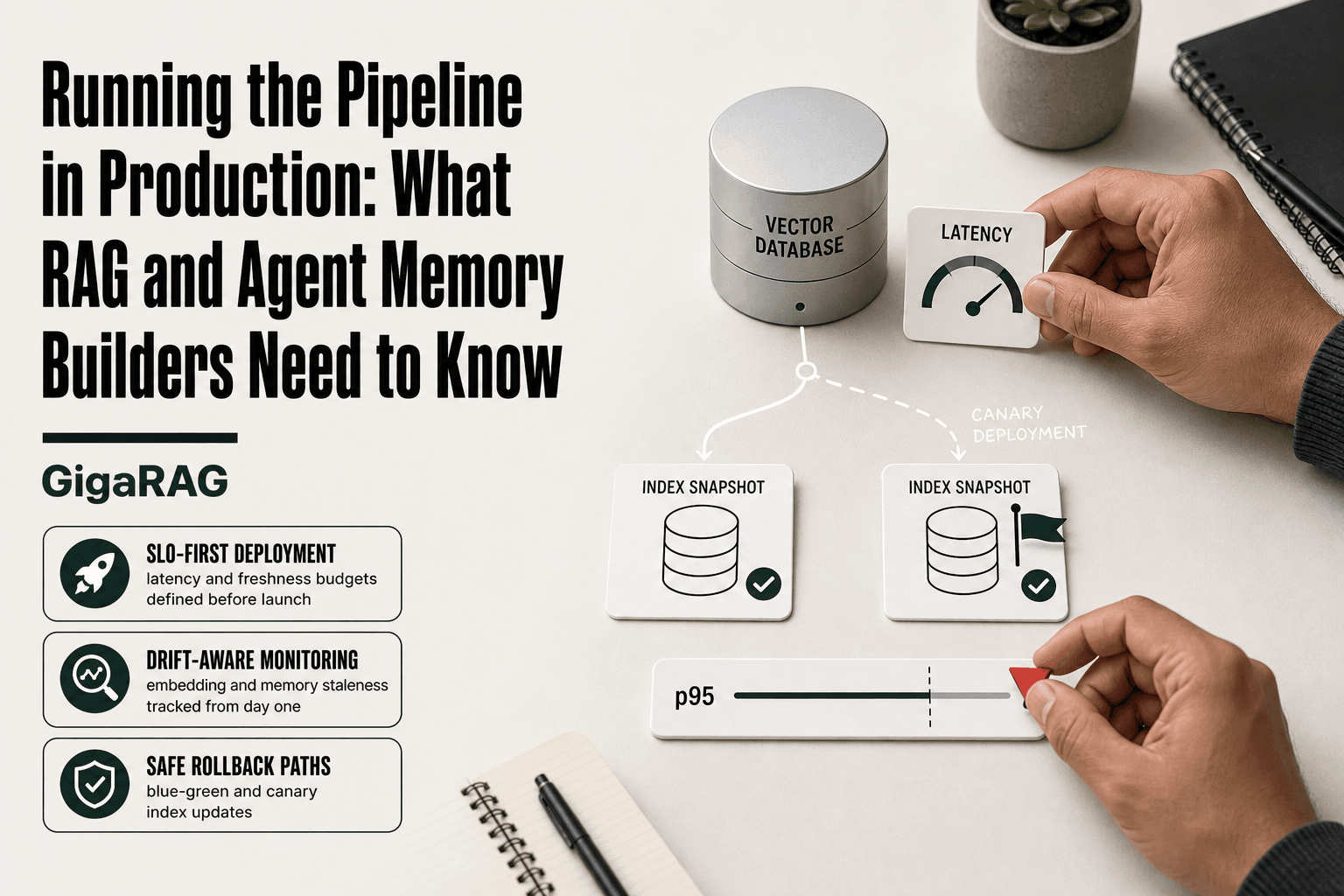
Memory retrieval sits on the critical path. Every retrieval adds latency before the agent can respond. Benchmark p50 and p95 retrieval times separately. If p95 exceeds 200ms, users notice. Cost compounds too: each retrieval is an embedding lookup plus a vector search. Log tokens consumed per retrieval and set a budget.
Staleness and relevance audits
Stale memories are worse than missing ones. Run a weekly audit: sample 100 retrieved memories, check each against current ground truth. Flag anything outdated. This catches decay functions that aren't aggressive enough.
A/B testing memory policies
When you change decay rates, consolidation schedules, or retrieval thresholds, A/B test the policy. Run two agents side by side on the same task set. Measure task completion rate, not just retrieval metrics. A policy that retrieves perfectly but slows the agent down is still a failure.
What Can Go Wrong with Agentic Memory
Memory is not a solved problem. Any system that writes to its own memory can write garbage, and any system that reads from memory can read the wrong thing. Here are the failure modes you'll hit.
Hallucinated memories
The agent stores something that never happened. It misremembers a user preference, invents a past interaction, or records a confident wrong answer as fact. Once stored, the hallucination gets retrieved alongside real memories and reinforces itself. There's no retrieval trick that fixes a bad write. You need validation at write time: check the memory against the source interaction before persisting it.
Context pollution and retrieval noise
Retrieval returns memories that are technically relevant but useless for the current task. Too many of them, and the agent's context window fills with noise. The model starts answering from stale or irrelevant history instead of the actual query. This is the precision problem from the evaluation section, showing up in production.
Memory corruption and schema drift
Your memory schema changes. Old entries don't match the new format. Fields go missing, timestamps break, embeddings point to deleted records. The agent retrieves partial or malformed memories and fails silently. Version your schema and run migration checks on every deploy.
Privacy and security risks
Memory stores everything the user said. That's the point, and it's the risk. A prompt injection that tricks the agent into dumping memory leaks every past conversation. Stored credentials, personal details, internal decisions: all of it sits in a retrievable store. Encrypt at rest, restrict retrieval scope, and treat memory as sensitive data from day one.
Integrating Agentic Memory with RAG Pipelines
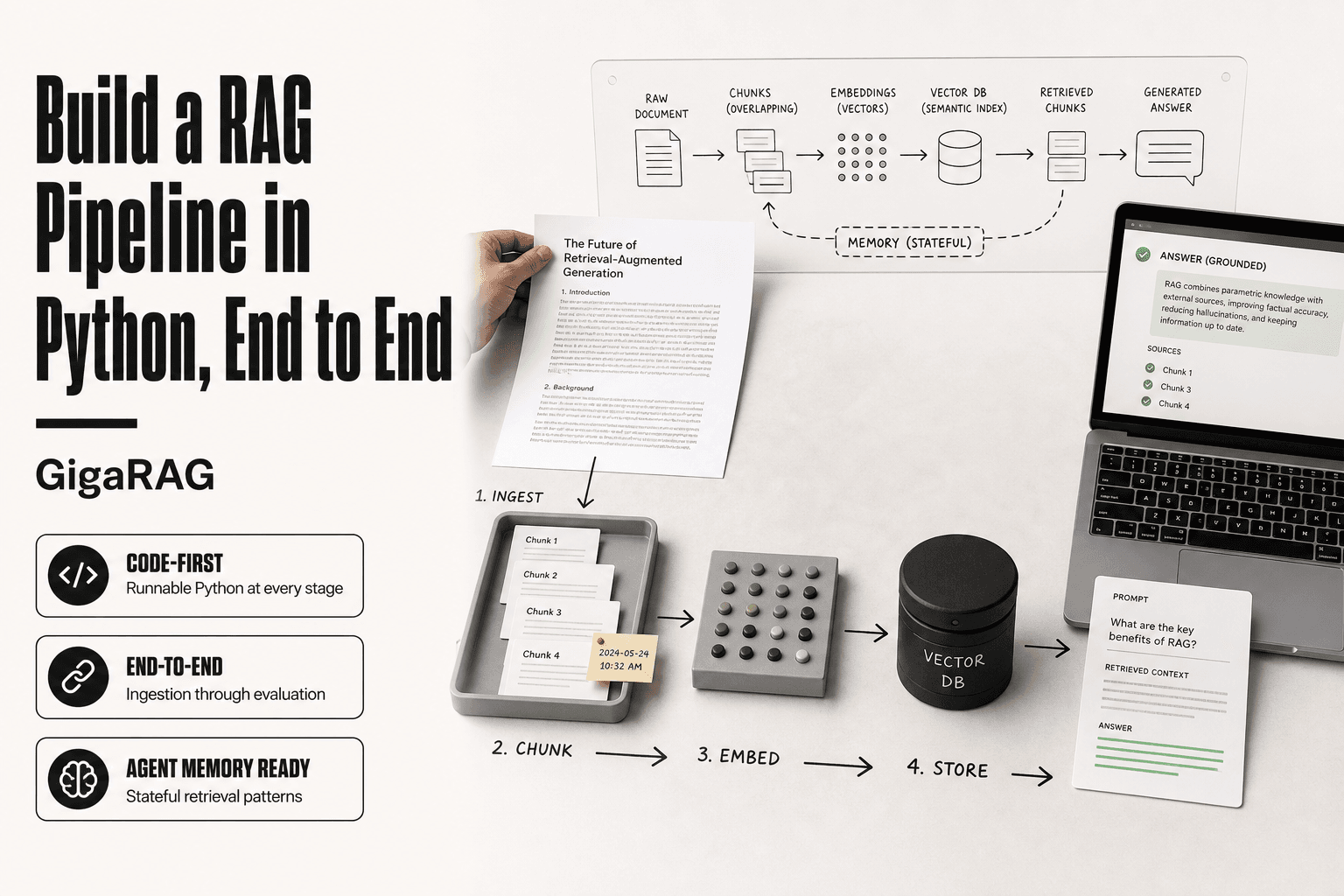
RAG retrieves documents. Agent memory retrieves past interactions and learned preferences. They solve different problems, and most teams bolt them together badly: two retrieval calls, two vector stores, double the context spend. You don't need that.
How agent memory differs from document retrieval
Document retrieval is stateless. The query goes in, relevant chunks come out, nothing persists. Agent memory is stateful: it stores what happened in previous sessions and what the agent learned from them. A RAG pipeline answers "what does the knowledge base say?" Agent memory answers "what do we already know about this user and this task?" The two overlap only when past interactions are themselves documents, which is rare.
Architecture: memory layer alongside RAG
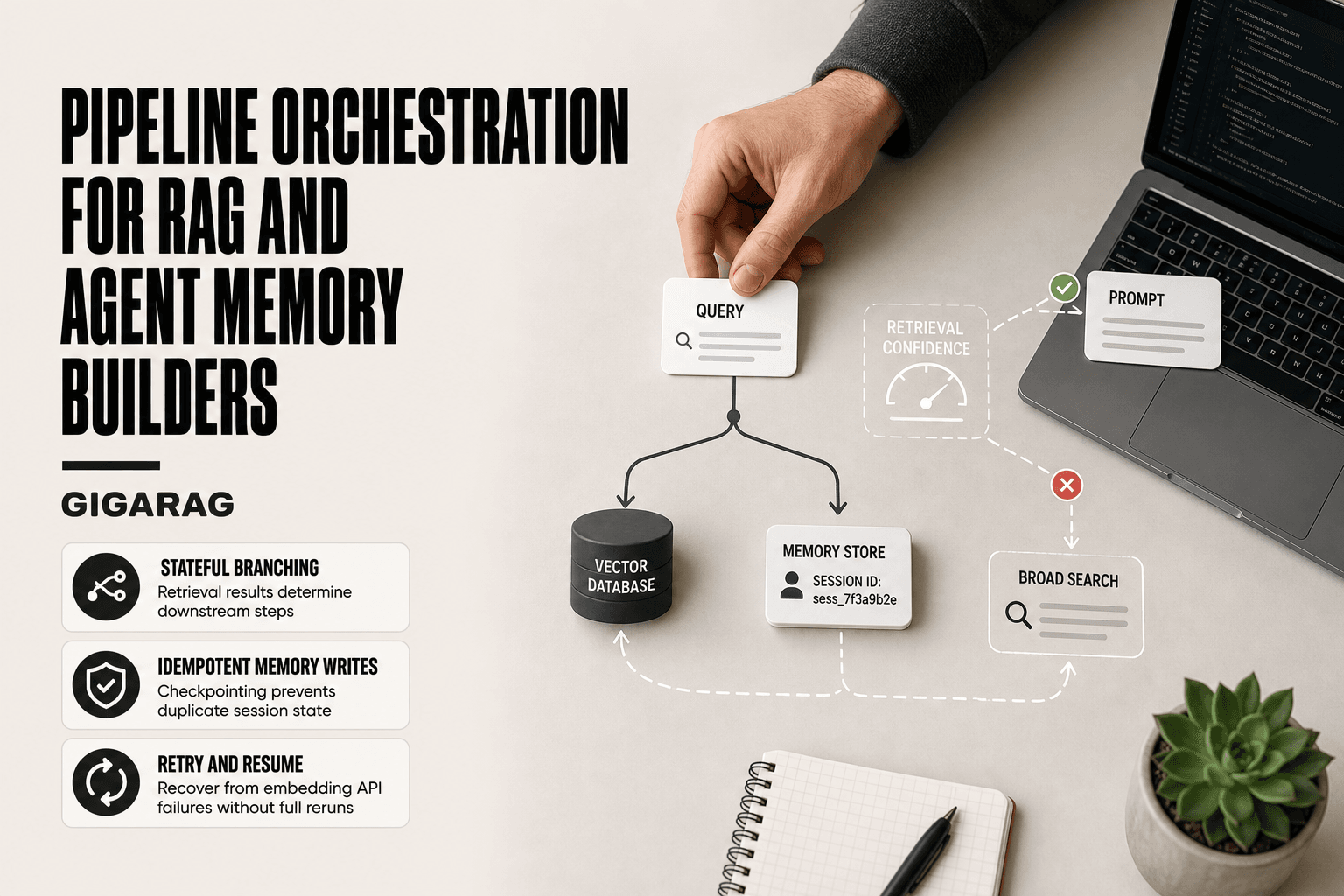
Run them as parallel retrievers with a single router. The router decides, per query, whether to hit the document store, the memory store, or both. Memory queries use the same embedding model as document queries, so you can deduplicate results before they reach the context window. One retrieval call, two sources.
Avoiding context bloat when combining both
Set a combined token budget before retrieval. Allocate a fixed share to documents and a fixed share to memory, then truncate each independently. Don't let memory results crowd out document results just because they're more recent. Recency is not relevance.
When to query memory vs. documents
Query memory when the task references prior sessions, user preferences, or learned corrections. Query documents when the task asks for factual content from the knowledge base. Query both when the user says "like last time" and expects the agent to know what that means.
Best Practices for Agentic Memory Implementation
You don't need a full memory architecture on day one. You need a working episodic store and a plan for what comes after. Most teams overbuild early and spend weeks debugging a system they don't yet understand.
Start with episodic memory only
Store what happened, when it happened, and what the agent did about it. Skip semantic and procedural layers until episodic retrieval actually works. Adding memory types before you've validated the basic loop means debugging three systems instead of one.
Log and version memory updates
Every write to memory gets a timestamp, a source, and a schema version. When you change the schema, old entries either migrate or get flagged as legacy. Without versioning, a schema change silently corrupts everything written before it.
Monitor retrieval quality continuously
Log every retrieval: the query, the returned entries, and whether the agent used them. Check precision and staleness weekly, not at launch. Retrieval quality drifts as memory grows, and you won't notice until an agent starts citing a preference from six months ago.
Design for decay from day one
Add a TTL field to every memory entry now, even if you set it to infinity. Retrofitting decay means touching every write path and every retrieval query. A field you ignore costs nothing. A migration you didn't plan for costs a weekend.
Final Thoughts on Implementing Agentic Memory
Agentic memory is not a solved problem. Decay, corruption, and retrieval noise are not edge cases you handle later; they're the default state of any system that persists state across sessions. If you skip evaluation, you won't know when memory starts lying to your agent.
The implementation path is straightforward: define what to remember, store it with a schema that includes timestamps and TTLs, retrieve it with relevance scoring, and consolidate episodic entries into semantic ones only when retrieval quality justifies it. The hard part isn't the code. It's the maintenance.
Builders integrating memory into existing RAG pipelines should look for tools that treat memory and document retrieval as one query path, not two. GigaRAG does this for teams that want memory wired into retrieval without a separate vector store to manage. If you're on a different stack, the principles here still apply.
Start with episodic memory. Add decay. Measure retrieval quality. Everything else can wait. That's how to implement agentic memory step by step without overbuilding.
Frequently Asked Questions
How do I implement agentic memory step by step in Python?
Start with a vector store client, define a memory record schema, and wrap write and read operations in two functions. Add a decay job and an evaluation script before wiring it into your agent loop. Keep the storage layer behind an interface so you can swap backends later.
What is the difference between agentic memory and RAG?
RAG retrieves from a mostly static external corpus at query time, while agentic memory writes new information generated by the agent itself and manages it over time. In practice they overlap: memory is often implemented as a RAG pipeline over a dynamic, agent-authored store.
How do I prevent memory bloat and context pollution?
Cap the number of memories injected per turn, score candidates by relevance, recency, and confidence, and drop anything below a threshold. Run periodic compaction to merge duplicates and archive low-value records. Measure context token cost as a first-class metric.
What is memory decay and why does it matter?
Memory decay is the deliberate downweighting or removal of memories that are stale, rarely accessed, or low confidence. Without it, retrieval quality degrades as the store fills with outdated or contradictory entries. Implement decay as a scheduled job with tunable half-life per memory type.
Which frameworks support agentic memory?
LangGraph offers checkpointer and store abstractions suited to stateful graphs, and LlamaIndex provides memory modules and chat stores for RAG-centric flows. Custom implementations give the most control over decay and retrieval policy. The right choice depends on how much orchestration logic you already have.
How do I evaluate whether my agent memory is working?
Track retrieval precision, memory hit rate, and the token cost of injected context over time. Add regression tests with known facts the agent should recall and known distractors it should ignore. Review failures for hallucinated or corrupted memories on a regular cadence.
What can go wrong with agentic memory?
Common failure modes include memory corruption from bad writes, hallucinated memories the agent treats as fact, and context pollution where irrelevant retrievals crowd out useful ones. Each needs a mitigation: validation on write, confidence scoring, and strict retrieval budgets.
About GigaRAG
GigaRAG is for agent memory and RAG pipeline builders. get this right. Whether you are working through how to implement agentic memory step by step or something adjacent, we publish what we have actually tested, including where it falls short.