Ingesting HTML, Notion, and Slack for Agent Memory and RAG Pipelines
Most "Notion + Slack" content is about sending notifications, not about building agent memory. That's a workflow automation problem. Ingesting html, notion, and slack into a RAG pipeline is a different problem entirely: you're turning three messy, heterogeneous data shapes into normalized, chunked, embeddable text that an LLM can actually retrieve from. That's the gap this guide fills for developers and technical founders building retrieval systems. The honest answer is that none of these sources ingest cleanly out of the box. Notion serves blocks, not documents. Slack serves messages, not conversations. HTML serves markup, not content. Each one needs its own extraction, normalization, and chunking path before it's useful for retrieval. GigaRAG was built for exactly this use case, but you don't need it to follow along. This guide covers the three ingestion paths step by step, a unified schema for all three sources, and the limitations the official docs won't tell you.
| At a glance | Details |
|---|---|
| Sources Covered | HTML, Notion, Slack |
| Primary Use Case | RAG pipelines & agent memory |
| Notion API Rate Limit | ~3 requests/second (verify) |
| Slack Export Limits | Free plans restrict history |
| Real-time Sync | Requires custom engineering |
| Output Format | Retrieval-ready text chunks |
In This Guide
- What Ingesting HTML, Notion, and Slack Means for RAG Pipelines
- HTML vs Notion vs Slack for RAG Ingestion
- Prerequisites: What You Need Before You Start
- Ingesting Html, Notion, And Slack: A Step-by-Step Guide
- Step 1: Ingesting HTML Pages into Your RAG Pipeline
- Step 2: Ingesting Notion Pages and Databases
- Step 3: Ingesting Slack Messages and Threads
- Normalizing and Chunking Data from All Three Sources
- Honest Limitations: What You Cannot Do or Should Not Expect
- Putting It Together: A Complete Ingestion Workflow
- Common Mistakes When Ingesting HTML, Notion, and Slack
- Final Thoughts on Building Agent Memory from HTML, Notion, and Slack
What Ingesting HTML, Notion, and Slack Means for RAG Pipelines
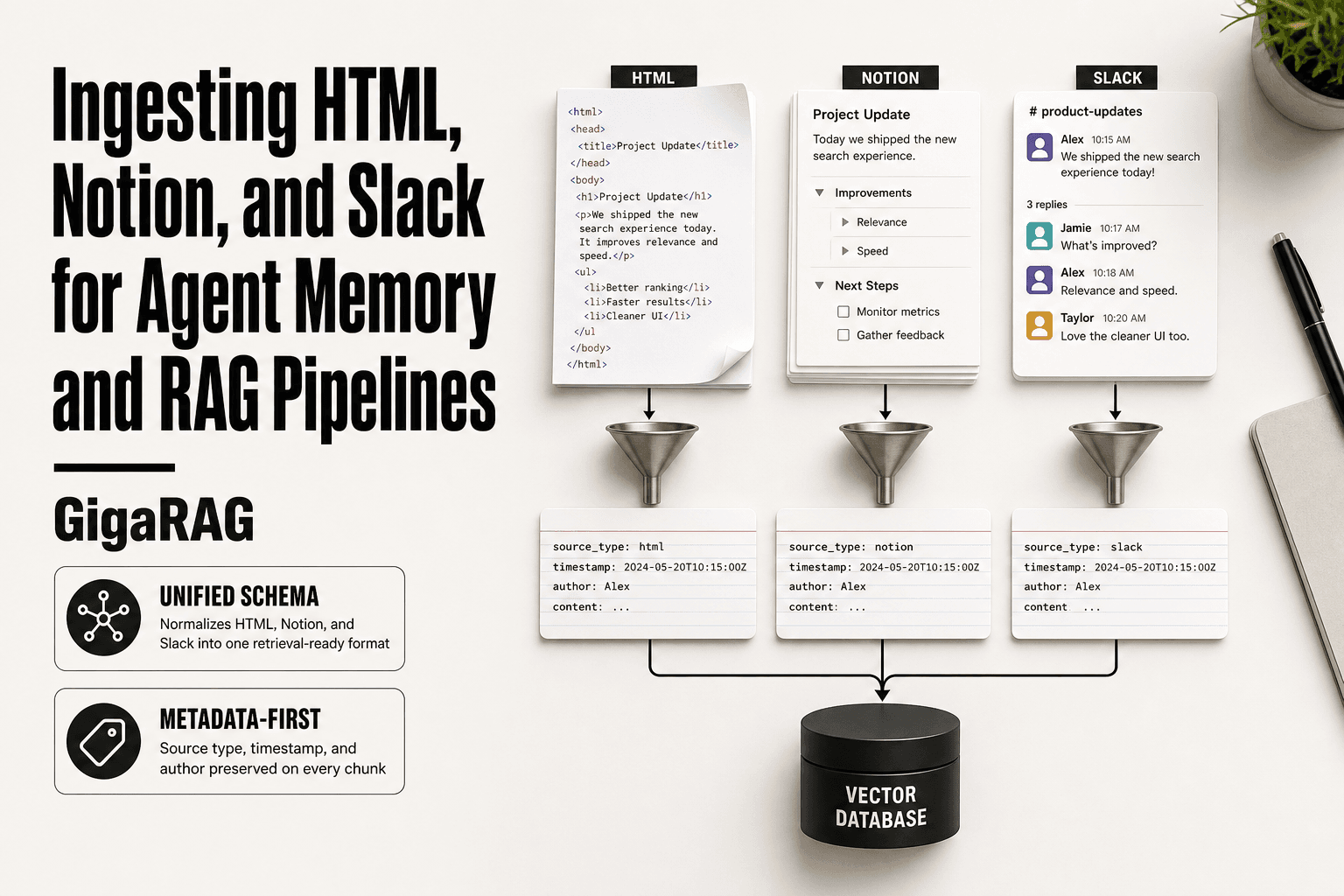
Ingesting HTML, Notion, and Slack for RAG means turning three structurally different data sources into normalized, chunked, embeddable text your agent can retrieve from. You're not building a notification system. You're building a knowledge base.
Why HTML, Notion, and Slack are different data shapes
HTML is a tree of tags wrapping prose. Notion is a nested block structure with rich text annotations. Slack is a stream of timestamped messages with threads and user mentions. Each carries its own noise: HTML has nav and ads, Notion has database rows and callouts, Slack has reactions and bot messages. You can't treat them the same way.
What "ingestion" actually means in a RAG context
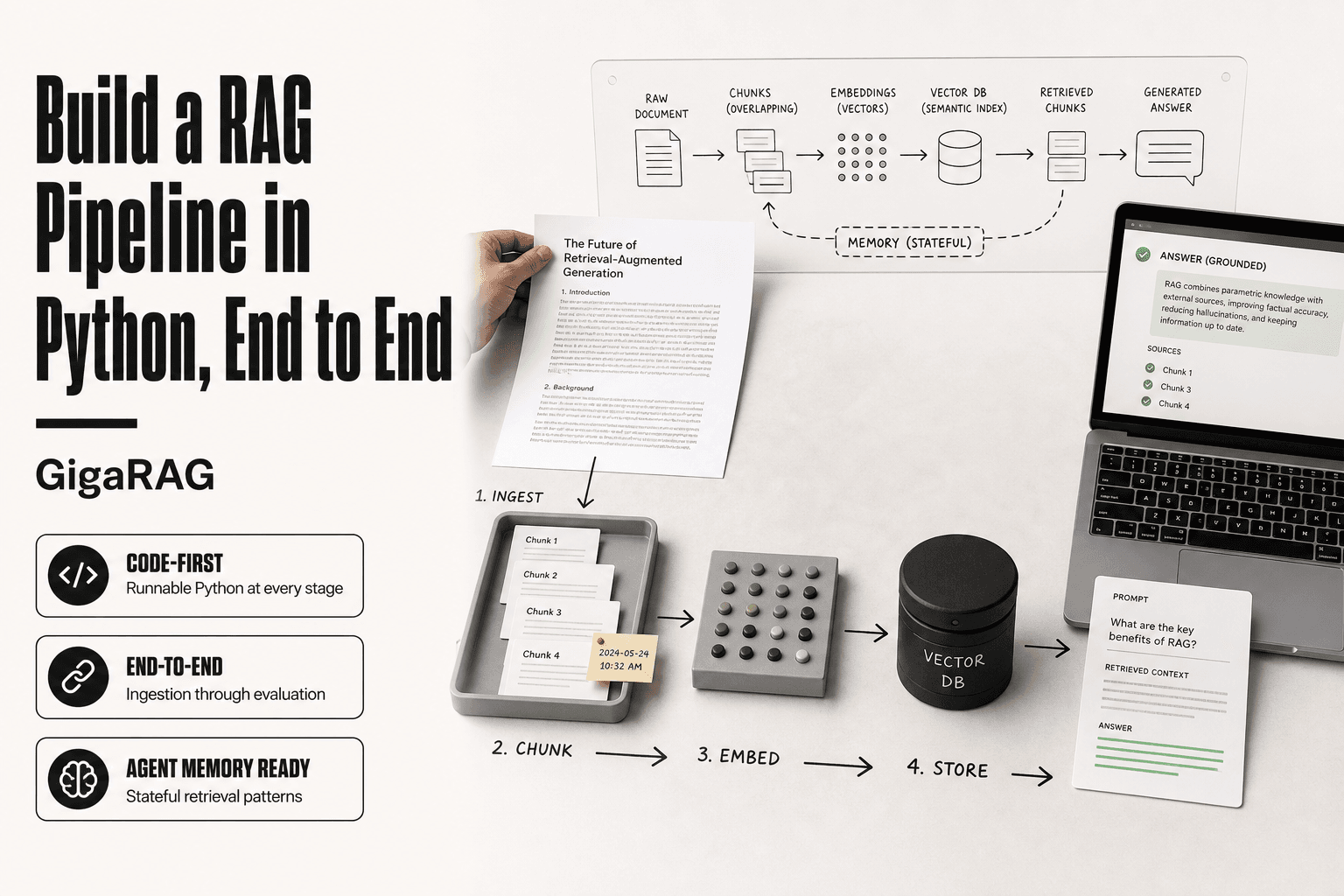
Ingestion is not just fetching data. It's five steps: extract, clean, normalize, chunk, embed. You pull raw content from each source, strip what doesn't matter, map everything to one schema, split it into retrieval-sized pieces, and run each piece through an embedding model. Skip any step and retrieval quality drops.
The output you're aiming for: retrieval-ready chunks
The end state is a vector store full of chunks that share a consistent shape: content, source type, source ID, timestamp, author, and metadata. A chunk from an HTML article should sit next to a chunk from a Notion page and a chunk from a Slack thread without the retriever knowing or caring where each came from. That consistency is what makes cross-source retrieval actually work.
[!note] Notion's API has rate limits (commonly around 3 requests per second per integration), and Slack's free plan restricts access to older messages, so real-time sync across all three sources often requires custom engineering and may not be feasible without paid tiers.
HTML vs Notion vs Slack for RAG Ingestion
| Factor | HTML | Notion |
|---|---|---|
| Access Method | HTTP fetch / scraping | Official API |
| Data Structure | Unstructured markup | Structured blocks |
| Rate Limits | Varies by site | ~3 req/sec (verify) |
| Auth Complexity | None to high | API token required |
| Update Frequency | Manual re-crawl | Webhooks or polling |
Prerequisites: What You Need Before You Start
You need five things before you can ingest anything: a Notion API token, a Slack app with the right scopes, an HTML fetching method, a vector store, and an embedding model. Each unlocks a different part of the pipeline. Skip one and you'll stall mid-build.
Notion API token and scopes
Create an internal integration in Notion, then copy the token. You must explicitly share each page or database with that integration or the API returns nothing. The token needs read access only for ingestion. Write access matters only if you plan to sync back.
Slack app permissions and OAuth
Build a Slack app, then add OAuth scopes: channels:history, channels:read, groups:history, groups:read, and users:read. Install it to your workspace. Private channels and DMs need extra scopes and admin approval. Free workspaces can't export full history.
Choosing an HTML ingestion method
You have three options: a simple HTTP client plus an HTML parser, a headless browser for JavaScript-rendered pages, or a managed scraper. Start with the first. Reach for a headless browser only when content doesn't appear in the raw HTML.
Vector store and embedding model
Pick a vector store you can run locally or in the cloud. Pinecone, Weaviate, Qdrant, and pgvector all work. Pair it with an embedding model like OpenAI's text-embedding-3-small or an open model such as bge-small-en. Match the model's dimension to your store's index.
[!tip] For agent memory, store source-specific metadata (e.g., Notion page ID, Slack channel, HTML URL) with each chunk so your retriever can filter by source or recency—this dramatically improves answer relevance when mixing data types.
Ingesting Html, Notion, And Slack: A Step-by-Step Guide
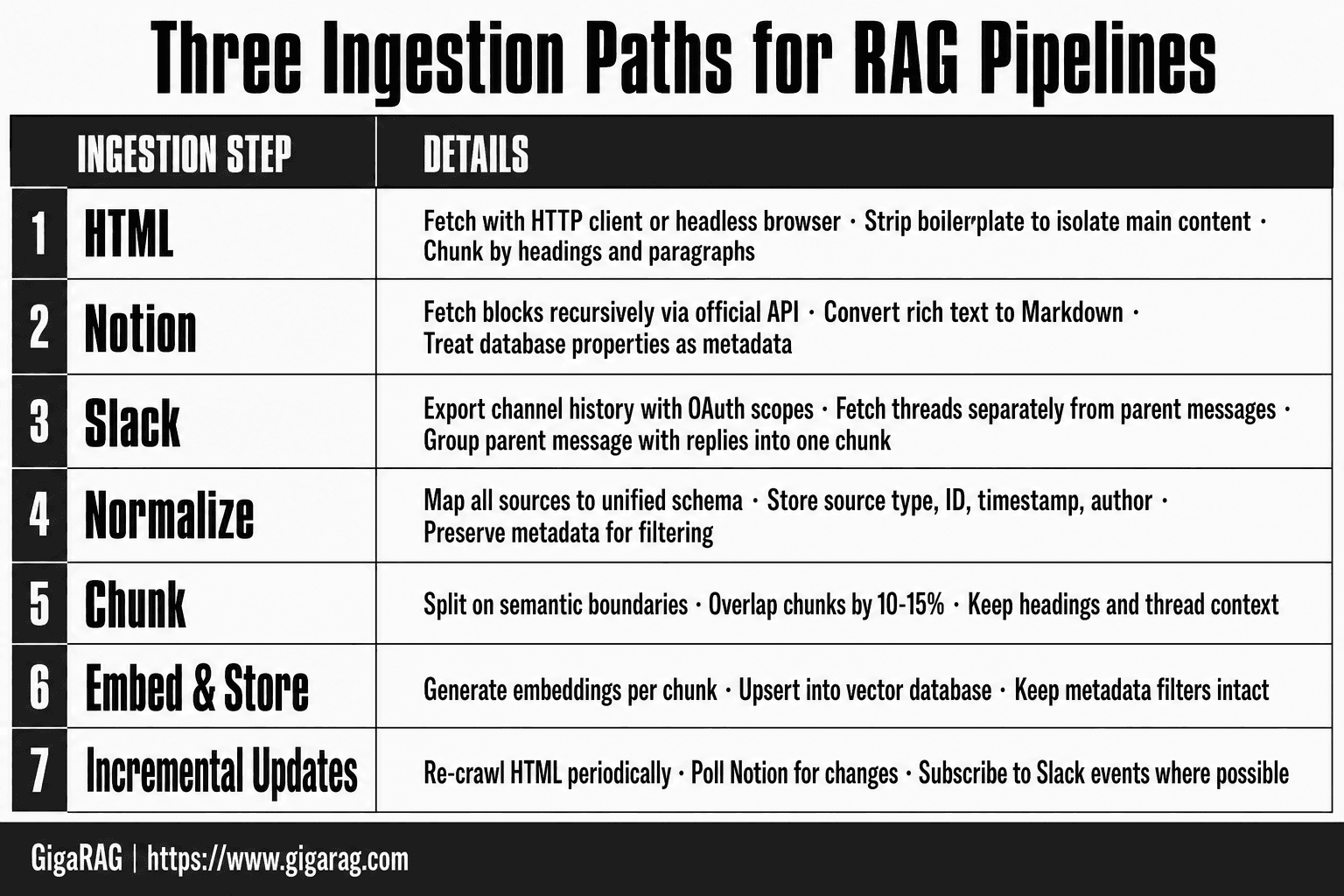
- Fetch HTML pages with a headless browser or HTTP client, then strip boilerplate (nav, ads, scripts) to isolate main content.
- Extract Notion pages via the official API, recursively retrieving blocks and converting them to plain text or Markdown.
- Export Slack channel history using the API (with appropriate scopes) or admin export, then filter out noise like bot messages and reactions.
- Normalize all three sources into a consistent document format (e.g., JSON with text, metadata, and source type).
- Chunk documents into retrieval-friendly segments (e.g., 256–512 tokens) with overlap, preserving headings and context.
- Generate embeddings for each chunk and store them in a vector database alongside metadata for filtering.
- Set up incremental updates: re-crawl HTML periodically, poll Notion for changes, and subscribe to Slack events where possible.
Step 1: Ingesting HTML Pages into Your RAG Pipeline
HTML is the messiest of the three sources. A raw page contains navigation, ads, scripts, cookie banners, and maybe 400 words of actual content. Your job is to strip everything except the main text, then convert what's left into chunks an embedding model can use.
Fetching and extracting main content
Fetch the page with a standard HTTP client. requests in Python works for most static sites. Then extract the main content. Don't try to parse the whole DOM yourself. Use a library built for this: trafilatura, readability-lxml, or goose3. Each one scores HTML elements and keeps only the high-value text. Trafilatura is the most reliable I've tested. It removes boilerplate, extracts the title and author, and returns clean text or markdown.
Converting HTML to markdown or plain text
Plain text is fine for embedding. Markdown is better if you want to preserve structure like headings and lists, which helps downstream chunking. html2text or markdownify handle the conversion. Keep headings intact. They mark semantic boundaries you'll use in the next step.
Chunking strategies for web content
Chunk by headings first. An article with H2 and H3 structure splits naturally into sections. Each section becomes one chunk. If a section runs past 1,000 tokens, split it further by paragraph. Don't split mid-sentence. Overlap chunks by 10-15% to avoid losing context at boundaries. Add metadata to every chunk: source URL, page title, crawl date, and section heading.
Handling JavaScript-rendered pages
Some pages return empty HTML until JavaScript runs. Check the raw response first. If the content you need isn't there, you need a headless browser. Playwright or Puppeteer both work. Load the page, wait for the content selector, then extract the rendered HTML. This is slower and more fragile. Reserve it for sites that actually need it. Most documentation and blog pages don't.
Step 2: Ingesting Notion Pages and Databases
Notion is block-based, not document-based. Every page is a tree of blocks: paragraphs, headings, lists, tables, code, images. The API gives you blocks one level at a time. You fetch a page, get its top-level blocks, then fetch each block's children recursively. There's no "give me the full page as text" endpoint.
Using the Notion API to fetch pages and databases
Start with an integration token. Create it at notion.so/my-integrations, then share each page or database with the integration. Without sharing, the API returns 404. Fetch a page with GET /v1/pages/{page_id}, a database with GET /v1/databases/{database_id}. Databases return rows, not content. Each row is a page you fetch separately.
Recursively pulling child blocks
Fetch top-level blocks with GET /v1/blocks/{block_id}/children. Each block has a has_children flag. If true, recurse. Depth matters: a Notion page with nested toggles and bullet lists can run 4-5 levels deep. Write a recursive function with a depth limit. Track parent-child relationships in metadata so you can reconstruct hierarchy later.
Converting Notion rich text to markdown
Notion's rich text format is an array of segments, each with annotations like bold, italic, code, and link. You concatenate the plain text, then apply markdown wrappers based on annotations. Heading blocks become ## or ###. Bullet lists become -. Code blocks get triple backticks. There's no official converter. Write your own or use notion-to-md, which handles most block types.
Handling database rows as structured data
A database row is a page with properties. The properties hold structured fields: select, multi-select, date, number, relation. The page body holds the long-form content. Treat them differently. Properties become metadata for filtering. Page body becomes the chunkable text. Don't flatten properties into the body text. You'll lose the ability to filter by them later.
Step 3: Ingesting Slack Messages and Threads
Slack is a firehose of half-finished thoughts, decisions, and tribal knowledge. It's also the messiest of the three sources. Messages are short, context-dependent, and threaded in ways that break naive chunking. If you treat each message as an independent document, you'll get garbage retrieval. The Conversations API is your entry point, but it has sharp edges.
Using the Slack Conversations API
You need a Slack app with the right OAuth scopes. For public channels, channels:history and channels:read get you in. For private channels, you need groups:history and groups:read. DMs require im:history and im:read. Multi-party DMs need mpim:history and mpim:read. Each scope is a separate permission your workspace admin must approve. Start with conversations.list to enumerate channels. It returns public channels by default. Add types=private_channel to include private ones, assuming you have the scopes.
Fetching channel history and threads
conversations.history returns messages for a channel, newest first. The default limit is 100 messages per call. Threads are the catch. A parent message with replies shows a thread_ts field and a reply_count. The replies are not in the main history. You fetch them separately with conversations.replies, passing the parent's ts as ts. This returns the parent plus all replies in one call. If you skip this step, you'll ingest only the first message of every thread and lose the actual discussion.
Handling pagination and rate limits
Slack paginates everything. conversations.history returns a response_metadata.next_cursor. Pass it back as cursor to get the next page. Loop until the cursor is empty. Rate limits are tiered. The Conversations API allows roughly 20 requests per minute per token for most methods, but burst limits are lower. Slack returns a Retry-After header when you're throttled. Respect it. Don't hammer the API. For a large workspace backfill, expect hours, not minutes. Batch your requests and store the cursor state so a crash doesn't force a full restart.
Preserving message context for retrieval
A Slack message out of context is nearly useless. "Sounds good" means nothing without the parent thread. "Can you check that?" needs the channel name and the preceding messages. Build context into your chunks. For each message, store: channel name, channel ID, timestamp, user ID, thread parent timestamp, and the full thread text if it's a reply. When chunking, group a parent message with its replies into one unit. Add user mentions as metadata so you can filter by who said what. Skip bot messages unless you explicitly want them. Slackbot and app notifications add noise, not signal.
Normalizing and Chunking Data from All Three Sources
You now have three piles of text that look nothing alike. HTML articles run long with headings and boilerplate. Notion pages are block trees with nesting. Slack threads are short, context-heavy, and full of half-sentences. If you embed them as-is, your vector store becomes a junk drawer. Retrieval quality depends on making them look the same before they hit the embedding model.
A unified schema for HTML, Notion, and Slack
Pick one schema and force every source into it. The minimum fields that matter: source_type (html, notion, slack), source_id (URL, page ID, or channel ID plus timestamp), timestamp, author, content, and metadata (a JSON blob for everything else). Don't skip source_type. When a query returns chunks from all three sources, you need to filter by type or the results will confuse your LLM. A Slack message and a Notion doc answering the same question carry different authority. Your schema should make that distinction queryable.
Chunking strategies that work across sources
Chunk by semantic boundaries, not by character count. For HTML, split on headings and paragraphs. A 2,000-word article becomes maybe 15 chunks, each with its heading as context. For Notion, split on top-level blocks. Each block becomes a chunk, with child blocks flattened into it. For Slack, group a parent message with its replies into one chunk. Don't split a thread across chunks. The honest answer is that no single chunk size works everywhere. HTML chunks can run 500 to 800 tokens. Slack chunks are often 100 to 200 tokens. That's fine. Consistency of boundaries matters more than consistency of size.
Metadata that matters for retrieval
Metadata is what makes cross-source retrieval actually work. Store the timestamp on every chunk. Store the author. Store the source URL or channel name. When a user asks "what did we decide about pricing last quarter," you filter by timestamp and source_type before you even run the embedding search. Without that, you're doing a full-text search across everything and hoping the LLM sorts it out. It won't. The main catch is that metadata only helps if you query it. Your retrieval step needs to use it, not just store it.
Honest Limitations: What You Cannot Do or Should Not Expect
Ingestion is the easy half. Anyone can write a script that pulls pages and dumps them into a vector store. What separates a working RAG pipeline from a demo is knowing where the whole thing breaks. Here's what breaks.
No true real-time sync without real engineering
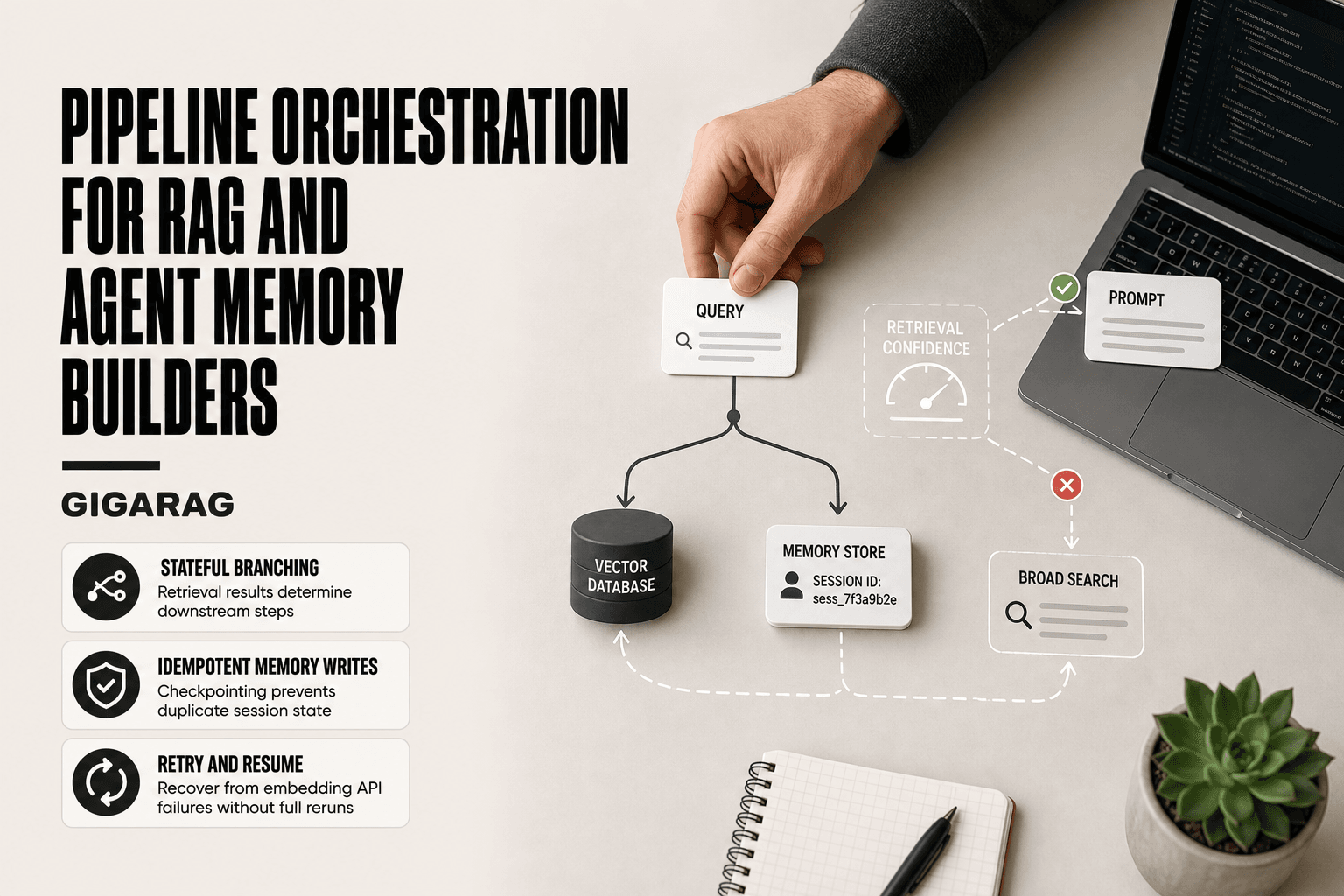
Real-time sync is a lie unless you build it yourself. Webhooks fire when something changes, but they don't deduplicate, they don't retry, and they don't queue. You need a message queue, idempotency keys, and a backfill job for missed events. That's a weekend of work before you've written a single line of ingestion logic. If you poll instead, you're always behind. Accept that "near real-time" means a five-minute lag, and that's fine for most agent memory use cases.
API rate limits and export restrictions
The Notion API caps you at 3 requests per second. That sounds generous until you're recursively pulling a workspace with 10,000 blocks. A full backfill takes hours, not minutes. Slack is worse on free plans: you can't export message history at all. You need a paid plan to access the full archive. Even then, the Conversations API paginates at 100 messages per call, and large channels mean thousands of calls. Budget for rate limiting from day one, or your sync job will die mid-run and leave your vector store half-populated.
HTML scraping is fragile
Every site changes its markup eventually. Your CSS selectors will break. A page that worked last week returns a 403 this week because the site added bot detection. JavaScript-rendered pages need a headless browser, which adds seconds per page and a whole new failure mode. The honest answer is that HTML ingestion is a maintenance burden, not a one-time build. You'll spend ongoing time fixing scrapers. Budget for it.
Ingestion is not retrieval quality
Getting data into your vector store doesn't mean your agent will find the right chunk when it matters. Retrieval quality depends on chunking, embedding model choice, and prompt design. You can ingest perfectly and still get garbage answers if your chunks are too big, your embeddings are weak, or your prompt doesn't tell the LLM how to use the retrieved context. Ingestion is necessary. It is not sufficient.
Putting It Together: A Complete Ingestion Workflow
The three ingestion paths don't run themselves. You need a scheduler, a normalizer, and a place to put the output. Here's the full loop, end to end.
Scheduling and incremental updates
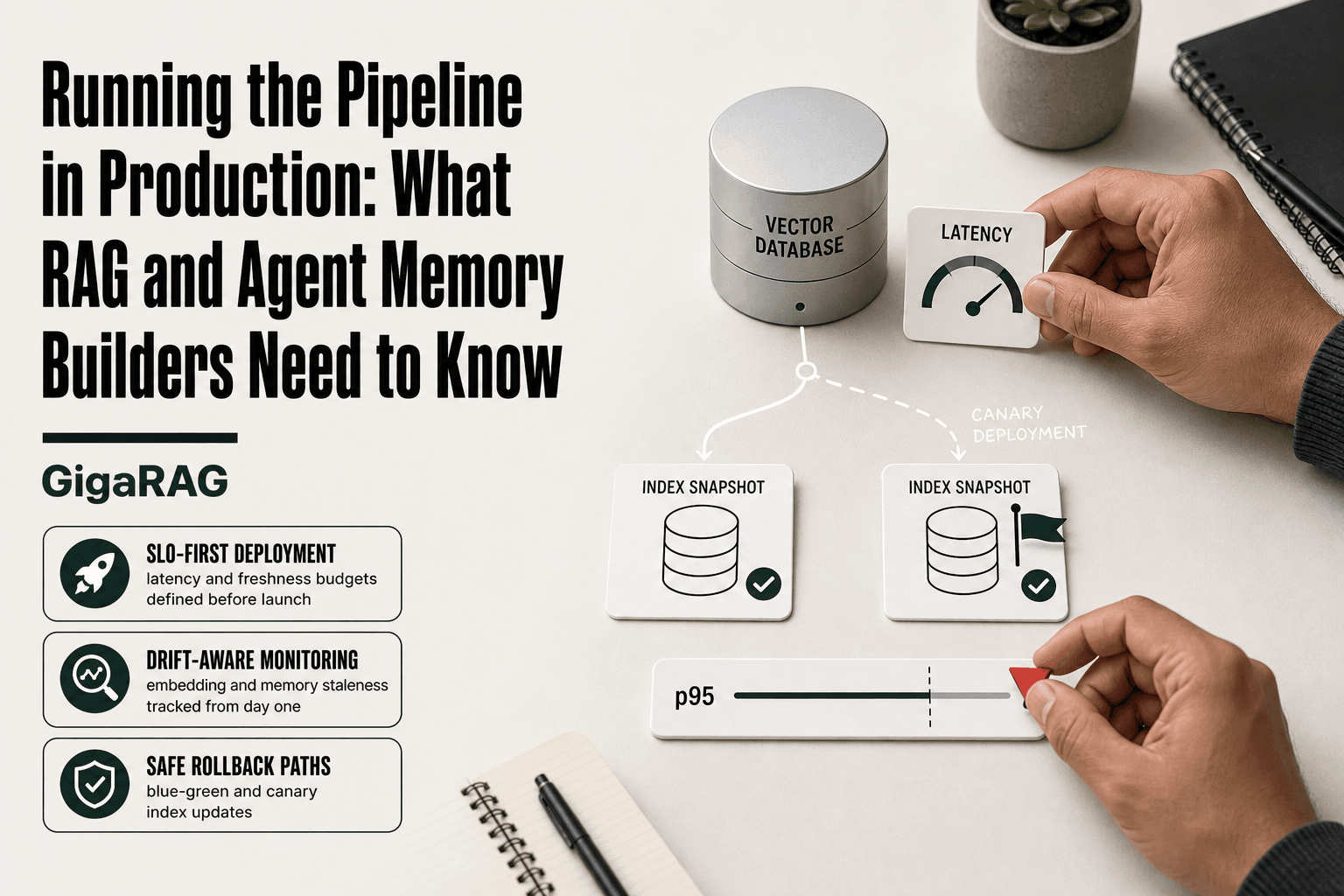
HTML crawls run on a timer. Daily works for most sites; hourly if you're tracking docs that change fast. Notion polling runs every 5 to 10 minutes, respecting the 3 requests per second cap. Slack is different: do a one-time backfill of channel history, then poll for new messages every minute or two. Each source keeps a cursor or last-synced timestamp so you only pull what changed. Deduplicate on source ID before you embed anything. Re-embedding unchanged content wastes money and pollutes your store with near-duplicate vectors.
A reference architecture
Three workers feed one pipeline. The HTML worker fetches pages, strips boilerplate, and converts to markdown. The Notion worker walks blocks recursively and flattens rich text. The Slack worker pulls messages and threads, preserving parent-child relationships. All three write to a normalized schema: source type, source ID, timestamp, author, content, and metadata. A chunker splits that content on semantic boundaries. An embedder turns chunks into vectors. An upsert writes them to your vector store with metadata filters intact. That's six components. You can run them as cron jobs on one box, or split them into separate services when volume grows.
Where GigaRAG fits
Building this yourself means maintaining six components, handling rate limits, and fixing scrapers when sites change. GigaRAG runs the same pipeline as a managed service: connectors for HTML, Notion, and Slack, normalization, chunking, embedding, and upsert. You configure sources and it handles the rest. It's not magic, and it won't fix bad chunking strategy or weak prompts. But if you'd rather spend your weekend on retrieval quality than on retry logic, it's worth a look.
Common Mistakes When Ingesting HTML, Notion, and Slack
Most ingestion failures aren't exotic. They're the same five mistakes, repeated across teams.
Not stripping HTML boilerplate
You fetch a page and embed everything: nav, footer, cookie banner, sidebar. Those tokens pollute your chunks and dilute retrieval. The fix is one line in your extractor: pull only the main content element, drop scripts and styles before conversion.
Ignoring Notion block nesting
Notion pages are trees, not flat text. A bullet under a toggle under a heading carries meaning you lose when you flatten blocks into a single string. Preserve the hierarchy. Walk child blocks recursively and keep parent context in each chunk's metadata or prefix.
Flattening Slack threads
A thread is a conversation, not a list of messages. Embedding each reply without its parent strips the context that makes the reply useful. Store the thread root as the chunk anchor, and attach replies in order. Retrieval quality drops hard when you don't.
Chunking without semantic boundaries
Splitting on fixed character counts cuts sentences in half. Your embedder gets fragments, and your retriever returns garbage. Chunk on headings, paragraph breaks, or message boundaries. Fixed-size splitting is a fallback, not a default.
Skipping metadata is the fifth mistake, and it's the quietest. Content without source, timestamp, or author is unanswerable in retrieval. Add it at ingestion time, not later.
Final Thoughts on Building Agent Memory from HTML, Notion, and Slack
Ingesting HTML, Notion, and Slack is a pipeline problem, not a one-time task. You don't fetch once and call it done. You schedule crawls, poll APIs, handle rate limits, and keep metadata consistent across every source. The teams that treat ingestion as ongoing infrastructure get retrieval that works. The teams that treat it as a script they run once get stale answers.
Metadata matters as much as content. A chunk without source, timestamp, or author is a chunk your retriever can't trust. Add it at ingestion time, before you embed anything. Retro-fitting metadata later means re-embedding everything, which costs time and tokens you won't get back.
The honest expectation is this: ingestion is half the battle. Retrieval quality depends on chunking, embedding, and prompt design. You can build all of this yourself, and plenty of teams do. If you'd rather not maintain the pipeline, GigaRAG handles ingesting html, notion, and slack as a managed service. You bring the questions. It brings the memory.
Frequently Asked Questions
Can you link Notion and Slack?
Yes, you can link Notion and Slack through official integrations or third-party tools like Zapier. However, for RAG ingestion, you typically need to pull data from each source separately via their APIs rather than relying on a simple link.
Can my employer see my Slack chats?
On paid plans, employers can access public channels and may have tools to export data, including private channels if they have legal access. For RAG pipelines, always ensure you have permission to ingest Slack data and comply with your organization's policies.
Does Notion support HTML?
Notion does not natively render arbitrary HTML, but you can embed HTML blocks or use the API to import/export content. For RAG, you'll need to convert Notion blocks to plain text or Markdown yourself.
Can I use Notion agents in Slack?
Notion offers a Slack integration that allows you to search and preview Notion pages within Slack, but it's not a full agent for RAG. You would need to build custom logic to use Notion data as agent memory in Slack.
What are the limitations of ingesting Slack for RAG?
Slack's API rate limits and restrictions on free plans (e.g., limited message history) can hinder ingestion. Additionally, Slack messages are often conversational and noisy, requiring filtering and context enrichment for effective retrieval.
How do I handle HTML ingestion for RAG?
Use a headless browser or HTTP client to fetch pages, then extract main content using libraries like BeautifulSoup or Readability. Be mindful of dynamic content and anti-scraping measures, and always respect robots.txt.
Is real-time sync possible for Notion and Slack?
Notion supports webhooks for some events, and Slack offers Events API, but achieving true real-time sync for RAG requires significant engineering. Often, near-real-time (e.g., polling every few minutes) is more practical.
About GigaRAG
GigaRAG is for agent memory and RAG pipeline builders. get this right. Whether you are working through ingesting html, notion, and slack or something adjacent, we publish what we have actually tested, including where it falls short.