How to Fix an MCP Memory Server Not Appearing in Claude Code
When an MCP memory server is not showing up as expected in Claude Code, first determine whether Claude Code is reading the intended configuration, whether the server starts, and whether its displayed name has changed.
Record the exact state you see, including the configured server name, the displayed name, and any startup output. Those details make troubleshooting and issue reports more useful.
Quick diagnosis
Use this checklist to isolate whether the problem is configuration discovery, server startup, a changed displayed name, or the memory behavior you need to test.
- Check whether Claude Code lists the server.
- If it is absent, verify the configuration source you intended to use.
- Check whether the server process starts and connects.
- If a plugin is installed, check whether server names or namespaces changed.
- If the server is listed, test a write followed by a read.
Using GigaRAG with Claude Code: verify the setup first
Use GigaRAG's own documentation for its commands, configuration keys, supported capabilities, and any Claude Code connection steps. Do not substitute another MCP server's configuration for GigaRAG, since server commands, settings, and connection requirements are specific to the server.
[!tip] When reporting the problem, capture the server list before and after changing plugin state, along with the Claude Code version, operating system, expected server names, and whether the process starts. Do not include secrets from configuration files.
Before changing a configuration, identify the connection path your team intends to use and the access controls that apply. Keep the existing configuration unchanged until you know which setting you need to test.
What can be verified before configuring anything
Verify the Claude Code version you use, the configuration scope you intend to change, and whether your agent is meant to connect through MCP or the API. Keep a copy of the existing configuration before editing it.
Also record the exact server name you expect to see. That gives you something concrete to compare with Claude Code's displayed name and any startup output.
Connection details to establish before configuration
Establish the connection details for the path you intend to use: transport, command and arguments where applicable, required environment variables, working directory, and configuration format. These details are specific to the server and deployment.
Don't assume a .mcp.json example for another memory server will work here. Confirm every command, setting, and secret value with the person or source responsible for your deployment before adding it to configuration.
How to define a safe memory read/write acceptance test
Define success before testing: choose a harmless, unique value, identify the expected result, and decide which requests and responses you will save as evidence. Do not use a real secret or customer detail as test data.
Also define the context in which you will check the value again and what result counts as a match. The server-agnostic procedure later in this article provides the write-then-read steps.
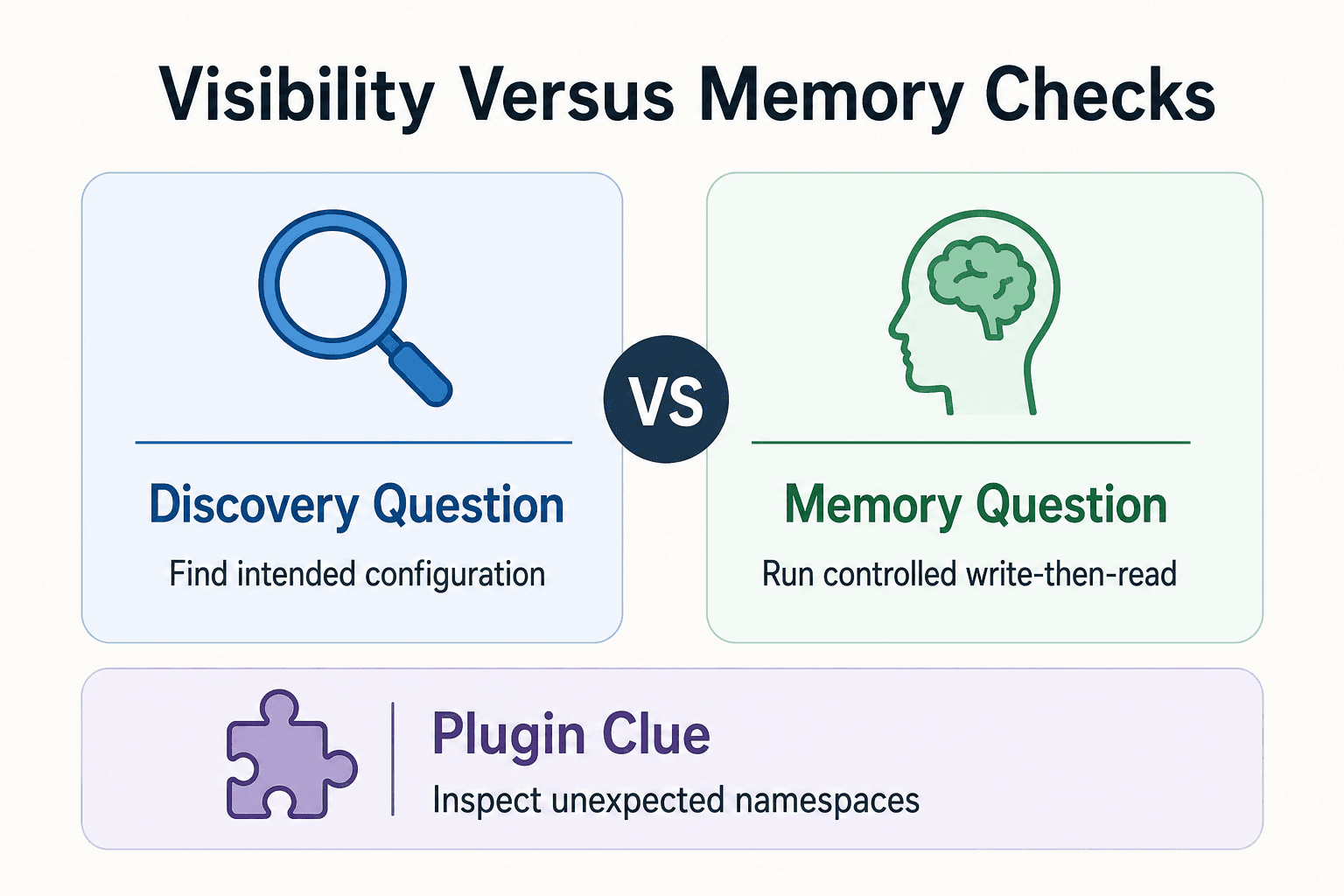
Is the server missing, or is memory not working?
| Factor | Server not visible | Server visible, memory unverified |
|---|---|---|
| First question | Is Claude Code discovering the intended server configuration? | Can the server successfully write and retrieve memory? |
| Check next | Review the intended configuration source and process startup. | Run a controlled write-then-read check. |
| Plugin clue | In one reported macOS case, installing a plugin changed how project server names appeared. Inspect unexpected namespaces. | Test the documented memory operation directly. |
Other MCP memory server methods and manual configuration
For a manual configuration, use the memory server's maintained documentation for its install command, transport, and required settings. Then compare its stated configuration scope with the scopes supported by the Claude Code version you use.
Choose an MCP memory server from its maintained documentation
Start with the server maintainer's published instructions, not a forum snippet or another project's repository. Check that it names the package or binary, supported transport, required runtime, and any secrets or local data path.
Compatibility isn't implied. If the server documentation doesn't describe MCP connection details you can verify, it's not worth guessing at a Claude Code setup.
Inspect the manual configuration before copying it
Read every field before launch: command, args, working directory, and environment variables. Confirm the command exists on your machine and that each argument belongs to the server version you installed.
Keep secrets out of a shared project file unless your team's documented configuration method says otherwise. Follow the server documentation for required credentials, dependencies, permissions, and local storage requirements.
Examples shown in the reported .mcp.json configuration
The reported Claude Code issue included project .mcp.json entries that start memory servers through npx, including one standard memory-server package and @allpepper/memory-bank-mcp. These are examples from one macOS report, not proof of current compatibility or a recommended setup.
The important pattern is the named mcpServers entry paired with its exact command and arguments. Match those details only to the server's current documentation, then inspect startup output before assuming Claude Code has found it.
How to Fix an MCP Memory Server Not Appearing in Claude Code
Step 1: Confirm Claude Code is reading the intended configuration
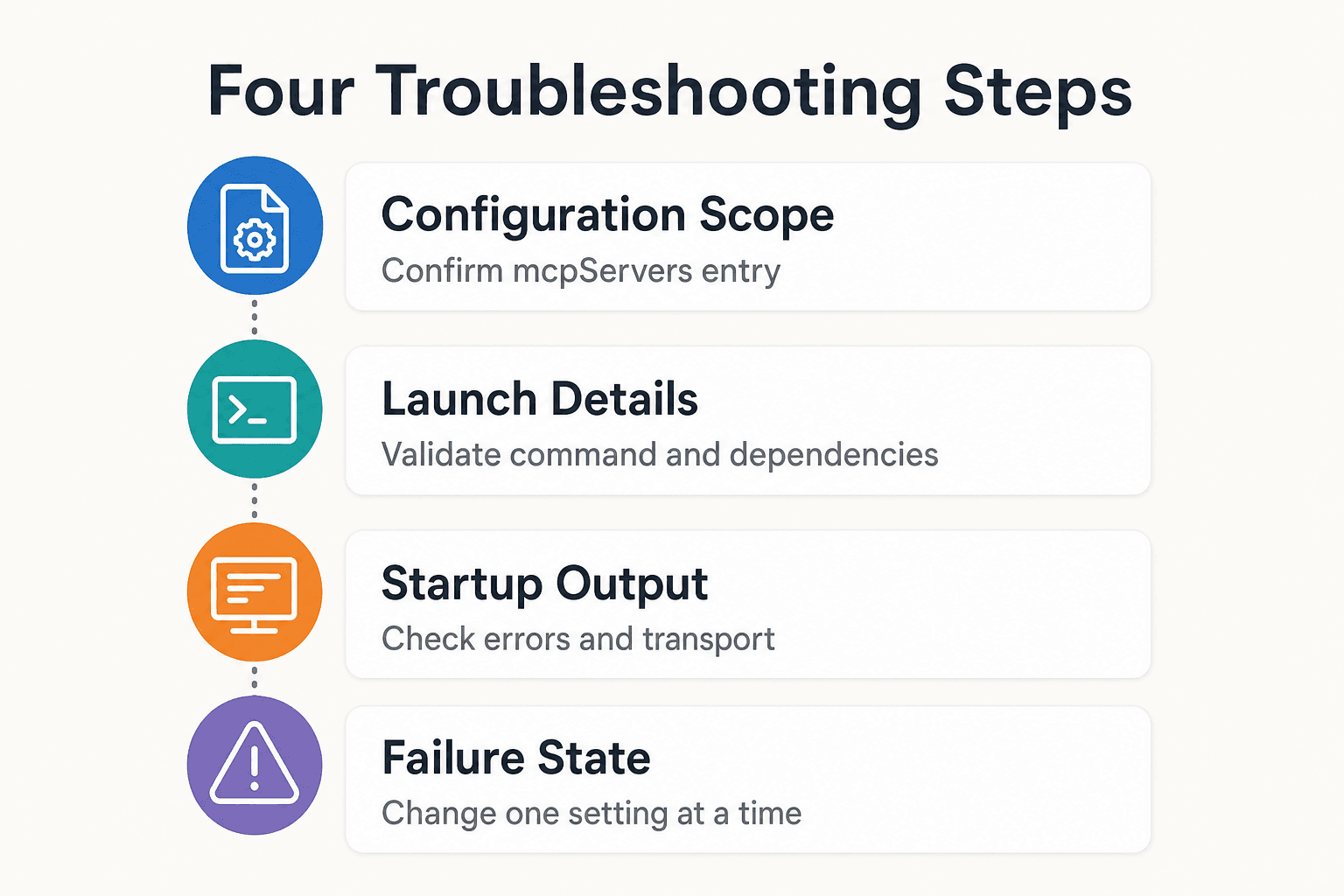
Find the configuration file and scope your installed Claude Code version supports. Confirm the mcpServers entry has the server name you expect, valid syntax, and no duplicate name elsewhere.
Don't guess at reload behavior. Restart or reload only through the method documented for your installed version, then check whether the displayed name changes.
Step 2: Validate the server command, arguments, and local dependencies
Check the launch details one field at a time: command path, arguments, working directory, runtime, and installed package or binary. Match each value to the documentation for the server version you installed.
If the server documentation provides a standalone launch procedure, follow it and capture any output before configuring Claude Code. Use the documented Claude Code setup steps for the configuration scope and reload method.
Step 3: Check environment variables, permissions, and startup output
Inspect the server process output for the first real error. Look for missing environment variables, unavailable dependencies, an unreadable config file, a non-writable data directory, or permission failures.
Transport matters too. Confirm the server and Claude Code use the same supported connection method.
Step 4: Record the exact failure state before changing more settings
Write down what you see: absent from the list, listed but disconnected, starts then exits, or connected without usable tools. Include the exact server name and the full error text with secrets removed.
Change one thing at a time. Otherwise, you won't know which setting stopped Claude Code from finding or starting your server.
Rule out plugin namespacing and server name collisions
A changed label isn't proof that your memory server disappeared. The reported issue described project servers shown under a plugin namespace after installation of a plugin with its own MCP server. It covered Claude Code 2.0.74 on macOS, so don't treat it as a rule for every version or operating system.
[!note] A Claude Code GitHub issue filed in December 2025 reported project MCP servers appearing under a plugin namespace after plugin installation on macOS with Claude Code 2.0.74. This is a reported case, not proof that every missing server has the same cause.
What the reported plugin-namespacing bug looked like
The report's .mcp.json declared servers named playwright, memory, and allpepper-memory-bank. After installing the fal-ai plugin, the MCP list showed all of them as plugin:fal-ai:<server-name>, including the project-defined memory server.
That's a labeling and source-attribution problem. It can also hide a real name collision when both a plugin and your project use the same server name.
Compare declared names with displayed names
Put the names in your active configuration beside the names Claude Code displays. Check for a new plugin:<name>: prefix, duplicate short names, or a plugin server that matches a project server.
Then inspect plugins installed since the server last appeared normally. If a recent plugin supplies MCP servers, disable or remove it only if your version supports that workflow. Restart through the documented method, then check whether the project server's label returns.
Create a minimal reproduction before filing an issue
Don't change everything at once. Keep one project MCP entry with a distinct name, then compare its displayed name with and without the suspected plugin.
Record your Claude Code version, operating system, declared server names, plugin name, and MCP list output with secrets removed. If the namespace changes only after the plugin is present, file a new issue and link the earlier report rather than assuming the server itself failed.
Test memory read/write, capture evidence, and know when to escalate
Before relying on a memory server for project context, use its documented tools to perform the memory operation you need and record the result.
Run a server-agnostic write-then-read test
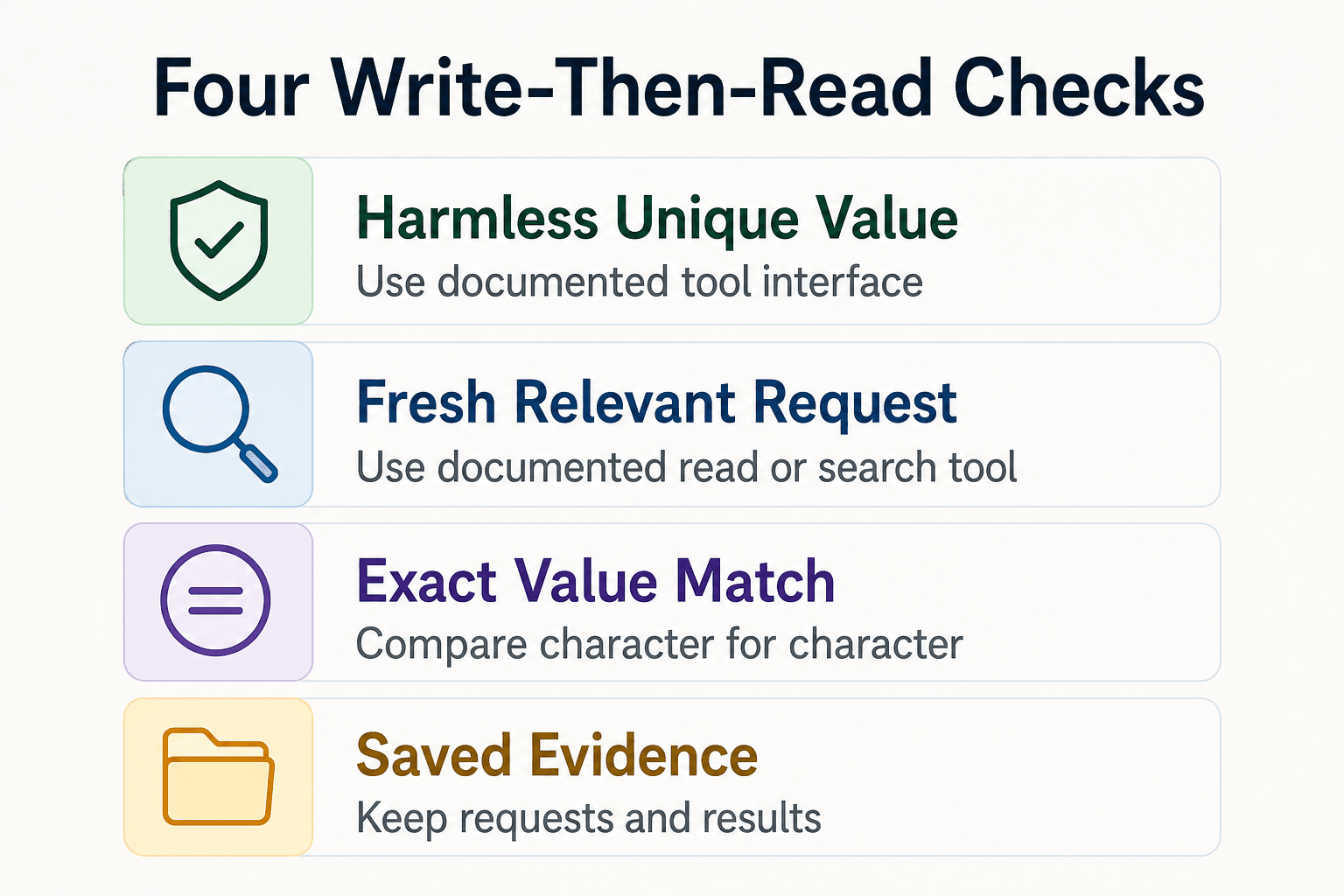
Use the memory server's documented tool interface to save one harmless, unique value. For example: "MCP-memory-check: blue-otter-47". Don't use a real secret, customer detail, or anything you wouldn't want copied into logs.
Then start a fresh relevant request and use the documented read or search tool to request that exact item. Compare the returned value with the value you wrote, character for character, and save both requests and results.
For GigaRAG, test the connection path your team has configured—MCP or the API—and confirm that the agent has the access controls needed for the intended knowledge.
What a successful connection does not prove
A successful write-and-read check documents the result of that specific test. For persistence, sharing, retention, and access controls, rely on the chosen server's documentation and the configuration your team has applied.
It depends on what the chosen server documents about storage scope, sessions, users, and backing data. If those behaviors aren't documented, don't build a workflow around them.
Escalation checklist and final next step
If the read fails, capture evidence before changing more settings:
- Configuration with secrets, tokens, and private paths removed
- Claude Code version and your operating system
- The exact declared and displayed server name
- Server logs and relevant Claude Code output
- The exact write request and expected stored value
- The exact read request and actual result
Send that package to the server maintainer when the tool starts but its own memory operation fails. File a Claude Code issue when the configuration is ignored, the server is mislabeled, or Claude Code never reaches a working server process.
Frequently asked questions
Why is my MCP memory server missing from Claude Code?
Check whether Claude Code is reading the intended configuration, whether the server follows its documented startup requirements, and whether a plugin has changed the displayed server name. A reported macOS case showed project servers being placed under a plugin namespace after plugin installation, but that does not establish the cause in every installation.
What does an MCP server listing in Claude Code tell me?
It tells you that Claude Code is displaying that server. To check whether the memory behavior you need works, run the server's documented write-then-read test and save the requests and results.
How can I tell whether Claude Code is reading the correct MCP configuration?
Compare the servers shown in Claude Code with the servers you expect from the configuration source you intended to use. Verify that source against current Claude Code documentation.
What should I check if an MCP memory server process fails to start?
Check whether the process starts and whether Claude Code reports a connection problem. Then verify the server's current startup requirements in its documentation.
Can a Claude Code plugin change how my project MCP servers are named?
One GitHub issue reported project servers placed under a plugin namespace after plugin installation in a macOS setup. Treat unexpected names as a clue to investigate, not confirmation that the same issue affects your installation.
How do I test whether an MCP memory server can write and retrieve memory?
Write a distinctive test item, then ask the server to retrieve that same item. Record whether the write and retrieval each succeed.
What details should I include when reporting a Claude Code MCP server issue?
Include your Claude Code version, operating system, expected and displayed server names, whether a plugin is installed, and what happens when the process starts. Also include the outcome of a write-then-read test.
Can I use a manual MCP memory server configuration instead of a plugin?
The reported GitHub issue describes project servers in a .mcp.json file alongside a plugin-provided server. It does not verify current manual setup instructions, so consult the server's and Claude Code's current documentation before configuring one.
About GigaRAG
GigaRAG is a shared memory platform for AI agents that helps developers and teams keep project knowledge available across sessions and tools. You can connect agents to a central Hive Mind through MCP or the API. Access controls manage what each agent can use.


