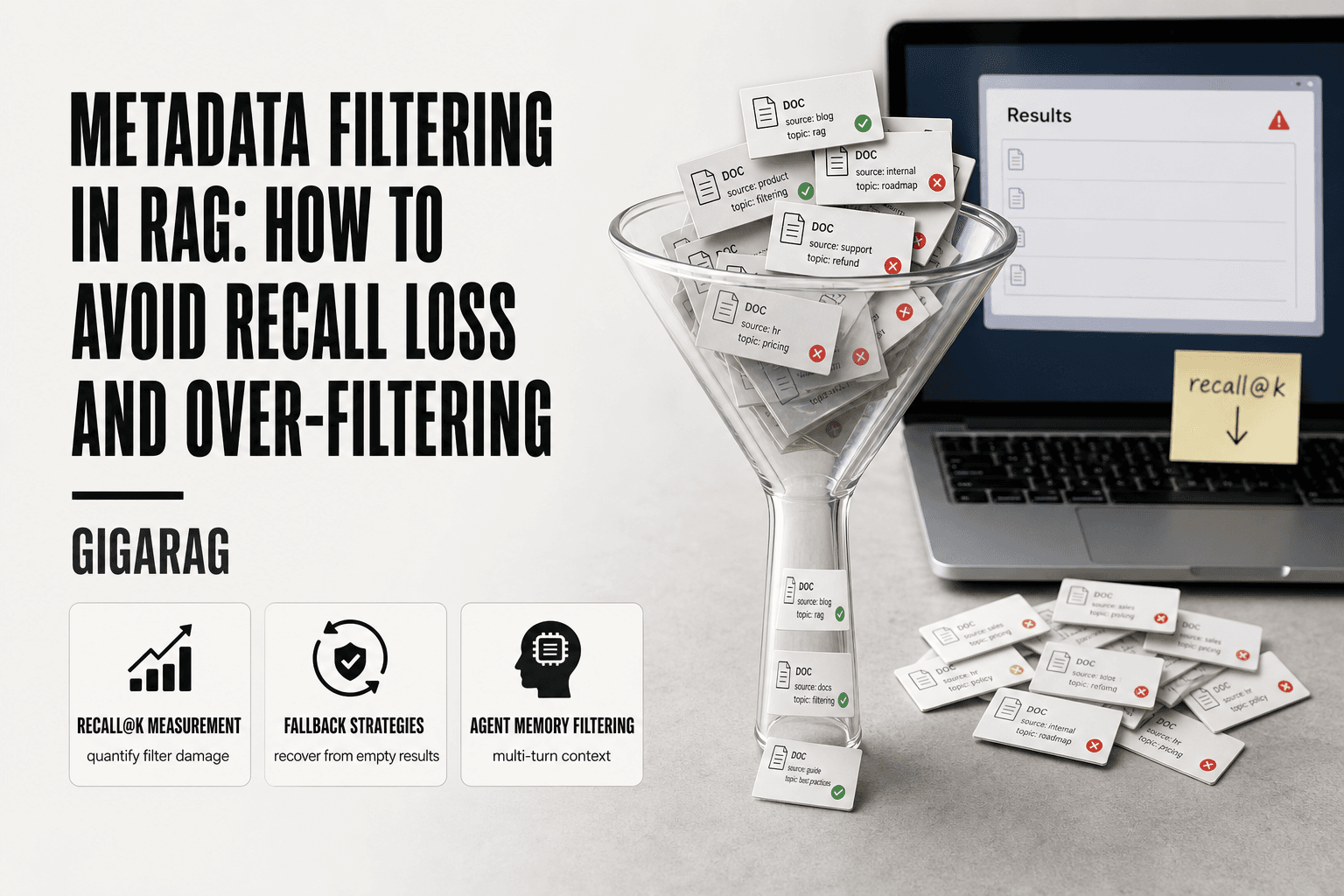
Metadata Filtering in RAG: How to Avoid Recall Loss and Over-Filtering
Metadata filtering in RAG feels precise. You add a filter for source, date, or document type, and the results look cleaner. But for RAG pipeline and agent memory builders, that filter is often quietly killing recall. Chunks that should have made it into the context window never get retrieved. You don't see the missing results, so you don't know they're gone.
The honest answer is that most guides won't tell you how to measure the damage. They'll show you filter syntax and move on. This one won't. GigaRAG treats metadata filtering in RAG as a first-class concern for agent memory, but this is not a vendor tutorial. You won't find a magic filter expression that works everywhere.
What you'll get instead: what filtering actually does, why it fails, how to measure recall loss with recall@k, and concrete strategies to stop over-filtering before it ruins your retrieval.
| At a glance | Details |
|---|---|
| Primary failure | Over-filtering kills recall |
| Key metric | Recall@k to measure loss |
| Common cause | Overly strict metadata filters |
| Mitigation | Fallback and hybrid search |
| Agent memory | Metadata for multi-turn context |
| Vendor neutrality | Works across Bedrock, OpenSearch |
In This Guide
- What Metadata Filtering in RAG Actually Does
- Metadata Filtering: Strict vs. Relaxed Approach
- Pre-Filter vs Post-Filter: The Debate That Shapes Your Recall
- Metadata Filtering In RAG: A Step-by-Step Guide
- Why Metadata Filtering Causes Recall Loss
- Over-Filtering: The Failure Mode Nobody Names
- How to Measure Recall Loss in Your RAG Pipeline
- Practical Strategies to Avoid Over-Filtering
- Metadata Filtering for Agent Memory and Multi-Turn Pipelines
- Common Mistakes When Implementing Metadata Filtering in RAG
What Metadata Filtering in RAG Actually Does
Metadata filtering narrows which chunks a vector search can return by applying conditions to fields attached to each chunk, like date, source, or document type. It runs before or after similarity scoring to cut the candidate pool down to chunks that match your constraints.
The role of metadata in vector search
Vector search finds chunks by meaning. Metadata adds structure on top. Each chunk carries fields you define: a timestamp, a user ID, a document category, a version number. When you filter, you're telling the retriever to ignore chunks that don't match those fields, no matter how semantically close they are to the query.
That's the tradeoff. Filters make results more precise. They also make them smaller.
Filtering as a precision lever
Think of filtering as a gate before ranking. You're not changing how similarity works. You're shrinking the pool it works on.
The good news: a well-placed filter cuts noise fast. If you only want chunks from the last 30 days, a date filter does that in one expression.
The main catch: filters don't know what's relevant. They only know what matches. A chunk from 45 days ago might hold the exact answer, but a strict date filter removes it before ranking ever sees it. That's where recall loss starts.
[!note] Metadata filtering is a double-edged sword: it improves precision but can silently reduce recall. Measuring recall@k before and after filter changes is essential to quantify the impact.
Metadata Filtering: Strict vs. Relaxed Approach
| Factor | Strict Filtering | Relaxed Filtering |
|---|---|---|
| Recall@k | Lower (misses relevant chunks) | Higher (more candidates) |
| Precision | Higher (fewer irrelevant hits) | Lower (needs reranking) |
| Over-filtering risk | High (empty or sparse results) | Low (broader coverage) |
| Use case fit | Narrow, well-defined queries | Ambiguous or multi-topic queries |
| Implementation | Simple, but brittle | Requires fallback logic |
Pre-Filter vs Post-Filter: The Debate That Shapes Your Recall
The order of operations changes everything. Filter before ranking and you shrink the search space first. Filter after ranking and you score everything, then cut.
How pre-filtering works and when it fails
Pre-filtering applies your metadata conditions to the candidate pool before similarity scoring runs. The vector index returns only chunks that match your filters, then ranks those.
It's fast. You search a smaller set.
The failure mode is silent. If a filter removes the chunk that holds the answer, ranking never sees it. You get a confident wrong answer from whatever survived.
How post-filtering works and its latency cost
Post-filtering scores all chunks by similarity first, then applies metadata conditions to the ranked list. The filter runs after ranking, so relevant chunks get a chance to compete before being cut.
The cost is latency. You're scoring the full index every query, even when filters would have eliminated most of it. At scale, that's real money.
A decision framework: latency budget vs recall sensitivity
It depends on two things: how tight your latency budget is, and how much recall loss you can tolerate.
If queries are high-volume and filters are selective, pre-filter. You'll pay in recall but save on compute.
If recall matters more than speed, post-filter. You'll score irrelevant chunks but keep the relevant ones in play.
Most production systems start with pre-filtering for cost, then add fallback when result counts drop too low. That's the pattern worth copying.
[!tip] For agent memory, store conversation metadata (e.g., turn, user ID) to filter multi-turn context without losing relevant history.
Metadata Filtering In RAG: A Step-by-Step Guide
- Define metadata fields that align with your retrieval goals, such as document type, date, or source.
- Measure baseline recall@k on a representative query set before adding filters.
- Apply filters incrementally, starting with the most essential field only.
- Monitor recall@k after each filter addition; if it drops significantly, relax or remove the filter.
- Implement a fallback strategy: if filtered results are below a threshold, retry without filters or with broader criteria.
- Use hybrid search combining keyword and vector retrieval to compensate for recall loss.
- For agent memory, store conversation metadata (e.g., turn, user ID) to filter multi-turn context without losing relevant history.
Why Metadata Filtering Causes Recall Loss
Filters remove chunks before ranking sees them. That's the whole mechanism. A filter doesn't reorder results; it deletes candidates from the pool. When a relevant chunk carries metadata that doesn't match your filter expression, it's gone before similarity scoring ever runs.
The cardinality trap
High-cardinality fields are the worst offenders. A filter on user_id, session_id, or timestamp can split your index into thousands of tiny partitions. Each partition holds only a few chunks.
The trap: you think you're narrowing by relevance, but you're actually narrowing by coincidence. A chunk about billing errors doesn't care which user asked about it. Filter by user_id and you'll never retrieve it for anyone else.
How strict filters compound retrieval errors
Every filter adds a condition. Every condition is an opportunity to be wrong.
If your metadata is 95% accurate and you apply three filters, the chance all three are correct drops. Chunks get excluded for metadata errors, not relevance errors. The system doesn't know the difference.
Strict filters also hide their own failures. You get results, so you assume retrieval worked. You don't see the better chunks that never made it to ranking.
What filters cannot fix
Filters cannot fix bad embeddings. They cannot fix poor chunking. They cannot fix a query that's asking the wrong question.
A filter narrows the search space. It doesn't improve the quality of what's inside that space. If your top-10 results are already weak, filtering them down to three won't make them stronger. It'll just make the weakness quieter.
Over-Filtering: The Failure Mode Nobody Names
Over-filtering isn't a bug in your vector database. It's a design choice you made without noticing. Every filter you add feels like precision. In practice, you're shrinking the candidate pool until only the most obvious chunks survive. The subtle ones, the cross-domain insights, the chunk that answers the question from an unexpected angle, all get deleted before ranking.
The honest answer is that most pipelines over-filter by default. Teams add filters defensively: a date range here, a category there, a user ID because it seemed relevant. Each one is reasonable alone. Together they strangle recall.
Signs your filters are too aggressive
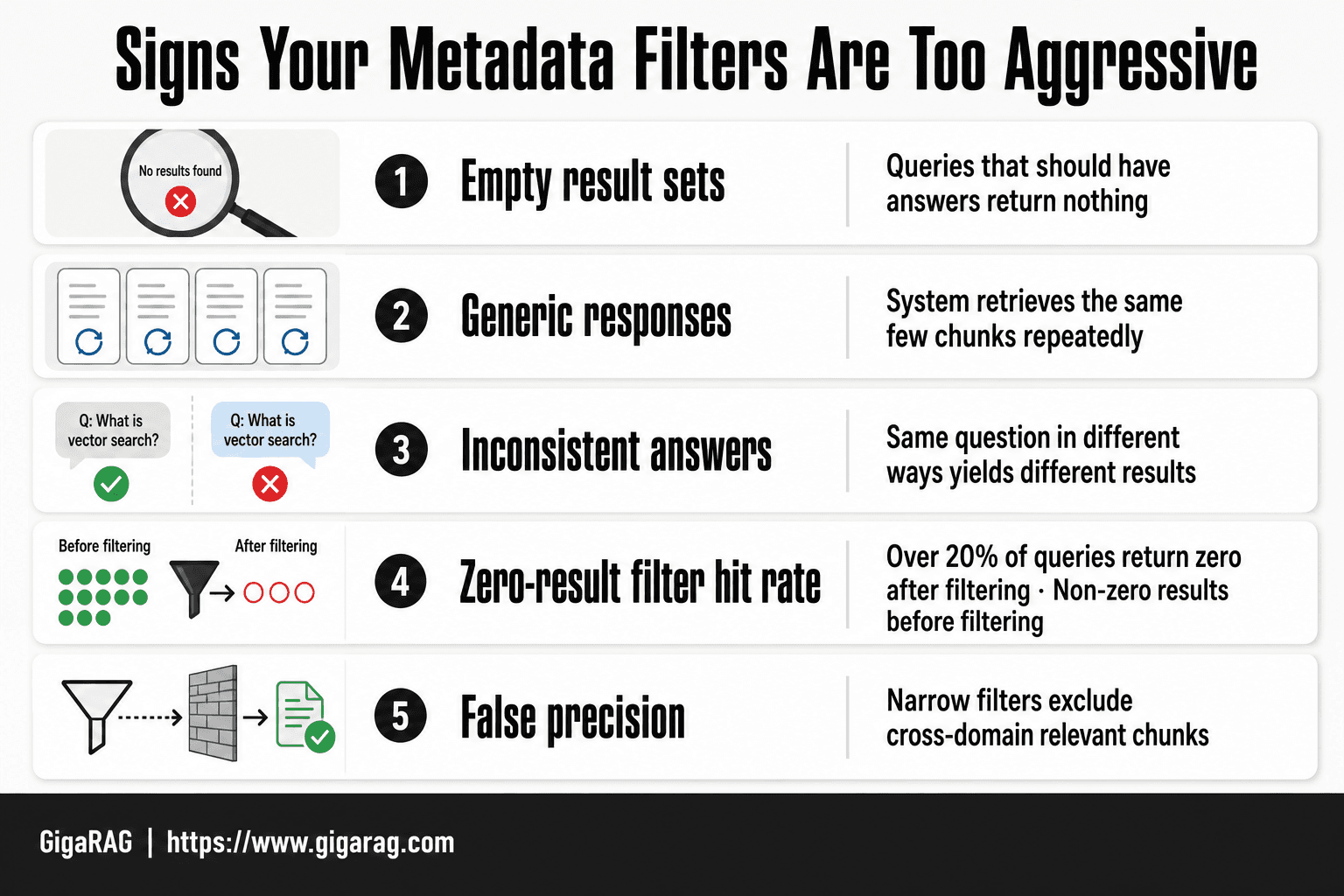
You'll see the symptoms before you see the cause. Empty result sets on queries that should have answers. Responses that feel generic, as if the system only ever retrieves the same few chunks. Users asking the same question in different ways and getting wildly different results.
Check your filter hit rate. If more than 20% of queries return zero results after filtering but non-zero before, your filters are the problem, not your index. That's the number to watch.
The false precision trap
Filters create the illusion of control. You narrow by department: engineering and feel confident the answer is engineering-specific. But relevance doesn't respect your taxonomy. The best answer to an engineering question might live in a chunk tagged finance or general.
You've traded recall for a feeling of precision. The system looks disciplined. It's actually just blind in a narrower room.
How to Measure Recall Loss in Your RAG Pipeline
You can't fix what you won't measure. Recall loss from metadata filtering is invisible until you put numbers on it. The metric you need is recall@k: the fraction of relevant chunks that make it into your top-k results. If your filters delete relevant chunks before ranking, recall@k drops, and no amount of prompt engineering downstream will recover what's already gone.
Setting up a recall@k baseline
Start with a labelled test set. Take 50 to 100 real queries from your logs. For each query, manually mark which chunks in your corpus are relevant. That's your ground truth. Then run each query through your pipeline twice: once with no filters, once with your production filters. Compare recall@k for both runs.
The unfiltered run is your ceiling. The filtered run is your reality. The gap between them is your recall loss. If unfiltered recall@k is 0.85 and filtered is 0.62, your filters are costing you 23 points. That's not a tuning problem. That's a design problem.
What to log: filter hit rate, result count, latency
You need three numbers per query. Filter hit rate: what fraction of queries return at least one result after filtering. Result count: how many chunks survive the filter. Latency: how long the filtered retrieval takes versus unfiltered.
Log these per filter, not just per query. A date filter might have a 95% hit rate while a category filter sits at 40%. You can't fix what you can't attribute.
Interpreting the numbers honestly
A recall@k drop under 10 points is usually acceptable. Between 10 and 25 points, you should loosen filters or add fallback logic. Over 25 points, your filters are the retrieval system, and the vector search is just decoration.
Watch for the silent killer: high average recall masking a long tail of zero-result queries. If 10% of queries return nothing after filtering, those users got no answer at all. Average recall won't show that. Plot the distribution.
Practical Strategies to Avoid Over-Filtering
You've measured the damage. Now fix it. Three techniques cover most recall loss cases: filter relaxation, fallback strategies, and hybrid filtering. None of them require changing your vector database. All of them require changing how you think about filters.
Filter relaxation: start strict, loosen on empty results
The simplest fix is to treat filters as a ladder, not a wall. Start with the strictest filter set that matches the query intent. If the result count drops below a threshold, say 5 chunks, loosen one filter and retry. Repeat until you get enough results or run out of filters to drop.
The order you loosen matters. Drop the least selective filter first. A date range is usually safer to relax than an entity ID. A category filter is safer to relax than a tenant boundary. Tenant boundaries should almost never relax. That's a security boundary, not a relevance lever.
Fallback strategies: when to drop filters entirely
Sometimes the right move is to drop all filters and run a pure semantic search. The trigger is simple: zero results after filtering. Don't return an empty response. Return the unfiltered top-k and flag it.
Your downstream prompt can then say: "No results matched your filters. Here are the closest matches without filters." The user gets an answer, and you get a log entry showing which filter combination failed. That log is your fix list.
Hybrid filtering: combining pre-filter and post-filter
Hybrid filtering runs both orders and merges the results. Pre-filter for speed on the obvious constraints. Post-filter for the nuanced ones. Take the union, deduplicate, and rank.
The cost is latency. You're running two retrieval passes. The benefit is recall. You catch chunks that pre-filtering would have deleted and chunks that post-filtering would have ranked too low.
In practice, hybrid filtering works best when you have one high-cardinality filter that's cheap to pre-filter, like a user ID, and one low-cardinality filter that's better applied after ranking, like a sentiment label. Split them. Don't stack both in the same pass.
Metadata Filtering for Agent Memory and Multi-Turn Pipelines
Agent memory breaks the assumptions that normal filtering relies on. A single-turn RAG query has one intent, one filter set, one answer. An agent carries context across turns. What was relevant three turns ago may not be relevant now. Filters that worked on turn one silently strangle turn five.
Why agent memory breaks naive filtering
The problem is scope. In a single-turn pipeline, you filter against the current query. In an agent loop, you filter against a memory store that accumulates entries over time. Each entry carries its own metadata: timestamp, source, turn number, entity tags. A filter that says "only entries from the last hour" makes sense for a fresh conversation. It makes no sense for a session that started yesterday and resumed this morning.
The honest answer is that agent memory needs two filter layers. One filters the memory store for what's relevant to this turn. Another filters what's relevant to the whole session. Most builders only implement the first.
Filtering across conversation turns
Multi-turn filtering fails when you treat every turn as a fresh retrieval. You don't want that. You want continuity. But you also don't want stale context poisoning the current answer.
The fix is to tag memory entries with a turn ID and a decay score. Filter on turn ID when the user explicitly references something earlier: "what did I say about pricing?" Filter on decay score when you're doing background retrieval. Drop entries below a threshold. Keep the threshold low. Over-filtering here is how agents forget things mid-conversation.
Long-term context retention and filter decay
Long-term memory is where filters do the most damage. A memory entry from three months ago may be exactly what the user needs. A timestamp filter set to "last 30 days" deletes it before ranking ever sees it.
Common Mistakes When Implementing Metadata Filtering in RAG
Most filtering failures aren't architectural. They're small, repeatable errors that compound silently. Here are the three I see most often in production pipelines.
Over-narrowing with too many filters
Every filter you add is a bet that the metadata is correct. Stack five filters and you're betting five times. One wrong tag, one missing field, one stale value, and the chunk is gone before ranking ever sees it.
The fix is to count your filters per query. If you're above three, ask whether each one earns its place. Most queries need one or two. The rest are precision theater.
Ignoring filter hit rate
Filter hit rate is the percentage of queries where at least one chunk survives the filter. Most teams never log it. That's the mistake.
If your hit rate drops below 90%, you're not filtering. You're deleting. Log it per filter, not just per query. A single filter with a 40% hit rate is your recall killer. Find it. Loosen it or drop it.
Hard-coding filters without fallback
Hard-coded filters work until they don't. A date range that made sense in January silently returns nothing in March. A source filter that worked before a data migration now points at an empty namespace.
The fix is a fallback path. If the filtered result set is empty or below a threshold, retry with relaxed filters. Log the relaxation. You'll see exactly which filters were lying to you.
Metadata filtering in RAG is a precision tool that quietly becomes a recall killer when left unchecked. Measure the damage with recall@k, loosen filters on empty results, and build fallback paths before you need them. The filters you don't notice are the ones doing the most harm.
Frequently Asked Questions
What is metadata filtering in RAG?
Metadata filtering in RAG involves using structured metadata (like date, source, or author) to narrow down the search space before retrieval. It helps improve precision by excluding irrelevant chunks, but if applied too strictly, it can cause over-filtering and reduce recall.
How does metadata filtering affect recall?
Metadata filtering can reduce recall because it excludes chunks that don't match the filter criteria, even if they are relevant. This is especially problematic when filters are too narrow or based on incomplete metadata. Measuring recall@k before and after filtering helps quantify the loss.
What is over-filtering in RAG?
Over-filtering occurs when metadata filters are too restrictive, causing the retrieval system to return too few or no relevant results. This often happens when filters are applied to fields with high cardinality or when multiple filters are combined, leading to empty result sets.
How can I measure recall loss in RAG?
You can measure recall loss by computing recall@k on a test set of queries with and without metadata filters. Recall@k measures the proportion of relevant documents retrieved in the top k results. A significant drop in recall@k indicates that your filters are hurting retrieval performance.
What are common pitfalls in metadata filtering?
Common pitfalls include using overly specific filters, ignoring the distribution of metadata values, and not testing the impact on recall. Another pitfall is applying filters to fields that are inconsistently populated, leading to missing relevant chunks.
How does metadata filtering relate to agent memory?
In agent memory, metadata filtering helps manage multi-turn conversations by retrieving only relevant past interactions based on user ID, session, or topic. However, if filters are too strict, the agent may lose context, so it's important to balance precision with recall for effective memory retrieval.
What are best practices for metadata filtering in RAG?
Best practices include starting with minimal filters, measuring recall@k, implementing fallback strategies, and using hybrid search to combine keyword and vector retrieval. Also, ensure metadata is consistently populated and consider relaxing filters for ambiguous queries.
About GigaRAG
GigaRAG is for agent memory and RAG pipeline builders. get this right. Whether you are working through Metadata Filtering in RAG: How Do You Avoid Recall Loss and Over-Filtering? or something adjacent, we publish what we have actually tested, including where it falls short.