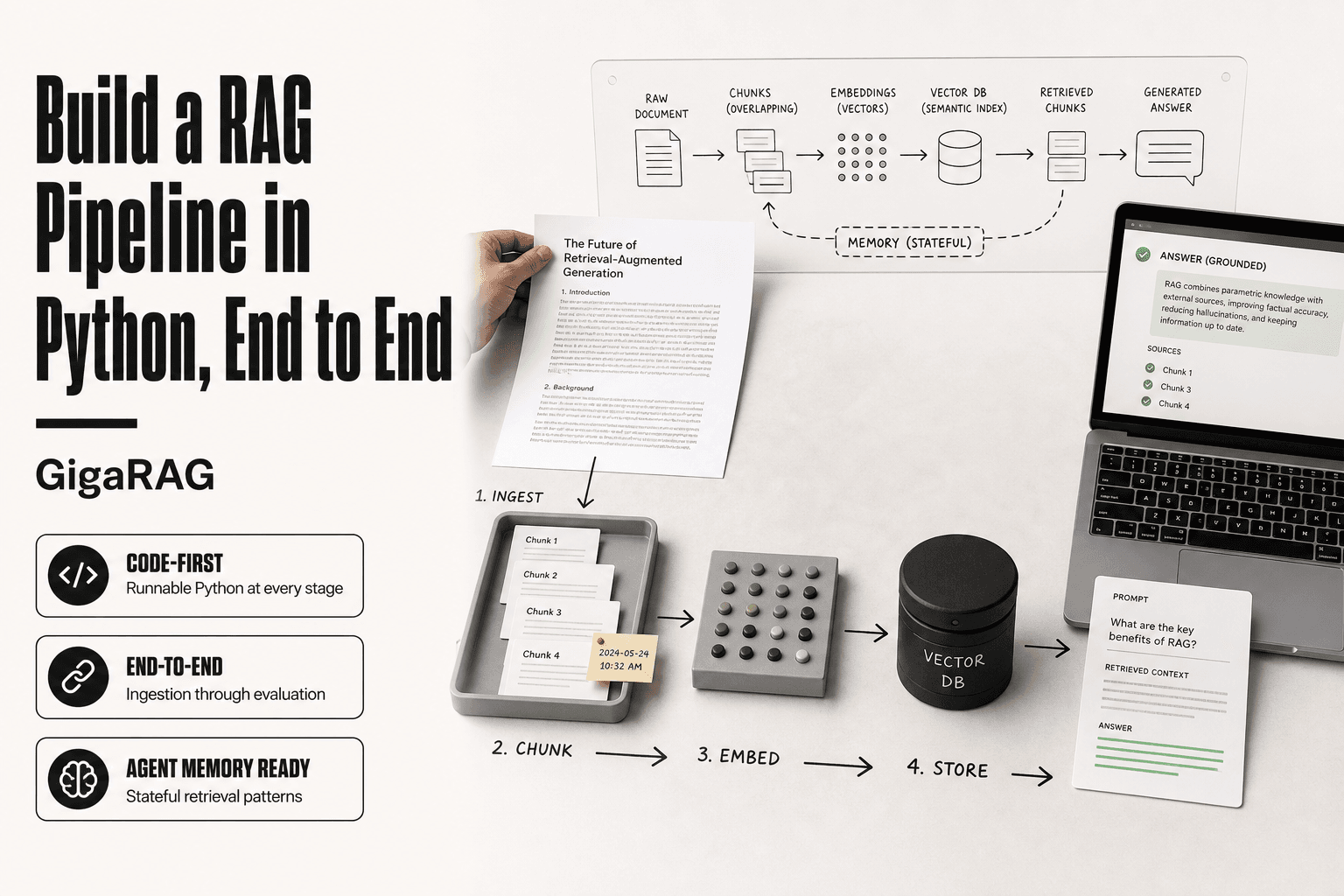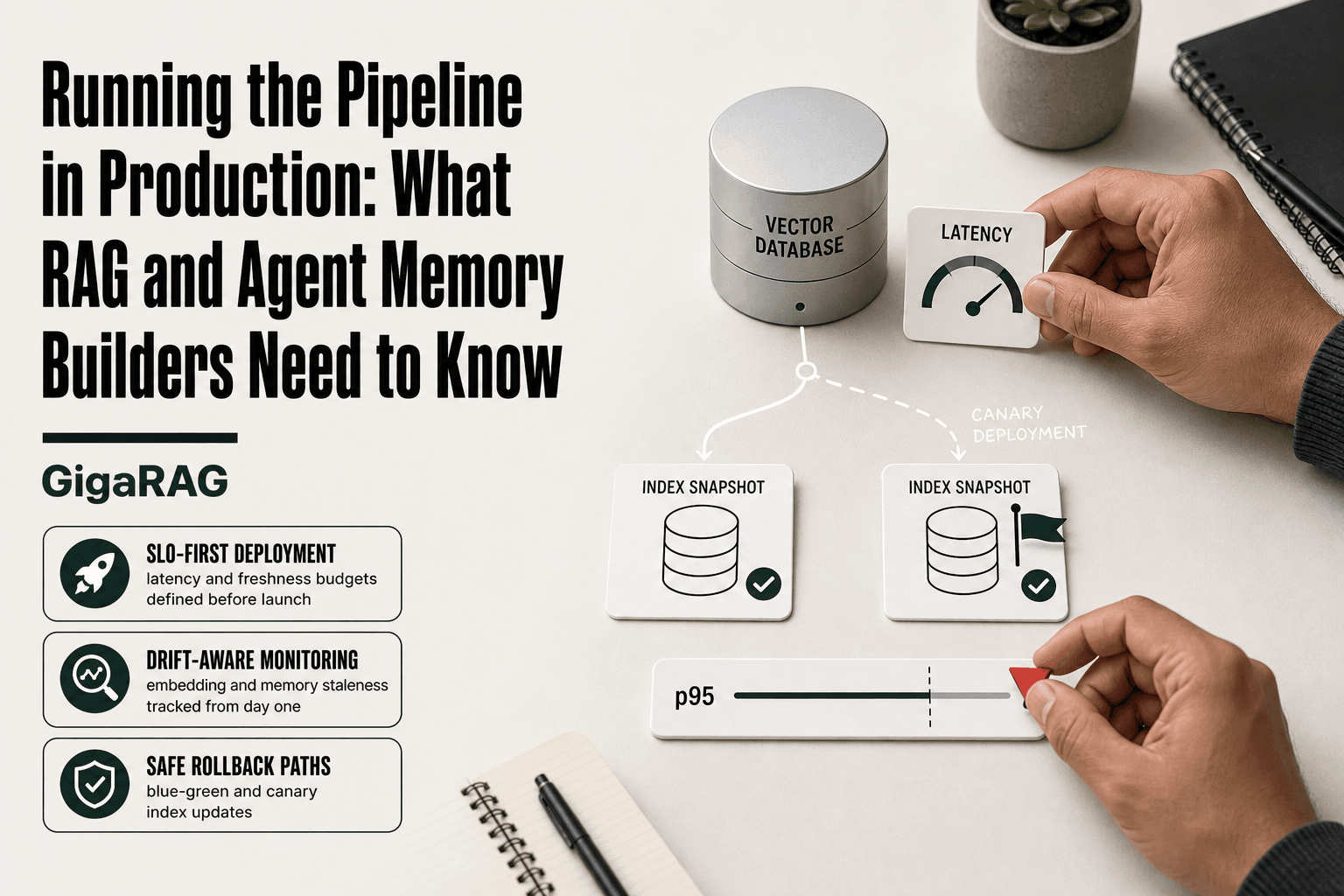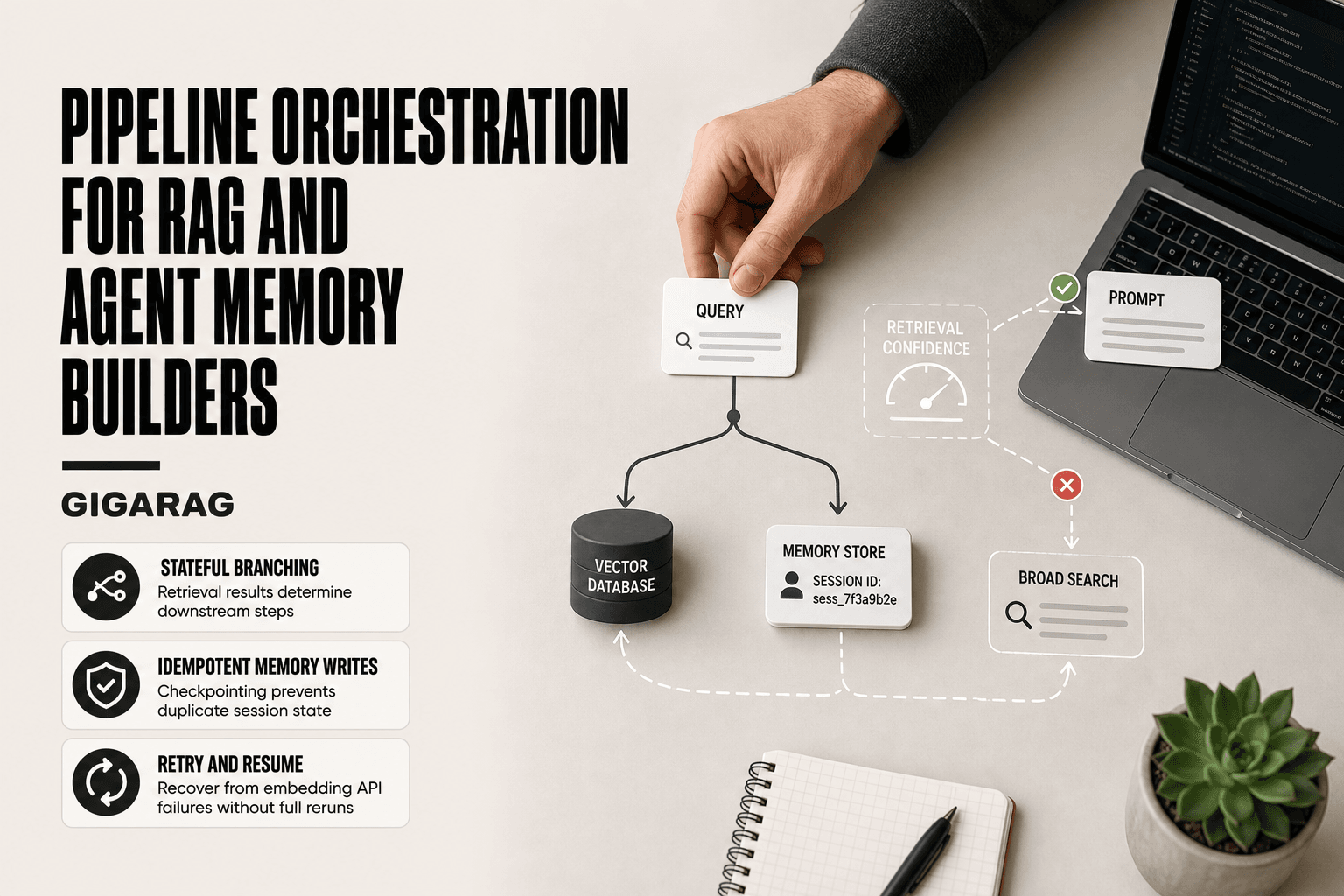
Compaction Failed: Conversation Could Not Be Reduced Below the Context Limit — How Do You Fix It?
Compaction failed: conversation could not be reduced below the context limit. If you build agent memory or RAG pipelines, you know the deadlock this creates. Claude Code can't compact, so the session can't continue. You're staring at hours of agent state, pipeline context, and in-conversation decisions. The panic is real. I've been there, and the first thing I want to tell you is this: it is almost never as bad as it looks in that moment.
Here's the honest answer. A small amount of context is gone for good. Most of it is not. Claude Code writes your full conversation to a file on your own disk, and most recovery guides never mention it. Before you run /clear and lose the session, you have four things to try, and the fourth one works even when the first three fail.
My recommendation: read the recovery steps first, fix the session, then come back for the prevention section. The long-term fix is keeping agent memory outside the conversation, which is where GigaRAG fits for persistent state.
This guide covers a four-step recovery path. Assess what's still there, recover and export it, externalize your state, then restart clean. No false hope, just what works.
What Does This Error Mean at a Glance?
| At a glance | Details |
|---|---|
| Error meaning | The compaction request itself no longer fits in the context window |
| Real error text | "Conversation too long. Press esc twice..." or "Context limit reached · /compact or /clear to continue" |
| Common triggers | Whole-file reads, huge tool outputs, repeated reads, long agent loops |
| What's lost | In-flight reasoning and the live session. Not the transcript |
| Immediate action | Try esc esc, then /rewind, then a focused /compact. Save /clear for last |
| Where your chat lives | ~/.claude/projects/<slug>/<session-id>.jsonl |
| Prevention | Lower the auto-compact threshold, cap tool output, keep state outside the chat |
| Recovery outlook | Good. The transcript holds every message, tool call, and tool result |
What Does Context Compaction Actually Do?
Context compaction is a summarization step. It rewrites your conversation history into a shorter form so the model can keep working inside its token limit. It trades exact detail for a compressed version of what happened. It runs on its own when the conversation gets close to the context window.
How does compaction summarize conversation history?
Compaction works like a forced recap. The model reads the conversation so far, decides what still matters, and rewrites it as a short summary. That summary replaces the original messages in the context window. The model then continues from the summary, not from the raw history.
Here is the part people miss. Compaction changes what the model can see. It does not change what is on your disk. Claude Code keeps writing the full record to a transcript file the whole time.
What does compaction drop, and what does it keep?
Compaction is lossy by design. It has to be, or it wouldn't reduce anything. In practice you keep the shape of the work and lose the texture. A summary might record that you fixed the auth bug with token refresh. It will not keep the three failed attempts before that fix.
Do not treat the summary as a record. It is a working note. The real record is the transcript, and I'll show you how to read it in Step 2.
Why is compaction critical for long-running agent sessions?
Long agent sessions produce far more context than any model can hold. Without compaction, a session would hit the limit and stop. Compaction is what lets an agent work across hundreds of turns.
For agent memory and RAG pipeline builders, that is the whole stakes. Your agent's working memory gets rewritten on a schedule, and the rewrite is not perfect. When it fails, you don't just lose the summary. You lose the ability to continue at all. This is the exact problem GigaRAG was built around: agent memory belongs in a managed store, not in a chat window that rewrites itself.
Note A compaction failure does not mean your data is gone. The live session is stuck, but Claude Code has already written the conversation to disk. Recovery depends on knowing where to look, not on how fast you copy the screen.
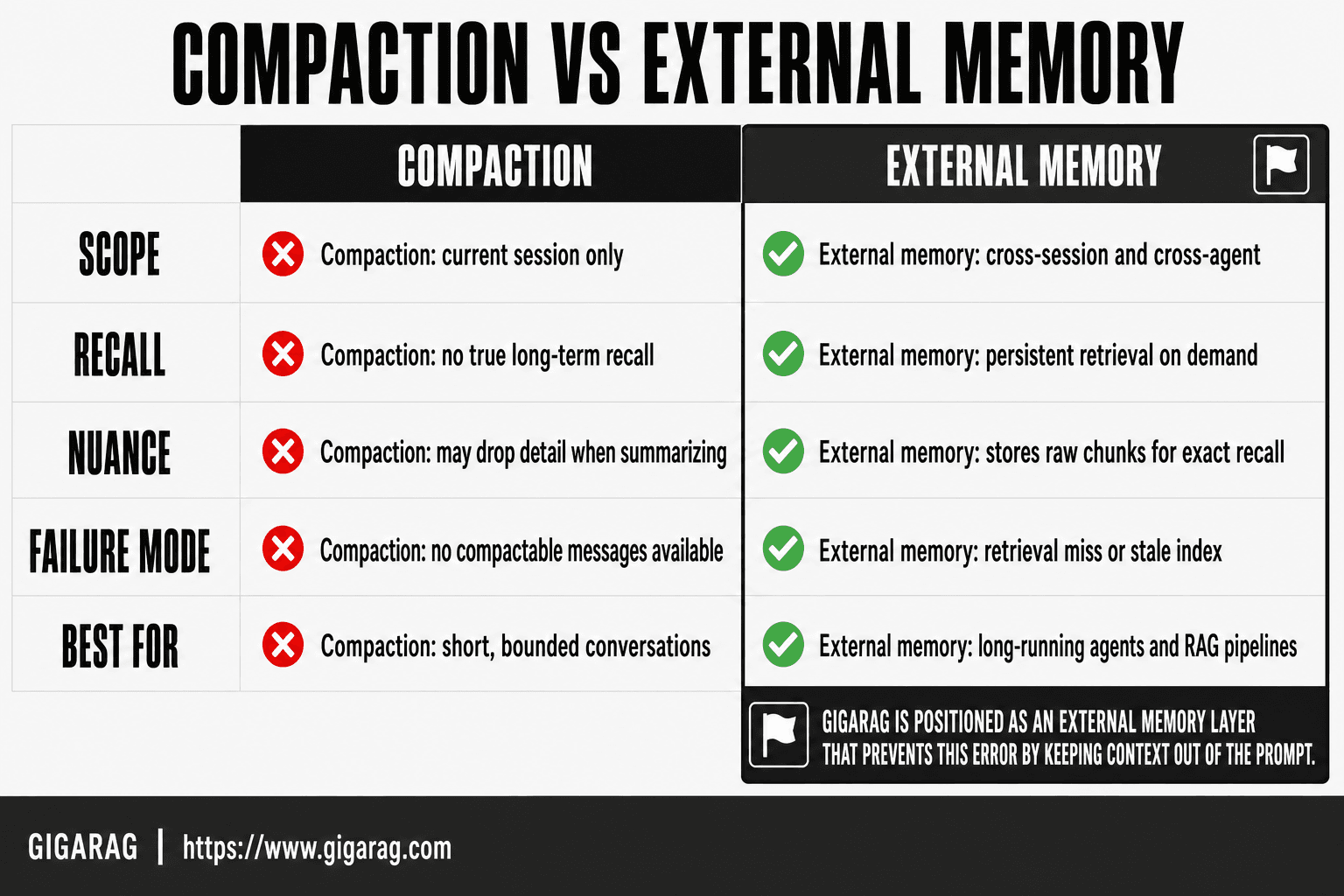
What Is the Difference Between In-Session Compaction and Externalized State?
| Factor | In-Session Compaction | Externalized State |
|---|---|---|
| Context limit | Bounded by the model's window. Can fail | Bounded by storage. Scales on its own |
| Failure mode | Deadlock. Cannot compact, cannot continue | Graceful. Reload and resume |
| Recovery after failure | Rewind, focused compact, or the transcript file | Reload from the store |
| Setup complexity | Low. Built in and automatic | Medium. Needs storage and reload logic |
| What survives a restart | Whatever you wrote to disk | Everything in the store |
| Best for | Short sessions, single tasks | Long agent runs, RAG pipelines, critical state |
Both columns matter. Compaction keeps a single session alive. Externalized state keeps your work alive across sessions. GigaRAG sits in the right-hand column, and it is the column you want to be in before the next deadlock, not after it.
Why Does 'Compaction Failed: Conversation Could Not Be Reduced Below the Context Limit' Happen?
Compaction fails because the compaction request is itself a request. It needs your whole conversation in the input and room for the summary in the output. When the conversation already fills the window, there is nowhere to put either one. You're stuck.
What exact errors will you see?
There is no single message. Depending on your version, Claude Code reports one of these:
| Error text | What it means |
|---|---|
Context limit reached · /compact or /clear to continue | You hit the wall. Compaction has not run yet |
Error during compaction: Conversation too long. Press esc twice to go up a few messages and try again. | Compaction ran and failed. This is the deadlock |
Input length and max_tokens exceed context limit: 175272 + 32000 > 200000 | Input plus reserved output tokens overflow the window |
prompt too long | The compaction request did not fit |
If you searched the phrase "compaction failed: conversation could not be reduced below the context limit," that is a paraphrase in wide circulation. It is not Claude Code's own wording. Every fix below applies to all four messages above.
Why can you neither compact nor continue?
The deadlock is simple and brutal. The conversation grows past what the model can hold. The system tries to compact to make room. Compaction fails because its own request no longer fits. Now you cannot compact, and you cannot continue.
Two things make it worse. Compaction reserves headroom, so the real blocking point sits below 100% of the window. And dense content does not compress. Summarization squeezes repetitive chat well. It barely touches thousands of lines of unique code or long retrieval output.
Why can't summarization reduce the context enough?
Summarization has a floor. It can compress boilerplate and back-and-forth. It cannot compress content that is already information-dense.
Think about what a RAG session actually holds. Retrieved chunks, tool results, file contents, error logs. Almost none of it repeats. The summary of that material is still large, and the model has to fit the original and the summary at the same time.
Agent memory and RAG pipeline work produces exactly this kind of content. That is why these sessions deadlock more often than ordinary chat sessions do.
Where does the auto-compact threshold actually sit?
Claude Code's settings docs cover CLAUDE_AUTOCOMPACT_PCT_OVERRIDE. It adjusts when auto-compaction triggers, takes a value from 1 to 100, and defaults to 95.
The effective trigger is lower than 95%. Community analysis of the CLI found the default computed as the window minus roughly 13,000 tokens, which is about 83% of a 200k window. The same analysis found the override clamped, so it can only lower the threshold, never raise it. Users report real triggers between 76% and 85%. Those numbers come from GitHub issues, not from Anthropic, so treat them as a working model rather than a spec.
The practical takeaway is the opposite of what most guides say. You can tell Claude Code to compact earlier. Most people never do, and that is why they land here.
Tip Treat the context window as a cache, not as storage. Write every important state change to something durable as it happens: a file, a database, or a managed memory service like GigaRAG. Then a compaction failure costs you the cache, not the work.
How Do You Recover, Step by Step?
- Assess what you can still recover. Check whether the session responds at all, and confirm your transcript file exists on disk.
- Recover and export your context. Try
esc esc, then/rewind, then a focused/compact. If none work, read the transcript directly. - Externalize your state. Write the task, the decisions, and the open work somewhere outside the chat before you restart.
- Restart cleanly and rehydrate. Open a fresh session, load your state, and verify the agent understood it.
Do these in order. Each step preserves more than the one after it.
What Can You Still Recover? (Step 1)
Before you touch anything, work out what is actually left. The failed compaction did not wipe your work. Take two minutes here and you will save an hour later.
What is still visible in the conversation?
Scroll up. The conversation before the compaction attempt is still on screen. You can read the messages, the code blocks, and the tool outputs.
The catch is that you cannot add anything new. The session is frozen. You can still read, copy, rewind, and export.
Where is your transcript stored?
This is the step that changes everything, and almost nobody does it.
Claude Code stores your conversation as a JSONL file. The default path is ~/.claude/projects/<slug>/<session-id>.jsonl, where the slug is your working directory with non-alphanumeric characters replaced by dashes. That file holds the full transcript: every message, every tool call, and every tool result.
Open a second terminal and check:
ls -lt ~/.claude/projects/*/ | head -20
If your session is there, your conversation is not lost. It is a file. Everything else in this guide gets easier from here.
What is permanently lost?
Some things do not come back. The model's in-flight reasoning at the moment of failure is gone. So is any detail an earlier successful compaction already discarded.
Make a short list of what you need: the current task, the pipeline configuration, the agent's last known state, the decisions from the last few turns. Check each one against the transcript. Whatever is not in the transcript and was never written to a file is genuinely gone. Don't waste time hoping it reappears.
How Do You Recover and Export Your Context? (Step 2)
Do not run /clear yet. It is the fastest way out of the error and it skips every better option. Work down this list and stop at the first thing that works.
How do you unstick the session?
Press esc twice. This walks the conversation back a few messages. It is what the error itself suggests, and it costs nothing. Be warned: many users report it does not help, especially when the previous message is already a compaction summary.
Run /rewind. This rolls the conversation back to an earlier point. It is a supported context command and most recovery write-ups leave it out. This is your best shot at saving the live session.
Run a focused /compact. The command takes instructions: /compact [instructions]. A narrow summary is smaller than a general one, and it sometimes fits where a plain /compact does not.
/compact Keep the auth refactor decisions and the failing test output. Drop all file reads.
I'd try these three in order before anything else. Each one takes seconds.
How do you export the conversation?
/export produces a rendered transcript meant for a person to read. Save it somewhere outside the session and give it a real name.
If /export does not respond, go to the transcript file instead. It is plain text, so you can search it:
grep -rl "the auth refactor" ~/.claude/projects/
That prints the matching transcript paths. The filename without .jsonl is the session ID.
One warning that belongs in your threat model. Every tool result is recorded, so the transcript holds the contents of files Claude read and the output of commands it ran. If Claude read a .env file, those secrets now sit in plaintext in your home directory. Be careful where you copy that file.
How do you resume or query the old session?
You do not have to rebuild by hand. Claude Code can reopen the transcript:
claude --continue                          # most recent session in this directory
claude --resume                            # session picker
claude --resume <session-name-or-id>
claude --resume /abs/path/to/session.jsonl # resume a specific transcript file
You can also ask a stored session a question without opening it:
claude -p --resume <session-id> --output-format json "summarise the decisions made"
That last command is my favourite trick in this whole guide. It pulls state out of a session that is too large to load.
One more thing to know: transcripts do not live forever. Retention is controlled by a cleanup setting that defaults to 30 days.
How Do You Externalize State Before Restarting? (Step 3)
An export is raw material. It is a transcript, not a state. If you restart with only a transcript, you will spend the first twenty minutes re-reading and re-explaining. Externalize your state first and the new session starts already knowing where things stand.
What state should you externalize?
Three things matter.
The current task: what you were building, why, and where you stopped. The decisions: the calls you made that you would hate to re-derive. The pipeline state: which steps ran, which failed, and what came out.
Anything you would have to explain to a new agent from scratch is worth saving. Anything you can regenerate cheaply is not.
Where should you write that state?
Keep a small set of markdown files next to your code. One for the goal and approach. One for the current facts, paths, schemas, and decisions. One for the remaining work as a checklist.
Write them yourself, by hand, from the transcript. Don't ask the frozen session to do it. You are the one who knows what matters. Keep each file short. If the context file runs past a page, you are saving too much.
How does GigaRAG handle persistent agent memory?
The file approach works, and it is the right first move. It is also manual. Every restart means re-reading files and re-establishing context, and files do not scale past a handful of projects.
GigaRAG takes the same idea and manages it for you. Agent state lives in a managed store with an enforced hierarchy of projects, buckets, threads, and memos, so a large store stays navigable instead of turning into a folder you can't search. A graph memory layer links related memos, so recall follows connections rather than keyword matches. You connect it as a tool for your agent or as an MCP server, and the same memory works across Claude, ChatGPT, and Grok.
To be straight with you: it is not a fix for the deadlock you are in right now. It is the architecture that stops the next one from costing you anything.
How Do You Restart Cleanly and Rehydrate? (Step 4)
You have exported what you could and written down the state that matters. Now you start fresh. The new session is empty, which is exactly what you want. The cost is that it knows nothing, and you fix that by rehydrating it.
How do you start a new session without losing context?
Use /clear to start fresh with an empty context.
Here is the good news nobody mentions: /clear does not destroy your old conversation. Claude Code saves it, and you can bring it back with /resume. The old session is parked, not deleted.
Start the new session with one instruction: read the state files. Don't paste them in. Point the agent at them and tell it to load them before anything else. That keeps the new conversation lean from the first message.
How do you rehydrate from externalized state?
Make your first prompt specific. Something like: "Read the three state files. Confirm the current state, then list the next three actions."
Then verify. Ask the agent to restate the current task and the last decision you made. If it gets either one wrong, your files were not clear enough. Fix them before you continue. It's cheaper to catch a bad rehydration now than three steps into the pipeline.
If your state lives in GigaRAG instead of in files, this step is a query rather than a paste. The new session asks the store what the old one knew.
What should you leave behind?
Not everything deserves a place in the new session. The failed compaction, the error messages, the retries: leave them. They are noise now. The new session does not need to know how the old one died. It needs to know what it was working on.
What Can't You Recover After a Failed Compaction?
Here is the honest part. A few things are gone permanently, and the sooner you accept the short list, the sooner you stop hunting for them.
What happens to unsaved reasoning and in-flight work?
The model's chain of thought between your prompts is gone. So is the half-formed analysis it was working through when compaction failed. If it lived only in the model's head and never reached a message or a file, it died with the session.
What did an earlier compaction already drop?
This one surprises people. If your session already compacted once, that pass replaced raw turns with a summary. The raw turns before that boundary are not in the live session anymore.
They may still be in the transcript above the boundary. Check the file before you assume otherwise.
What is not lost?
Say the short version out loud, because it is the opposite of what most guides claim.
Every message, tool call, and tool result written to the transcript is still there. Files Claude already wrote to disk are still there. Checkpointed file history is still there. And anything you pushed to a durable store, whether that is a markdown file or GigaRAG, is untouched by any of this.
How Do You Prevent Compaction Failure in Agent Memory and RAG Pipelines?
Recovery gets you out of the deadlock. Prevention keeps you from landing here again. You cannot stop context from growing. You can control when compaction runs, what enters the window, and where your state lives.
How do you lower the auto-compact threshold?
Most guides tell you to compact manually at 60% and to watch for the conversation "feeling heavy." That is worse than the setting that already exists.
// ~/.claude/settings.json
{ "env": { "CLAUDE_AUTOCOMPACT_PCT_OVERRIDE": "70" } }
Remember the clamp. This only lowers the threshold, and values above the default are ignored. It reduces your risk. It does not remove it: one reported case still failed with the override set to 60.
And stop guessing at usage. Run /context to see exactly where you are. The status line shows your distance from auto-compact too.
How do you cap what enters the context?
This is where most deadlocks actually come from. It is rarely the length of the chat.
Read file ranges, not whole files. Claude Code enforces a per-read token ceiling and throws MaxFileReadTokenExceededError when you cross it. Pipe long command output through head, tail, or grep instead of dumping it. Avoid re-reading the same file, because every read is a fresh copy in context. And use one session per task, so a bug fix, a refactor, and a dependency bump don't share one window.
Which RAG pipeline patterns lower compaction risk?
RAG pipelines fail the same way. Retrieved chunks pile up until summarization cannot keep pace.
Two patterns help. First, cap retrieved context per turn: pull the top three chunks, not the top ten. Relevance beats volume, and every chunk is permanent weight in that window.
Second, move long-term memory out of the conversation entirely. A managed store holds what the agent has learned across sessions. The conversation holds only what this turn needs. GigaRAG does this by design, so context loss in one session does not wipe accumulated knowledge. It is not a fix for a failed compaction. It is an architecture that makes the failure cheap.
What Are the Common Mistakes When Compaction Fails?
Panic makes the deadlock worse. Four mistakes show up again and again.
Why shouldn't you run /clear first?
It is the fastest route out of the error and the one that skips every better option. Try esc esc, /rewind, and a focused /compact before you reach for it.
Why does retrying the same bare /compact fail?
The input has not changed, so the result will not either. Change something. Rewind further, or add focus instructions to the command.
Where is the conversation if you think it's gone?
It is in ~/.claude/projects/. Check the file before you rebuild anything by hand. This single habit will save you more time than everything else in this guide.
Where do Claude's own commands actually go?
They are not there. Commands run through Claude Code's tools go to the transcript, not to ~/.bash_history. Grep the transcript instead.
What Should You Remember?
The error is a deadlock, not a death sentence. Recover in this order: esc esc, /rewind, focused /compact, then the transcript file. Save /clear for last, and know that it parks your session rather than deleting it. Your full conversation lives at ~/.claude/projects/<slug>/<session-id>.jsonl for about 30 days, and it holds secrets, so handle it carefully. Lower your auto-compact threshold with CLAUDE_AUTOCOMPACT_PCT_OVERRIDE, cap what enters the window, and keep durable state outside the chat. The context you externalize is the context that survives.
Frequently Asked Questions
What does context compaction mean?
Context compaction reduces a long conversation to fit inside a model's context window by summarizing older turns. It lets a session continue past the token limit. It fails when the compaction request itself no longer fits.
Can I recover my conversation after a compaction failure?
Usually, yes, and usually most of it. The live session may be stuck, but Claude Code stores the full transcript as a JSONL file on your disk and can resume from it with claude --resume.
Where does Claude Code store my conversations?
At ~/.claude/projects/<slug>/<session-id>.jsonl by default. The slug is your working directory path with non-alphanumeric characters replaced by dashes. The file holds every message, tool call, and tool result.
How long are transcripts kept?
A cleanup setting controls retention and defaults to 30 days. Copy anything you want to keep past that window.
Can I change when auto-compact triggers?
Yes, downward. CLAUDE_AUTOCOMPACT_PCT_OVERRIDE takes 1 to 100 and defaults to 95, but it is clamped so it can only trigger compaction earlier than the built-in default.
Can I turn auto-compact off completely?
There is no officially documented way. Community workarounds exist and reports on whether they hold are mixed. Lowering the threshold is the supported lever.
Does /clear delete my conversation?
No. It empties the context window. Claude Code saves the previous conversation and you can bring it back with /resume.
Why is Claude Code compacting my conversation so often?
Frequent compaction points at large tool outputs, whole-file reads, repeated reads of the same file, or long agent loops. Run /context to see what is filling the window.
How do I prevent compaction failures in long agent sessions?
Lower the auto-compact threshold, cap tool output, use one session per task, and keep durable state outside the conversation. Treat the context window as a cache and persist state to files or to a managed memory service.
Sources
- Claude Code — Manage sessions: https://code.claude.com/docs/en/sessions
- Claude Code — The
.claudedirectory: https://code.claude.com/docs/en/claude-directory - Claude Code — Settings: https://code.claude.com/docs/en/settings
About GigaRAG
GigaRAG is for agent memory and RAG pipeline builders. Whether you are working through a failed compaction or something adjacent, we publish what we have actually tested, including where it falls short.