
RAG Evaluation Set Template for Testing Retrieval and Answers
Treat a plausible answer as one artifact to evaluate, not as the whole evaluation record. Capture the evidence returned, the knowledge snapshot, the access scope, and the answer so reviewers can assess the run against the conditions you defined.
For repeatable evaluation, keep case definitions—such as the query, expected evidence, answer expectation, knowledge snapshot, and access scope—separate from run records containing retrieved chunks, generated answers, metric outputs, and run settings. The examples use a replaceable adapter so you can map your own integration into the record shape.
Before you begin
Plan to inspect the retrieval and generation stages of the workflow. In RAG, relevant information is retrieved, used to construct an augmented prompt, and then passed to an LLM for a response.
- Choose representative queries and identify relevant evidence for each.
- Identify the result fields your integration can expose for later case review.
- Choose retrieval measures that fit your task, such as Precision@K or Recall@K.
What is a RAG evaluation set template?
In this template, an evaluation set consists of case definitions and their associated run records. Define queries and expected evidence in the cases, then retain retrieved chunks, answers, scores, configuration, and review outcomes from each run for comparison.
The difference between a benchmark, a test case, and a run record
A benchmark is the whole scored collection. A test case is one question with labeled evidence and an answer expectation. A run record captures what your system returned for that case.
That split matters. Sandgarden's retrieval-evaluation guide defines retrieval evaluation as measuring how well an information-retrieval system finds relevant information for a query. Precision@K and Recall@K describe different aspects of the retrieved results.
Minimum record fields
Start with a stable id and the user's query. Add expected source or chunk IDs, relevance labels, and an answer expectation such as "cite the policy" or "abstain if no evidence exists."
Keep metadata with the case: knowledge snapshot, allowed access scope, owner, and version. Recording these values gives reviewers context when retrieval results differ between runs.
Template artifact: a compact JSONL record
Use JSONL as a compact file format for the example dataset. The Python scripts below write and read one serialized case record at a time.
{"id":"cfg-001","query":"Where is timeout set?","expected_evidence":["docs/config#timeout"],"relevance_labels":{"docs/config#timeout":1},"answer_expectation":"Name the setting and source.","knowledge_snapshot_id":"repo-2026-03-01","access_scope":"engineering-docs"}
Use expected_evidence to identify the sources or chunks reviewers expect the case to use. relevance_labels can support ranked retrieval metrics, while answer_expectation describes acceptable answer behavior without requiring one exact string.
What this template cannot prove
This template evaluates the cases and conditions you define. Use separate security, access-control, reliability, and load-testing practices for those parts of your system.
Keep human review for unclear and high-impact cases.
Retrieval evaluation vs answer evaluation
| Factor | Retrieval evaluation | Answer evaluation |
|---|---|---|
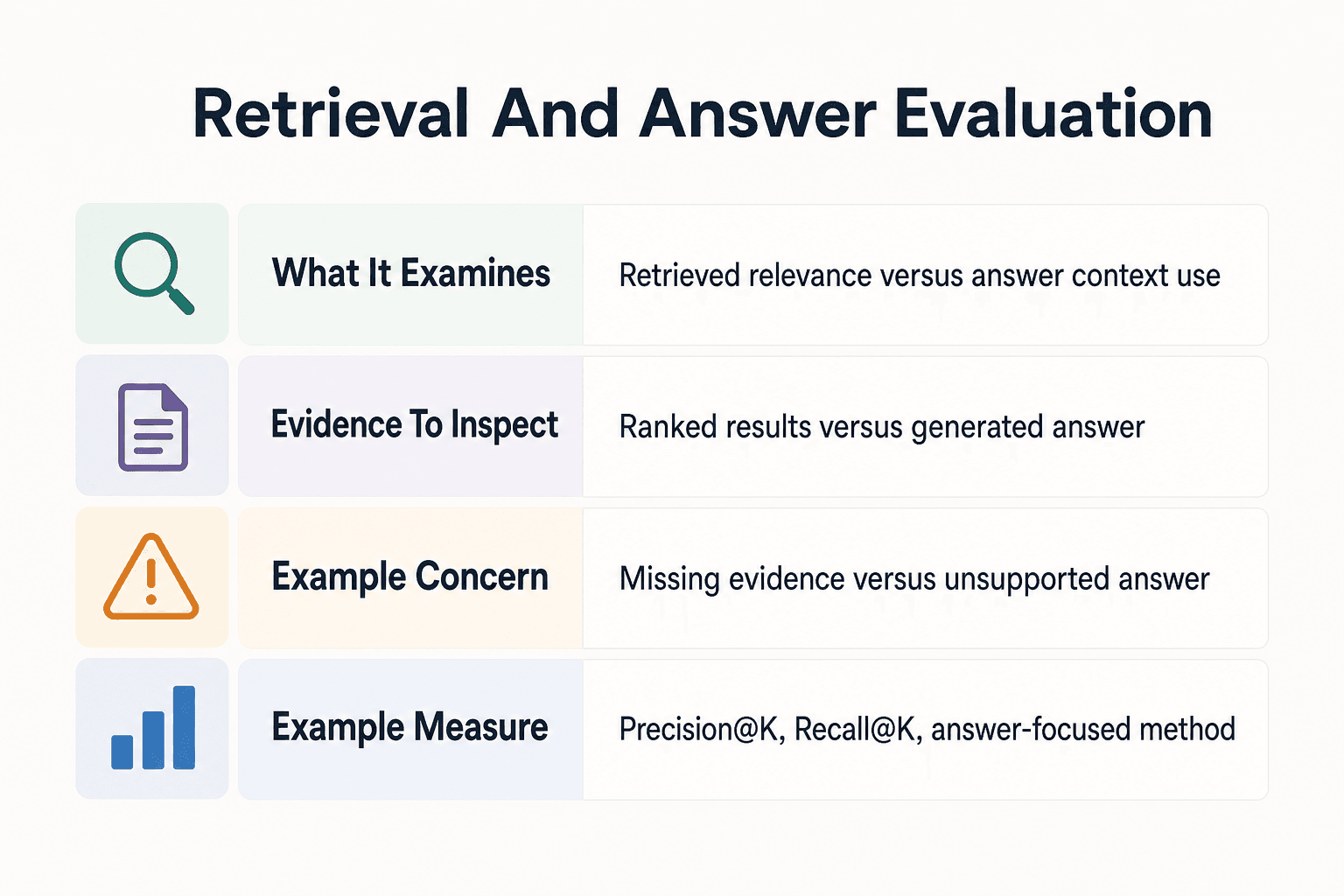
| What it examines | Whether relevant information appears in retrieved results | Whether the generated answer uses context appropriately |
| Evidence to inspect | Query, relevant documents or chunks, and ranked results | Query, retrieved context, and generated answer |
| Example concern | Relevant evidence is missing or ranked poorly | The answer is not supported by retrieved context |
| Example measure | Precision@K or Recall@K | Requires an answer-focused evaluation method |
Map RAG failure points before writing test cases
Map your records to the stages your implementation exposes. EyeLevel AI's guide to document-contextualized AI describes parsing, chunking, storage in a queryable representation, prompt construction, and LLM completion; in an agentic workflow, querying a datastore can be a tool the agent chooses to execute.
[!tip] When investigating a weak answer, inspect retrieved context before changing generation settings. RAG workflows can fail at multiple stages.
Failure modes to represent
Write cases where the needed source is absent, a tempting but irrelevant chunk exists, or old material conflicts with the current policy. Include questions that require the system to say it lacks evidence.
Also label answers that reviewers determine are unsupported by the retrieved context. This makes answer review explicit rather than relying only on retrieval results.
Store retrieval and answer failures separately
Keep retrieval evidence and answer judgment in distinct fields. Record retrieved source or chunk IDs and ranks in the retrieval result; record whether the answer is supported, incomplete, incorrect, or appropriately abstained in answer_review. That distinction lets a reviewer see whether a case needs retrieval investigation, answer investigation, or both.
The separate records help reviewers narrow their investigation to the relevant stage.
Coding and agent cases
Use work your developers actually do: finding a timeout setting, following a repository naming rule, checking a deployment constraint, or tracing a function across files. A cross-file case should name every expected source, not just the file with the final answer.
For an agent, store tool-call traces beside retrieved chunks and the final answer. A case can fail because the agent did not call retrieval, called it with a poor query, or failed to use useful output.
Captured context records the material your application retained from the retrieval step for reviewers to inspect.
Step-by-step: build an inspectable evaluation run
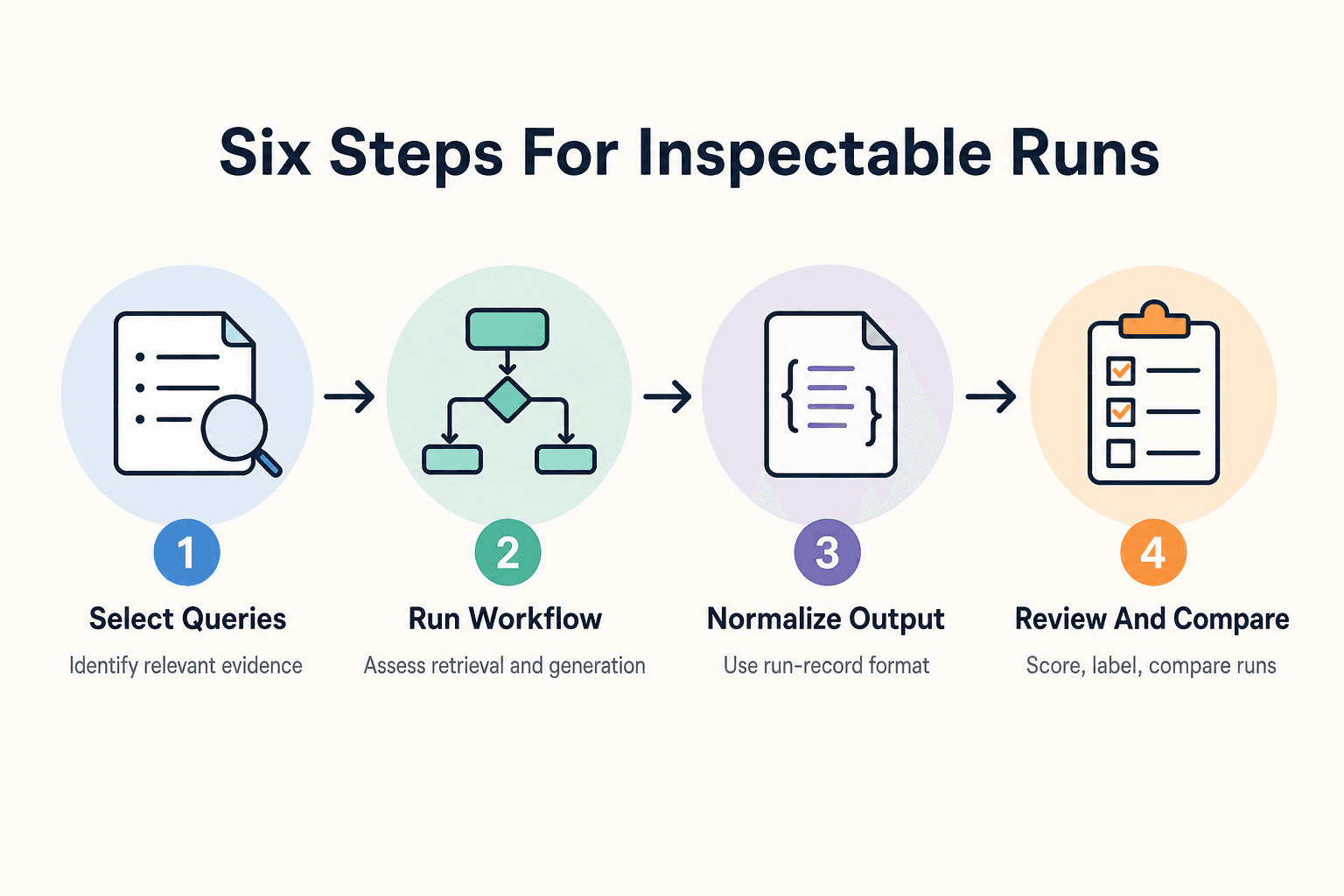
- Select representative queries and identify relevant evidence for each one.
- Run each query through the retrieval-and-generation workflow you want to assess.
- Normalize the workflow output into the run-record format.
- Calculate retrieval measures against relevance judgments.
- Apply the answer-review labels and inspect cases that need follow-up.
- Compare runs after a system change using the same queries and relevance judgments.
Choose evaluation data that matches real developer work
Choose cases only after your team can define the expected evidence and acceptable answer behavior. Draw from the sources that fit your evaluation goal, then review each case before using it as a regression check.
Start with a reviewed representative slice
Start with questions drawn from real developer tasks: locating a setting, explaining a repository rule, tracing a dependency, or checking a deployment constraint. Build a reviewed slice whose expected sources and answer expectations your team can explain.
Include common work first. Then add known failures and changes that have caused confusion.
Case categories
Direct lookup asks for one fact from one source. Synthesis asks the system to combine evidence from several files without skipping a constraint.
Negative retrieval matters too. Ask about something the knowledge base does not contain, and expect an honest limit rather than an invented answer. Add stale-information cases when old and current documents coexist, plus permission-sensitive requests where the expected result depends on allowed scope.
Write expected evidence, not one exact answer
Avoid requiring one exact answer sentence when the case can be evaluated against identified evidence and required facts instead.
Instead, list source IDs, chunk IDs where available, facts that must appear, and facts that must not appear. For a cross-file question, name each required source.
Data hygiene
Redact secrets, personal data, tokens, and private customer details before cases enter a shared evaluation set. Don't assume an internal test file is safe to copy into a report.
Preserve stable source identifiers after redaction. Reviewers need to trace failed retrieval back to the governing document, file, or knowledge snapshot without restoring sensitive text.
Create the evaluation dataset in Python
A JSONL file provides stable inputs and expected evidence for the repeatable runs in this example. Use the resulting records as one part of a broader evaluation and review process.
Setup commands
Start with a small local project:
mkdir rag-eval && cd rag-eval
python -m venv .venv
source .venv/bin/activate
pip install pydantic
mkdir data
On Windows, activate with .venv\Scripts\activate. Keep sensitive source text out of this first file.
Define the case model
Create make_dataset.py:
from pathlib import Path
from pydantic import BaseModel, Field

class ExpectedEvidence(BaseModel):
    source_ids: list[str]
    required_facts: list[str] = []
    forbidden_facts: list[str] = []

class EvaluationCase(BaseModel):
    id: str
    query: str
    expected_evidence: ExpectedEvidence
    knowledge_snapshot_id: str
    access_scope: str
    tags: list[str] = Field(default_factory=list)

cases = [
    EvaluationCase(
        id="config-001",
        query="Where is the API timeout configured?",
        expected_evidence=ExpectedEvidence(
            source_ids=["repo:config/settings.py"],
            required_facts=["timeout value"],
        ),
        knowledge_snapshot_id="REPLACE_WITH_VERIFIED_SNAPSHOT",
        access_scope="REPLACE_WITH_VERIFIED_SCOPE",
        tags=["direct-lookup"],
    )
]
Create and validate the JSONL set
path = Path("data/evaluation_cases.jsonl")
path.write_text(
    "\n".join(case.model_dump_json() for case in cases) + "\n",
    encoding="utf-8",
)
validated = [
    EvaluationCase.model_validate_json(line)
    for line in path.read_text(encoding="utf-8").splitlines()
]
print(f"Validated {len(validated)} cases: {path}")
Run python make_dataset.py. You should see:
Validated 1 cases: data/evaluation_cases.jsonl
Don't invent the placeholder values. knowledge_snapshot_id must identify the indexed knowledge version your verified integration exposes, while access_scope must record the permissions used for that run.
Run test queries and capture retrieved context
Use the same snapshot and access scope in every run record when you want to compare like-for-like runs. In a RAG workflow, retrieved information is used to construct an augmented prompt before the LLM generates a response, so retain the visible artifacts your application exposes for review.
Define a stack-neutral adapter
Your endpoint may be HTTP, a local vector store, an agent tool, or a GigaRAG connection through MCP or the API. Keep that integration detail behind one method so the rest of the harness can use a stable interface.
from typing import Protocol, Any

class RetrieverGenerator(Protocol):
    def run(self, query: str) -> dict[str, Any]:
        """Return chunks, answer, prompt metadata, and optional latency."""
Run each case and normalize the result
Create run_eval.py. Replace adapter with your verified integration.
import json, time
from datetime import datetime, timezone
from pathlib import Path

def normalize_chunk(chunk, rank):
    return {
        "chunk_id": str(chunk.get("chunk_id", "")),
        "source_id": str(chunk.get("source_id", "")),
        "rank": rank,
        "score": chunk.get("score"),
        "text": chunk.get("text", ""),
    }

cases = [
    json.loads(line) for line in
    Path("data/evaluation_cases.jsonl").read_text().splitlines()
]

records = []
for case in cases:
    started = time.perf_counter()
    try:
        result = adapter.run(case["query"])
        chunks = [
            normalize_chunk(chunk, rank)
            for rank, chunk in enumerate(result.get("chunks", []), start=1)
        ]
        record = {
            "case_id": case["id"],
            "query": case["query"],
            "knowledge_snapshot_id": case["knowledge_snapshot_id"],
            "access_scope": case["access_scope"],
            "retrieved_chunks": chunks,
            "answer": result.get("answer", ""),
            "prompt_metadata": result.get("prompt_metadata", {}),
            "latency_ms": round((time.perf_counter() - started) * 1000, 1),
            "error": None,
        }
    except Exception as exc:
        record = {"case_id": case["id"], "error": str(exc)}
    records.append(record)

stamp = datetime.now(timezone.utc).strftime("%Y%m%dT%H%M%SZ")
path = Path(f"data/run_{stamp}.jsonl")
path.write_text("\n".join(json.dumps(r) for r in records) + "\n")
print(f"Wrote {len(records)} records: {path}")
Don't assume your stack uses these field names. Map its response into this stable shape, and preserve empty IDs or missing scores rather than making them up.
Captured chunks provide a reviewable record of retrieved context in the normalized result. Compare that record with the answer when applying your answer-review rubric.
Calculate retrieval and answer metrics
Retrieval evaluation uses metrics and benchmarks to assess the accuracy, relevance, and ranking quality of search results. Review generated answers with an answer-focused method alongside those retrieval measures.
[!note] Precision@K measures the fraction of the top K retrieved results that are relevant. Recall@K measures the fraction of all relevant documents found in those results.
Precision@K, Recall@K, and MRR
Precision@K is the share of the first K results that are relevant. Use it when noisy context is costly. Recall@K is the share of all labeled relevant results found in those K results, so use it when missing evidence is the larger risk.
MRR records the reciprocal rank of the first relevant result, then averages that value across cases. It suits questions where one good source near the top is enough, but ignores later relevant sources.
Calculate retrieval metrics
This example scores retrieved source IDs against the expected source IDs in each case.
def retrieval_metrics(retrieved_ids, relevant_ids, k=5):
    top = retrieved_ids[:k]
    relevant = set(relevant_ids)
    hits = [source_id in relevant for source_id in top]

    precision = sum(hits) / k if k else 0.0
    recall = sum(hits) / len(relevant) if relevant else 0.0
    first_rank = next((i for i, hit in enumerate(hits, 1) if hit), None)
    reciprocal_rank = 1 / first_rank if first_rank else 0.0

    return {
        "precision_at_k": precision,
        "recall_at_k": recall,
        "reciprocal_rank": reciprocal_rank,
    }

case_scores = []
for case, record in zip(cases, records):
    if record.get("error"):
        continue
    ids = [chunk["source_id"] for chunk in record["retrieved_chunks"]]
    relevant_ids = case["expected_evidence"]["source_ids"]
    score = retrieval_metrics(ids, relevant_ids)
    record["metrics"] = score
    case_scores.append(score)

mean_mrr = (
    sum(s["reciprocal_rank"] for s in case_scores) / len(case_scores)
    if case_scores else 0.0
)
If a case has no labeled relevant evidence, mark it as not scored for retrieval metrics or exclude it from the retrieval-score aggregate. Treating it as a miss would apply a scoring decision without a relevance judgment.
Answer review fields
Store a human review field for each answer. Use supported when retrieved evidence backs the material claims, incomplete when needed claims are missing, incorrect when a claim conflicts with the evidence, and abstained when the system properly declines an unsupported request.
A case can retrieve well and still produce an incorrect answer.
Optional LLM judge workflow
You may use an LLM judge as an additional review workflow. Give it the query, answer, retrieved text, fixed labels, and a rubric that limits judgment to supplied evidence, then retain the result for human review where appropriate.
Save the exact prompt, model output, and final human override in the run artifact. Retrieval metrics describe the retrieved results; use the answer-review field to record the evaluation of the generated response.
Generate a RAG evaluation report and regression baseline
A score file isn't enough. You need a report that names the run, compares it with a known baseline, and gives reviewers the failed cases and retrieved evidence needed to decide what changed.
Group failures and identify regressions
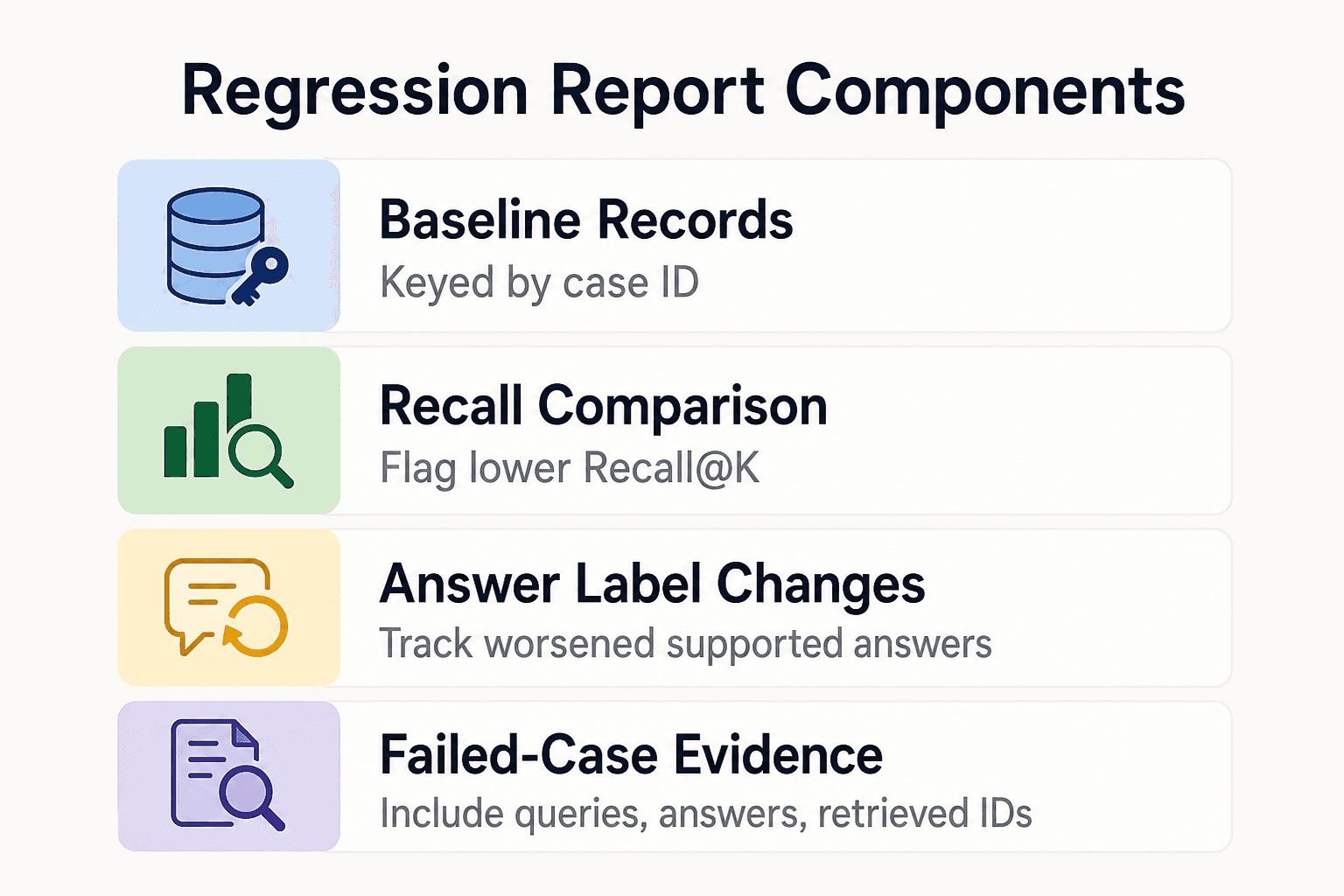
Store one baseline record per case, keyed by case_id. In this example, configure the regression comparison to flag a lower Recall@K or a change from a baseline supported answer-review label to another label.
from collections import Counter

baseline_records = []
baseline = {r["case_id"]: r for r in baseline_records}

mean_recall = (
    sum(r["metrics"]["recall_at_k"] for r in records if "metrics" in r)
    / len(case_scores)
    if case_scores else 0.0
)
failures = Counter(r.get("answer_review", "unreviewed") for r in records)

regressions = []
for record in records:
    if "metrics" not in record:
        continue
    old = baseline.get(record["case_id"])
    if not old:
        continue
    recall_dropped = (
        record["metrics"]["recall_at_k"] < old["metrics"]["recall_at_k"]
    )
    answer_worsened = (
        old.get("answer_review") == "supported"
        and record.get("answer_review") != "supported"
    )
    if recall_dropped or answer_worsened:
        regressions.append(record)
Keep new cases out of the regression count. They have no baseline.
Write the report
report = [
    "# RAG evaluation report",
    f"- Cases: {len(records)}",
    f"- Mean Recall@K: {mean_recall:.2f}",
    f"- Regressions: {len(regressions)}",
    "",
    "## Answer labels",
    "| Label | Count |",
    "|---|---:|",
    *[f"| {label} | {count} |" for label, count in failures.items()],
    "",
    "## Failed-case appendix",
]

for record in regressions:
    report += [
        f"### {record['case_id']}",
        f"Query: {record['query']}",
        f"Answer: {record['answer']}",
        f"Retrieved IDs: {[c['chunk_id'] for c in record['retrieved_chunks']]}",
        "",
    ]

path = Path("artifacts/report.md")
path.parent.mkdir(exist_ok=True)
path.write_text("\n".join(report), encoding="utf-8")
print(path)
The script prints artifacts/report.md. Commit or archive it with the run JSONL so reviewers can trace each count back to captured evidence.
Define acceptance criteria for your own release process and document them with the evaluation report. Include the relevant task context, baseline, and review requirements so reviewers can apply the criteria consistently.
Use the report to surface differences in the recorded metrics and case outcomes. Send unclear labels, permission-sensitive requests, and high-impact regressions to review, and include the recorded evidence and your team's review process in release decisions.
Evaluate shared project knowledge across sessions and agents
For shared project knowledge, record the knowledge snapshot and access scope that applied to each run. These fields let reviewers compare results against the project state and permissions recorded for that evaluation.
GigaRAG is a shared memory platform for AI agents that helps developers and teams keep project knowledge available across sessions and tools. Its access controls can manage what each agent can use, so your evaluation records should still preserve the scope used for each run.
Test snapshot drift and access boundaries
Run the same case against two named snapshots after a documented project change. Keep the query fixed, but store separate expected evidence and answer expectations for each snapshot.
Put access_scope on both the case and run record. Don't label a restricted document as expected evidence for a user who cannot access it, and flag returned chunks outside the allowed scope.
Test cross-session continuity
Give an agent a task that spans sessions, then change a relevant source between them. Check that the later run retrieves from its declared snapshot rather than treating earlier context as permanent fact.
Capture prior-session context separately from newly retrieved chunks so reviewers can distinguish the artifacts available across the two sessions.
Keep product integration claims verified
Don't publish a GigaRAG setup command or retrieval call without verified official documentation. If its documented integration exposes snapshot or access-scope values, preserve them with each run.
Don't invent metadata fields and present them as product behavior. You can add wrapper fields, but label them as application-managed values.
Common RAG evaluation mistakes and trade-offs
A fixed evaluation set lets you compare recorded runs for the cases and conditions you define. Update or supplement the set when your knowledge base, access rules, or evaluation goals change.
Treating happy-path prompts as an evaluation set
A few prompts that return good answers are a demo, not a test suite. Include known failures, negative-retrieval cases, stale sources, conflicting evidence, and permission-bound requests.
Keep cases small at first. A reviewed set of varied cases is more useful than a large set of prompts nobody can label.
Optimizing recall while ignoring context and answer support
High Recall@K can mean the system found more relevant chunks, but it can also rise because you retrieve more material. Recall measures completeness, while precision measures how much returned material is relevant.
Recall and precision express different retrieval trade-offs. Check Precision@K, inspect supplied chunks, and label whether the answer is supported by them.
Treating one benchmark or LLM judge as proof
When you use benchmark results, record the cases, relevance judgments, corpus, and retrieval setup used for that comparison. Add cases and review processes that reflect the repositories, requests, access rules, and source updates relevant to your system.
If you use an LLM judge, store its rubric, prompt, model identifier, output, and judged context. Sample its decisions for human review and revise unclear criteria in the rubric.
When a JSONL harness is enough
It depends on your system's risk, change rate, traffic, and how many people need to inspect results. A JSONL harness is enough when you have a modest reviewed suite, one adapter, and a team that can inspect failed records directly.
Use a dedicated framework when runs, datasets, annotations, or comparisons become hard to manage by hand. Add production monitoring when real requests, changing knowledge, and user impact can expose failures that a fixed test set cannot.
Use the template as a repeatable engineering check
Use the regression suite as an engineering check alongside security testing, user feedback, and production monitoring.
Start with reviewed cases
Begin with a reviewed set your team can inspect closely. Include real repository questions, cross-file tasks, stale-source cases, access-boundary requests, and failures you already know about.
Small is fine when the set is reviewed and fits the release objective. A larger unreviewed prompt set may be useful for exploration, but it does not replace cases your team can label and explain for a release check.
Run, review, and expand the set
Run the same cases before and after changes to retrieval, chunking, prompts, models, or knowledge sources. Store the knowledge snapshot, access scope, configuration, retrieved chunks, and answer for each run.
Don't tune from aggregate scores alone. Open the failed record and check the query, expected evidence, returned chunks, answer, and source material before changing a prompt or retriever.
Add cases when you verify a real incident, a reviewer finds a repeatable gap, or project knowledge changes in a way that should alter the answer. Random prompts can suggest ideas, but they don't establish a regression target your team can defend.
Frequently asked questions
What should a RAG evaluation set contain?
Include queries and judgments identifying relevant evidence for retrieval evaluation. Also capture retrieved context and the generated answer, since retrieval and generation are separate stages.
How many test cases do I need for a RAG evaluation set?
Use a reviewed set that your team can inspect and explain, then expand it as you identify representative work, repeatable failures, and relevant knowledge changes. The right size depends on your system's risk, change rate, and review capacity.
What is the difference between Precision@K and Recall@K in RAG evaluation?
Precision@K is the fraction of the top K results that are relevant. Recall@K is the fraction of all relevant documents that appear in those results.
How do I evaluate whether a RAG answer is supported by retrieved context?
Inspect the query, retrieved context, and generated answer together. Retrieval measures assess whether relevant information was found, while answer support needs a separate review of what the response says.
Should I use exact-match answers in a RAG evaluation dataset?
Don't require one exact answer sentence when several wordings can state the same supported result. Instead, identify required evidence, facts that must appear, and facts that must not appear.
How can I detect RAG regressions after changing chunking or retrieval?
Run the same queries against the changed workflow and compare retrieval results using the same relevance judgments. Inspect retrieved context and answers where behavior differs.
How should automated RAG metrics fit into review?
Use retrieval metrics to quantify relevance and ranking in retrieved results. Review the retrieved evidence and generated answer separately when you need an answer-support judgment.
Why include knowledge snapshot and access-scope metadata?
Those fields record which version of project knowledge and which permissions applied to a run. They give reviewers the context needed to compare changed behavior across runs.
About GigaRAG
GigaRAG lets developers and teams connect AI agents to a central Hive Mind through MCP or the API.
For an evaluation harness, keep integration-specific behavior verified and record the application-managed artifacts needed to review each run, including the retrieved evidence and scope used.


