RAG Use Cases and Applications That Actually Work for Agent Memory
Most RAG use cases and applications articles for agent memory builders open with the same tired customer support story, then skip the parts that actually matter: persistent context, multi-agent knowledge sharing, and pipeline-level decisions. You won't get that here. GigaRAG is built for people wiring retrieval into agent memory, so this piece starts where the generic roundups stop. The honest answer is that RAG works well for some things and badly for others, and knowing which is which saves you months of rework. This guide covers the use cases worth building, the limitations nobody else mentions, and the implementation choices that separate a working memory pipeline from a demo that falls apart in production.
| At a glance | Details |
|---|---|
| Primary use case | Persistent agent memory across sessions |
| Best-fit data | Text-heavy, frequently updated knowledge |
| Key limitation | Cannot reason or guarantee factual accuracy |
| Pipeline components | Ingestion, embedding, retrieval, generation |
| Multi-agent sharing | Shared vector store enables collaboration |
| Maintenance need | Ongoing re-indexing and quality monitoring |
In This Guide
- What Is RAG and How Does It Work?
- RAG vs Fine-Tuning for Agent Memory
- RAG Use Cases and Applications That Matter for Agent Memory
- Rag Use Cases And Applications: A Step-by-Step Guide
- Why RAG Matters for Pipeline Builders
- What RAG Cannot Do: Honest Limitations
- When Not to Use RAG
- Implementation Tips for Agent Memory Pipelines
- Common Mistakes When Building RAG Use Cases and Applications
- Final Thoughts on RAG for Agent Memory
What Is RAG and How Does It Work?
RAG (retrieval-augmented generation) is a technique that gives an LLM access to external data at query time, so it can ground its answers in sources it wasn't trained on. The model retrieves relevant chunks from a knowledge base, stuffs them into the prompt, and generates a response that cites that material. It's mainly used to reduce hallucination and keep answers current without retraining.
The core RAG loop: retrieve, augment, generate
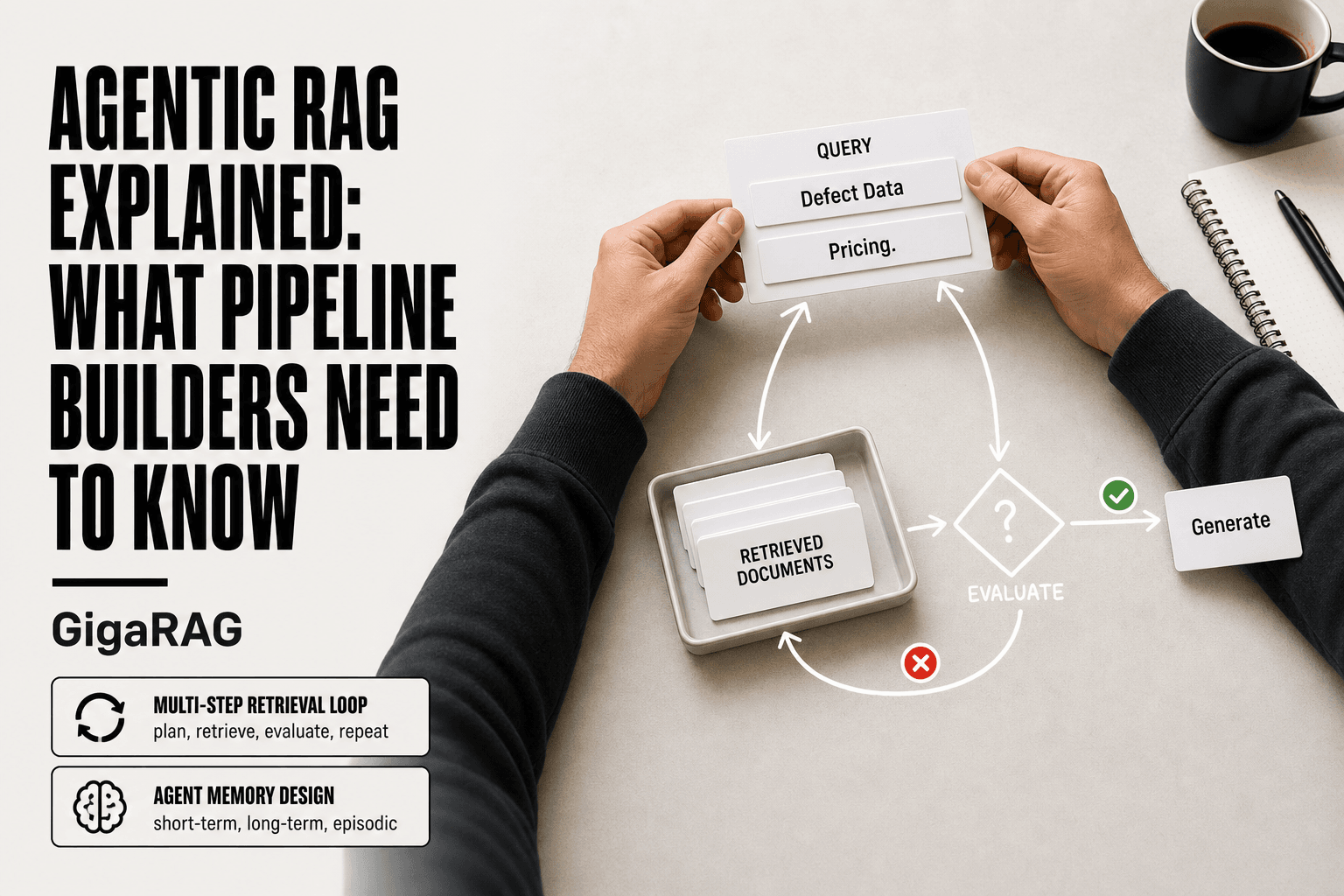
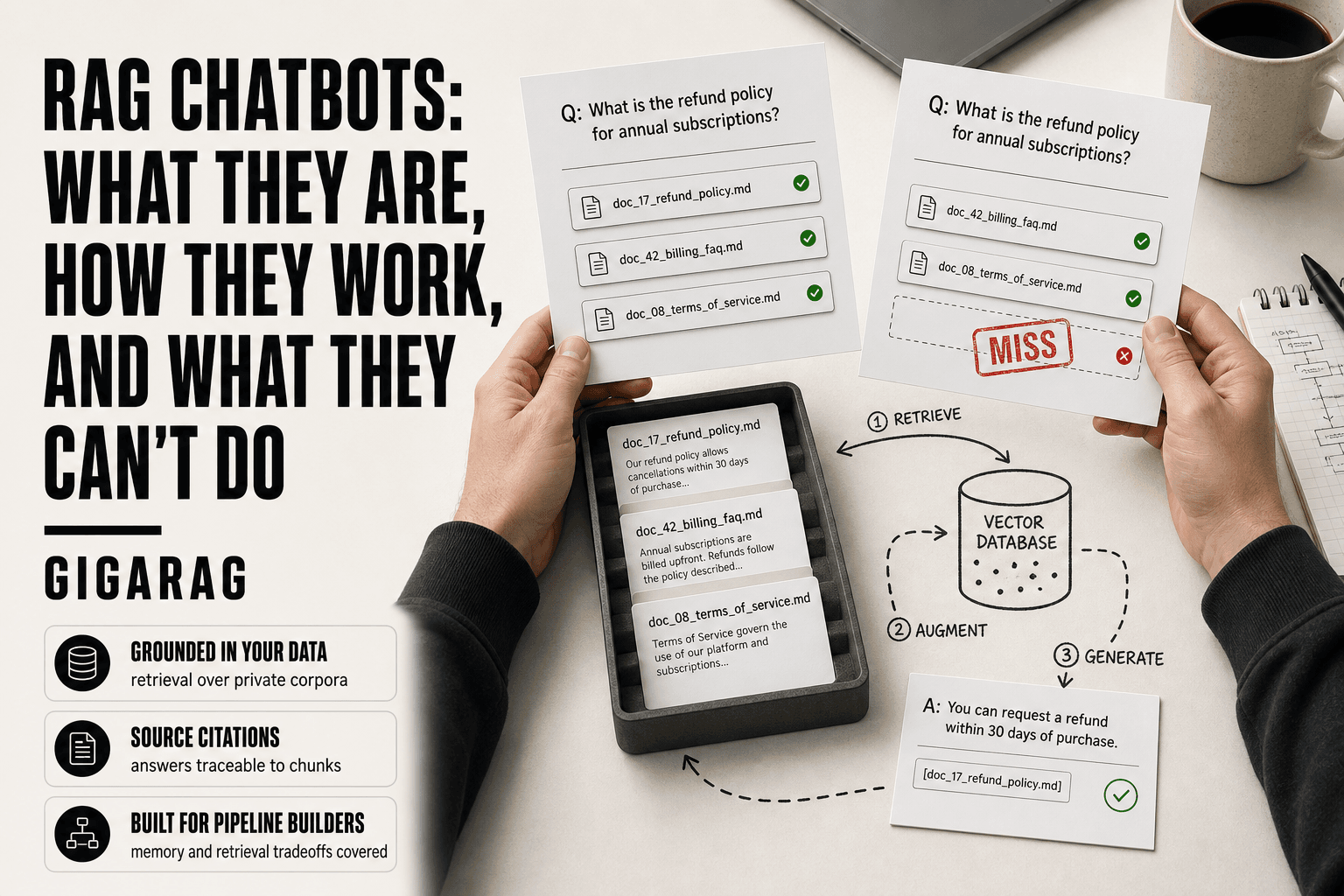
The pipeline runs in three steps. First, your query gets embedded into a vector and matched against stored chunks in a vector database. The top matches come back. Second, those chunks get added to the prompt alongside the original question. Third, the LLM generates an answer using only what you handed it.
The honest catch: retrieval quality sets the ceiling. If the right chunk doesn't come back, the model can't use it. That's the whole game.
Where agent memory fits into the RAG pipeline
Agent memory is just a knowledge base that grows as the agent works. Session history, tool outputs, user preferences: all of it gets chunked, embedded, and stored. When the agent needs context later, it retrieves from that store instead of relying on a fixed system prompt. The RAG loop doesn't change. What changes is what you index, and when.
[!note] RAG does not make an LLM inherently truthful; it only provides relevant context. The model can still generate incorrect or unsupported statements.
RAG vs Fine-Tuning for Agent Memory
| Factor | RAG | Fine-Tuning |
|---|---|---|
| Knowledge updates | Update vector store without retraining | Requires retraining with new data |
| Cost | Lower upfront, ongoing storage/compute | Higher upfront training cost |
| Latency | Retrieval adds latency per query | No retrieval step, faster inference |
| Transparency | Can cite retrieved sources | No built-in source attribution |
| Best for | Dynamic, factual, up-to-date knowledge | Style, tone, or domain adaptation |
RAG Use Cases and Applications That Matter for Agent Memory
Most RAG use case lists stop at customer support and enterprise Q&A. Those work, but they don't help you build agent memory. Here are the five that actually matter for pipeline builders.
Persistent context across sessions
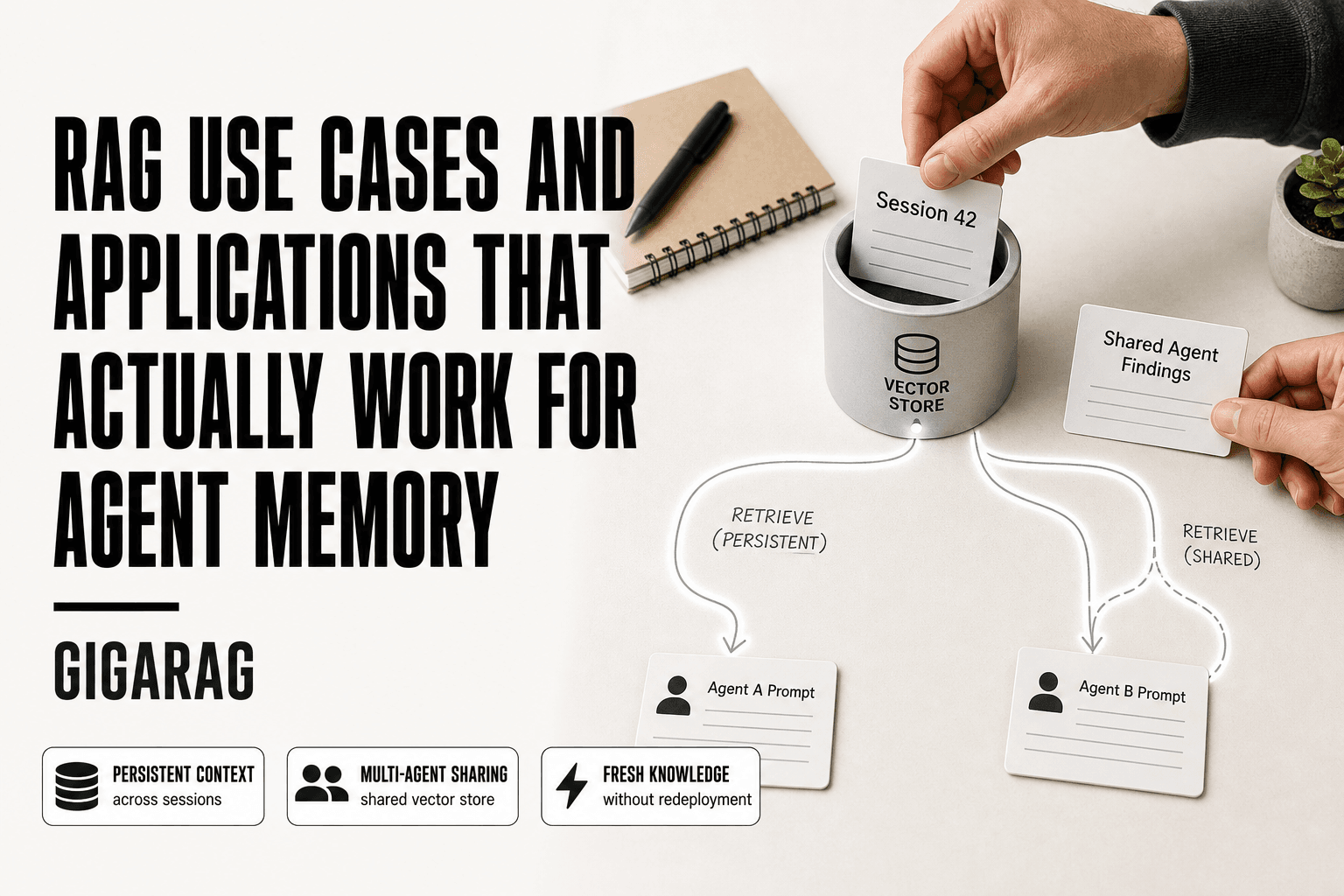
An agent that forgets everything between sessions is useless for anything longer than a single task. RAG fixes this by storing conversation history, decisions, and tool outputs as retrievable chunks. When the agent starts a new session, it queries its own memory store for relevant context instead of starting cold. The pipeline decision here is what to index: raw transcripts, summaries, or structured state. Summaries retrieve faster but lose detail. Raw transcripts keep everything but bloat the index.
Multi-agent knowledge sharing
When multiple agents work on related tasks, each one builds its own context. RAG gives them a shared memory layer. One agent's findings get embedded and stored; another agent retrieves them when its task overlaps. This matters for orchestrator patterns where a planning agent hands subtasks to worker agents. The catch: you need a shared schema, or retrieval quality collapses across agents with different chunking conventions.
Long-term memory for customer-facing agents
Support agents need to remember a customer's history across months, not just one ticket. RAG retrieves past interactions, preferences, and resolved issues at query time. The pipeline challenge is freshness: old interactions shouldn't outweigh recent ones. You'll need timestamp-aware retrieval or decay weighting, which most vanilla RAG setups don't include.
Internal knowledge retrieval for autonomous agents
Agents that act on their own need to pull from internal docs, runbooks, and policies before taking action. RAG grounds those decisions in real sources. The limitation: retrieval latency adds up when an agent makes multiple queries per task. Budget for it.
Code-aware retrieval for developer agents
Developer agents retrieve code snippets, API docs, and past fixes. RAG works here, but generic embeddings miss code structure. You'll need code-specific chunking and possibly hybrid search over symbols and text.
[!tip] For agent memory, store not just text but also metadata like timestamps, source, and confidence scores. This enables time-aware retrieval and helps the agent prioritize recent or reliable memories.
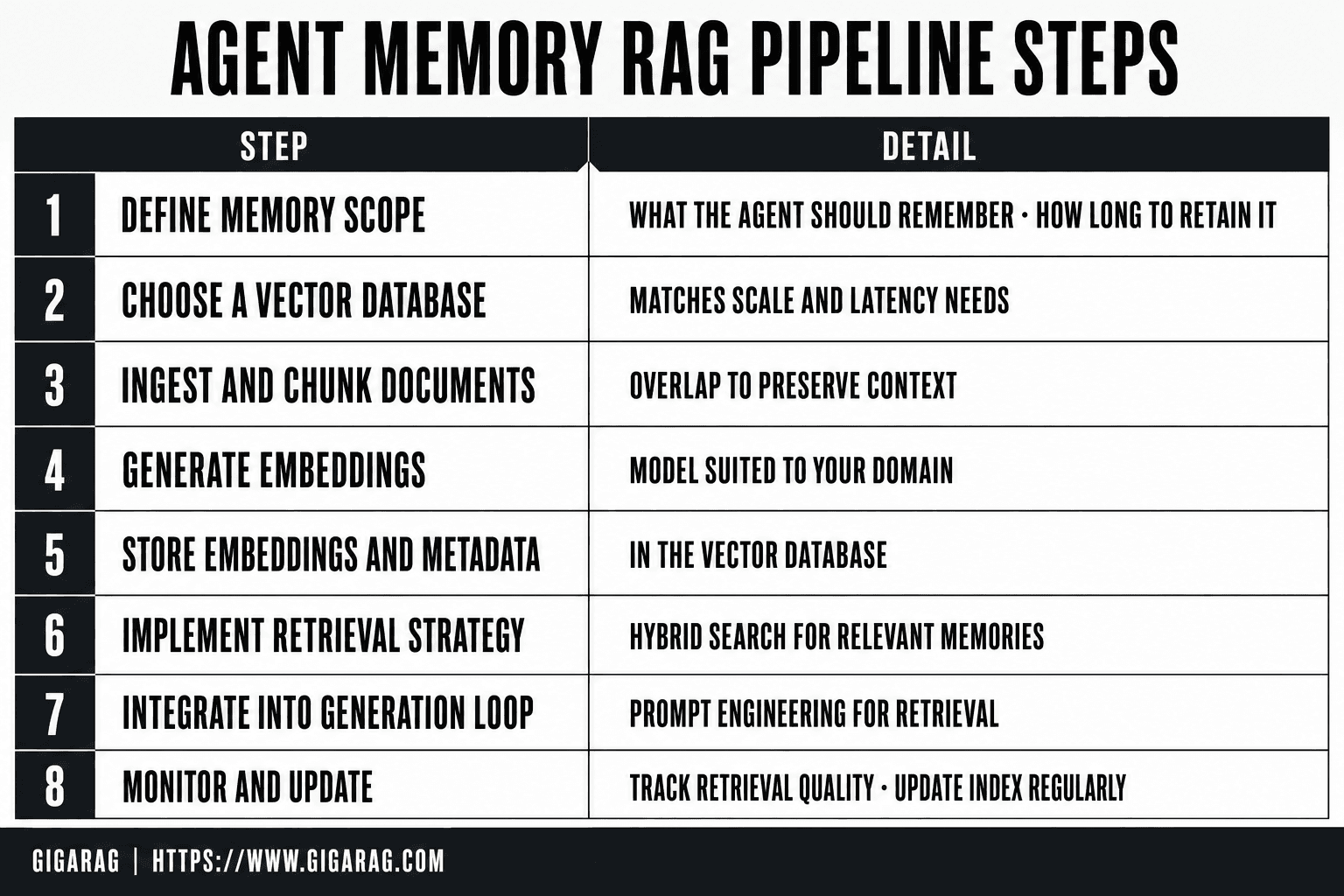
Rag Use Cases And Applications: A Step-by-Step Guide
- Define the memory scope: what should the agent remember and for how long?
- Choose a vector database that supports your scale and latency needs.
- Ingest and chunk documents with overlap to preserve context.
- Generate embeddings using a model suited to your domain.
- Store embeddings and metadata in the vector database.
- Implement a retrieval strategy (e.g., hybrid search) to fetch relevant memories.
- Integrate retrieval into the agent's generation loop with prompt engineering.
- Monitor retrieval quality and update the index regularly.
Why RAG Matters for Pipeline Builders
The use cases above share one thing: they all depend on retrieval quality. That's where pipeline builders earn their keep.
Grounding outputs in real data
RAG forces the model to answer from retrieved context, not from whatever it memorized during training. That cuts hallucination on factual questions. The pipeline decision is what counts as "real data." If your index holds stale or partial chunks, grounding doesn't save you. You're just hallucinating with extra steps.
Avoiding retraining costs
Fine-tuning a model on new knowledge means a training run, a validation set, and a redeploy. RAG skips all that. You update the index, and the next query sees the new data. For knowledge that changes weekly or daily, fine-tuning is a non-starter. The cost difference isn't close.
Keeping knowledge fresh without redeployment
This is the sharpest benefit for agent memory. Add a new document to the vector store, and retrieval picks it up on the next query. No model weights change. No downtime. The tradeoff: freshness depends on your indexing pipeline running on schedule. If ingestion lags, your agent answers from yesterday's world.
What RAG Cannot Do: Honest Limitations
Most RAG articles skip this part. That's a problem, because the limitations shape your architecture more than the benefits do. Here's what you can't expect.
RAG does not guarantee 100% accuracy
Retrieval can return the wrong chunk. The model can misread the right chunk. The generator can still hallucinate when the retrieved context is thin or contradictory. RAG reduces hallucination on factual questions. It doesn't eliminate it.
In practice, expect accuracy to track retrieval quality. If your top-k results are 80% relevant, your answers will be wrong roughly 20% of the time, before the model even gets a say. That's not a model problem. It's a pipeline problem.
RAG is not a replacement for fine-tuning
RAG changes what the model reads. Fine-tuning changes how the model behaves. Those are different jobs.
If you need a specific tone, a strict output format, or domain-specific reasoning patterns, RAG won't get you there. You can stuff examples into the context window, but that's prompt engineering with extra steps. Fine-tuning bakes the behavior into the weights. RAG bakes knowledge into the index. Use each for what it does.
Latency and retrieval quality are your bottlenecks
Every RAG query runs a retrieval step before generation. That step costs time. Vector search, re-ranking, and context assembly can add 100 to 500 milliseconds on top of model inference, depending on your stack.
For agent memory, this compounds. A multi-step agent that retrieves on every turn pays that latency repeatedly. If your agent needs sub-second responses, you'll spend more time optimizing retrieval than building features.
Garbage in, garbage out: your knowledge base is the ceiling
Your RAG pipeline is only as good as what you index. Stale documents, duplicate chunks, poorly formatted PDFs, and contradictory sources all flow straight into the model's context.
The honest answer is that most RAG failures aren't model failures. They're ingestion failures. If your knowledge base is a mess, no amount of prompt engineering or re-ranking will fix it. Clean the data first.
When Not to Use RAG
RAG is not a default. It's a tool with real costs: an index to build, a retrieval step to run, and a pipeline to maintain. Before you reach for it, check whether a simpler approach gets the job done.
Small, static knowledge bases
If your knowledge fits in a context window, you don't need RAG. A 50-page manual or a fixed API spec can be pasted directly into the prompt. No embeddings, no vector database, no retrieval latency. You pay for tokens, not infrastructure.
The break-even point depends on your model's context limit and how often the knowledge changes. If it changes rarely and fits comfortably, RAG is overhead.
Latency-critical applications
Every retrieval step adds time. If your agent must respond in under 200 milliseconds, the vector search alone may blow the budget. Direct prompts or cached responses win here.
When fine-tuning is simpler
Fine-tuning bakes behavior into the model. If you need a consistent output format or a specific tone across thousands of calls, fine-tune once and skip the retrieval layer entirely. RAG adds moving parts. Fine-tuning adds a training run.
When prompt engineering is enough
For a handful of known queries, hardcode the answers. For a fixed set of instructions, write them into the system prompt. RAG earns its keep when the knowledge is large, changing, or unpredictable. When it's not, you're building a pipeline to solve a problem you don't have.
Implementation Tips for Agent Memory Pipelines
Most agent memory failures happen before the model ever sees a prompt. The retrieval step returns the wrong chunks, and the agent answers confidently from bad context. Fix the pipeline first.
Chunking strategies for memory retrieval
Chunk size changes what your agent can recall. Small chunks (100 to 200 tokens) retrieve precise facts but lose surrounding context. Large chunks (500 to 1000 tokens) keep conversations coherent but bury the specific detail you need.
For agent memory, split by semantic boundary, not character count. Break on paragraph or turn changes. Overlap chunks by 10 to 15 percent so a fact split across two chunks stays retrievable. Test three chunk sizes on your own queries before committing.
Hybrid search vs. semantic search
Semantic search alone misses exact identifiers: user IDs, error codes, product names. Hybrid search combines vector similarity with keyword matching (BM25) and returns the union of both result sets. For agent memory, run hybrid by default. Pure semantic search is fine for prose-heavy knowledge bases, but the moment your agent needs to recall a specific string, keyword matching saves you.
Re-ranking for retrieval quality
Retrieval returns candidates. Re-ranking orders them. A cross-encoder re-ranker scores each query-chunk pair directly, which is slower but far more accurate than vector similarity alone. Retrieve 20 to 50 candidates, re-rank to the top 5, and feed only those to the model. This single step fixes more retrieval failures than any embedding model swap.
Evaluating your RAG pipeline
You cannot improve what you don't measure. Build a test set of 50 to 100 real queries with known-good chunks. Track two numbers: recall (did the right chunk make the candidate set?) and answer accuracy (did the agent respond correctly given the retrieved context?). Run this after every chunking, embedding, or re-ranking change. Without it, you're tuning blind.
Common Mistakes When Building RAG Use Cases and Applications
Most RAG failures trace back to four mistakes. Each has a fix you can apply today.
Ignoring retrieval quality
You tune the prompt, swap the model, adjust the temperature. None of it matters if retrieval returns the wrong chunks. The agent answers from bad context and sounds confident doing it.
Fix: measure recall before anything else. Build a test set of 50 real queries with known-good chunks. If recall is below 80 percent, stop tuning the generator. Fix retrieval first.
Poor chunking strategy
Chunking by character count splits facts across boundaries. Your agent retrieves half an answer and fills the rest with hallucination.
Fix: split on semantic boundaries. Break on paragraph or turn changes. Overlap by 10 to 15 percent. Test three chunk sizes on your own queries.
Over-relying on embeddings alone
Embeddings capture meaning, not exact strings. User IDs, error codes, product names all get lost in vector space.
Fix: run hybrid search. Combine vector similarity with BM25 keyword matching. The union of both result sets covers what embeddings miss.
Skipping evaluation
You ship a pipeline, it works on your three test queries, you move on. Then production queries fail and you don't know why.
Fix: track recall and answer accuracy after every chunking, embedding, or re-ranking change. Without a baseline, you're tuning blind.
Final Thoughts on RAG for Agent Memory
RAG use cases and applications for agent memory come down to one trade-off: retrieval quality sets the ceiling, and everything else is tuning below it. If your chunks are wrong, your agent is wrong. No prompt saves that.
The honest answer is that RAG is a pipeline problem, not a model problem. Build the retrieval loop first. Measure recall. Fix chunking. Then add the generator.
If you're building agent memory, GigaRAG handles the retrieval and persistence layer so you can focus on the agent logic instead of the plumbing.
Frequently Asked Questions
Is ChatGPT a RAG model?
No, ChatGPT is a standalone large language model. However, some versions or plugins may use RAG-like retrieval to access external knowledge, but the core model itself is not RAG.
What is RAG mainly used for?
RAG is primarily used to augment LLM responses with up-to-date, domain-specific information from external sources. It is common in question answering, customer support, and agent memory systems.
What are the uses of a RAG?
RAG is used for knowledge-intensive tasks like document Q&A, personalized recommendations, and maintaining long-term memory in AI agents. It helps ground responses in factual data.
What is LLM vs RAG?
An LLM is a language model that generates text based on its training data. RAG is a technique that combines an LLM with a retrieval system to access external knowledge, improving accuracy and recency.
Can RAG be used for real-time data?
Yes, RAG can retrieve real-time data if the underlying knowledge base is updated frequently. However, there may be latency in indexing and retrieval, so true real-time performance depends on the pipeline design.
How does RAG help with agent memory?
RAG allows agents to store and retrieve past interactions, facts, and context in a vector database. This enables persistent memory across sessions and supports multi-agent knowledge sharing.
What are the limitations of RAG?
RAG cannot reason or guarantee factual correctness; it only retrieves relevant text. It also depends on the quality of the knowledge base and may struggle with ambiguous or multi-hop queries.
About GigaRAG
GigaRAG is for agent memory and RAG pipeline builders. get this right. Whether you are working through rag use cases and applications or something adjacent, we publish what we have actually tested, including where it falls short.